> ## Documentation Index
> Fetch the complete documentation index at: https://docs.partnero.com/llms.txt
> Use this file to discover all available pages before exploring further.
# Display Refer-a-friend data within your Shopify store
**Shopify** store owners can display each customer's **Refer-a-Friend program data** directly in their **store account profile**. When customers log in, they can view their referral progress — including rewards earned, friends referred, and remaining steps — all within their dashboard.
This makes your referral program more transparent, engaging, and integrated into the shopping experience.
If you haven't yet, the first step is to connect your Refer-a-friend program to Shopify. [Here's how to do that](/knowledge-base/referral-programs/shopify-refer-a-friend-program).
***
## Show Refer-a-Friend stats in customer profiles
To insert the program data to customers' profiles:
1. Go to your [Shopify store admin](https://www.shopify.com/sg/store-login).
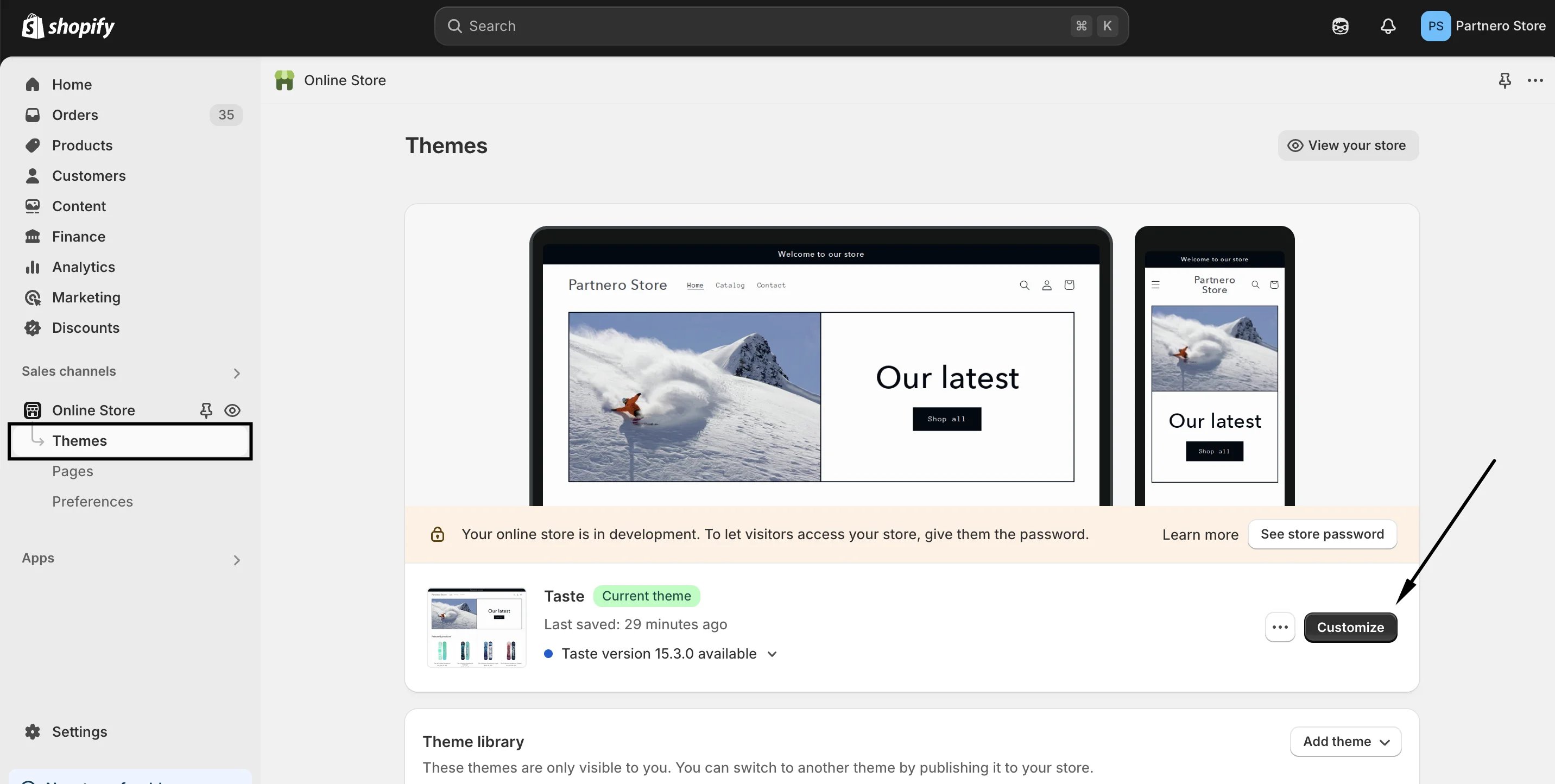
2. Click on **Sales channels** and then **Online store**: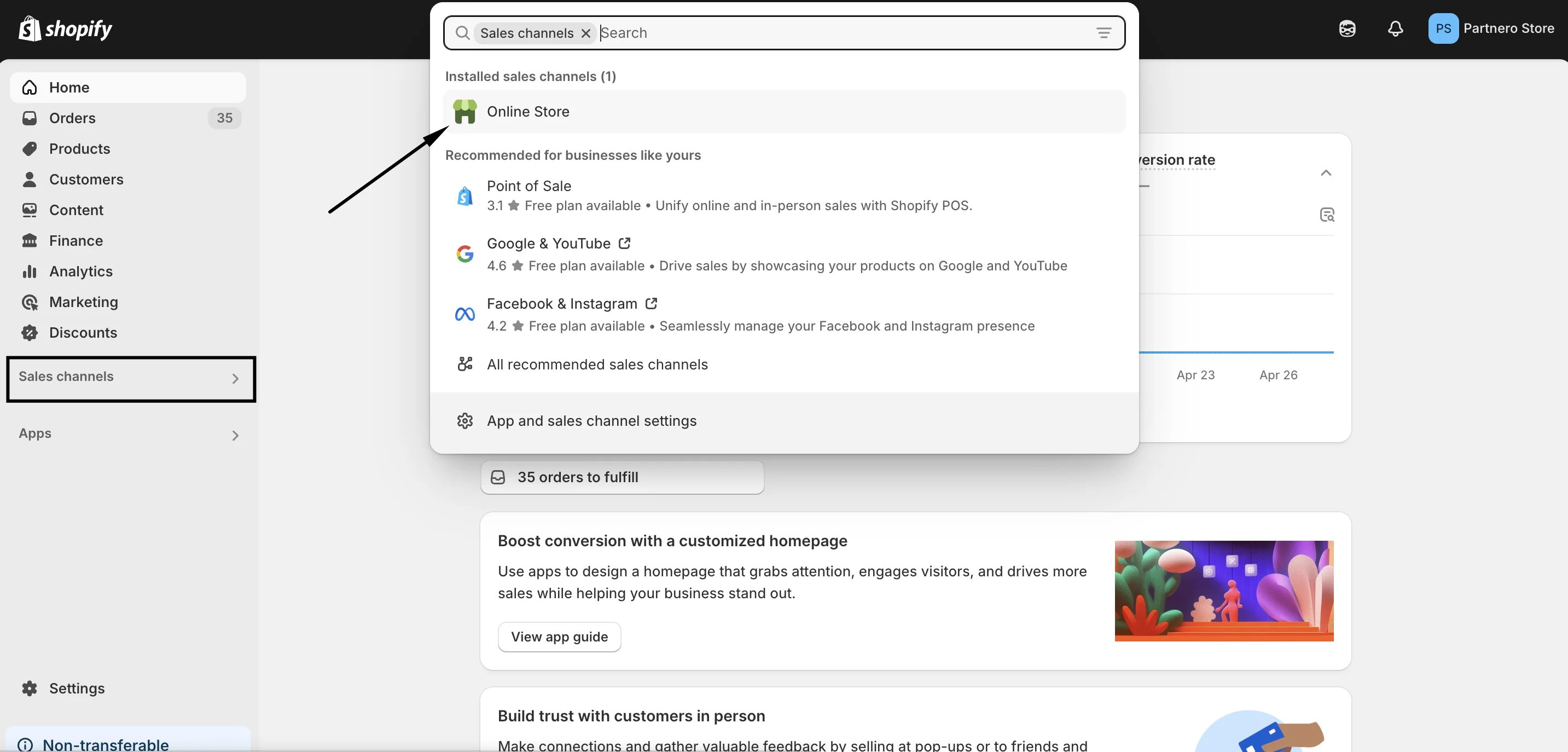 3. Go to **Themes** and click **Customize**:
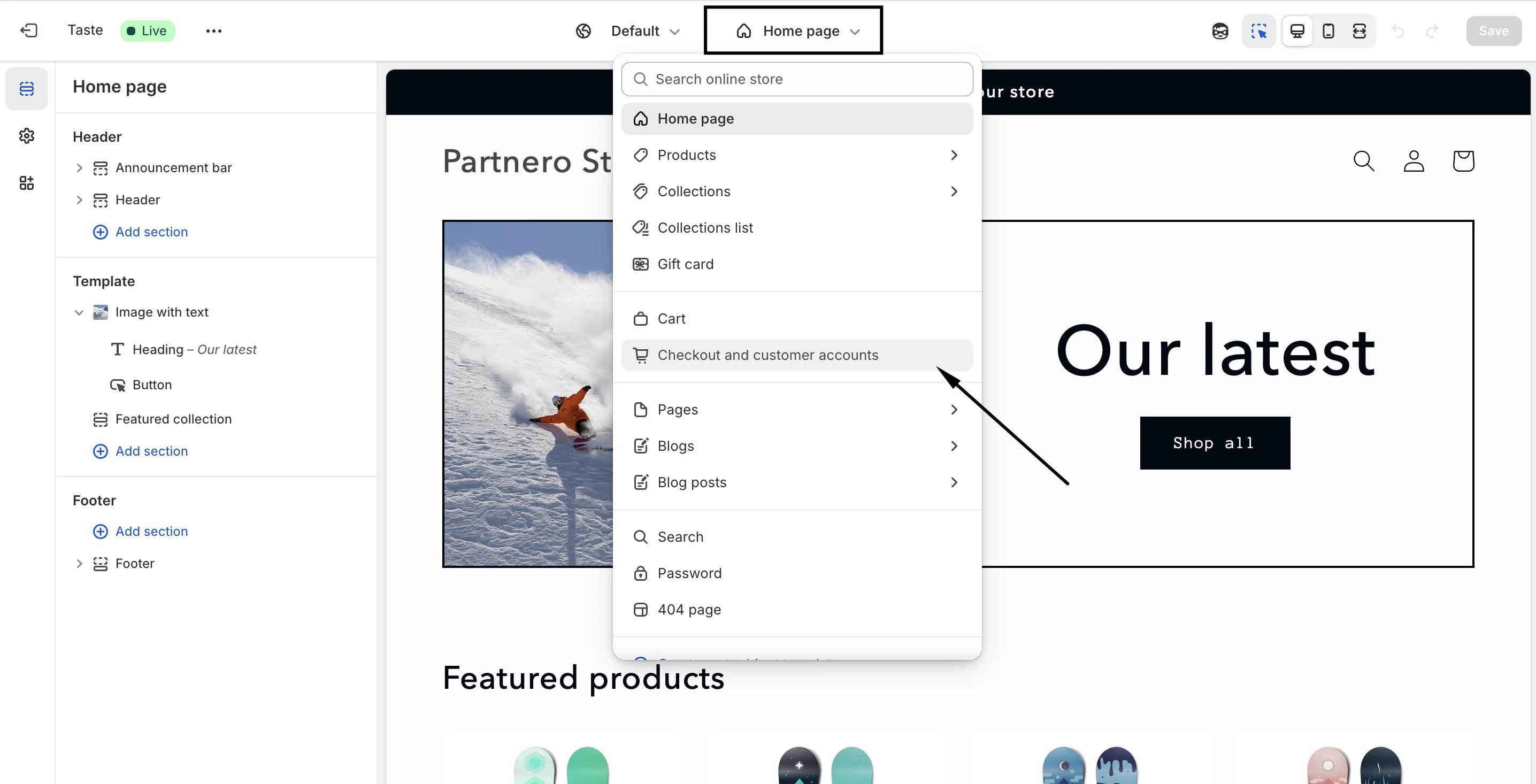
 4. In the editor, click on the dropdown at the top center and select to edit **Checkout and customer accounts**:
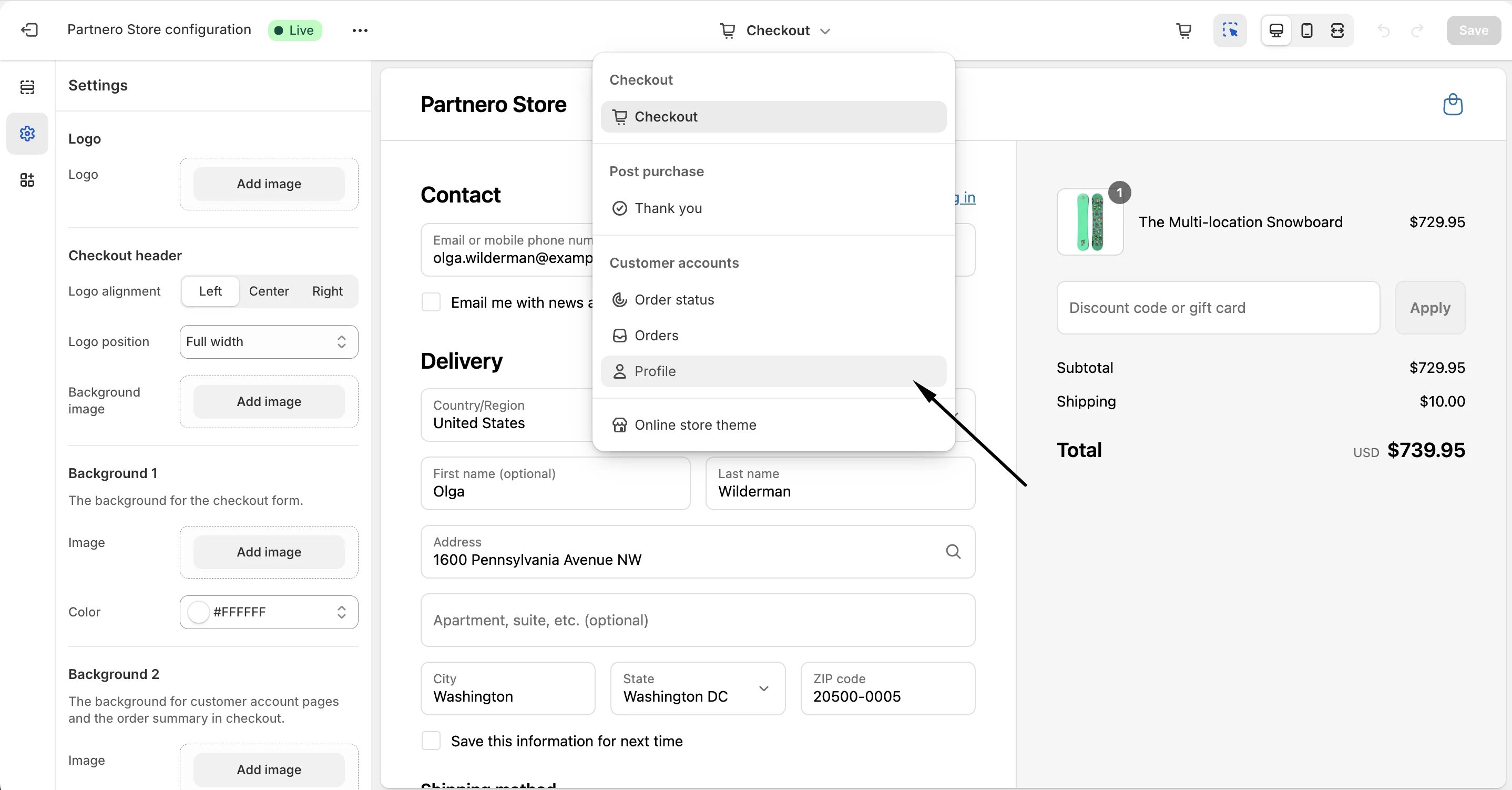
 5. Then, switch to editing the **Profile**:
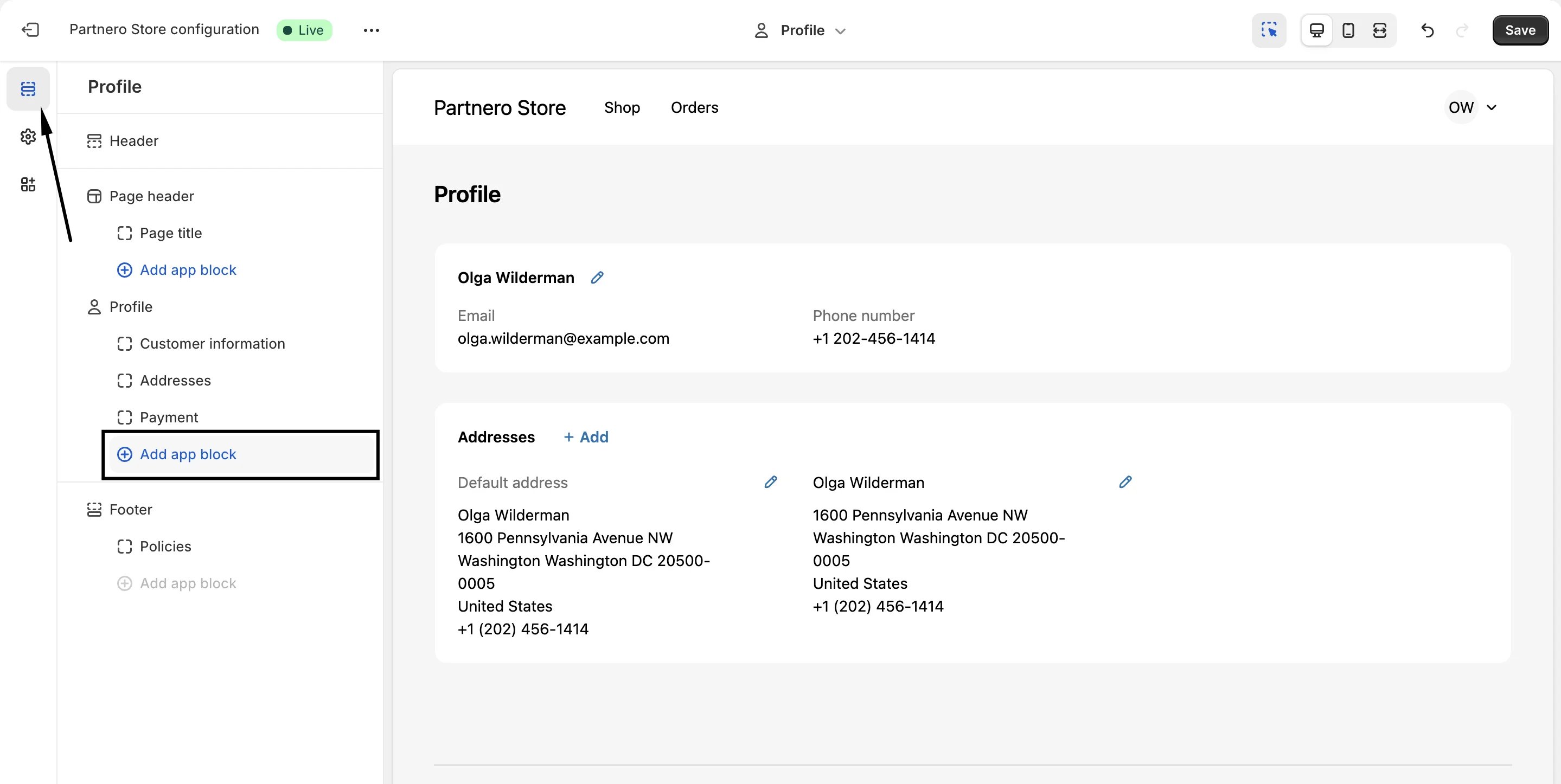
 6. In the left-hand side menu, switch to **Sections** and click **Add app block** under Profile:
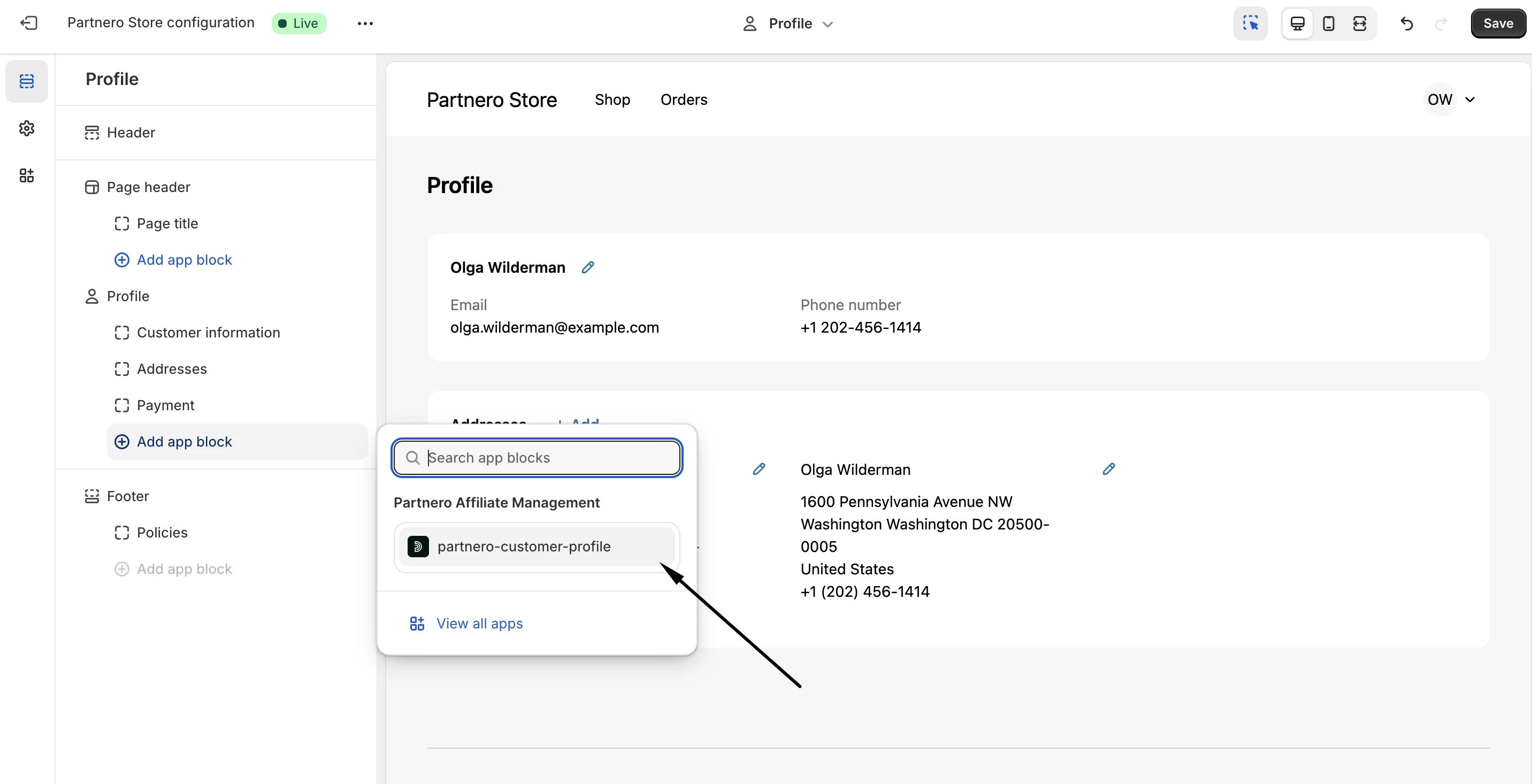
 7. If your Shopify store is successfully connected to a refer-a-friend program on Partnero, you'll have the option to insert **Partnero customer profile**:
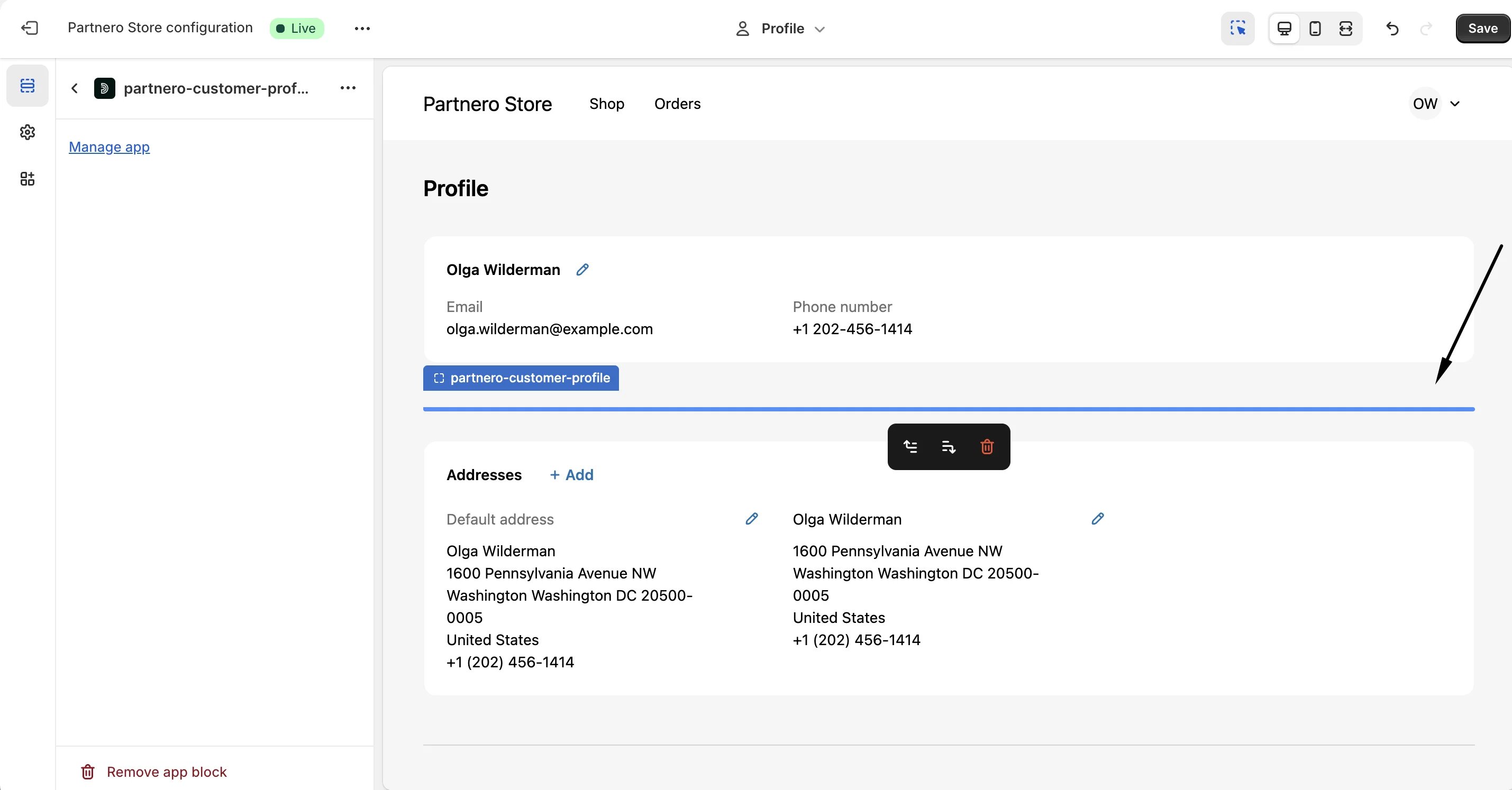
  8. Click to insert and decide on the placement:
 9. Click **Save**.
**Important**: the customer data will not be visible in the editor. To view the section, log in to a customer account on your store.
Here's a simple preview of a customer's profile with the Refer-a-friend data:
9. Click **Save**.
**Important**: the customer data will not be visible in the editor. To view the section, log in to a customer account on your store.
Here's a simple preview of a customer's profile with the Refer-a-friend data: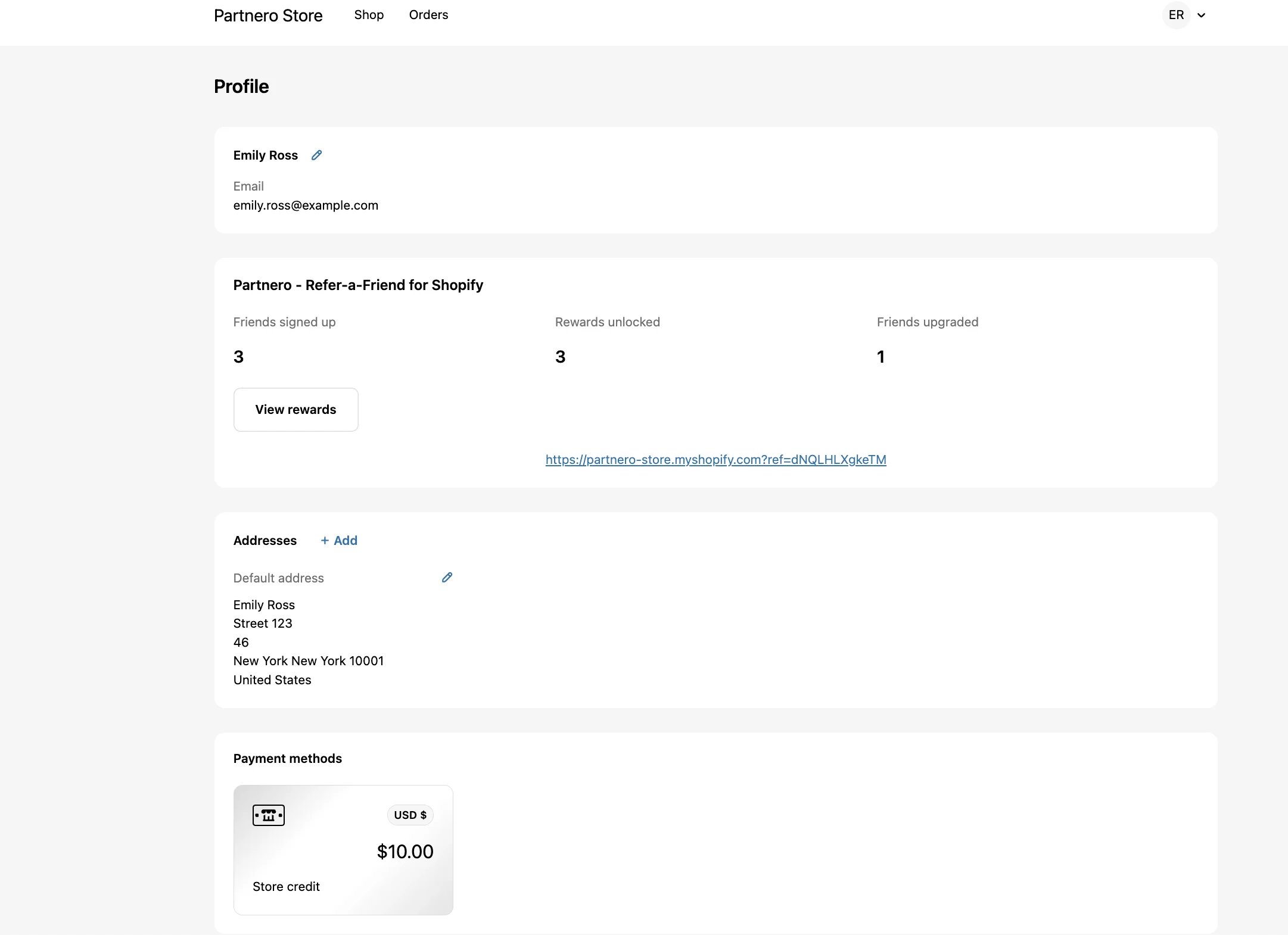 The **View rewards** button takes the customer to the referral portal. [Read more about enabling and customizing the referral portal.](/knowledge-base/referral-programs/customize-the-referral-portal)
This documentation is built and hosted on [Mintlify](https://mintlify.com), a developer documentation platform.
The **View rewards** button takes the customer to the referral portal. [Read more about enabling and customizing the referral portal.](/knowledge-base/referral-programs/customize-the-referral-portal)
This documentation is built and hosted on [Mintlify](https://mintlify.com), a developer documentation platform.