> ## Documentation Index
> Fetch the complete documentation index at: https://docs.partnero.com/llms.txt
> Use this file to discover all available pages before exploring further.
# How to create a reward
Rewards define how your customers and their referrals will be rewarded. To create a reward, you must first create a program. If you haven't yet done so, follow [this article](/knowledge-base/referral-programs/create-refer-a-friend-program) to create your program.
Each program can have multiple unique rewards.
***
### Creating rewards
To create a reward manually:
1. In your referral program, go to **Rewards** under **Referral**. Click **Create your first offer** (or New offer if you already have existing rewards): 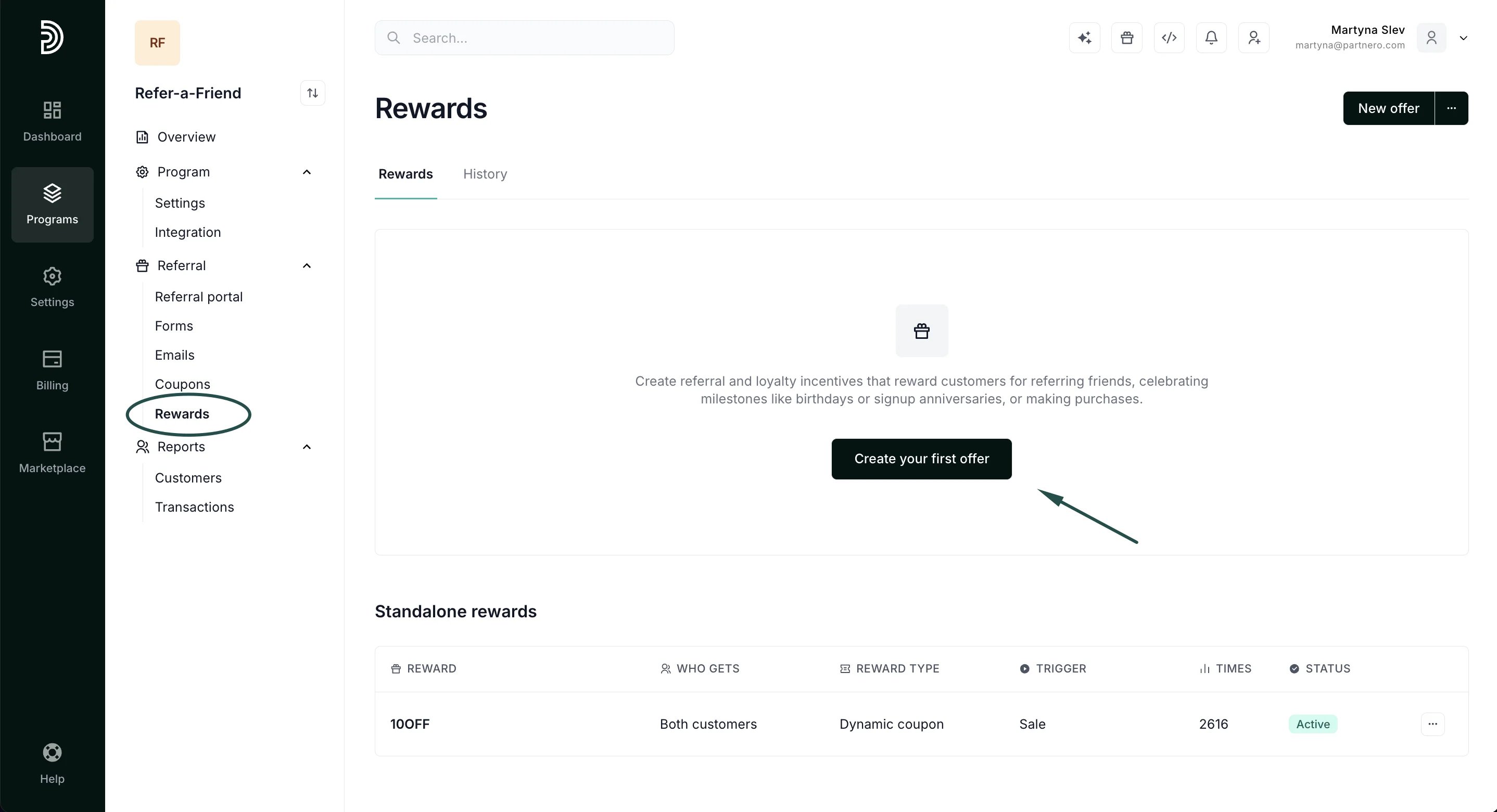 2. You will be presented with a modal to customize the reward. All settings are explained in detail below. Fill out the modal and click **Create**.
To select from reward templates:
1. In the **Rewards** section, click on the three dots in the upper right corner and select **Choose from template**:
2. You will be presented with a modal to customize the reward. All settings are explained in detail below. Fill out the modal and click **Create**.
To select from reward templates:
1. In the **Rewards** section, click on the three dots in the upper right corner and select **Choose from template**: 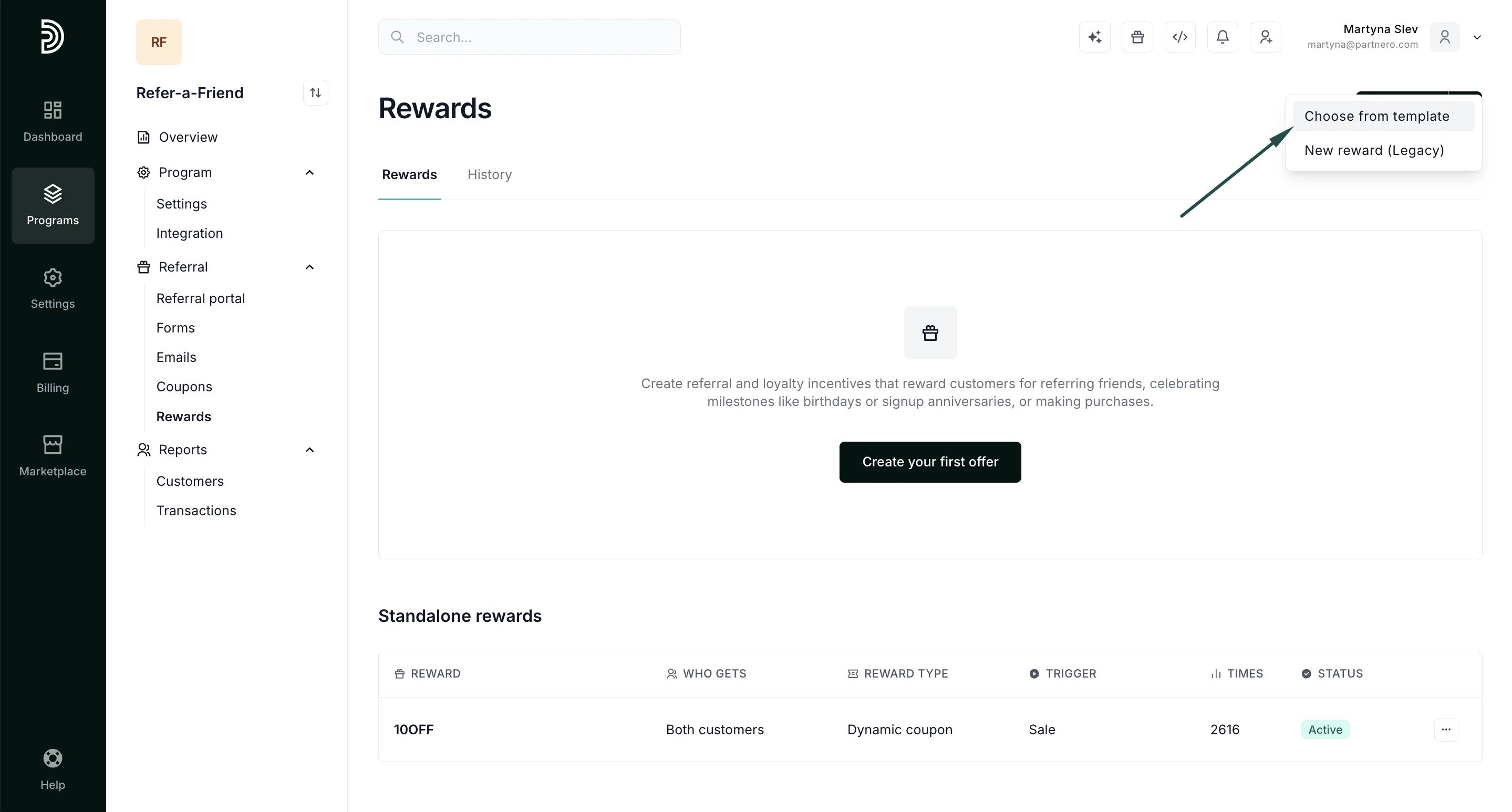 2. You'll be presented with different reward templates that will automatically configure reward settings:
 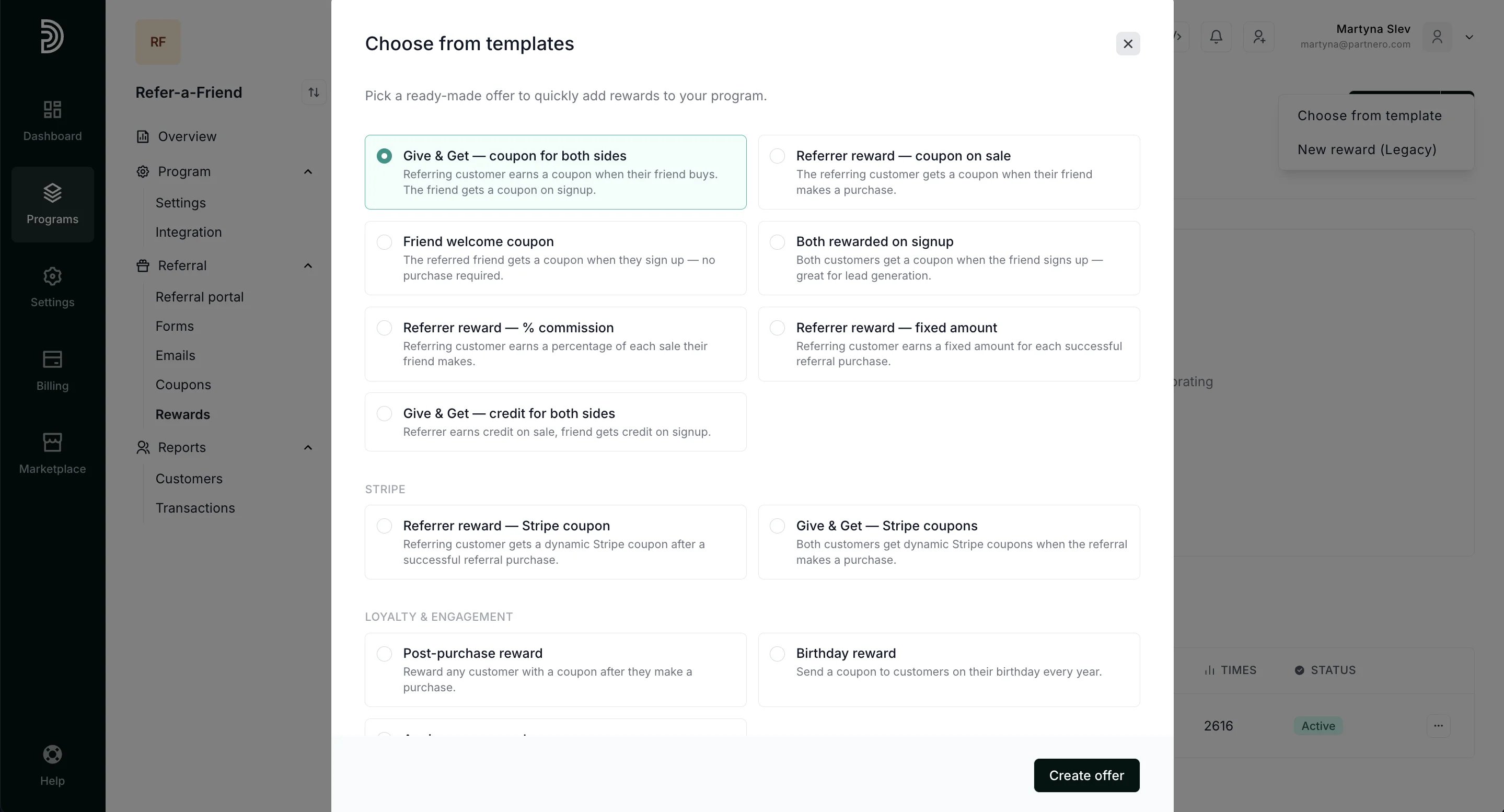 3. Select the template and click **Create offer**.
***
### Reward settings
Each reward can be fully customized. Explained below are all the settings available when you create a reward manually.
#### Offer details
**Reward name**: Enter the name that will help you identify the reward. This name will also be visible to your customers.
**Reward description**: provide reward description (optional).
3. Select the template and click **Create offer**.
***
### Reward settings
Each reward can be fully customized. Explained below are all the settings available when you create a reward manually.
#### Offer details
**Reward name**: Enter the name that will help you identify the reward. This name will also be visible to your customers.
**Reward description**: provide reward description (optional). 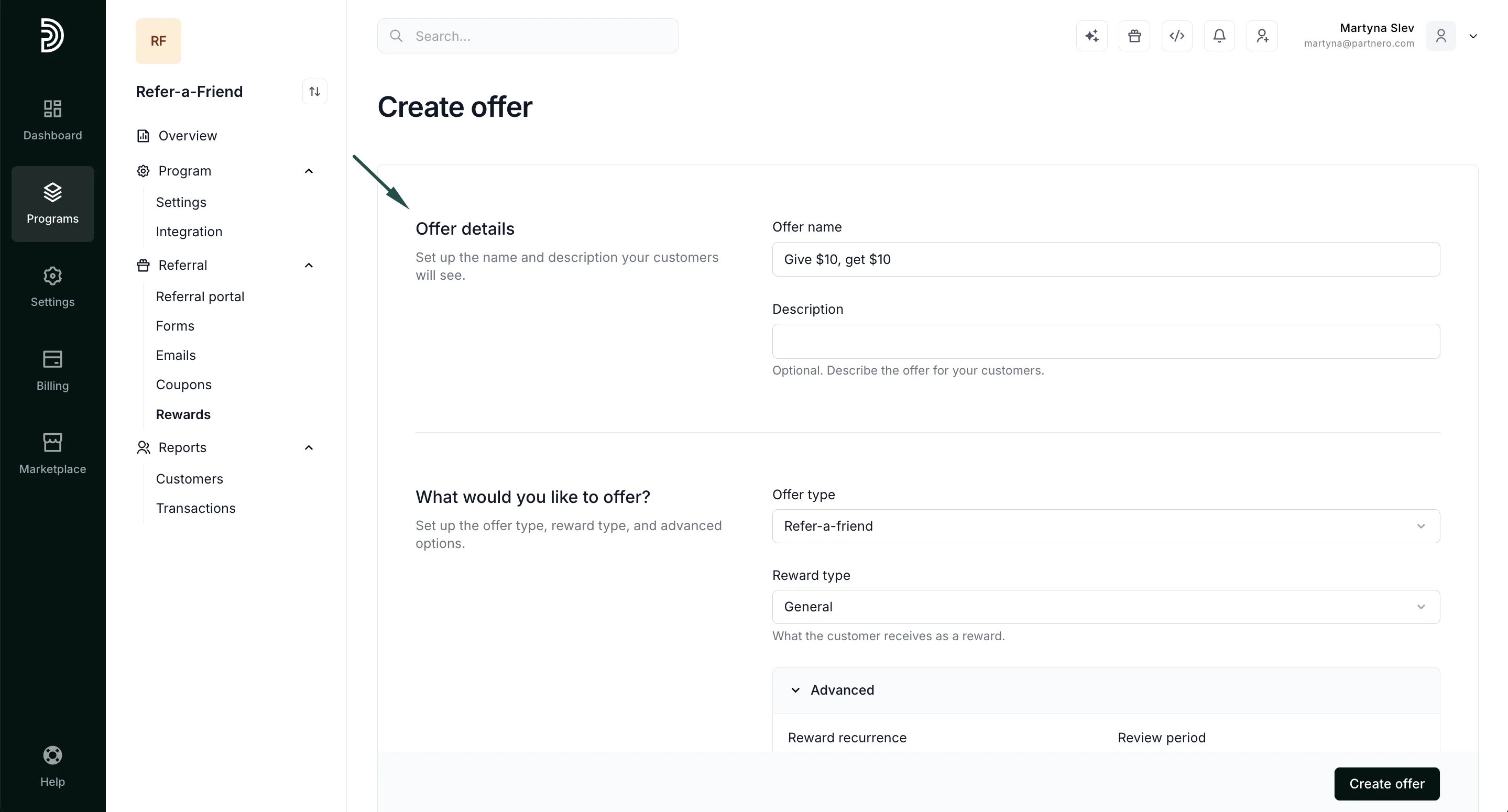 What would you like to offer?
Set up the offer type, reward type, and advanced options
**Offer type**: determine **when** rewards will be issued. You can choose from:
* **Refer-a-friend**: rewards customers for referrals.
What would you like to offer?
Set up the offer type, reward type, and advanced options
**Offer type**: determine **when** rewards will be issued. You can choose from:
* **Refer-a-friend**: rewards customers for referrals. 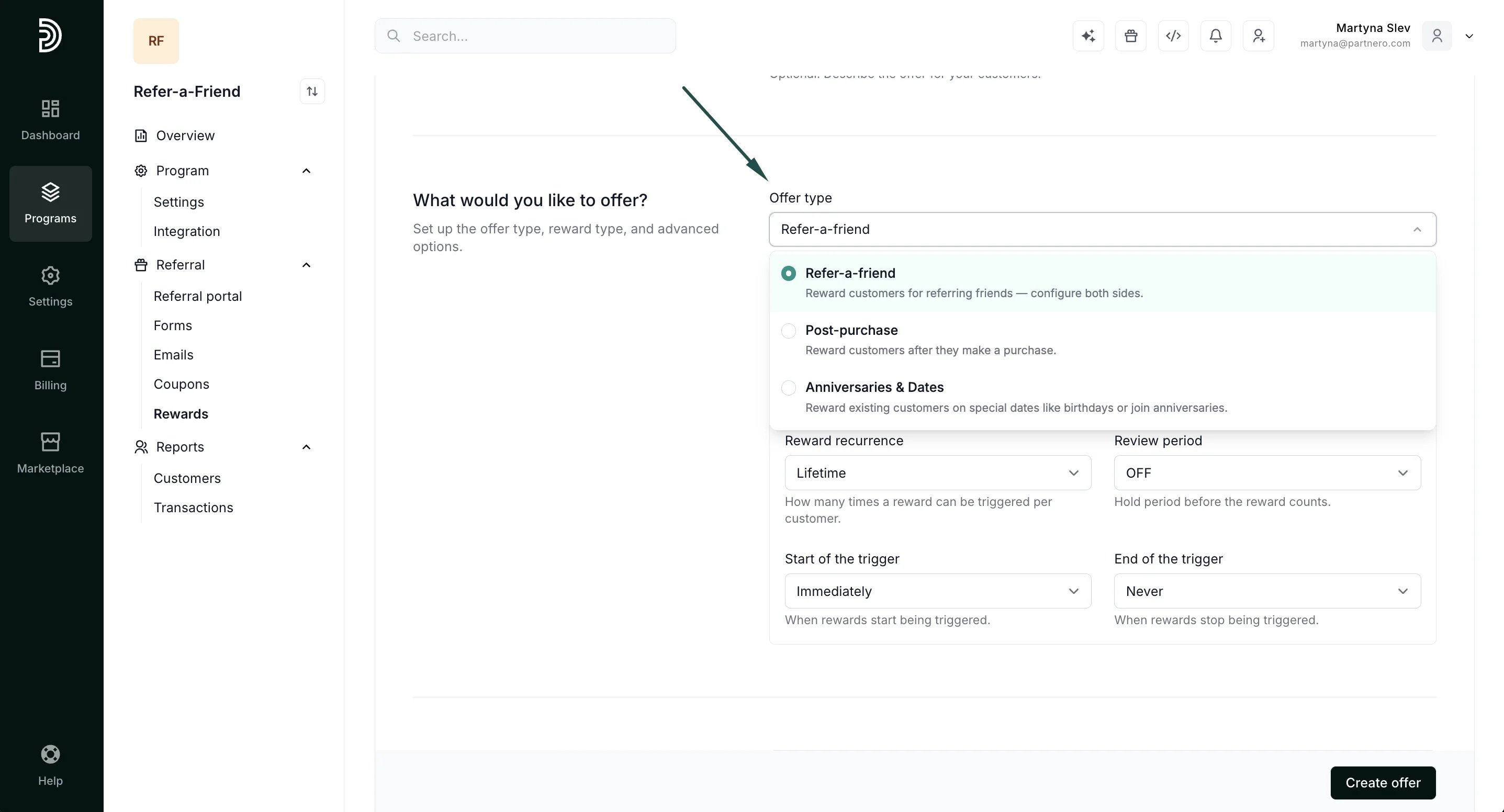 * **Post-purchase rewards**: reward customers after they make a purchase.
 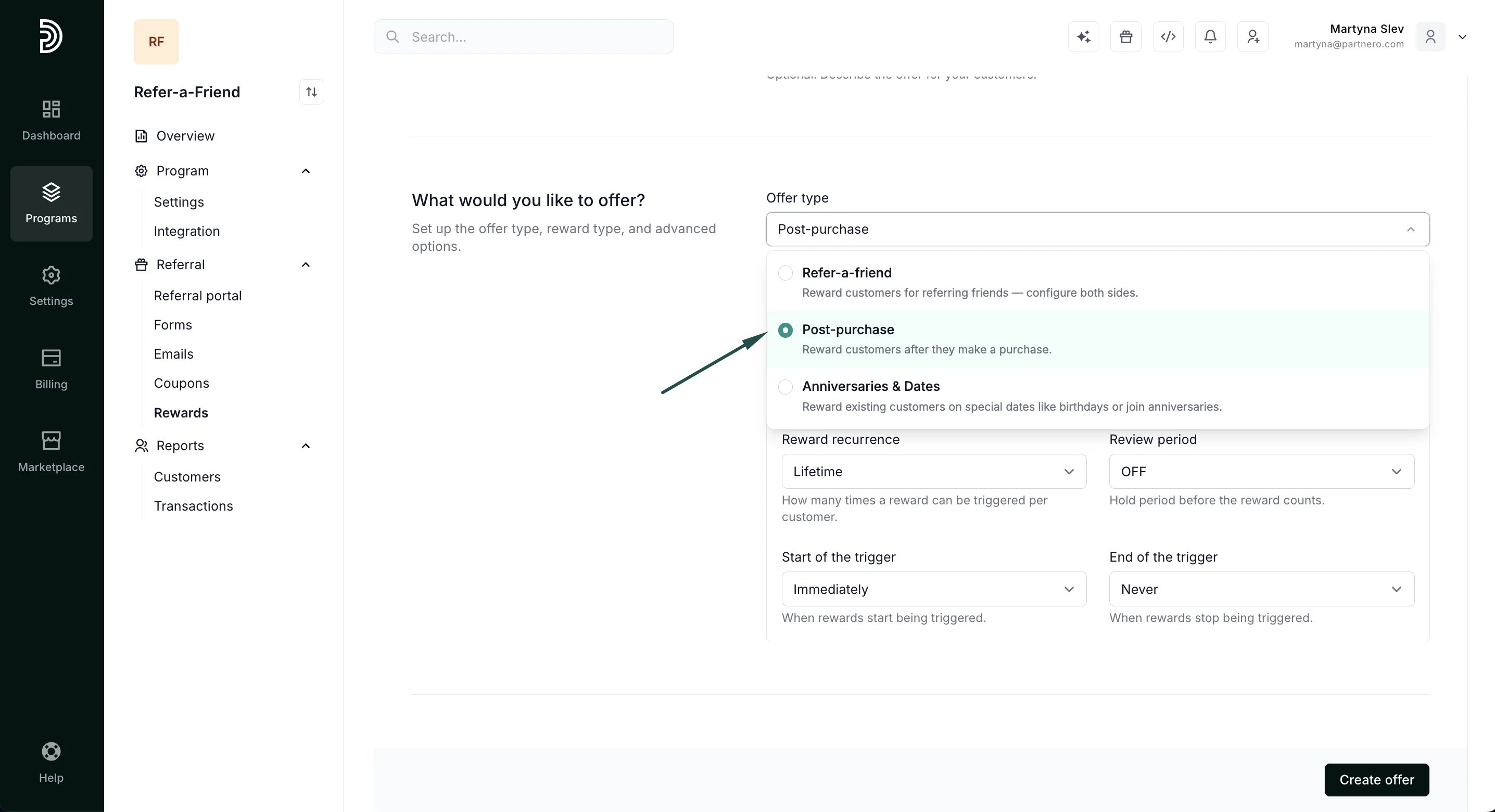 * **Anniversaries & Dates**: reward customers on special dates like birthdays or join anniversaries.
 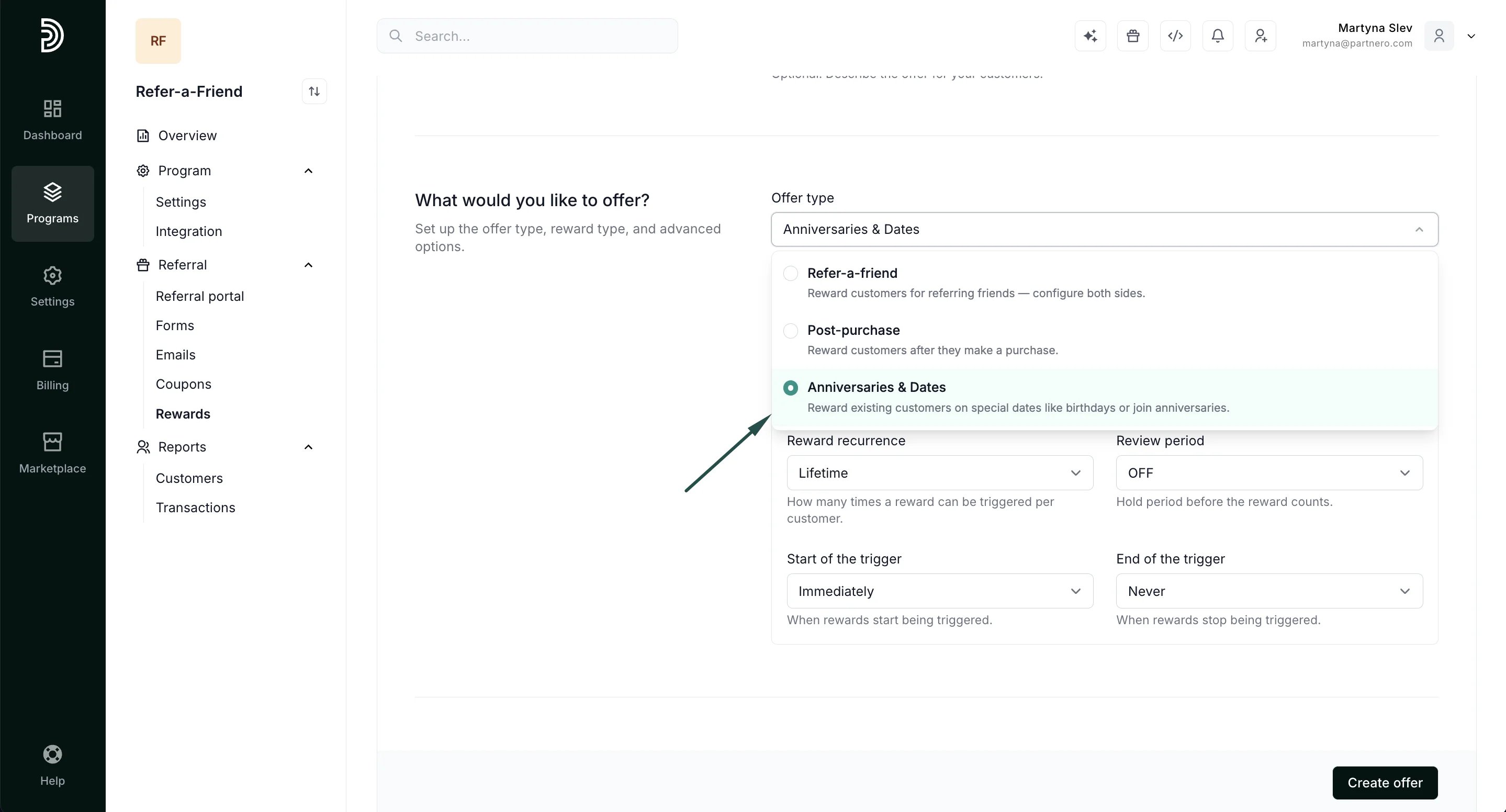 **Reward type:** define what type of rewards can be issued. You can choose from the following options:
 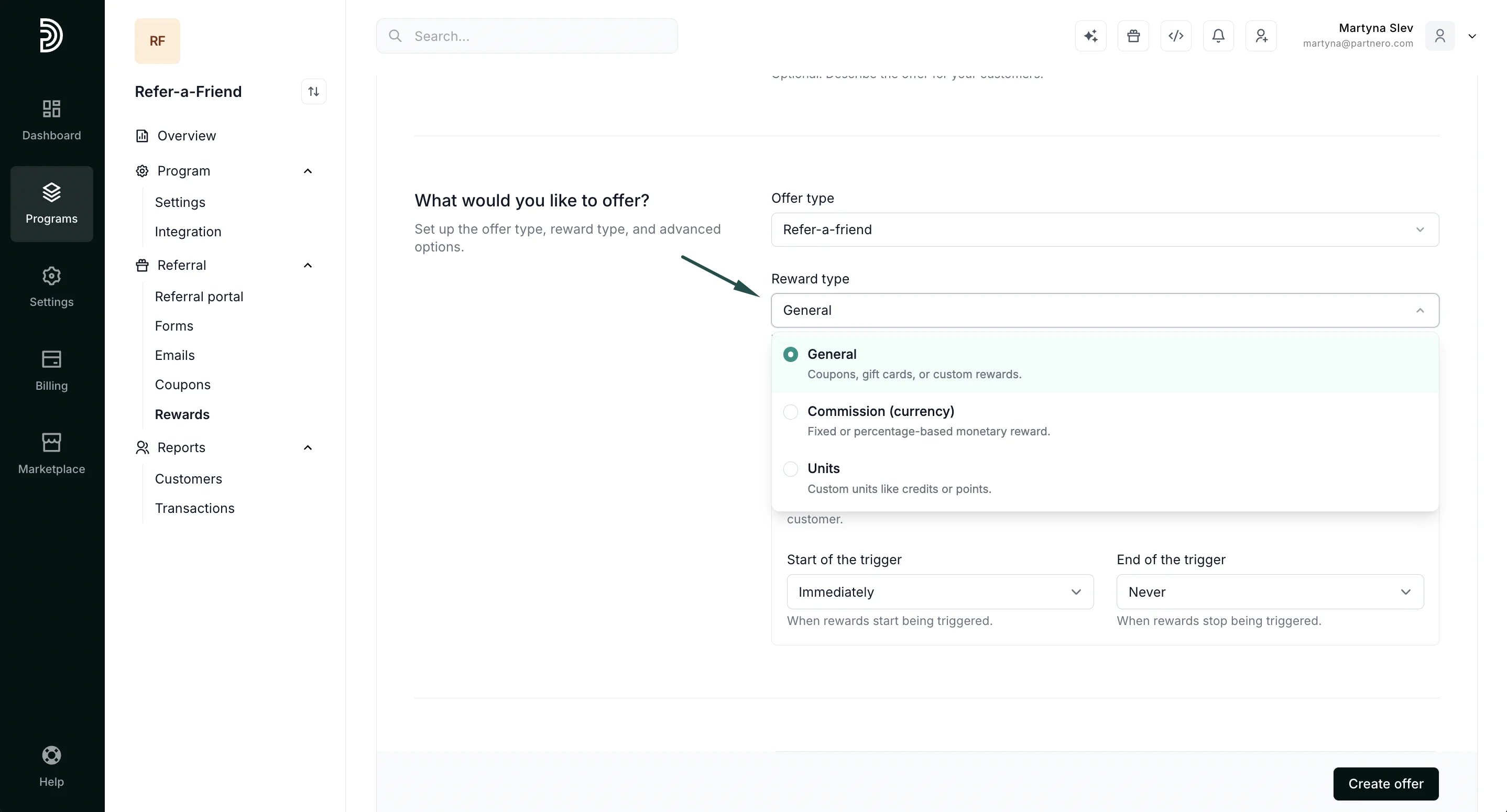 * **General**: coupons, gift cards, custom rewards.
* **Commission (currency)**: fixed or percentage-based monetary rewards.
* **Units**: custom units such as credits or points.
> ⚠️ **IMPORTANT**: the reward type selected here defines what reward options are available in the **"What does the customer get?"** section below.
**Advanced settings** allow further customizing reward behaviour.
* **General**: coupons, gift cards, custom rewards.
* **Commission (currency)**: fixed or percentage-based monetary rewards.
* **Units**: custom units such as credits or points.
> ⚠️ **IMPORTANT**: the reward type selected here defines what reward options are available in the **"What does the customer get?"** section below.
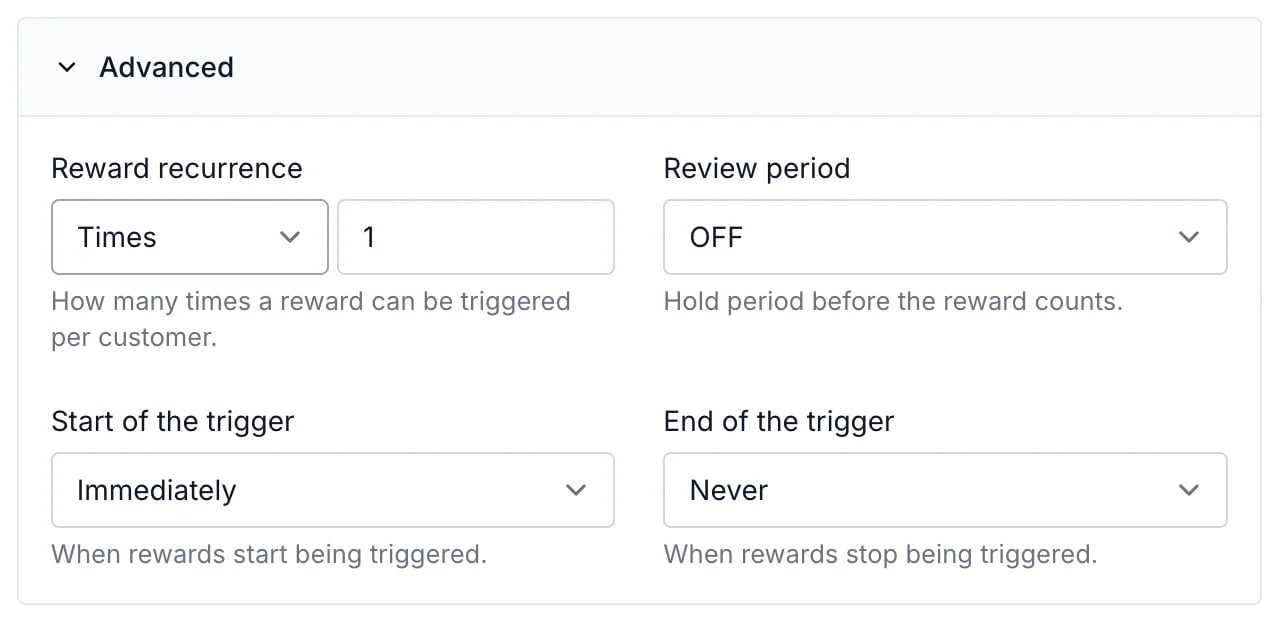
**Advanced settings** allow further customizing reward behaviour. 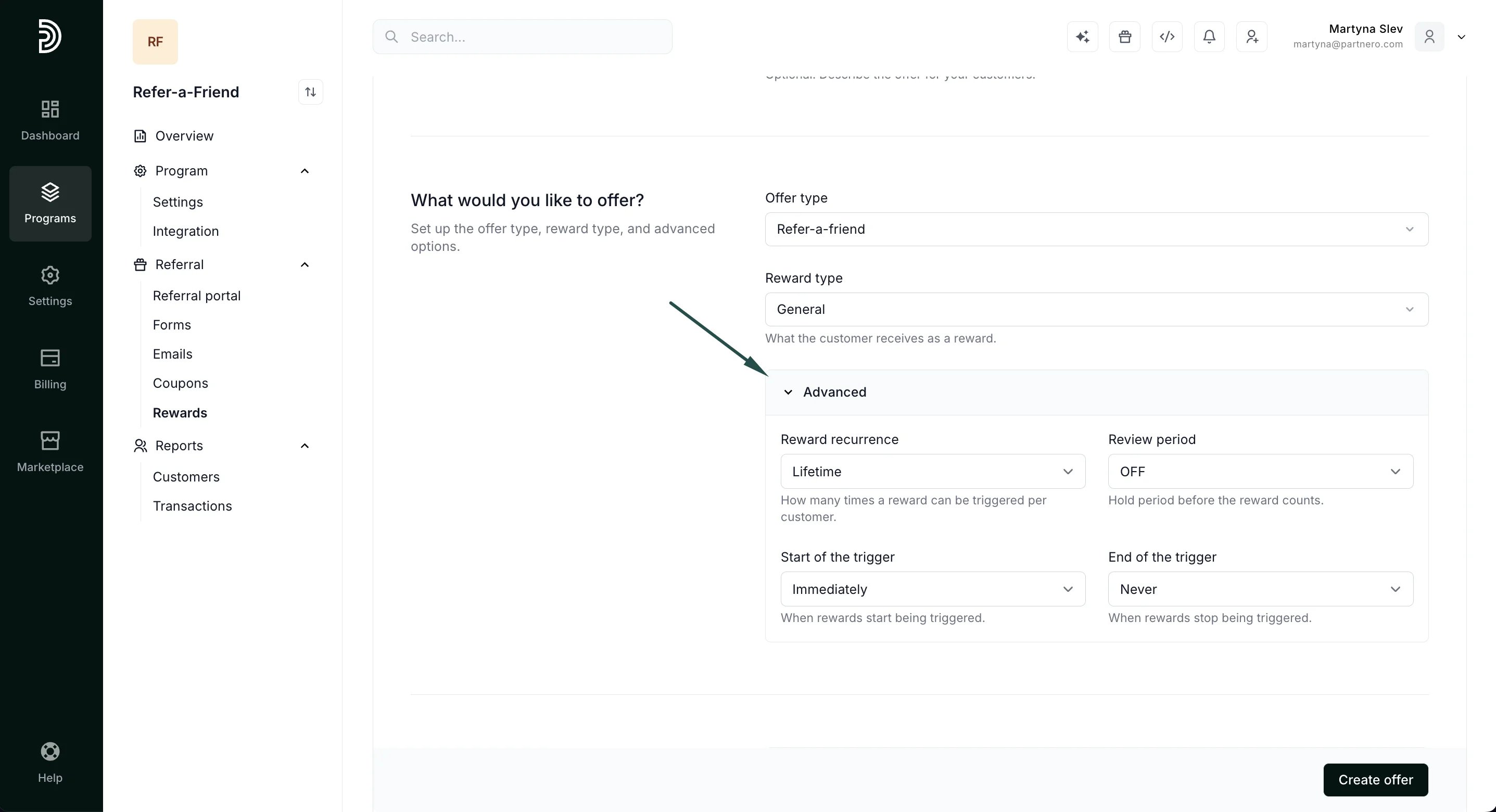 * **Reward recurrence**\*\*:\*\* select how many rewards your customer receives from a single referral. For example, issue only one reward per customer:
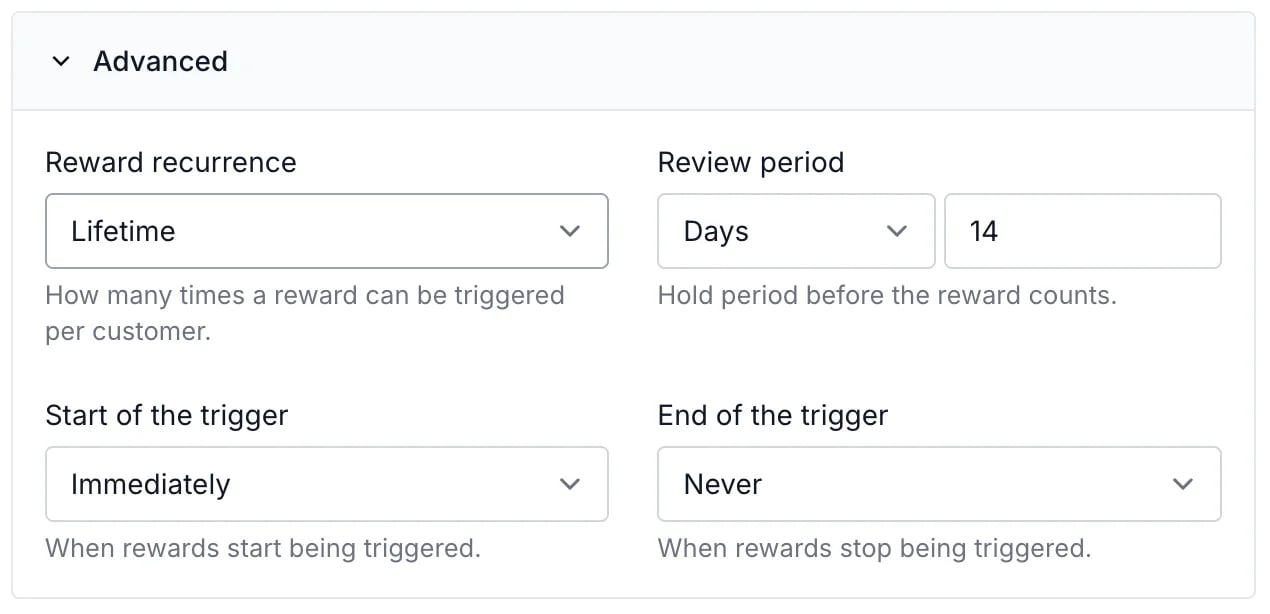
  * **Review period**: define a hold period before the reward is issued. For example, withold a reward for 14 days if you offer a 14-day money back guarantee:
  * **Start of the trigger**: set the reward to trigger immediately or after a set time. E.g., you can issue a reward to your customer after they get three of their friends to sign up.
* **End of the trigger**: similarly, you can set when the reward should end. This is especially useful if you're creating reward steps and want to offer a higher reward after specific achievements.
* **Start of the trigger**: set the reward to trigger immediately or after a set time. E.g., you can issue a reward to your customer after they get three of their friends to sign up.
* **End of the trigger**: similarly, you can set when the reward should end. This is especially useful if you're creating reward steps and want to offer a higher reward after specific achievements. 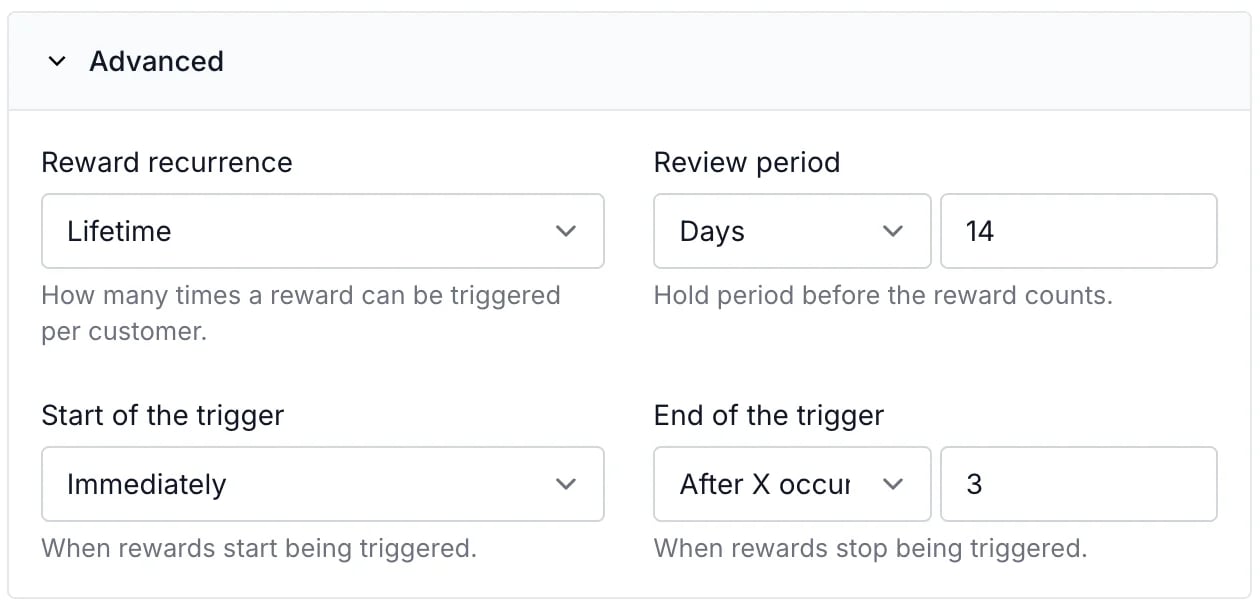 ***
#### What does the customer get?
This section defines when and what the referring and referred customers will receive.
***
#### What does the customer get?
This section defines when and what the referring and referred customers will receive. 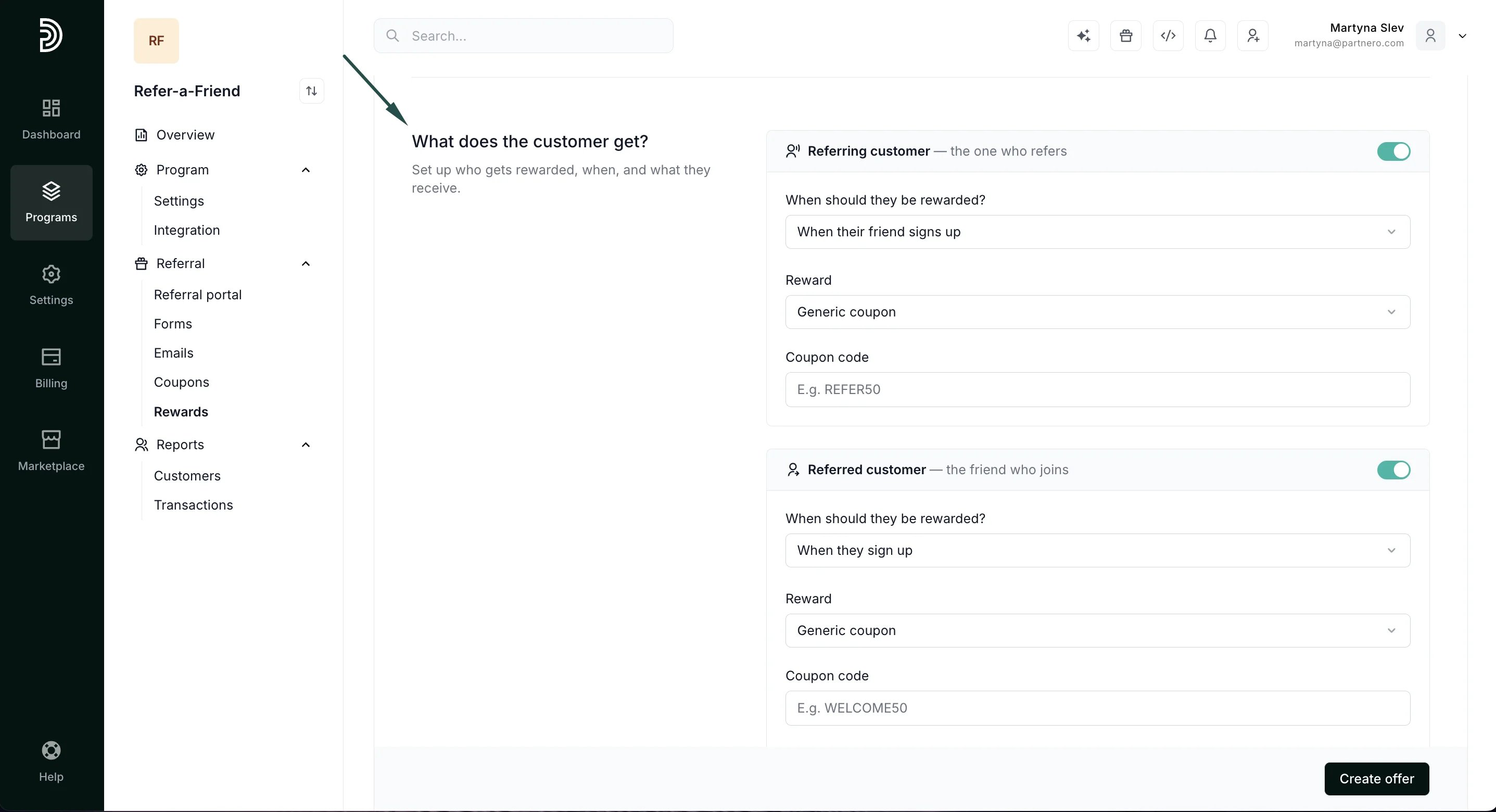 If you'd like to reward only the referring or only the referred customer, use the toggle to enable or disable rewards:
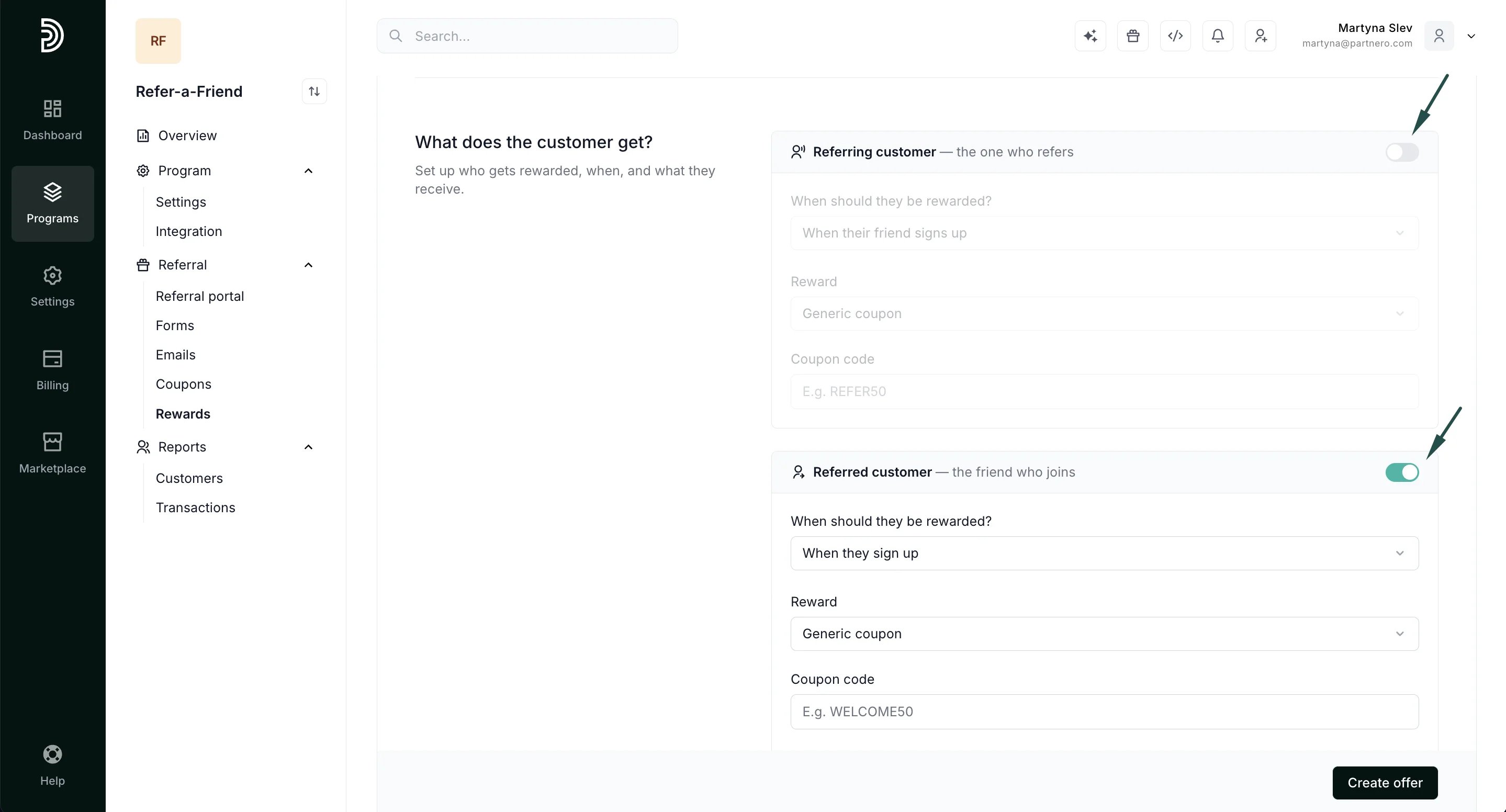 First, specify when the referring customer should be rewarded:
* When their friend signs up
* When their friend makes a purchase
* On a custom event
First, specify when the referring customer should be rewarded:
* When their friend signs up
* When their friend makes a purchase
* On a custom event 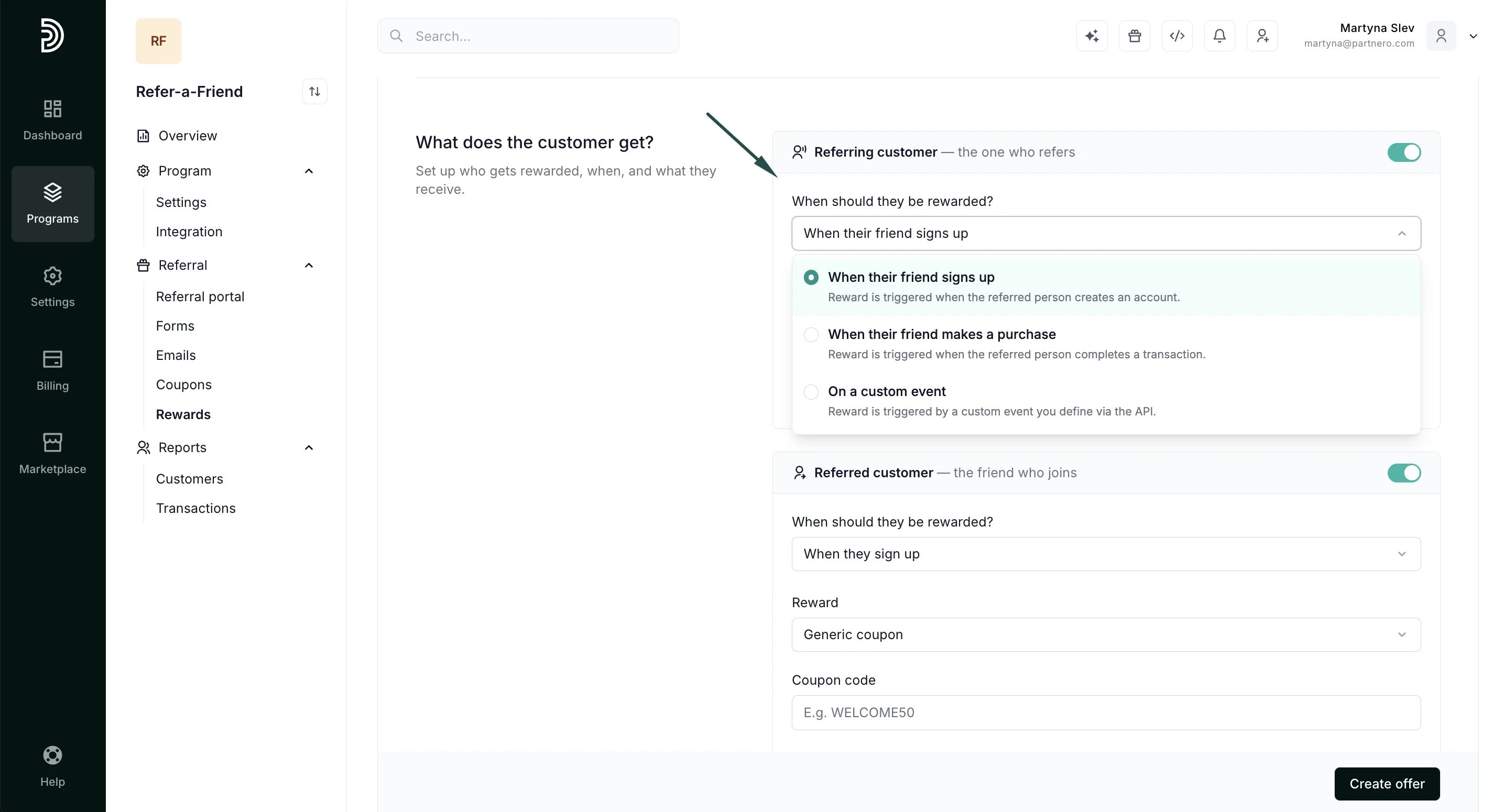 Then specify the reward to be issued. **Available options will depend on the *Reward type* you chose in the previous section.**
**General** rewards can be set to:
* Generic coupon: issues a static generic coupon, such as 'THANKYOU20'.
* Dynamic coupon: issues a unique dynamic coupon. [Read more about dynamic coupons here](/knowledge-base/referral-programs/dynamic-coupons-for-refer-a-friend-programs).
* Custom: manually add a custom reward, such as a PDF book.
* Shopify Gift Card: offer a Shopify gift card (available only if the program is connected to your Shopify store).
Then specify the reward to be issued. **Available options will depend on the *Reward type* you chose in the previous section.**
**General** rewards can be set to:
* Generic coupon: issues a static generic coupon, such as 'THANKYOU20'.
* Dynamic coupon: issues a unique dynamic coupon. [Read more about dynamic coupons here](/knowledge-base/referral-programs/dynamic-coupons-for-refer-a-friend-programs).
* Custom: manually add a custom reward, such as a PDF book.
* Shopify Gift Card: offer a Shopify gift card (available only if the program is connected to your Shopify store). 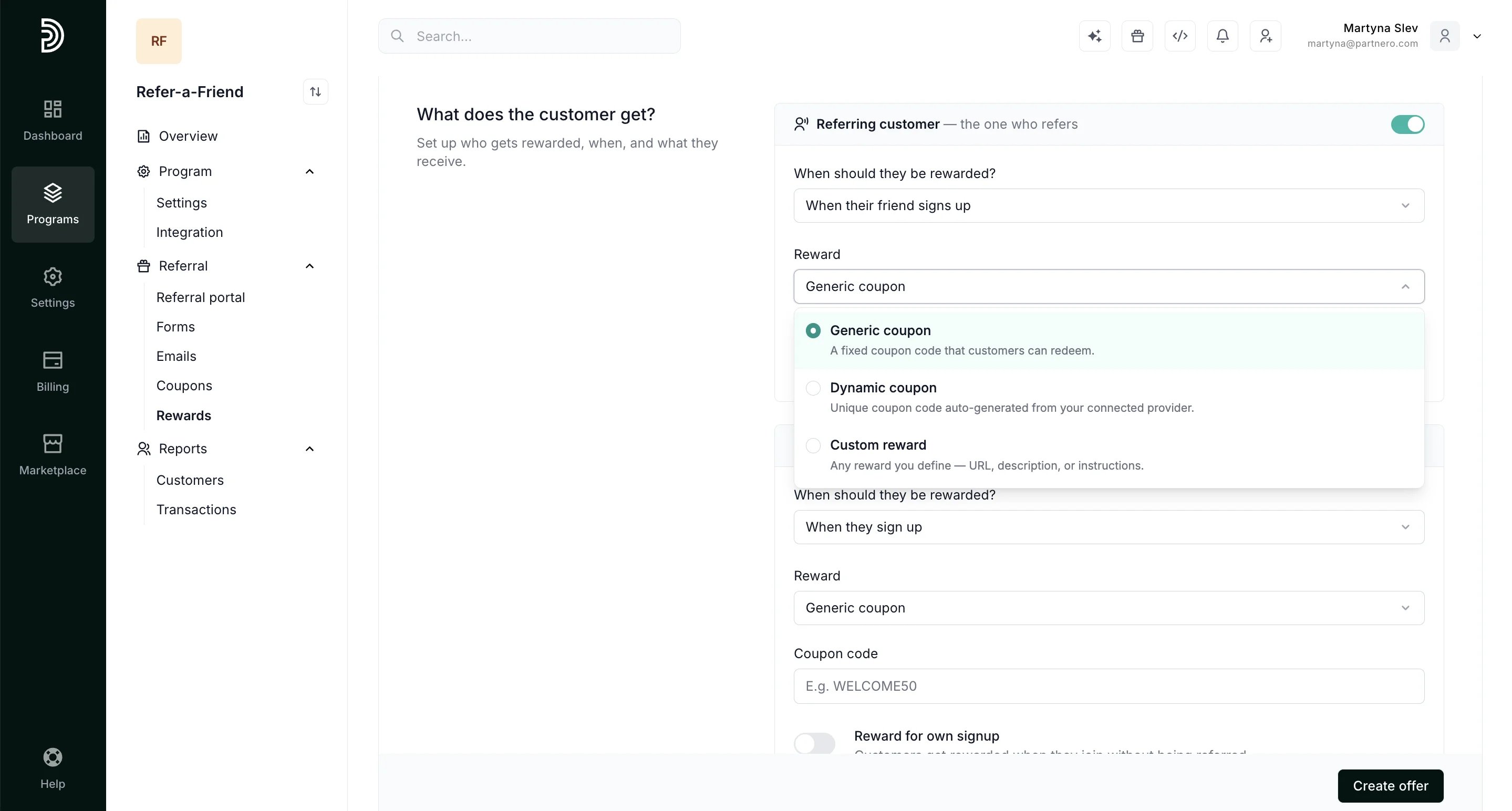 **Commission** rewards can be set to:
* Percentage: rewards the customer with a percentage of the transaction amount, e.g., 15%.
* Fixed amount: rewards the customer with a fixed amount of reward units, e.g., \$15.
**Commission** rewards can be set to:
* Percentage: rewards the customer with a percentage of the transaction amount, e.g., 15%.
* Fixed amount: rewards the customer with a fixed amount of reward units, e.g., \$15. 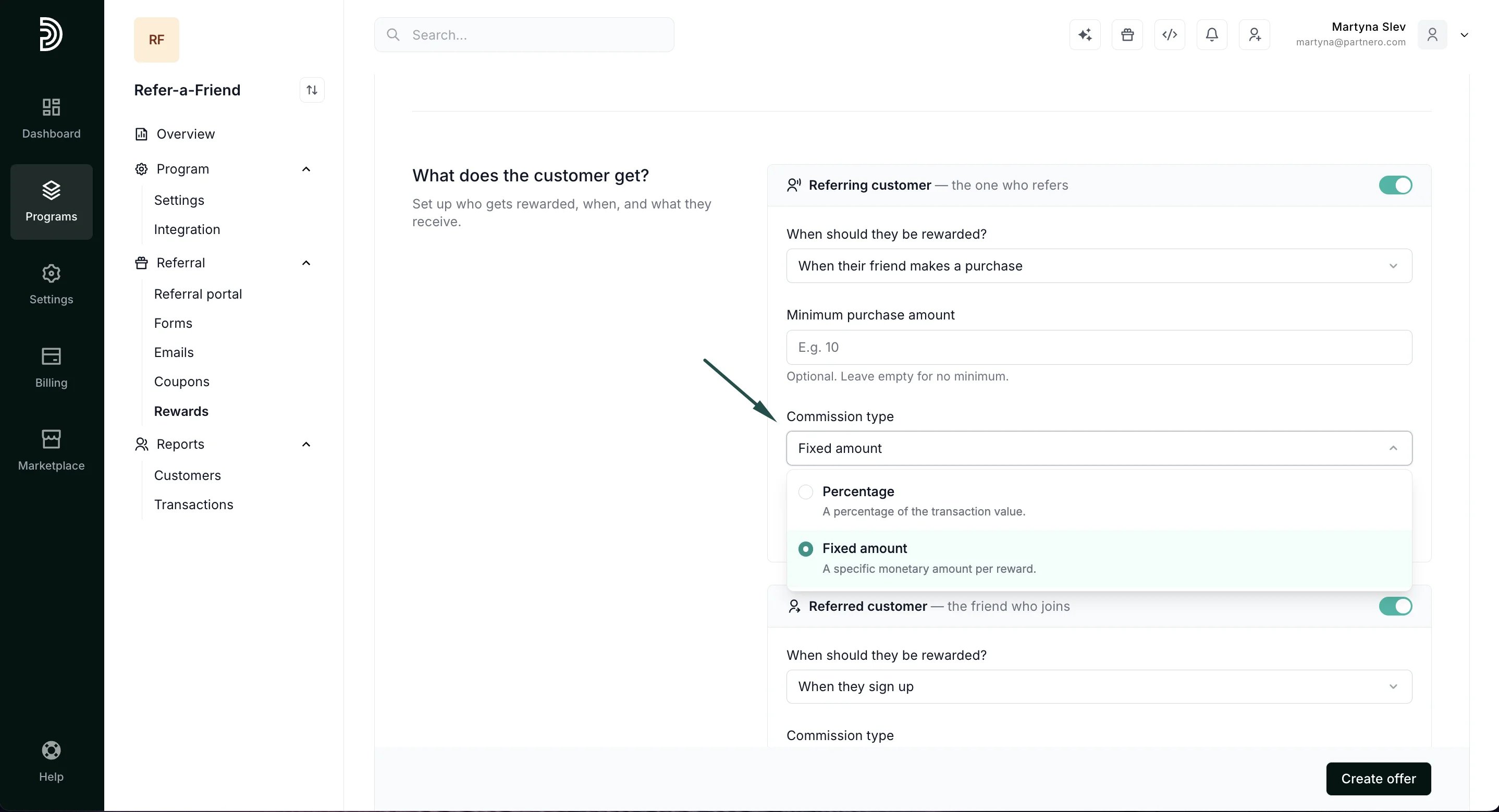 ***Note***: if the reward is issued for **a signup**, then a percentage-based reward will not be available, as there's no transaction amount involved.
**Unit** rewards work the same way:
* Rewards triggered for a signup can be a fixed amount only.
* Rewards triggered for a purchase can be set to percentage or fixed amounts.
***Note***: if the reward is issued for **a signup**, then a percentage-based reward will not be available, as there's no transaction amount involved.
**Unit** rewards work the same way:
* Rewards triggered for a signup can be a fixed amount only.
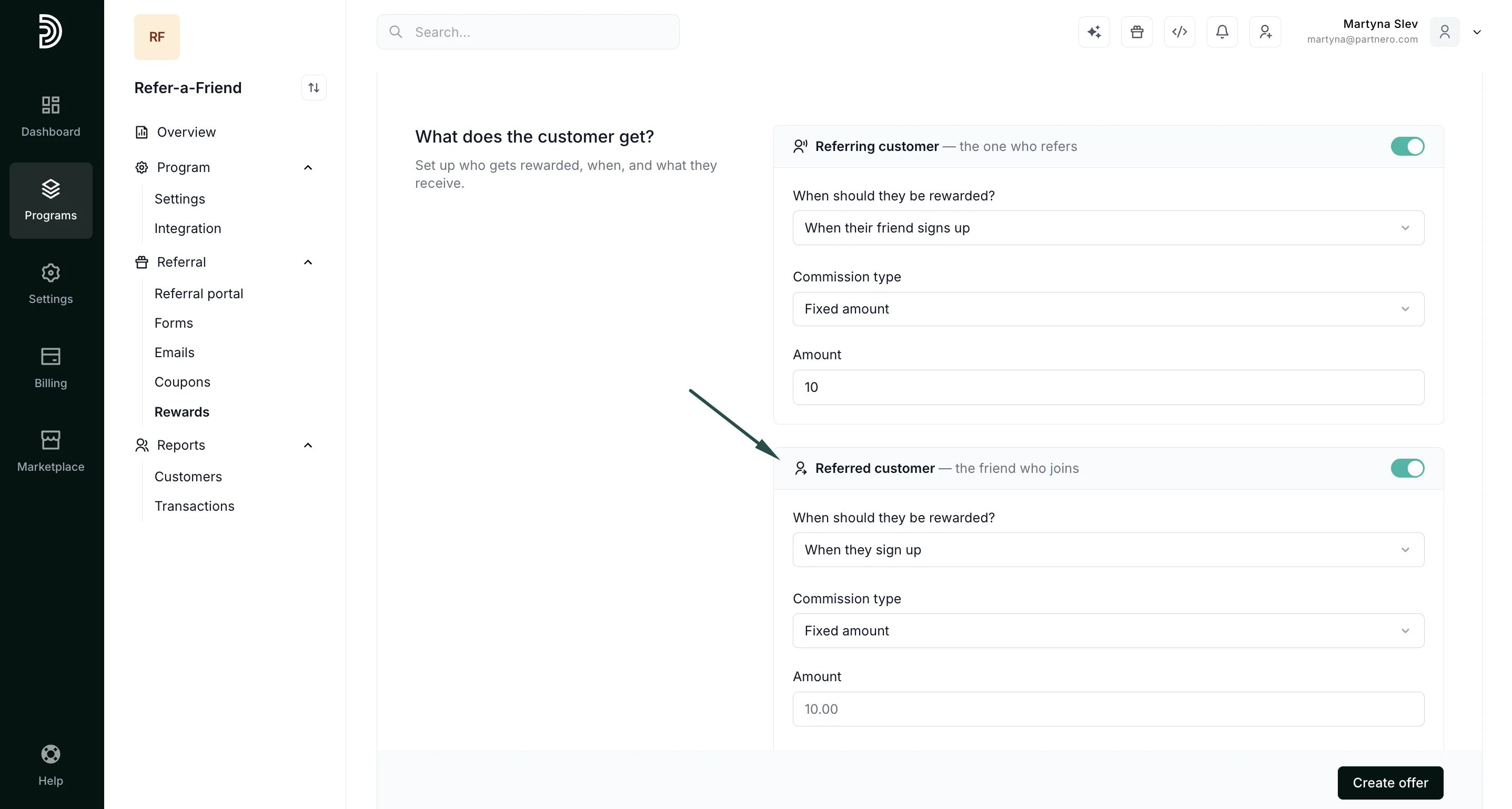
* Rewards triggered for a purchase can be set to percentage or fixed amounts. 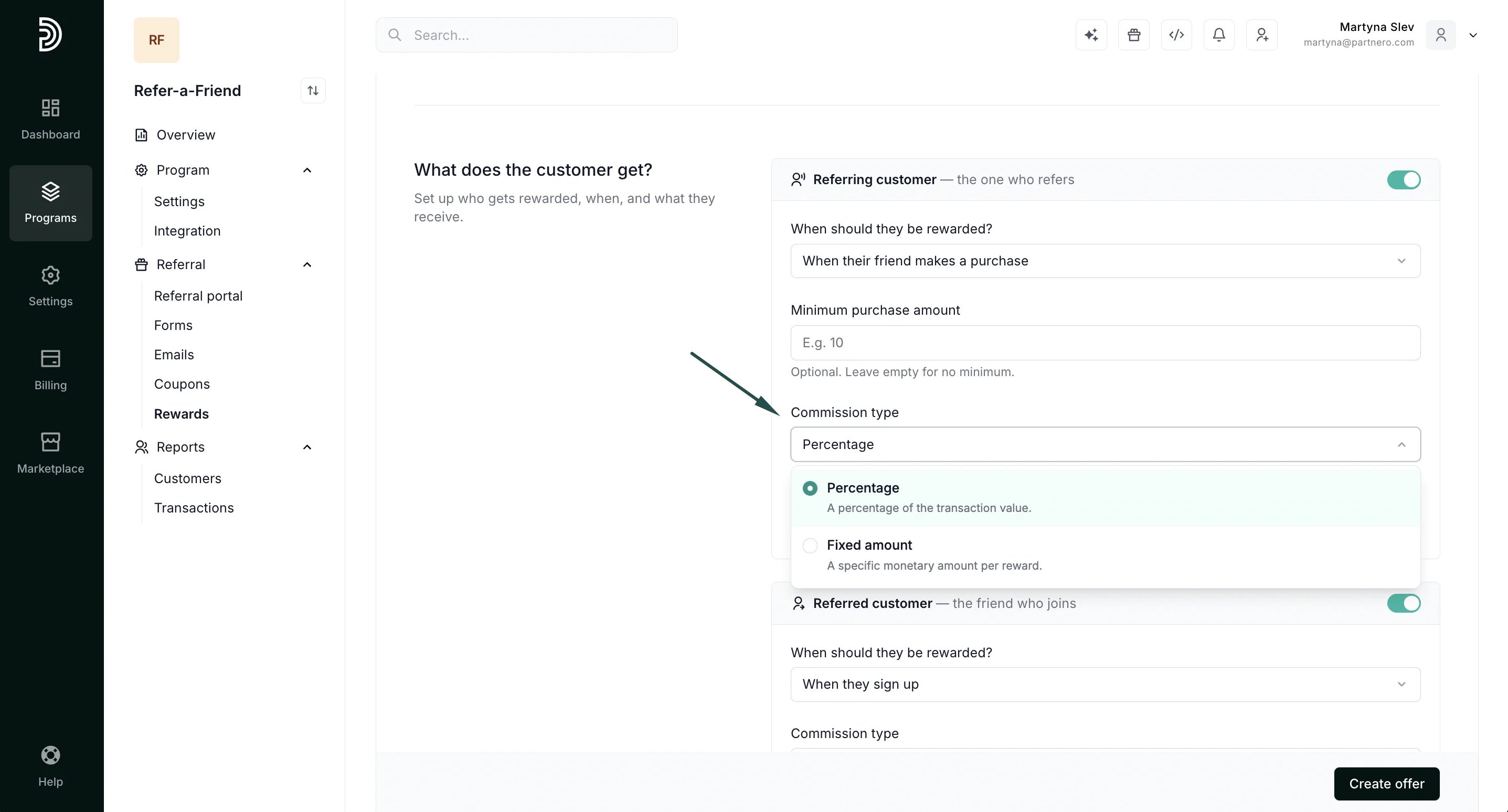 Lastly, configure the Referred customer. It will have the same options as the Referring customer rewards.
 ***
### How should rewards be delivered?
Set up email notifications and webhook integrations to notify customers about earned rewards:
***
### How should rewards be delivered?
Set up email notifications and webhook integrations to notify customers about earned rewards: 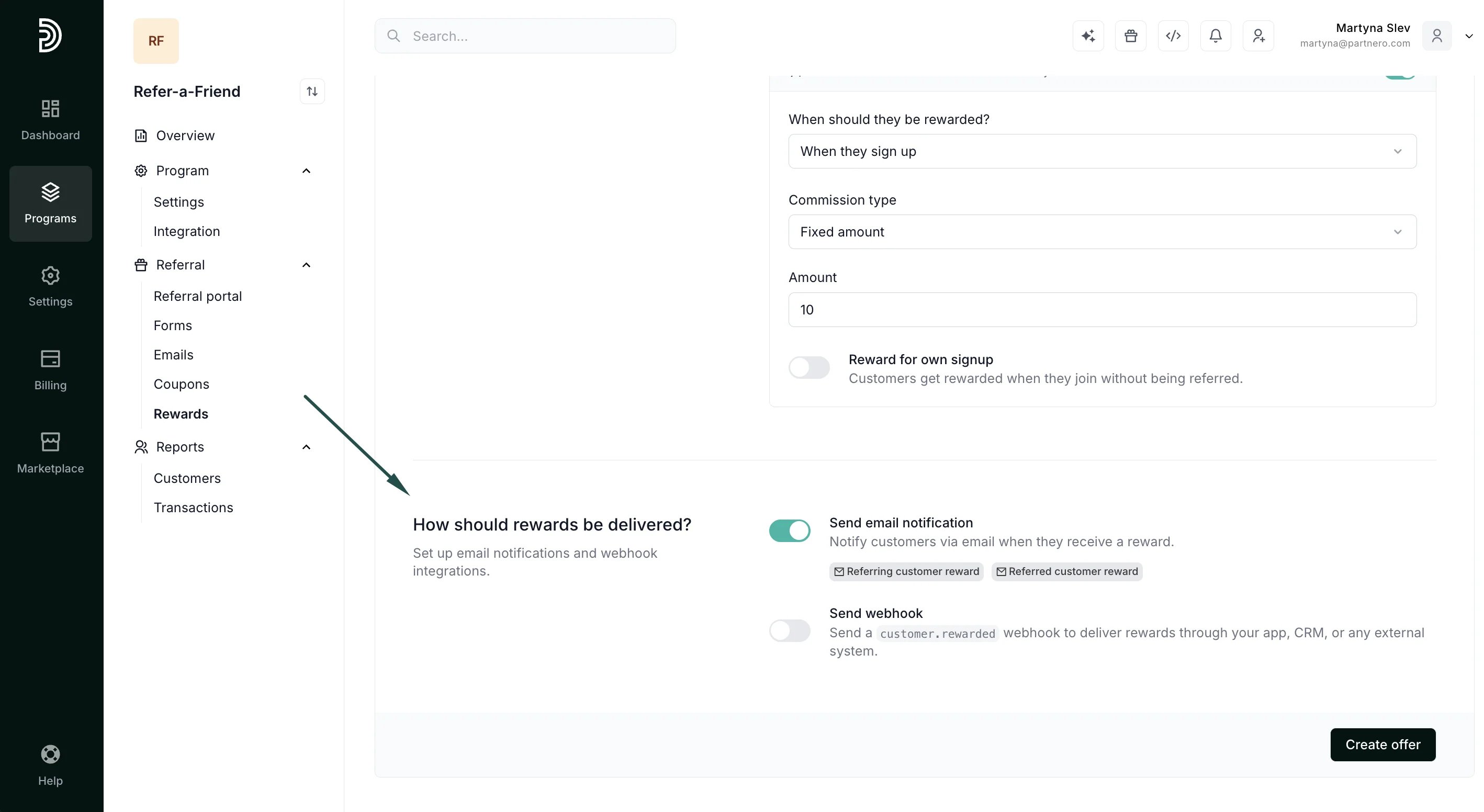 * **Send email notification**: Notify customers via email when they receive a reward.
* **Send webhook**: Send a `customer.rewarded` webhook to deliver rewards through your app, CRM, or any external system.
Don't forget to click **Create offer** to save the settings!
This documentation is built and hosted on [Mintlify](https://mintlify.com), a developer documentation platform.
* **Send email notification**: Notify customers via email when they receive a reward.
* **Send webhook**: Send a `customer.rewarded` webhook to deliver rewards through your app, CRM, or any external system.
Don't forget to click **Create offer** to save the settings!
This documentation is built and hosted on [Mintlify](https://mintlify.com), a developer documentation platform.