> ## Documentation Index
> Fetch the complete documentation index at: https://docs.partnero.com/llms.txt
> Use this file to discover all available pages before exploring further.
# Offer Shopify store credit as reward
With Partnero and Shopify integration, you can offer store credit as a reward to your program participants.
First, install the [Partnero Shopify app](https://apps.shopify.com/partnero-affiliate-management) and connect your refer-a-friend program. [Click here for detailed instructions](/integrations/shopify).
***
## How to set up Shopify store credit rewards
Now that your Shopify store is connected:
1. Open your refer-a-friend program and navigate to **Rewards** under **Referral**. Click **New Reward**.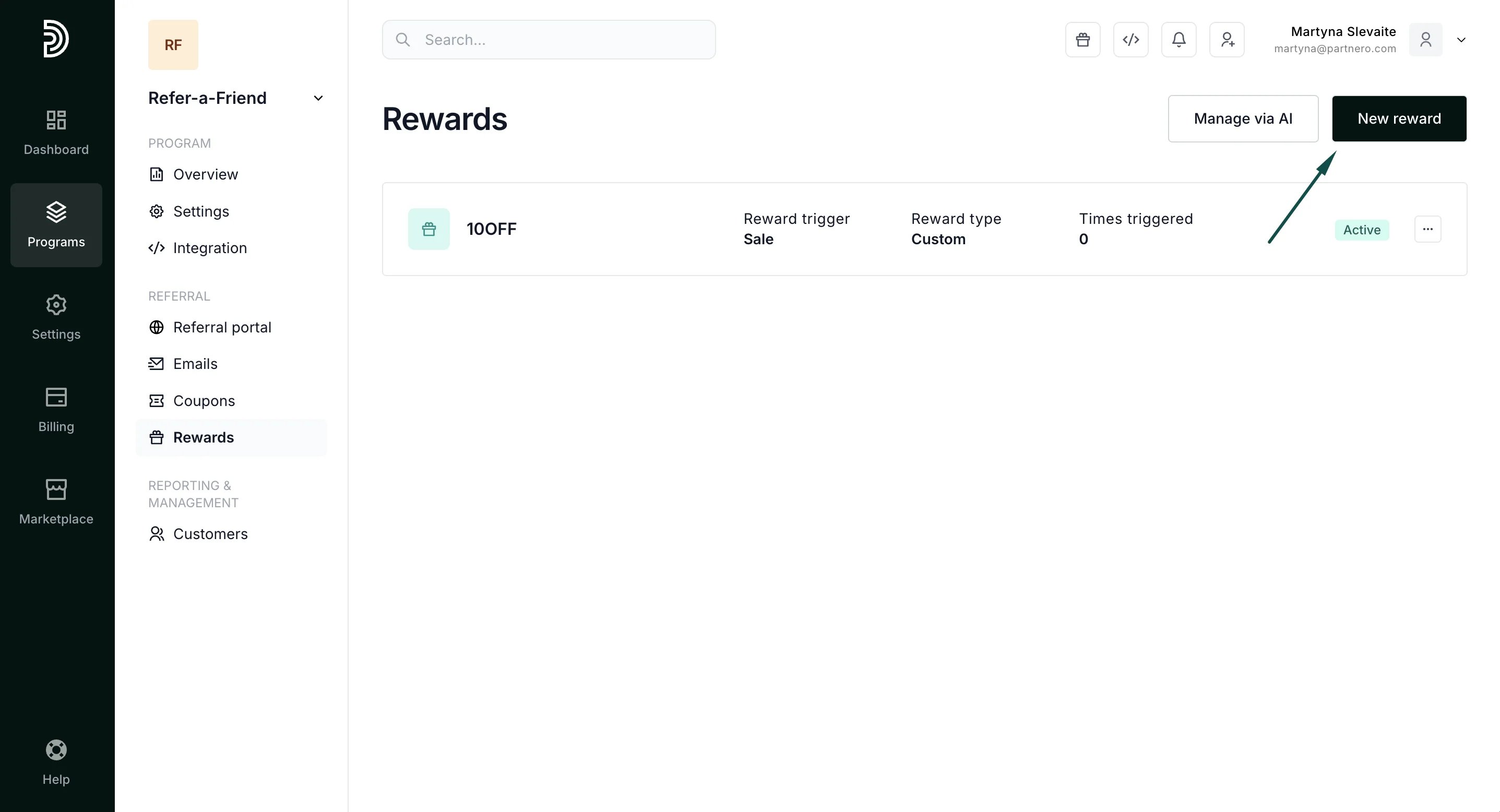 2. Under main reward settings, select **Store Credit**:
 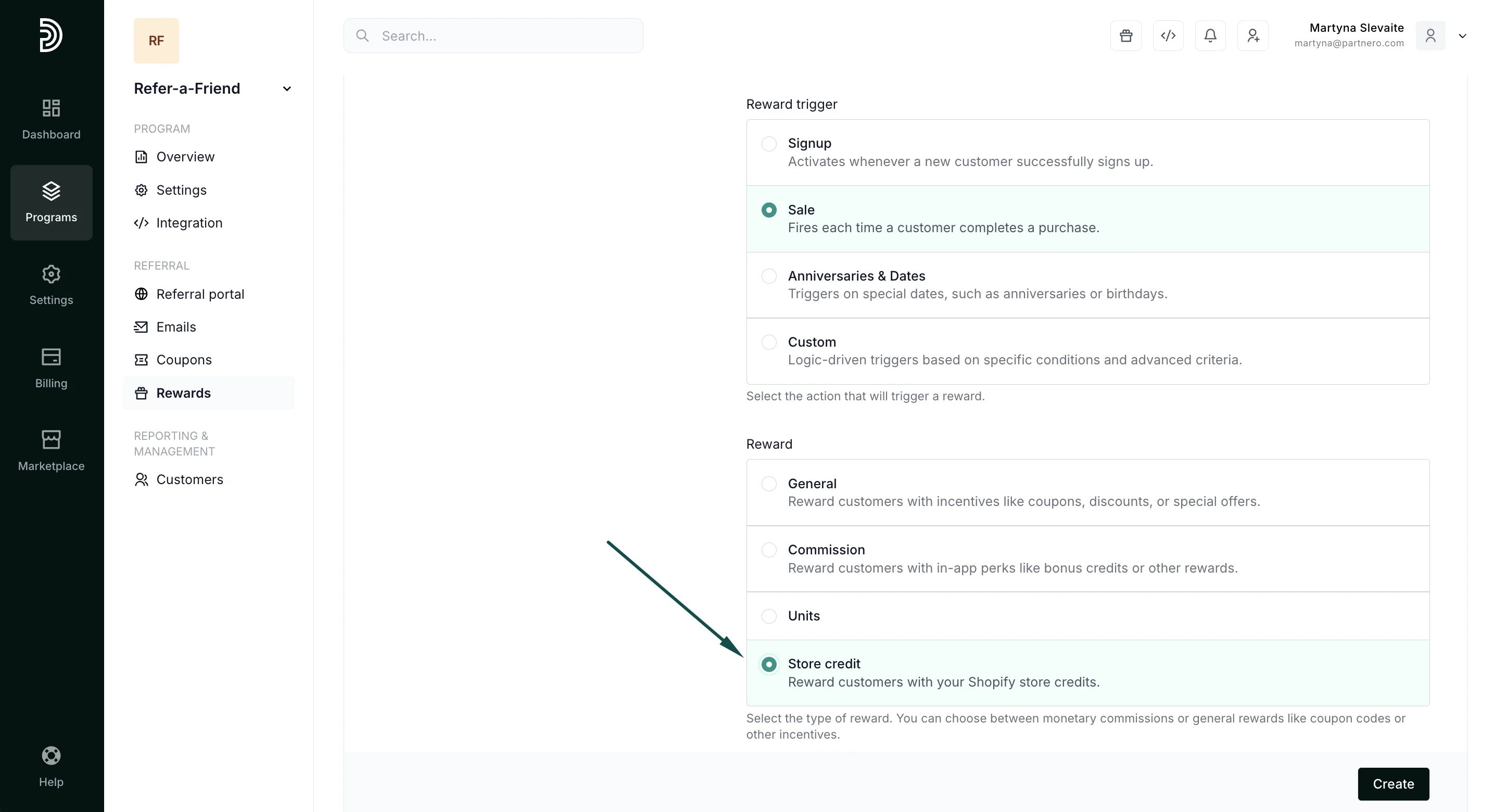 3. Proceed to configure the reward settings:
 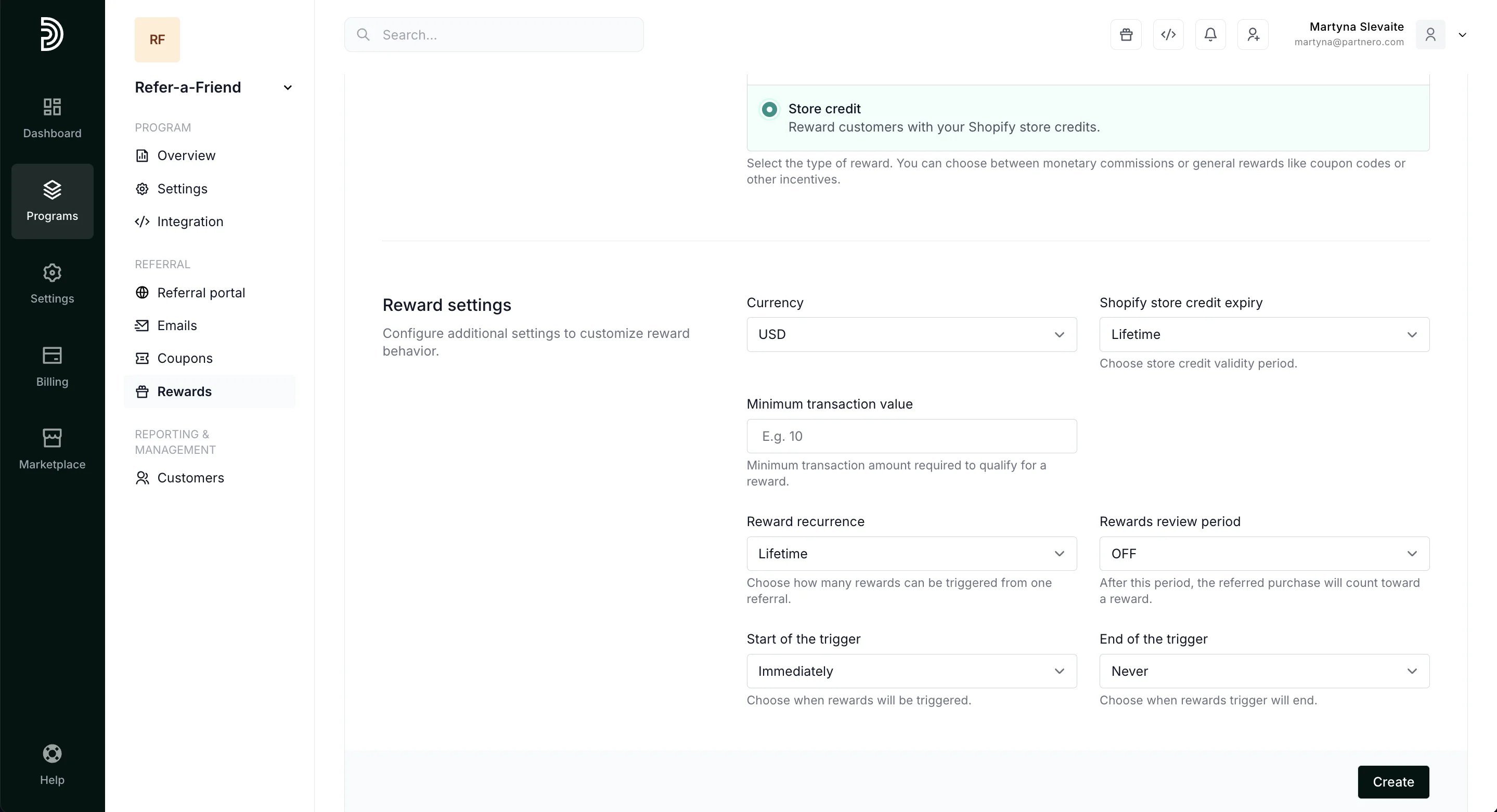 **Currency** - select the store credit currency.
**Shopify store credit expiry** - select how long the credit will be valid.
**Minimum transaction value** - enter a minimum purchase amount for the credit to be available.
Read more about generic reward settings [here](/knowledge-base/referral-programs/how-to-create-a-reward).
4. Next, define referring customers and referral rewards. This determines how much store credit will be. You can choose from a percentage or a static amount. A percentage reward offers store credit equal to a set percentage of the referral's purchase, for example, 15%. The static reward will offer a fixed store credit amount, for example, \$10. You can also select to skip the reward for the referring customer or the referral.
**Currency** - select the store credit currency.
**Shopify store credit expiry** - select how long the credit will be valid.
**Minimum transaction value** - enter a minimum purchase amount for the credit to be available.
Read more about generic reward settings [here](/knowledge-base/referral-programs/how-to-create-a-reward).
4. Next, define referring customers and referral rewards. This determines how much store credit will be. You can choose from a percentage or a static amount. A percentage reward offers store credit equal to a set percentage of the referral's purchase, for example, 15%. The static reward will offer a fixed store credit amount, for example, \$10. You can also select to skip the reward for the referring customer or the referral. 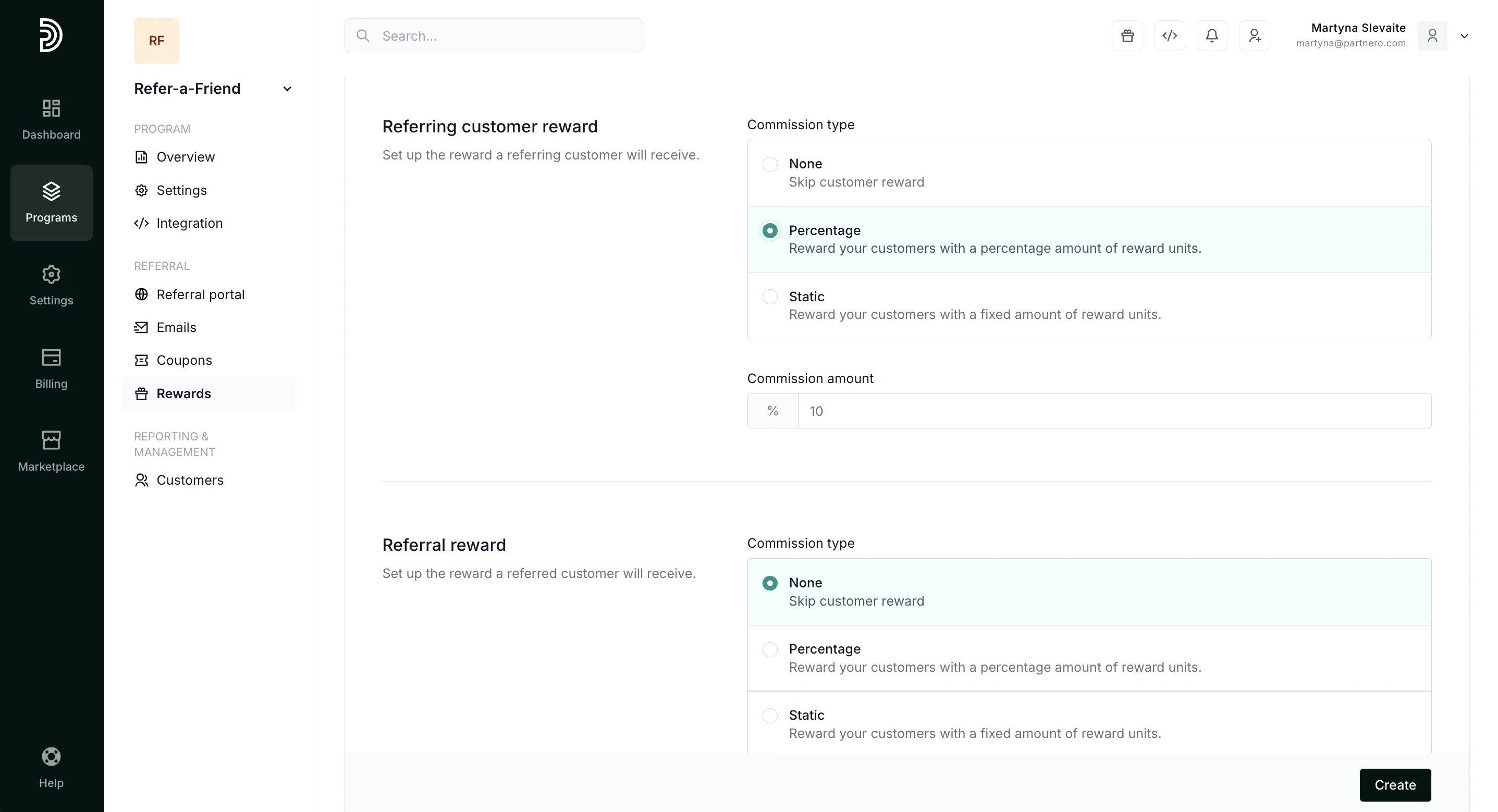 5. Click **Create**.
That's it! Your customers will receive store credit based on the reward trigger and settings.
***
This documentation is built and hosted on [Mintlify](https://mintlify.com), a developer documentation platform.
5. Click **Create**.
That's it! Your customers will receive store credit based on the reward trigger and settings.
***
This documentation is built and hosted on [Mintlify](https://mintlify.com), a developer documentation platform.