> ## Documentation Index
> Fetch the complete documentation index at: https://docs.partnero.com/llms.txt
> Use this file to discover all available pages before exploring further.
# Reward your customers on anniversaries or birthdays
Partnero Refer-a-friend programs allow you to issue customer rewards on special dates, such as anniversaries and birthdays.
***
### Importing customer data
The Anniversary & Dates trigger pulls metadata from a customer's profile. The following dates are available as triggers:
* **Joining date**: The reward triggers the customer's joining date anniversary. The joining date is automatically set when a customer joins the referral program. Alternatively, it can be imported or set manually for individual customers.
* **Date of birth**: the reward will be triggered on the anniversary of the customer's date of birth. The date of birth has to be imported or set manually from a customer's profile.
#### How to import customer data
To import the joining dates and birthdays:
1. Open your Refer-a-Friend program and go to **Customers**. Click **Import** in the upper right corner: 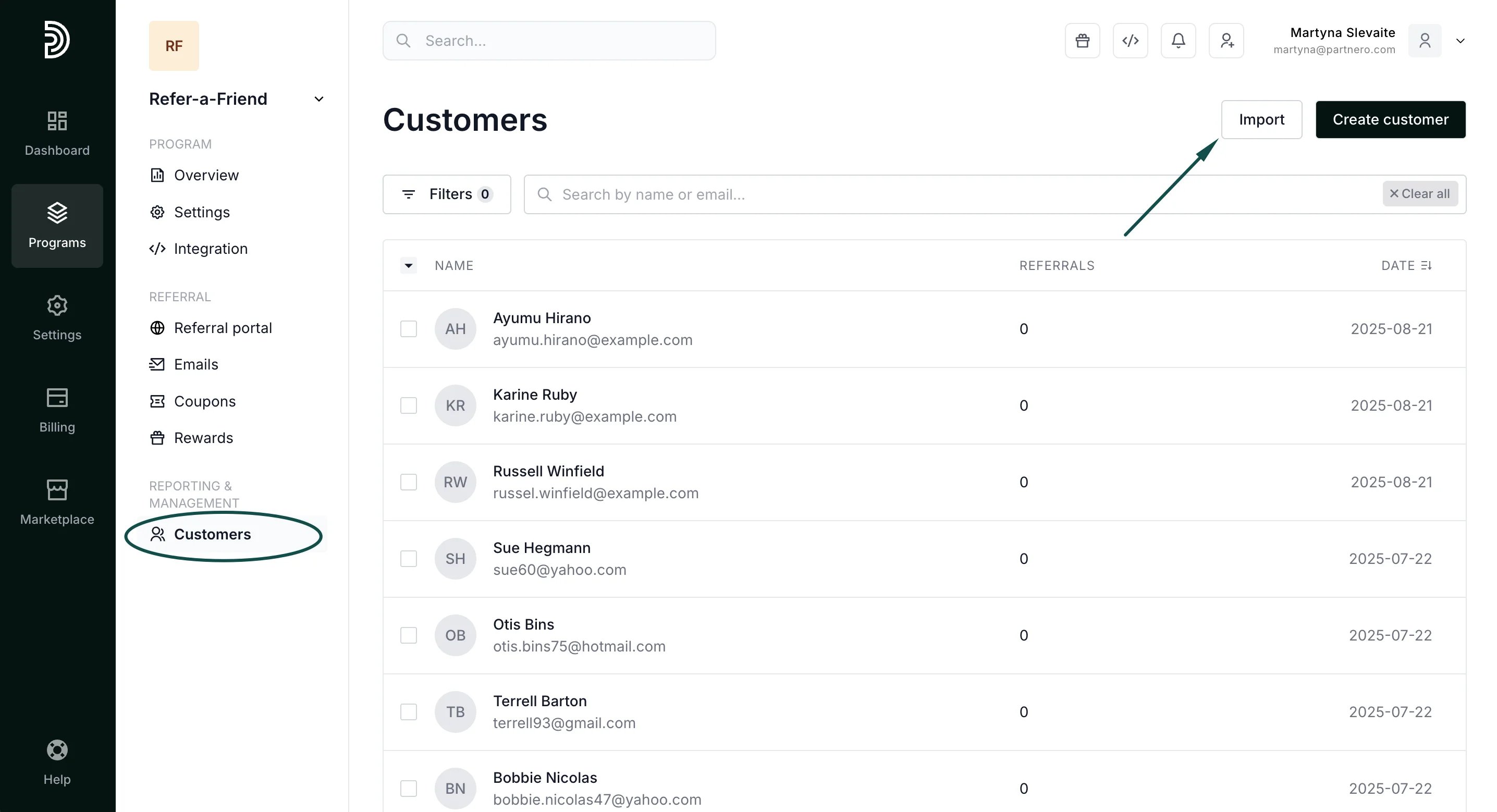 2. Upload the CSV file that contains the required information and match the corresponding fields:
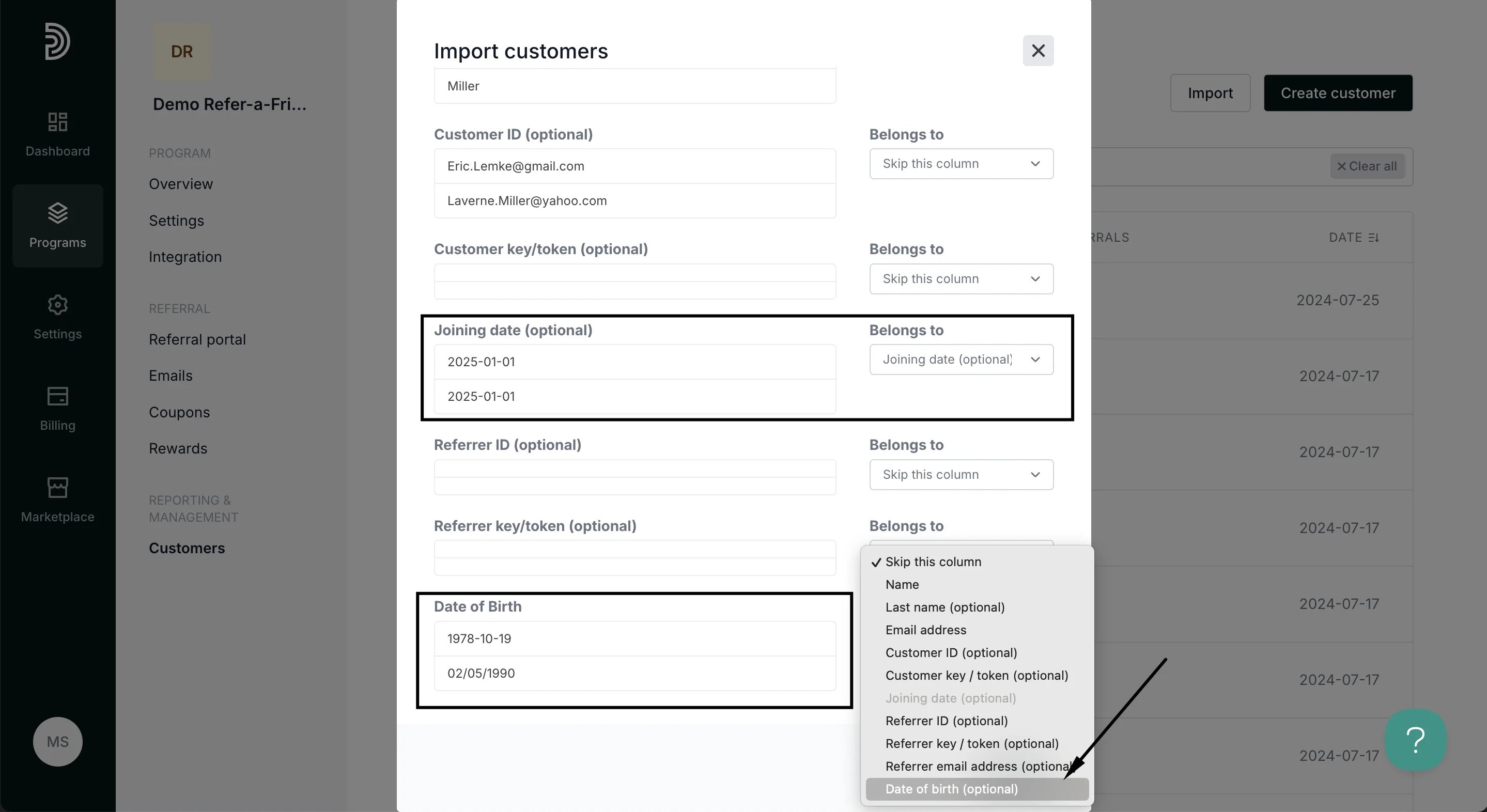 The dates need to match the ***YYYY-MM-DD*** format. Read more about imports [here](/knowledge-base/customers-leads/import-partners-customers-and-transactions).
3. Click **Import**.
#### How to check, edit, and add customer data manually
If you need to review the existing customer data or want to add or edit the dates manually, here's how to do that:
1. Open your Refer-a-Friend program and go to **Customers**.
2. Find the customer you'd like to check and click on their email address to open their profile:
The dates need to match the ***YYYY-MM-DD*** format. Read more about imports [here](/knowledge-base/customers-leads/import-partners-customers-and-transactions).
3. Click **Import**.
#### How to check, edit, and add customer data manually
If you need to review the existing customer data or want to add or edit the dates manually, here's how to do that:
1. Open your Refer-a-Friend program and go to **Customers**.
2. Find the customer you'd like to check and click on their email address to open their profile: 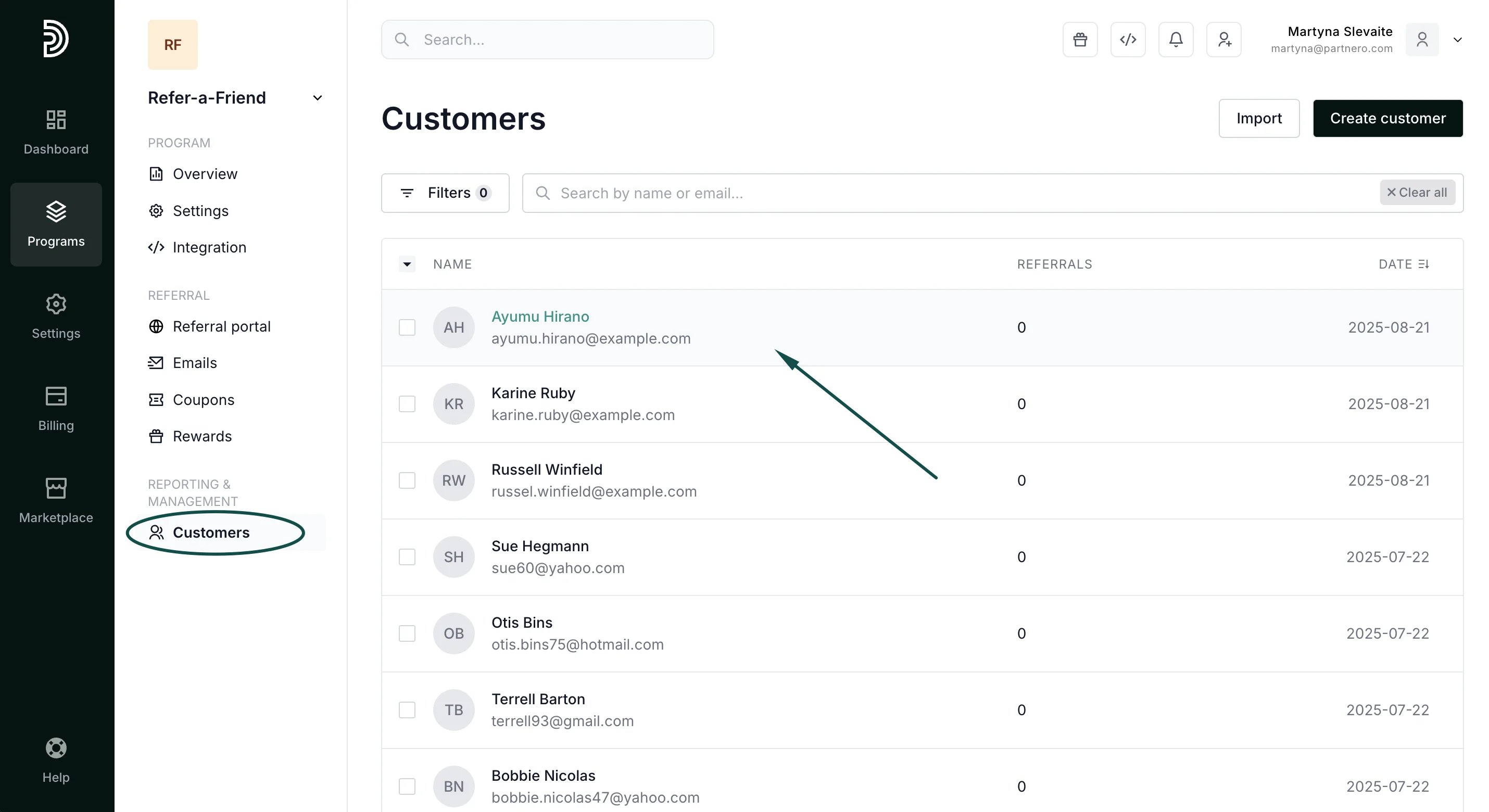 3. In the customer's profile, click on the three dots in the upper right corner and click **Edit**:
 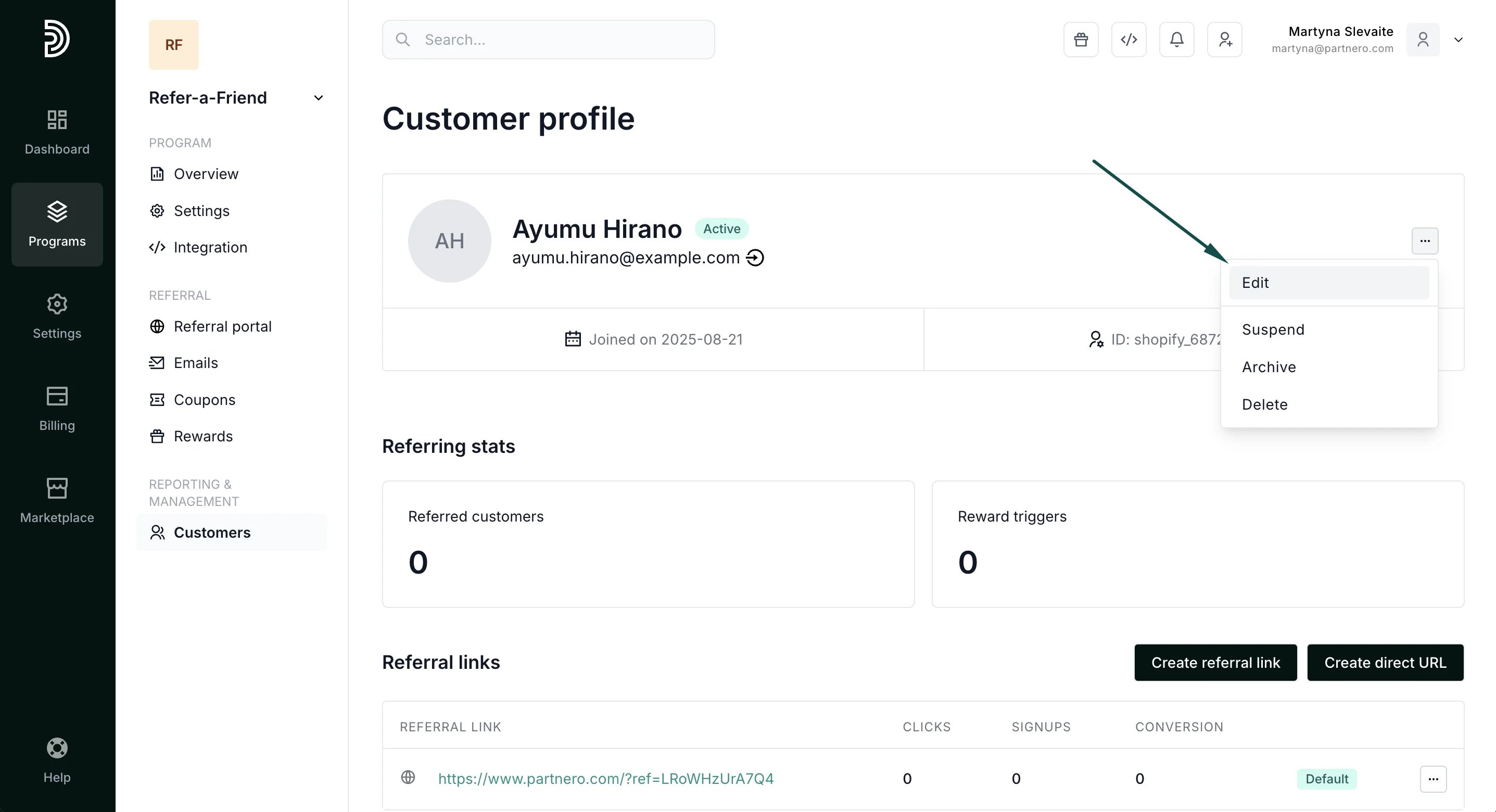 4. Switch to the **Metadata** tab. Here, you can check the existing data, modify it, or add new information:
 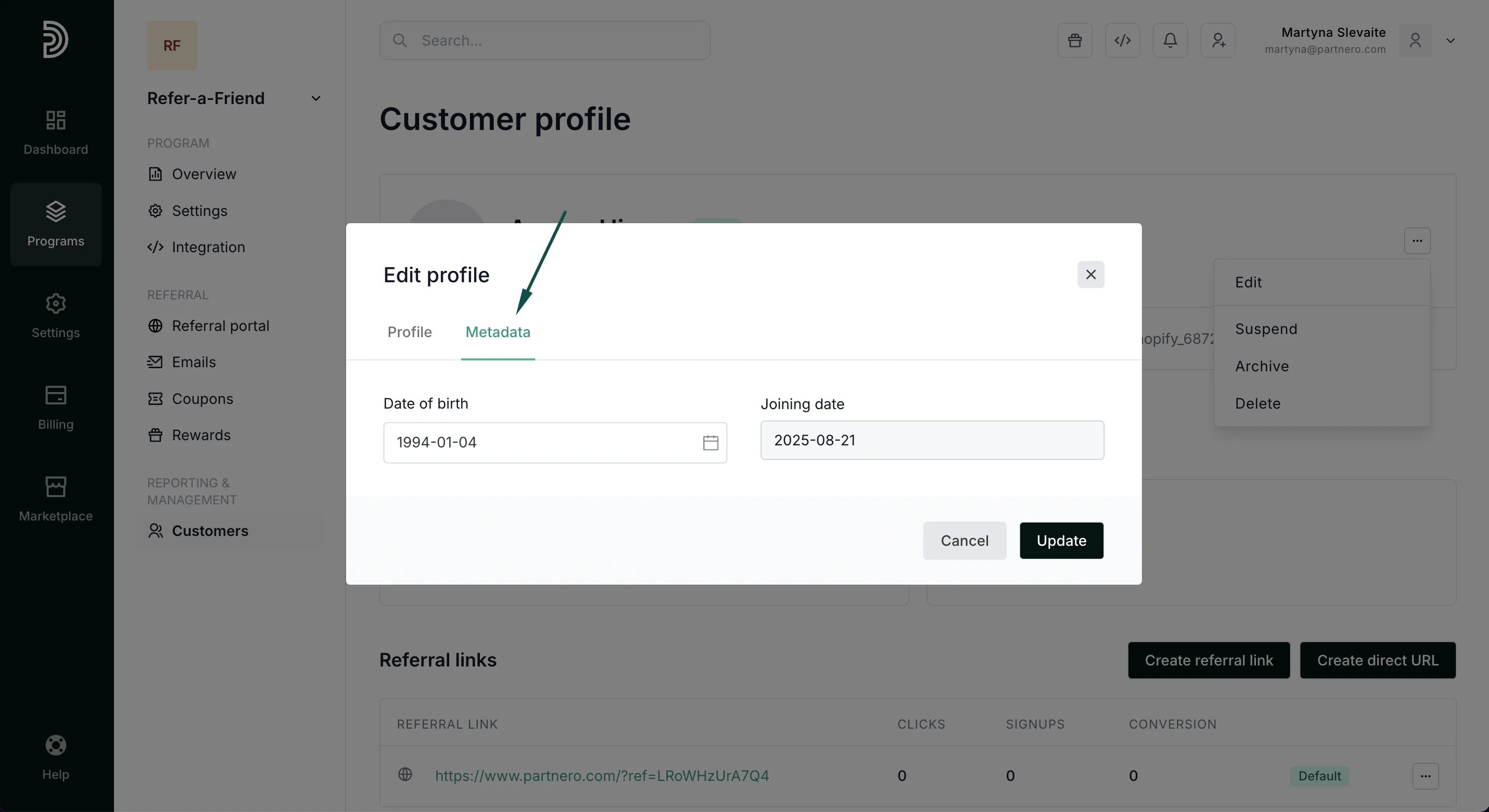 5. Click **Update** to save the changes.
***
### How to create an anniversary reward
First, you'll need to have an existing Refer-a-Friend program. If you don't have one, [here's how to create one](/knowledge-base/referral-programs/create-refer-a-friend-program).
To create a reward:
1. In your referral program, go to **Rewards** under **Referral**. Click **New reward**:
5. Click **Update** to save the changes.
***
### How to create an anniversary reward
First, you'll need to have an existing Refer-a-Friend program. If you don't have one, [here's how to create one](/knowledge-base/referral-programs/create-refer-a-friend-program).
To create a reward:
1. In your referral program, go to **Rewards** under **Referral**. Click **New reward**: 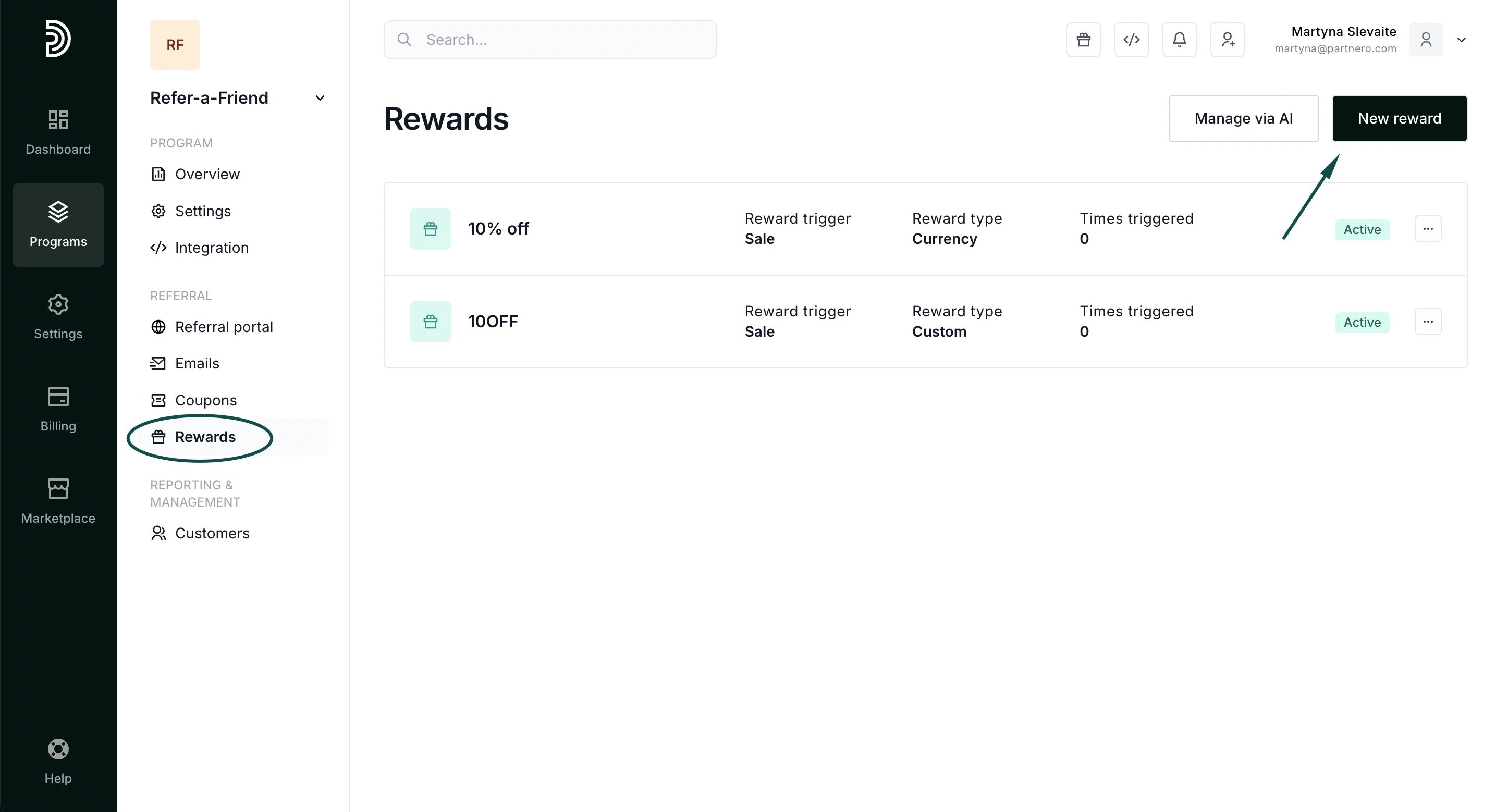 2. Add the reward name and select "Anniversaries & Dates" as the reward trigger:
 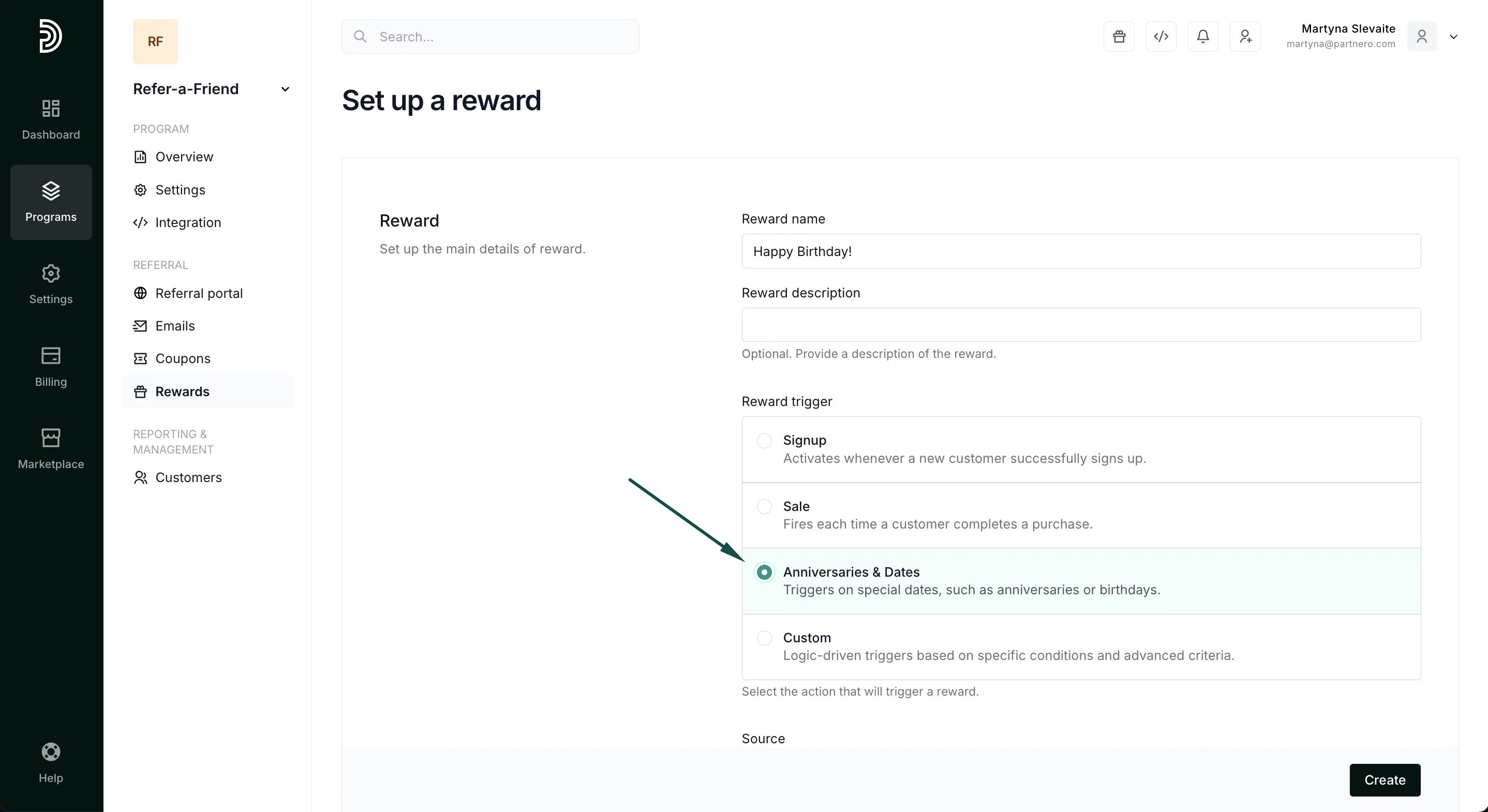 3. You will then be presented with a drop-down where you can select the data source:
 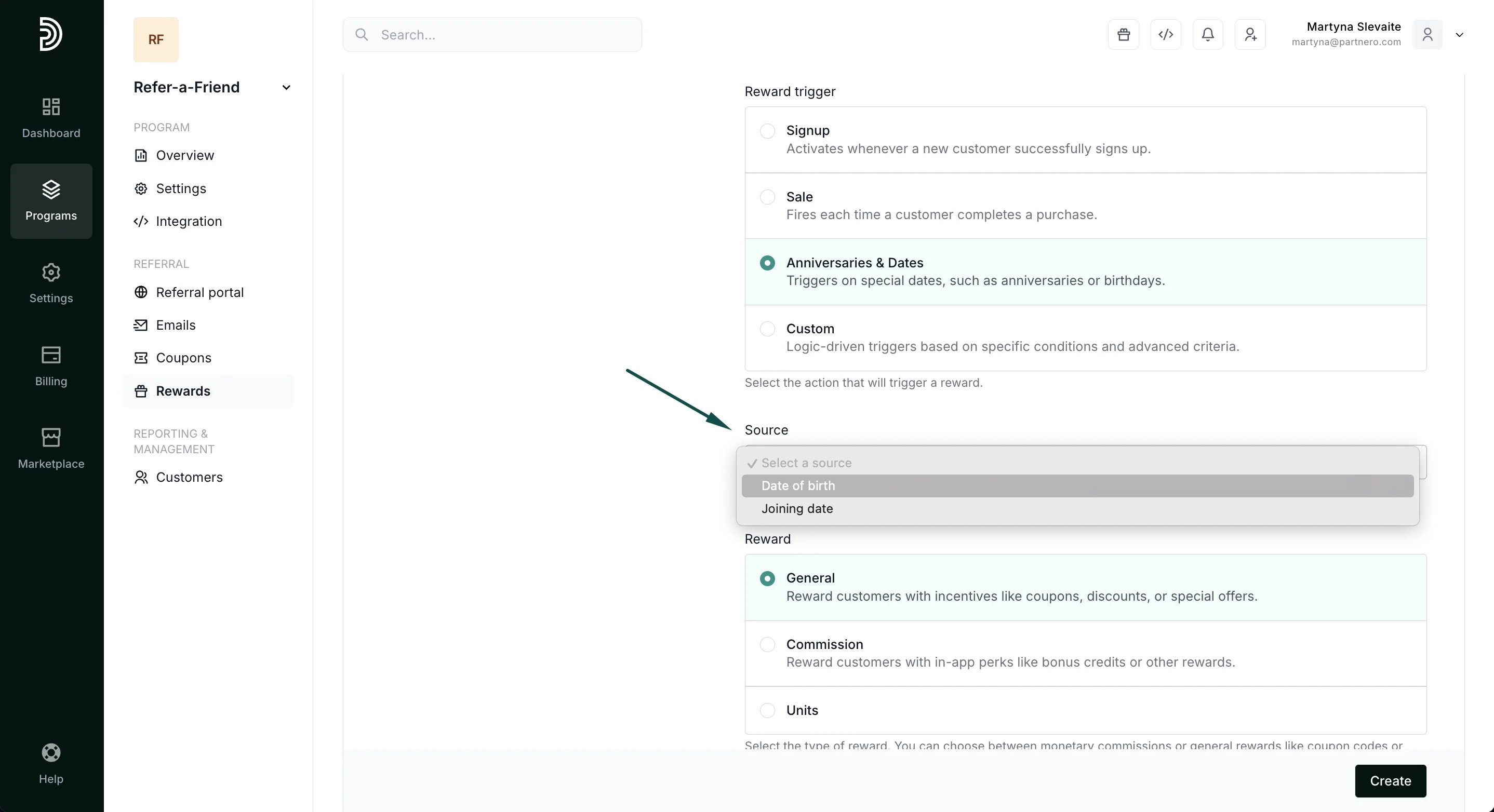 **Joining date**: the reward will be triggered on the anniversary of the customer's joining date.
**Date of birth**: the reward will be triggered on the anniversary of the customer's date of birth.
4. Next, you can configure the reward you'd like to offer. In this example, we'll send the customer a generic coupon.
**Joining date**: the reward will be triggered on the anniversary of the customer's joining date.
**Date of birth**: the reward will be triggered on the anniversary of the customer's date of birth.
4. Next, you can configure the reward you'd like to offer. In this example, we'll send the customer a generic coupon. 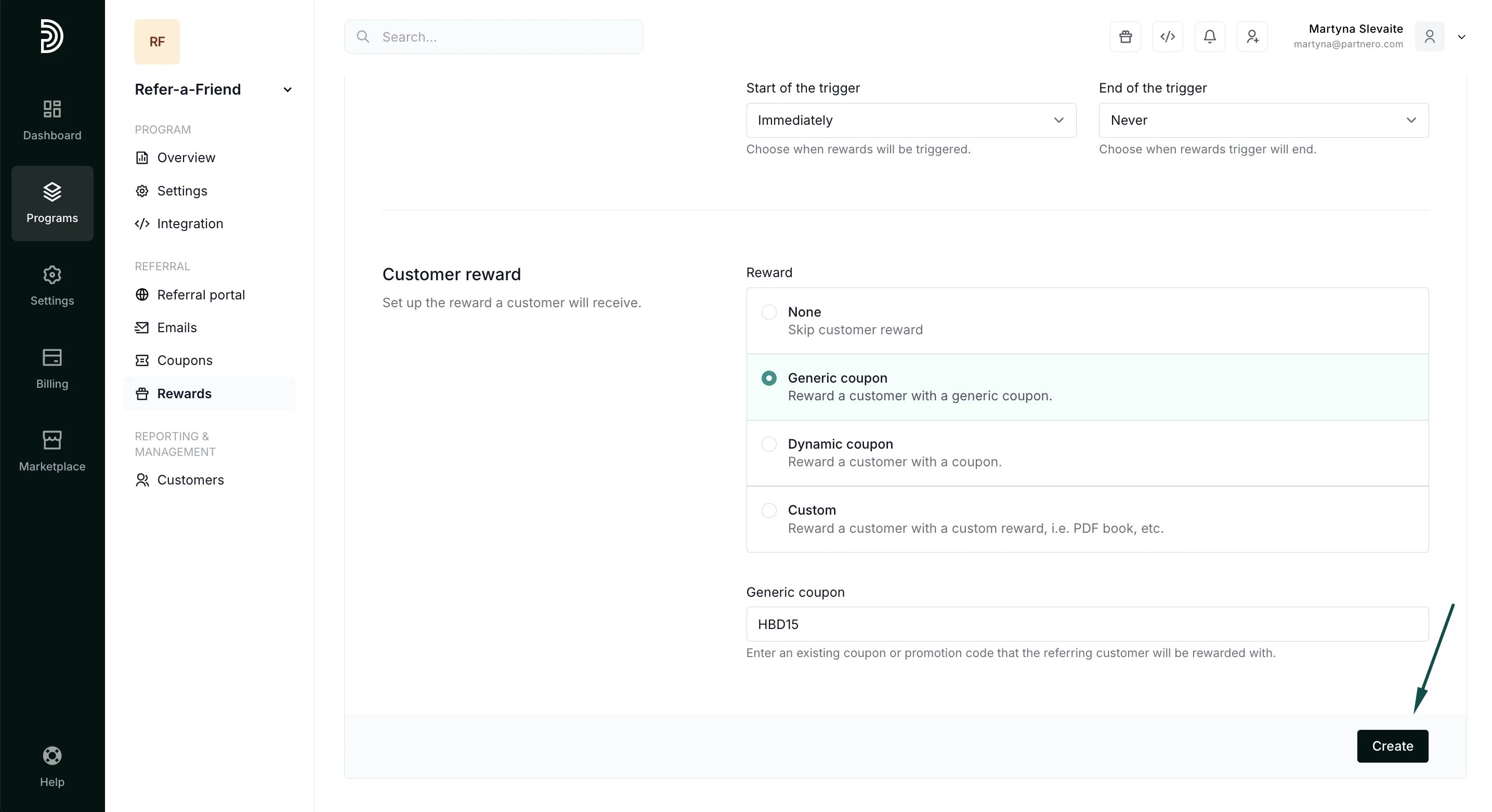 If you choose the Generic coupon option, the coupon should be available in your e-commerce solution. Automatic coupon sync is available for Stripe, Shopify, and WooCommerce. [Read more about different reward types and settings](/knowledge-base/referral-programs/how-to-create-a-reward).
5. Click **Create**.
That's it! Your customers will receive the configured reward based on their anniversary date.
This documentation is built and hosted on [Mintlify](https://mintlify.com), a developer documentation platform.
If you choose the Generic coupon option, the coupon should be available in your e-commerce solution. Automatic coupon sync is available for Stripe, Shopify, and WooCommerce. [Read more about different reward types and settings](/knowledge-base/referral-programs/how-to-create-a-reward).
5. Click **Create**.
That's it! Your customers will receive the configured reward based on their anniversary date.
This documentation is built and hosted on [Mintlify](https://mintlify.com), a developer documentation platform.