> ## Documentation Index
> Fetch the complete documentation index at: https://docs.partnero.com/llms.txt
> Use this file to discover all available pages before exploring further.
# Connect additional programs to your Shopify store
With the [Partnero Affiliate Management app](https://apps.shopify.com/partnero-affiliate-management), you can connect multiple programs to your Shopify store. For example, you can run affiliate and refer-a-friend programs in one store.
If you're just getting started, you can access the [integration guide](/integrations/shopify) here.
If you're already running a program on Shopify and would like to connect an additional program:
1. Open your Shopify store admin panel.
2. Click on **Apps** and find **Partnero Affiliate Management** under **Installed apps**: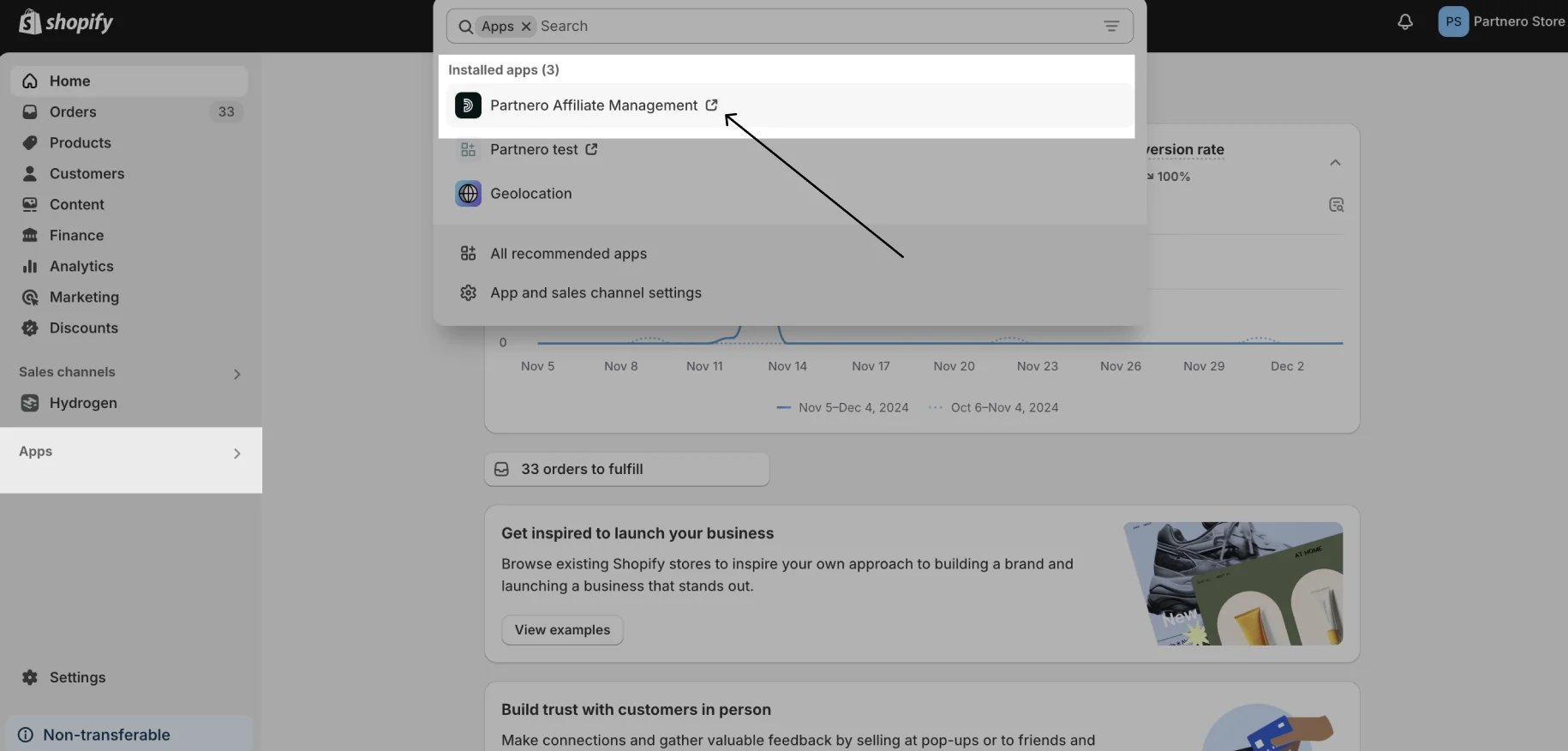 Alternatively, you can find it under Settings > Apps and Sales channels > Installed apps.
3. Click to open the app. This will redirect you to Partnero, where you'll be able to see all of your programs. Click **Connect** to the program you'd like to connect, or **Create program** if you'd like to create a new one:
Alternatively, you can find it under Settings > Apps and Sales channels > Installed apps.
3. Click to open the app. This will redirect you to Partnero, where you'll be able to see all of your programs. Click **Connect** to the program you'd like to connect, or **Create program** if you'd like to create a new one: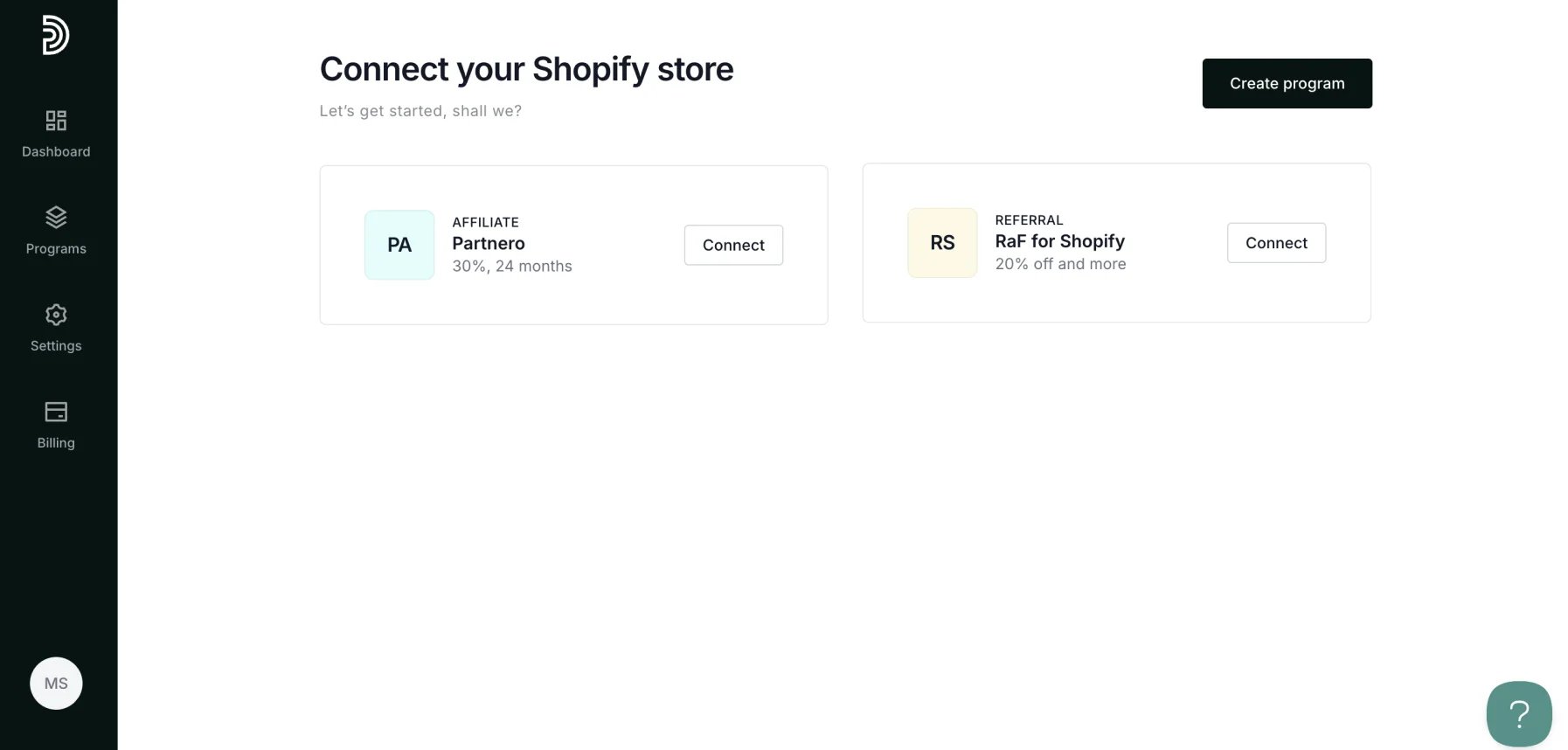 4. That's it! An additional program is now connected to your Shopify store.
***
This documentation is built and hosted on [Mintlify](https://mintlify.com), a developer documentation platform.
4. That's it! An additional program is now connected to your Shopify store.
***
This documentation is built and hosted on [Mintlify](https://mintlify.com), a developer documentation platform.