> ## Documentation Index
> Fetch the complete documentation index at: https://docs.partnero.com/llms.txt
> Use this file to discover all available pages before exploring further.
# Affiliate program default tracking settings
With Partnero, you can customize your program's link structure and query parameters. To do that:
1. Open your affiliate program and go to **Settings** under **Program**.
2. On the **General** tab, scroll down to the **Default tracking** section: 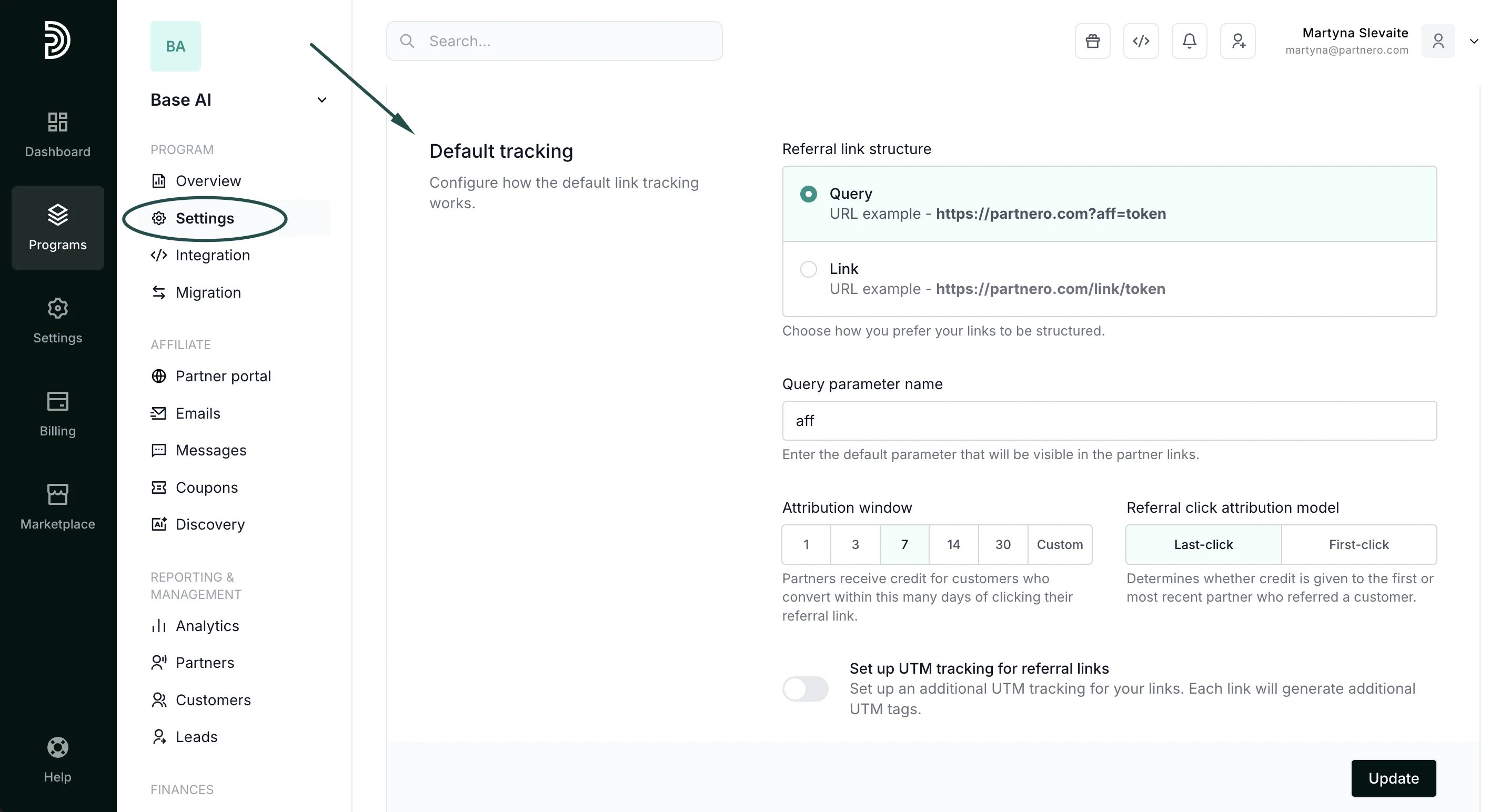 ***
### Referral link structure
Two link structures are available:
* Query: [https://demowebsite.com](https://demowebsite.com)**?aff=token**
* Link: [https://demowebsite.com](https://demowebsite.com)**/aff/token**
⚠️ **Important**: If you opt for the **Link** structure, ensure your website supports it to avoid non-functional referral links.
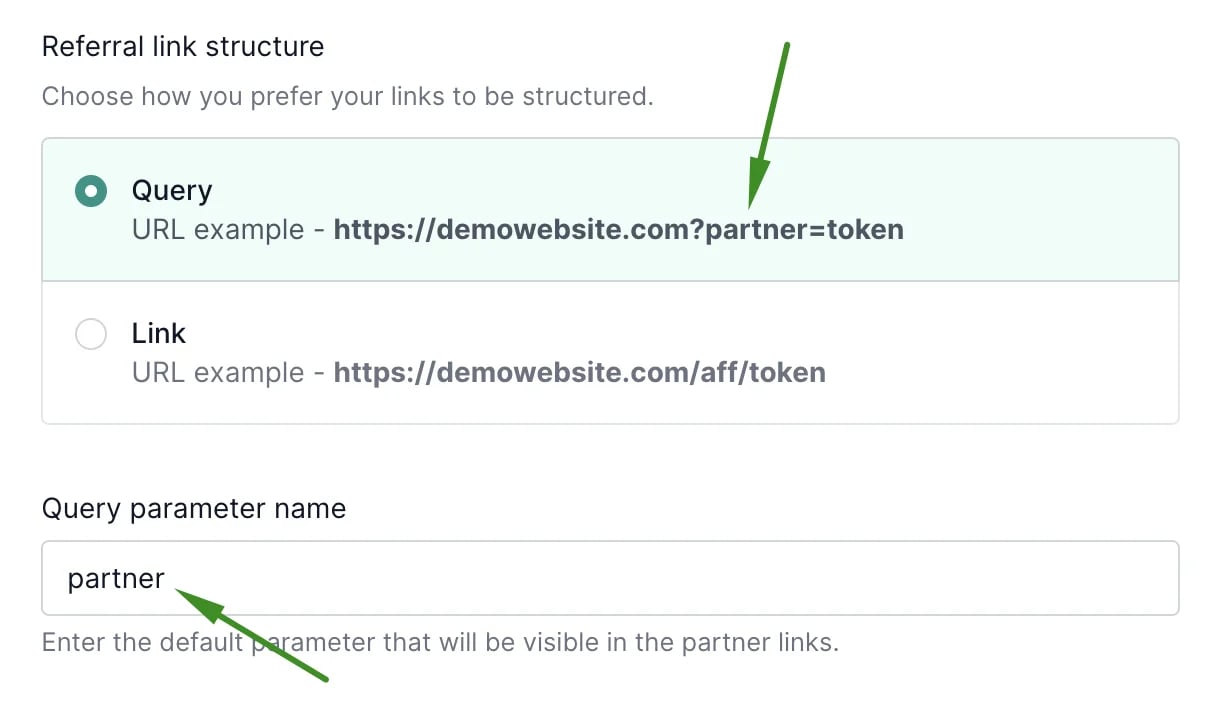
Next, you can change the query parameter name. The query parameter is a part of the referral link.
The default value is "aff". However, it can be changed - the screenshot below has an example with a query parameter "partner":
***
### Referral link structure
Two link structures are available:
* Query: [https://demowebsite.com](https://demowebsite.com)**?aff=token**
* Link: [https://demowebsite.com](https://demowebsite.com)**/aff/token**
⚠️ **Important**: If you opt for the **Link** structure, ensure your website supports it to avoid non-functional referral links.
Next, you can change the query parameter name. The query parameter is a part of the referral link.
The default value is "aff". However, it can be changed - the screenshot below has an example with a query parameter "partner":
 Make sure to click **Update** after you make any changes!
***
### Attribution window and model
Next, you can configure the attribution window (cookie lifetime) and model.
Make sure to click **Update** after you make any changes!
***
### Attribution window and model
Next, you can configure the attribution window (cookie lifetime) and model.
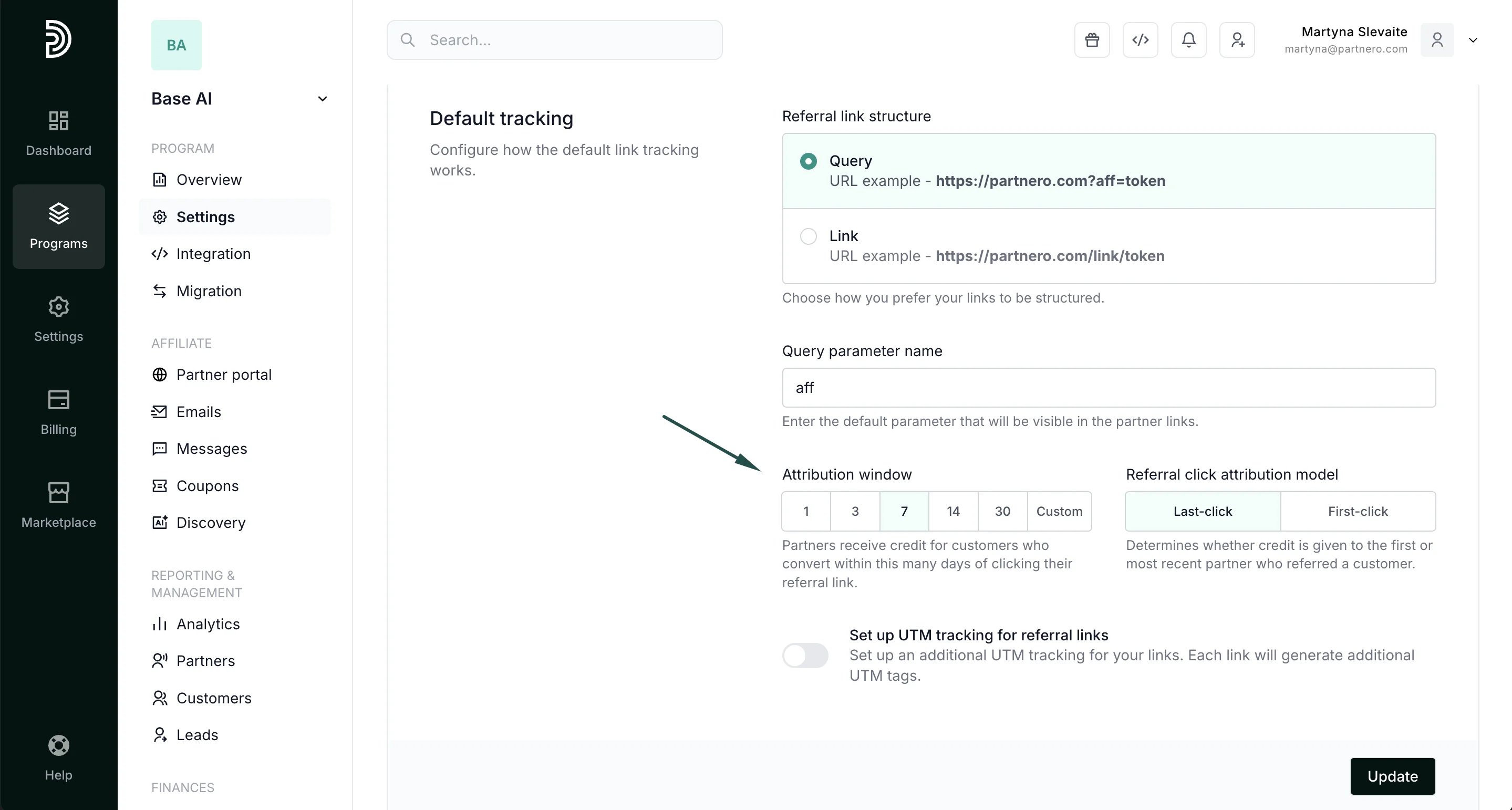 The **attribution window** defines how soon after clicking a referral link a customer has to sign up to be associated with the referring affiliate partner. You can select one of the available options or enter your number in the Custom field:
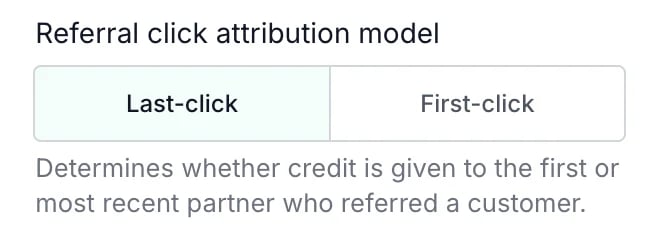
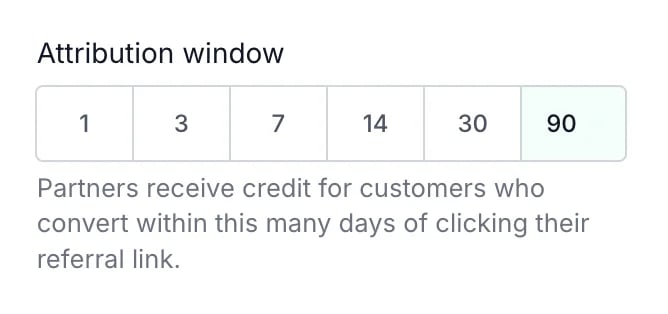 The **attribution model** is important if a referred customer clicked on two or more different referral links. The model determines whether the commission is given to the first or most recent affiliate:
* Last click: the commission is assigned to the affiliate whose referral link was clicked most recently before the conversion.
* First click: the commission is assigned to the affiliate whose referral link was clicked first, even if the customer interacted with other affiliate links later.
The **attribution model** is important if a referred customer clicked on two or more different referral links. The model determines whether the commission is given to the first or most recent affiliate:
* Last click: the commission is assigned to the affiliate whose referral link was clicked most recently before the conversion.
* First click: the commission is assigned to the affiliate whose referral link was clicked first, even if the customer interacted with other affiliate links later.
 Make sure to click **Update** after you make any changes!
***
### UTM tracking
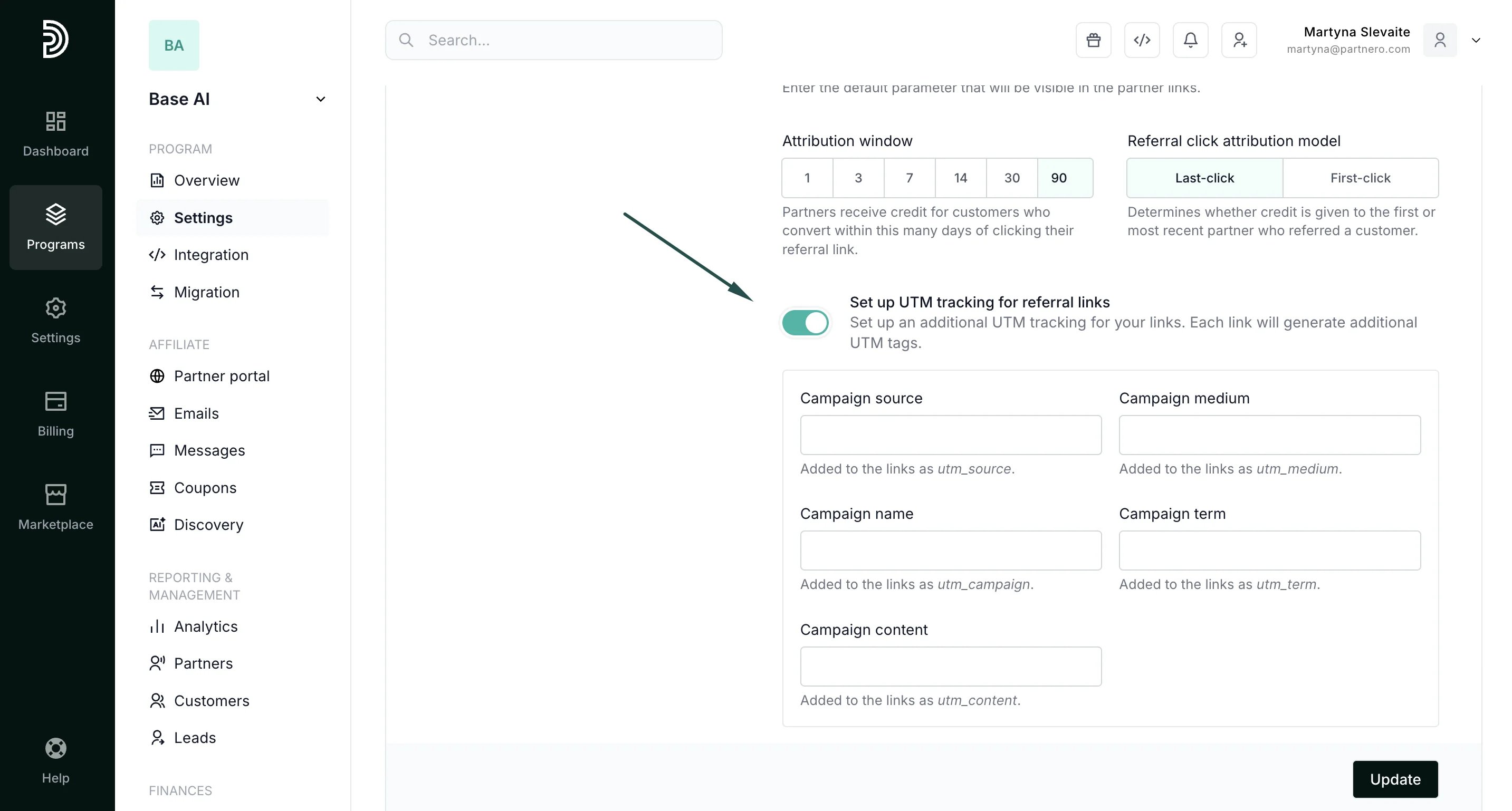
Lastly, you can set up UTM tracking for referral links:
Make sure to click **Update** after you make any changes!
***
### UTM tracking
Lastly, you can set up UTM tracking for referral links:
 [Click here to read more about UTM tracking.](/knowledge-base/tracking-links-coupons/set-up-utm-tracking-for-referral-links)
***
This documentation is built and hosted on [Mintlify](https://mintlify.com), a developer documentation platform.
[Click here to read more about UTM tracking.](/knowledge-base/tracking-links-coupons/set-up-utm-tracking-for-referral-links)
***
This documentation is built and hosted on [Mintlify](https://mintlify.com), a developer documentation platform.