> ## Documentation Index
> Fetch the complete documentation index at: https://docs.partnero.com/llms.txt
> Use this file to discover all available pages before exploring further.
# Create and use Paddle coupons
### What are coupons?
Coupon marketing is a strategy that uses discounts and other incentives to encourage consumers to purchase. Digital coupons can be redeemed online or in-store, and they typically offer a percentage discount, free shipping, or other type of bonus.
Partnero and **Paddle Billing**'s integration allows you to connect and synchronize coupons between Paddle and Partnero. There are a few options:
1. Create coupons on Partnero and sync with Paddle.
2. Create coupons on Paddle and sync with Partnero.
3. Import existing Paddle coupons to Partnero.
Let's explore each option below.
***
### Integrate Paddle Billing
To use the coupon functionality, you'll have to integrate Paddle Billing first. [Please follow the instructions in this article](/integrations/paddle) to connect your Partnero and Stripe accounts.
***
### Create coupons on Partnero and sync with Paddle
This option allows you to create new coupon codes directly on Partnero. After creating the codes, they are automatically synced with your Paddle account.
1. Open your affiliate program on Partnero.
2. Go to **Coupons** under **Program**.
3. Click **New Coupon** and select **New Paddle coupon** from the dropdown: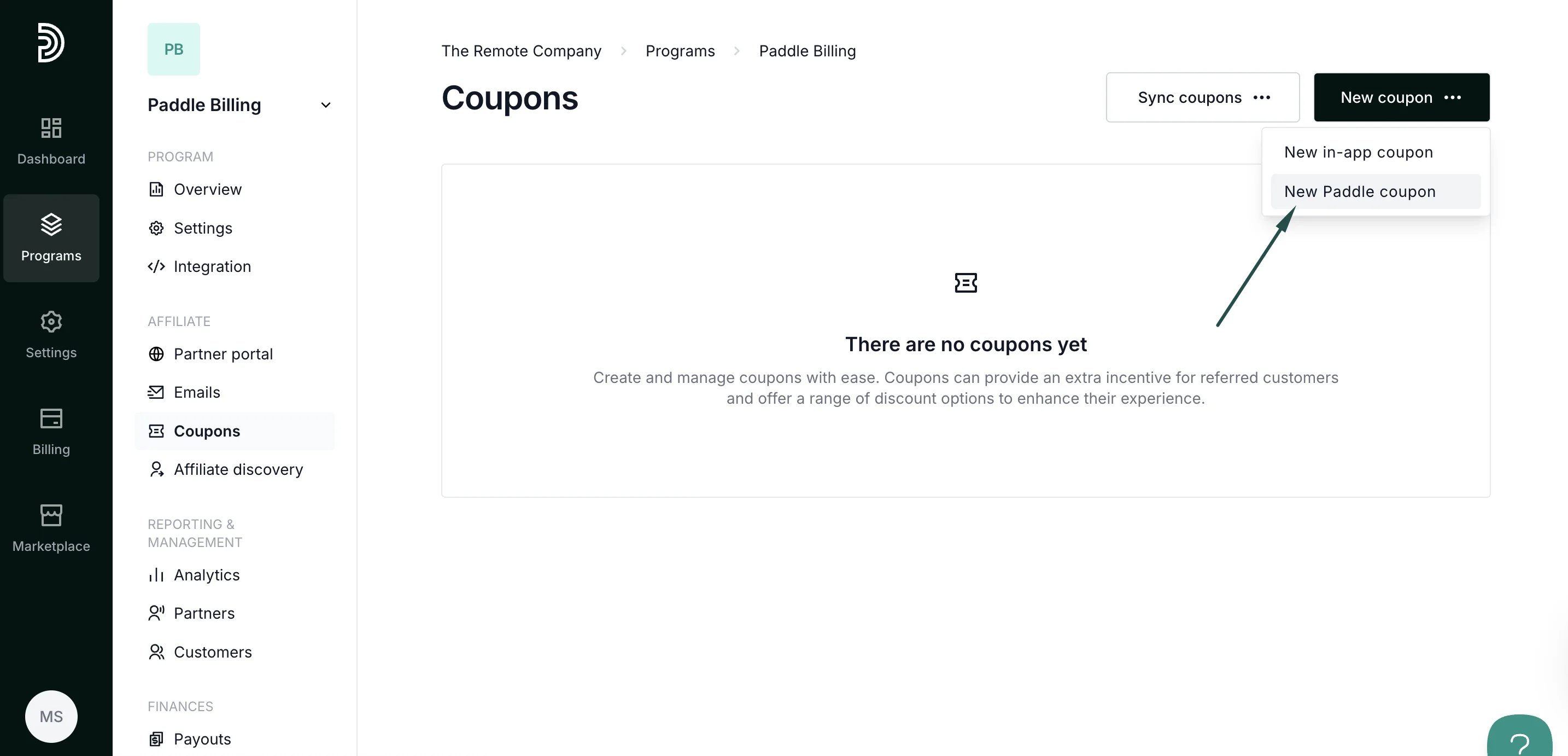 4. Set up the desired coupon structure and click **Create**.
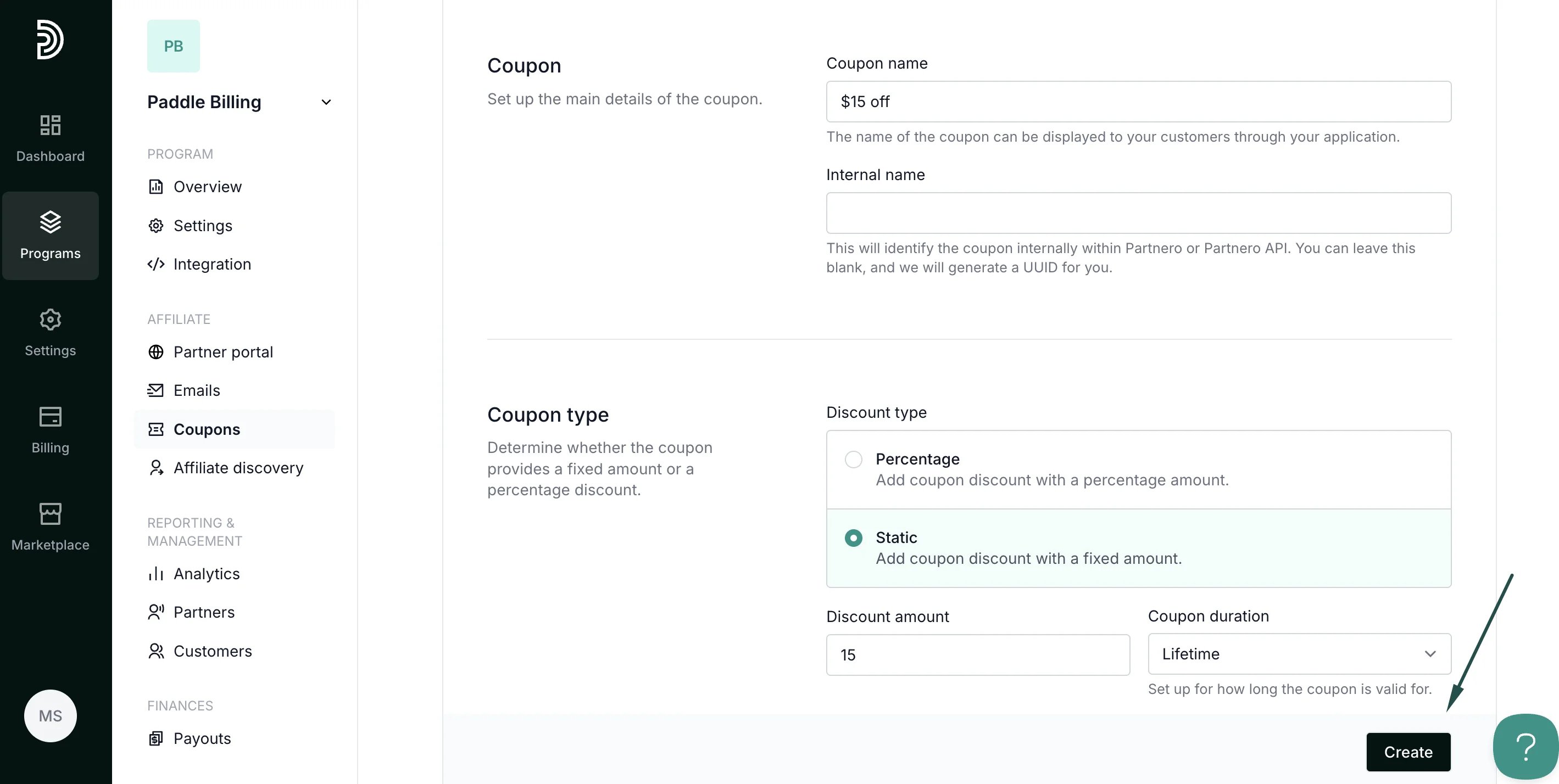 5. You will see a notification that the coupon was created successfully on Partnero and Paddle.
6. Open the Discounts section on Paddle - you should see the newly created coupon there as well.
***
### Sync existing Paddle coupons with Partnero
If you already have coupons on Paddle, you can sync them with Partnero:
1. Go to **Coupons** under **Program**.
2. Click **Sync coupons** and select **Sync Paddle coupons**:
5. You will see a notification that the coupon was created successfully on Partnero and Paddle.
6. Open the Discounts section on Paddle - you should see the newly created coupon there as well.
***
### Sync existing Paddle coupons with Partnero
If you already have coupons on Paddle, you can sync them with Partnero:
1. Go to **Coupons** under **Program**.
2. Click **Sync coupons** and select **Sync Paddle coupons**: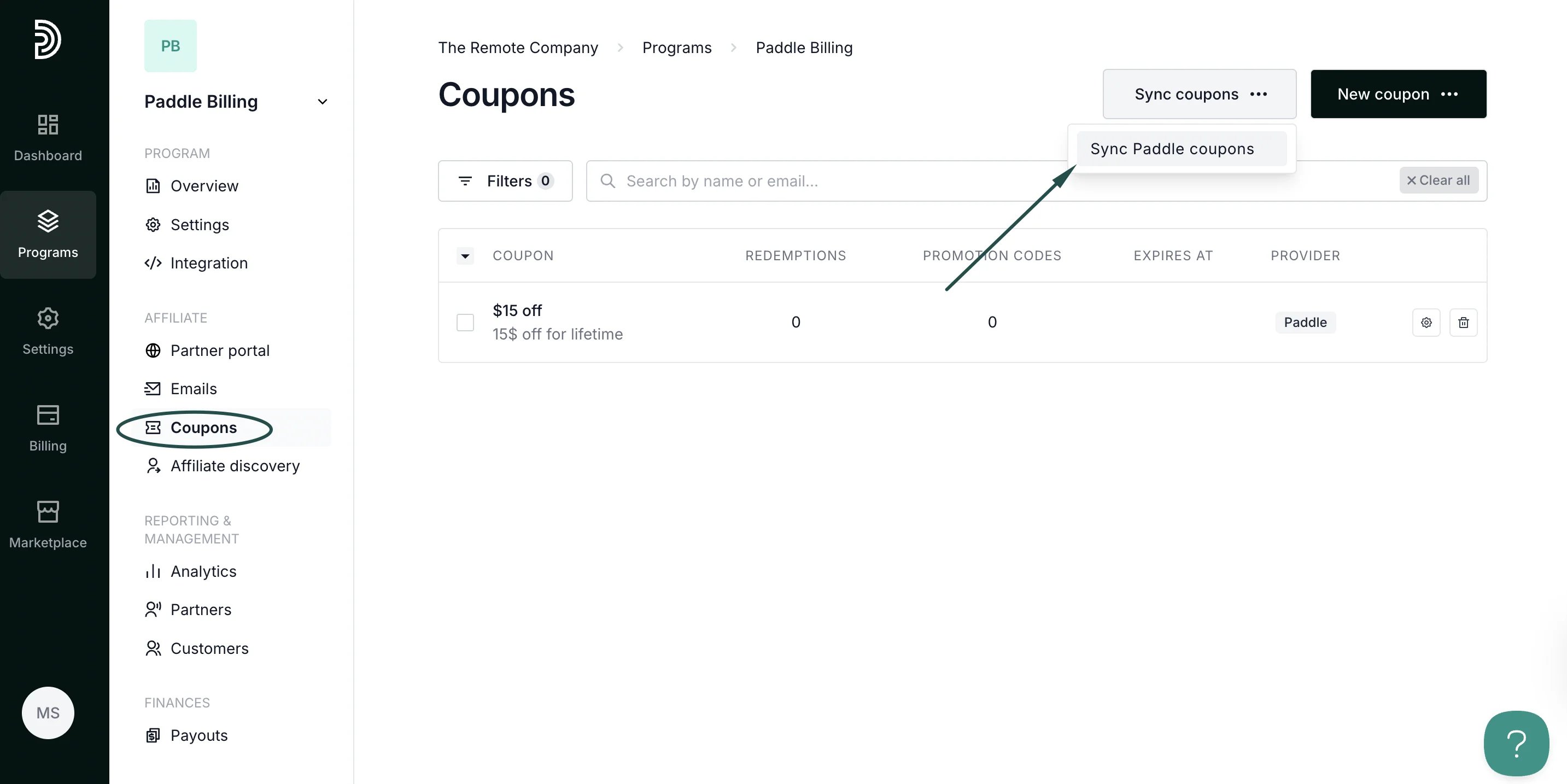 3. Select whether you want to sync all coupons or choose specific ones:
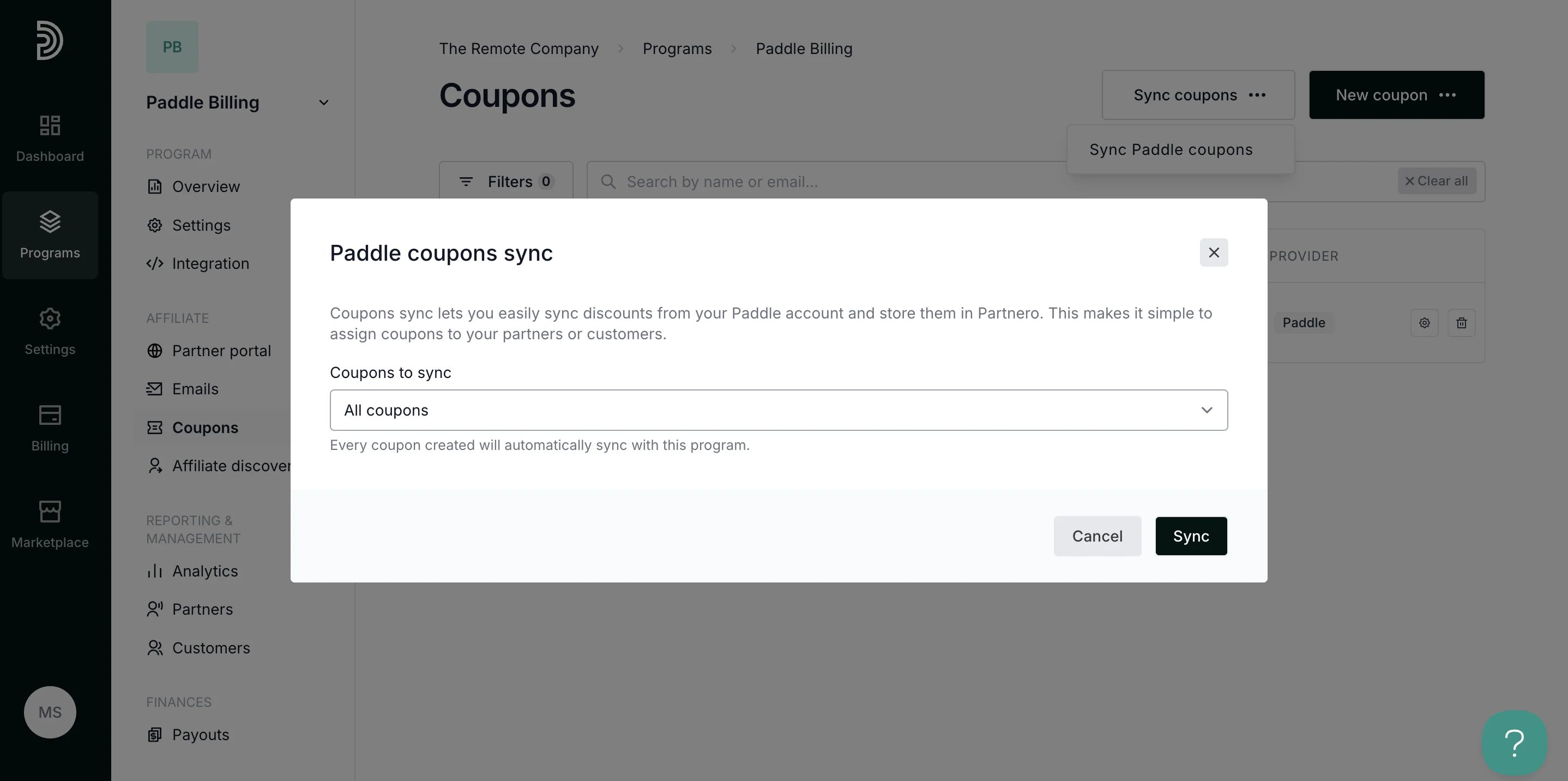 4. Click **Sync**.
That's it! Selected Paddle coupons should now be visible on your Partnero account.
***
Now that your coupons are ready, it's time to [set up promotion codes](/knowledge-base/shopify/how-to-use-promotion-codes)!
This documentation is built and hosted on [Mintlify](https://mintlify.com), a developer documentation platform.
4. Click **Sync**.
That's it! Selected Paddle coupons should now be visible on your Partnero account.
***
Now that your coupons are ready, it's time to [set up promotion codes](/knowledge-base/shopify/how-to-use-promotion-codes)!
This documentation is built and hosted on [Mintlify](https://mintlify.com), a developer documentation platform.