> ## Documentation Index
> Fetch the complete documentation index at: https://docs.partnero.com/llms.txt
> Use this file to discover all available pages before exploring further.
# Set up UTM tracking for referral links
Adding UTM tags can help you track affiliate links more effectively. These tags provide enhanced tracking data for visits to your website from referral links, enabling deeper insights within your analytics tools.
***
### How to enable UTM tracking
To enable UTM tracking for affiliate links:
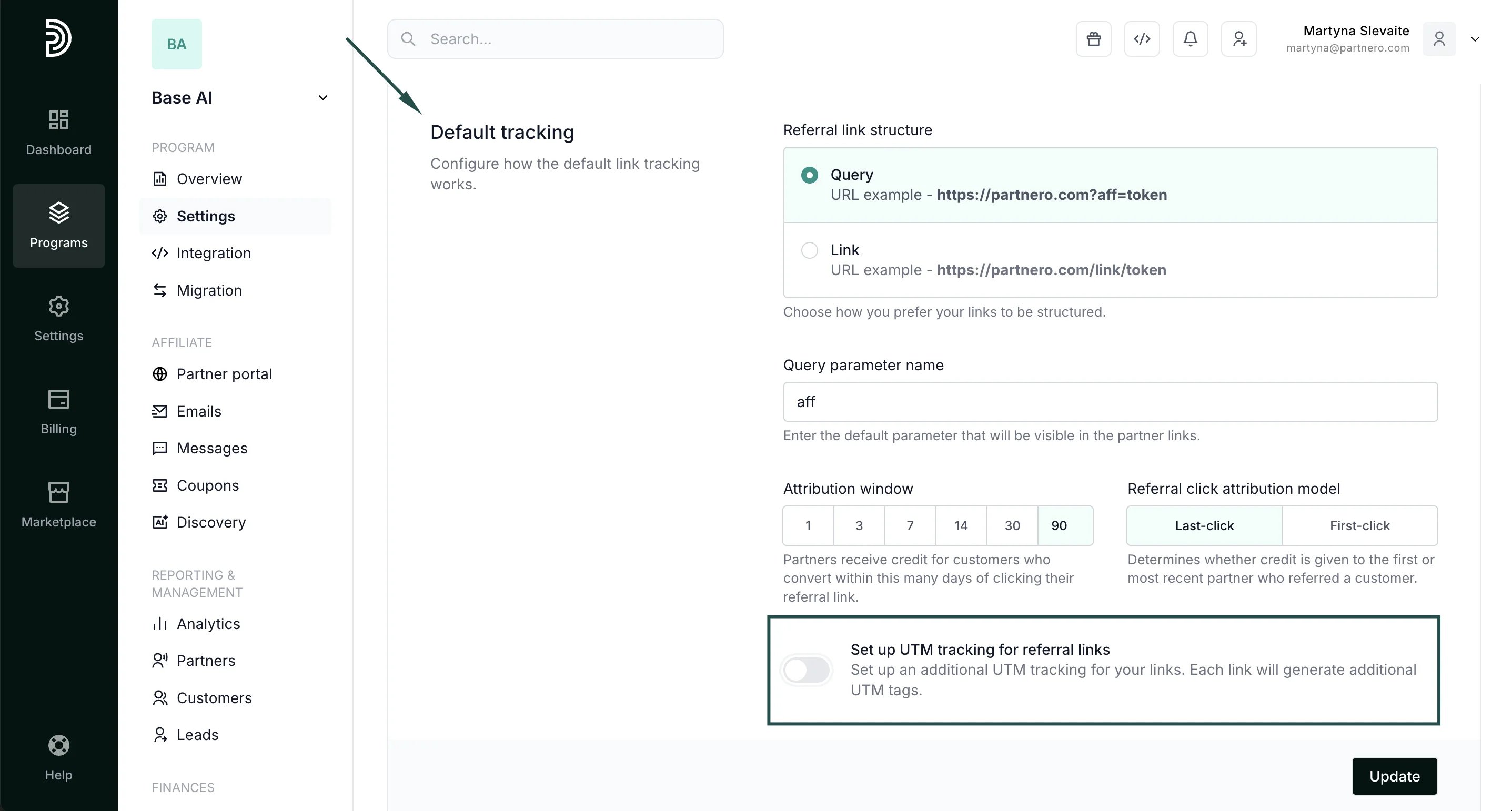
1. Open your affiliate program and navigate to **Settings** under **Program**. 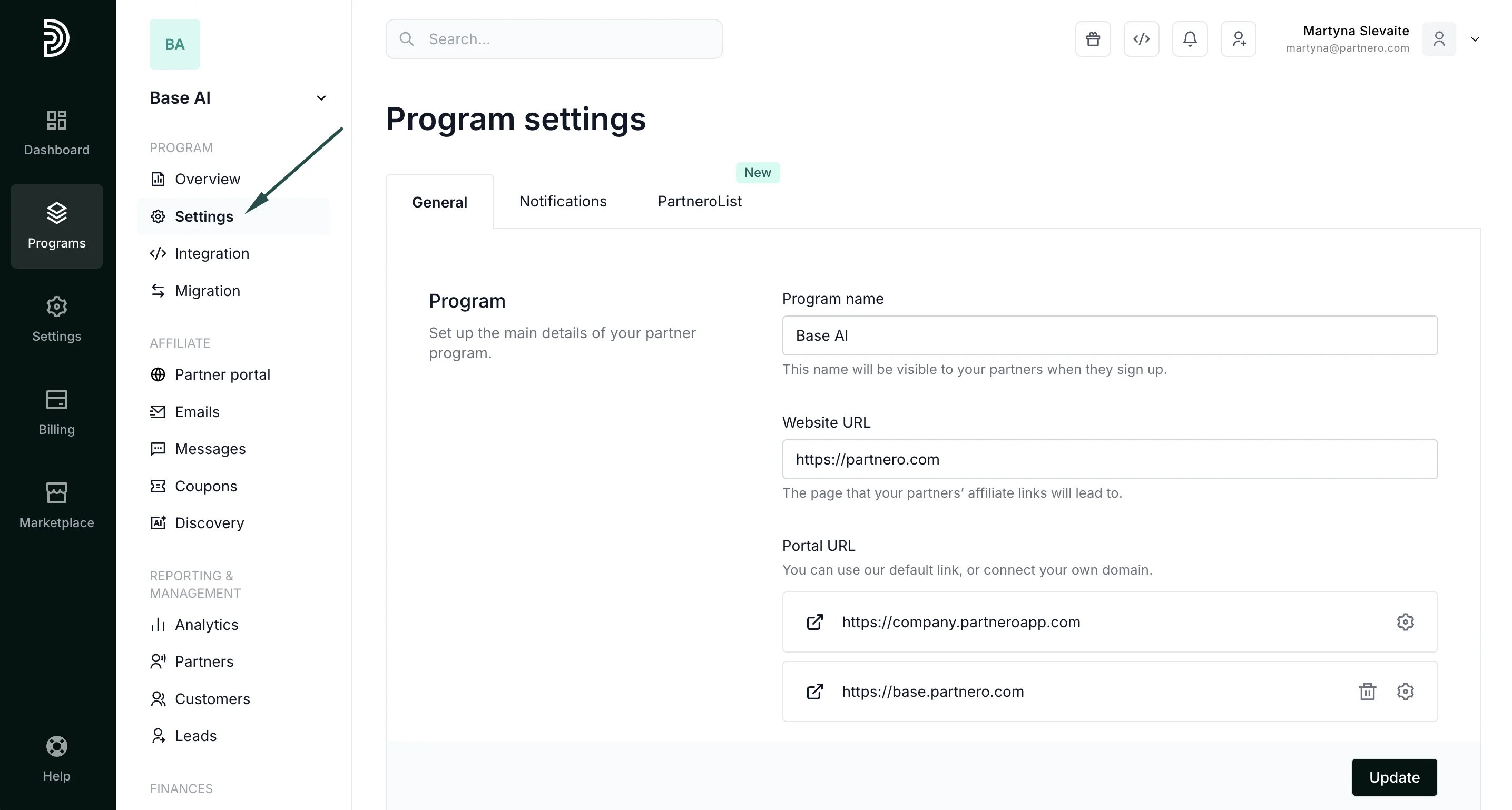 2. In the **General** tab, scroll down to **Default tracking**. Toggle to **Set up UTM tracking for referral lin\*\*\*\*ks**:
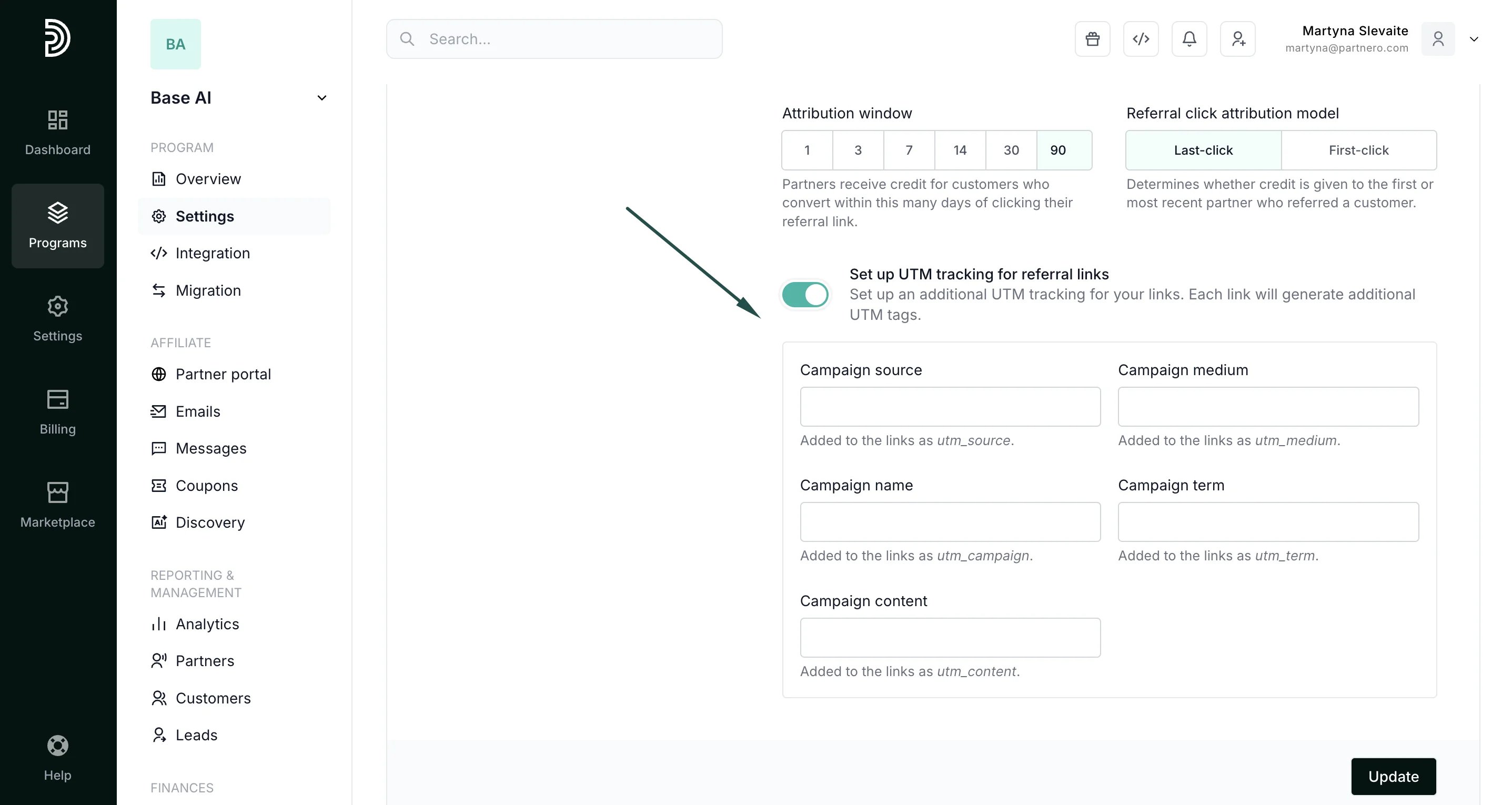
  3. Fill out the form with data for specific tags. You can use as many or as few fields as you require:
  4. Click **Update**.
This documentation is built and hosted on [Mintlify](https://mintlify.com), a developer documentation platform.
4. Click **Update**.
This documentation is built and hosted on [Mintlify](https://mintlify.com), a developer documentation platform.