> ## Documentation Index
> Fetch the complete documentation index at: https://docs.partnero.com/llms.txt
> Use this file to discover all available pages before exploring further.
# Create a program with AI assistant
**Partnero’s AI Program Setup Assistant** helps you launch your partner program in minutes. Just describe what you want to achieve, and the assistant will:
* Analyze your goals
* Recommend the best program type (affiliate or referral)
* Automatically configure commission settings and create the program for you
***
### How to create a program with AI
To use the AI assistant:
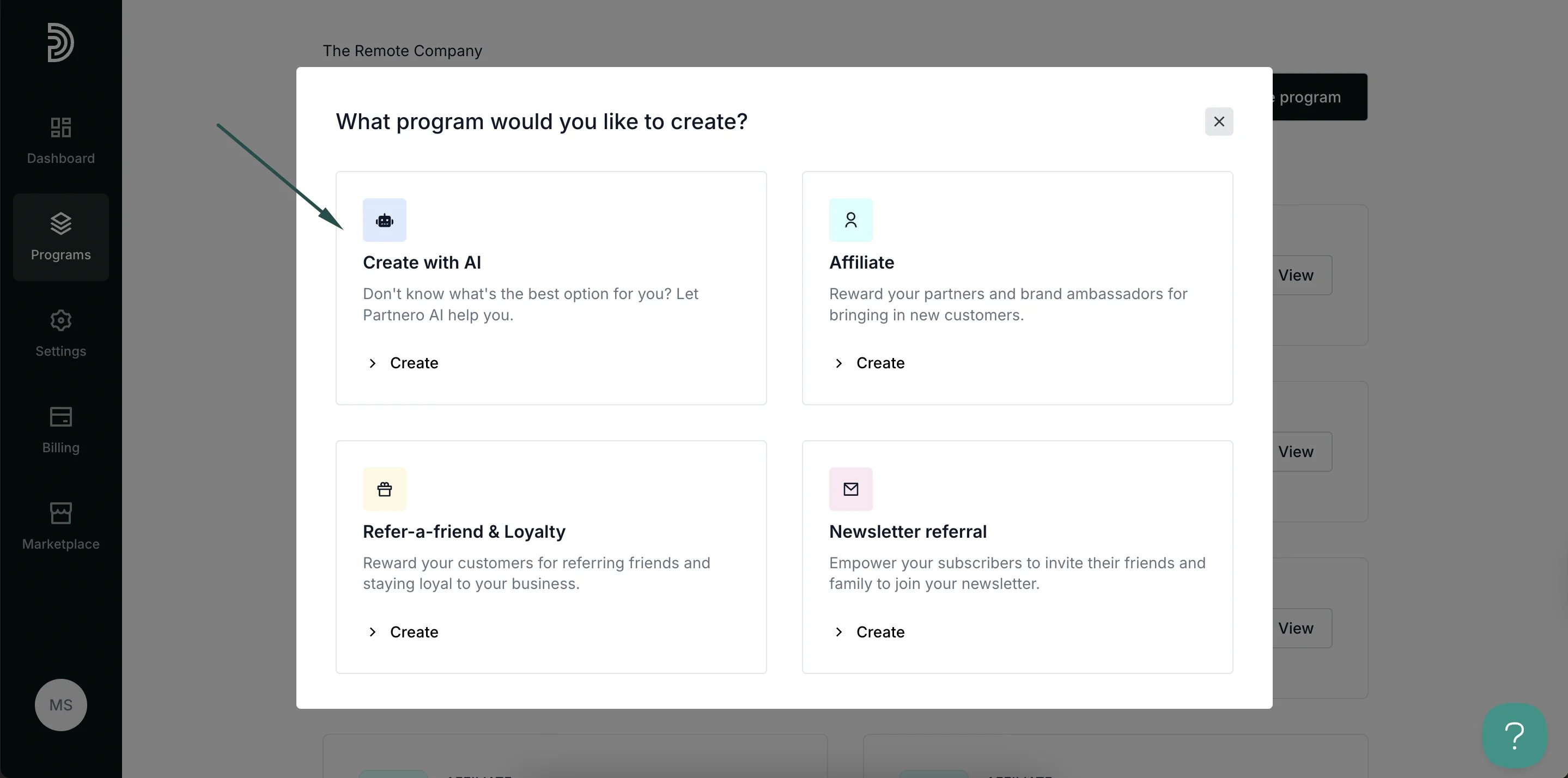
1. On your Partnero account, click **Programs** in the left-hand side menu. Click **Create program** in the top right: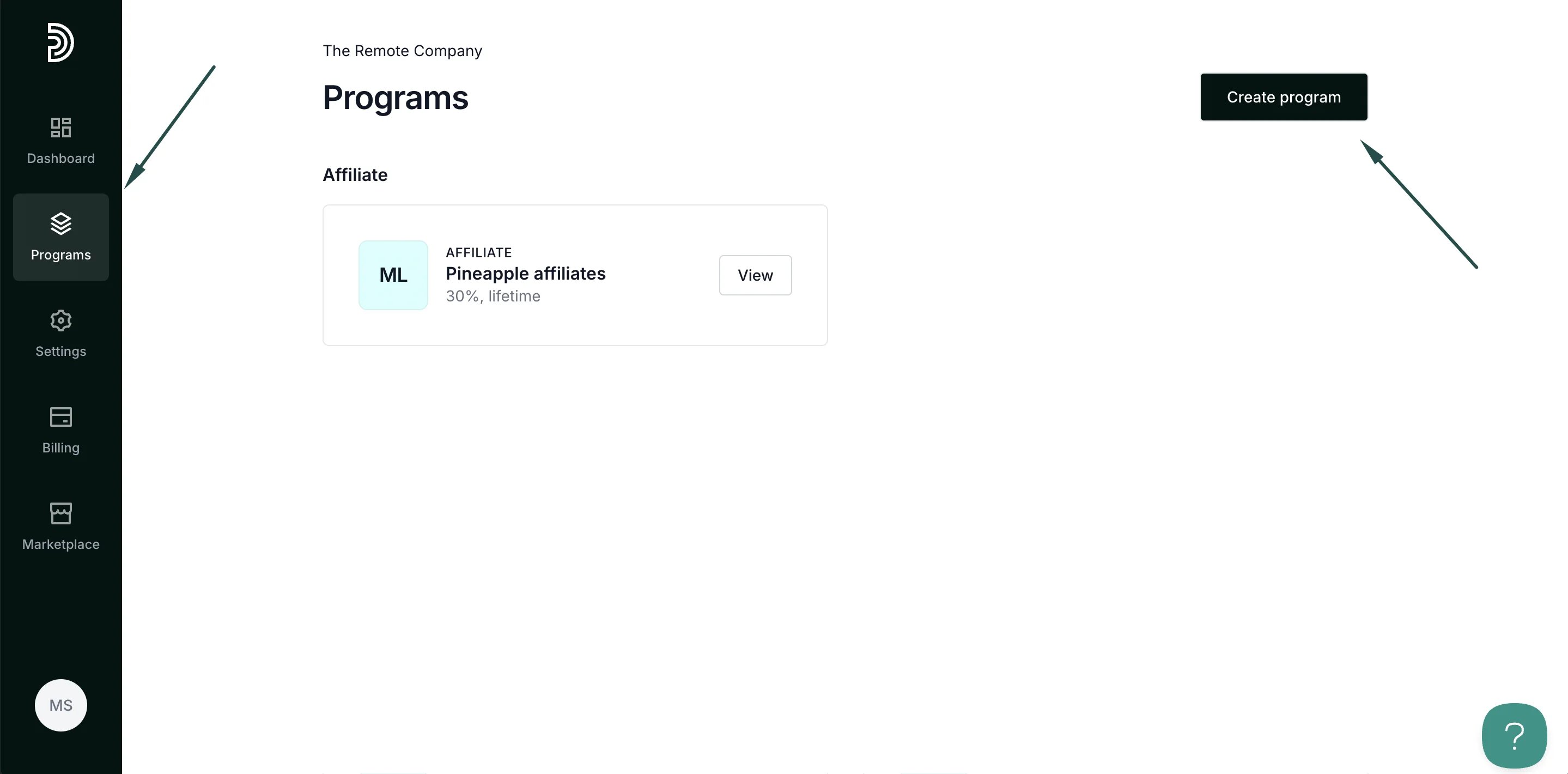 2. Select **Create with AI**:
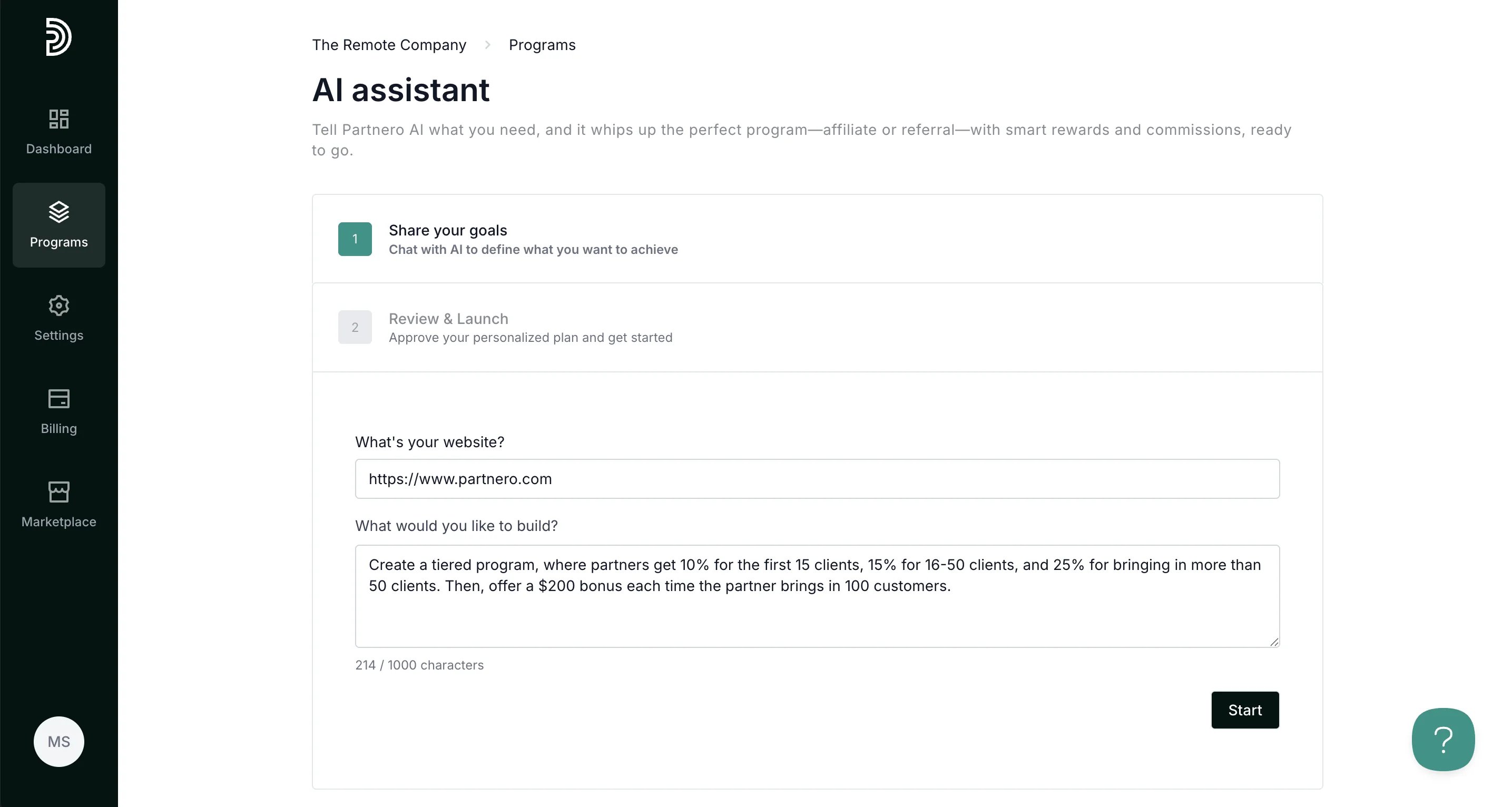
 3. In the first step, describe what program you'd like to have. Provide as many details as you can - what rewards you want to offer, what triggers the reward, etc. Once done, click **Start**.
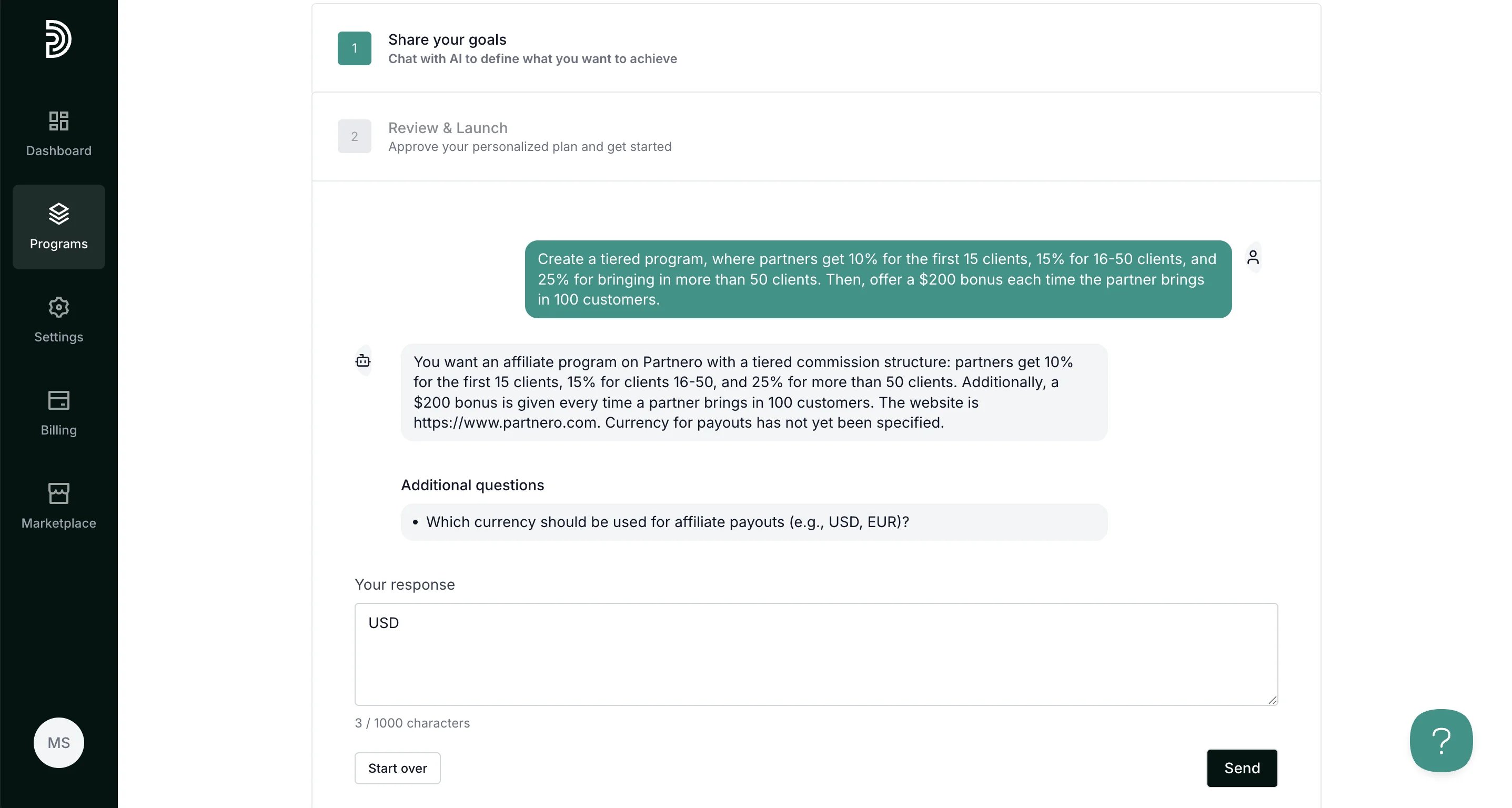
 4. Provide additional details, if asked:
 5. Once all required details are available, you'll be suggested a program type and provided with a final program description:
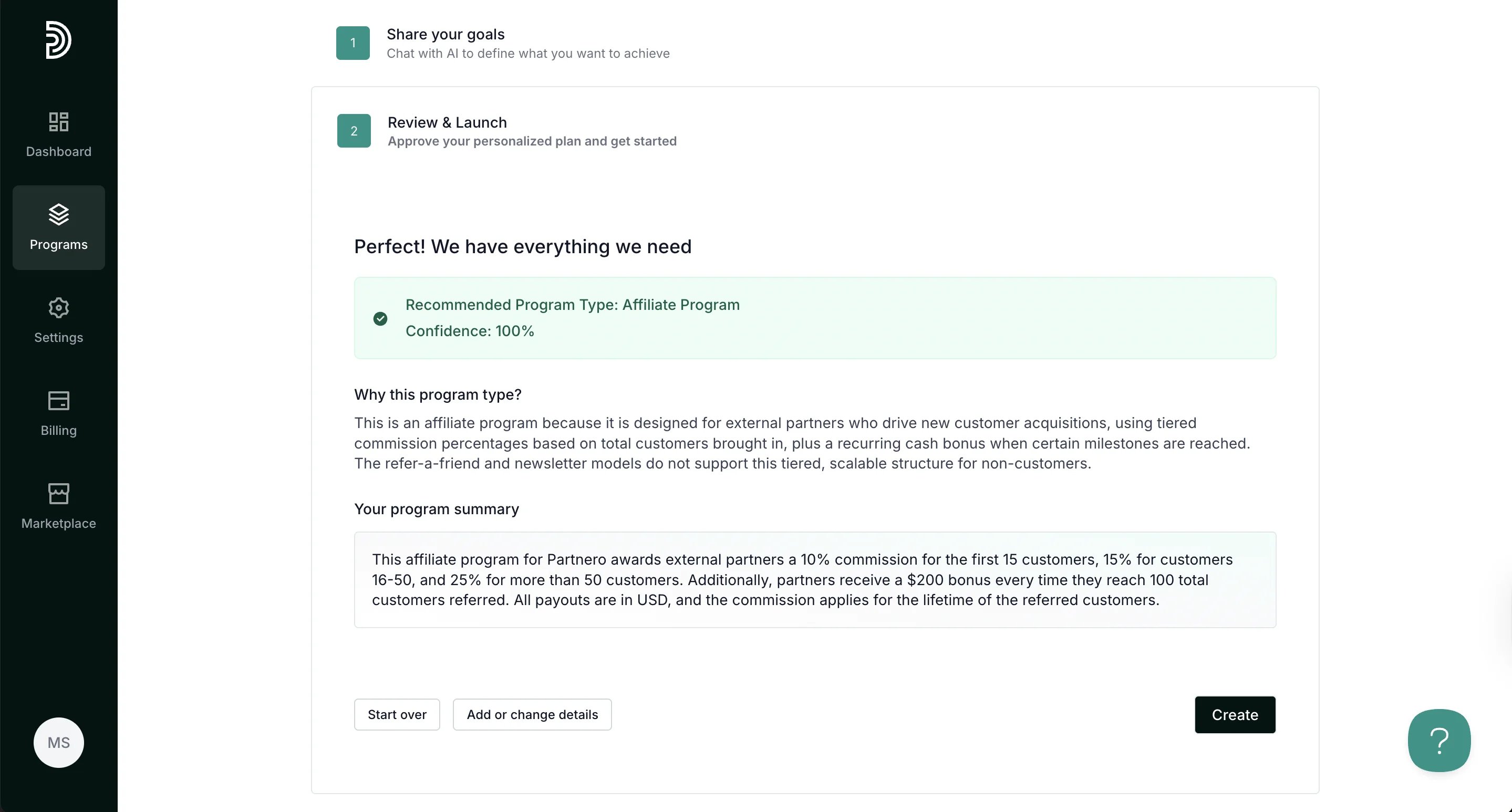 At this step, you can add more details, start over, or, if you're satisfied with the description, click **Create**.
6. Once the program is created, you can proceed with integration or finalize program settings:
At this step, you can add more details, start over, or, if you're satisfied with the description, click **Create**.
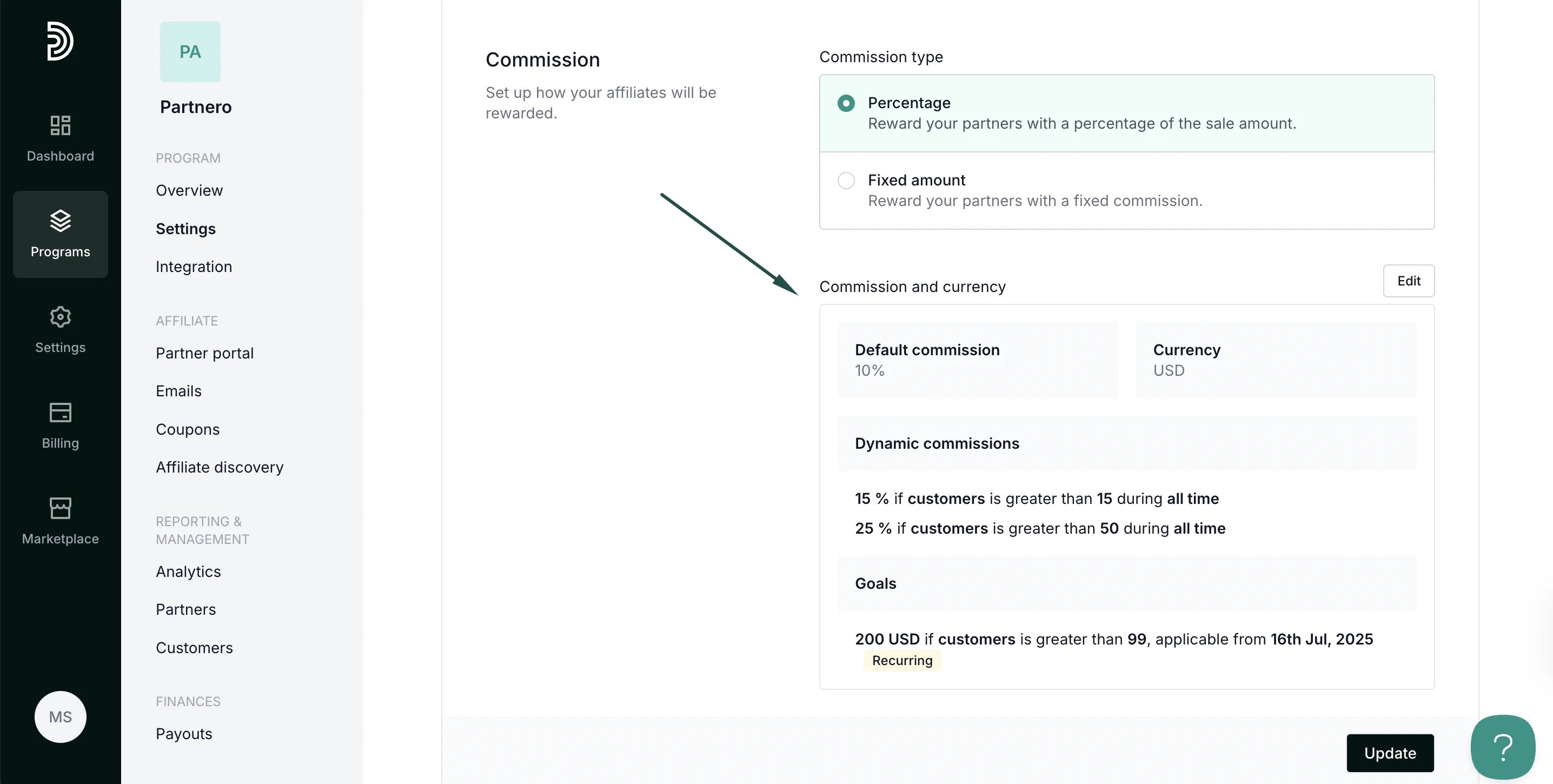
6. Once the program is created, you can proceed with integration or finalize program settings: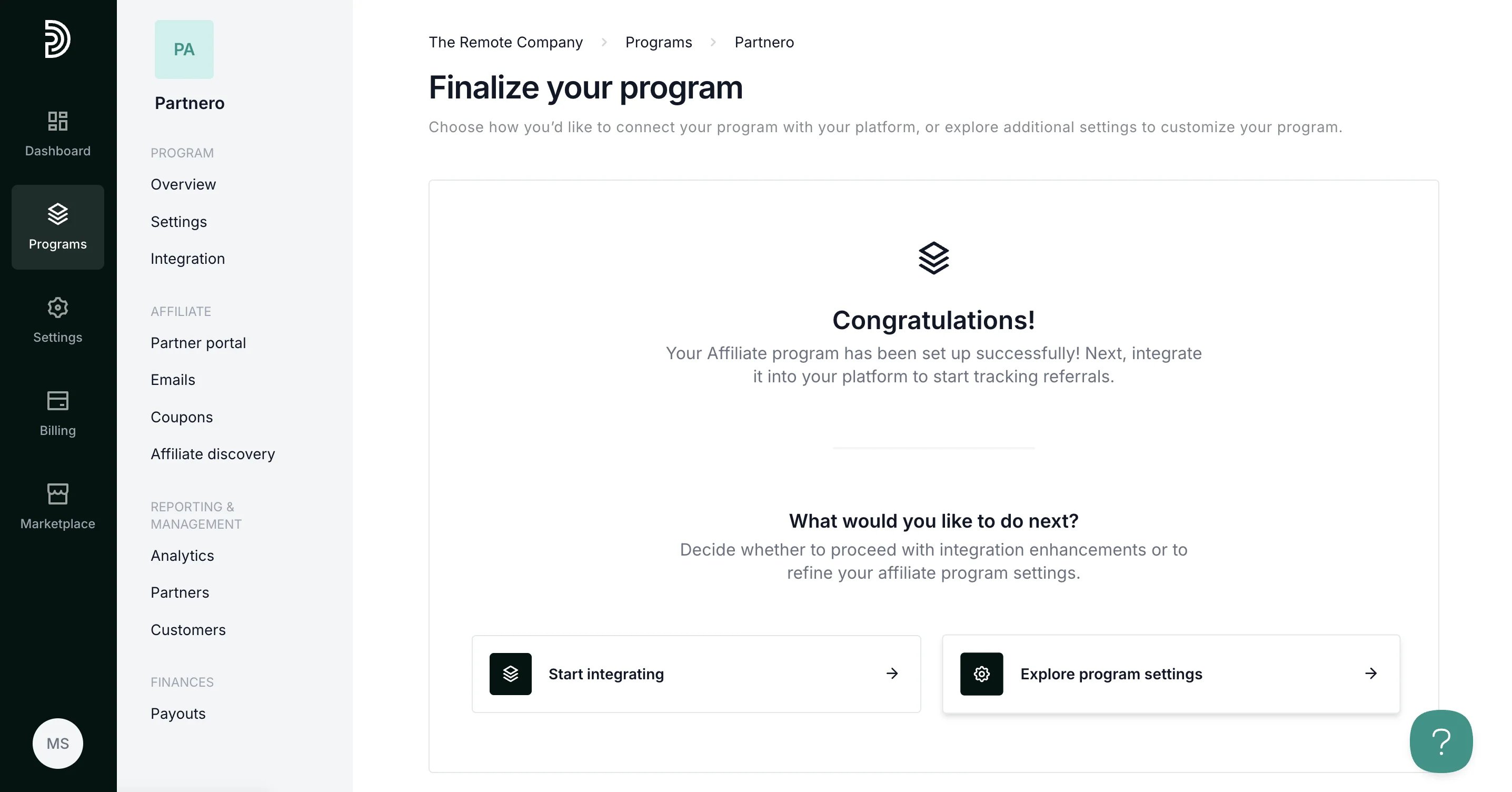 The commission settings based on your program description will be set up automatically:
 ***
### Suggested prompts
Here are some program creation prompt examples to get you started:
Help me set up a tiered affiliate structure where users earn 5% for the first $1,000 USD in referred sales, 10% for $1,001–\$5,000 USD, and 15% beyond that.
Help me design an affiliate system where affiliates earn 12% per sale and get a $200 USD bonus if they refer over $5,000 in a single month.
Design a referral system where users receive a \$25 coupon code when three of their friends sign up and complete a purchase.
This documentation is built and hosted on [Mintlify](https://mintlify.com), a developer documentation platform.
***
### Suggested prompts
Here are some program creation prompt examples to get you started:
Help me set up a tiered affiliate structure where users earn 5% for the first $1,000 USD in referred sales, 10% for $1,001–\$5,000 USD, and 15% beyond that.
Help me design an affiliate system where affiliates earn 12% per sale and get a $200 USD bonus if they refer over $5,000 in a single month.
Design a referral system where users receive a \$25 coupon code when three of their friends sign up and complete a purchase.
This documentation is built and hosted on [Mintlify](https://mintlify.com), a developer documentation platform.