> ## Documentation Index
> Fetch the complete documentation index at: https://docs.partnero.com/llms.txt
> Use this file to discover all available pages before exploring further.
# Use AI assistant to update existing commission settings
You can use the Partnero AI assistant to edit commission and rewards for an existing affiliate program. Describe your goals, and it will analyze them and automatically configure commission settings for you.
To use the AI assistant:
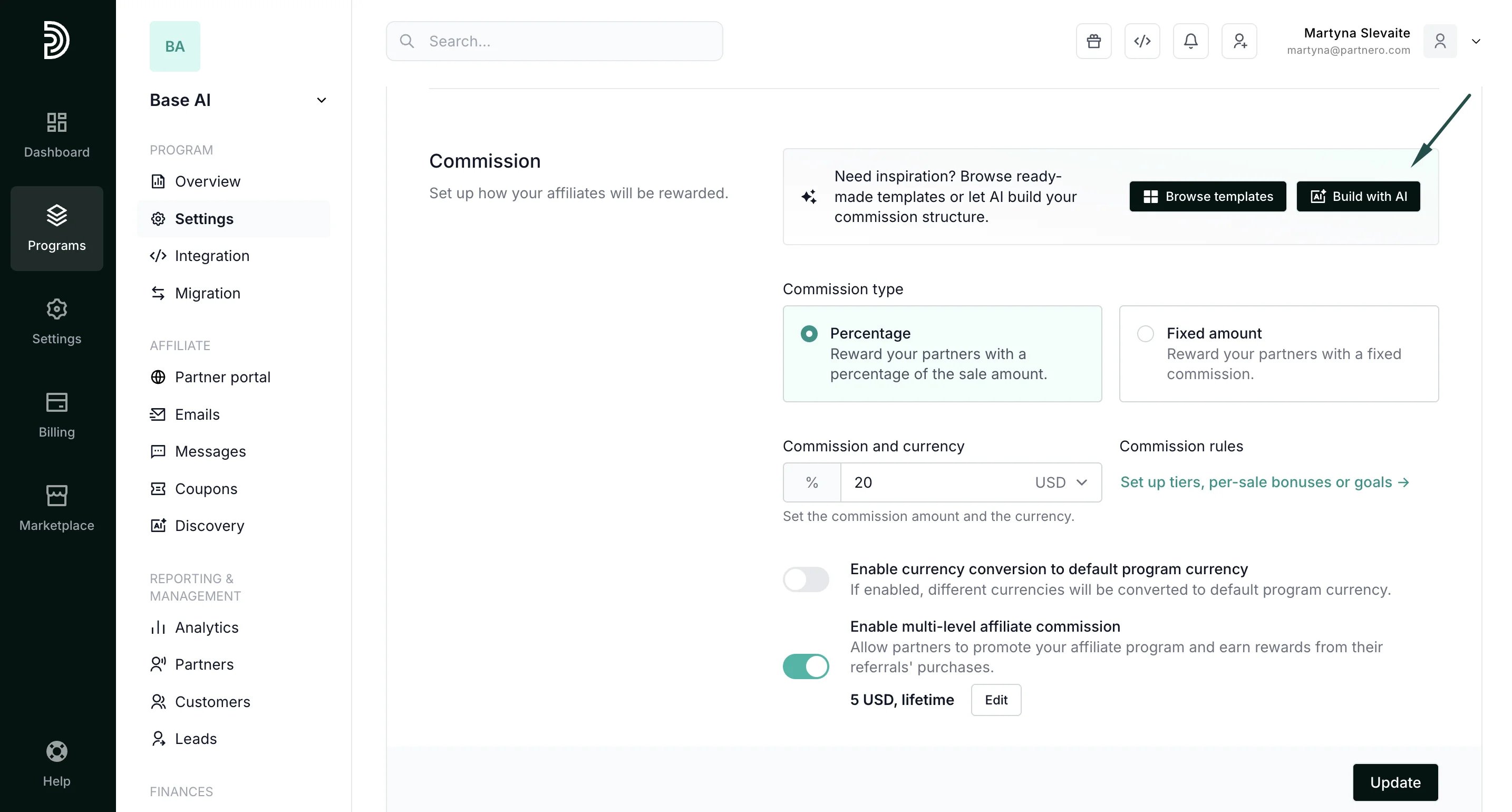
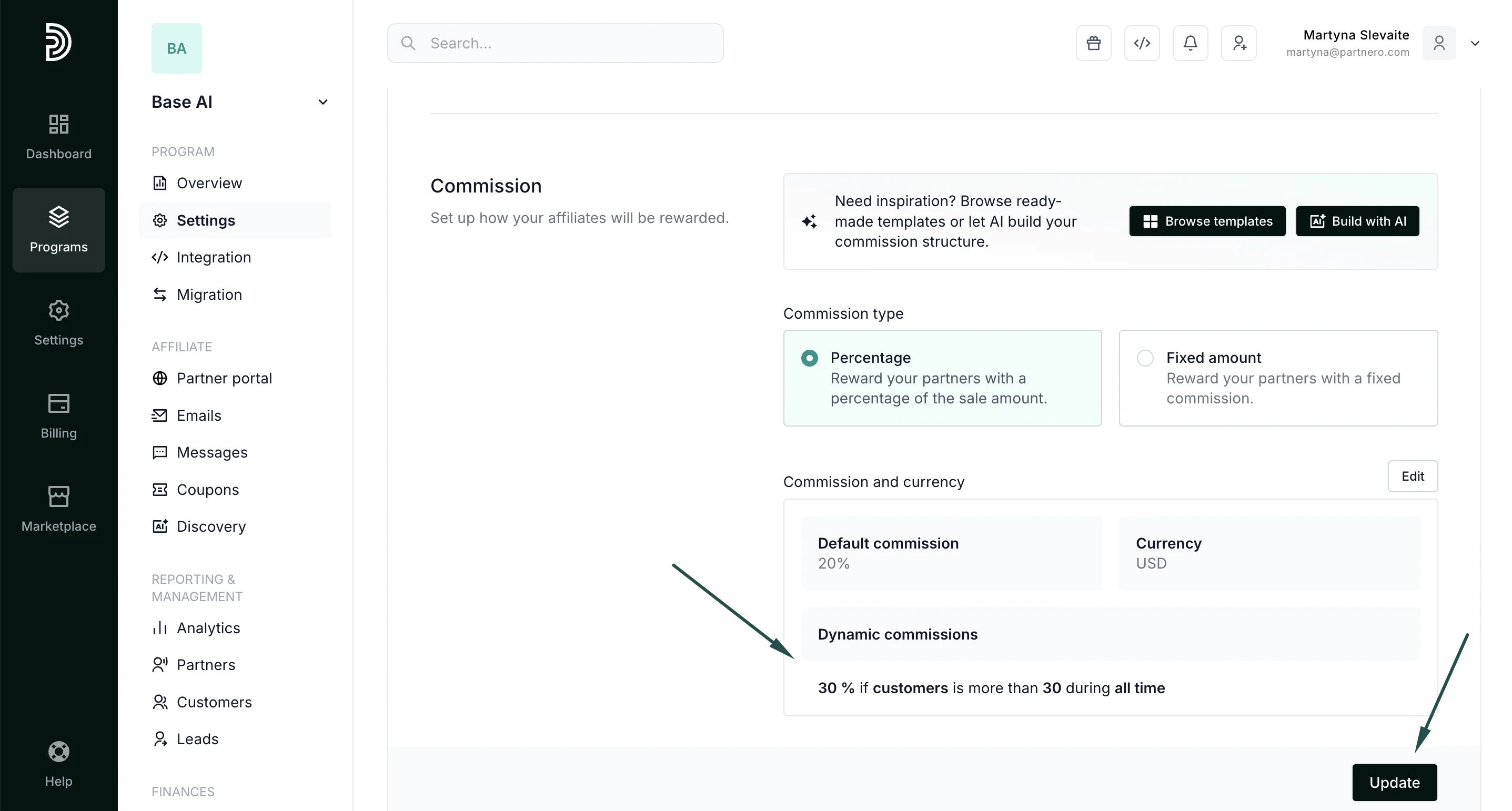
1. On your program, go to **Settings** under Affiliate: 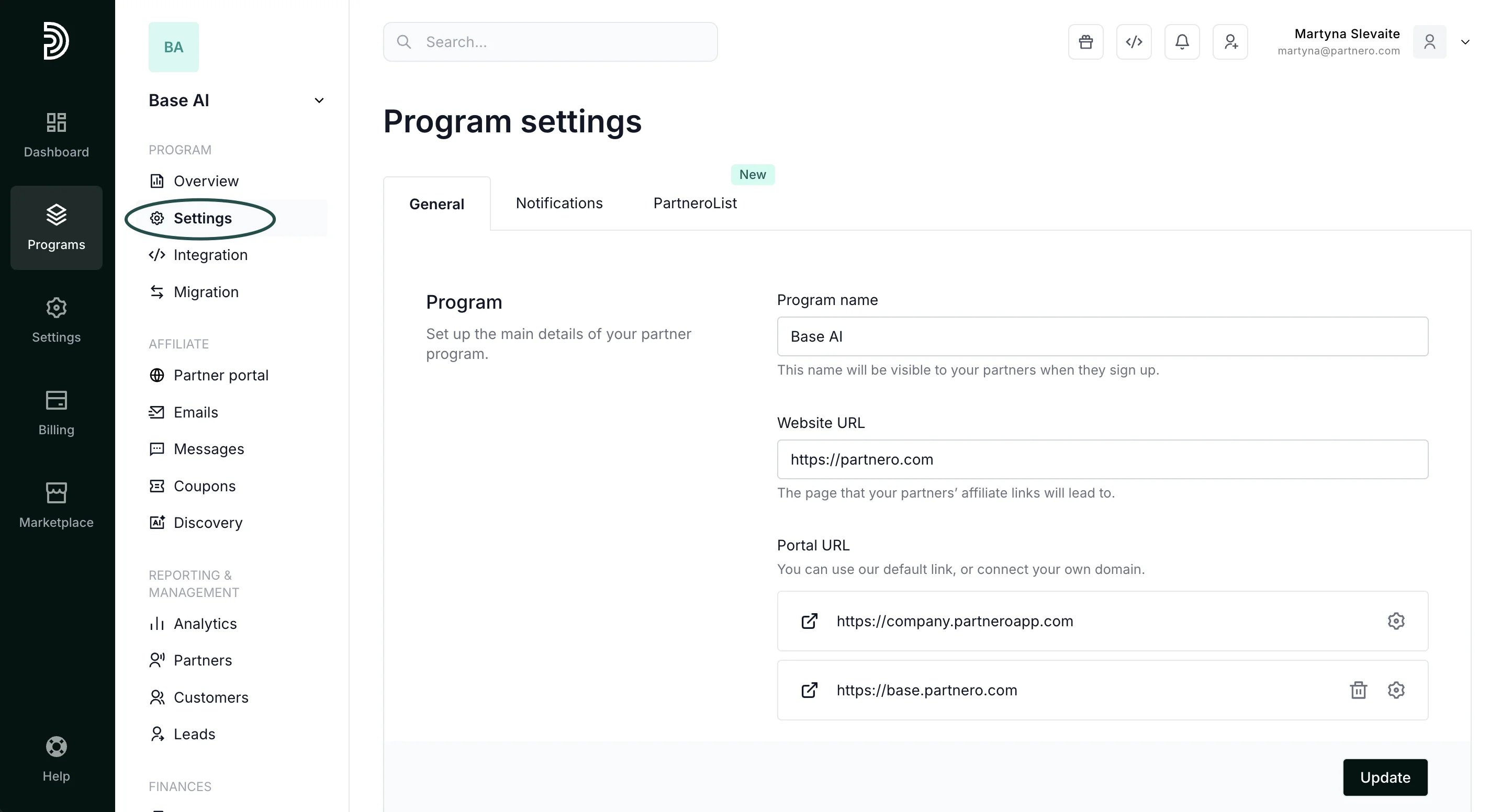 2. Scroll down to **Commission** and click **Build with** **AI**:
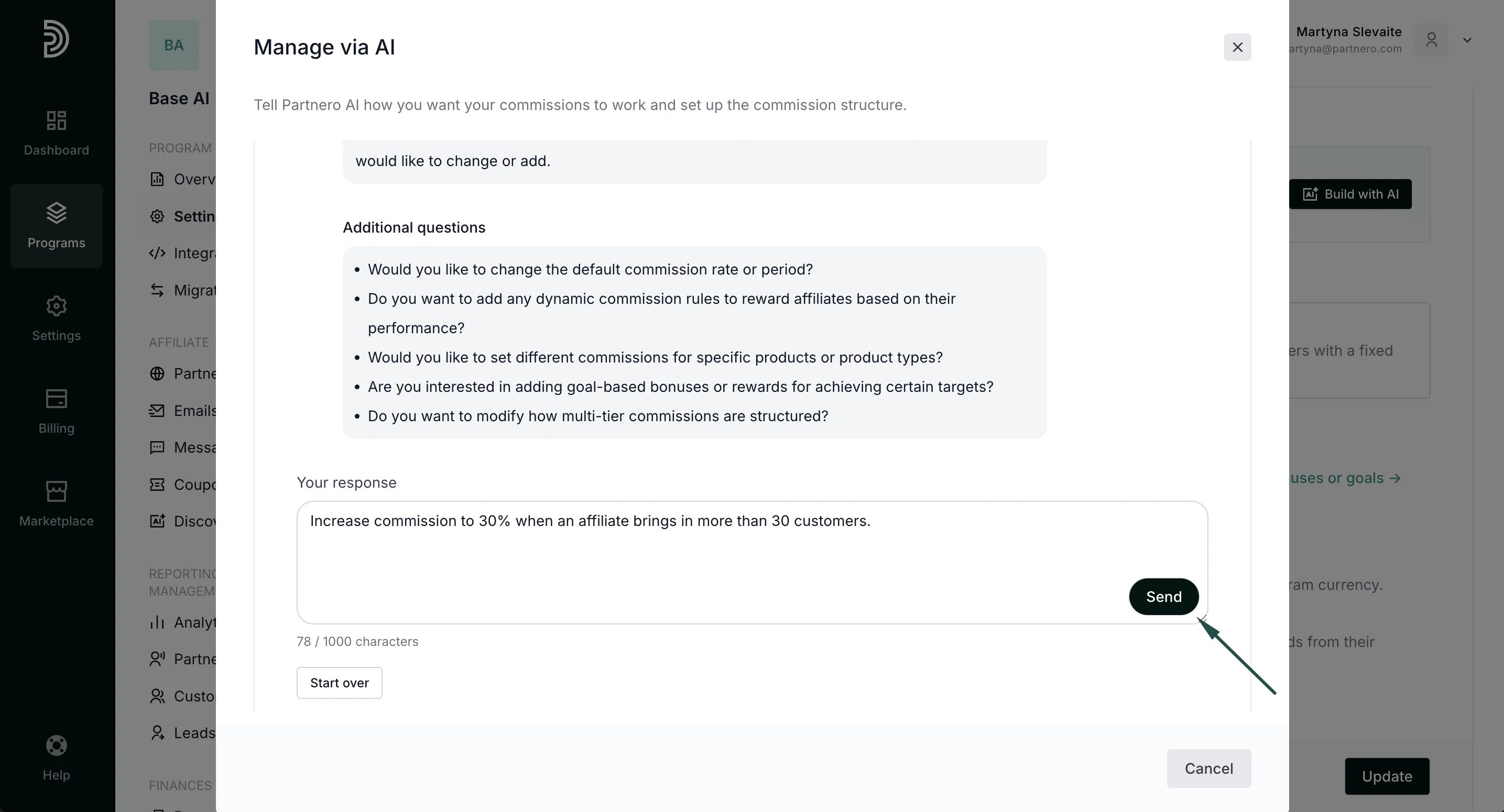
  3. AI will analyze your existing structure and offer suggestions. Describe what you'd like to implement and hit **Send**:
  4. Review the suggestion. At this step, you can add more details or start over. If you're happy with the changes, click **Update**:
 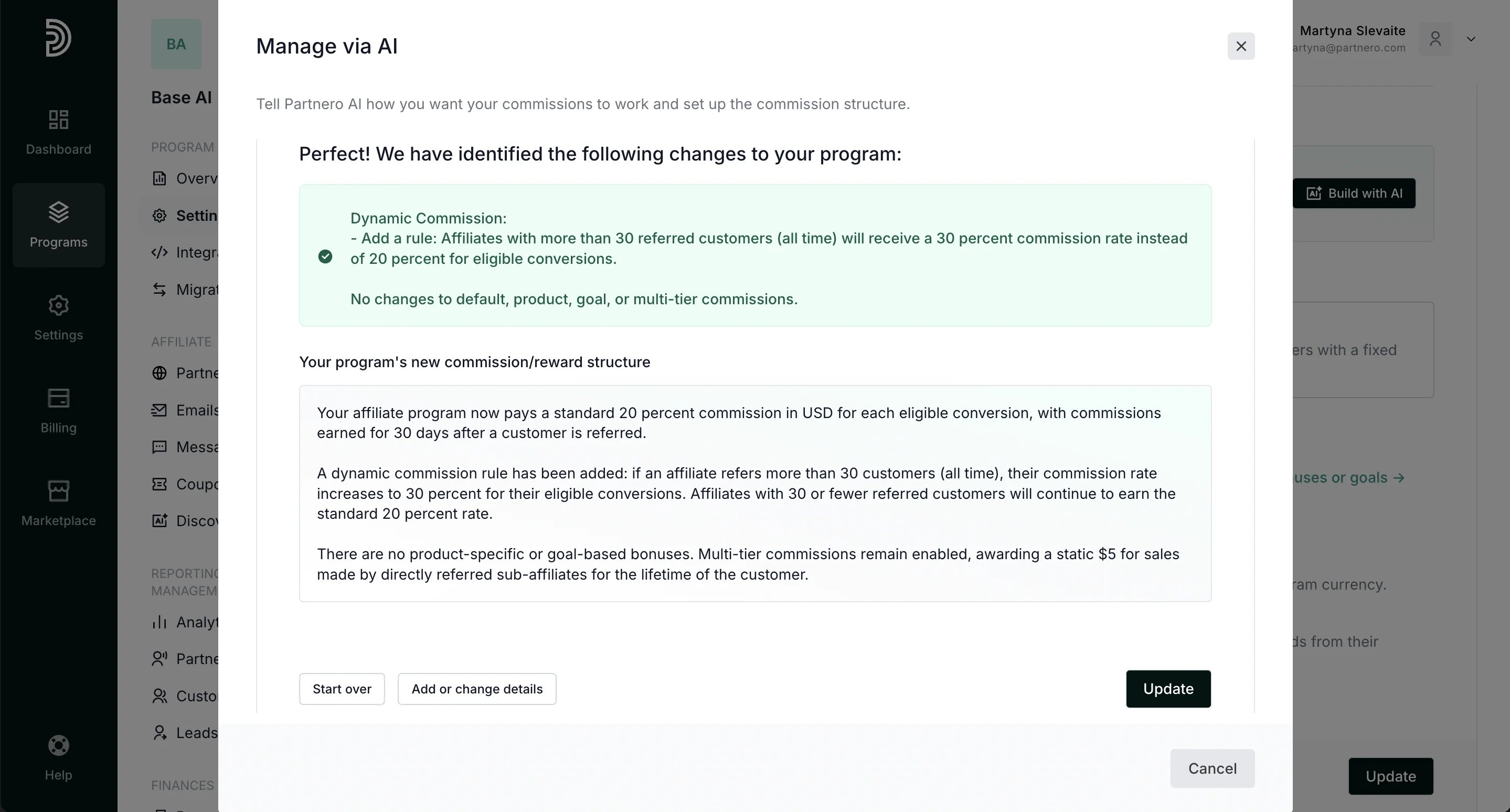 5. Click **Update** to publish the changes.
  This documentation is built and hosted on [Mintlify](https://mintlify.com), a developer documentation platform.