
Some integrations in Partnero use JavaScript to interact with your site or app. The “Secure JS calls” feature lets you safely enable JavaScript-based actions, such as creating customers or recording transactions, without requiring a full API integration. Enabling these options ensures that only authorized JS calls are accepted, keeping your data secure while allowing Partnero to perform key actions directly on your site.
  • Enable customer creation via JS calls – Allows Partnero to create new customers directly using JavaScript.
  • Enable transaction creation via JS calls – Allows transactions to be tracked or created via JavaScript if other integrations like Stripe or Paddle aren’t available.
To enable secure JavaScript calls:
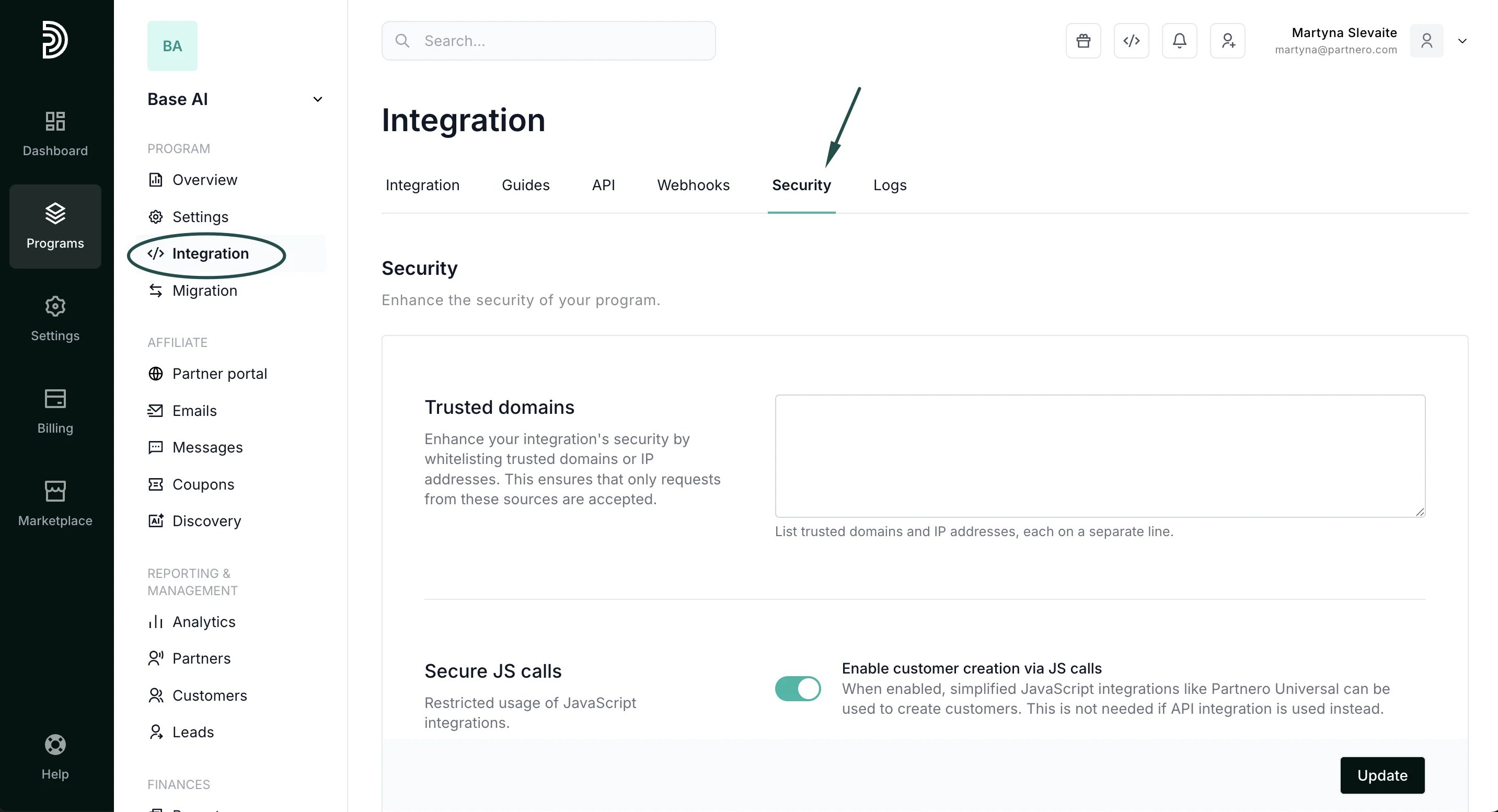
  1. Open your program and go to Integration > Security tab:
  2. Scroll down to Secure JS calls.
  3. Toggle to enable customer or partner creation via JS calls:
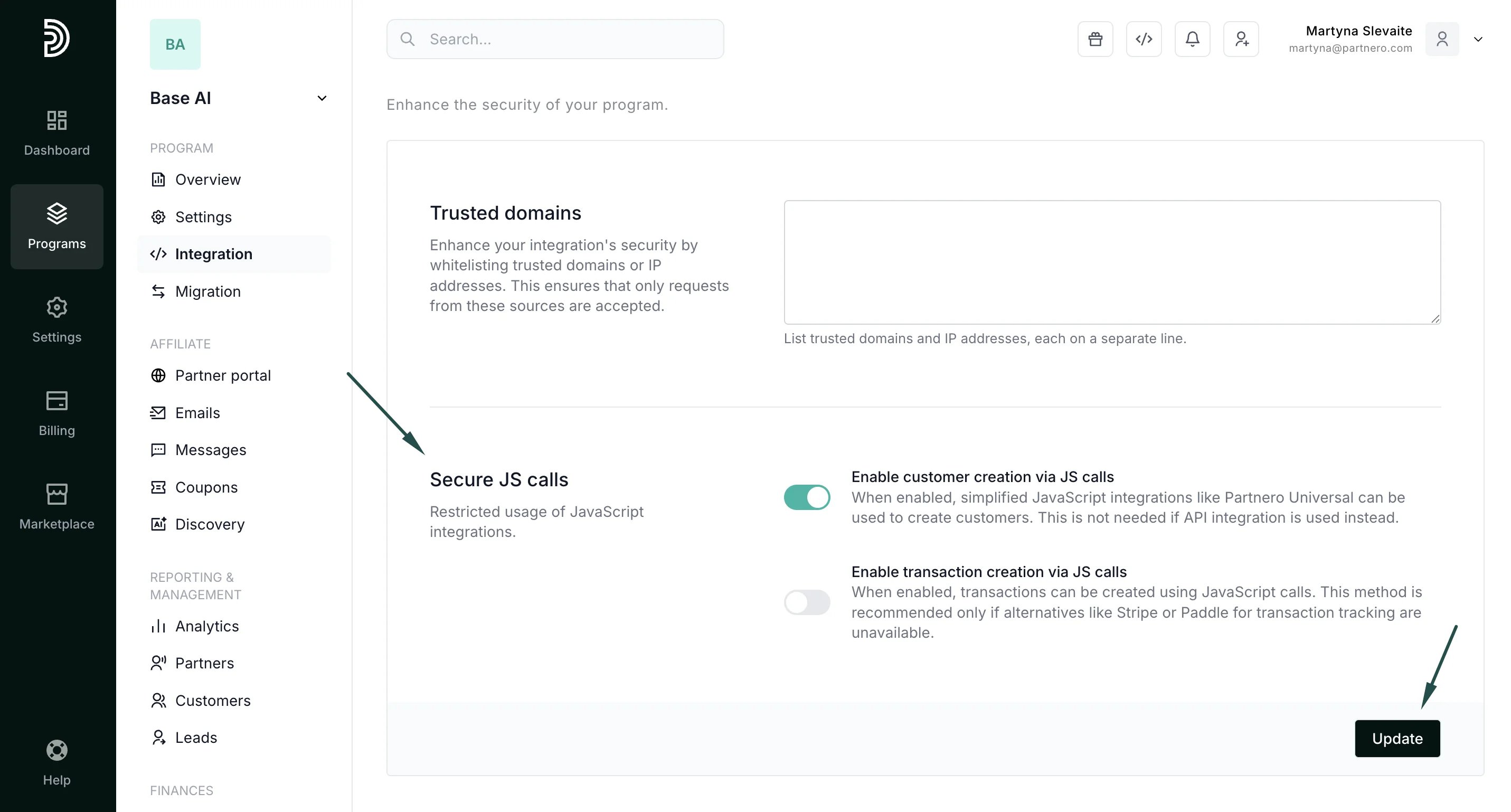
  4. Click Update.