

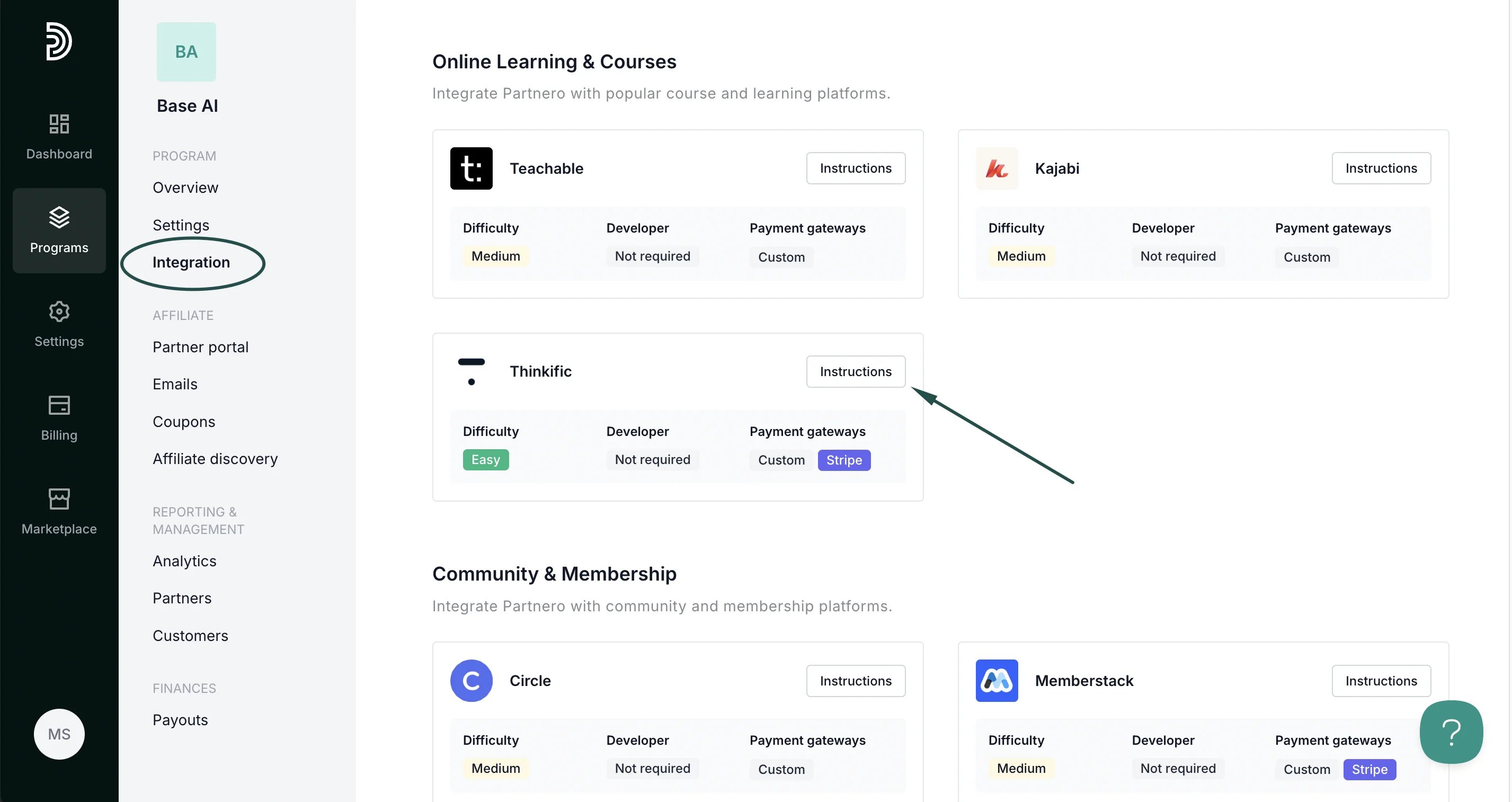
Step 1: Start tracking website visitors
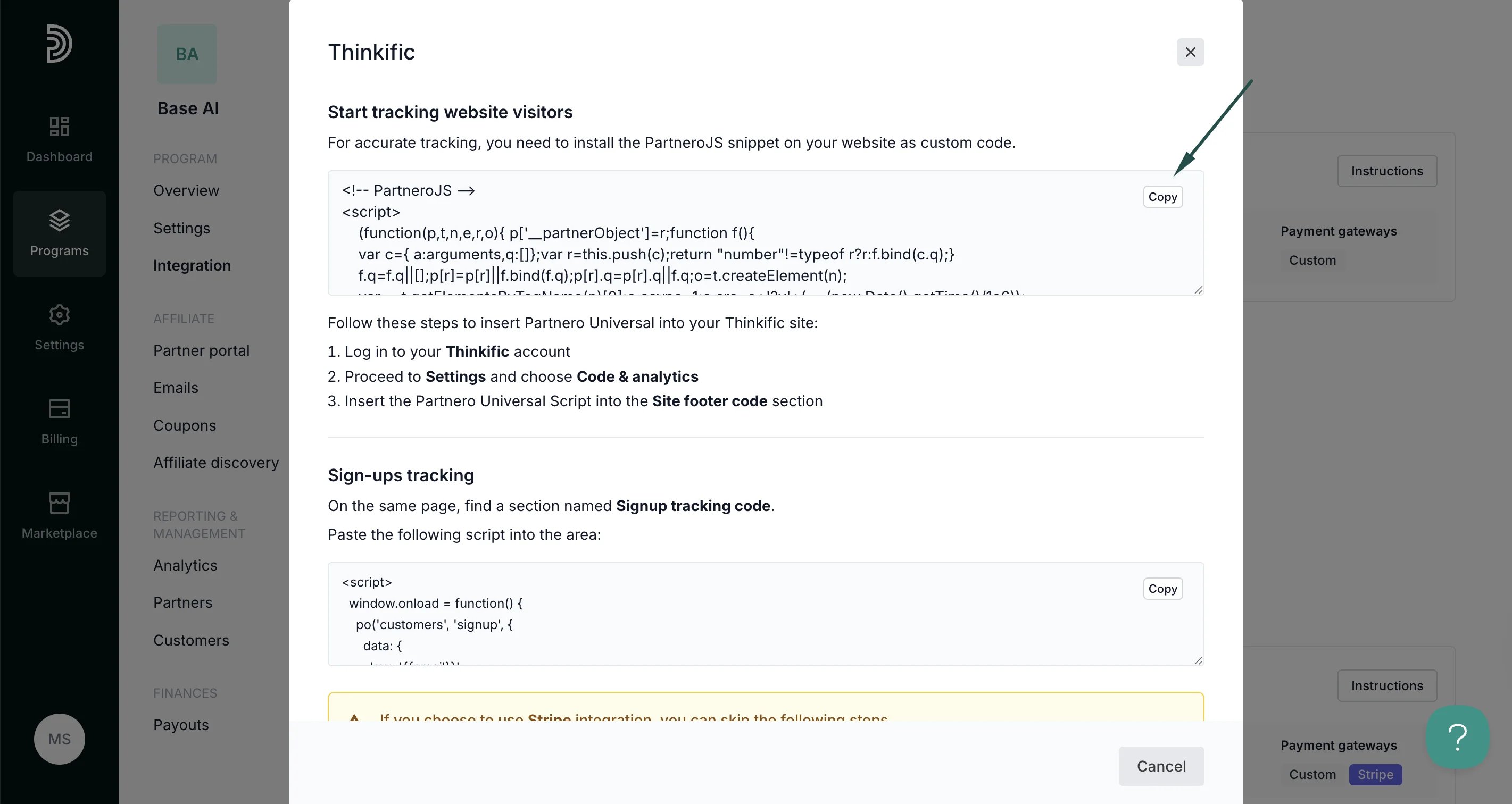
To track visitors on your website, you need to install the PartneroJS snippet as custom code.Install the PartneroJS Snippet
- Go to Integration > Guides tab > Thinkific. Click Instructions.
- Copy the PartneroJS snippet:
- Next, log in to your Thinkific account.
- Proceed to Settings and choose Code & analytics.
- Insert the PartneroJS into the Site footer code section.
Step 2: Sign-up tracking
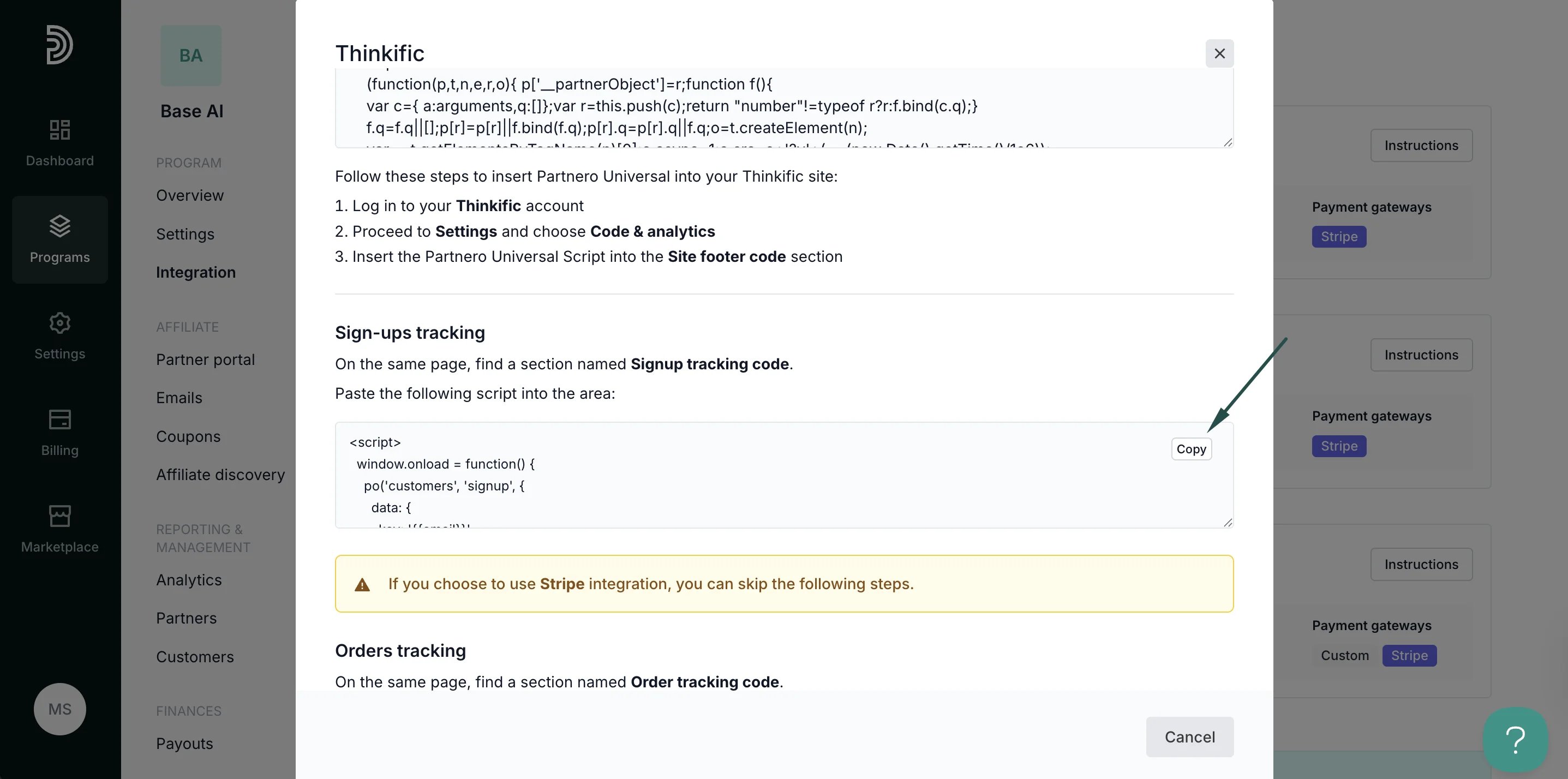
Here’s how to set up order tracking during checkout:- On Partnero, open the Thinkific integration guide and copy the snippet provided under the Sign-up tracking section:
- Return to Thinkific > Settings > Code & analytics page.
- Paste the script into the Signup tracking code area.
⚠️ If you choose to use Stripe integration, you can skip the following steps. Simply authorize on Partnero, under Integration > Apps & integrations > Stripe.
Step 3: Order tracking
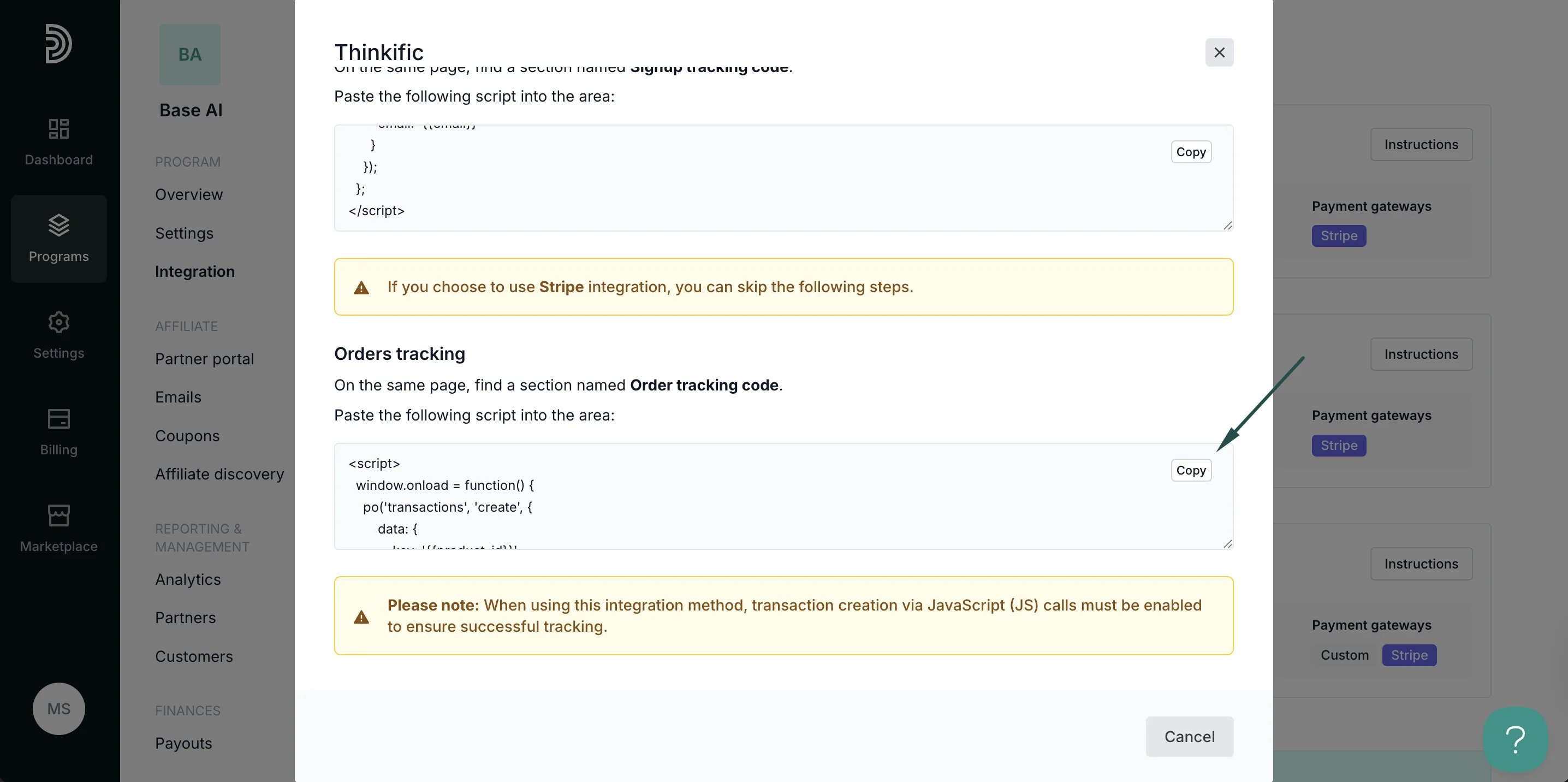
Here’s how to set up order tracking if you’re not using Stripe:- On Partnero, open the Thinkific integration guide and copy the snippet provided under the Order tracking section:
- Return to Thinkific > Settings > Code & analytics page.
- Paste the script into the Order tracking code area.
Step 4: Enable transaction creation via JS
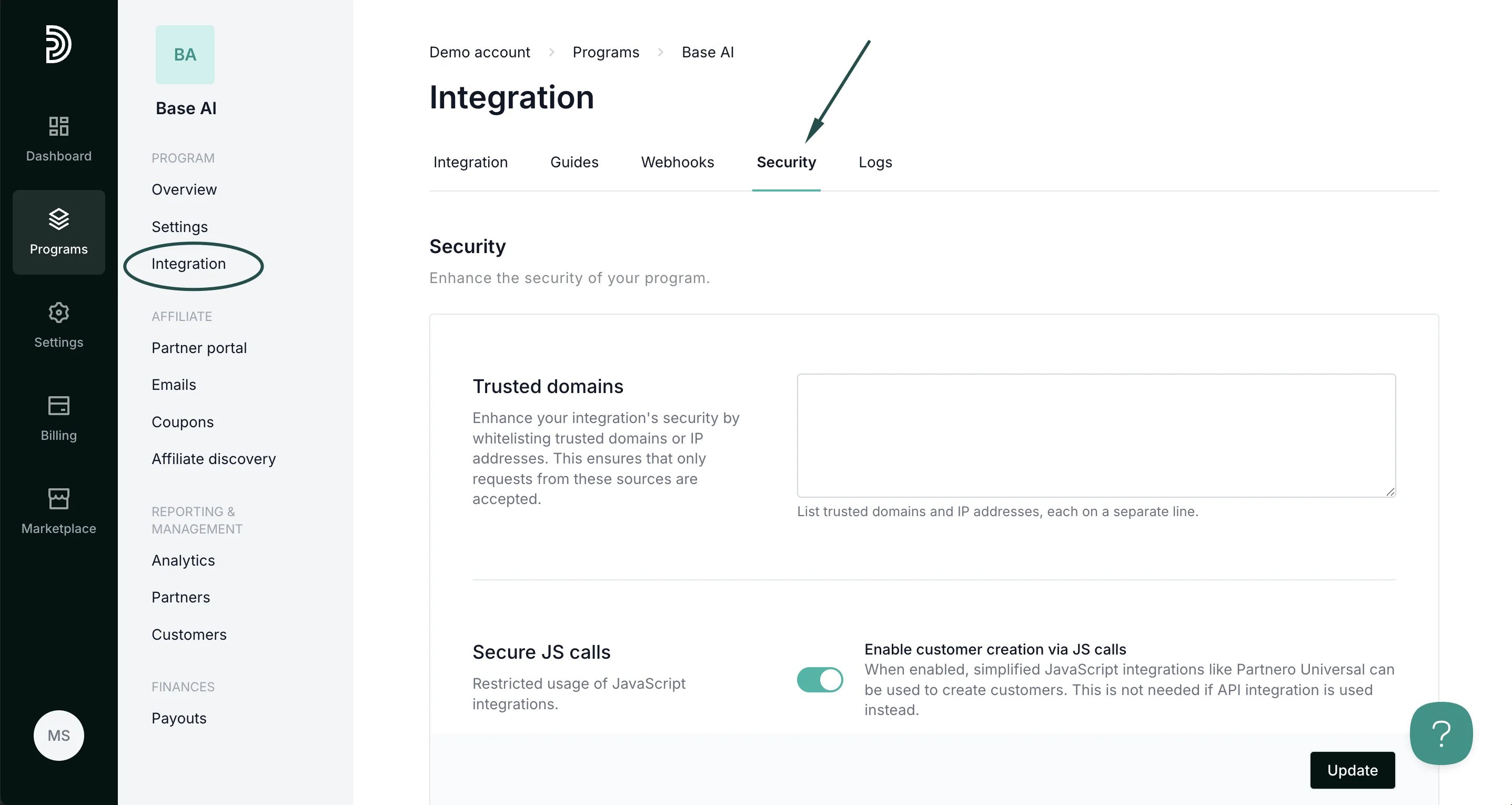
Lastly, transaction creation via JavaScript must be enabled on your Partnero account. To do that:- On your Partnero account, go to Integration > Security tab.
- Scroll down to Secure JS calls. Toggle to enable transaction creation:
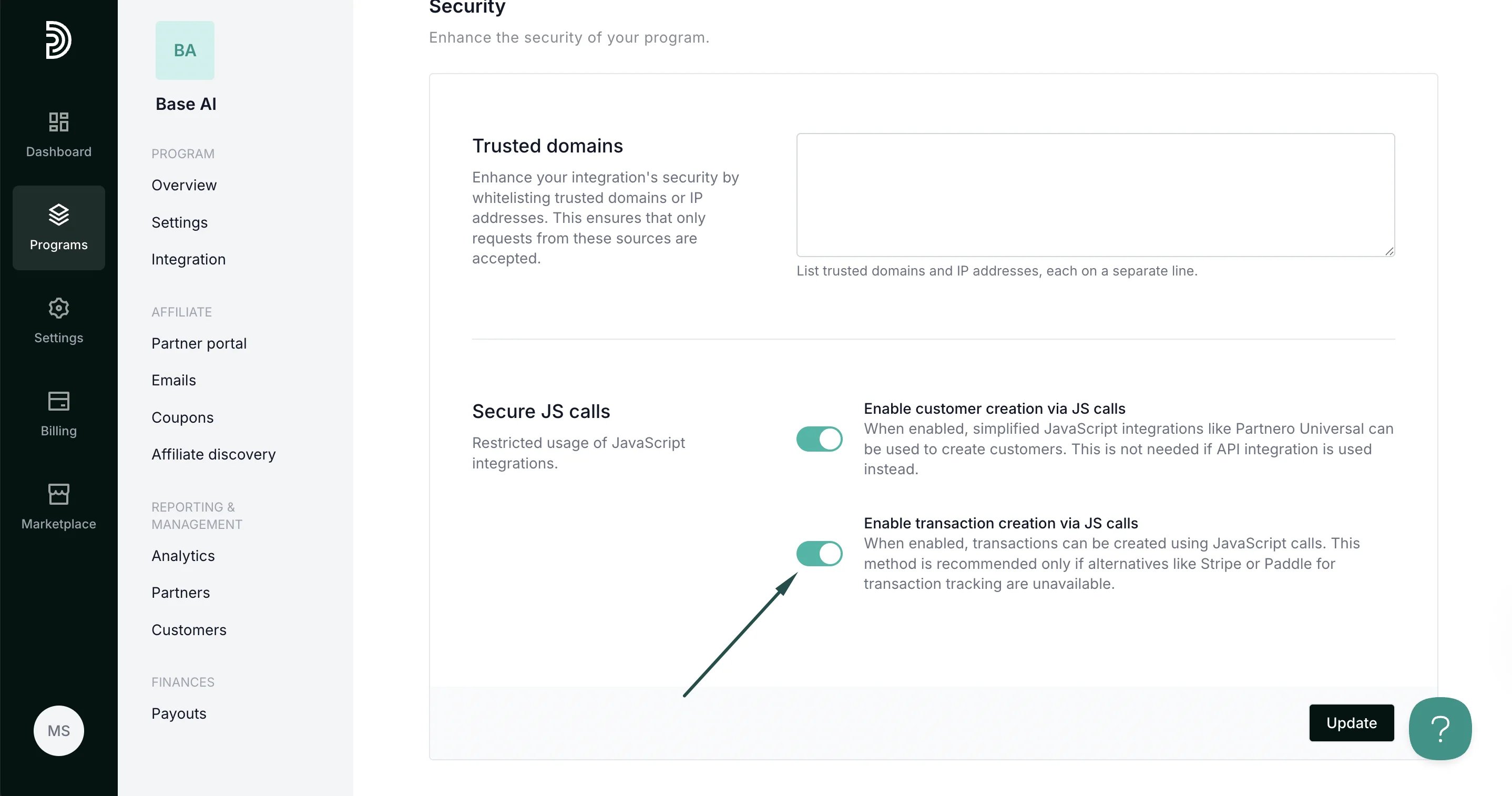
- Click Update.
Your integration with Thinkific is now complete! We strongly recommend testing the integration by purchasing through an affiliate link.