

How it works
- In your program, go to Integration → Webhooks tab:
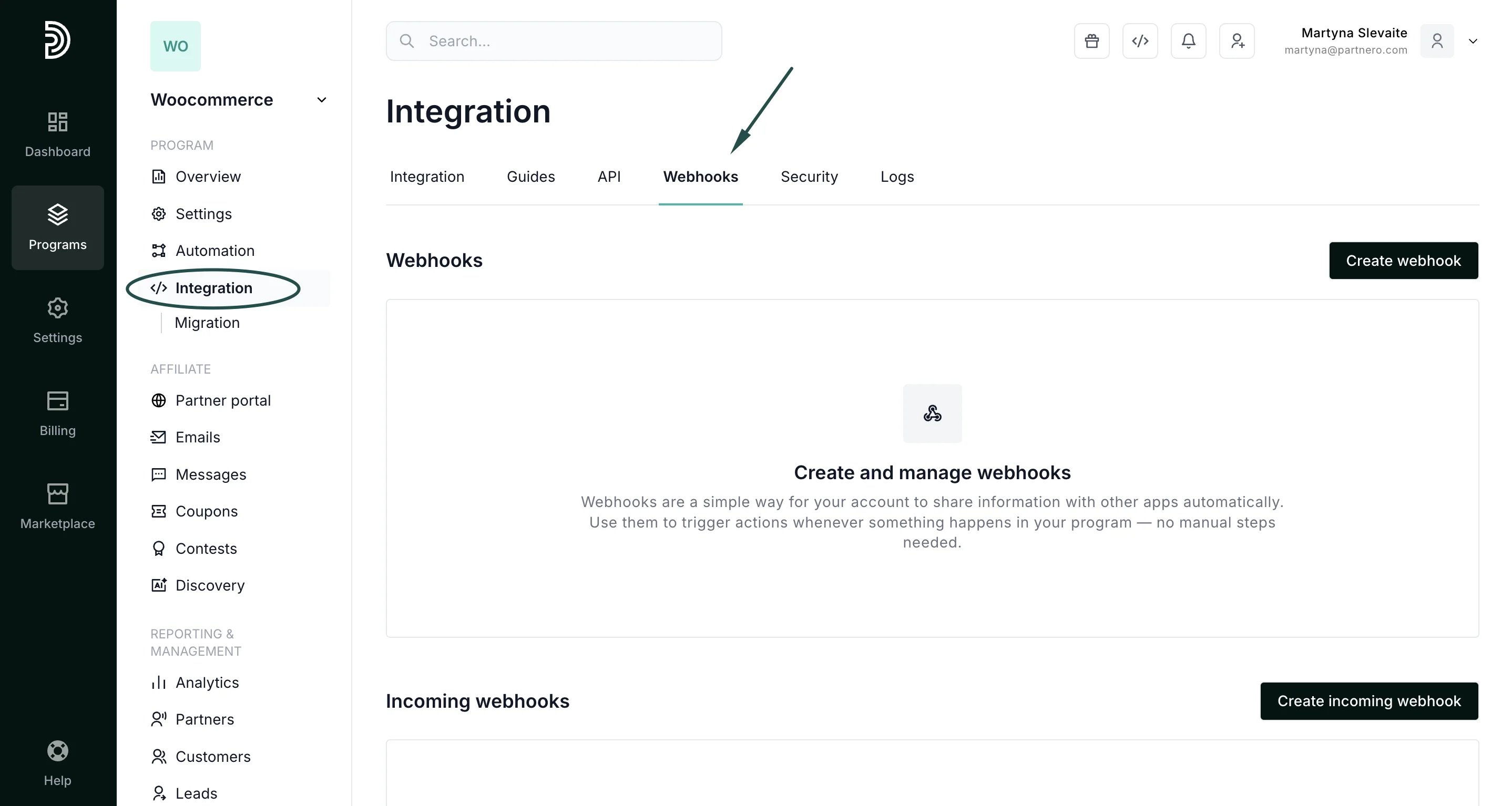
- Under Incoming webhooks, click Create an incoming webhook.
- Access the test and production links and select your action:
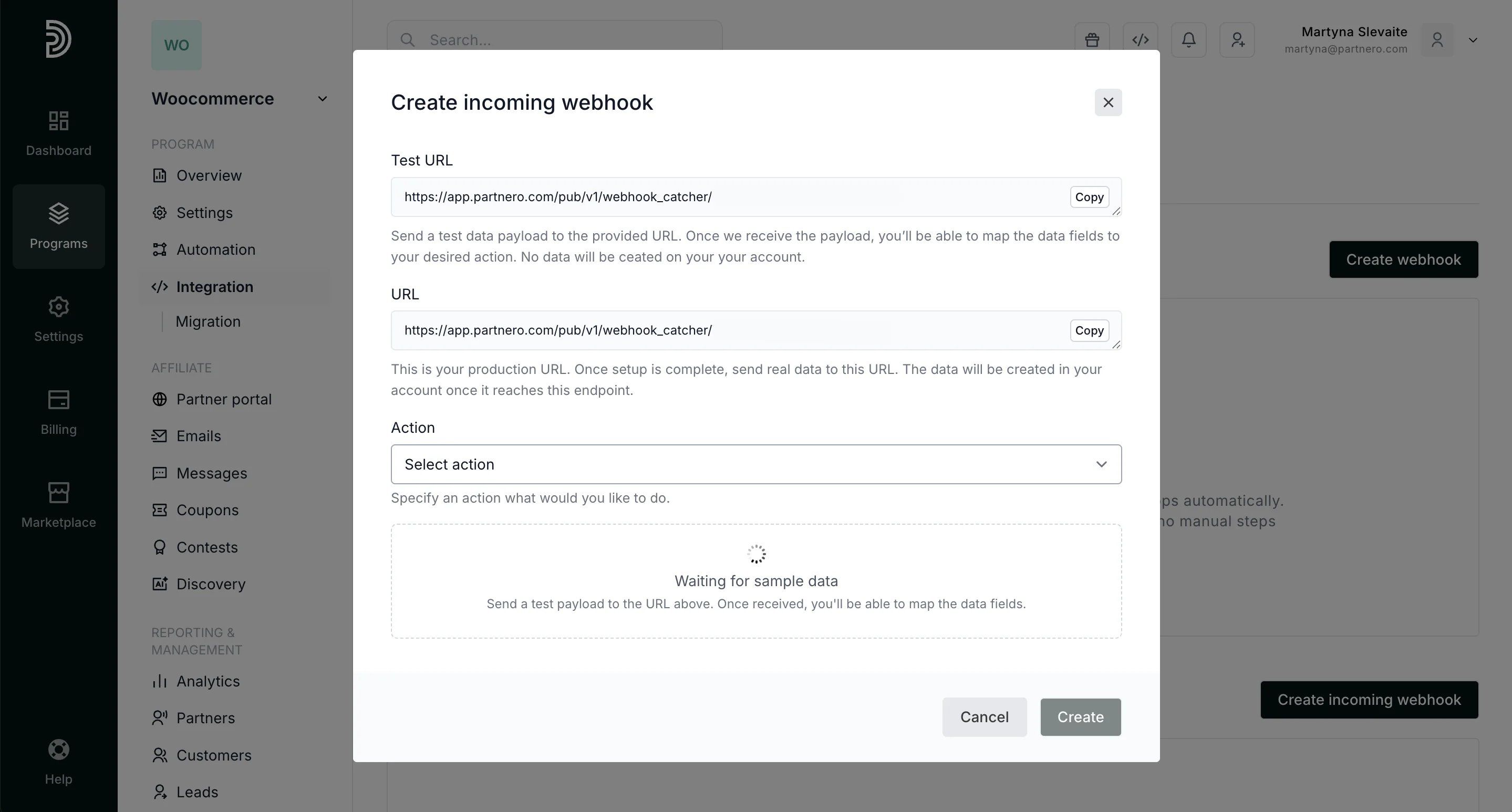
- Test URL: Use this URL while setting up the webhook. Simply trigger your webhook to this URL and select an action from the “Actions” dropdown menu. After triggering an event, you’ll have the option to map data fields from the webhook’s payload.
- Production URL: This is your production URL. Once setup is complete, send real data to this URL. Any data sent to this endpoint will be processed and created within your Partnero account.
- Create a partner
- Create a customer
- Create a transaction
- Create a lead
Find more information about webhooks as well as code examples in our Developer documentation.