

What are Stripe coupons in Partnero?
Coupons are discounts that partners can share with their audience, such as a percentage off or a fixed amount. With the Stripe integration, coupons stay in sync between Partnero and Stripe, so you can manage them in either place, and Partnero can track the sales they generate. You can:- Create coupons in Partnero and sync them to Stripe.
- Create coupons in Stripe and sync them to Partnero.
- Sync coupons you already have in Stripe.
Before you start
Connect your Stripe account to Partnero first. Follow the Stripe integration guide.Create coupons in Partnero and sync them to Stripe
Coupons you create in Partnero are added to your Stripe account automatically.- In your affiliate program, go to Program > Coupons.
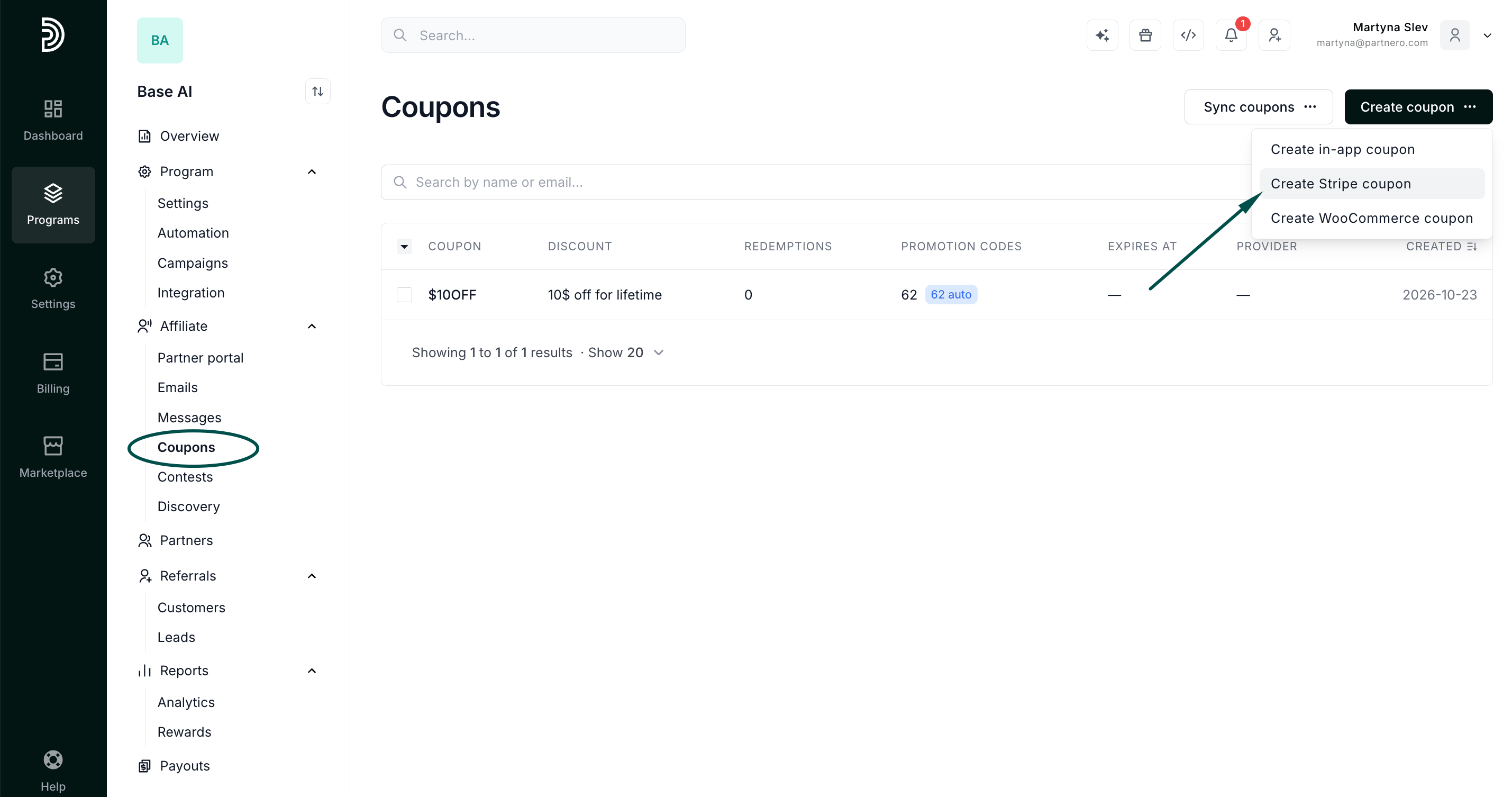
- Click Create coupon and select Create Stripe coupon.
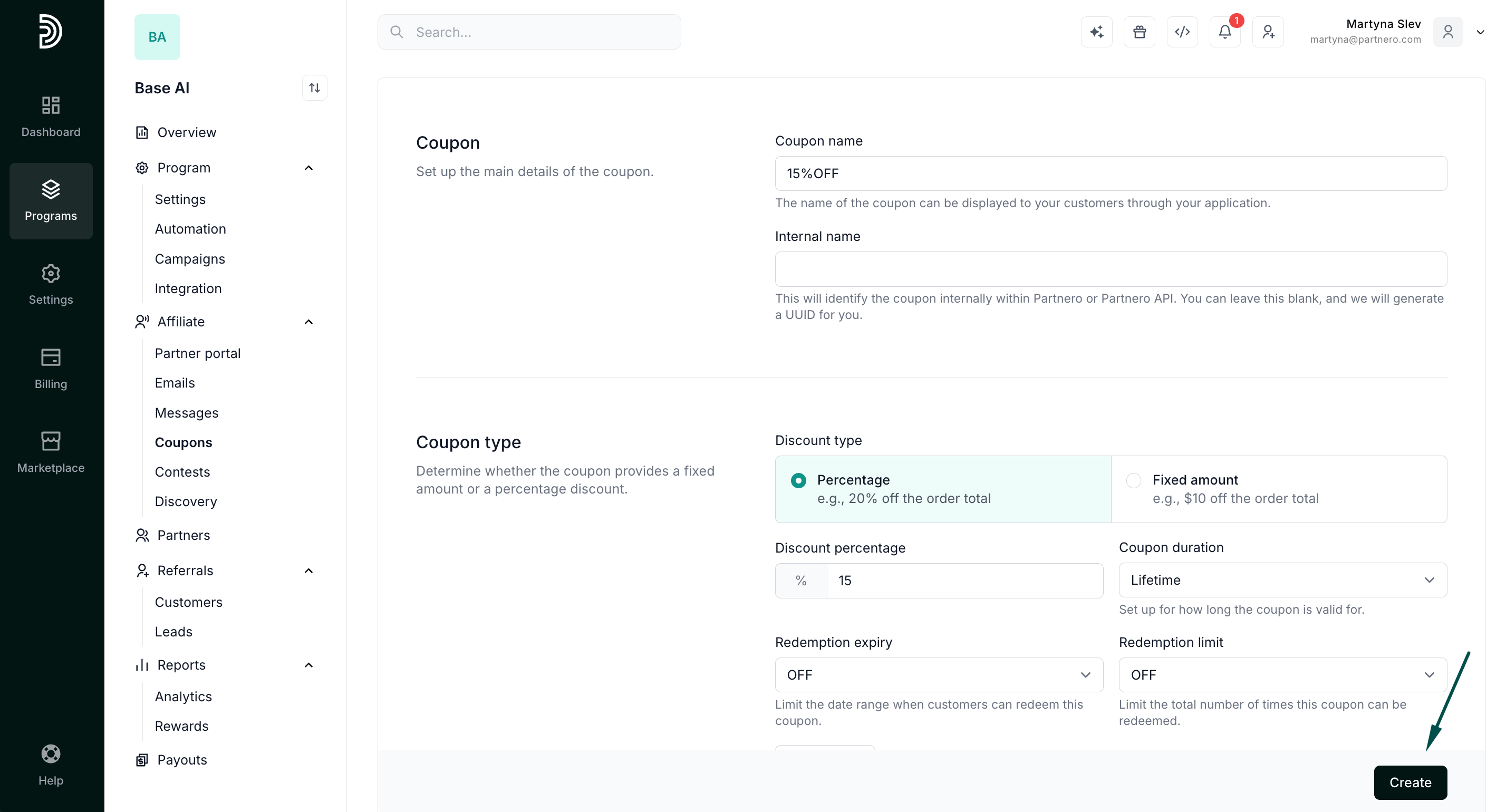
- Set up the coupon and click Create. A notification confirms that the coupon was created in both Partnero and Stripe.\
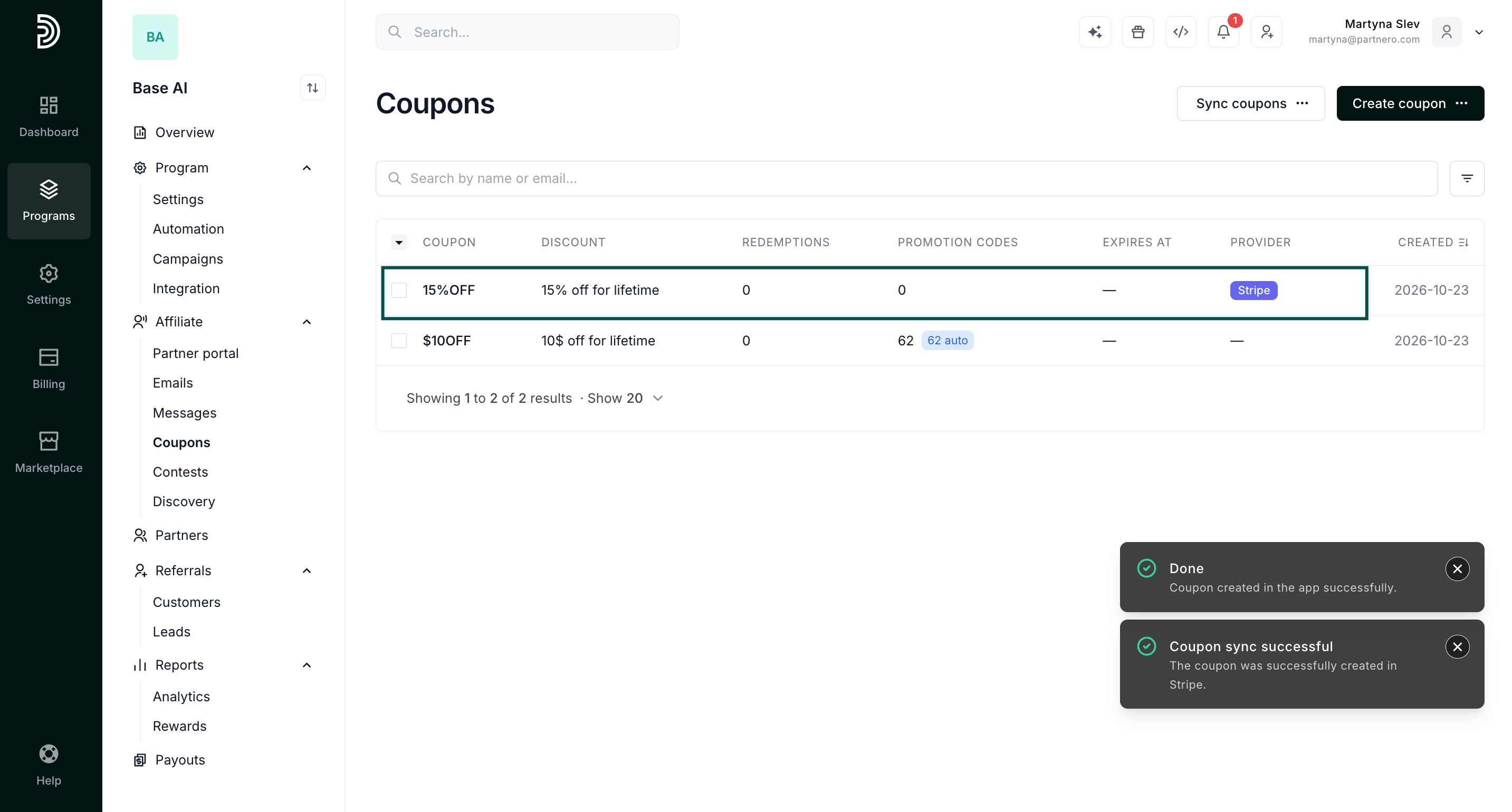
- Open Coupons in Stripe to confirm the new coupon is there.
Create coupons in Stripe and sync them to Partnero
Once Stripe is integrated, Stripe sends coupon data to Partnero automatically. Any coupon you create in Stripe appears in Partnero under Program > Coupons.Sync existing Stripe coupons
If you already have coupons in Stripe, you can bring them into Partnero.- Go to Program > Coupons.
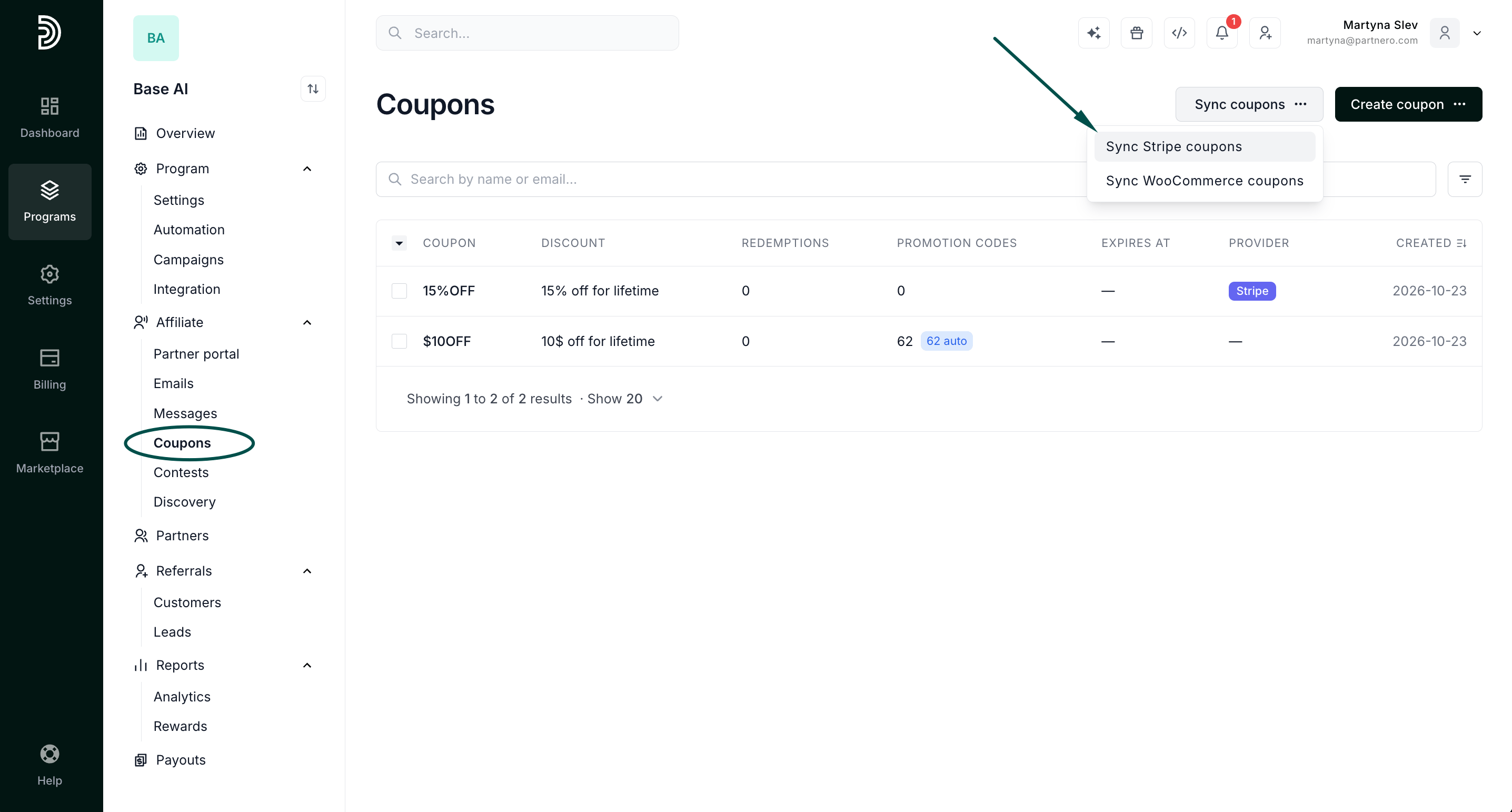
- Click Sync coupons and select Sync Stripe coupons.
- Choose whether to sync all coupons or only specific ones.
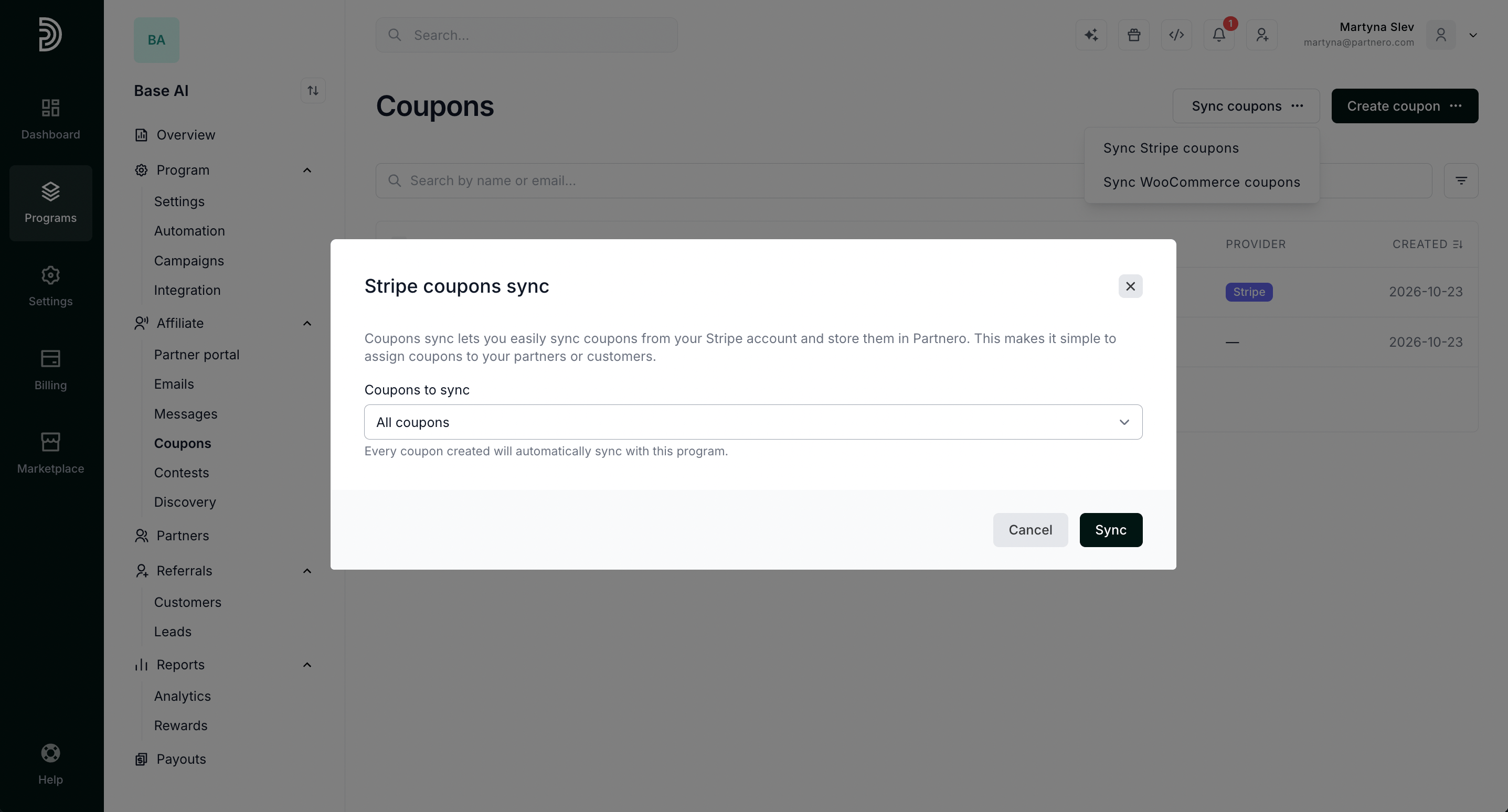
- Click Sync.