

What are direct links?
Direct links are affiliate links that do not include the referral token ( ?aff=token) in the URL; for example, http://www.partnero.com/gediminas. These links can be assigned to specific partners and are ideal for branded campaigns with a dedicated landing page. If the website does not have a page for such a link, Partnero provides an option to redirect visitors to any specified URL on the website. Direct links are great for:- Branded campaigns: Use clean URLs in emails, social media posts, and printed materials without query strings to maintain a professional look.
- Custom landing pages: Send leads directly to specific URLs on your site while attributing conversions to the correct affiliate.
- Simplified sharing: Partners can easily remember, type, or share their link without copying long URLs with tracking parameters.
- Cross-platform consistency: Direct links work on platforms that may strip query parameters, such as some mobile apps or social media platforms.
How to create a direct link
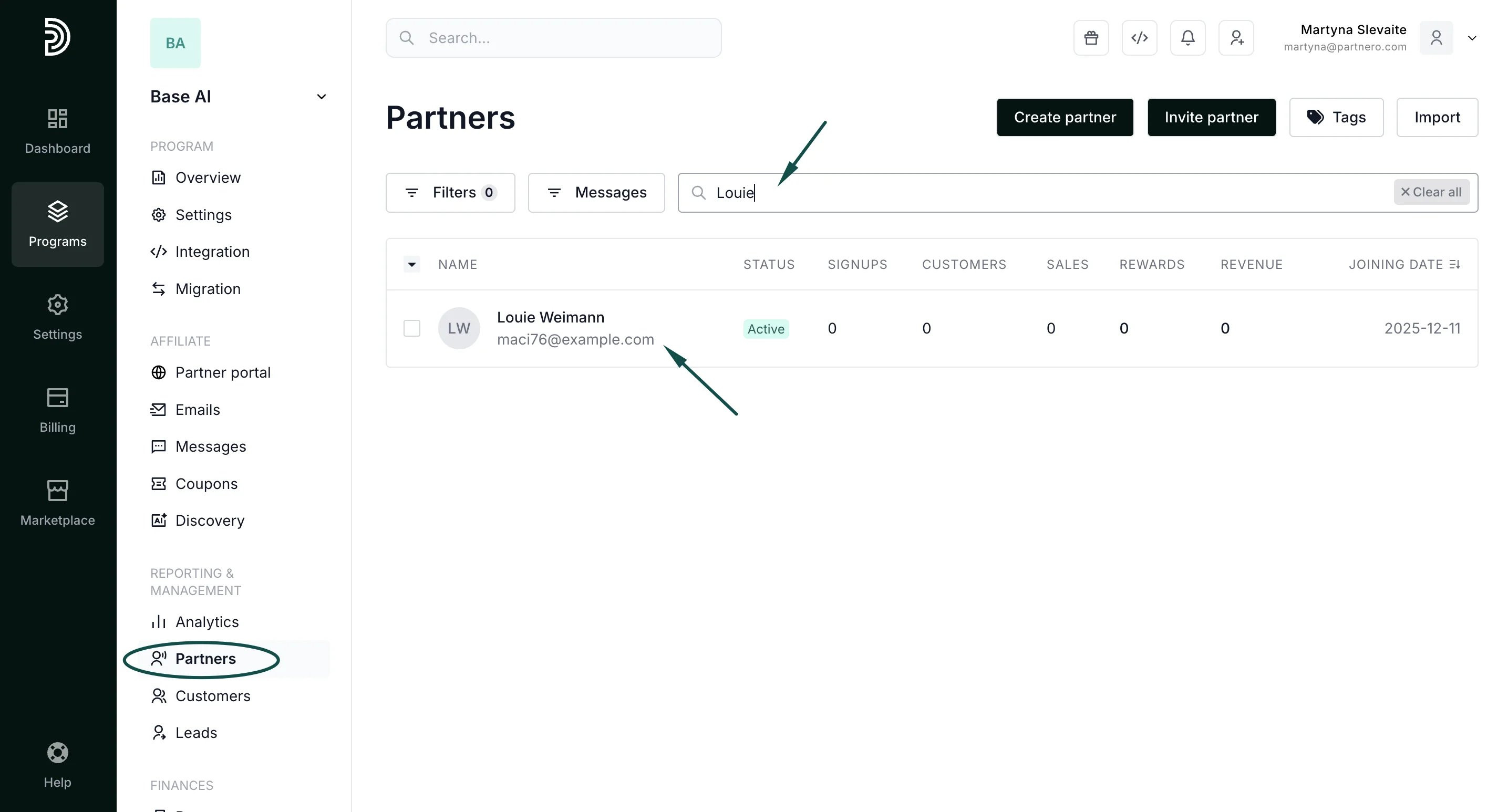
As a program owner, you can create a direct link for any affiliate partner on your program. To do that:- In your affiliate program, navigate to Partners and find the partner you want to create the link for:
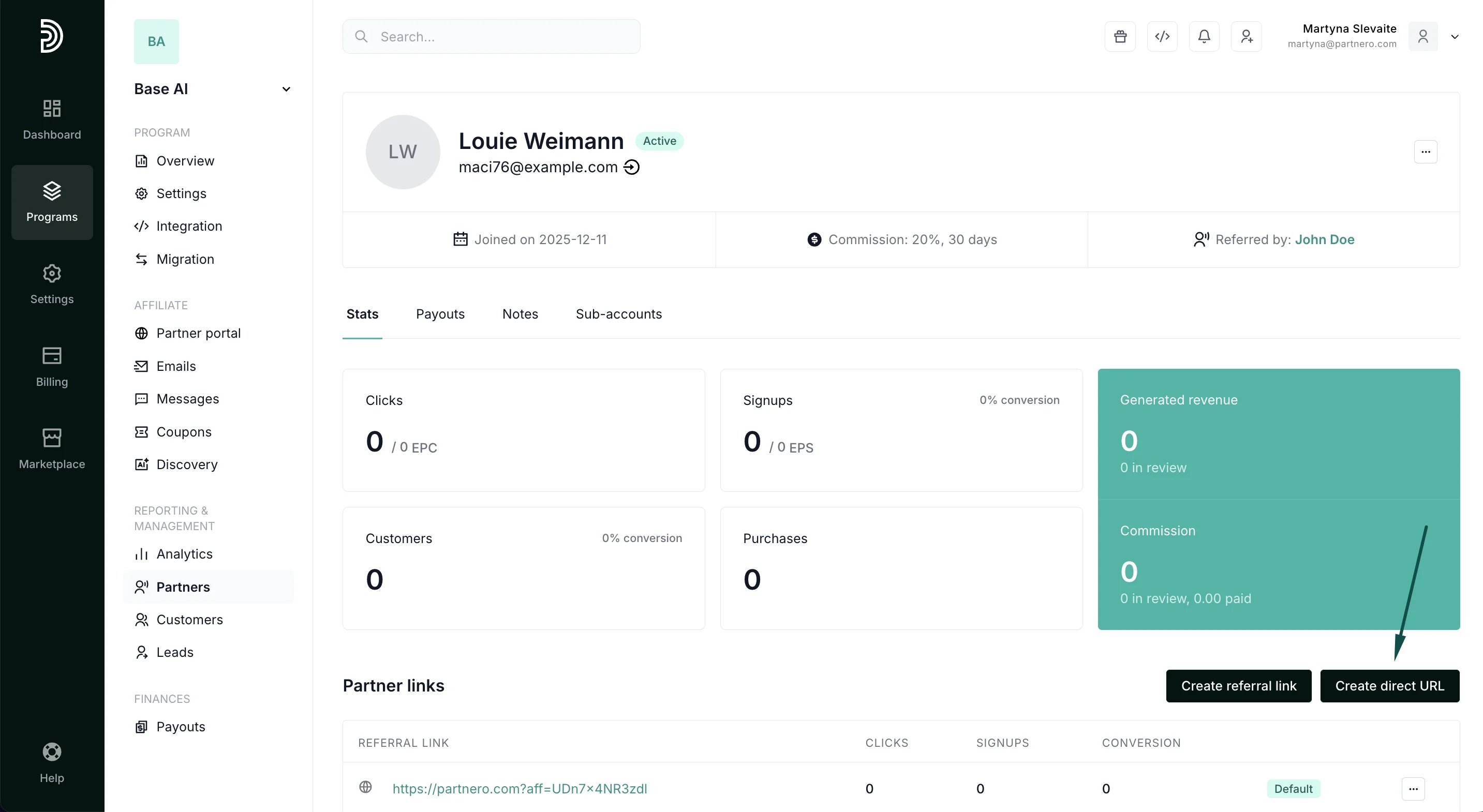
- Open their profile and click Create direct URL next to Partner Links:
- In the modal, enter the direct URL you want to track.
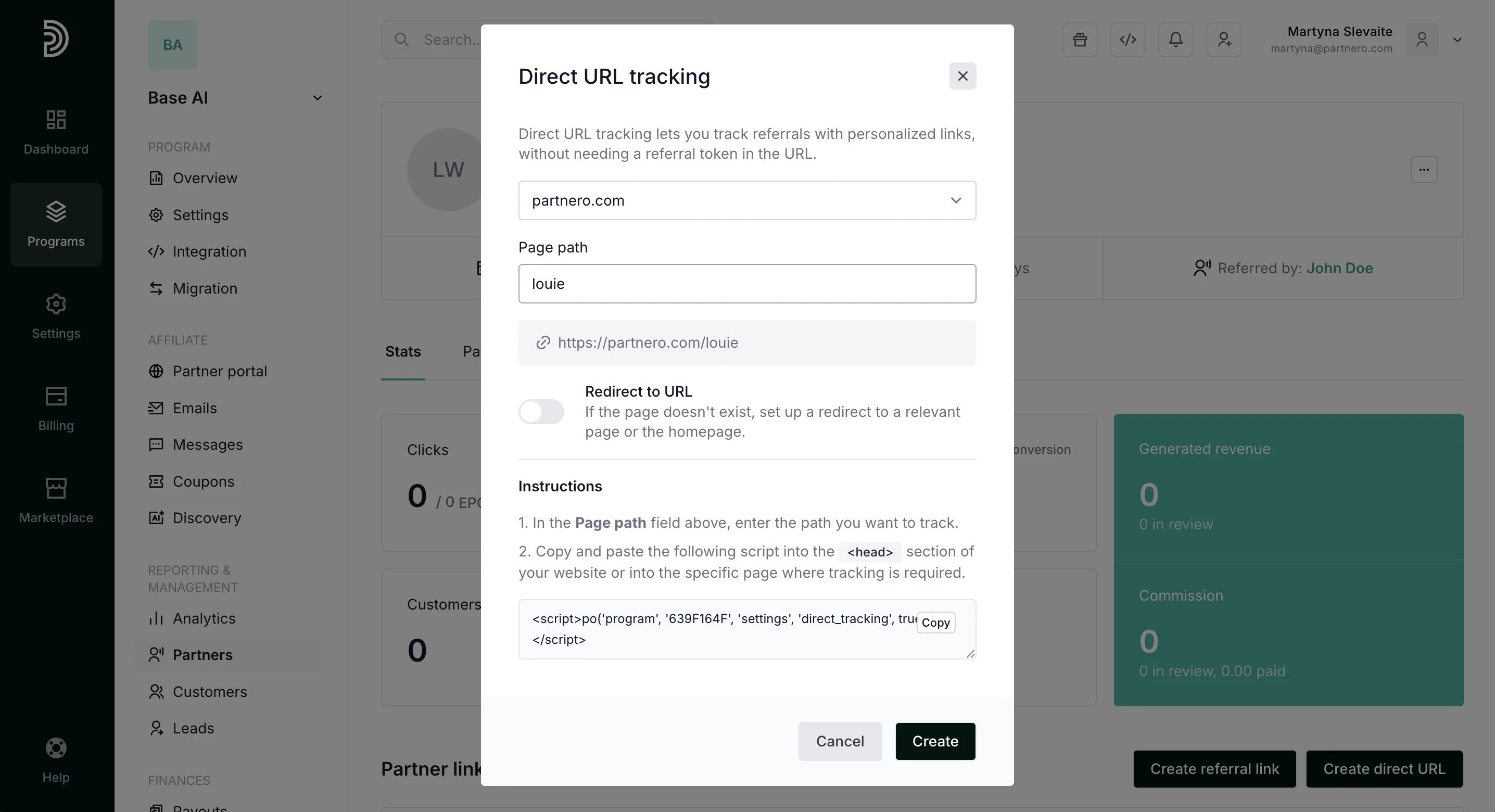
- The last step is to implement the direct link tracking. To do that, copy the provided script and insert it into the <head> section of the page where tracking is required.
- Click Create.
That’s it! You have now created a direct link for a specific partner and implemented tracking. We recommend testing if the link tracking works - simply open the link in a new incognito tab and see if the clicks are registered on Partnero.