How it works
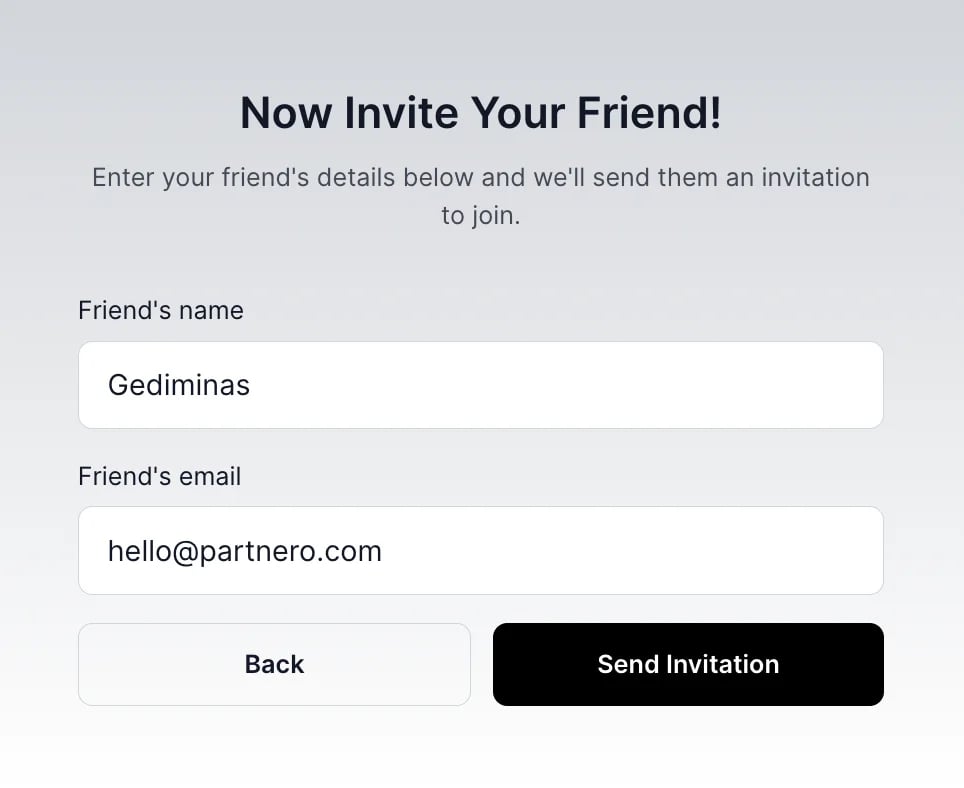
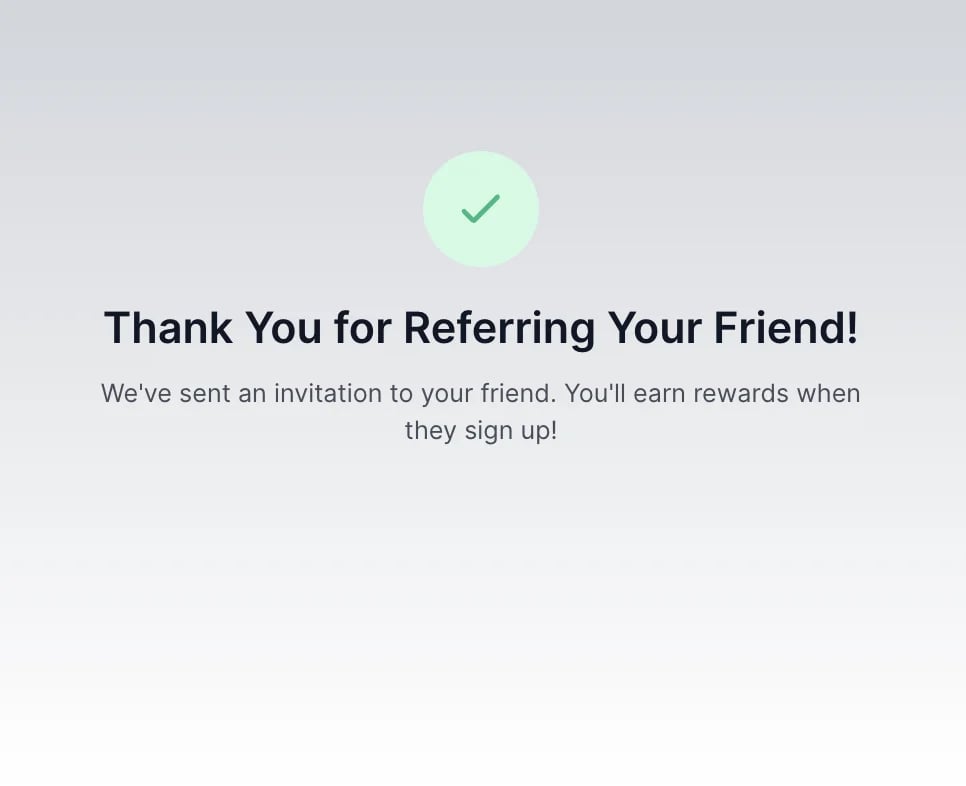
Here’s a quick outline of how the process works: Step 1: The visitor is prompted to enter their email address to refer friends and earn a reward.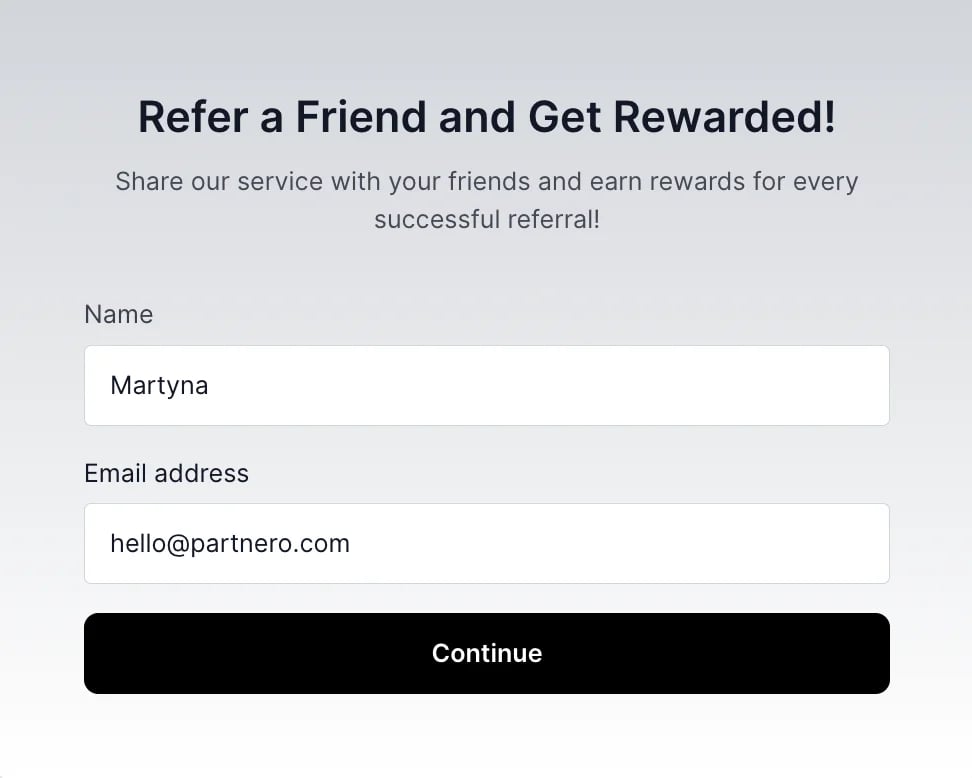
Enable the forms
To customize and enable forms, open your refer-a-friend program and click on Forms in the left-hand side menu: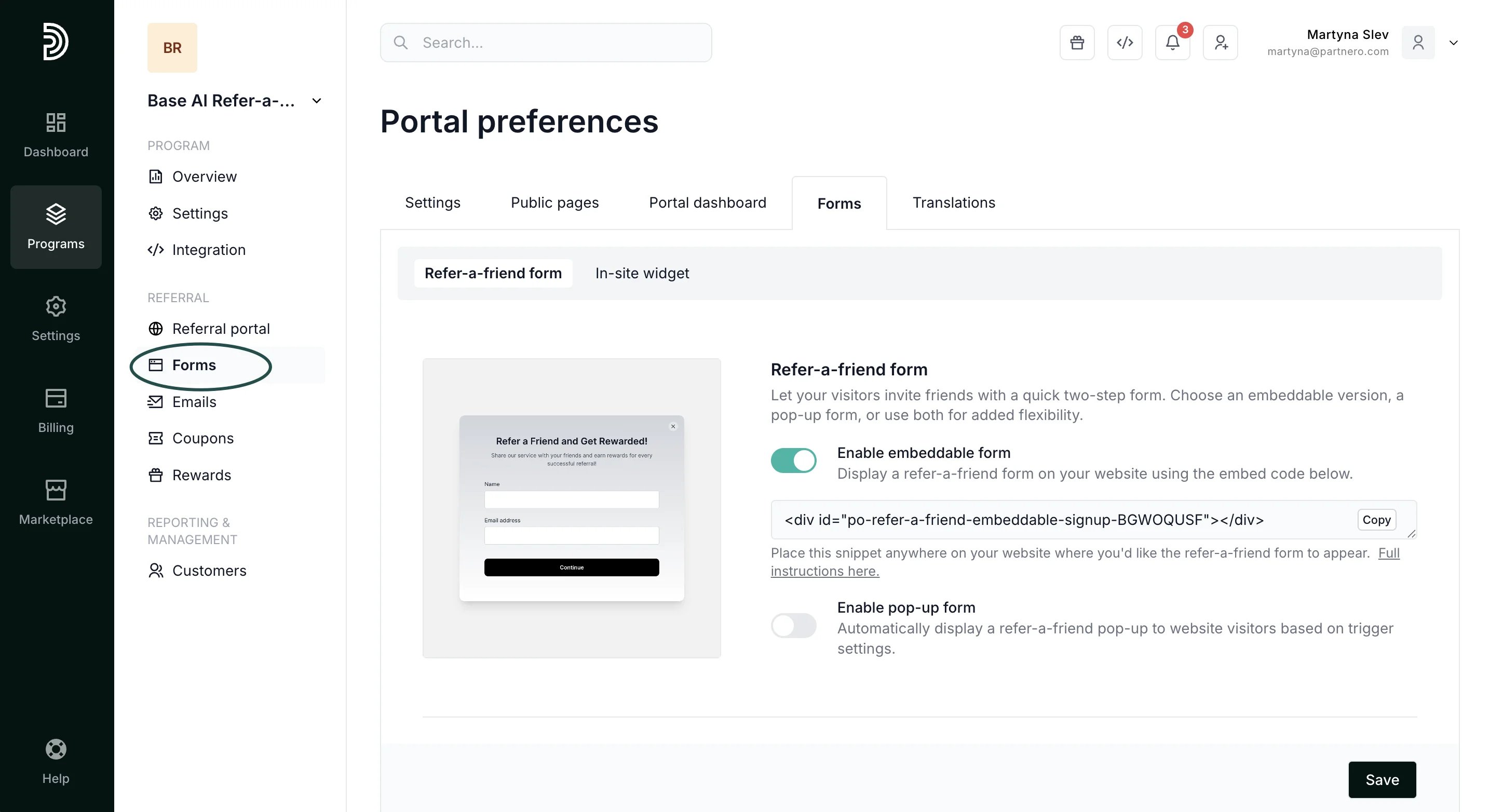
- Enable the embeddable form using the toggle.
- Copy the provided code snippet and insert it anywhere on your website where you’d like the form to appear:
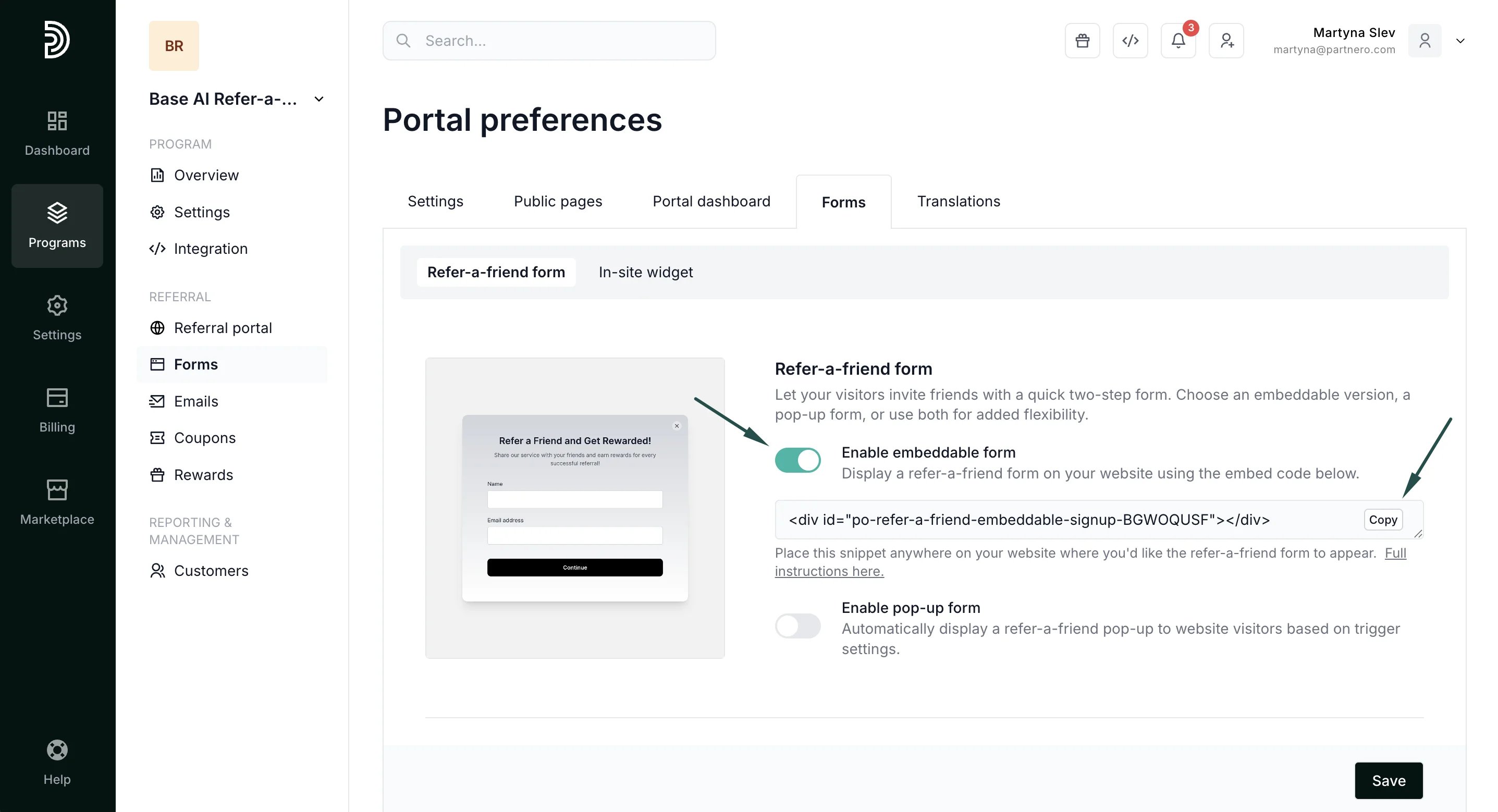
- Click Update to save changes.
-
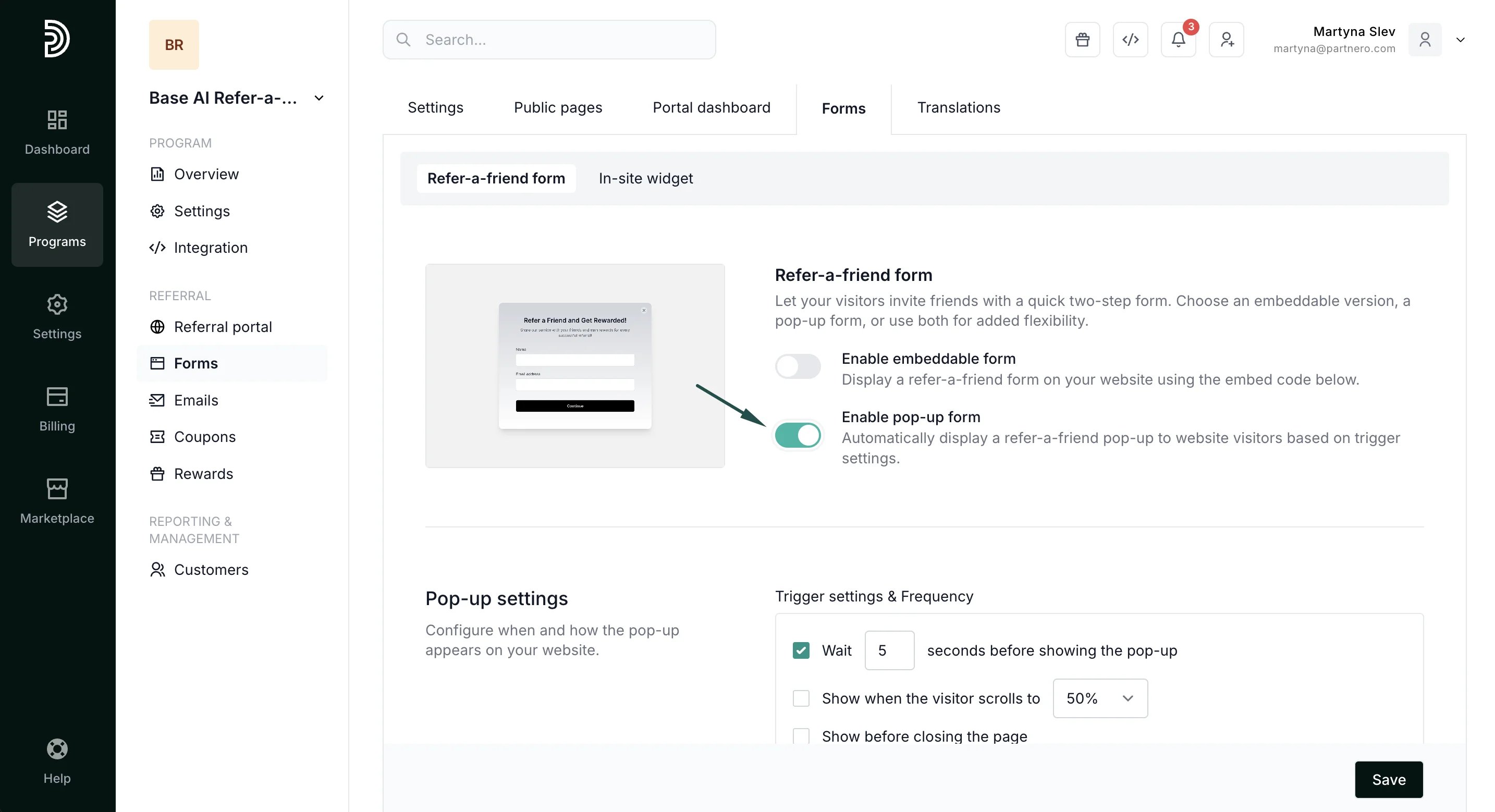
Enable the pop-up form using the toggle:
-
An additional pop-up settings section will appear. Customize the visibility settings:
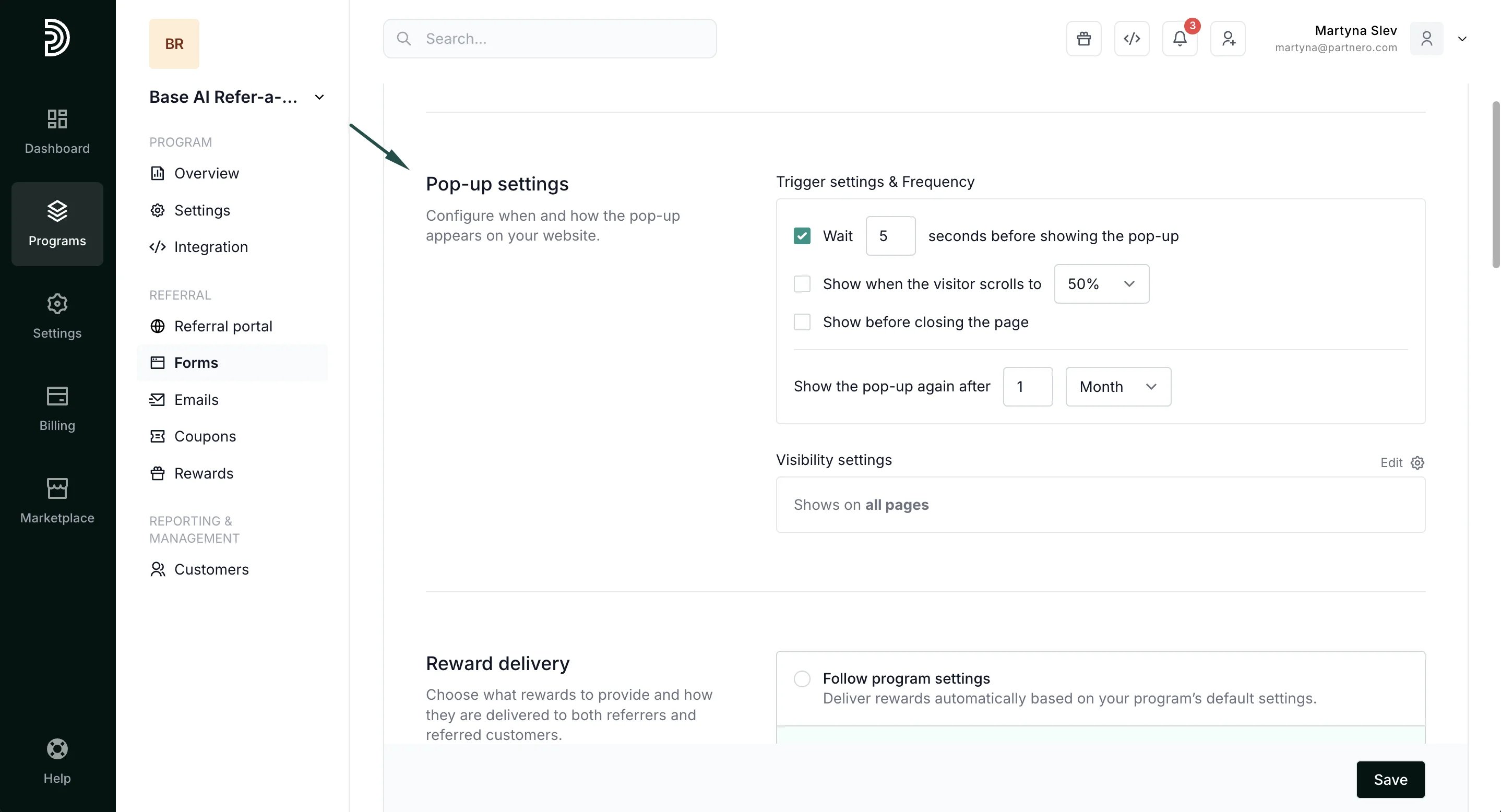
- Wait X seconds before showing the pop-up: the pop-up will appear on your website after a visitor spends the indicated number of seconds.
- Show when the visitor scrolls to X%: the pop-up will appear after the visitor scrolls the indicated percentage of a page.
- Show before closing the page: the popup will appear if a visitor moves their mouse towards the closing of the page (tab).
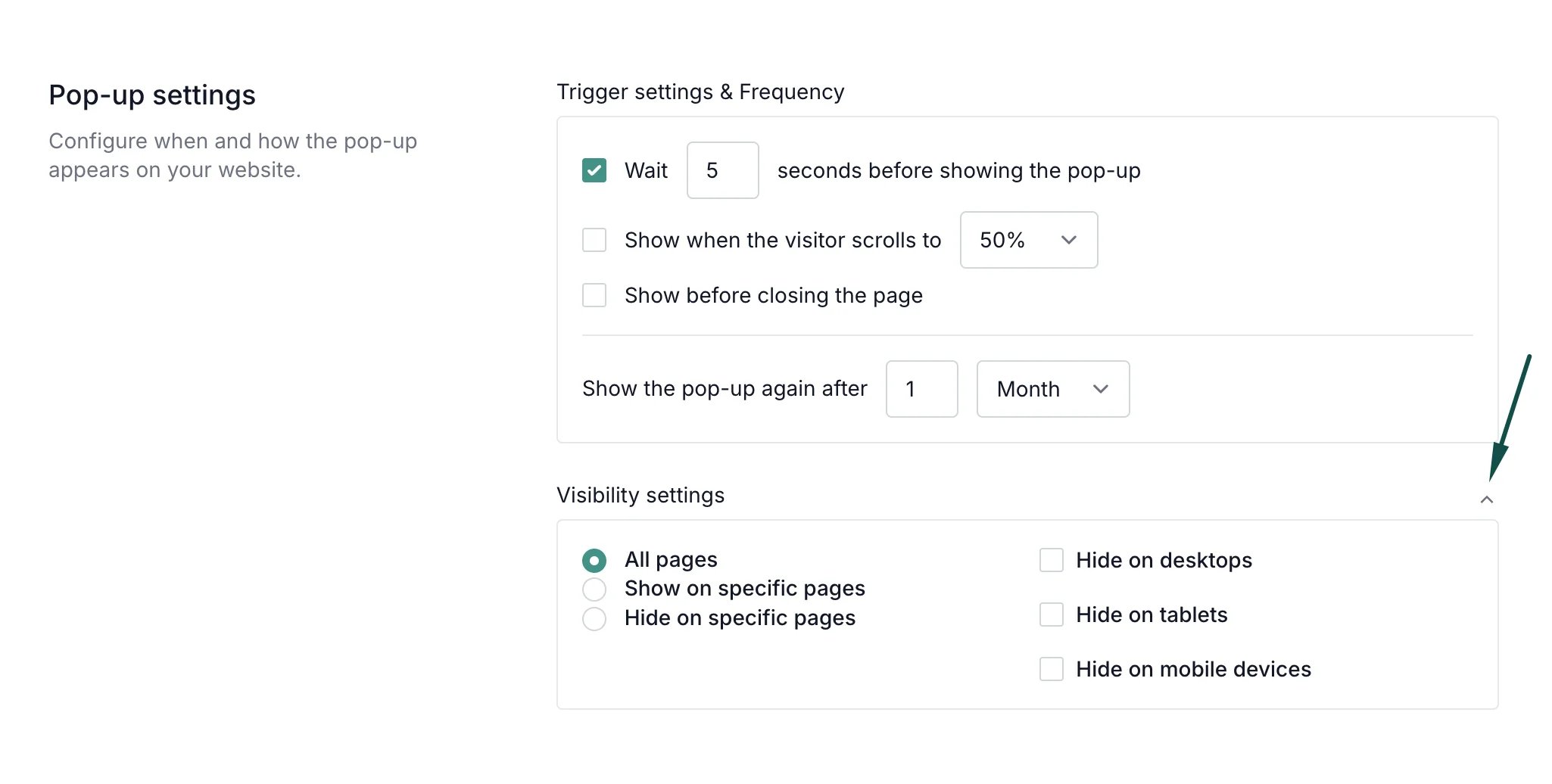
- Hide on specific pages: the pop-up will appear on all pages of your website except the pages listed here.
- Show on specific pages: the pop-up will only appear on the pages indicated here.
- Hide on desktop devices: the pop-up will not appear when viewing your website on desktop.
- Hide on mobile devices: the pop-up will not appear when viewing your website on mobile.
- Hide on tablet devices: the pop-up will not appear when viewing your website on tablets.
- Click Save to apply changes.
Reward delivery
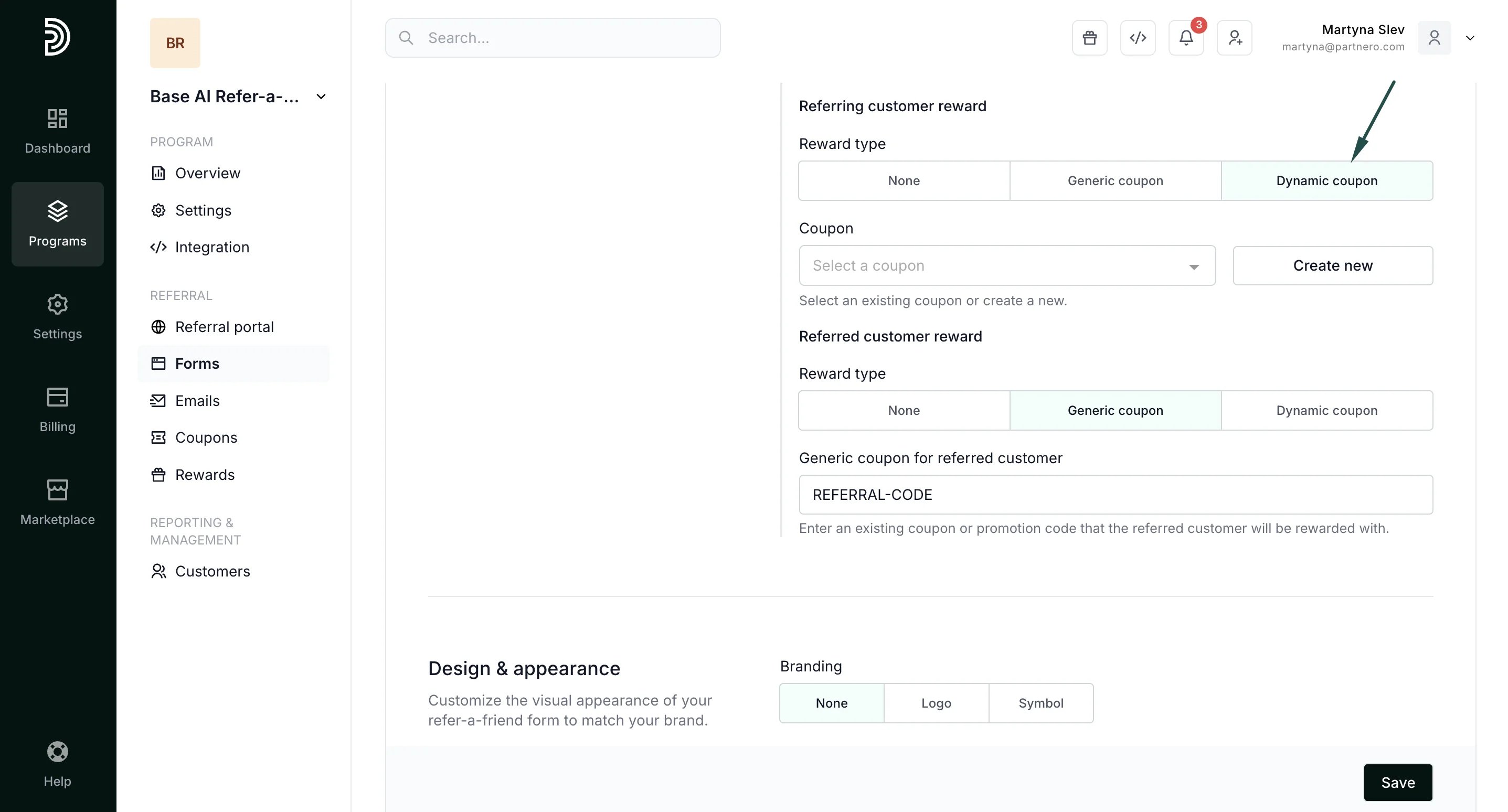
Reward delivery enables you to configure what happens when a customer completes the form.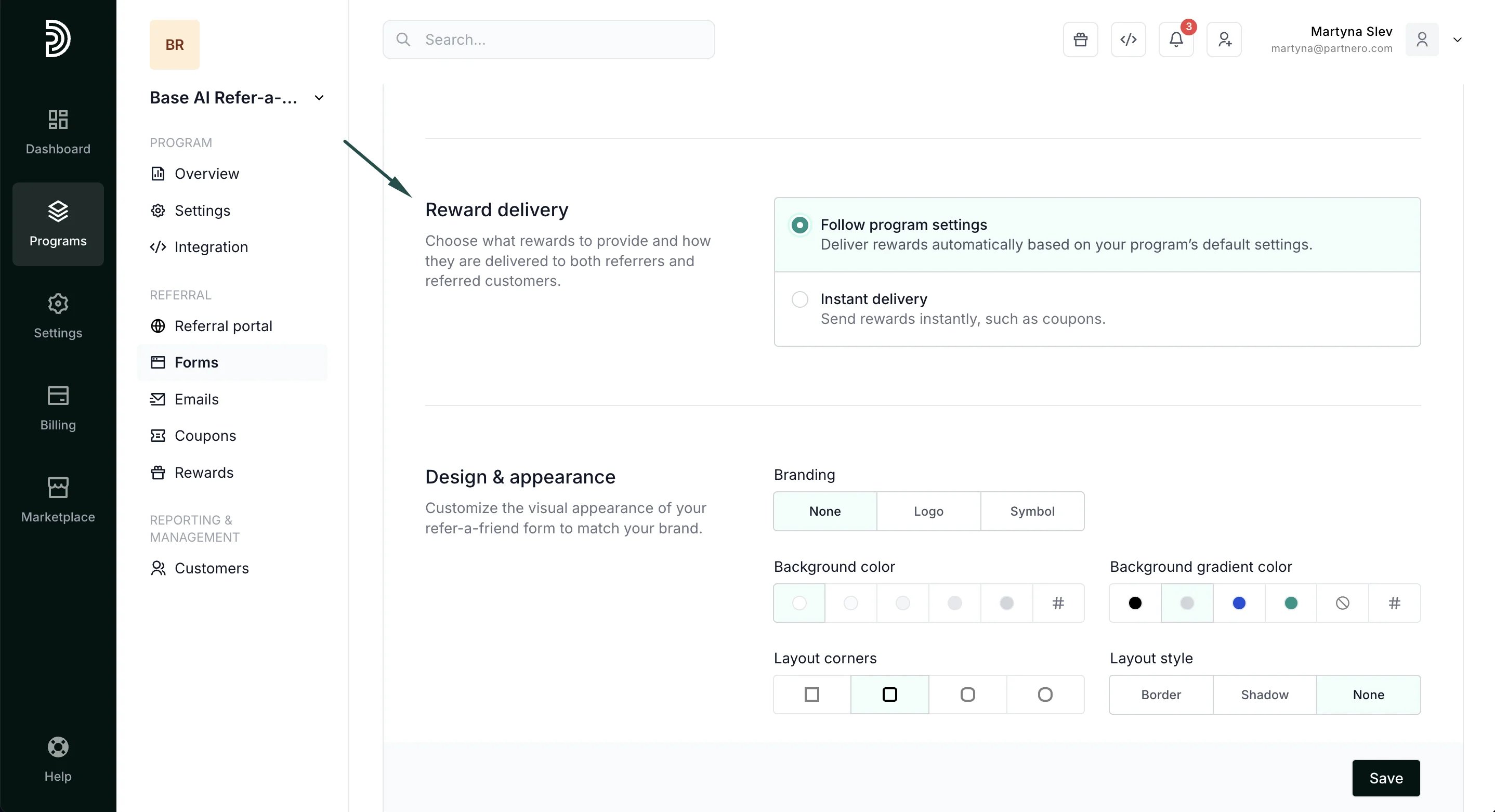
- Follow program settings - general program reward settings will be followed.
- Instant delivery - rewards can be issued immediately after completing the form.
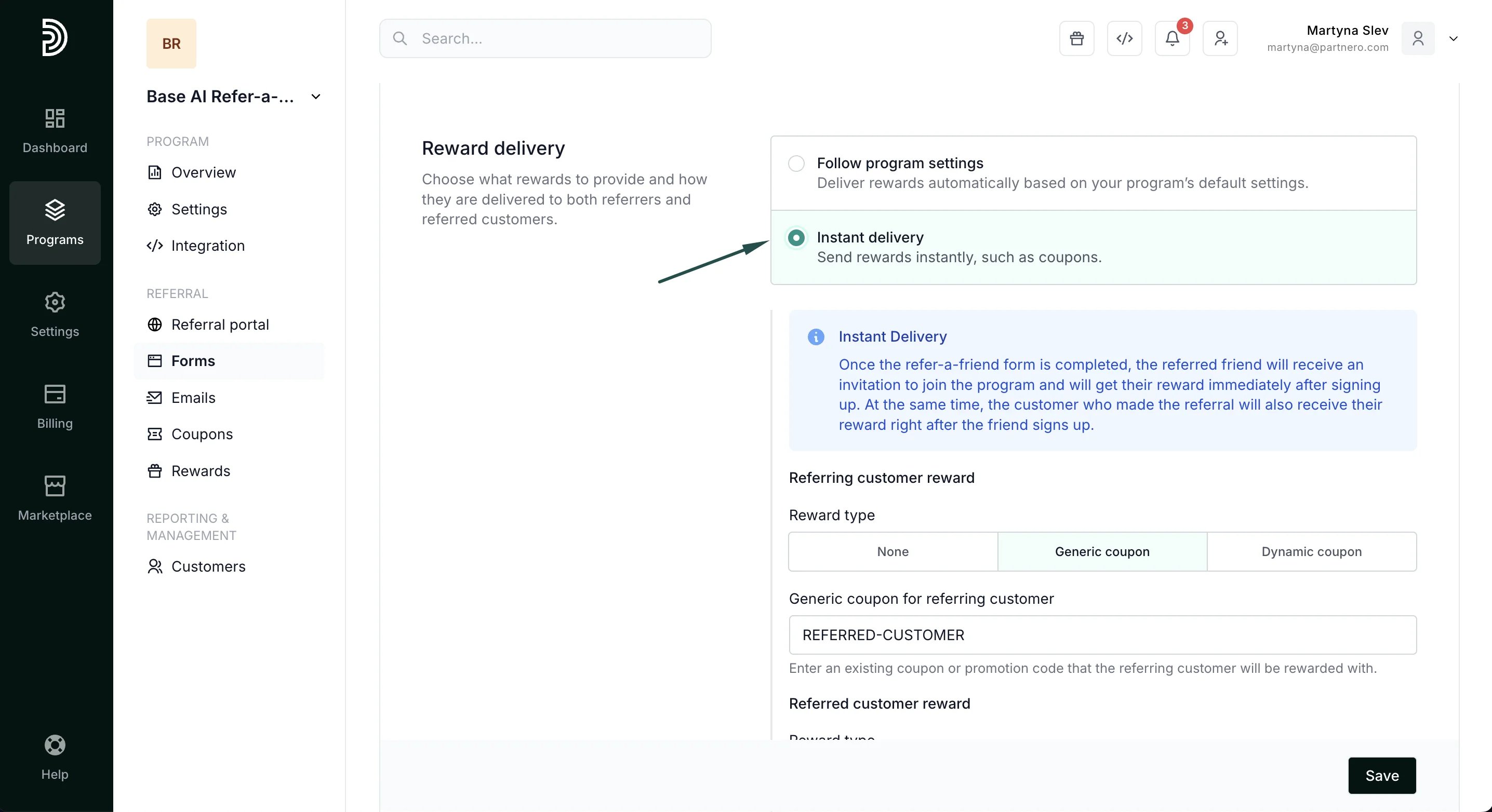
- None - no reward will be issued.
- Generic coupon - add an existing generic coupon or promotion code that will be sent to the customer.
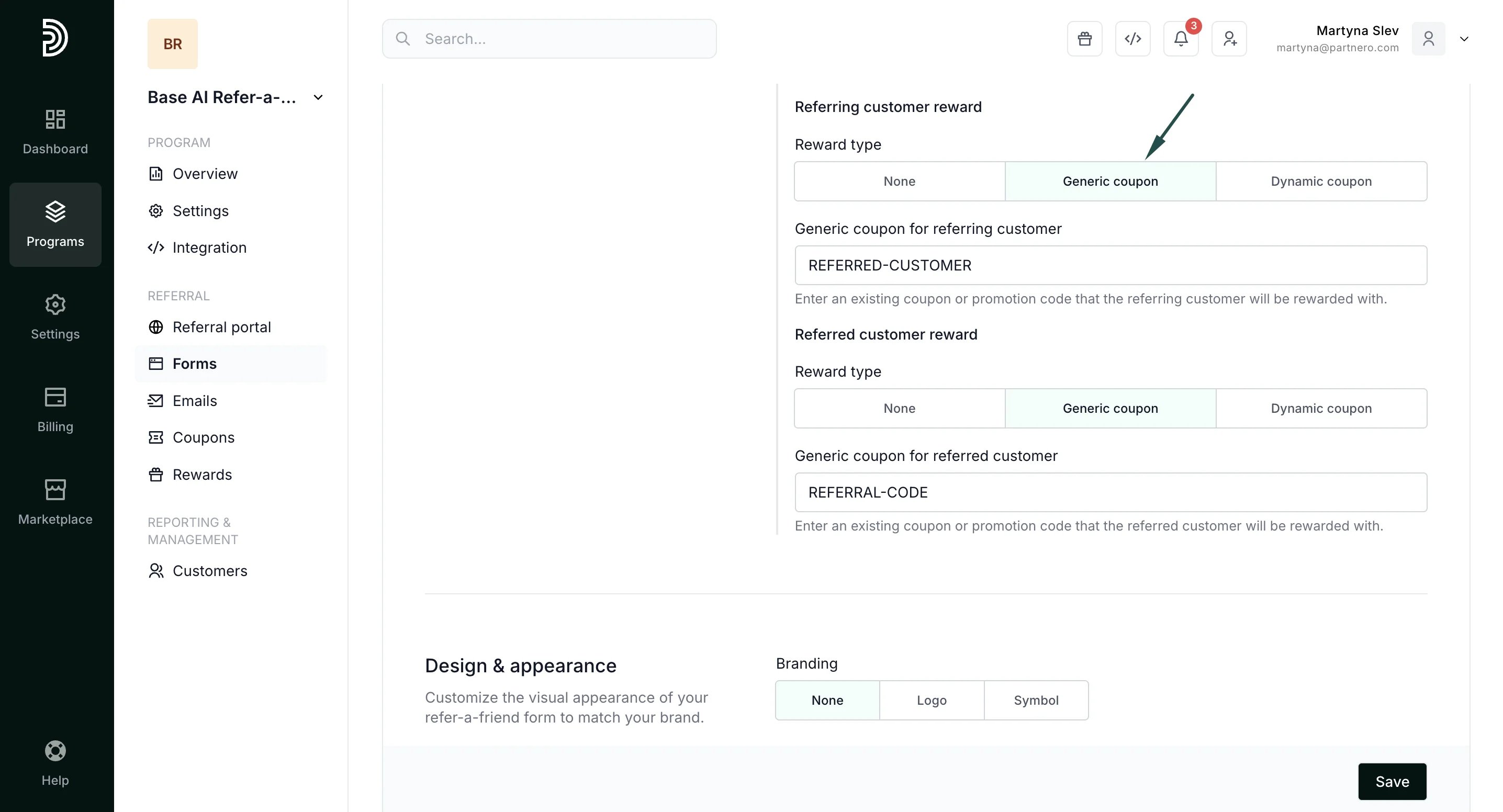
- Dynamic coupon - create new or select from existing dynamic coupons to use as a reward. Read more about dynamic coupons here.
- Click Save to apply changes.
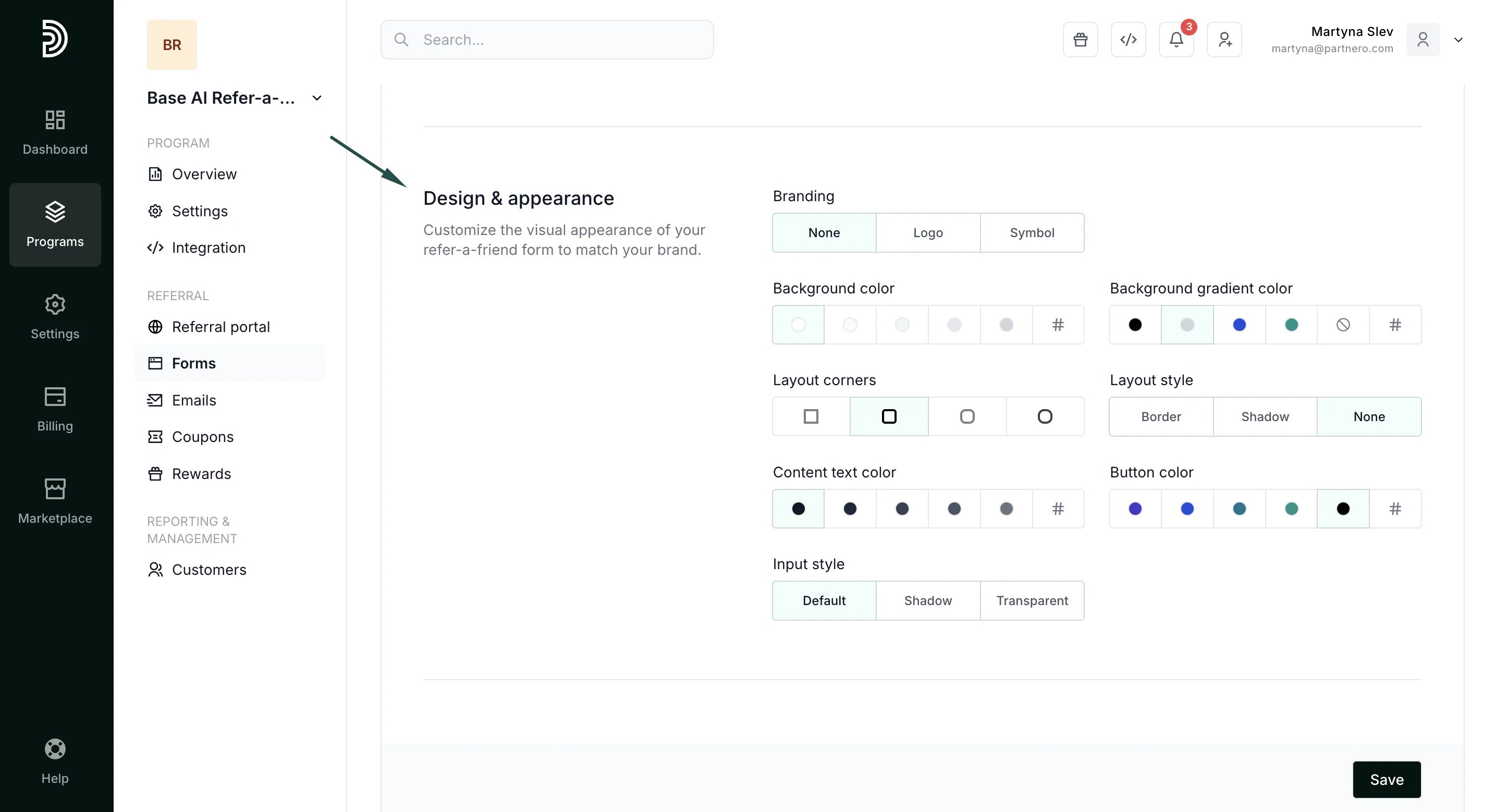
Design & appearance
Here you can customize how your form will look:- select branding options
- choose colors and gradients
- define corner styles, text, and input.
Content
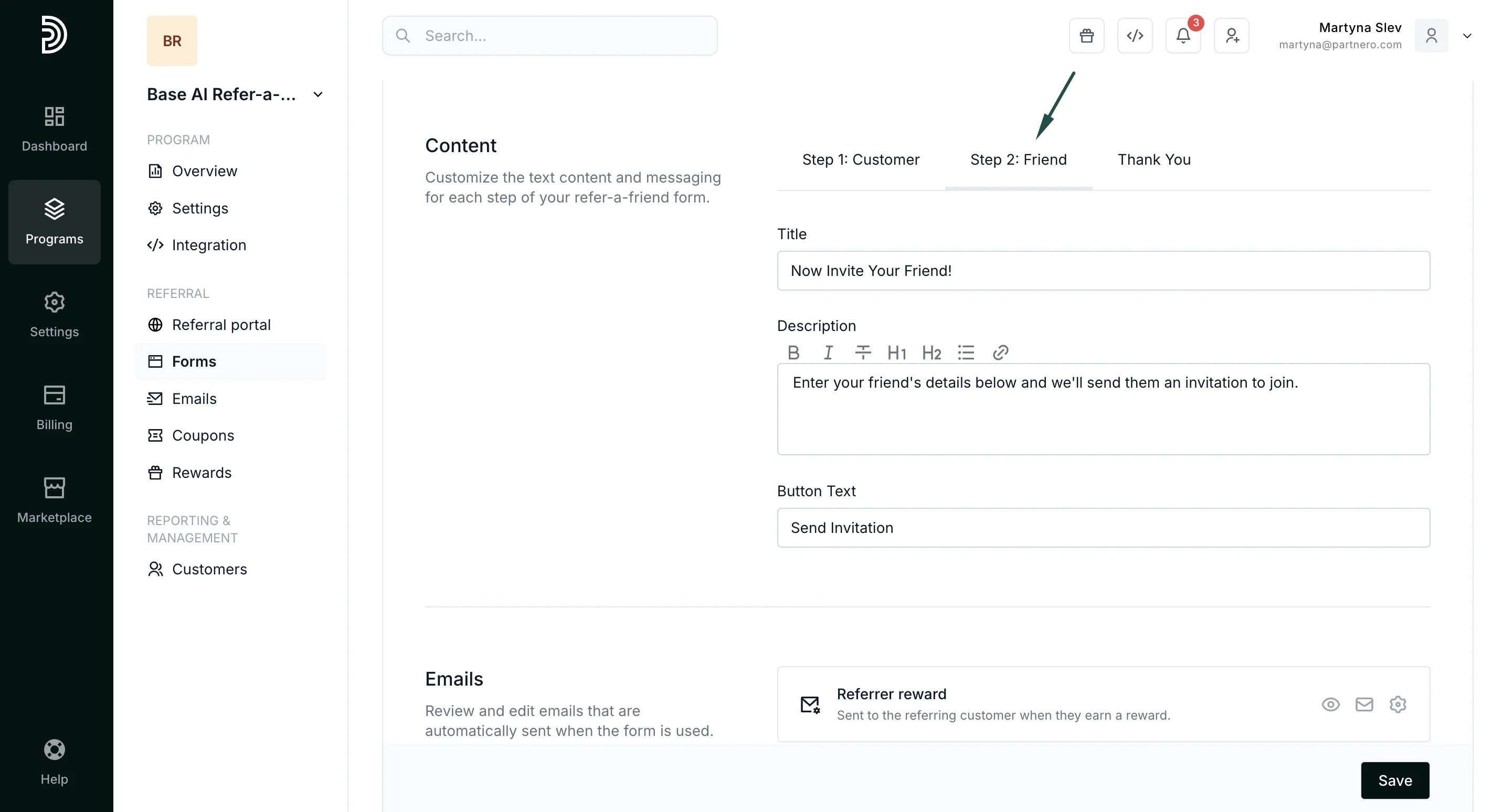
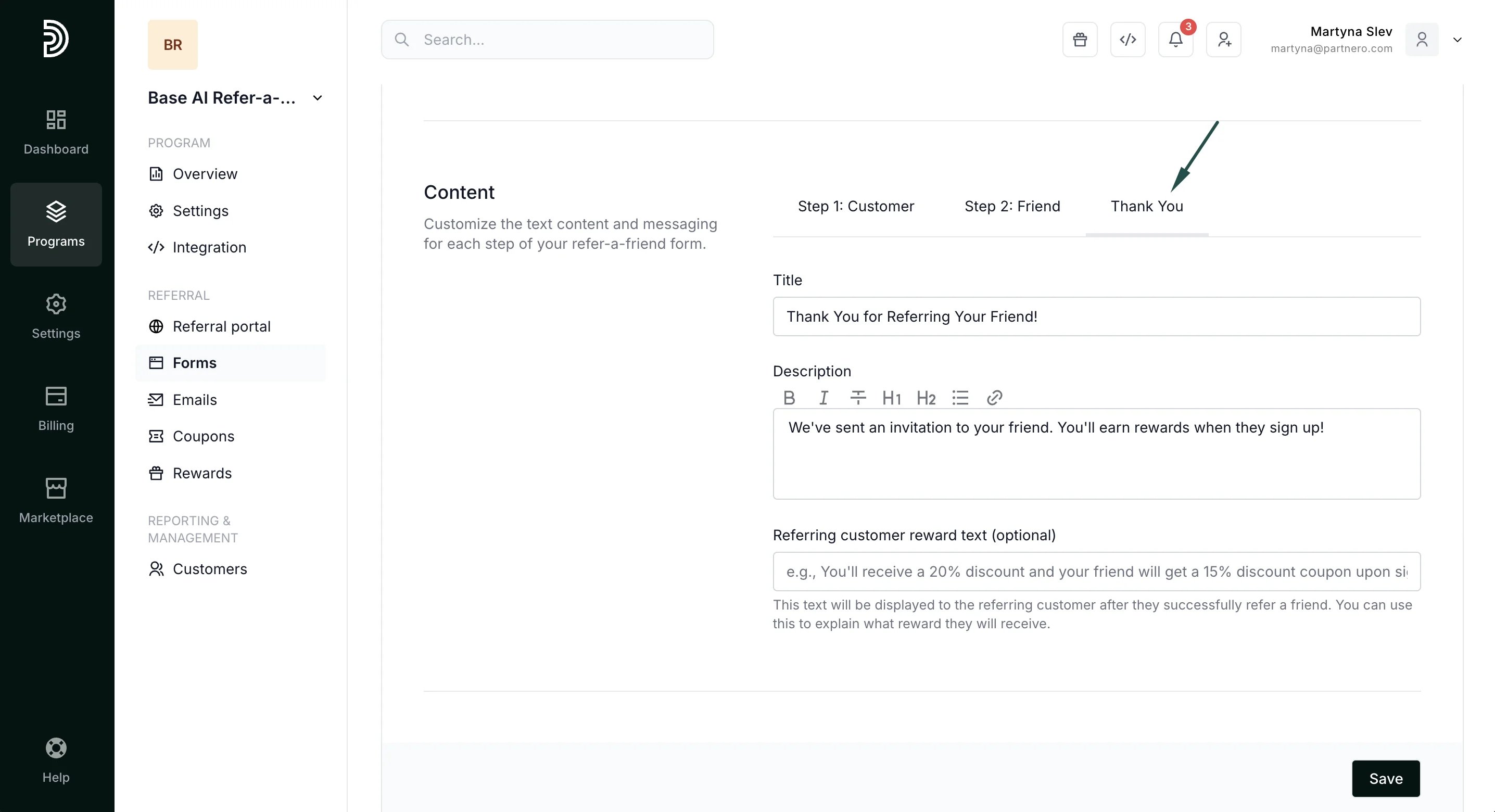
Here you can edit the copy for each step of the process. Step 1: Customer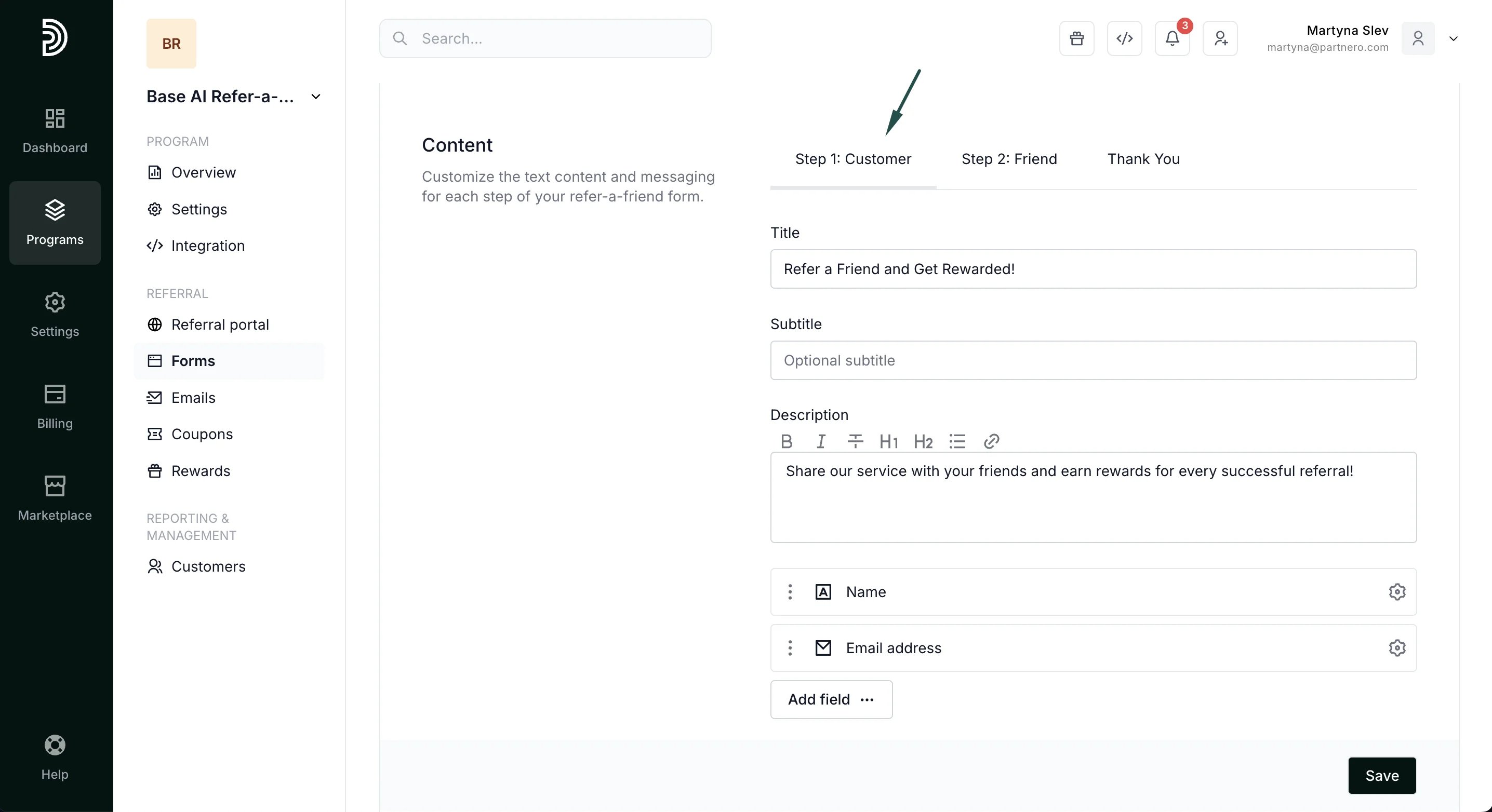
- Edit form title, subtitle, and description.
- Add additional form fields
- Change CTA text
- Collect marketing permissions
Emails
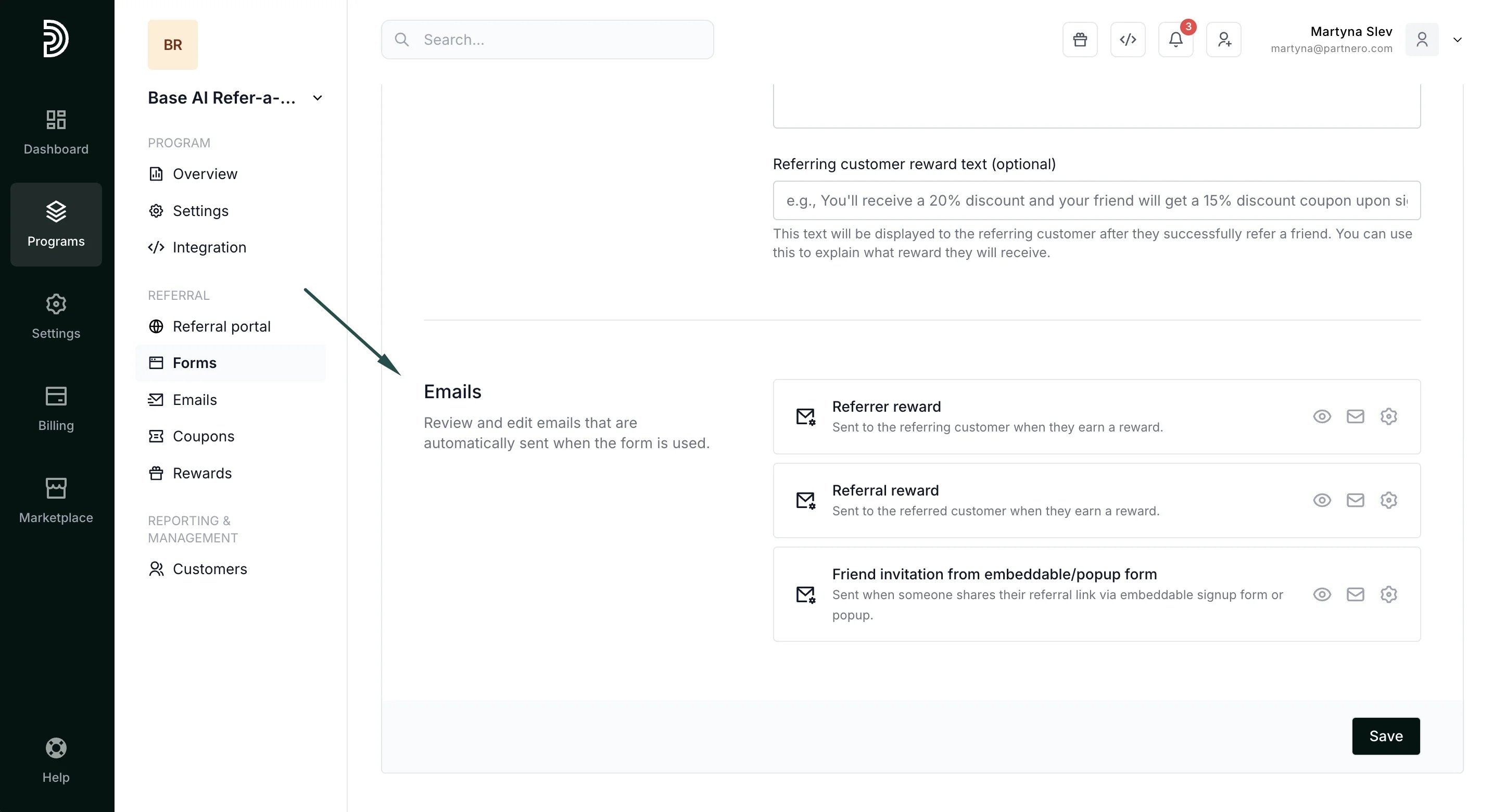
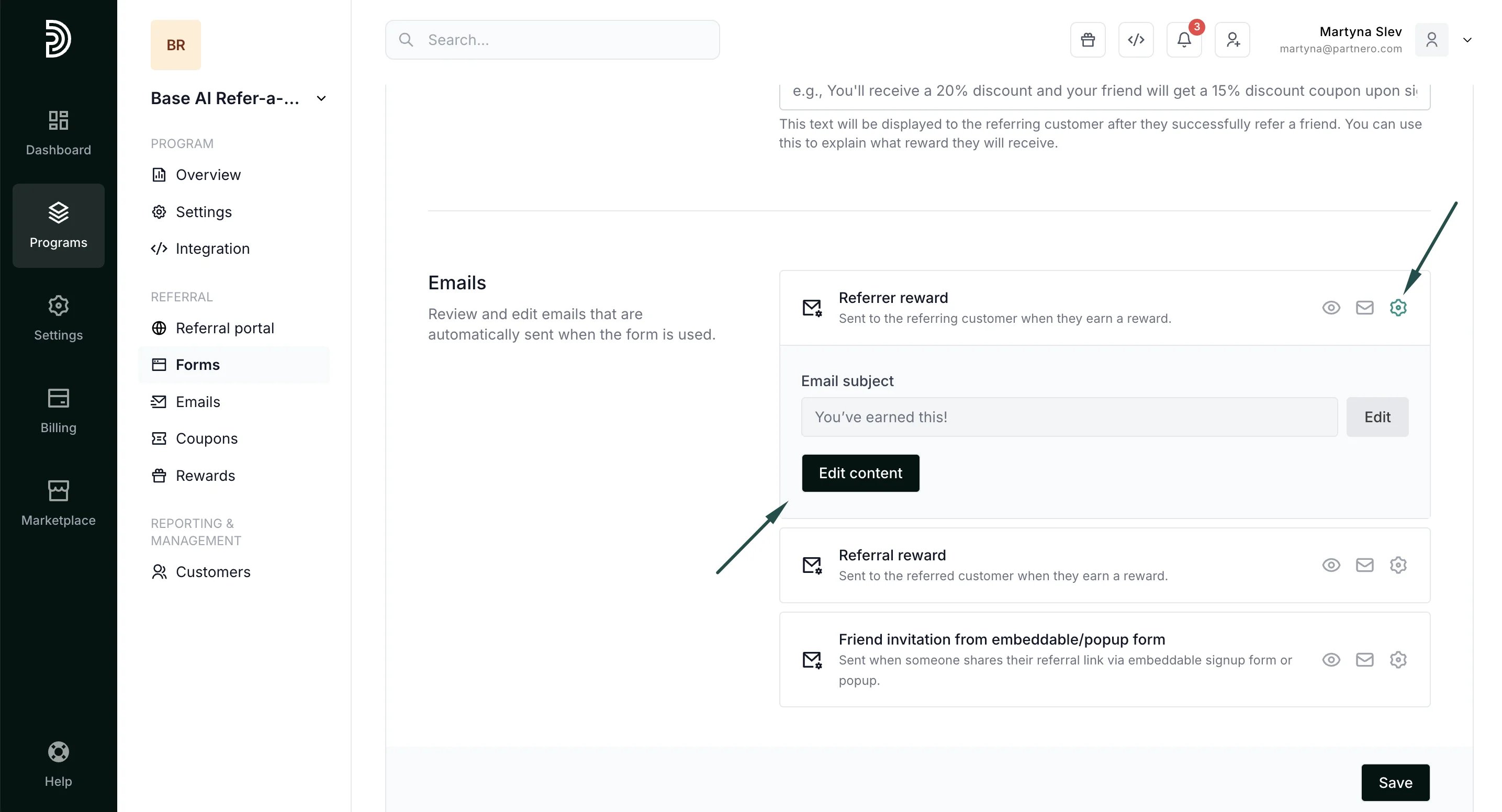
- Referring customer reward notification - sent when the referring customer receives a reward.
- Referred customer reward notification - sent when the referred customer is rewarded.
- Friend invitation - sent when someone shares their referral link via an embeddable signup form or a pop-up.