

Why run a contest?
- Boost activity: A prize-driven leaderboard encourages partners to share more and work harder during the contest period.
- Reward top performers: Offer prizes like cash bonuses, gift cards, free subscriptions, or exclusive perks without changing your commission structure.
- Increase engagement: Partners can track their rankings in real time, creating excitement and motivation to climb the leaderboard.
- Recurring competitions: Run daily, weekly, or monthly contests that automatically reset to keep momentum going.
How to create a contest
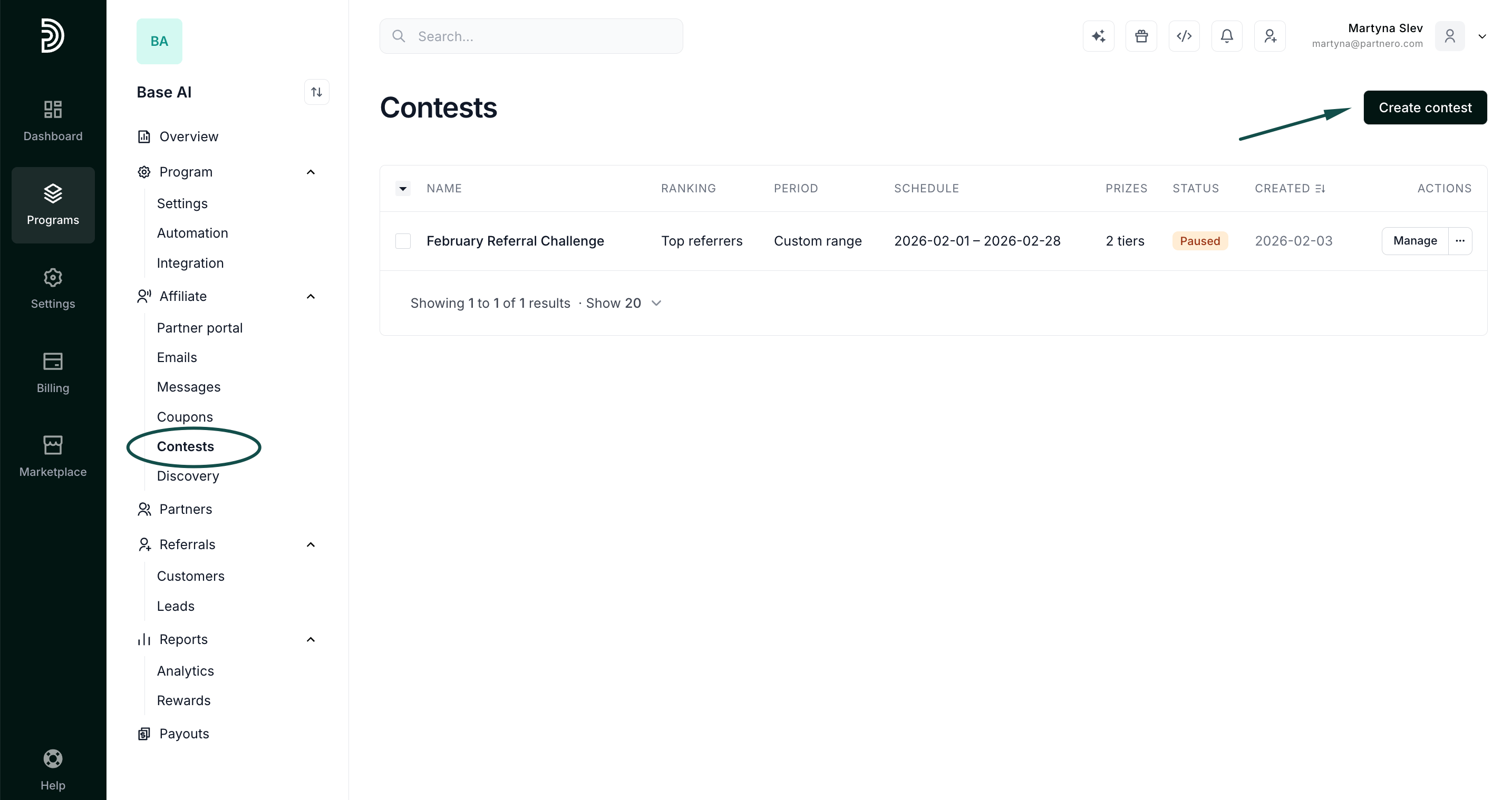
- Navigate to Contests in your program menu and click Create contest:\
- Enter a Contest name and add a Description explaining the rules and prizes.
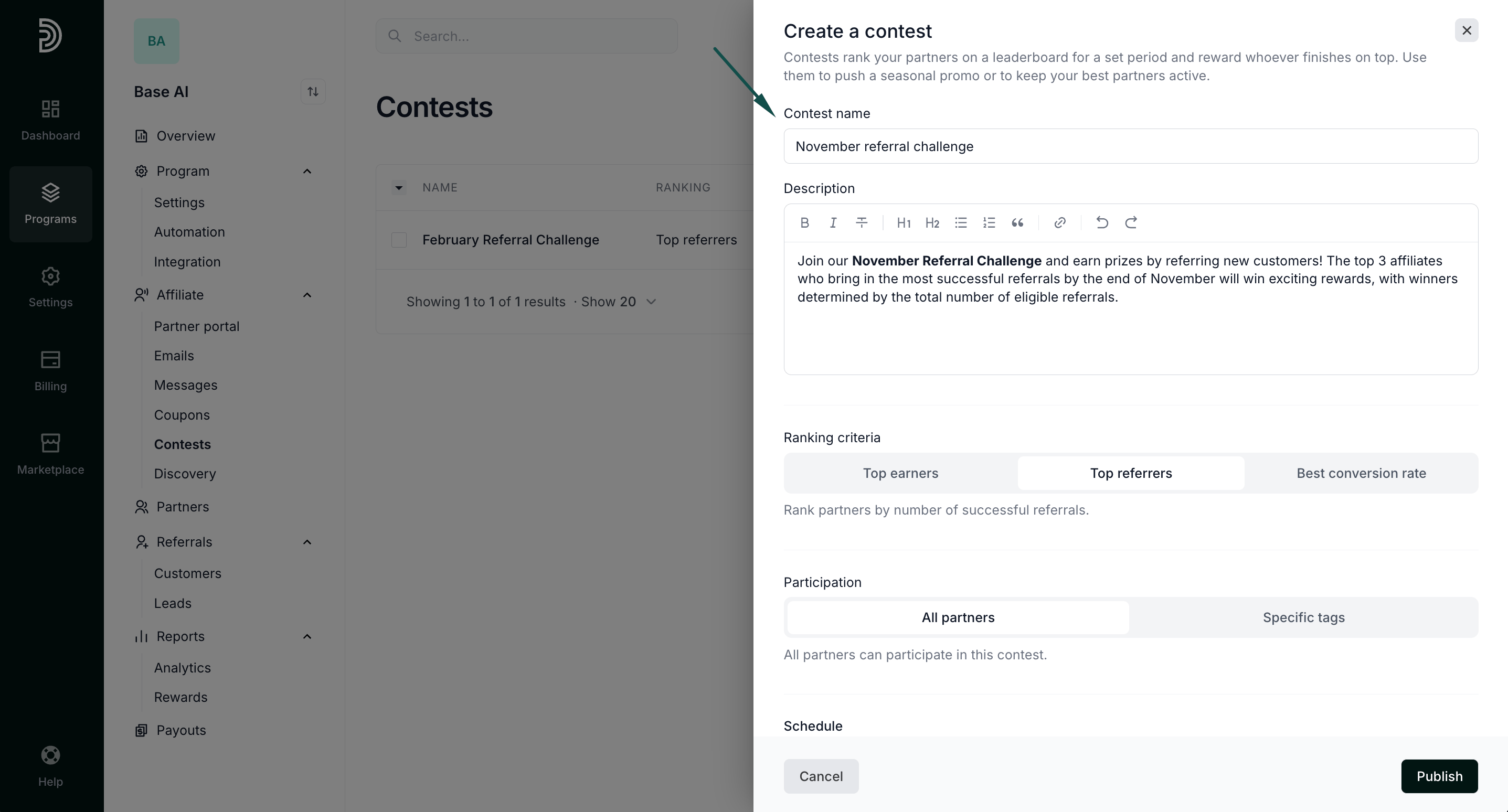
- Choose your Ranking criteria:
- Top Earners: Rank by total revenue generated.
- Top Referrers: Rank by number of successful referrals.
- Best Conversion Rate: Rank by referral-to-customer conversion percentage.
- Define Participation: Include all partners or limit to partners with specific tags.
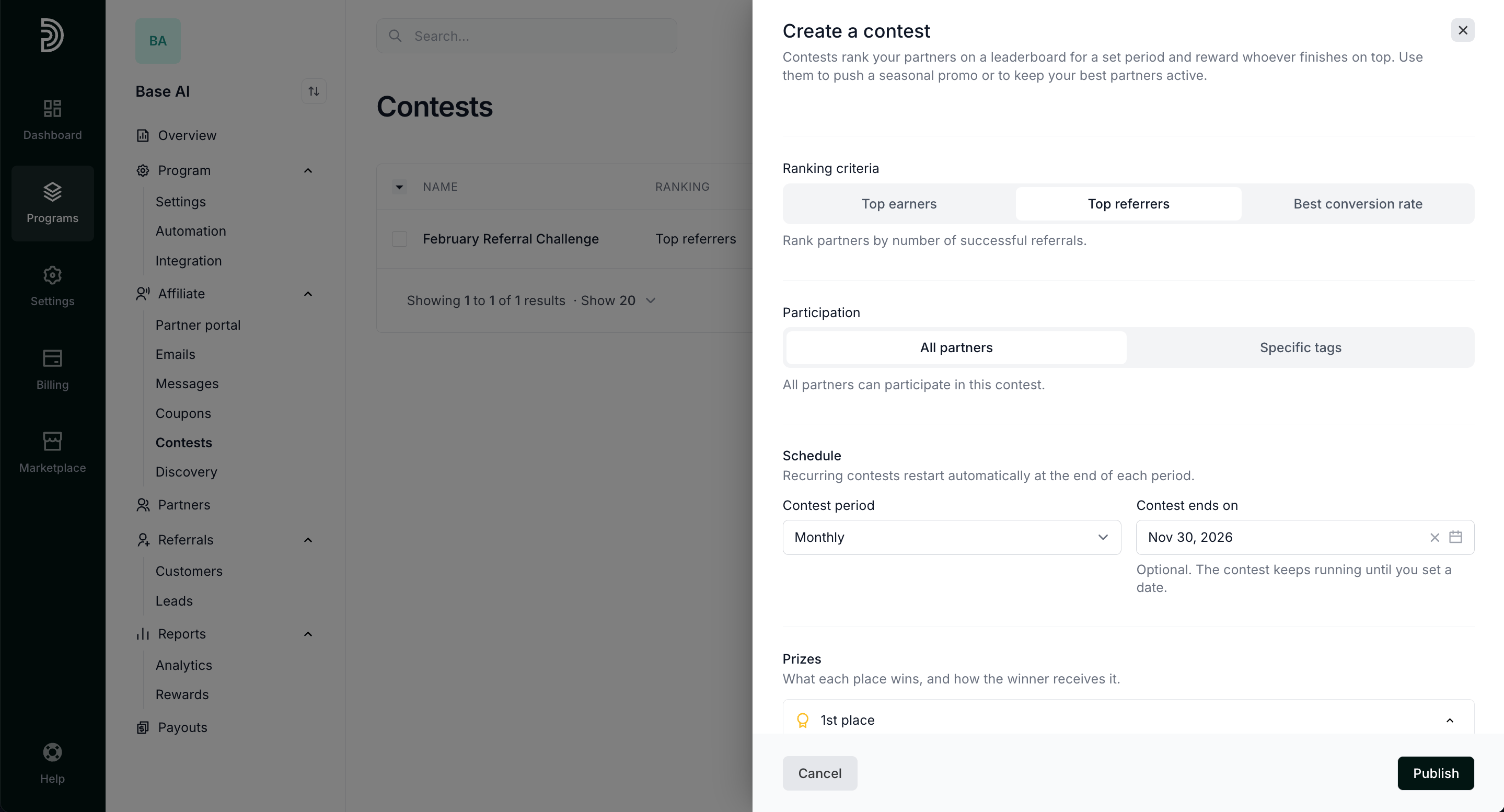
- Select the Contest period: Daily, Weekly, Monthly, Forever, or Custom Range:\
- Add Prizes for each position (1st, 2nd, 3rd, etc.). Click Add tier to include more winners.
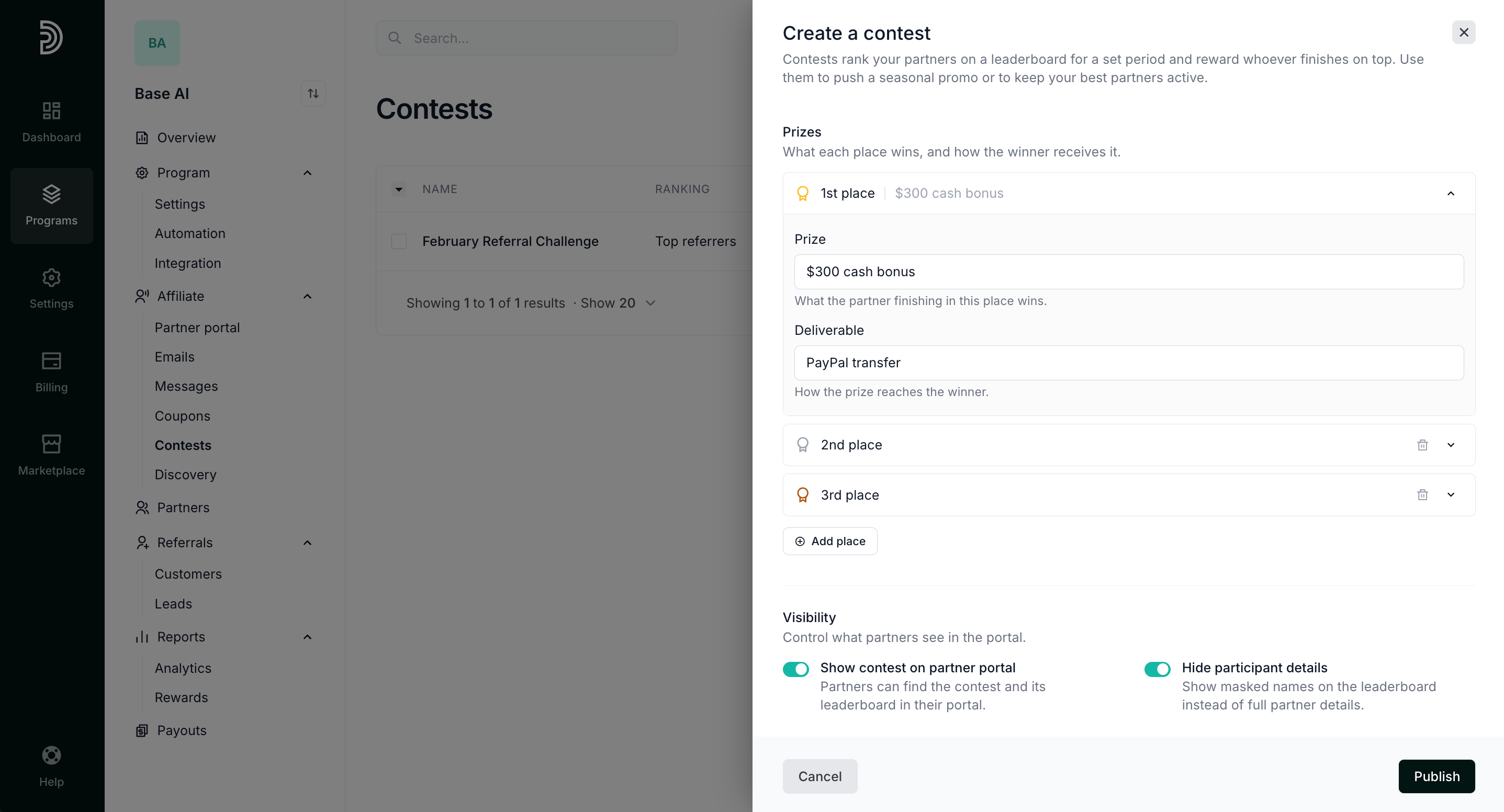
- Configure visibility settings:
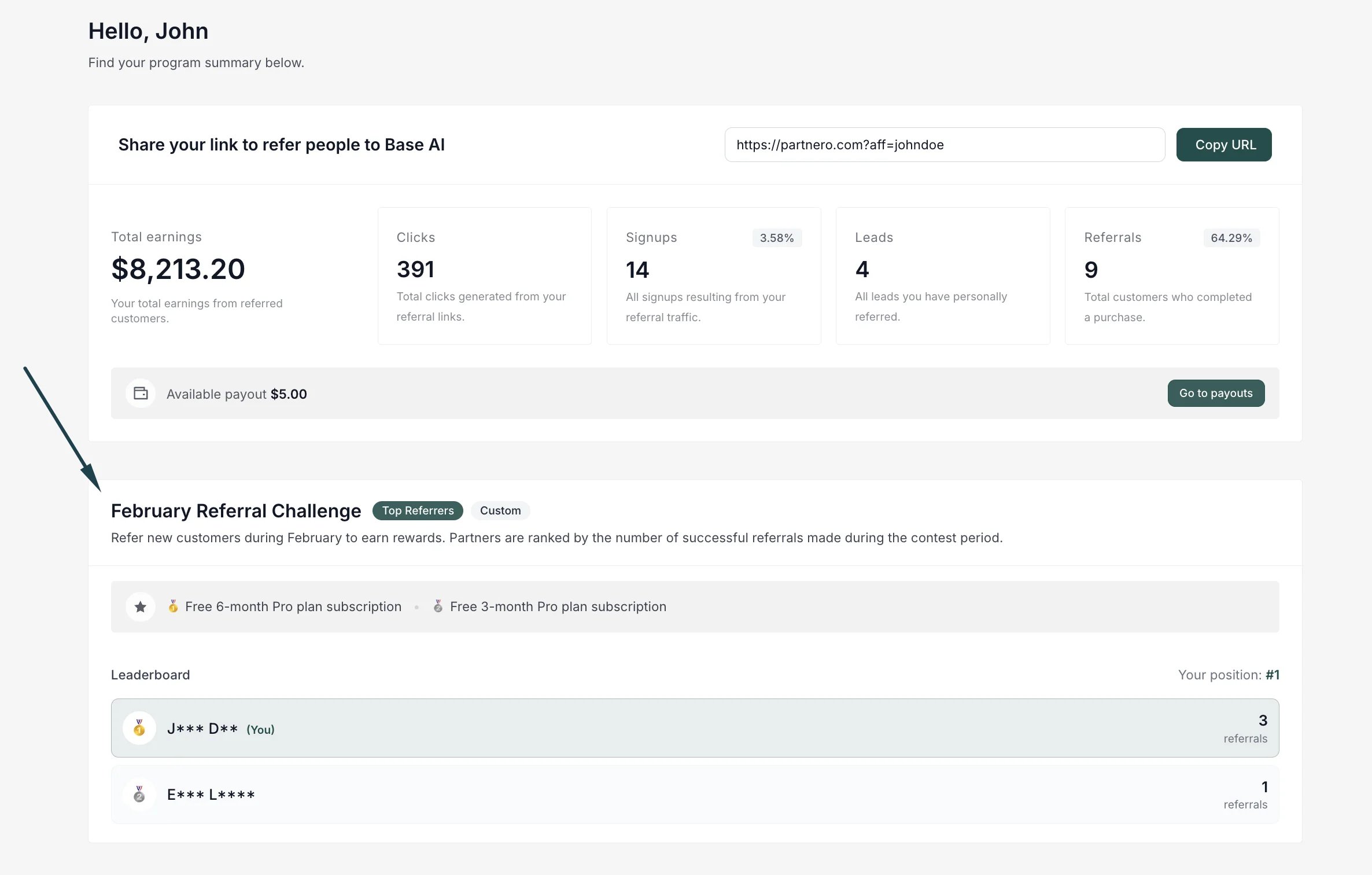
- Show contest on partner portal: Display the leaderboard in the Partner Portal.
- Hide participant details: Mask partner information on the public leaderboard.
- Click Publish.
Leaderboard & previous winners
Once active, the contest leaderboard appears in the Partner Portal where partners can:- See their current ranking and compare with others
- View the prizes up for grabs
- Track previous winners from past contest periods (for recurring contests)
Quick tips
- Keep it exciting: Short contests (7–30 days) create urgency, but longer campaigns work too.
- Offer meaningful prizes: Choose rewards that genuinely motivate your partners.
- Announce it: Send a broadcast email to all partners when launching a new contest. Use partner messaging to contact affiliates in-app.
- Celebrate winners: Highlight top performers in follow-up communications to maintain momentum and inspire others.