

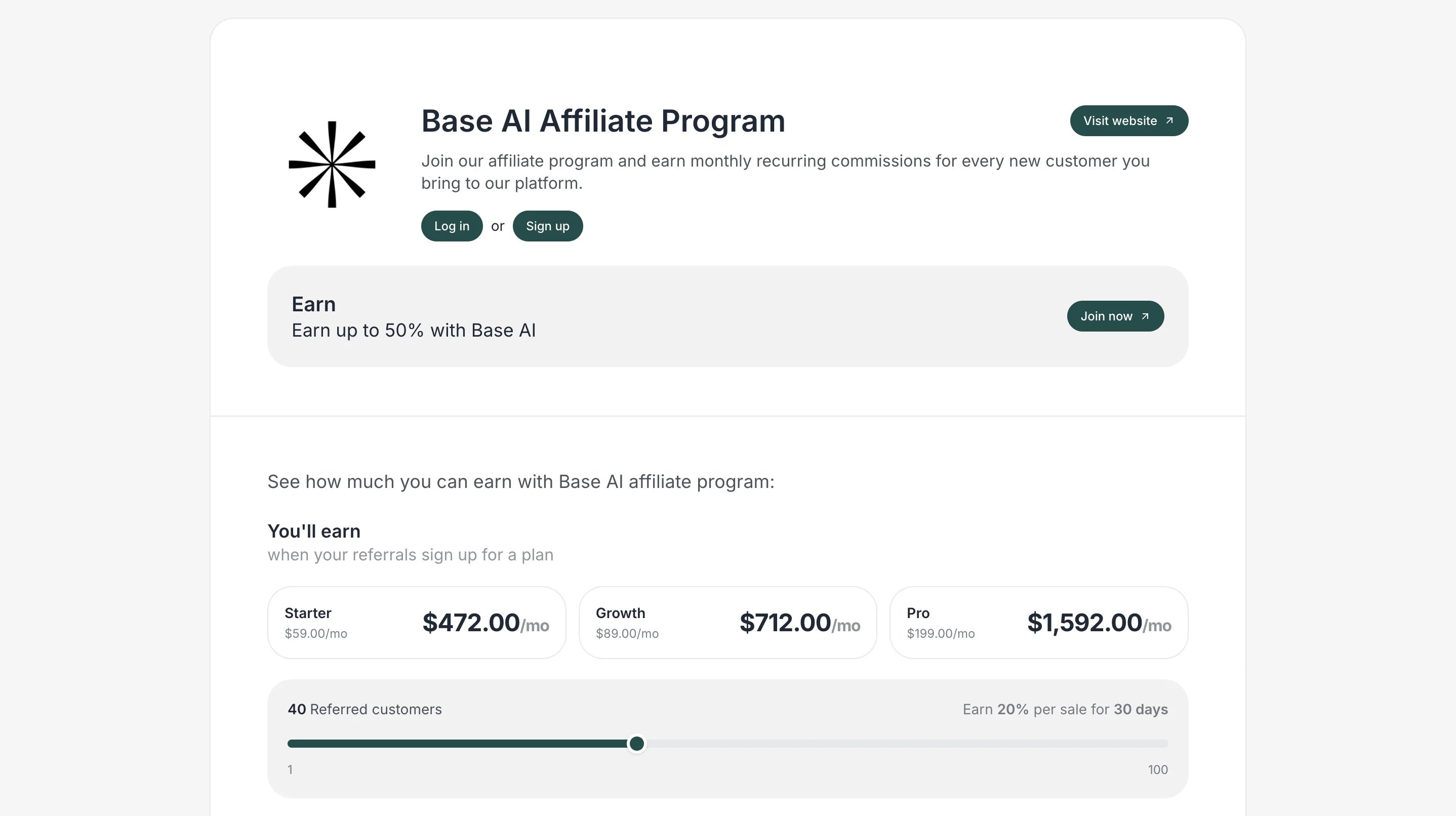
How to add an earnings calculator
The Earnings Calculator is available as a Resource type on your Program Page.- Go to Partner portal → Public pages tab → Program page:
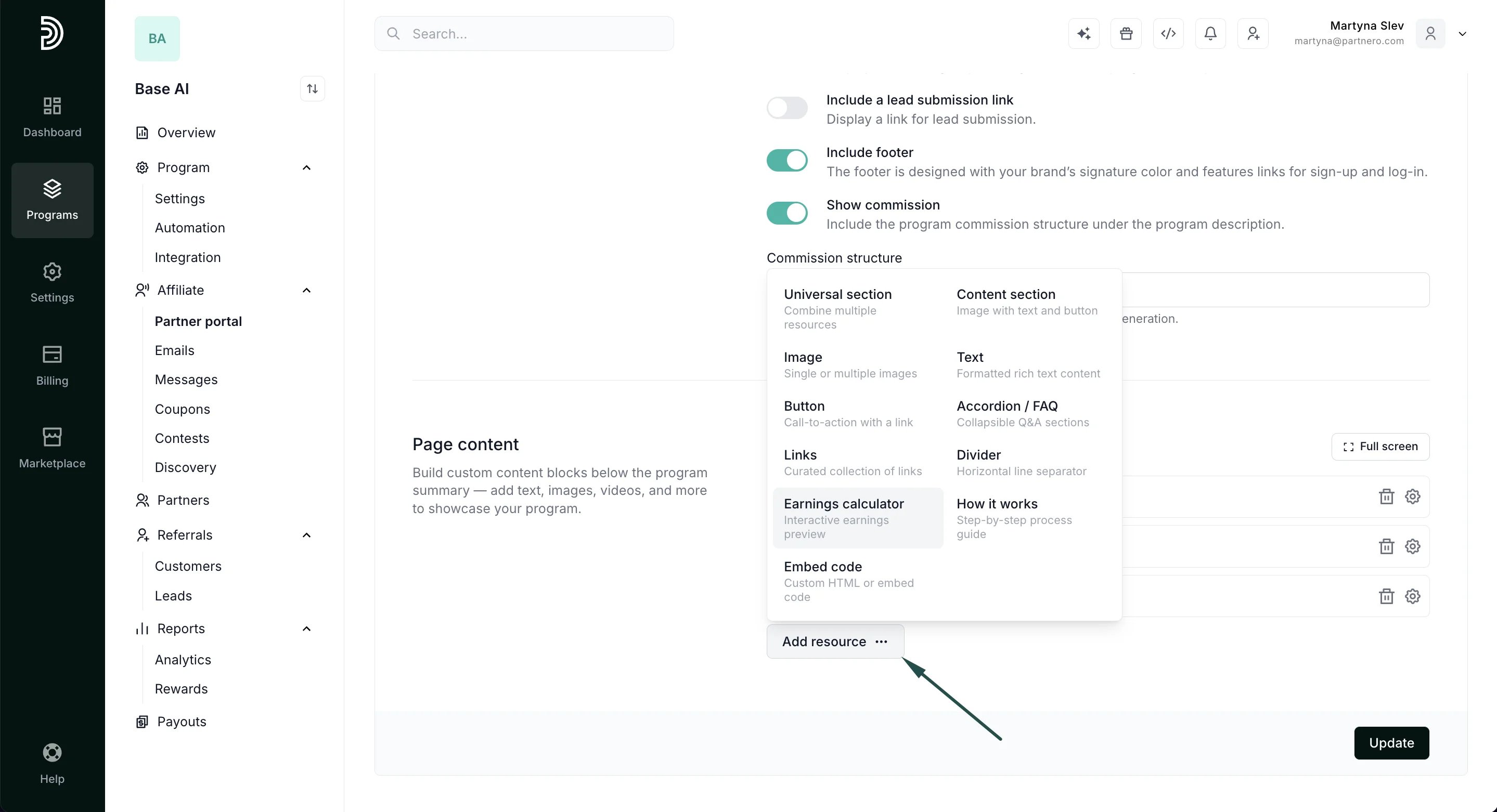
- Scroll down to Page Content and click Add resource. Select Earnings calculator:
- Start by adding a title and description, then upload a logo (optional). Then, configure your pricing tiers and commission calculation options:
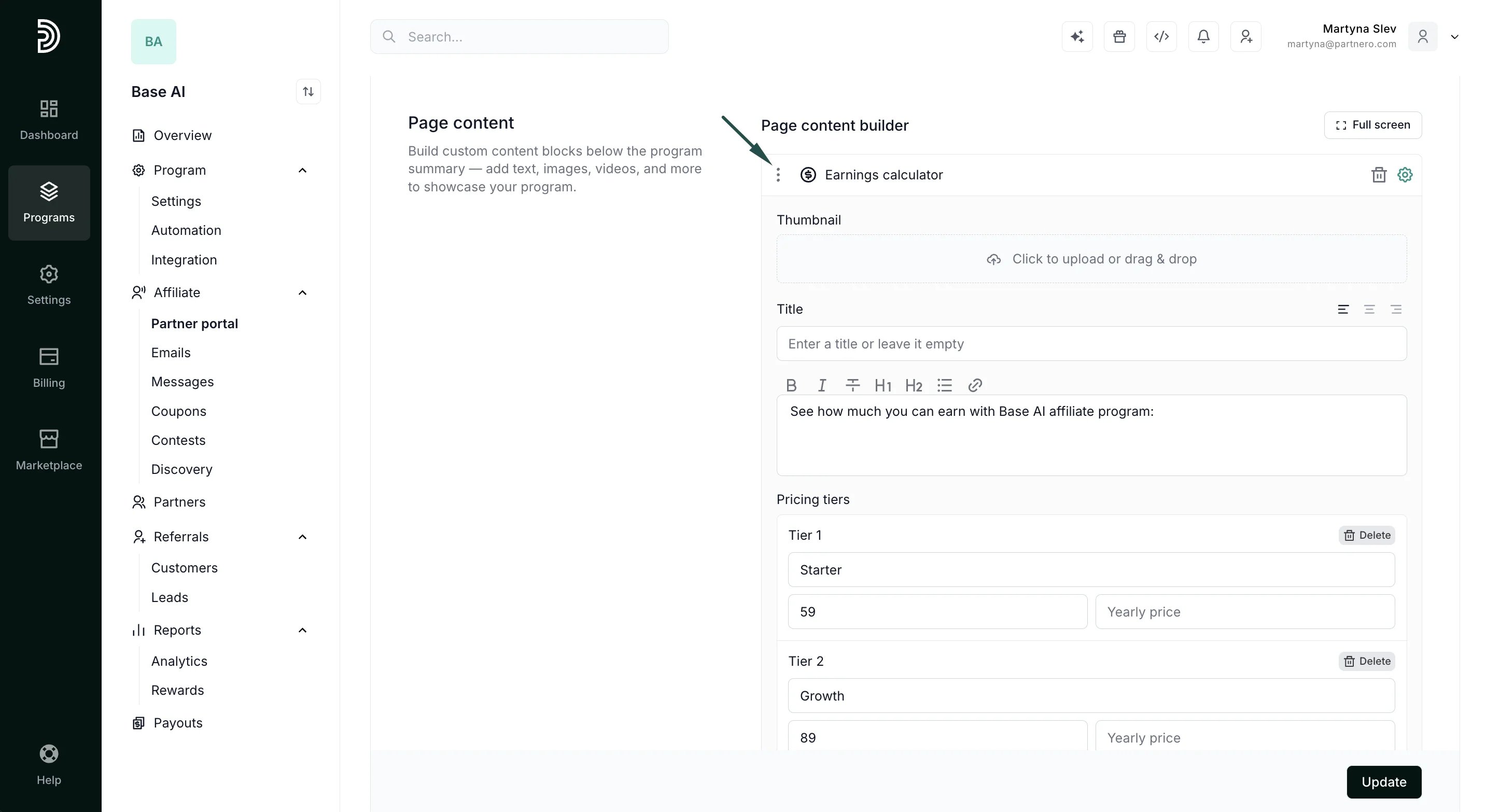
- Set the tier name and price for each plan. You can also add a yearly price if you offer a discount for annual subscriptions
- Choose whether commissions are customer-based (recurring) or sales-based (one-time).
- Enter the commission rate in your program’s currency.
- Configure the minimum, default, and maximum number of customers available in the calculator.
- Lastly, define what you’d like to display in the program page:
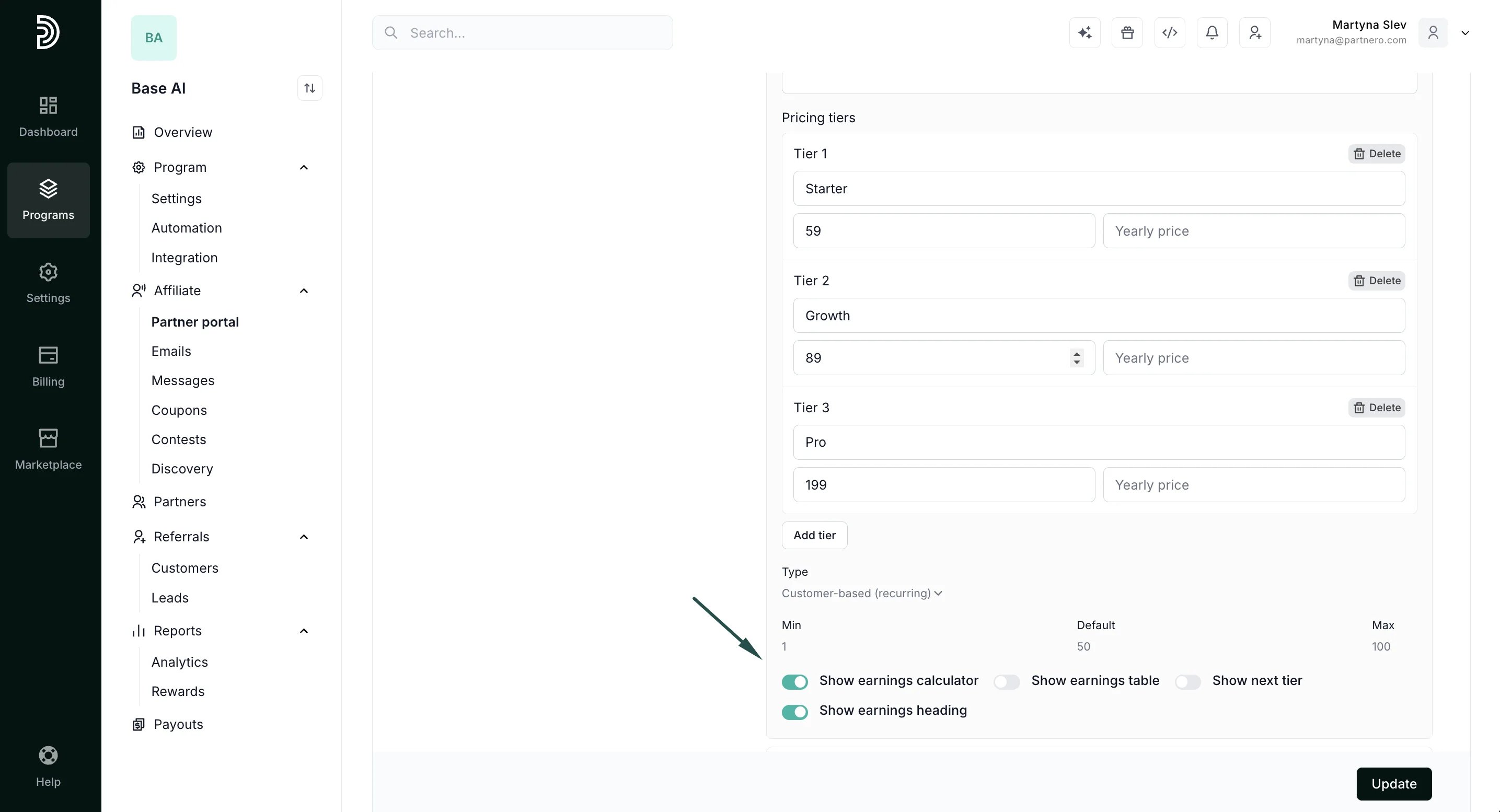
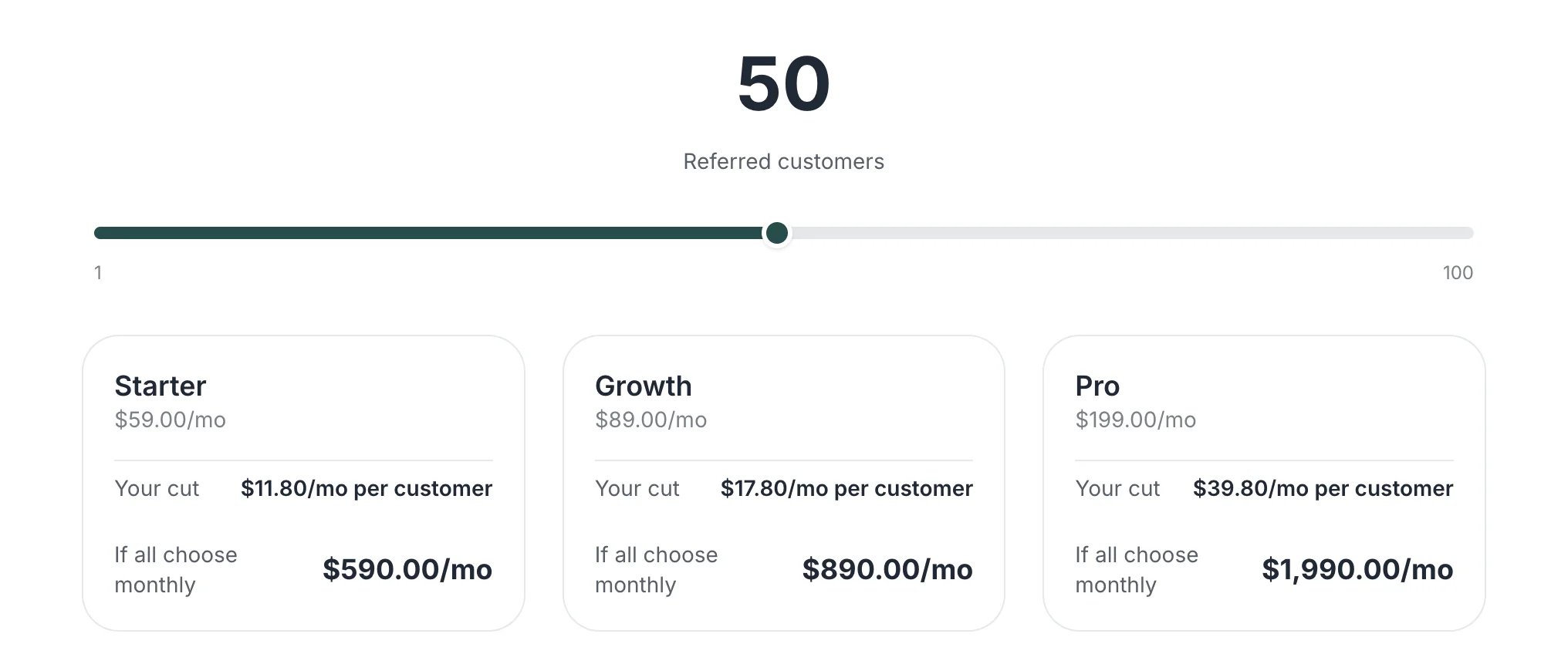
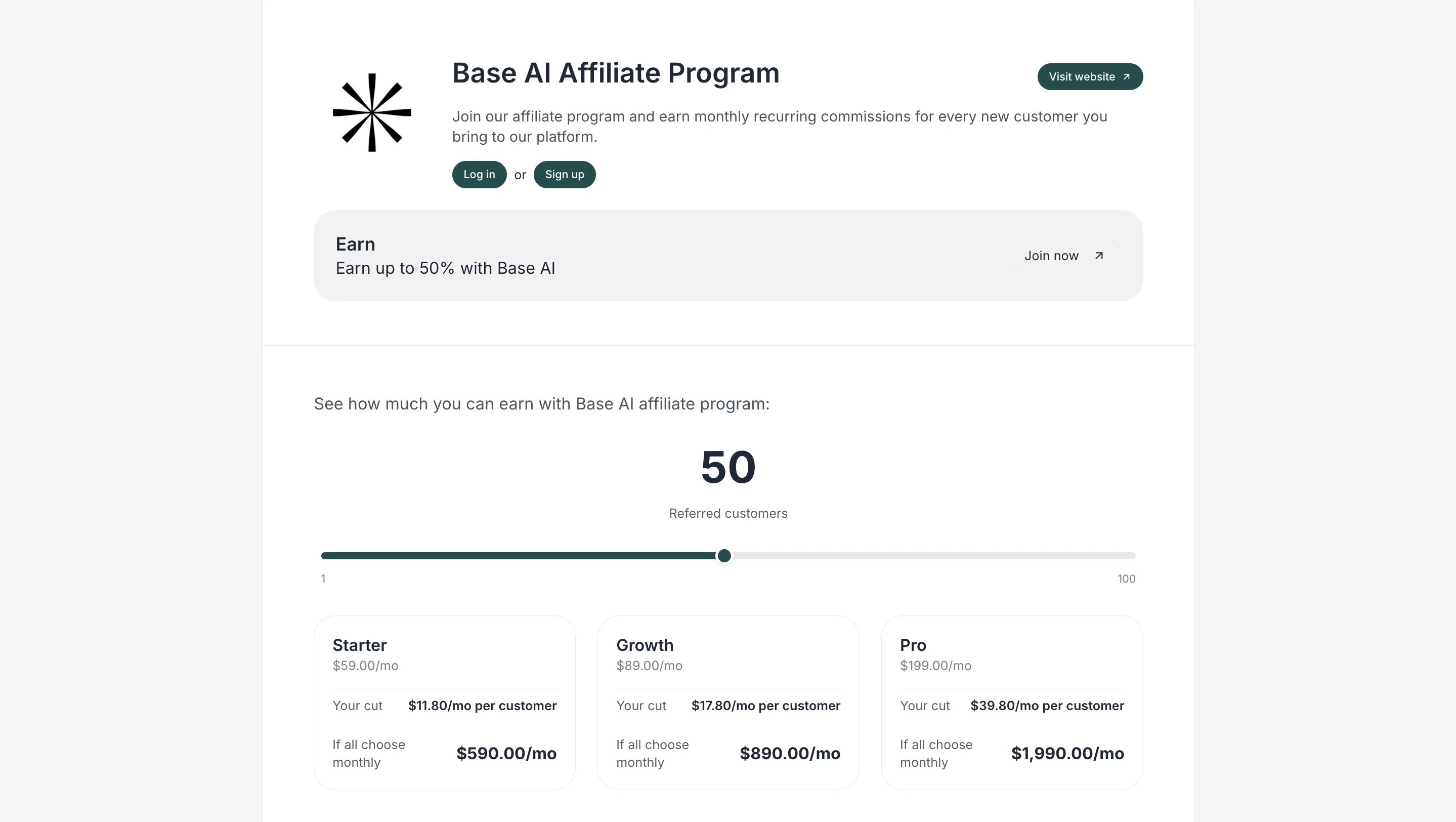
- Show earnings calculator - displays an interactive slider with pricing tiers.
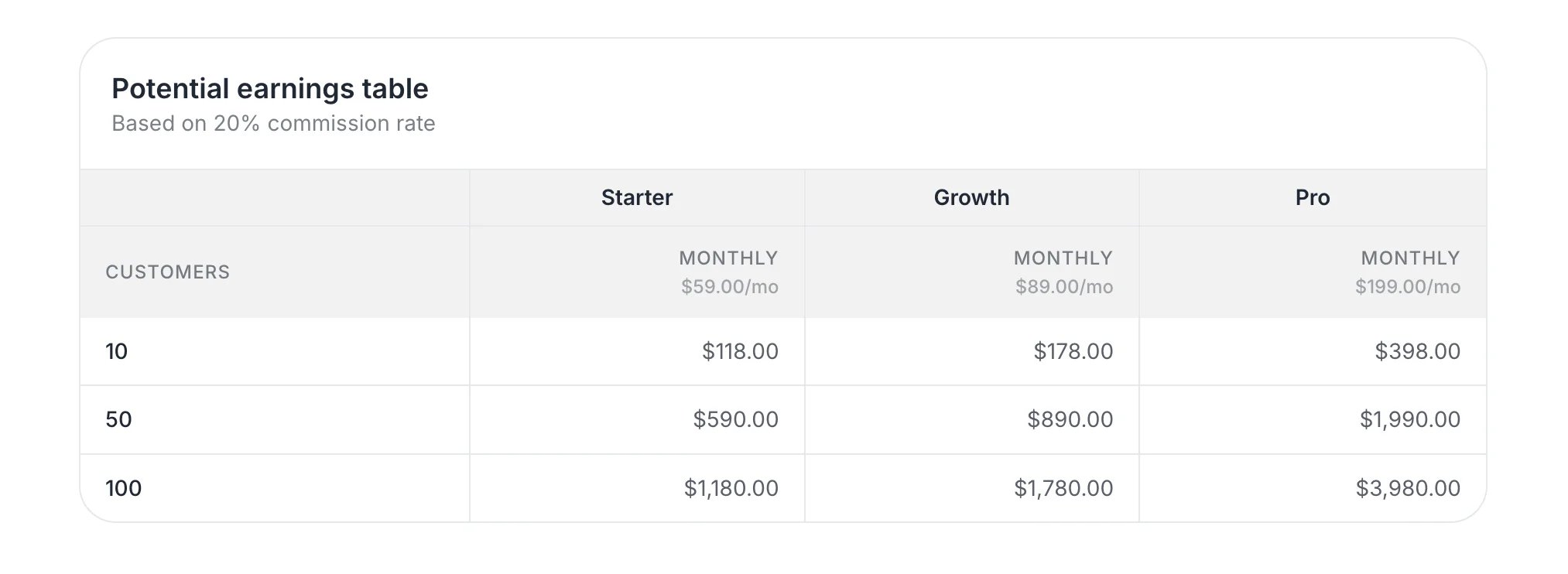
- Show earnings table - displays a static table with the indicated number of customers and the potential earnings.
- Show earnings calculator - displays an interactive slider with pricing tiers.
- Click Update to publish your changes.
Why use an earnings calculator?
- Increase conversions: Show real earning potential to motivate sign-ups.
- Set clear expectations: Transparently demonstrate how commissions work.
- Highlight recurring revenue: Emphasize long-term earning opportunities.
- Support tiered pricing: Reflect different plans or product levels.