What is a partner manager?
A partner manager is a user (team member) in your Partnero account who is responsible for a set of partners. Assigning one:- Shows the manager’s name and email to the partner in their portal (dashboard and profile).
- Lets you filter your partner list by manager to see who owns which partners.
- Adds an optional Manager column to your partners table.
Who can be a partner manager?
You don’t need a special role to be assignable. Any of the following users can be set as a partner’s manager, as long as they have access to that program:- Admins
- Regular users
- Partner Managers (a dedicated role, see below)
Who can assign or remove managers?
Only account admins can assign or unassign partner managers. Partner managers themselves cannot assign or change managers on partners.How to assign a partner manager Partner managers can be assigned to several partners at once (in bulk), or to an individual partner. To several partners at once (bulk):
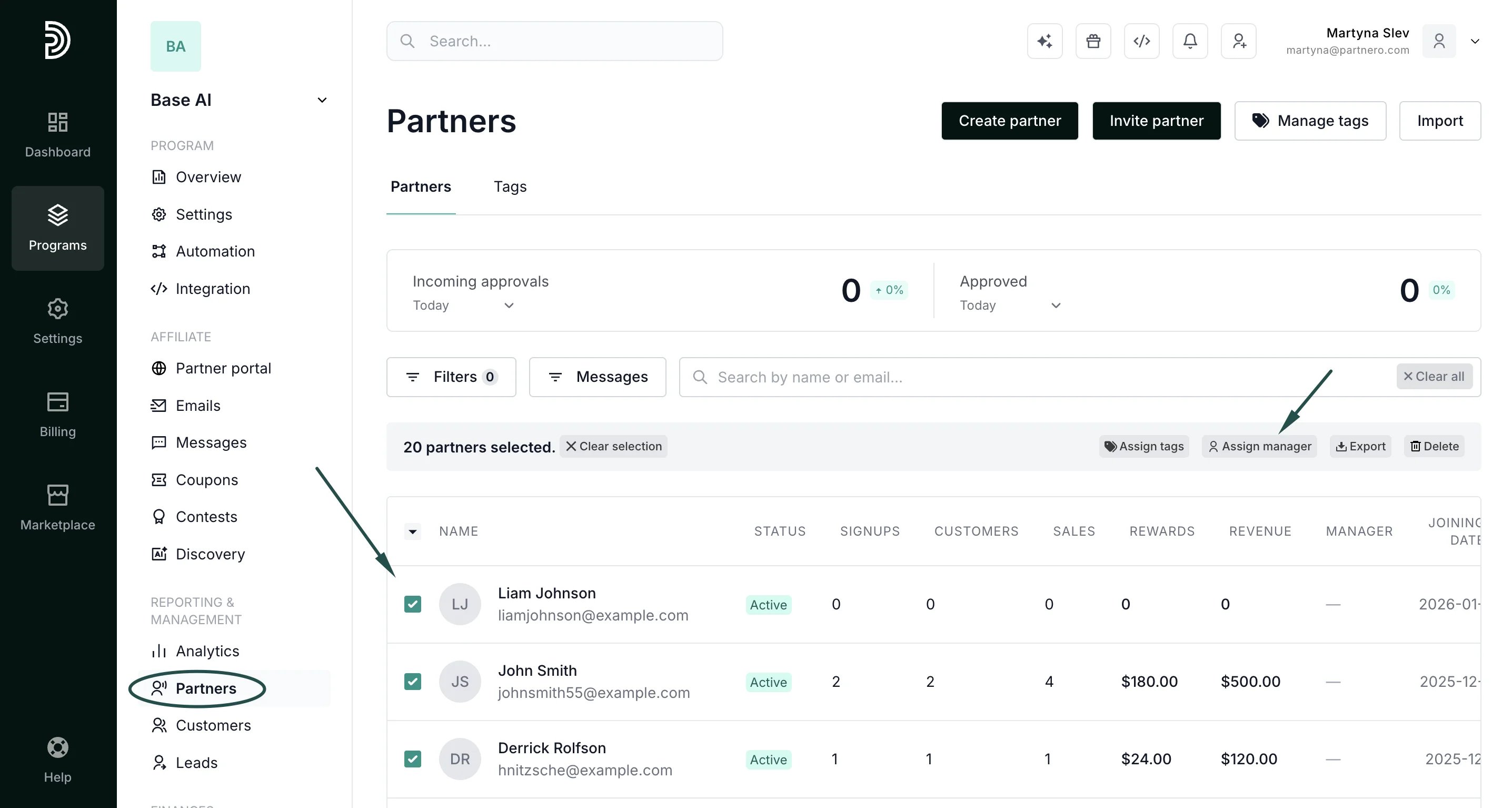
- Go to your program’s Partners list.
- Select the partners you want; tick individual partners, use Select all, or, if needed, apply filters.
- Click Assign manager:
- Choose a manager from the dropdown:
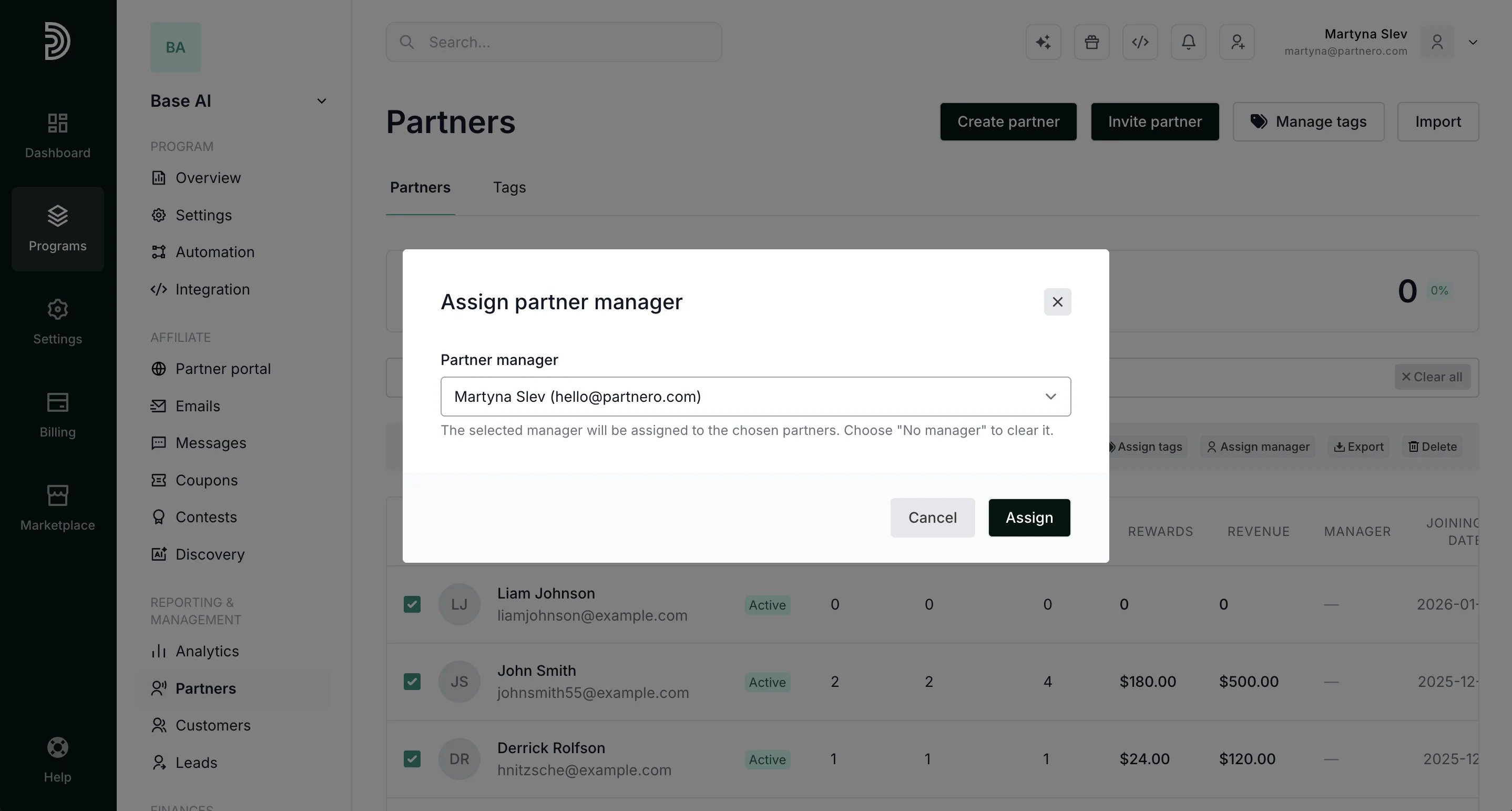
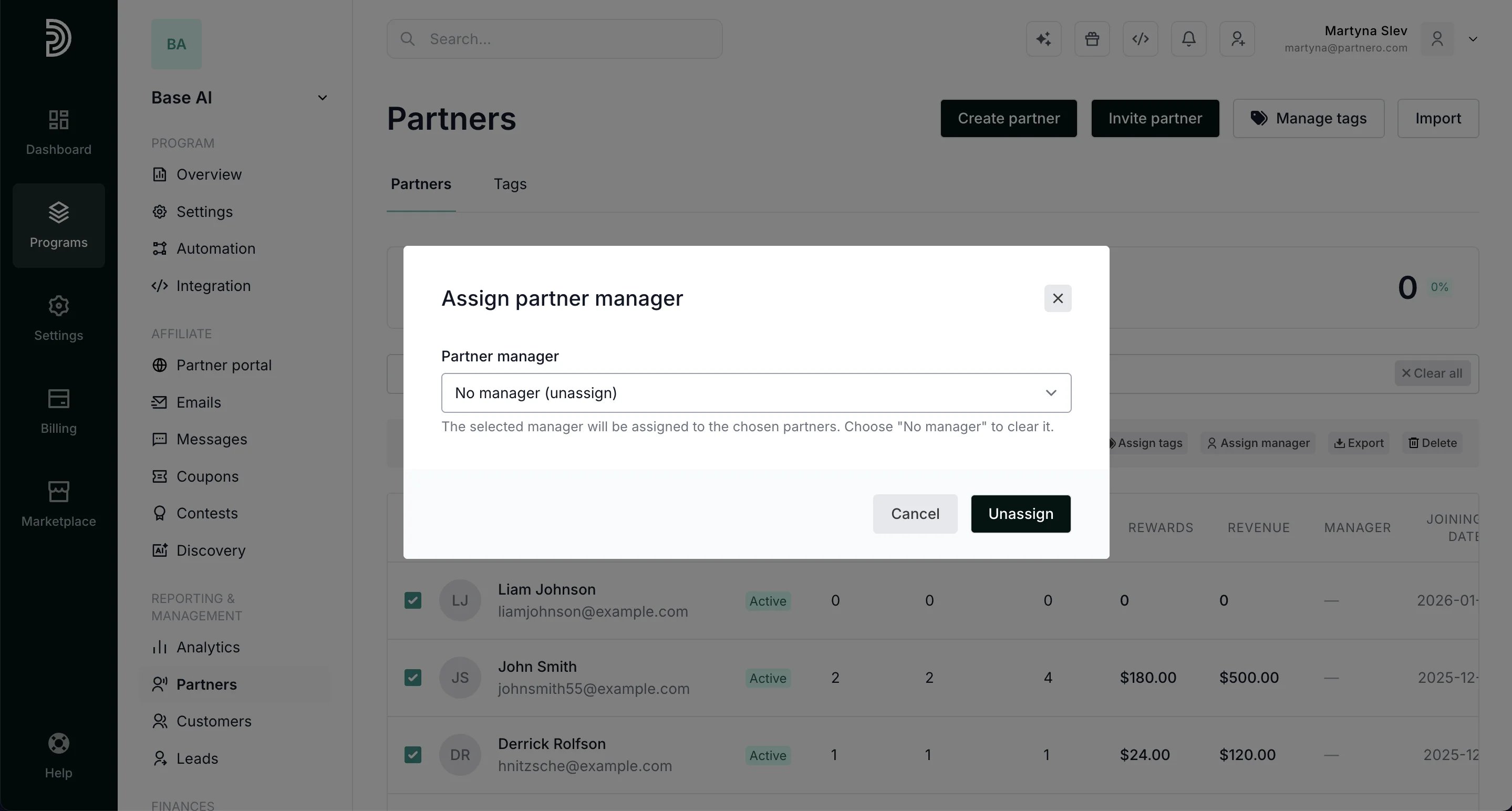
- Confirm with the Assign / Unassign button.
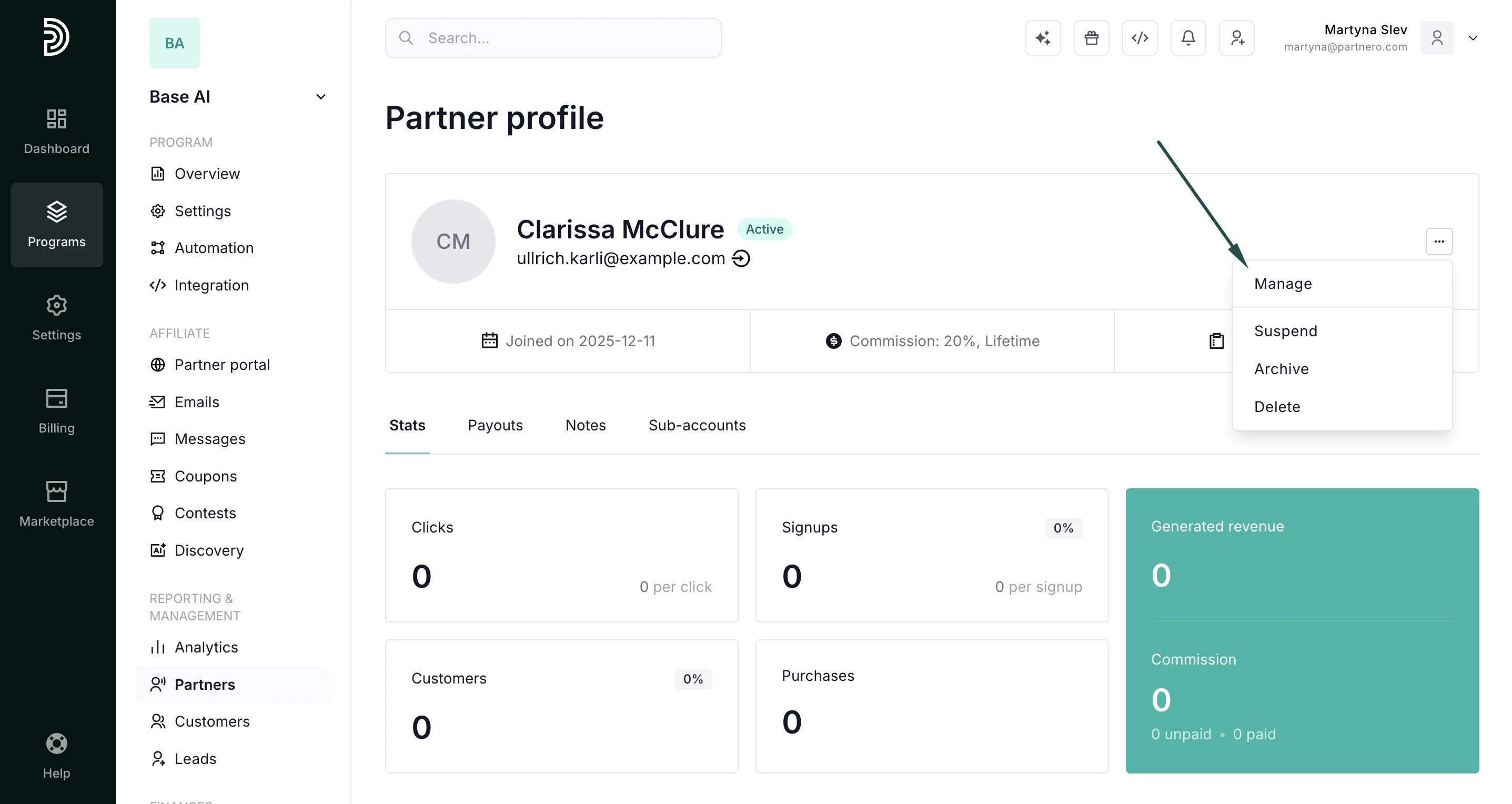
- Open the partner’s profile, click the three dots in the upper right, and click Manage:
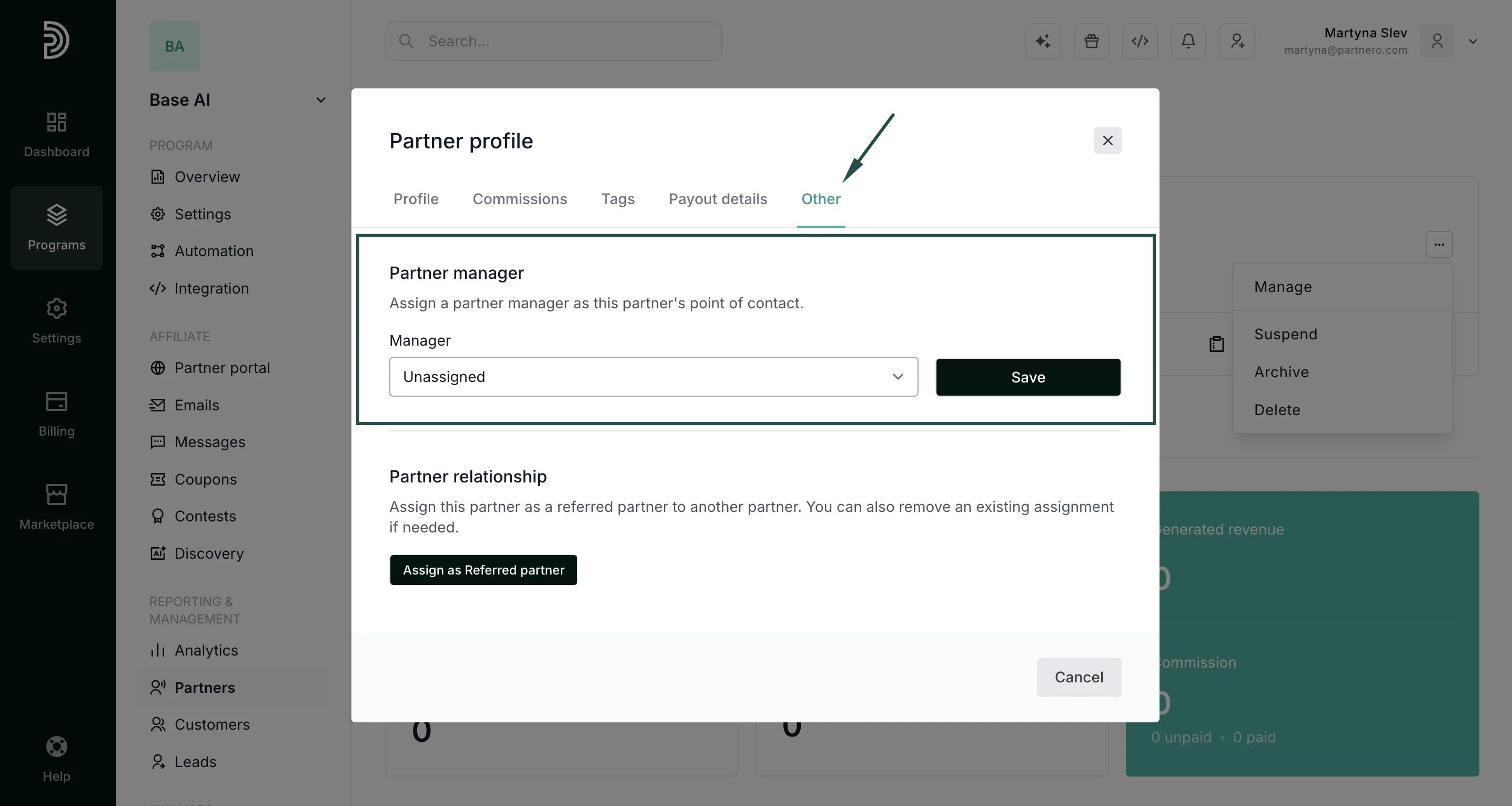
- Switch to the Other tab and use the Partner Manager section to assign or change the manager:
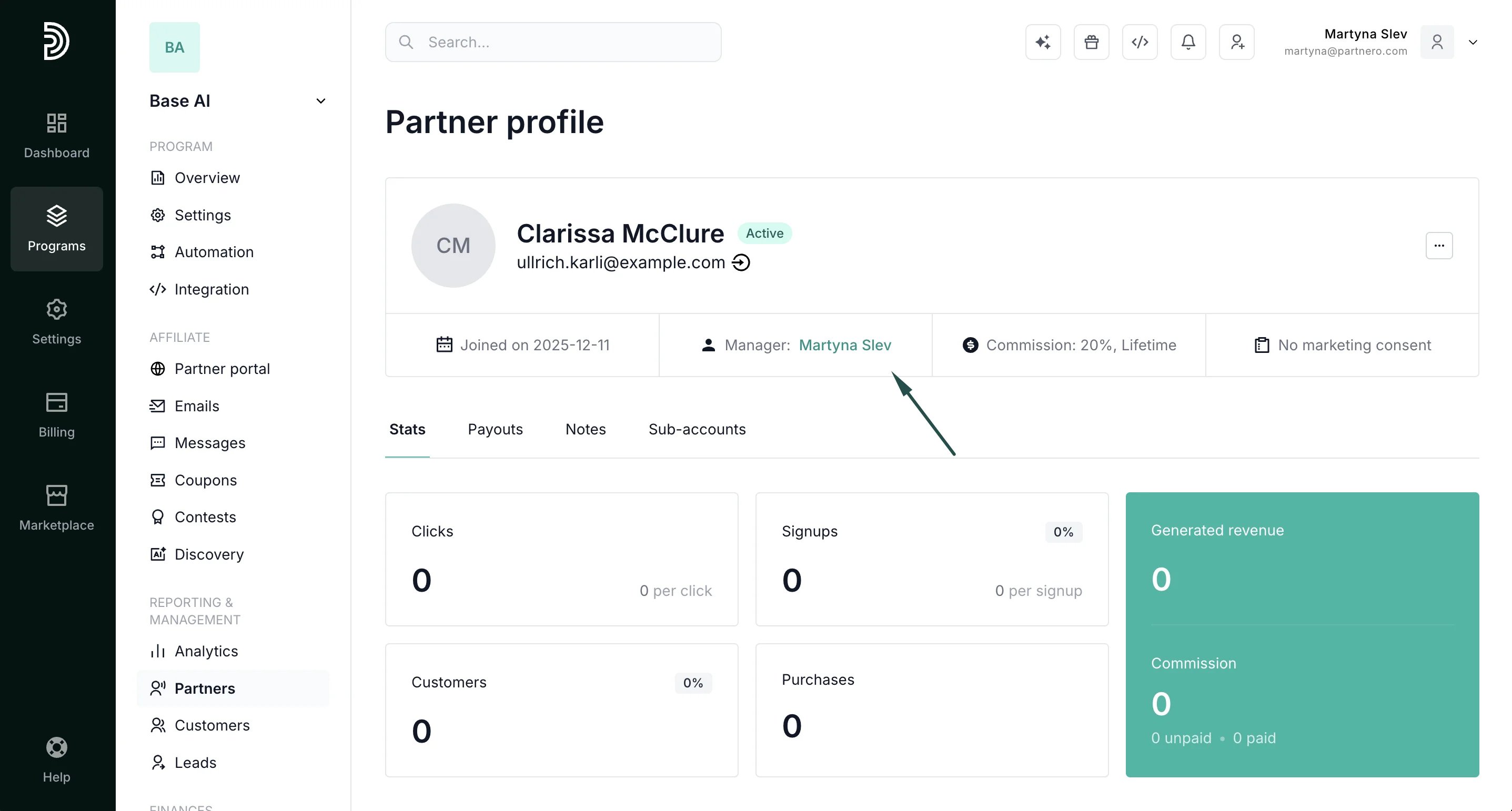
- The assigned manager’s name appears in the profile and links to that team member’s profile.
Filtering and viewing by manager
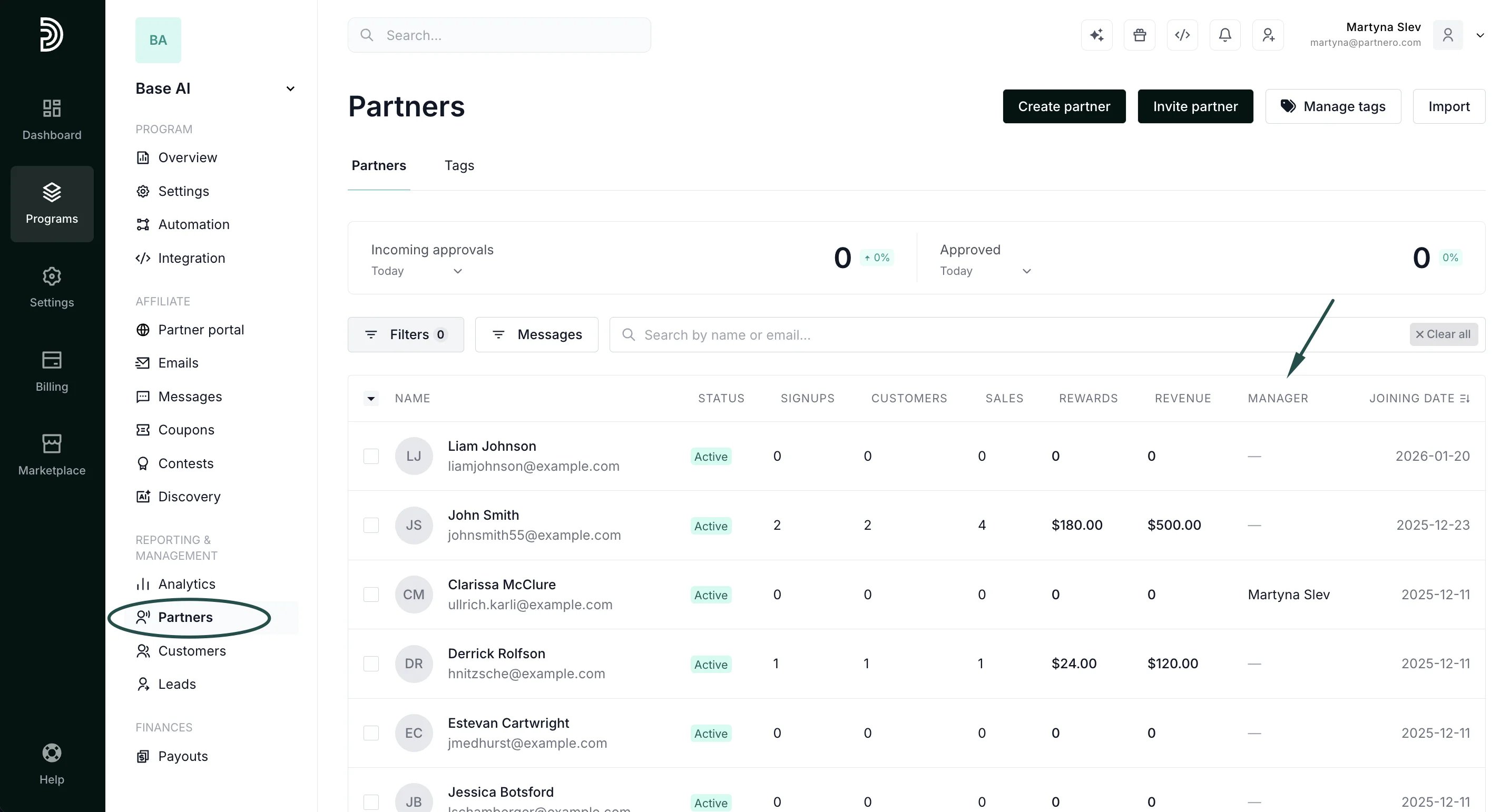
On the Partners list you can:- Filter by manager: choose a specific manager, or find unassigned partners:
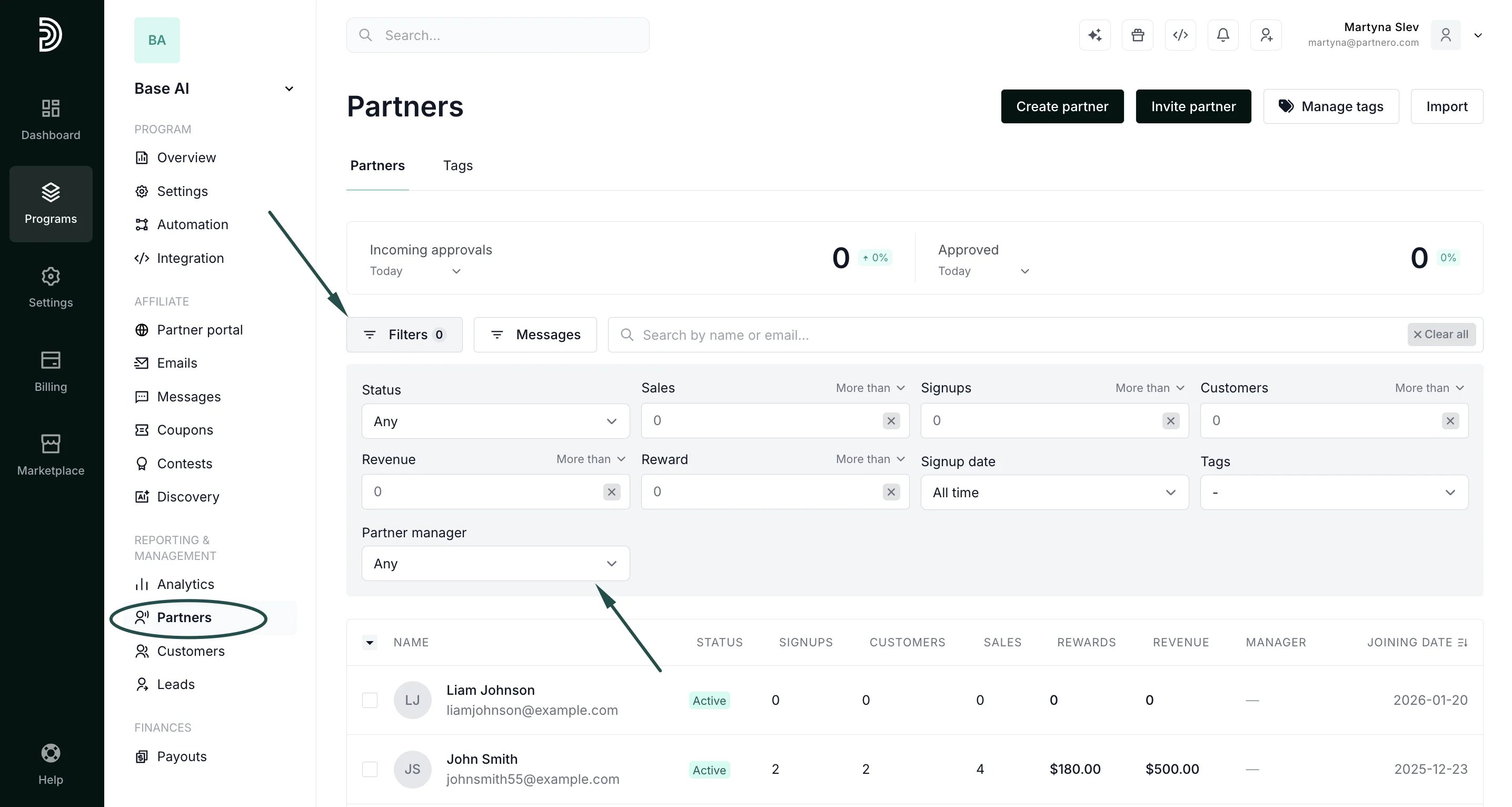
- View the Manager colum****n: see each partner’s manager inline in the partner table:
What the partner sees
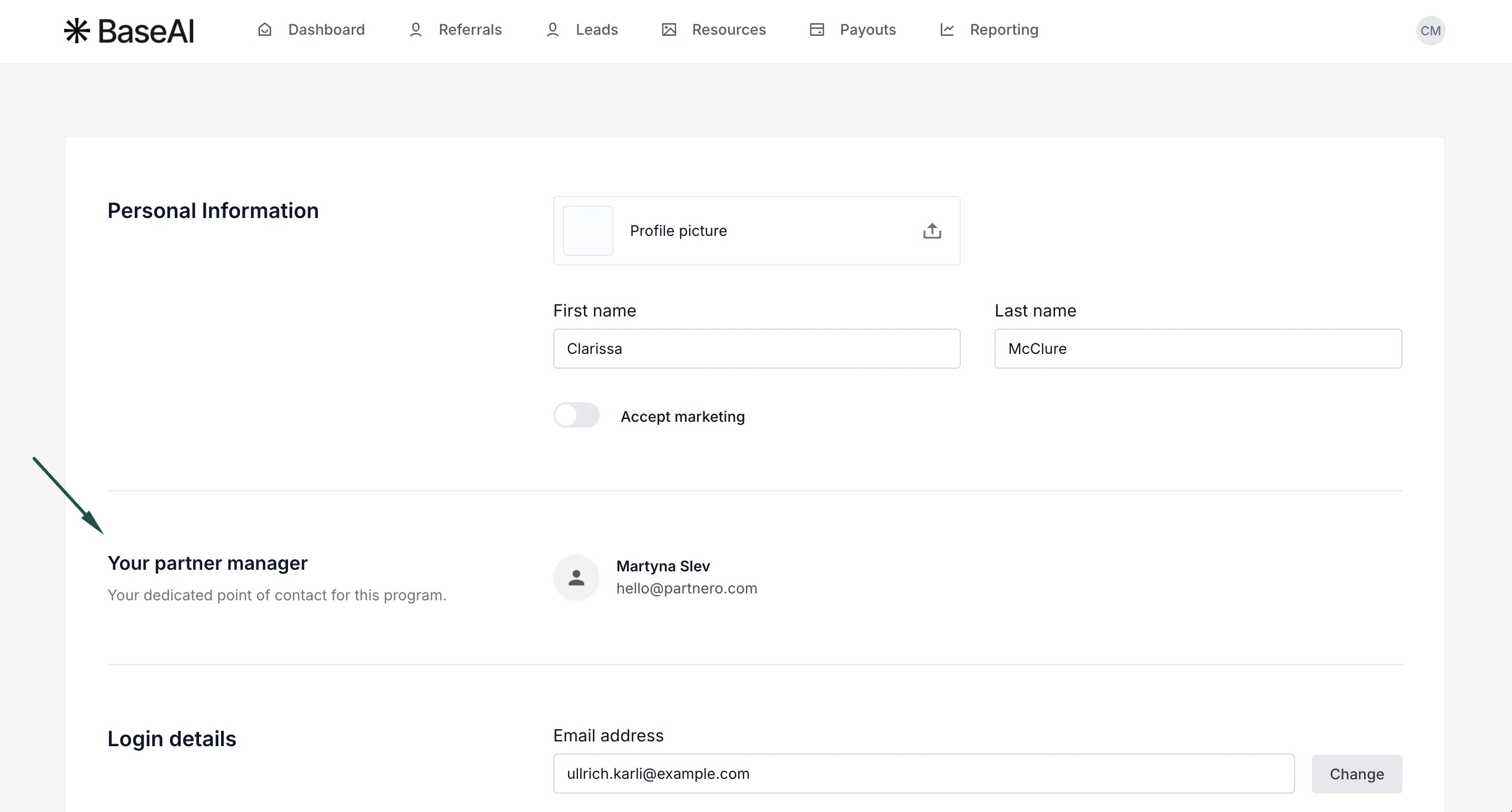
When a partner has a manager assigned, their portal displays a “Your partner manager” section showing the manager’s name and email (the email is a clickable link). It appears prominently on the partner’s dashboard and on their profile page. Dashboard view: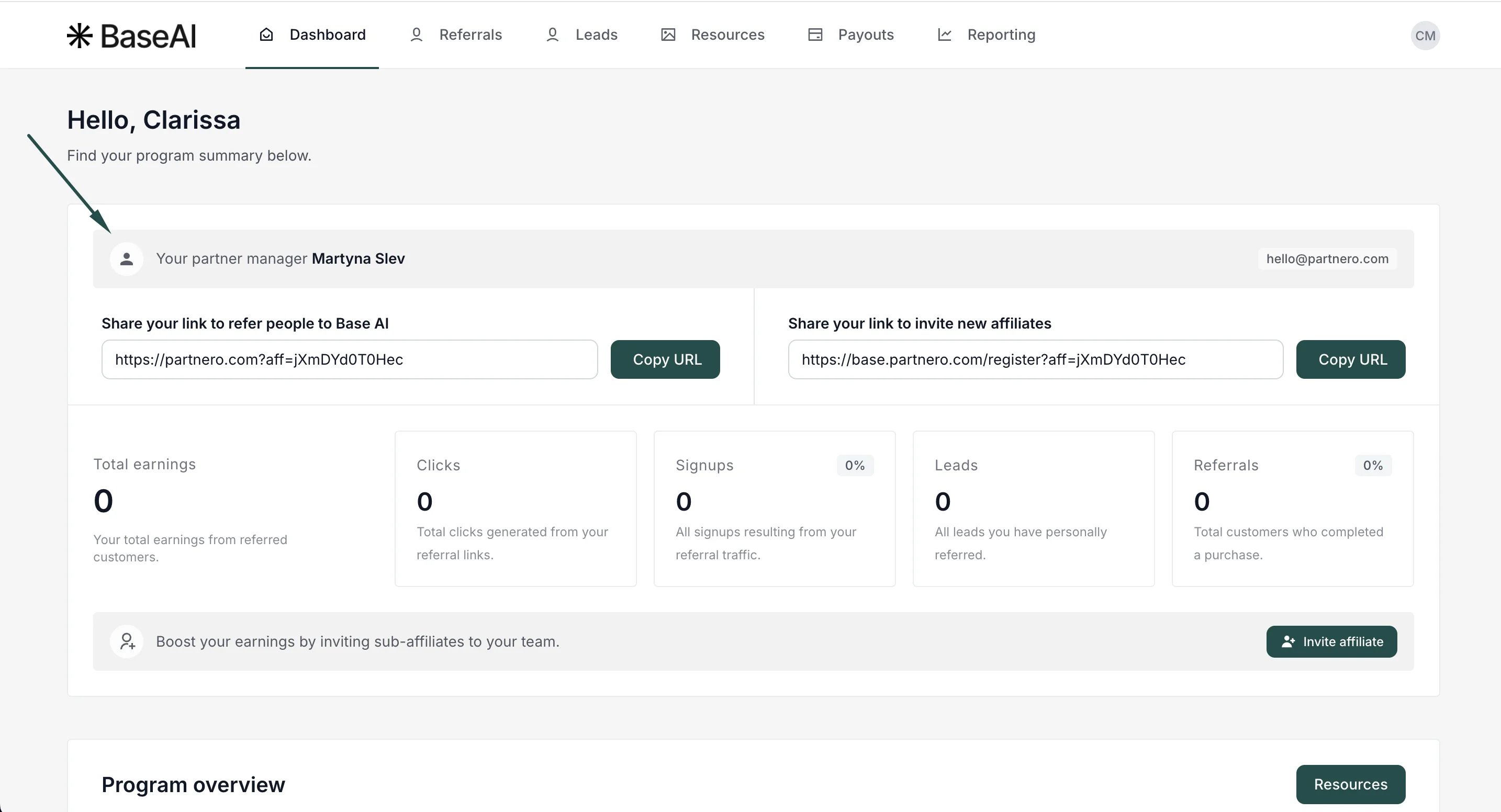
Limiting a partner manager’s access to program settings
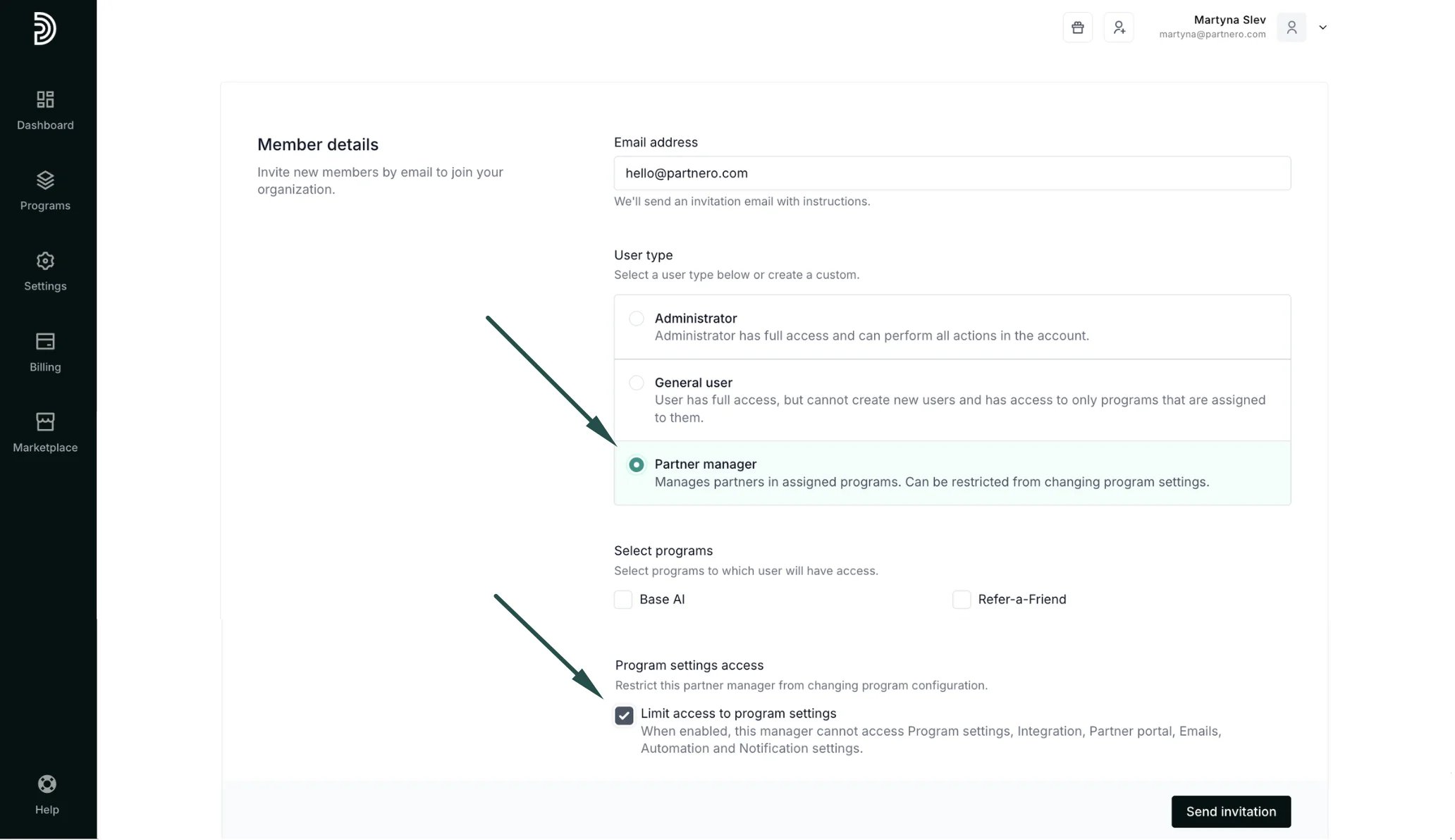
When inviting or editing a Partner Manager, account admins can turn on “Limit access to program settings.” When enabled, that manager can still work with partners, but they cannot view or change the program’s configuration. The following areas are hidden from the menu and blocked if accessed directly:- Program Settings
- Integrations
- Partner portal settings
- Emails settings
- Automation settings
- Notification settings