

Available settings
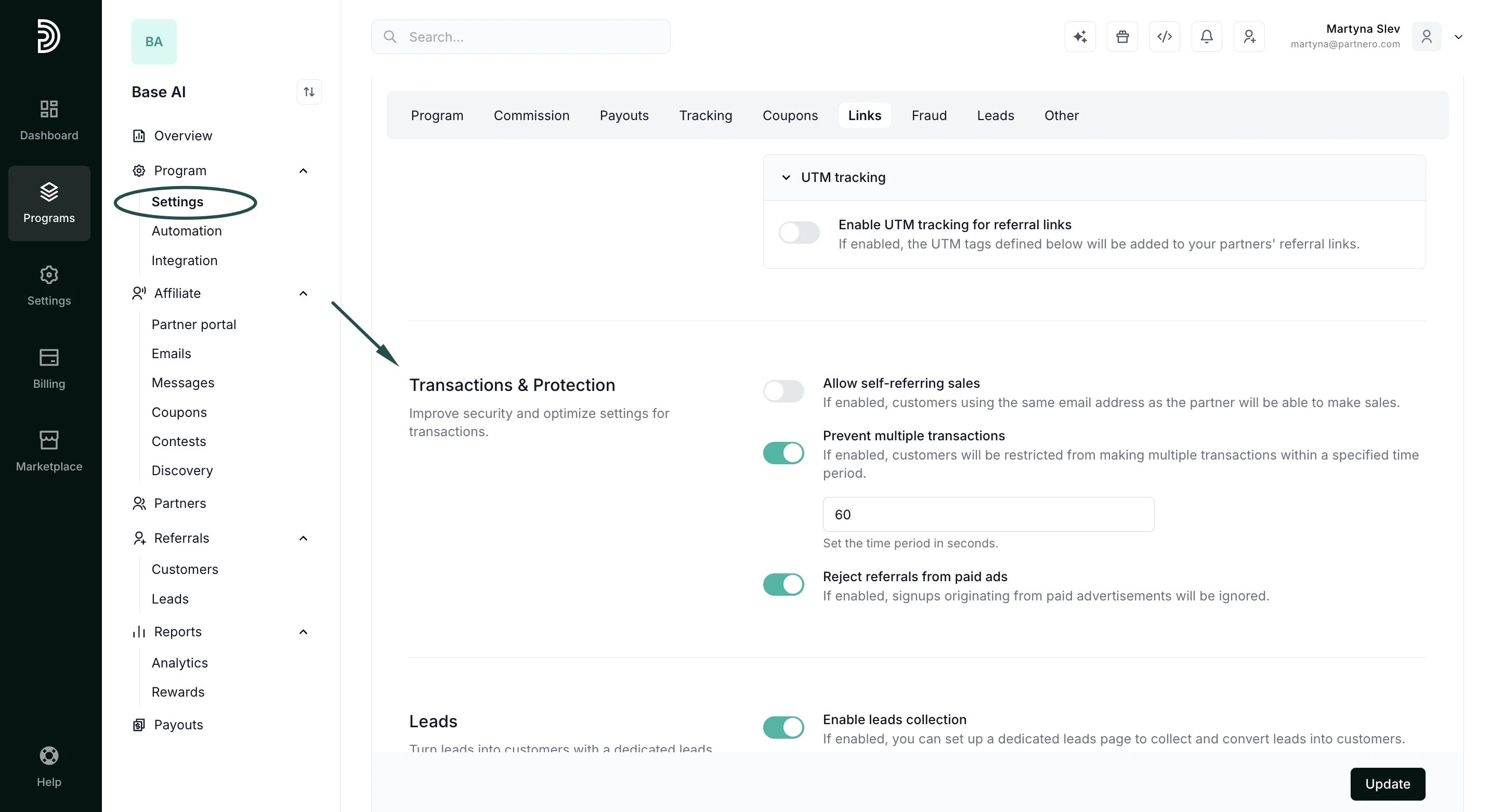
The following settings are available:- Allow self-referring sales By default, Partnero marks a transaction as _fraudulent_ if the referral’s and affiliate partner’s (or customer’s) email addresses match. This is to prevent self-referral. However, if in your program, it’s agreed that affiliates can create accounts and make purchases on behalf of their customers, you can allow self-referring sales.
- Prevent multiple transactions This setting restricts customers from making multiple transactions within a specified period. For example, one customer can make no more than one purchase within 60 seconds.
- Reject referrals from paid ads If enabled, signups originating from paid advertisements will be ignored. Such signups are recognized by automatically checking referral data for UTM parameters, HTTP header tags, and Google Click Identifiers (GCLID) & Facebook Click Identifiers (FBCLID).
How to change transaction settings
- Open the program you’d like to work with and navigate to Settings under Program.
- Scroll down to the Transactions & Protection section and toggle the settings based on your preference:
- Click Update.