

- customizing an affiliate link so it’s easy to share (e.g., yourwebsite.com/ref=partnername)
- using different links for different sources to track performance (e.g., yourwebsite.com/ref=partnerwebsite, yourwebsite.com/ref=partneryoutube).
- Open the affiliate program and go to Partner portal under Affiliate.
-
In the Settings tab, scroll down to Partner permissions. You’ll find two toggle options there:
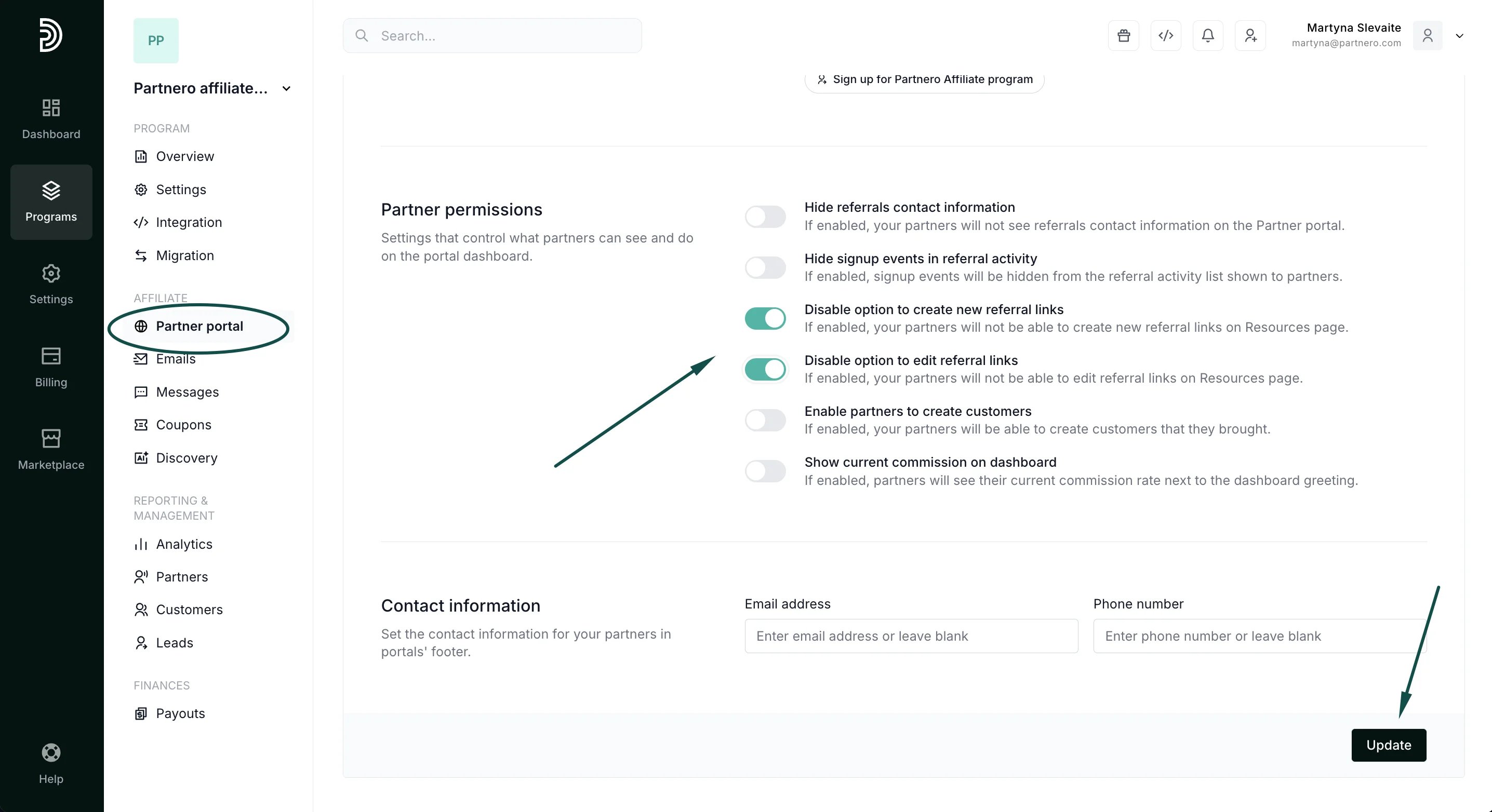
- Click Update.