

How it works
By default, every resource you create is visible to all partners. When you enable tag-based visibility on a resource, only partners who have at least one of the selected tags will see it. Partners without any matching tags will not see that resource on their portal. This applies to both the Resources page content and the Dashboard content blocks.Setting up visibility
⚠️ Prerequisites: You need to have partner tags configured in your program to use this feature. Step 1: Open the Partner dashboard tab Navigate to your program → Partner portal and select the Partner dashboard tab: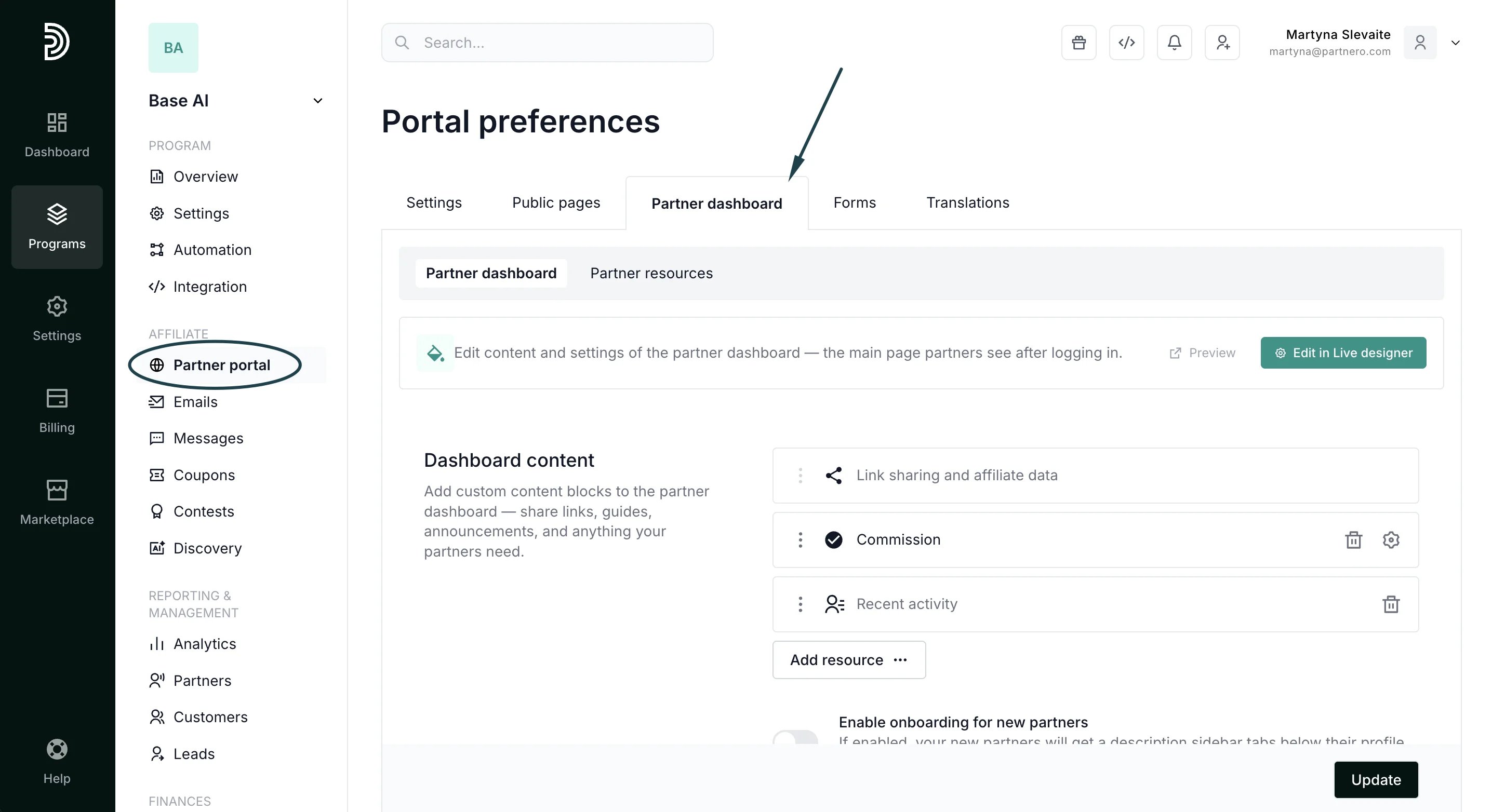
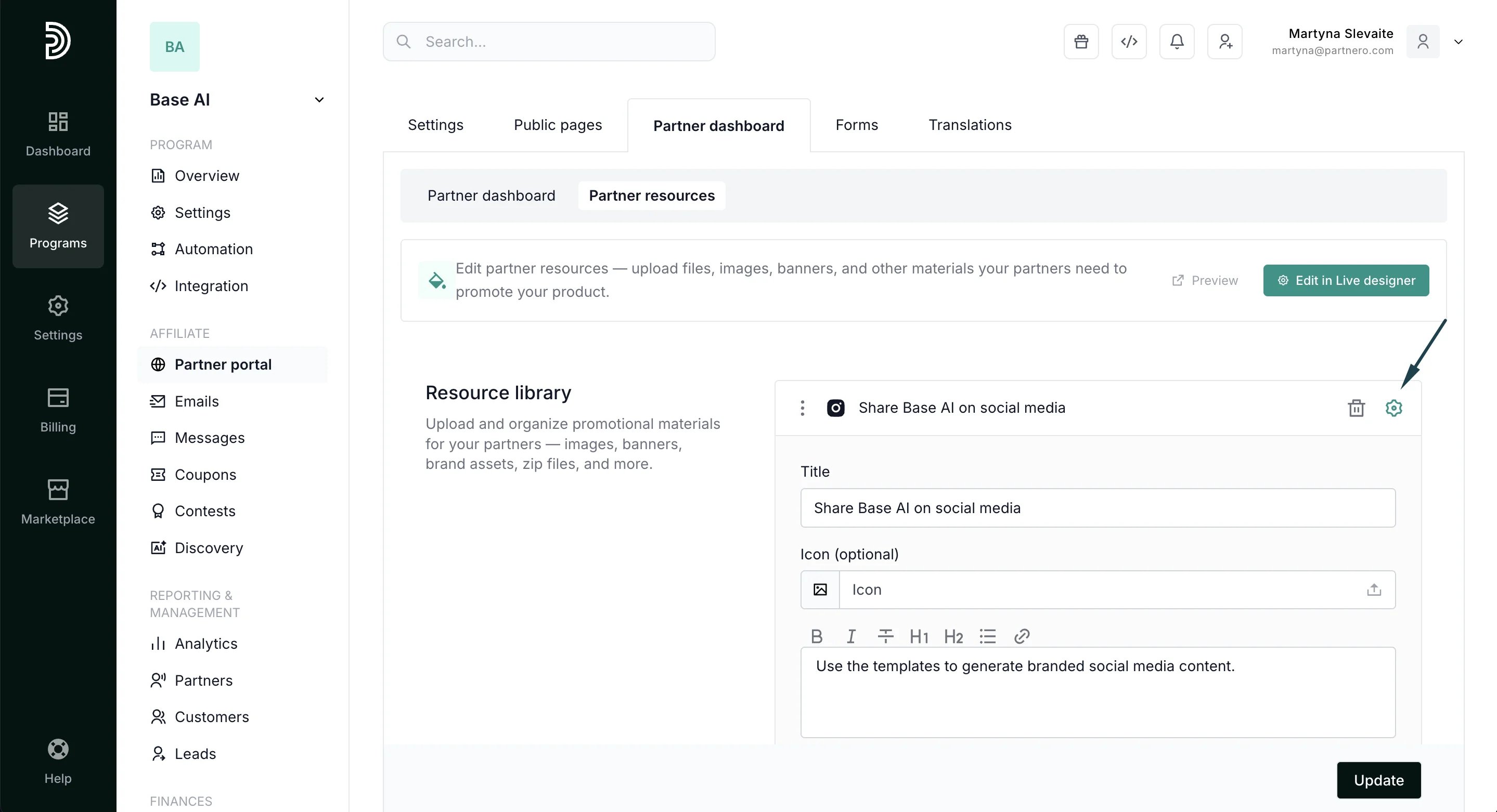
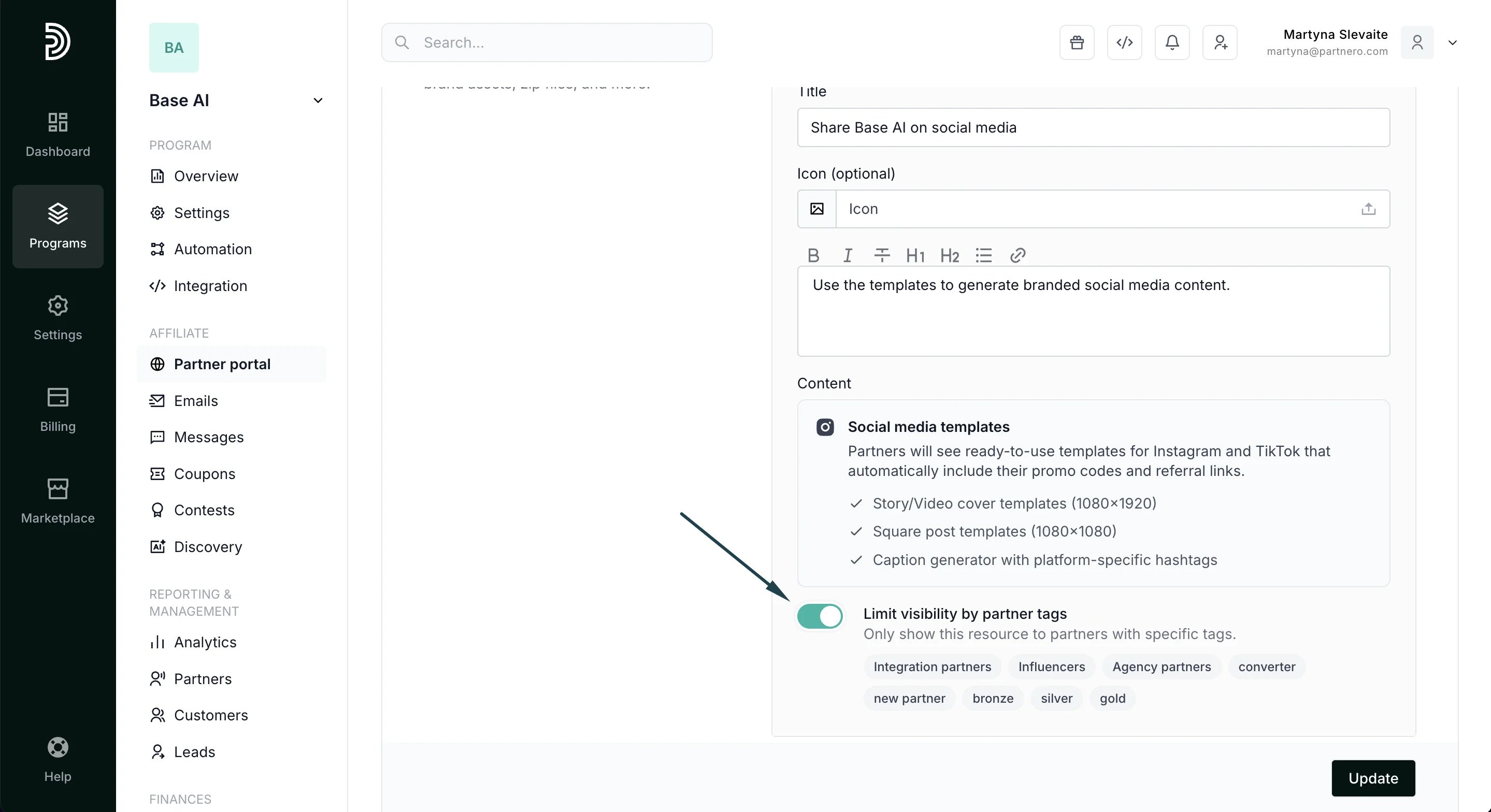
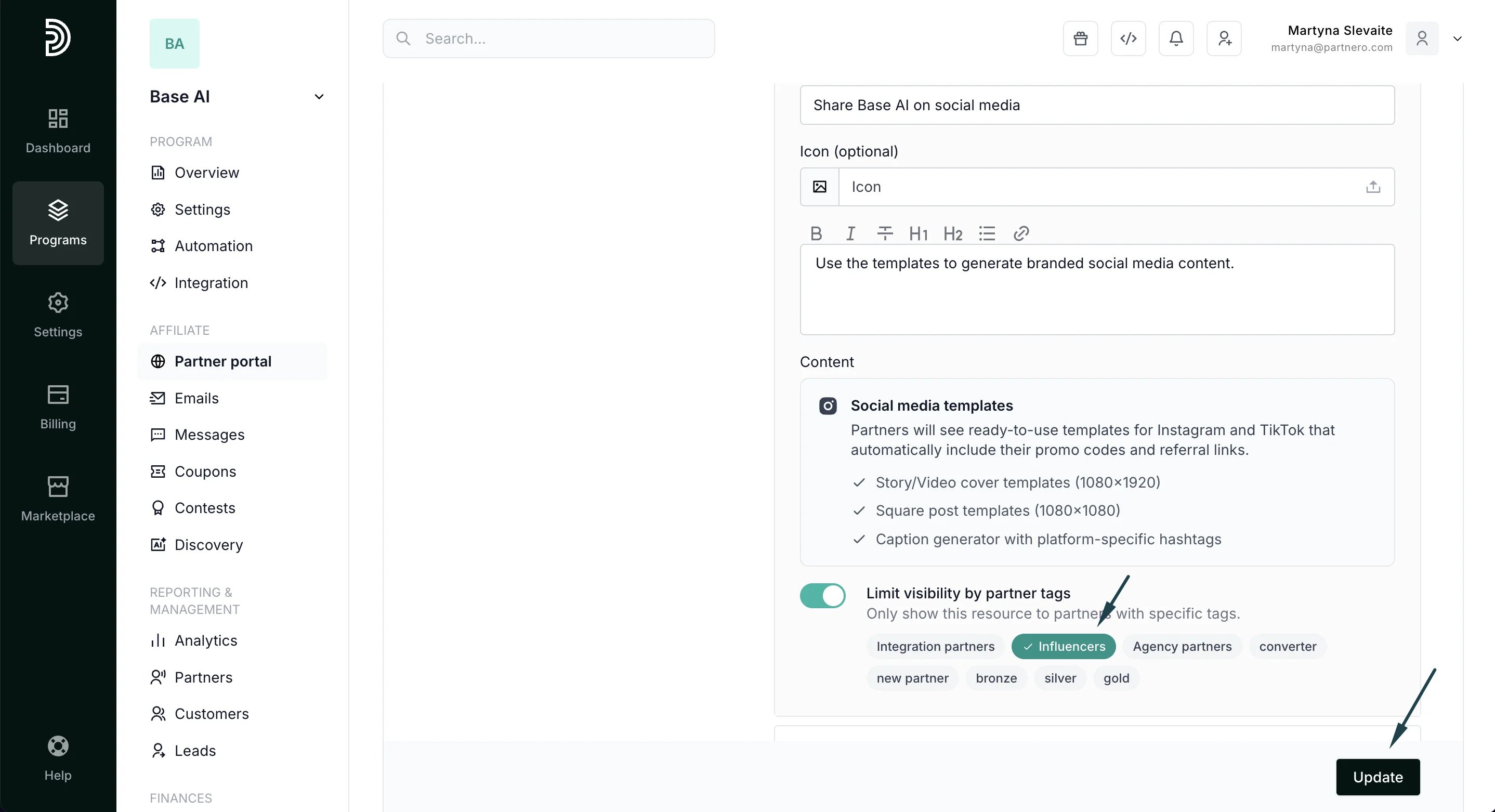
Use cases
Show premium assets only to top partners: Create a resource with exclusive banners or marketing materials. Enable the visibility toggle and select the “premium” tag. Only partners tagged as “premium” will see this resource. Segment onboarding content by partner type: Create separate dashboard content blocks for different partner segments. Tag one block with “new-signup” for onboarding tips, and another with “earner” for advanced strategies. Restrict access to seasonal campaigns: Add a resource with holiday campaign materials and limit it to partners tagged with “active-campaign”. Remove the tag from partners when the campaign ends.Things to keep in mind
- Default behavior: Resources without the visibility toggle enabled are visible to all partners, as before.
- Empty tag selection: If you enable the toggle but don’t select any tags, the resource remains visible to all partners as a safety measure.
- Multiple tags: If you select multiple tags, a partner only needs one of them to see the resource (OR logic, not AND).
- Menu visibility: If all resources on the Resources page are hidden from a partner (and they have no promotion codes), the Resources menu item is automatically hidden from their portal navigation.
- No partner notification: Partners are not notified when resources are shown or hidden. The content simply appears or doesn’t appear on their portal.