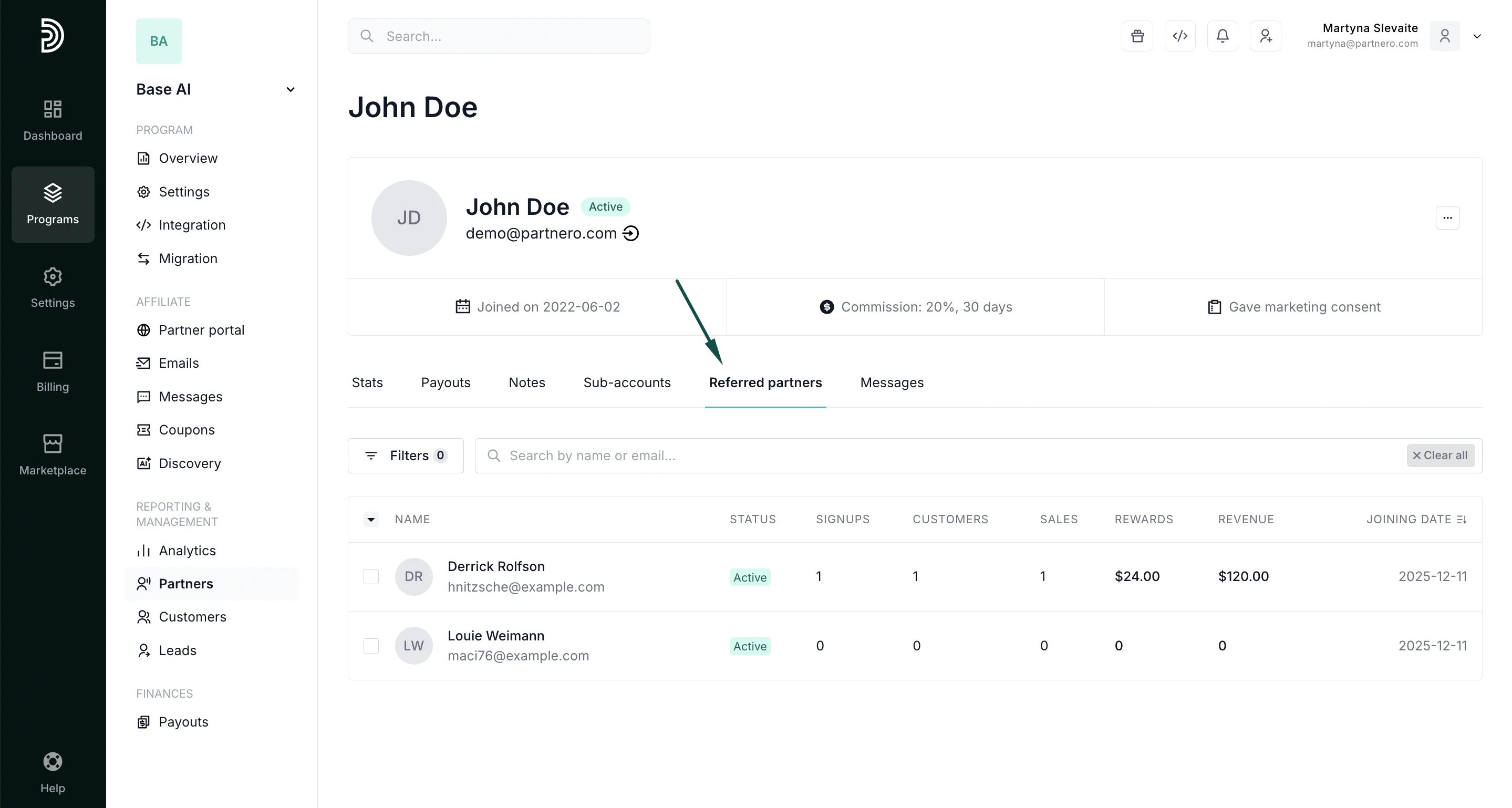
Can affiliates see the partners they refer?
You can choose to display a list of referred affiliates to the affiliate who referred them. This allows affiliates to see who they’ve brought into the program. To enable the referred affiliates table:- Go to Partner Portal → Settings and scroll down to the Partner permissions section.
- Toggle Show referred partners table:
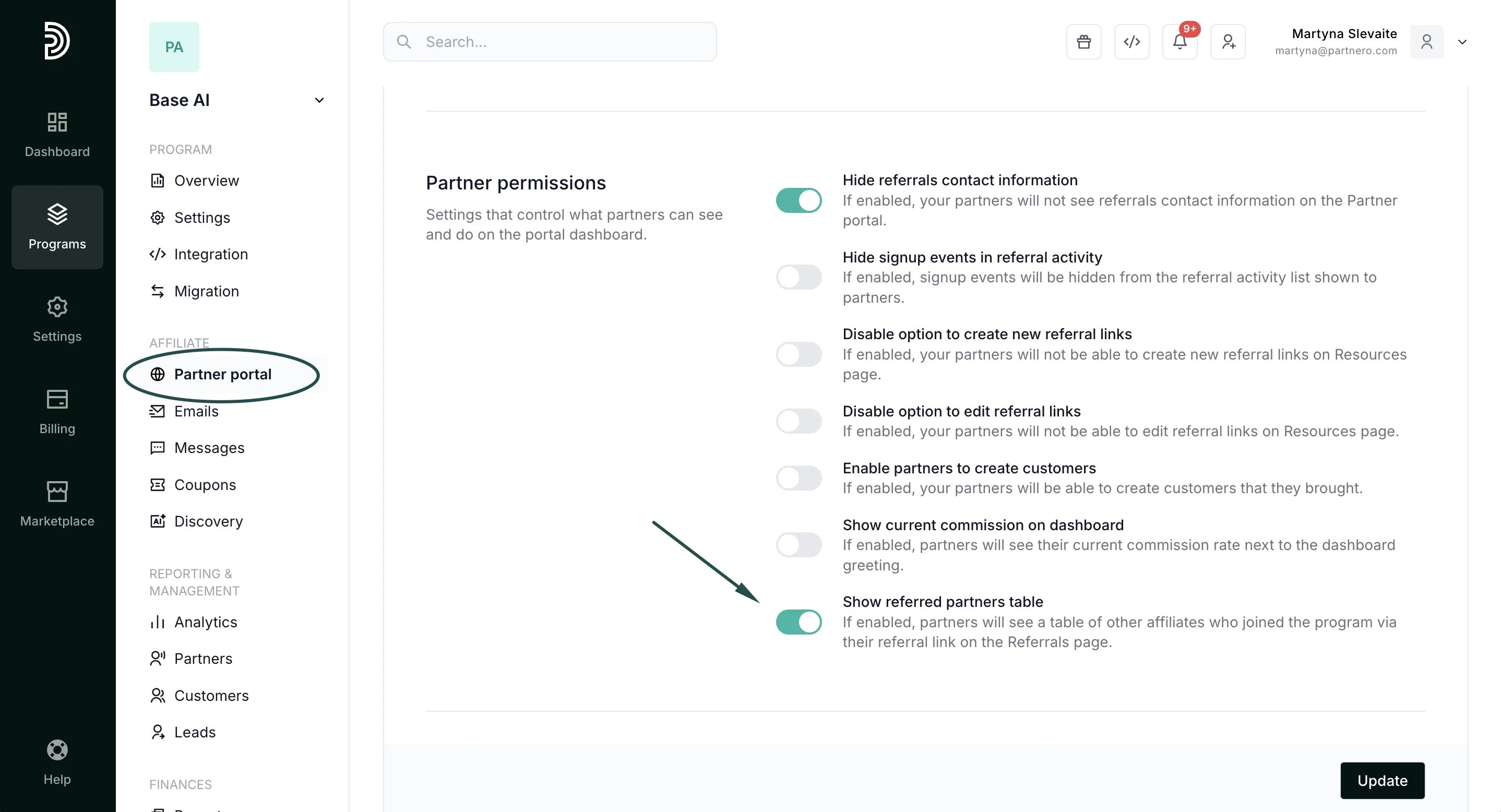
- Click Update to publish changes.
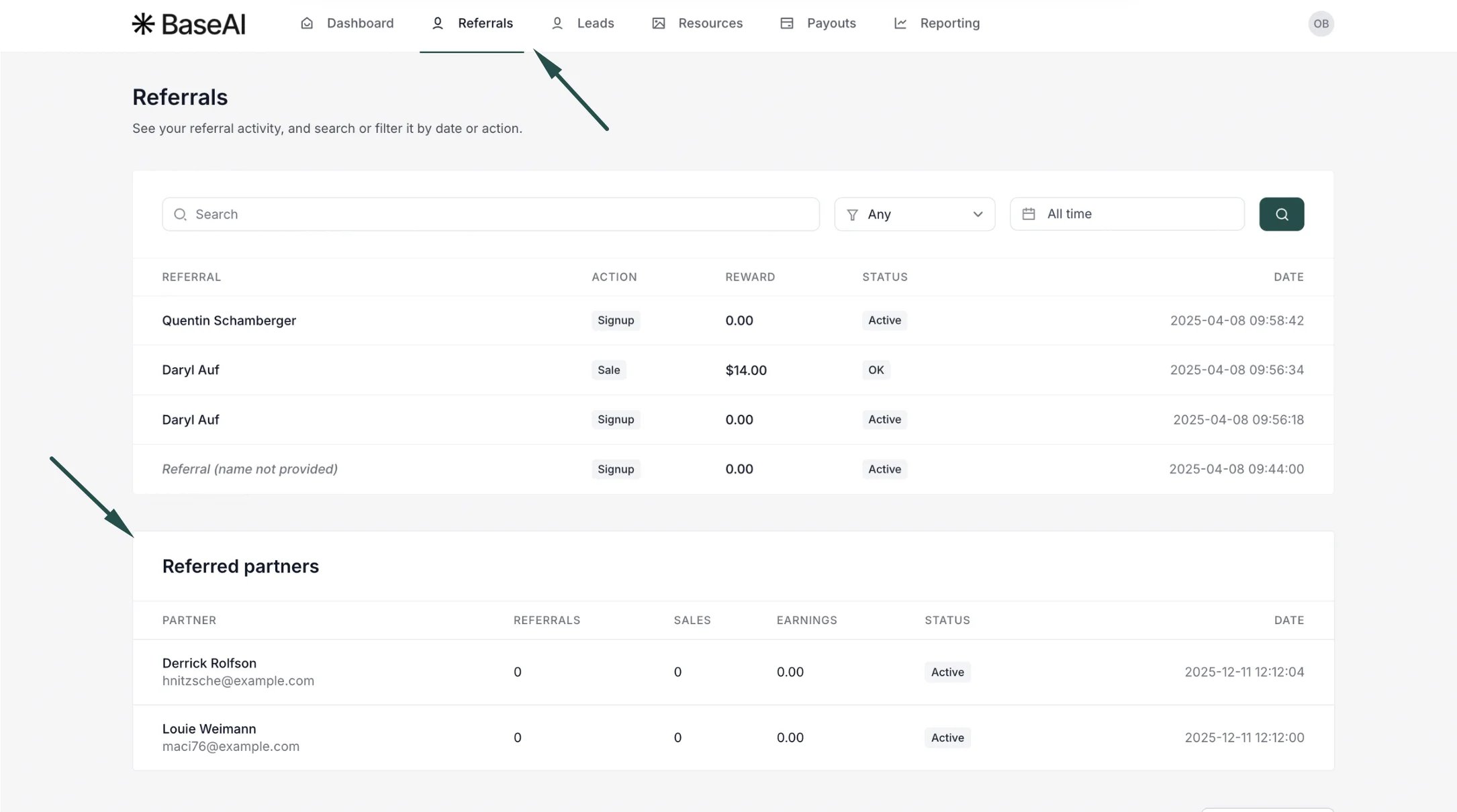
⚠️ Note: This setting is only available if multi-level commissions are enabled and configured. By default, the referred affiliates table is not shown**.**When enabled, affiliates will see a new referred partners table in the Referrals section of the partner portal: