

Default: yourdomain.com/xxxyyy Custom: subdomain.yourdomain.com/xxxyyy (e.g. refer.partnero.com/xxxyyy)To customize your referral links’ domain:
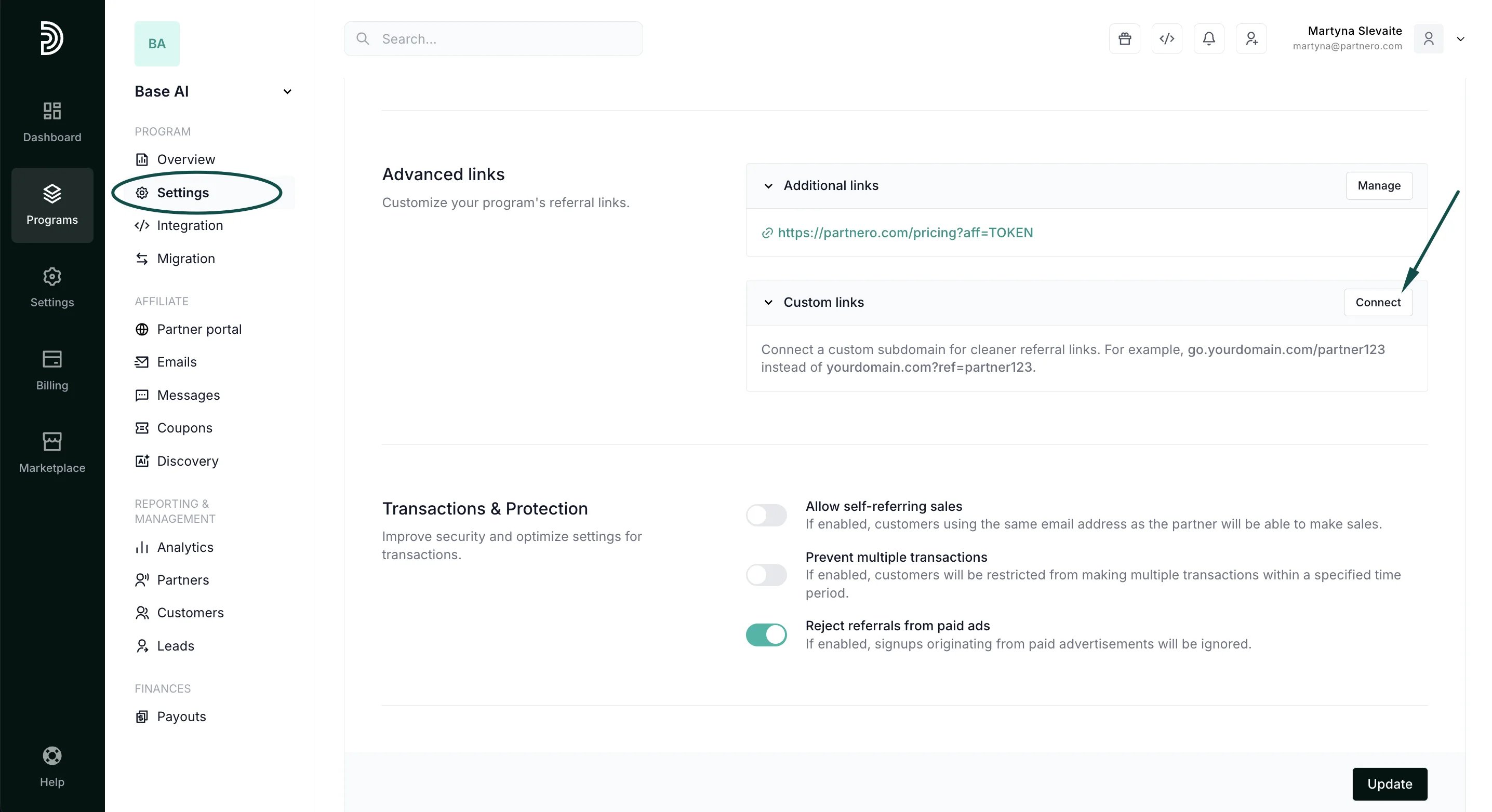
- Go to Settings under Program, and scroll down to the Advanced links section.
-
Click Connect next to Custom links:
-
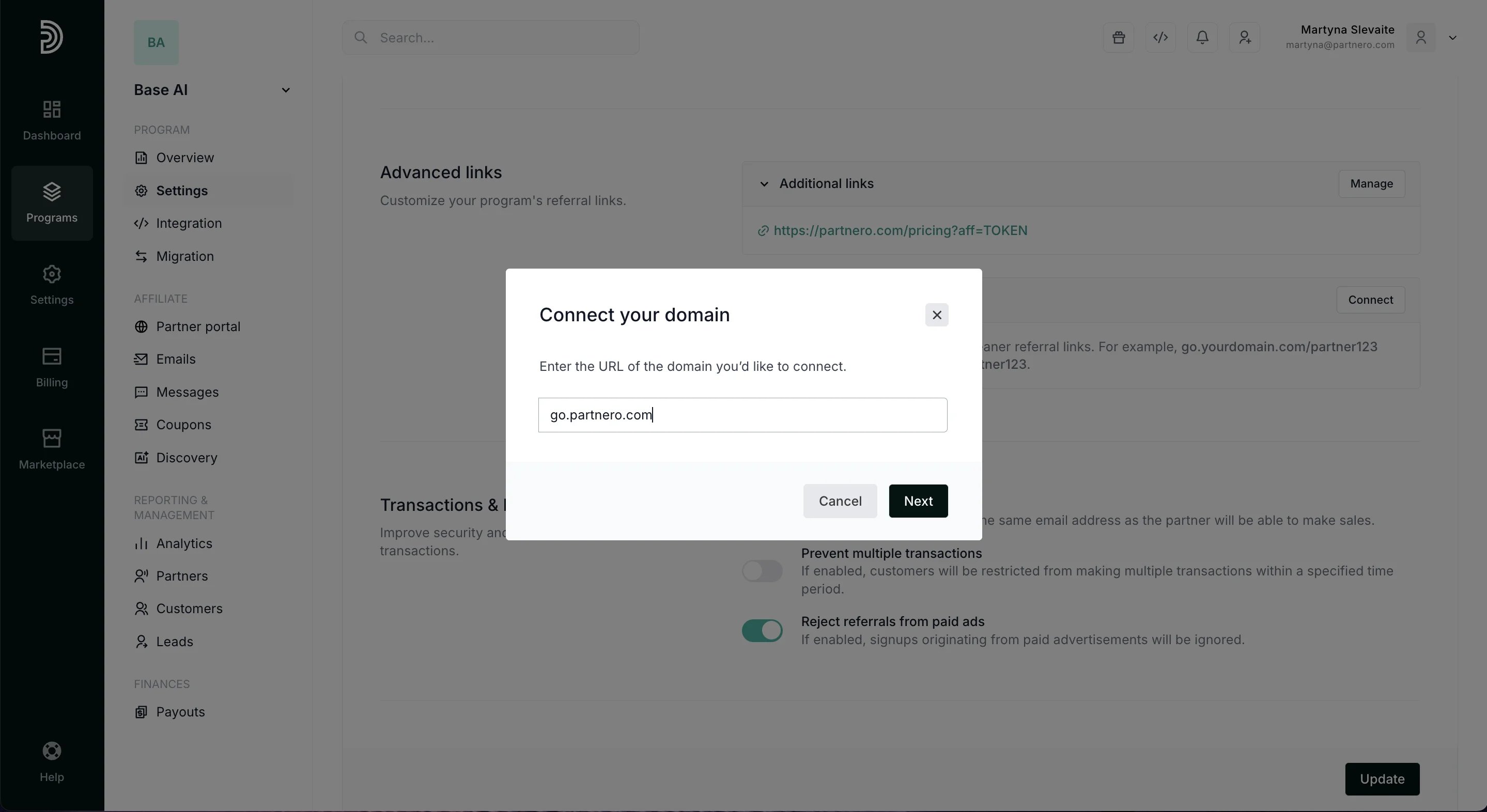
Enter the URL of the domain you’d like to connect and click Next.
-
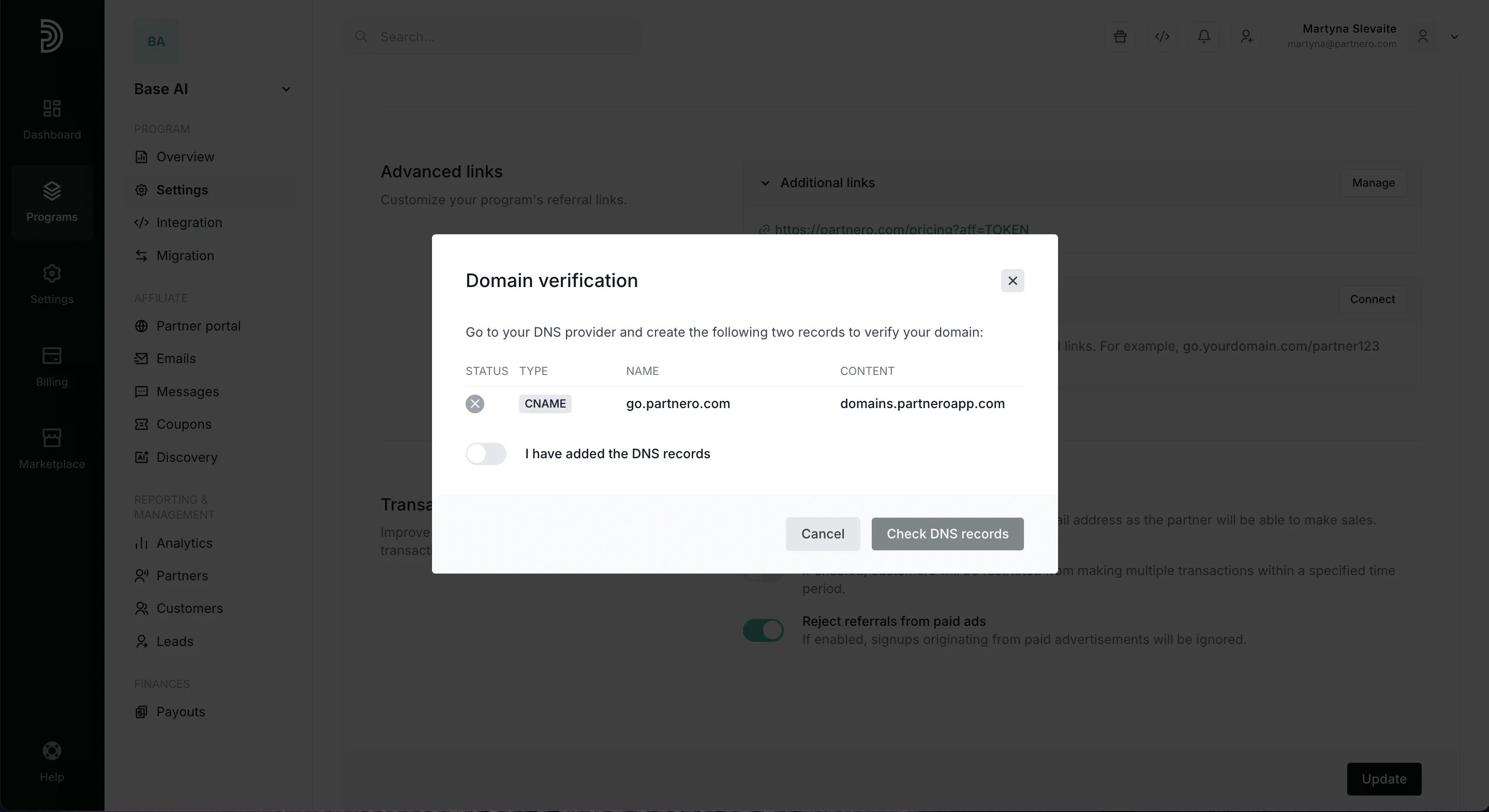
A Domain Verification window will appear with a CNAME record. Go to the DNS page of your domain management platform and create a CNAME record with the values of the NAME and CONTENT fields:
-
Once the records have been correctly set up with their respective Name and Value fields, enable the “ I have added DNS records” toggle and click Check DNS records:
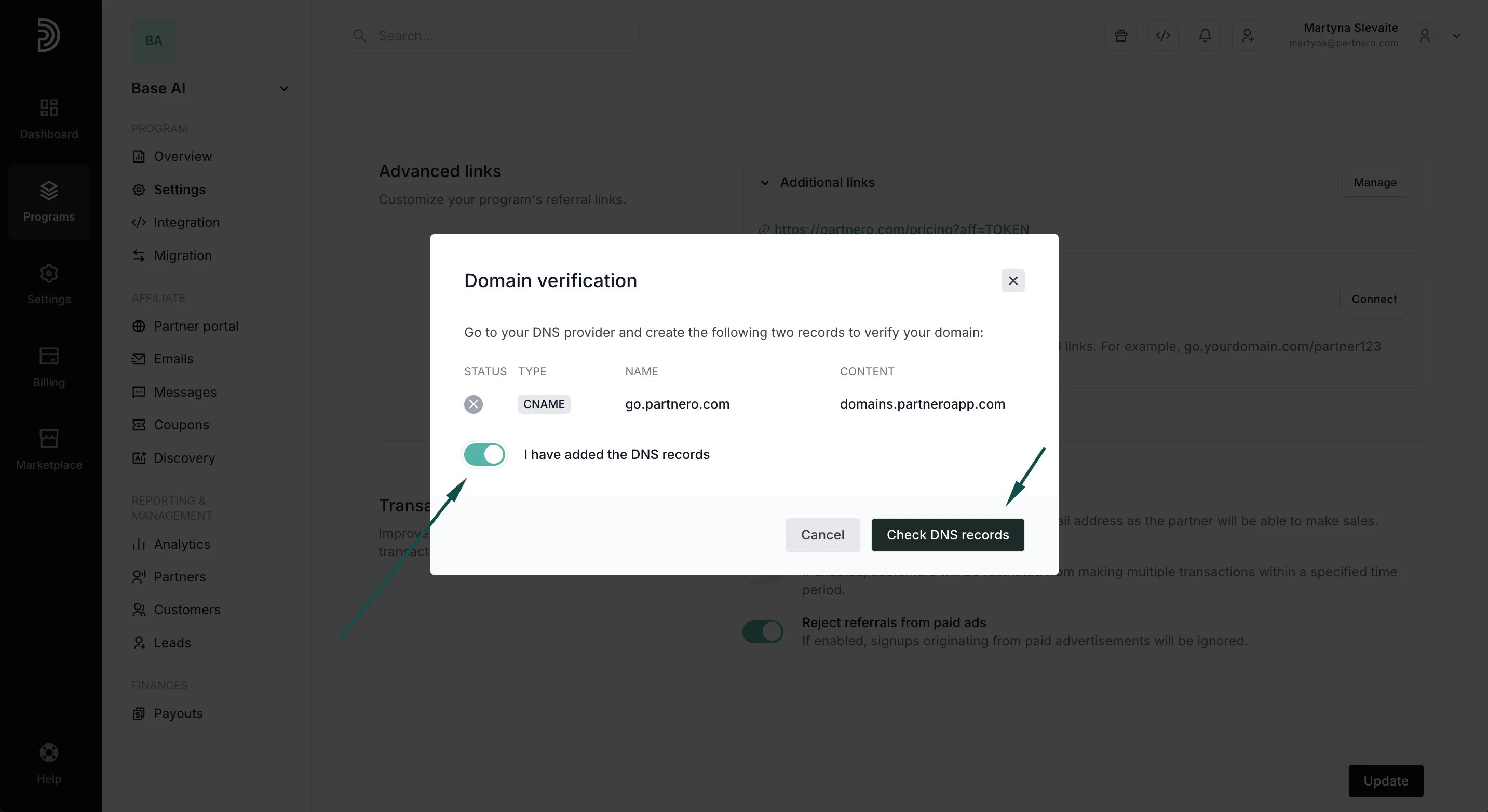
Note: It may take up to 24 hours for your DNS settings to become active worldwide, depending on your hosting provider.
How to access the DNS settings of your domain
Note: The following steps have to be completed on the DNS settings of your domain, on your hosting service provider. For assistance with these steps, we recommend contacting your hosting provider.
- Log in to your domain provider (usually your hosting provider).
- Find the DNS settings for your domain. You can find instructions on doing this by searching “DNS settings” + your hosting provider’s name on any search engine (such as Google).
- Create a DNS record with the CNAME type and fill in the Name and Value fields provided in your Partnero account.
- Name and Host
- Domain and Value
- Domain and Host