

- Have PayPal Mass Payments enabled on your PayPal account.
- Have the Partnero and PayPal integration set up.
How to process payouts using PayPal Mass Pay
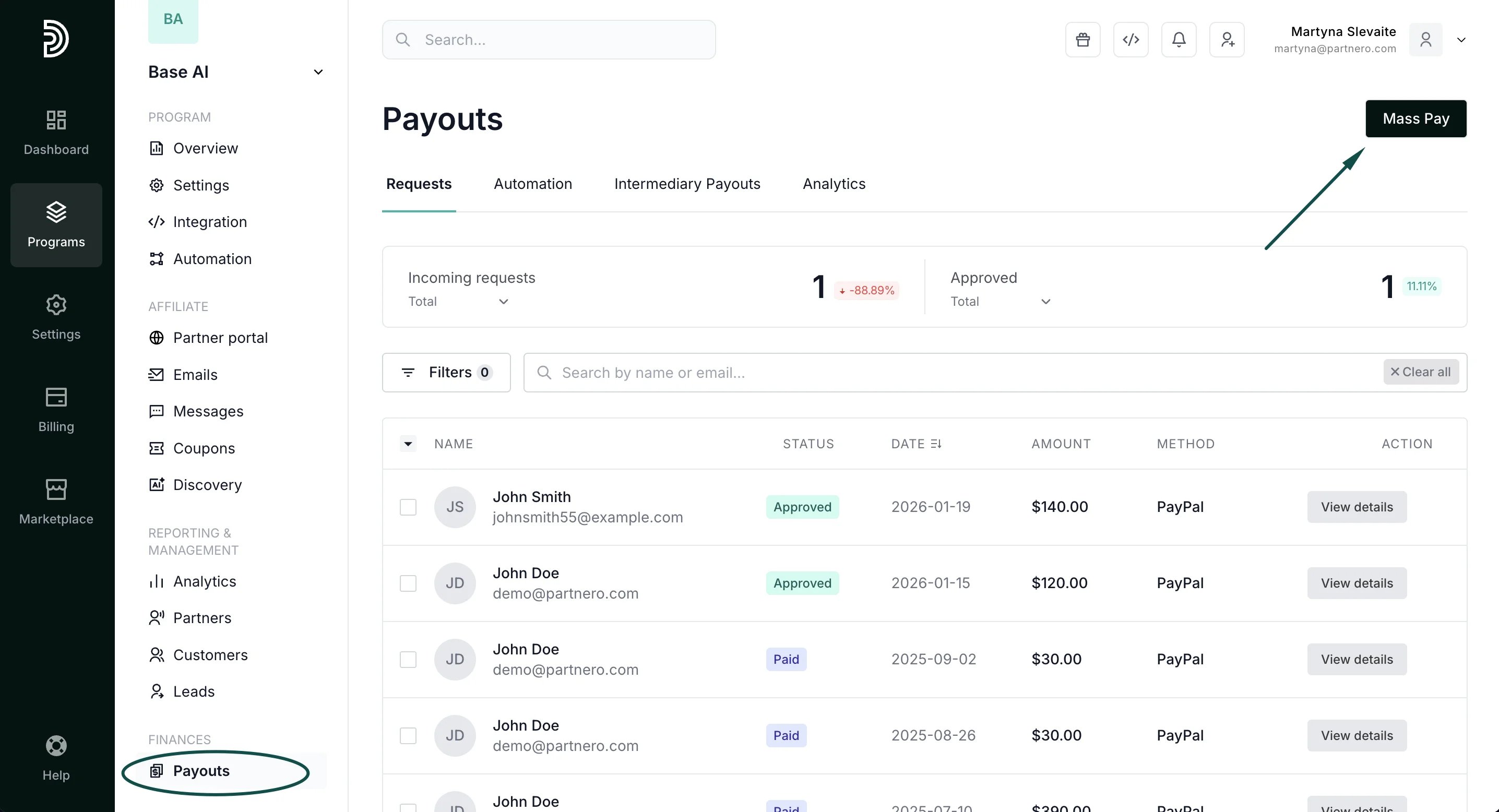
To pay your affiliates by using the integration:- In your affiliate program, go to Payouts under Finances.
- Approve the payout requests you’d like to process. This step will not be necessary if your program is set to automatically approve all payout requests.
-
Click Mass Pay in the upper right corner:
-
Select the payments you’d like to process and click Proceed next to PayPal Mass Pay:
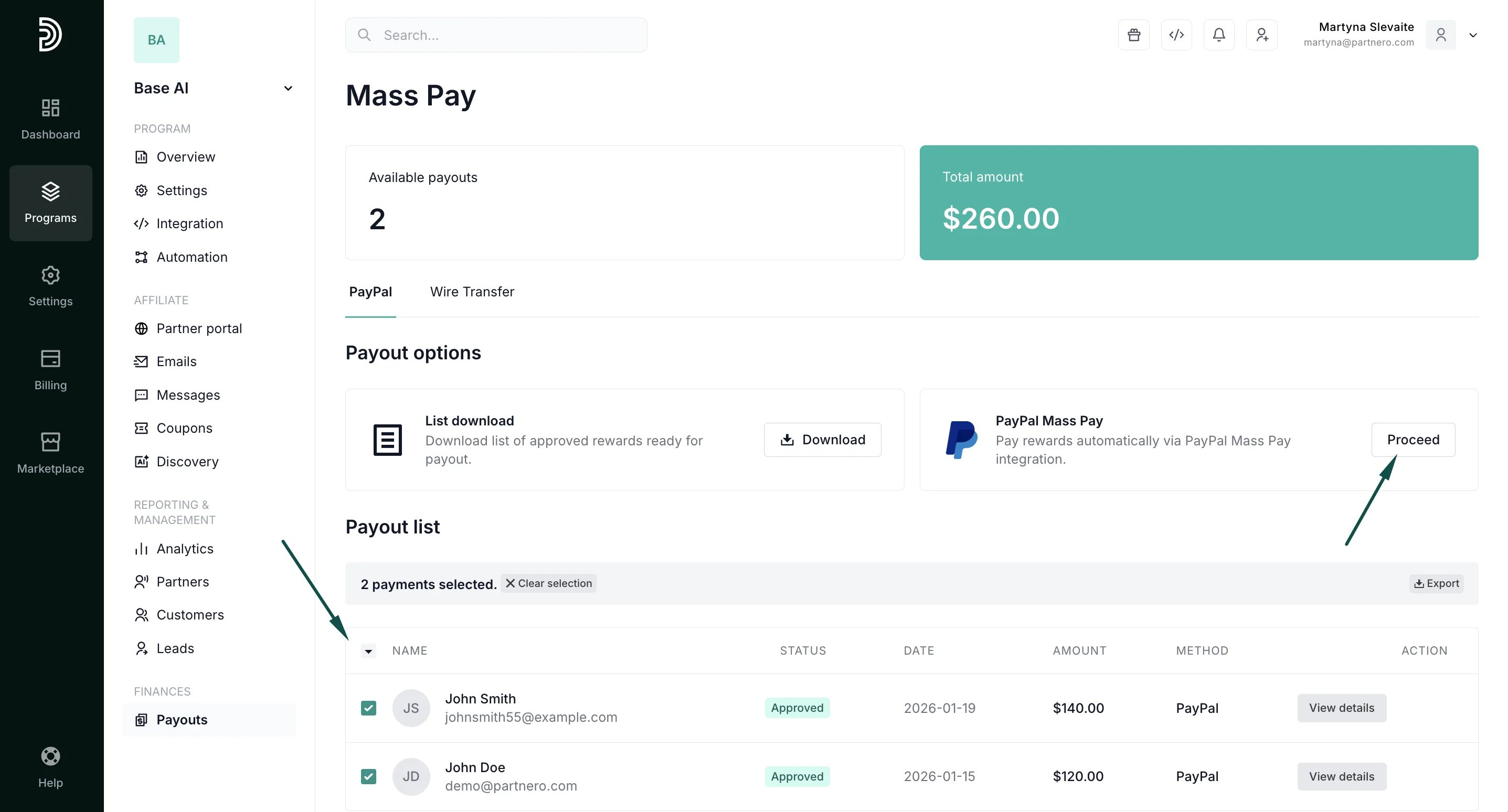
- Click Process in the confirmation window.
✅ Tip: If you wish to automate the process further, consider setting up a scheduled payout automation. Here’s how.