

How to enable UTM tracking
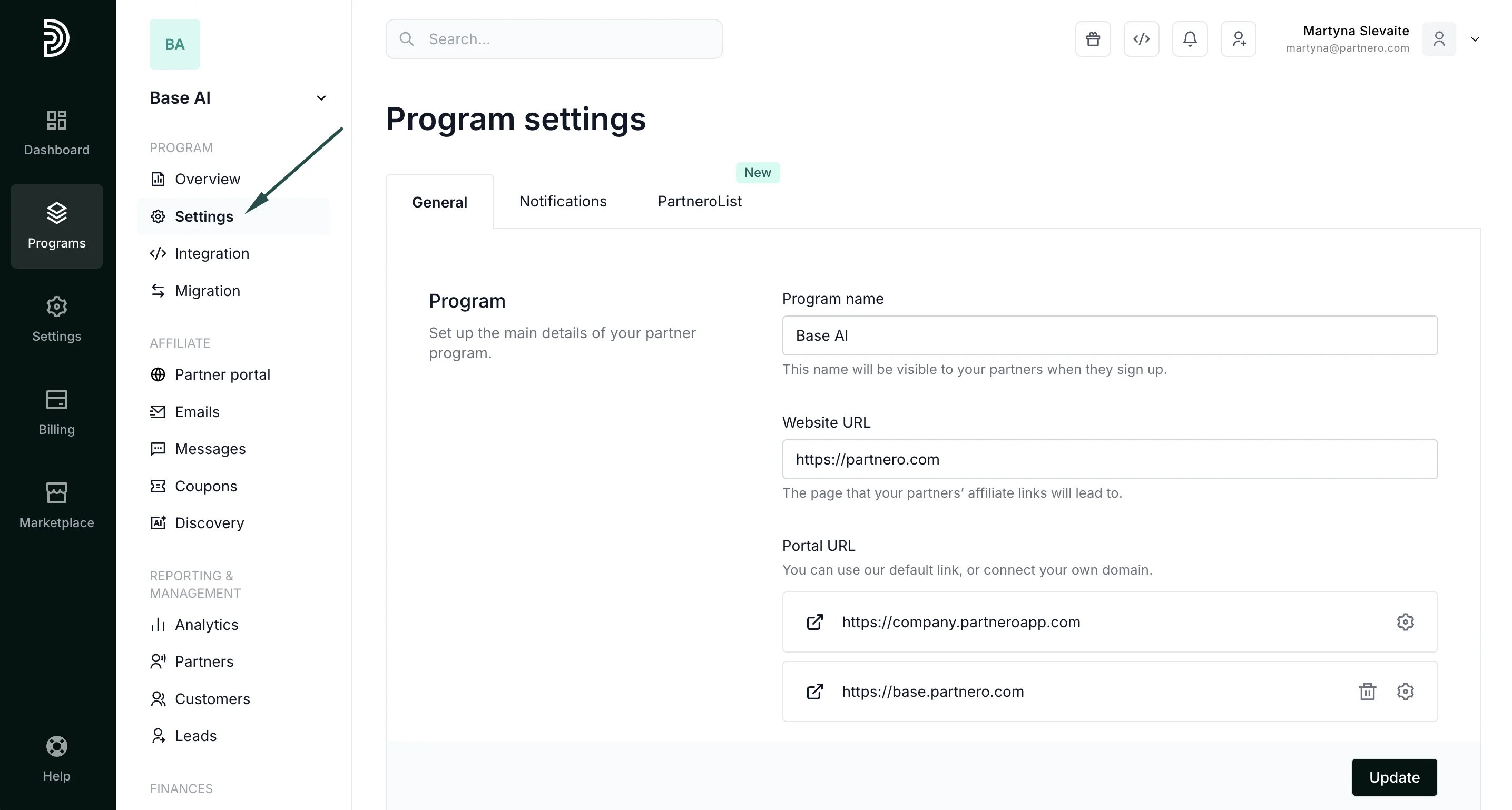
To enable UTM tracking for affiliate links:- Open your affiliate program and navigate to Settings under Program.
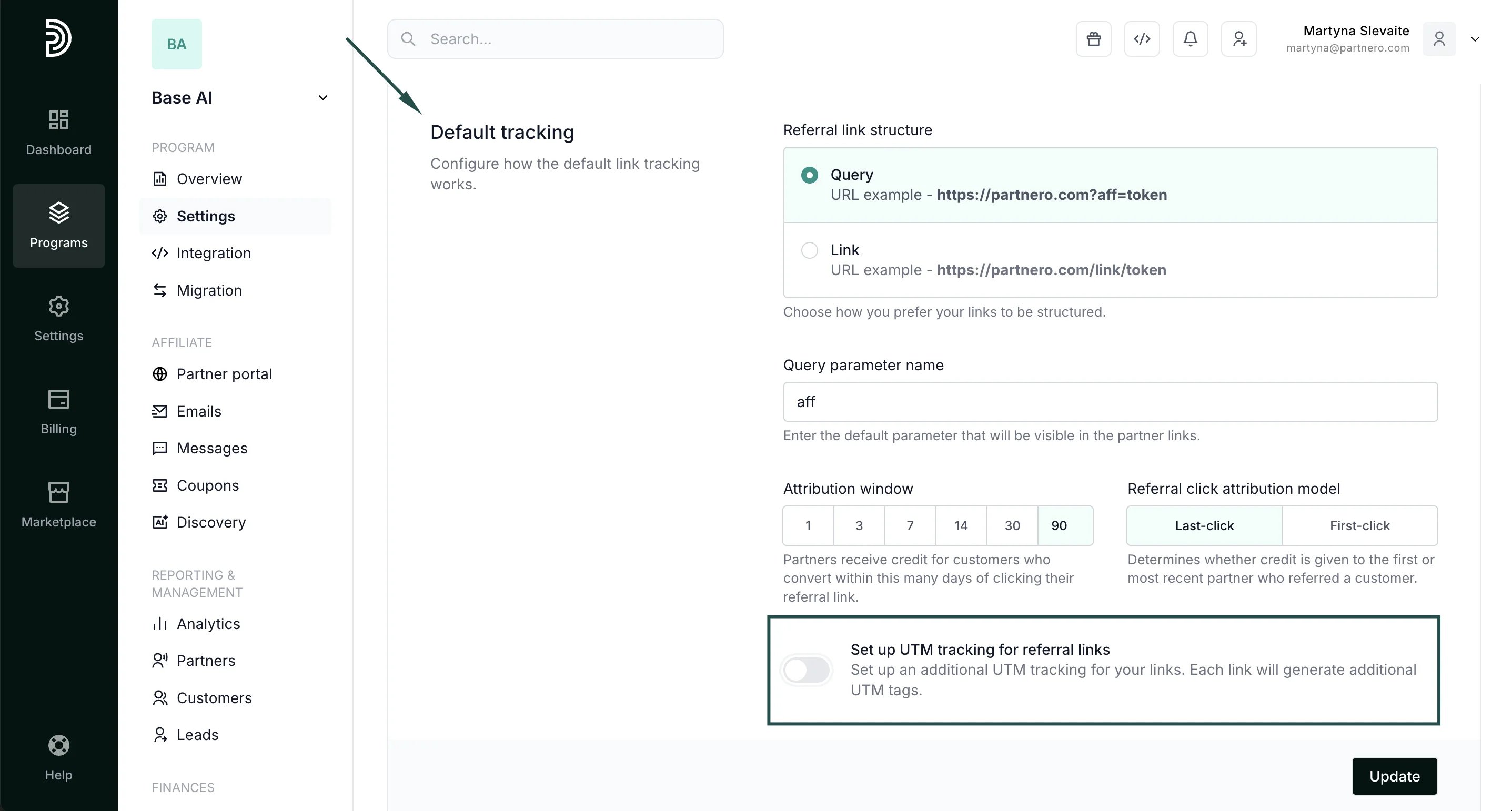
- In the General tab, scroll down to Default tracking. Toggle to Set up UTM tracking for referral lin****ks:
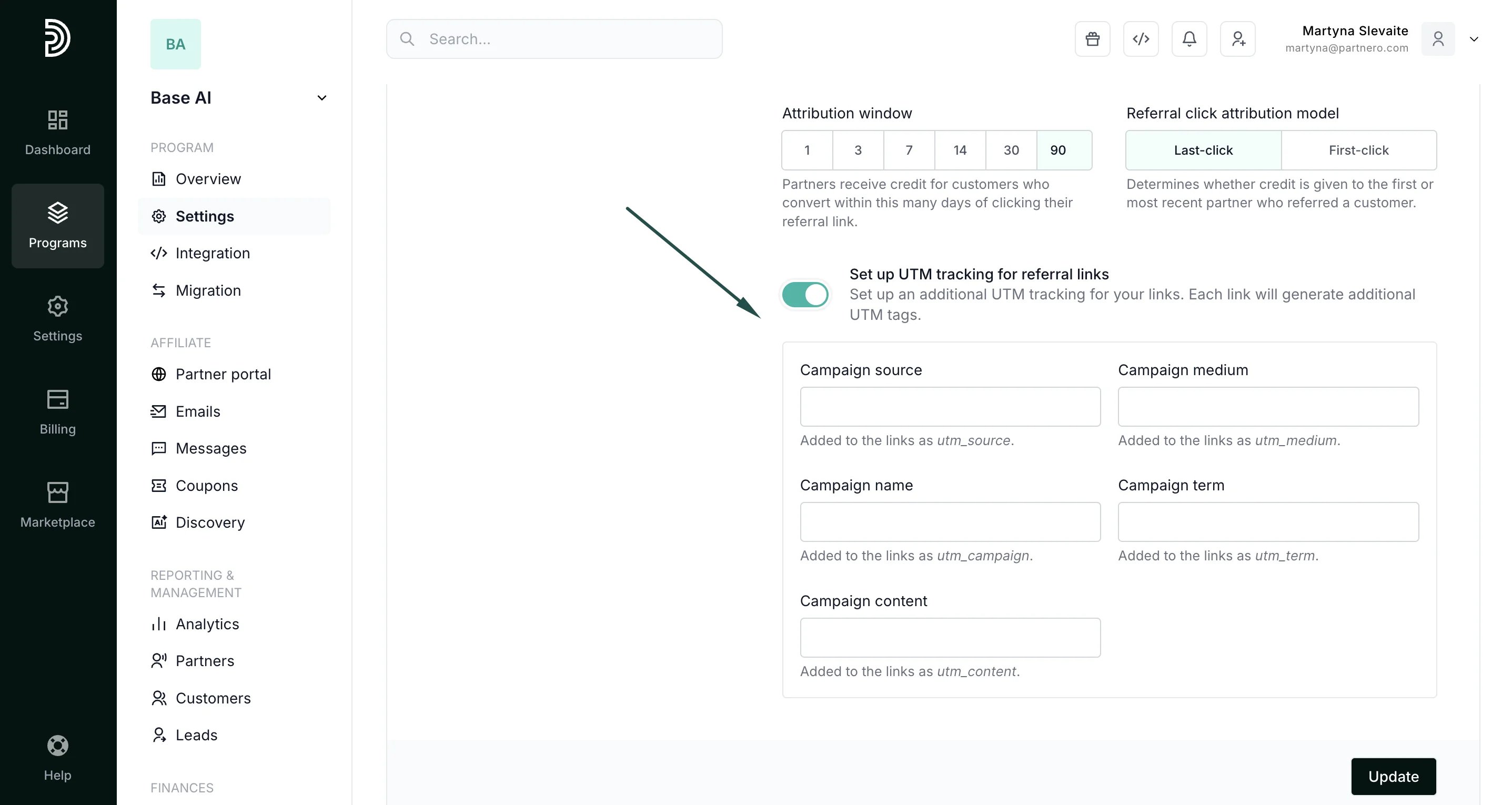
- Fill out the form with data for specific tags. You can use as many or as few fields as you require:
- Click Update.