Customer data export
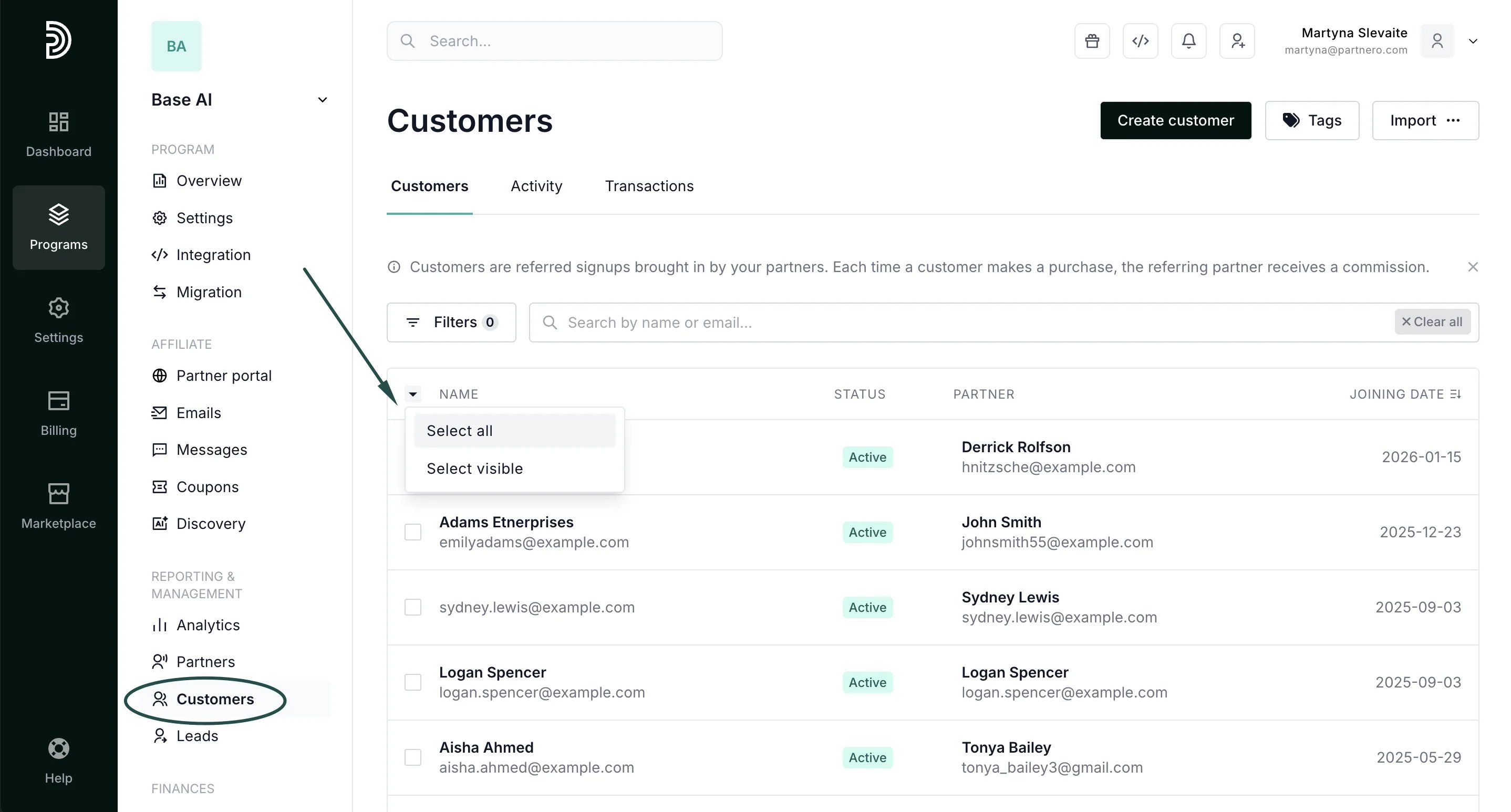
To export customers:- In your affiliate program, go to Customers under Reporting & Management.
- Select the customers you’d like to export. You can also click to Select All or Select Visible:
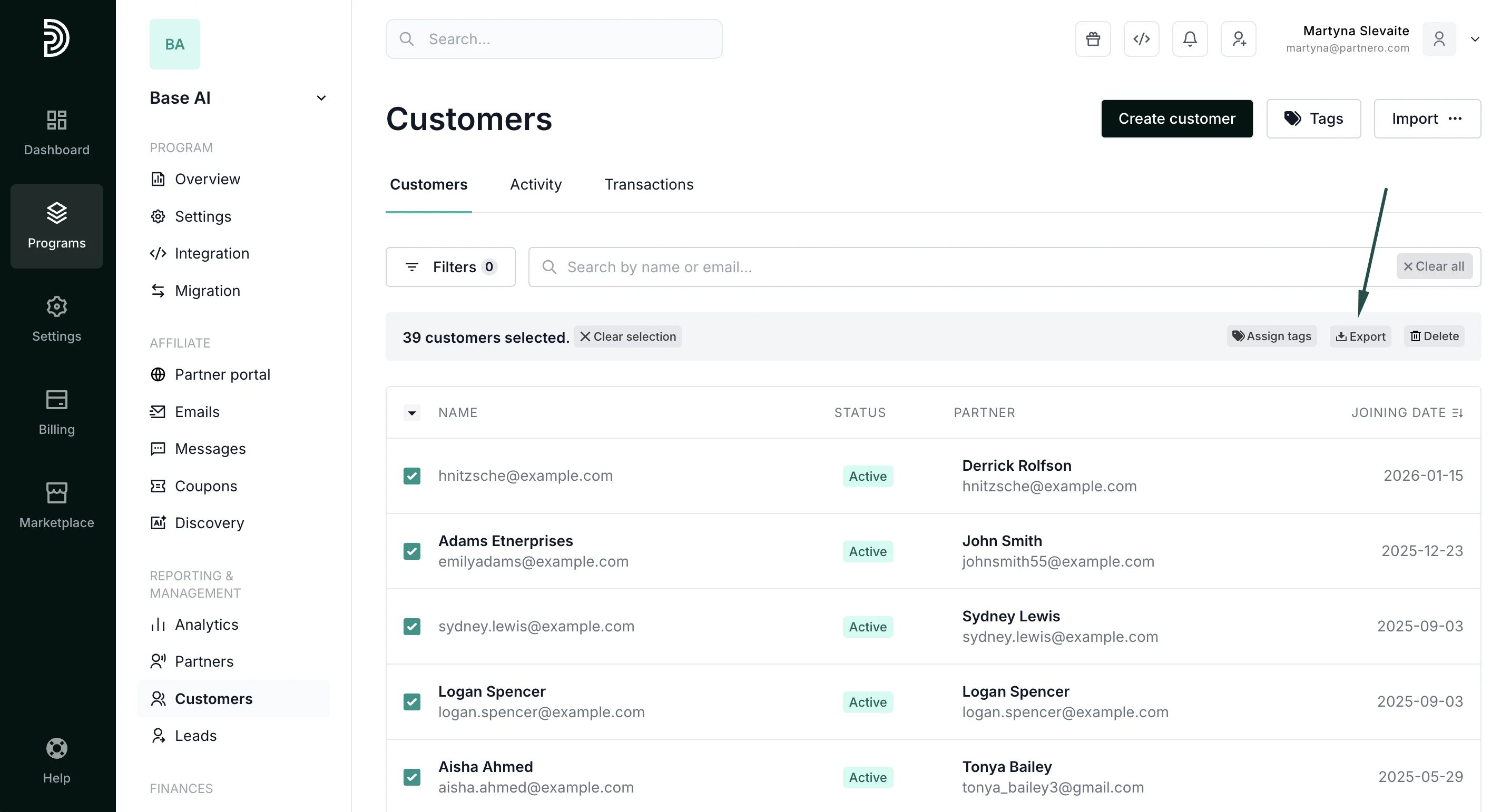
- Click Export:
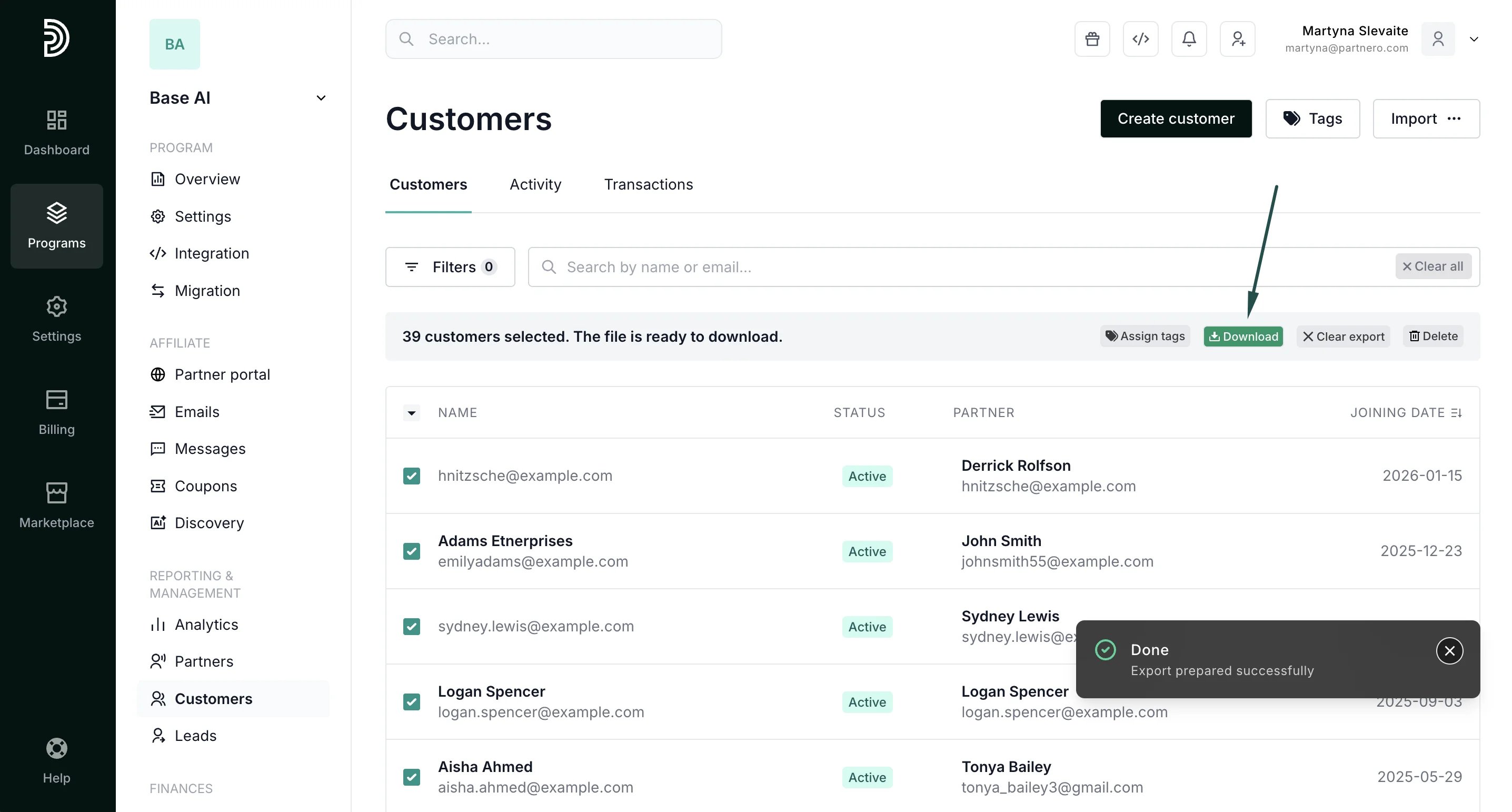
- You’ll see a progress bar and the option to download the list once the export is complete. Click Download:
Transaction data export: program level
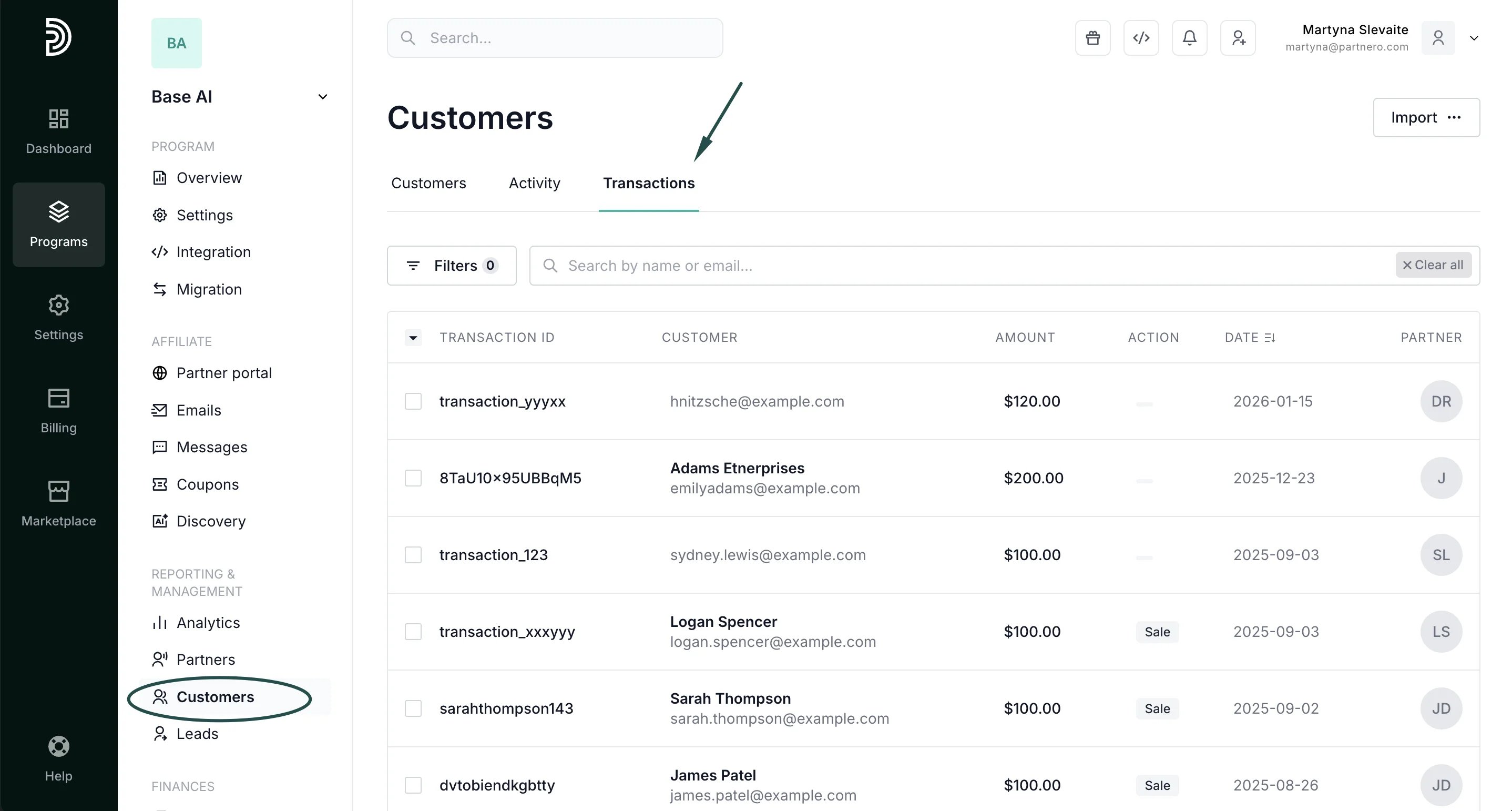
To find and export program transactions:- Go to Customers and Reporting & Management. Switch to the Transactions tab:
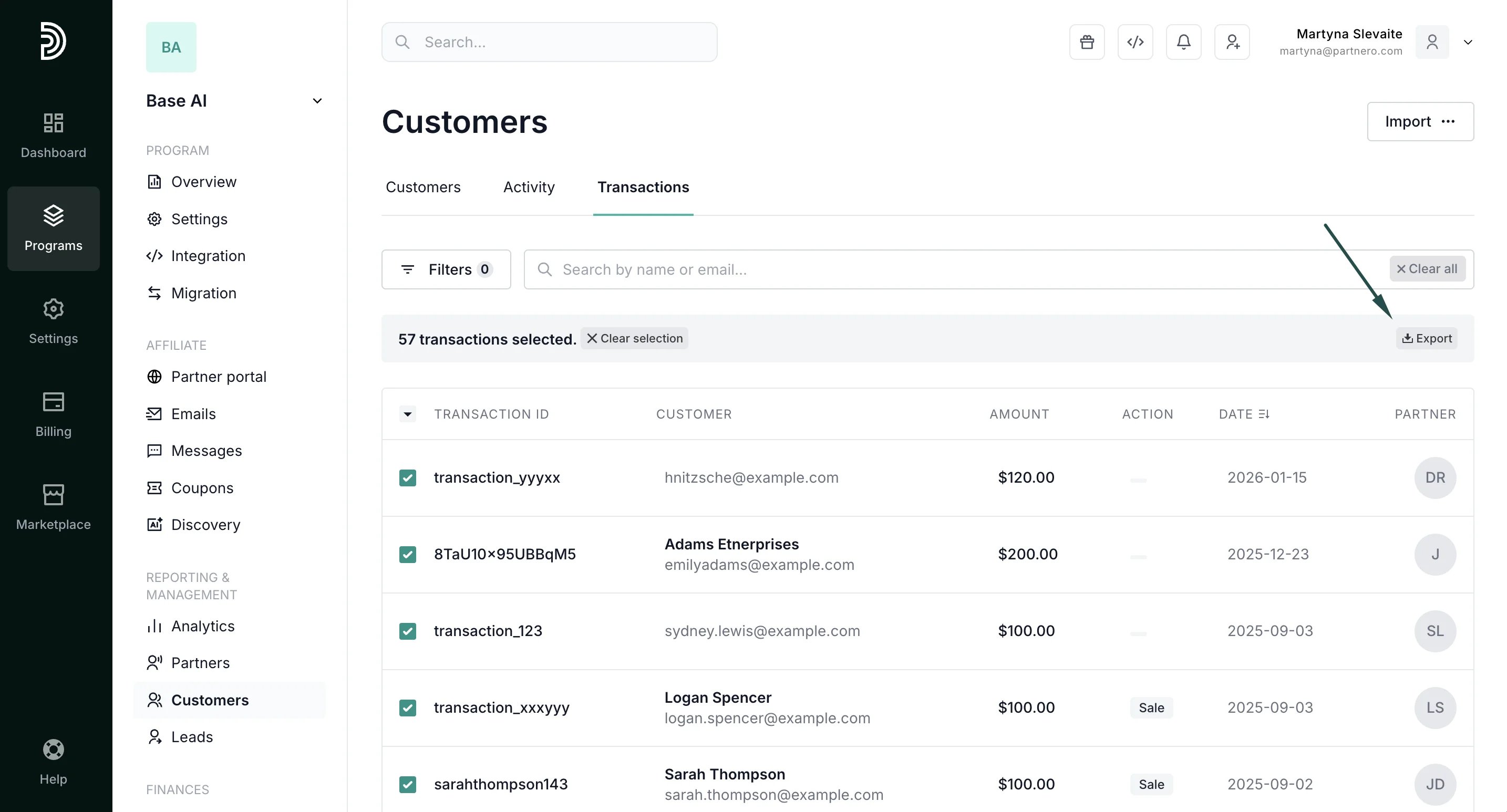
- Select transactions and click Export:
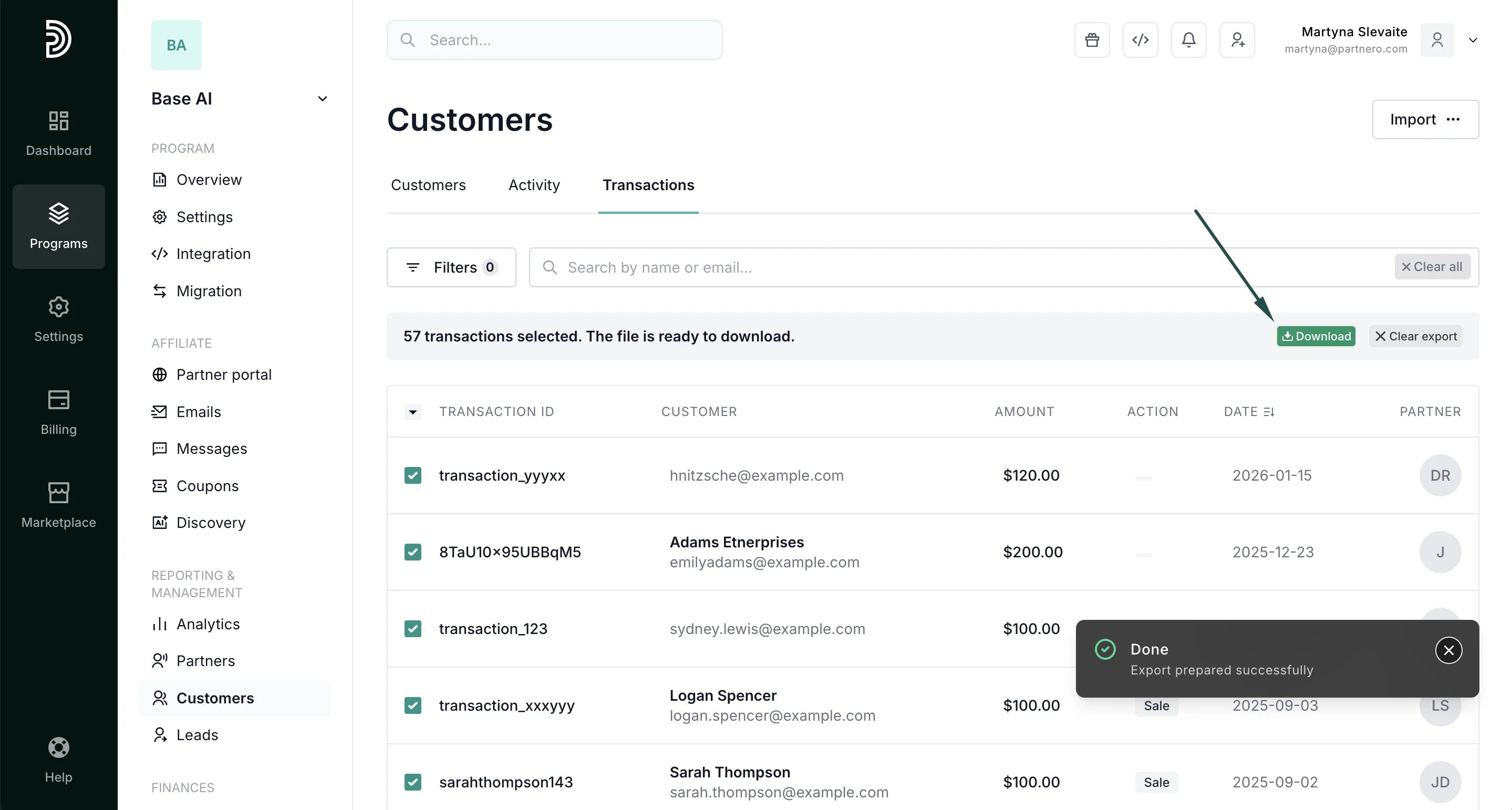
- Download the export, once completed:
Transaction data export: specific customer
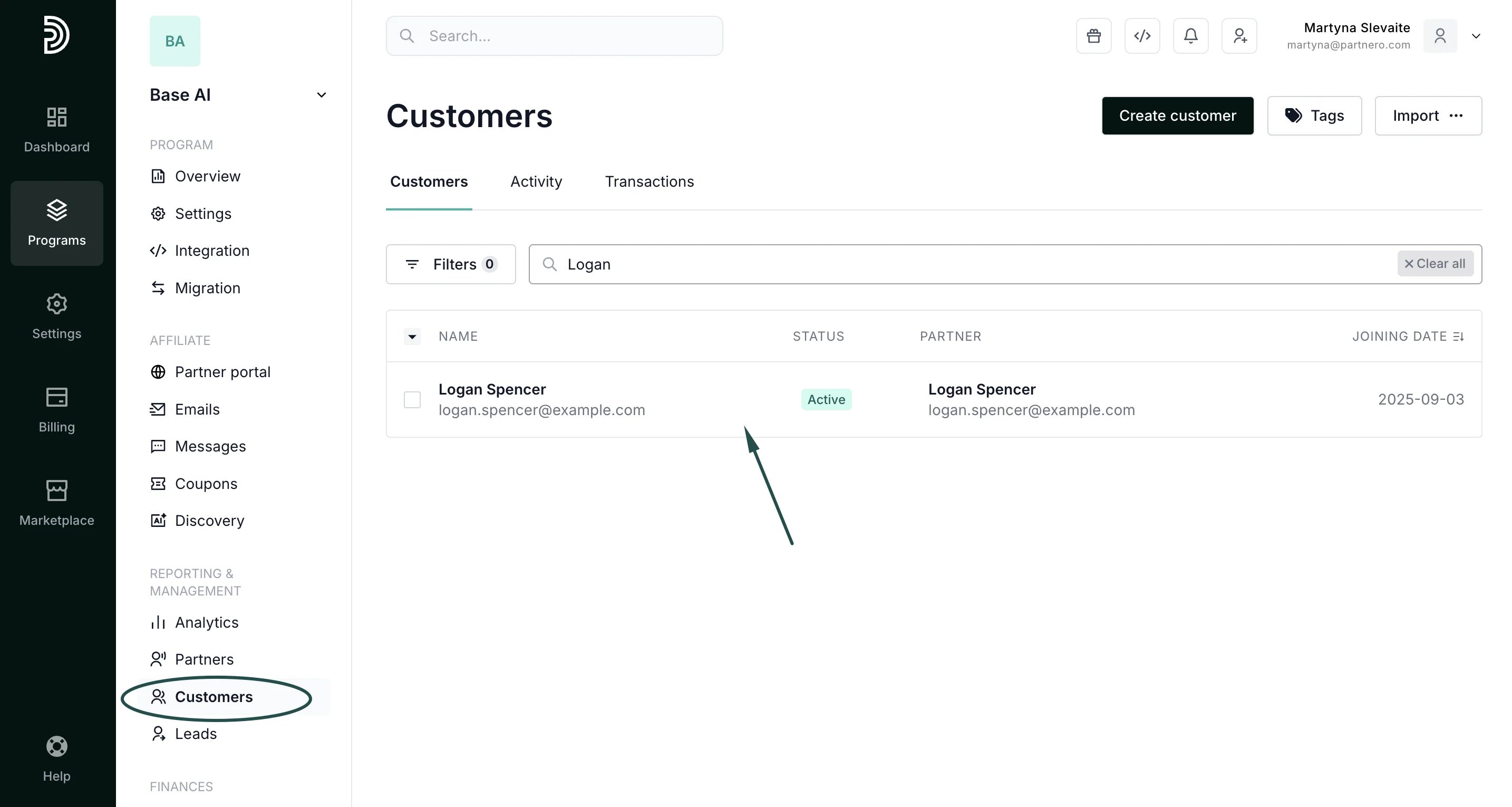
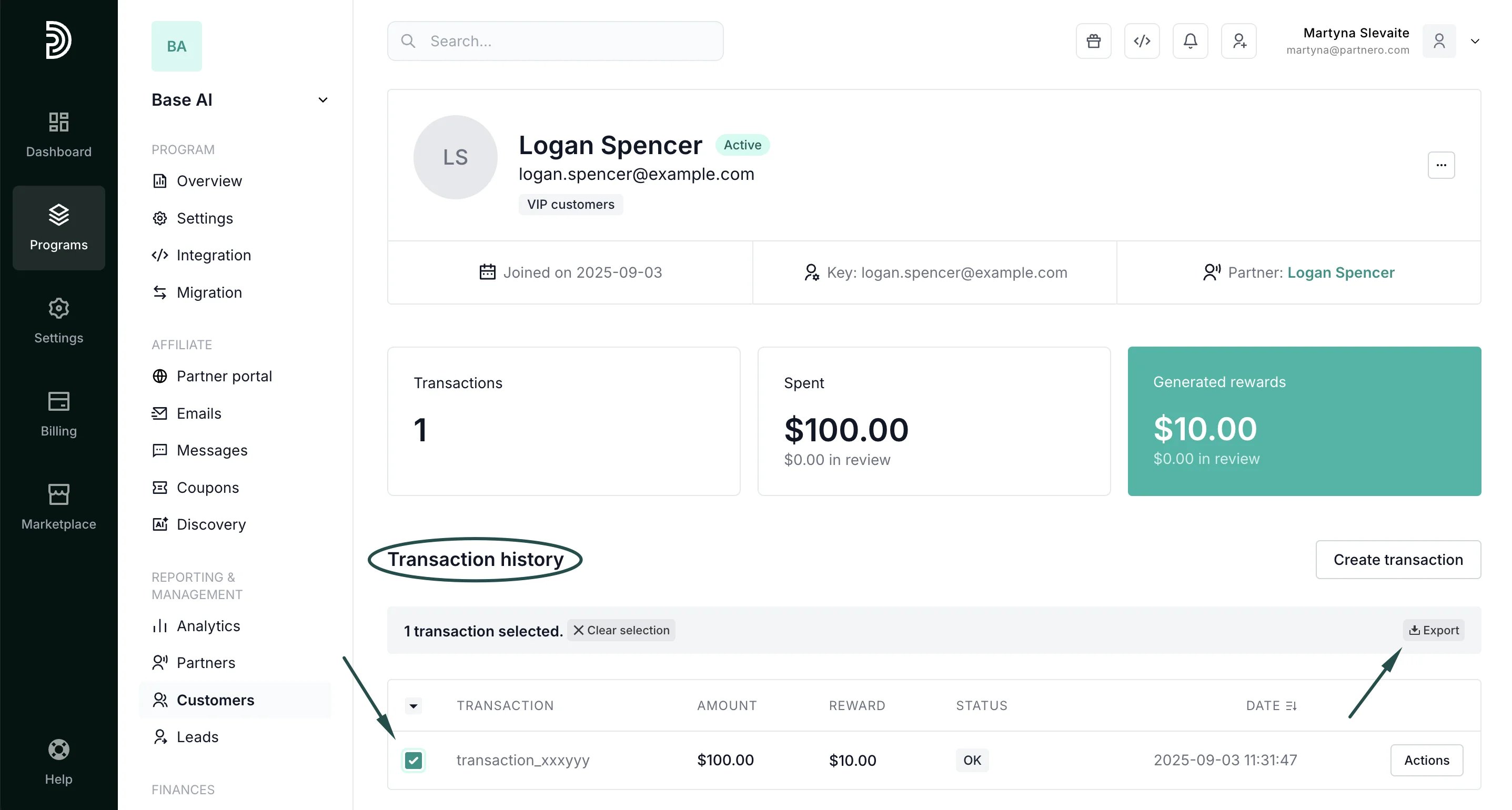
To export a complete list of transactions for a specific customer:- Go to Customers under Reporting & Management. Find the required customer using their name or email address, and click to open their profile:
- On the customer’s profile, scroll down to the Transaction history section. You can Select all or Select visible transactions and click Export:
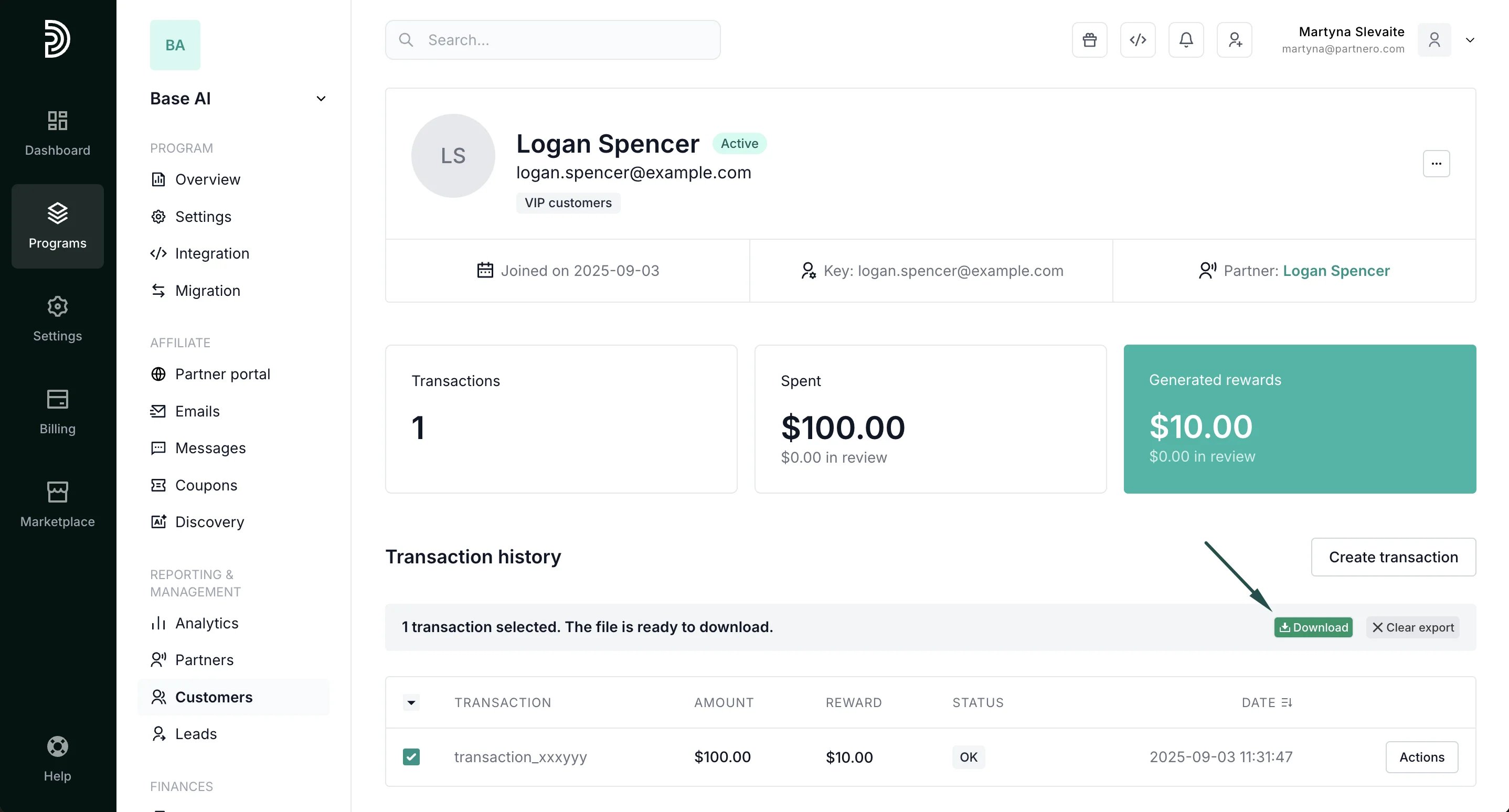
- You’ll see a progress bar and the option to download the list once the export is complete. Click Download:
Activity data export
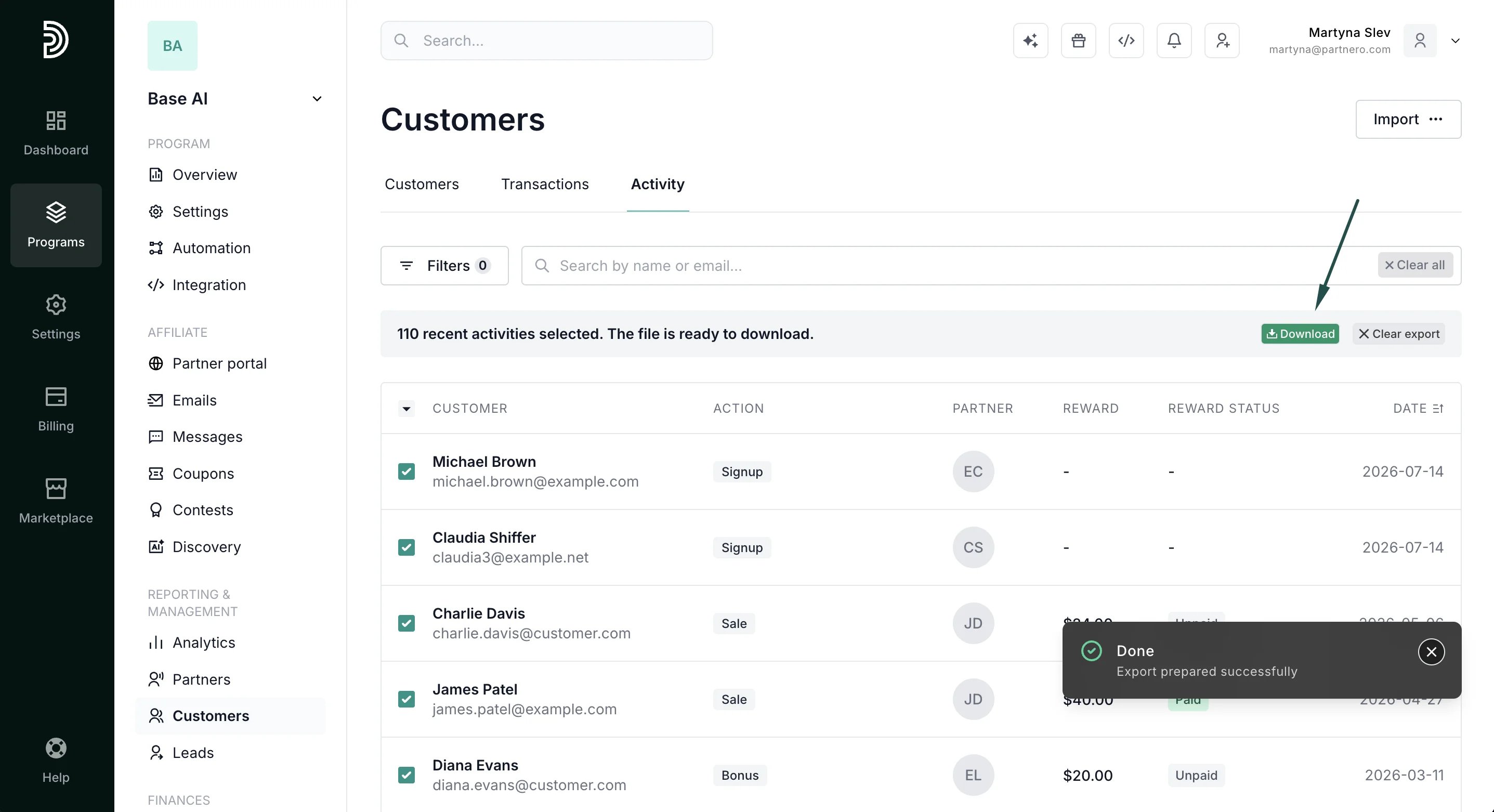
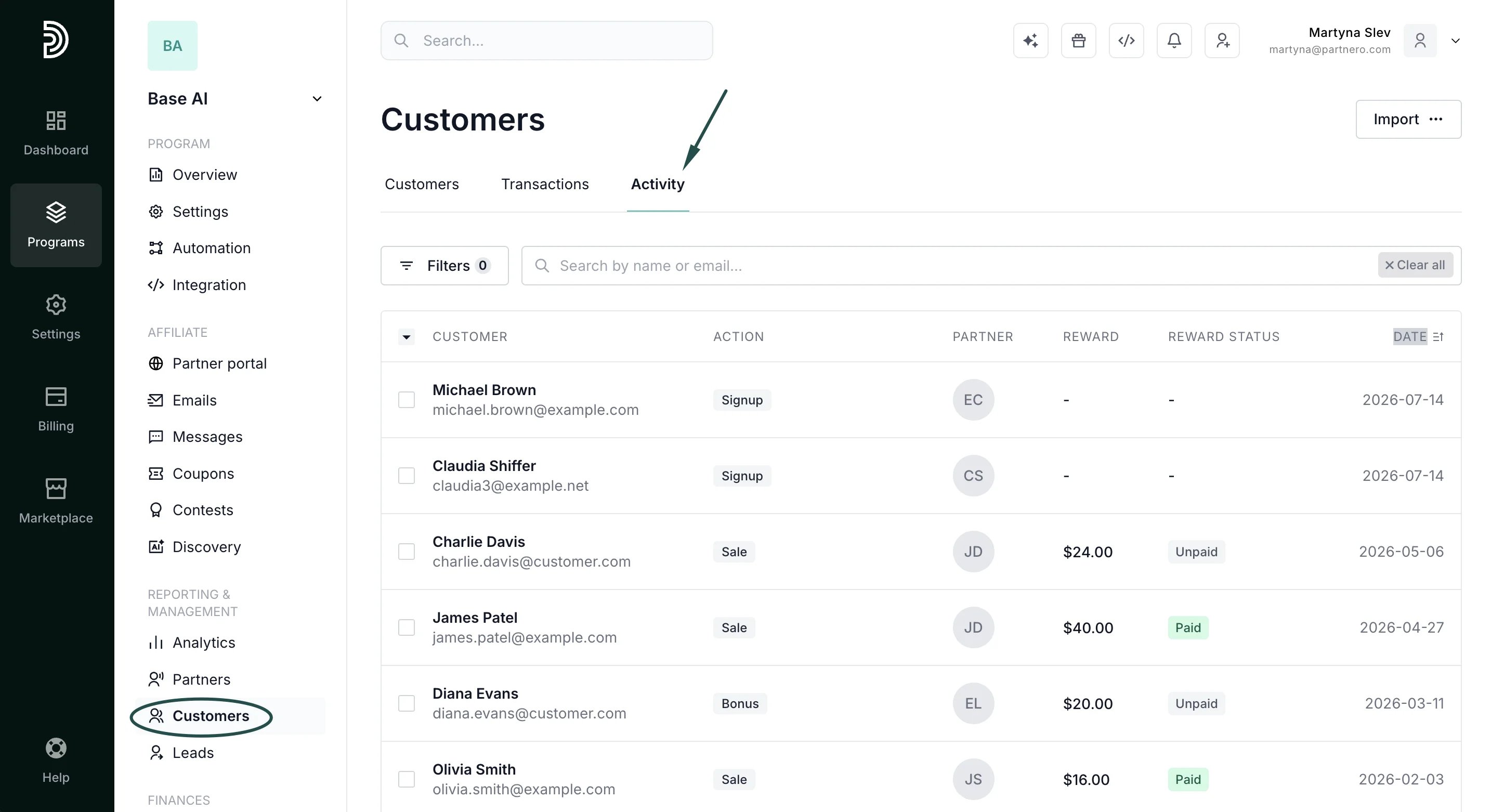
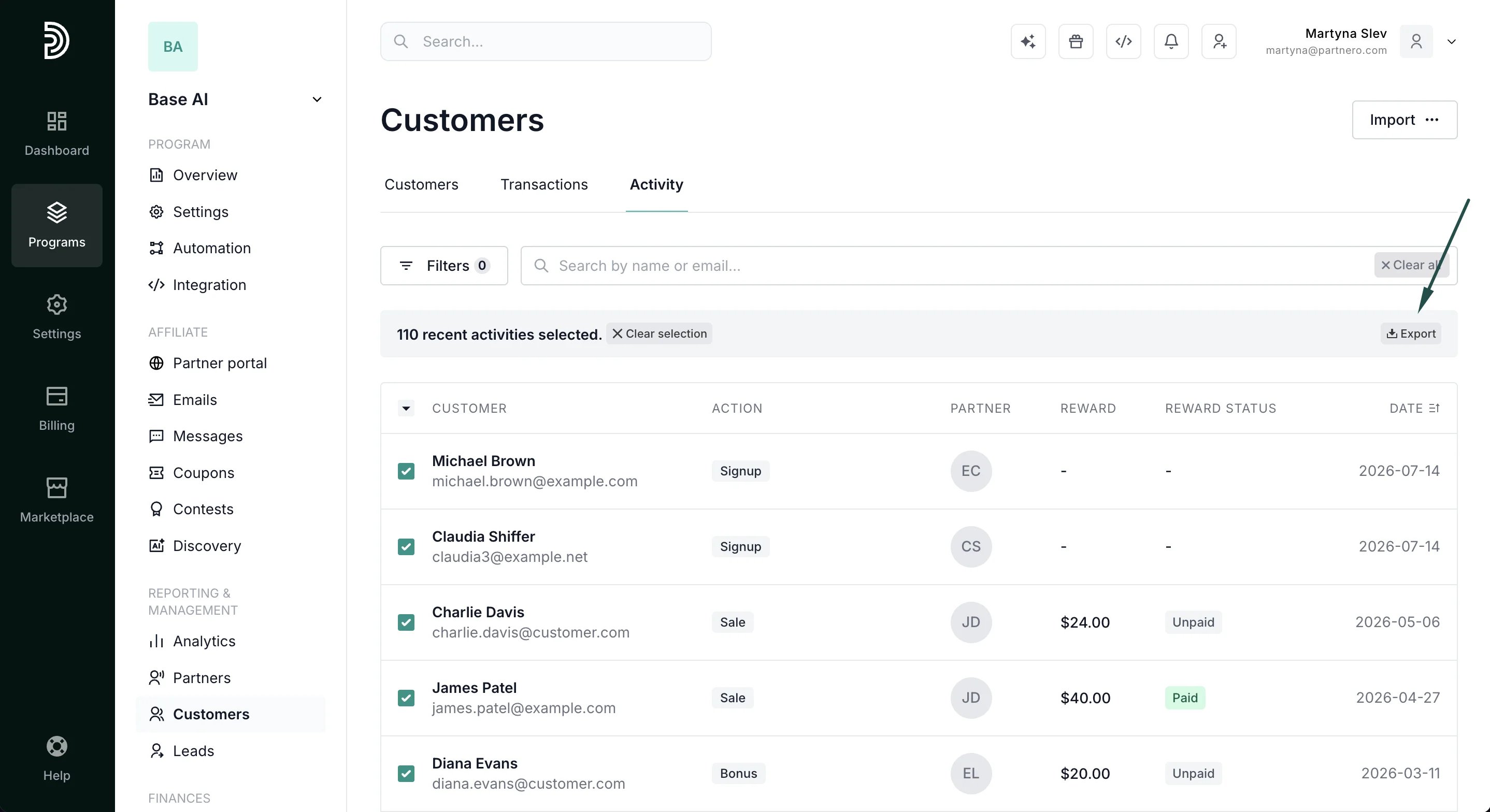
To export activity:- Go to Customers under Reporting & Management. Switch to the Activity tab:
- Select the activity entries you’d like to export. You can also click to Select All or Select Visible.
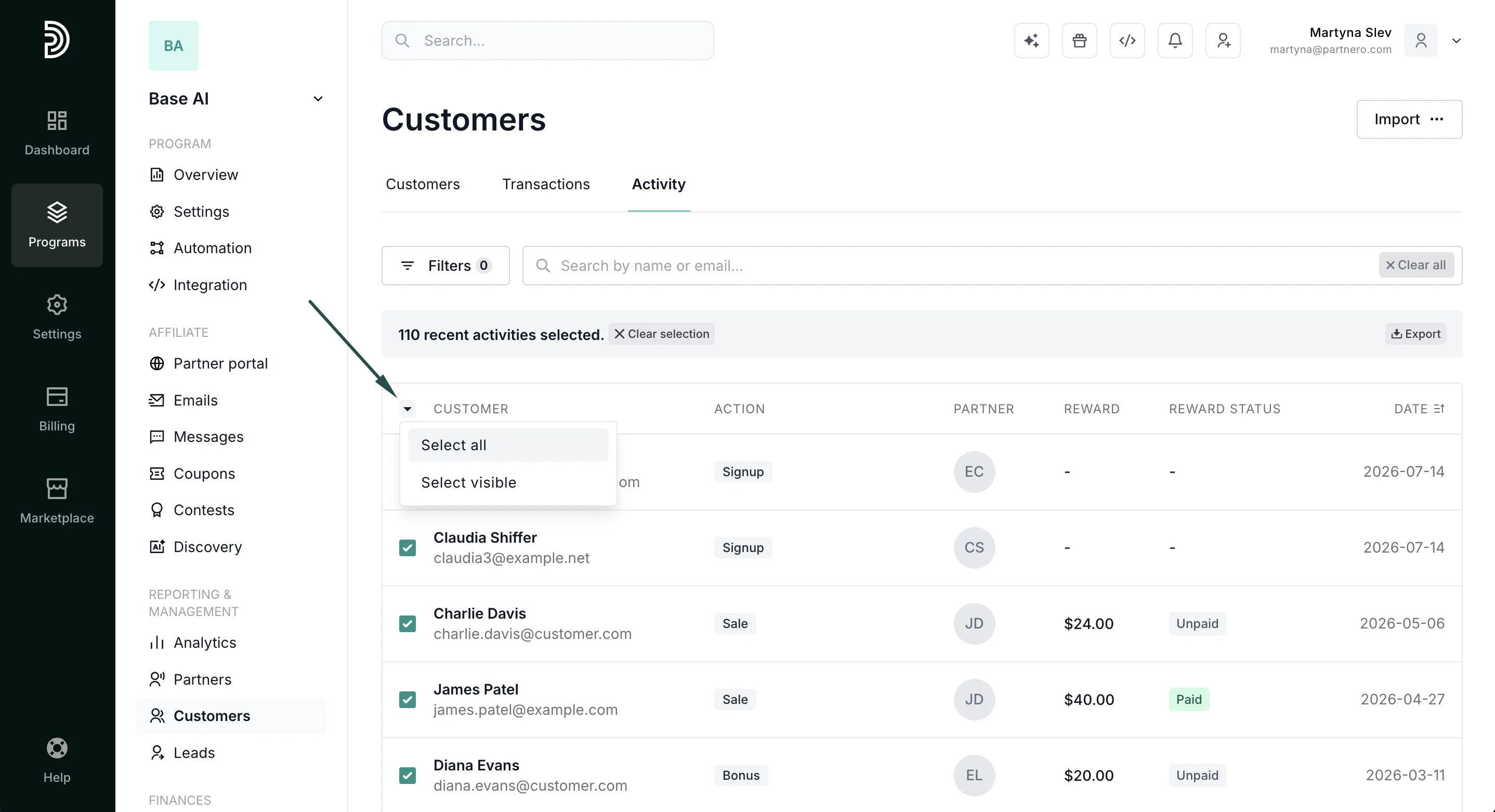
- Click Export.
- You’ll see a progress bar and the option to download the list once the export is complete. Click Download.