

How to use predefined translations
- Open the program you’d like to work with.
- On the left sidebar, click on Partner Portal under Affiliate. Navigate to the Translations tab:
- From the dropdown, select which language you’d like to use:
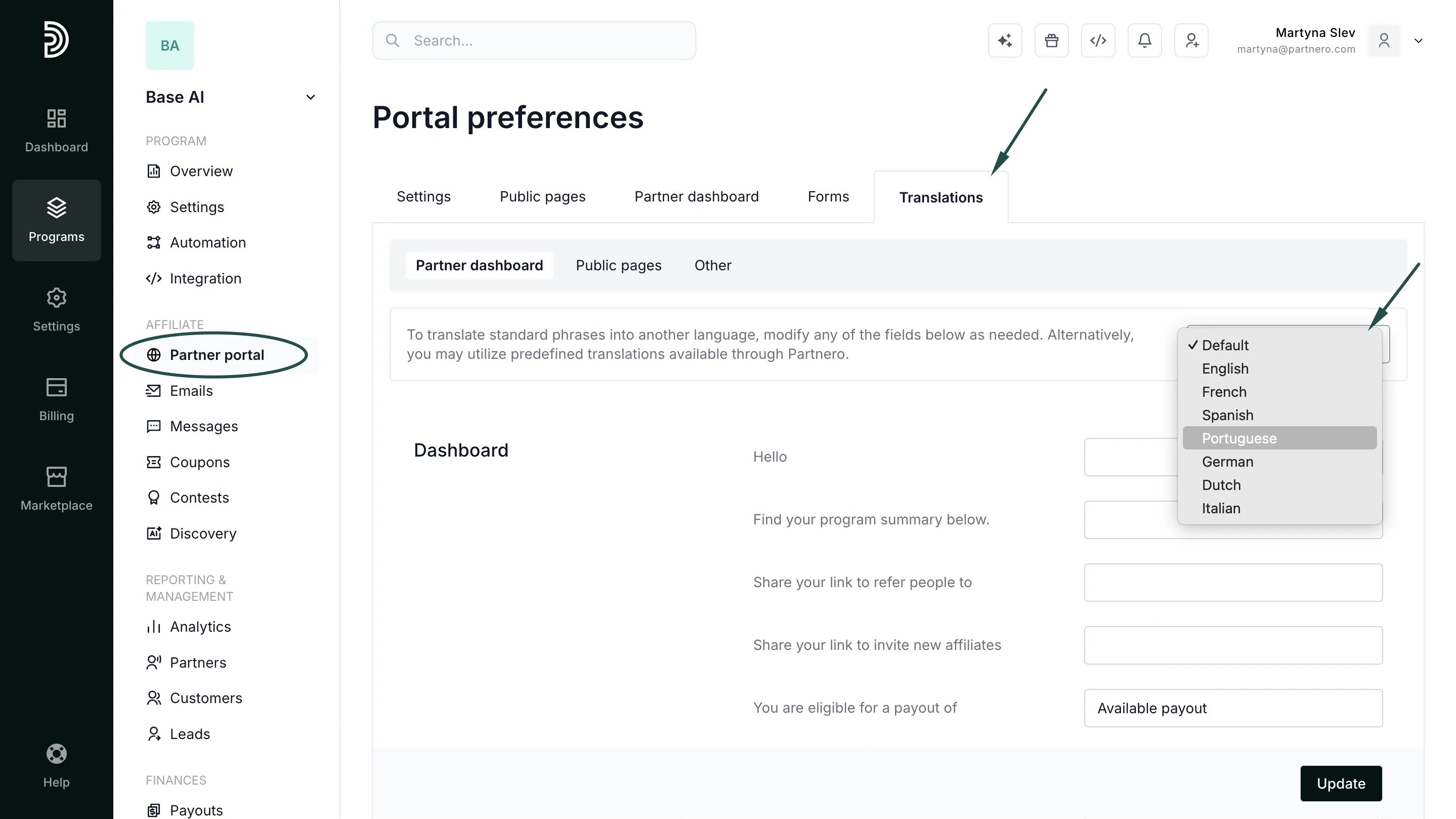
- Click Update.
- English
- French
- Spanish
- Portuguese
- German
- Dutch
- Italian
How to translate the partner portal manually
If you’d like to use a language that’s not available in the predefined translations, or simply want to change existing wording:- Navigate to the Translations tab under Partner Portal.
- You will find a list of all text displayed on various partner portal pages. Modify any of the fields below as needed:
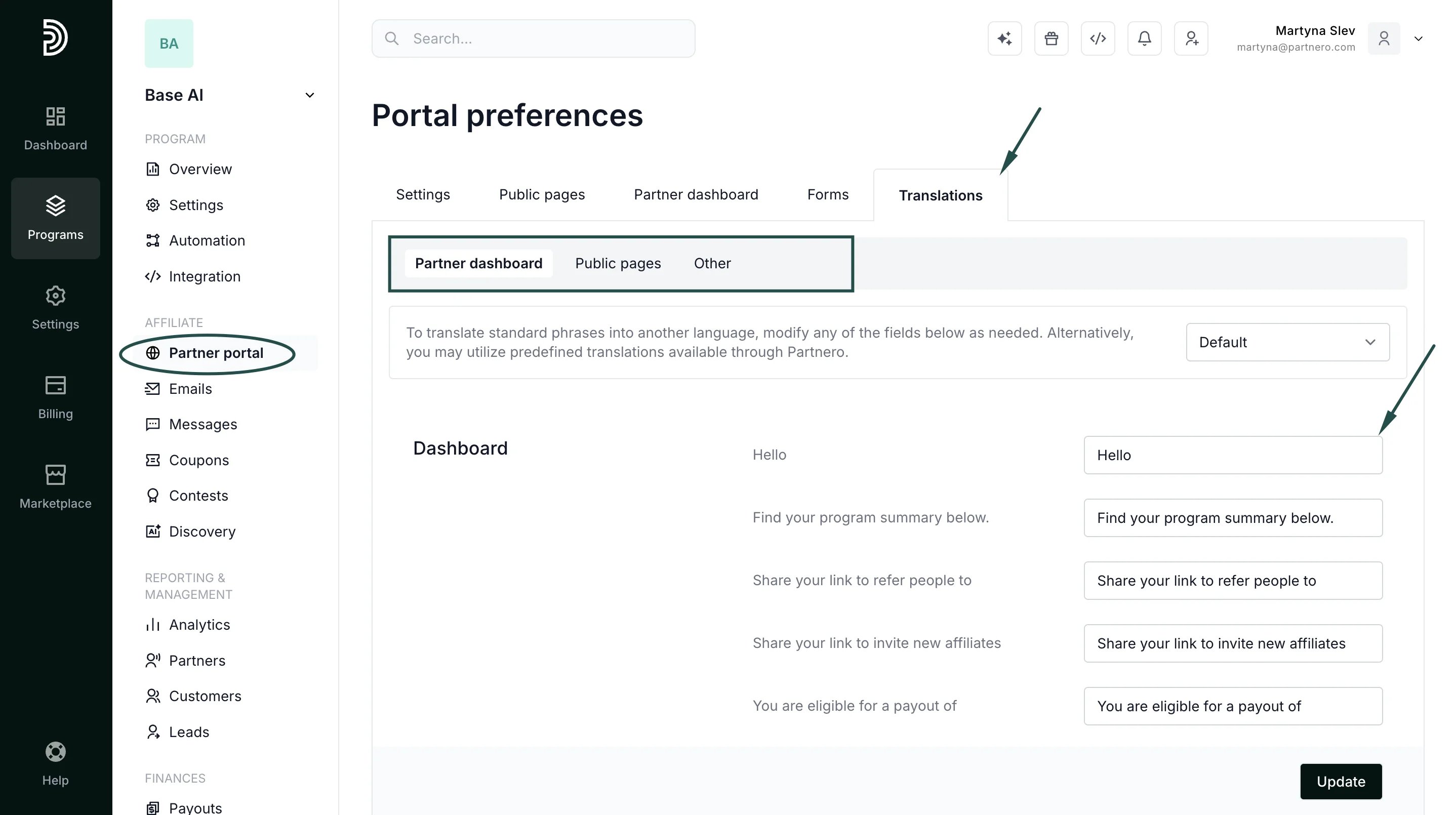
- Click Update to save your changes.