

What is a sign-up page?
The sign-up page is a page in your partner portal where new affiliates can sign up. You can disable the sig page if you’d like to have your program invite-only or if you’d like to pause new signups temporarily.What is a program page?
The program page is a landing page hosted by Partnero dedicated to promoting your affiliate program. This feature is optional; you can promote the program on your website. In such a case, you can make Partnero’s program page inaccessible. Read more about program pages.How to disable the sign-up page
- In your program, go to Partner portal under Affiliate:
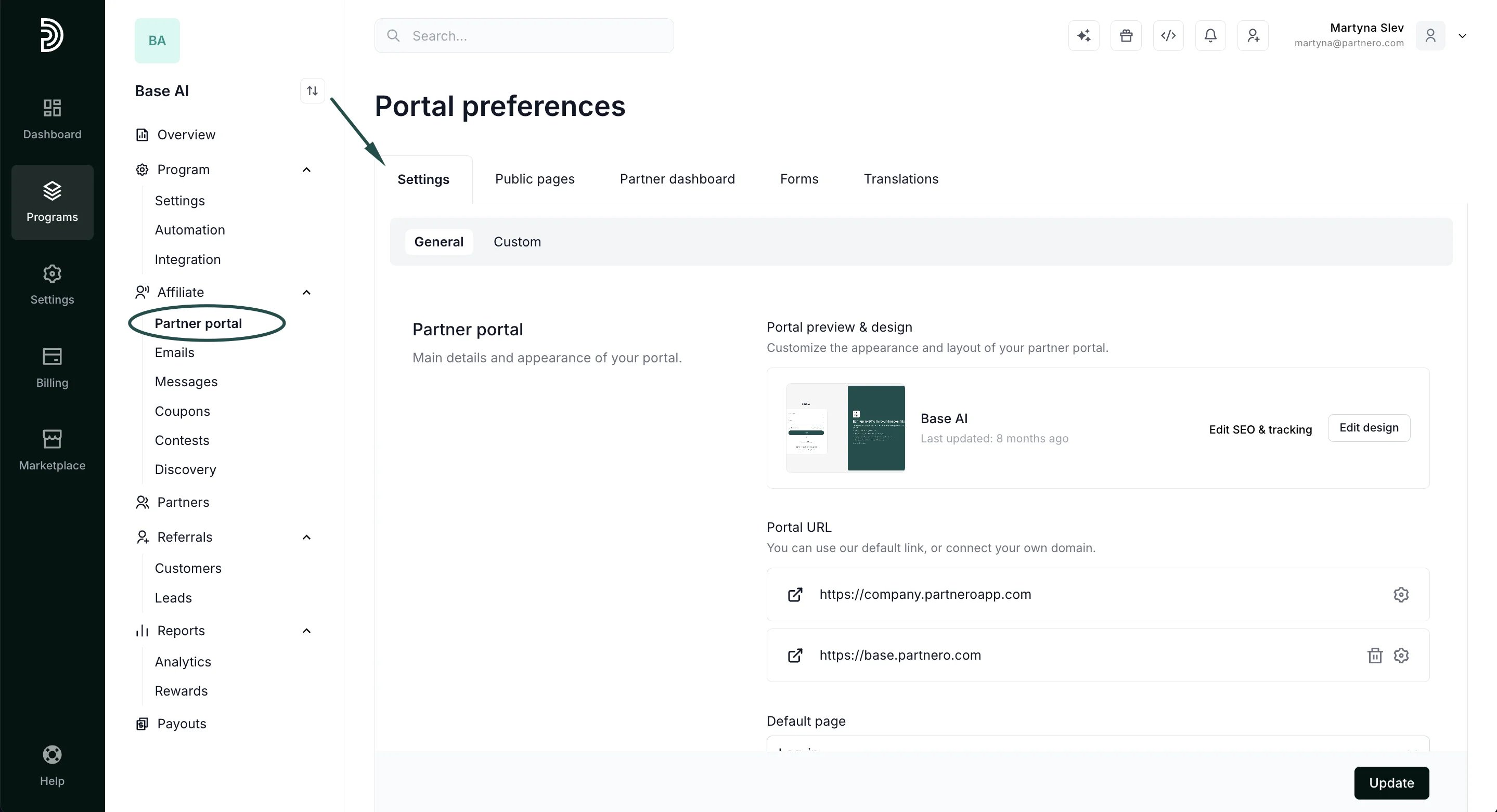
- In the Settings tab, scroll down to Access and authentication. Toggle to Disable registrations via the Partner portal:
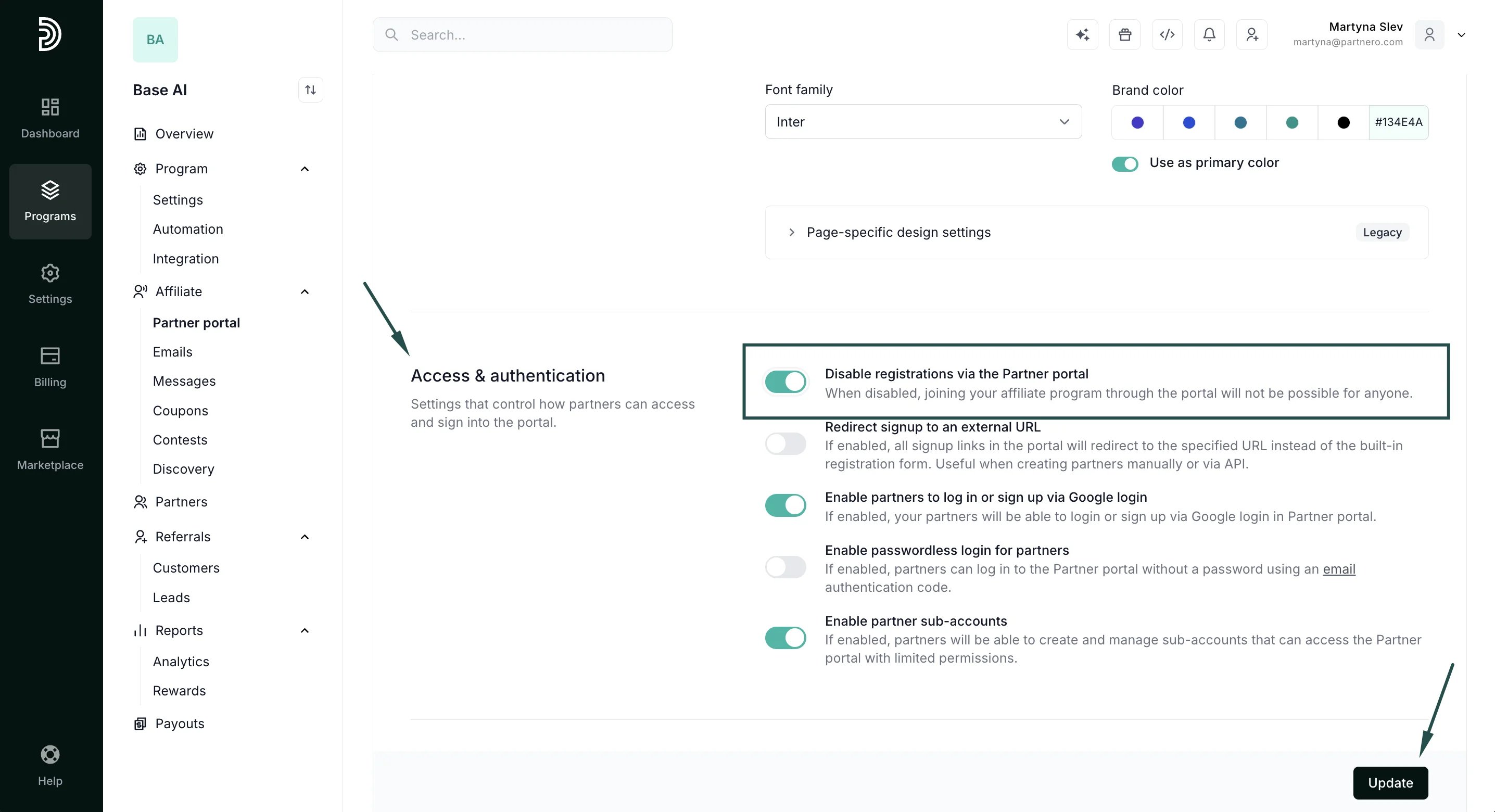
- Click Update.
How to disable the program page
- In your program, go to Partner portal under Affiliate:
- In the Settings tab, scroll down to the Portal features section. Toggle off the Enable program introduction page setting:
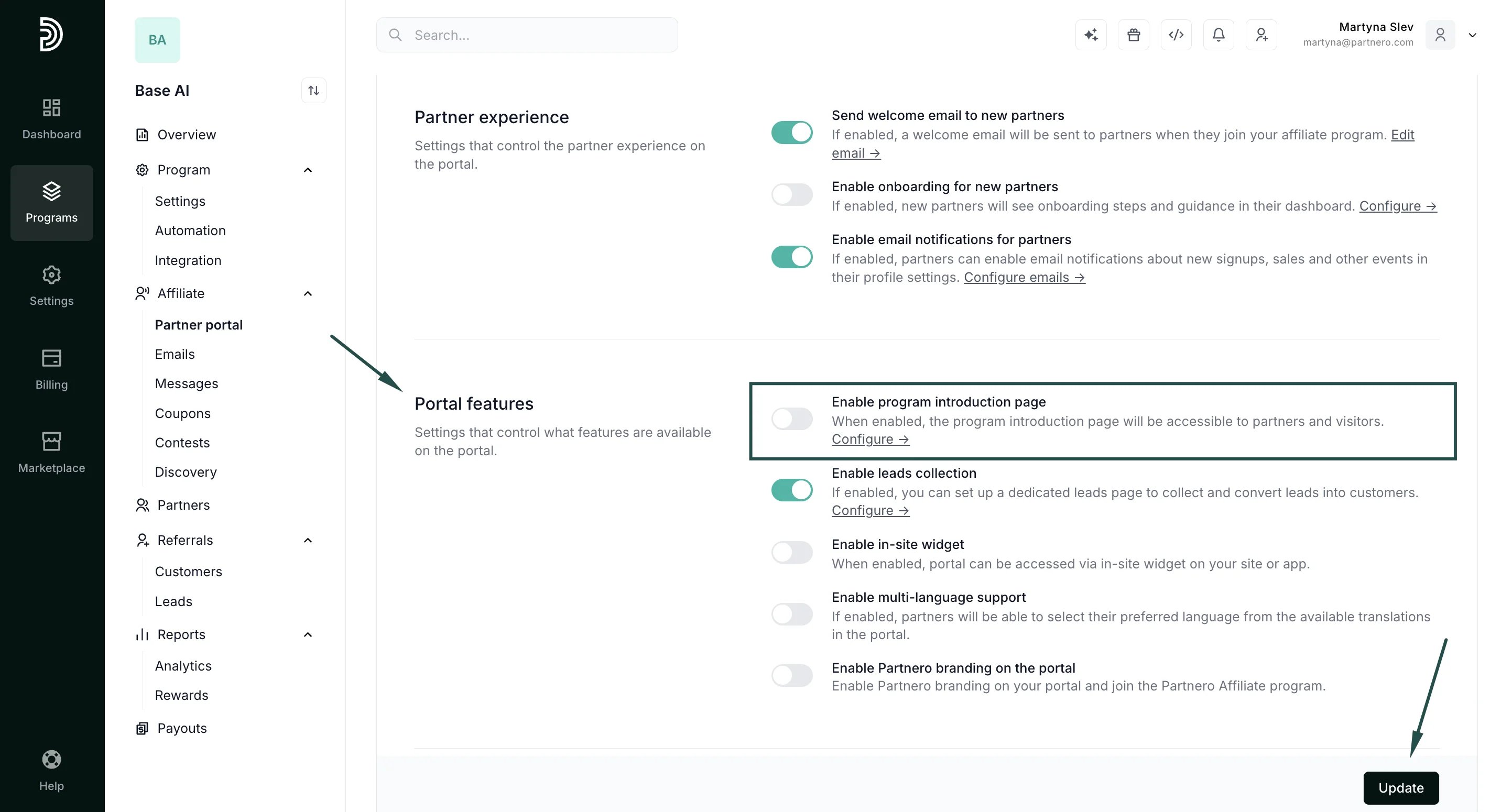
- Click Update.