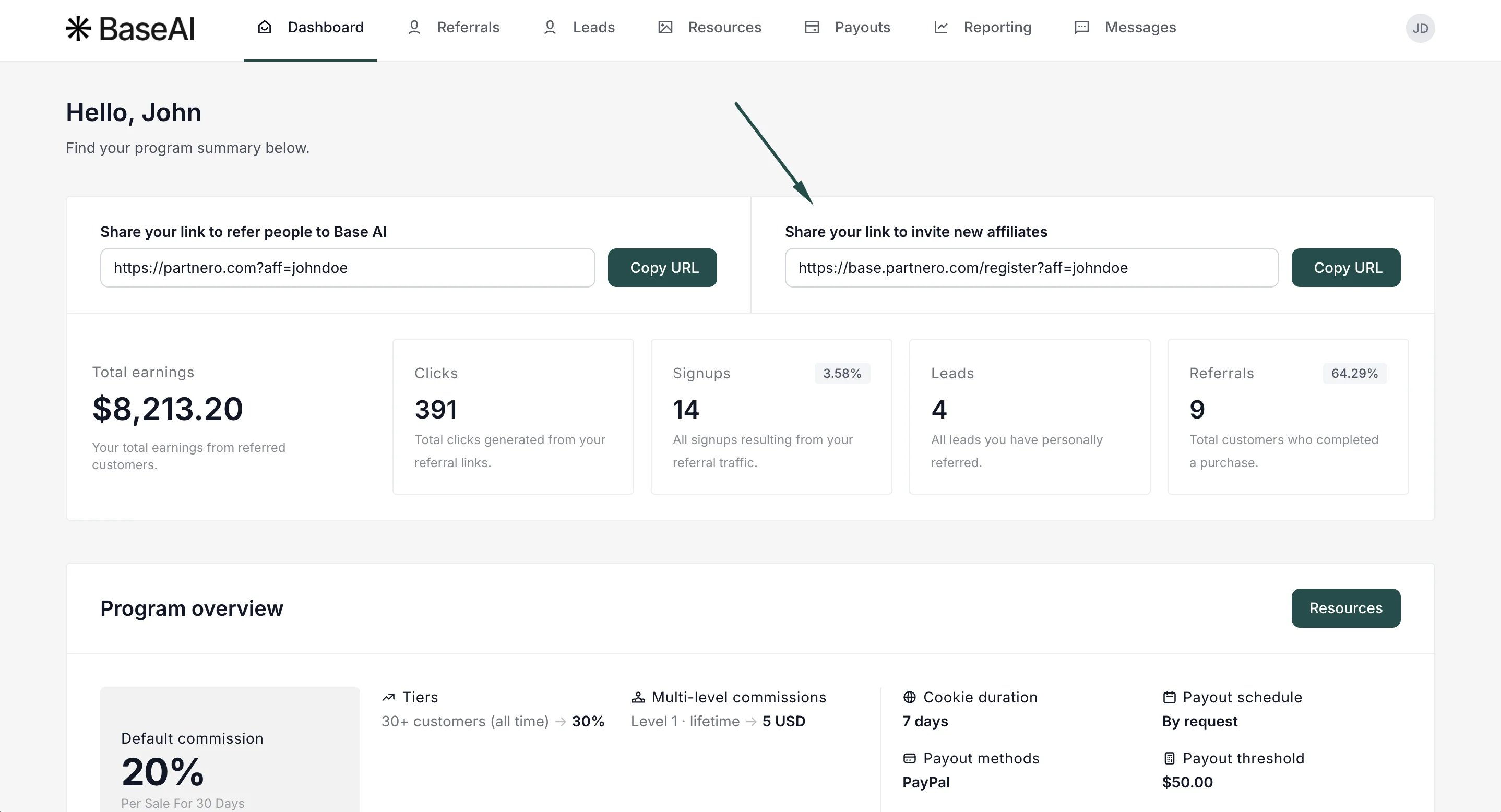
Note: This option is only available if multi-level affiliate commission is enabled and configured for your program. Learn how to set up multi-level commissions →When enabled, the signup link appears alongside the default referral link in the partner portal dashboard, making it easy for affiliates to grow your affiliate network. To enable it:
- Go to Settings under Program, and scroll down to Commission.
- Toggle to Show multi-level signup link in partner portal:
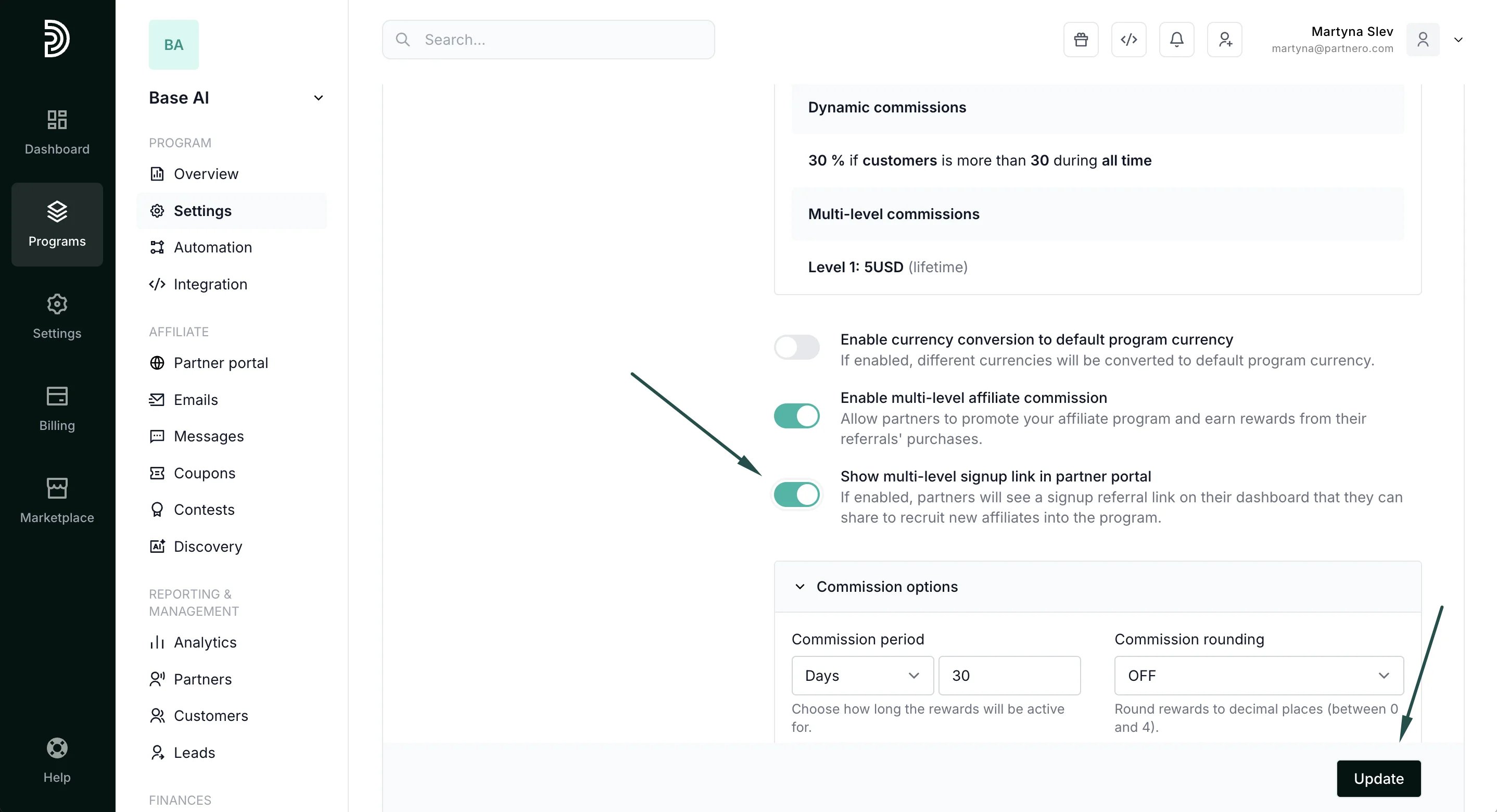
- Click Update.