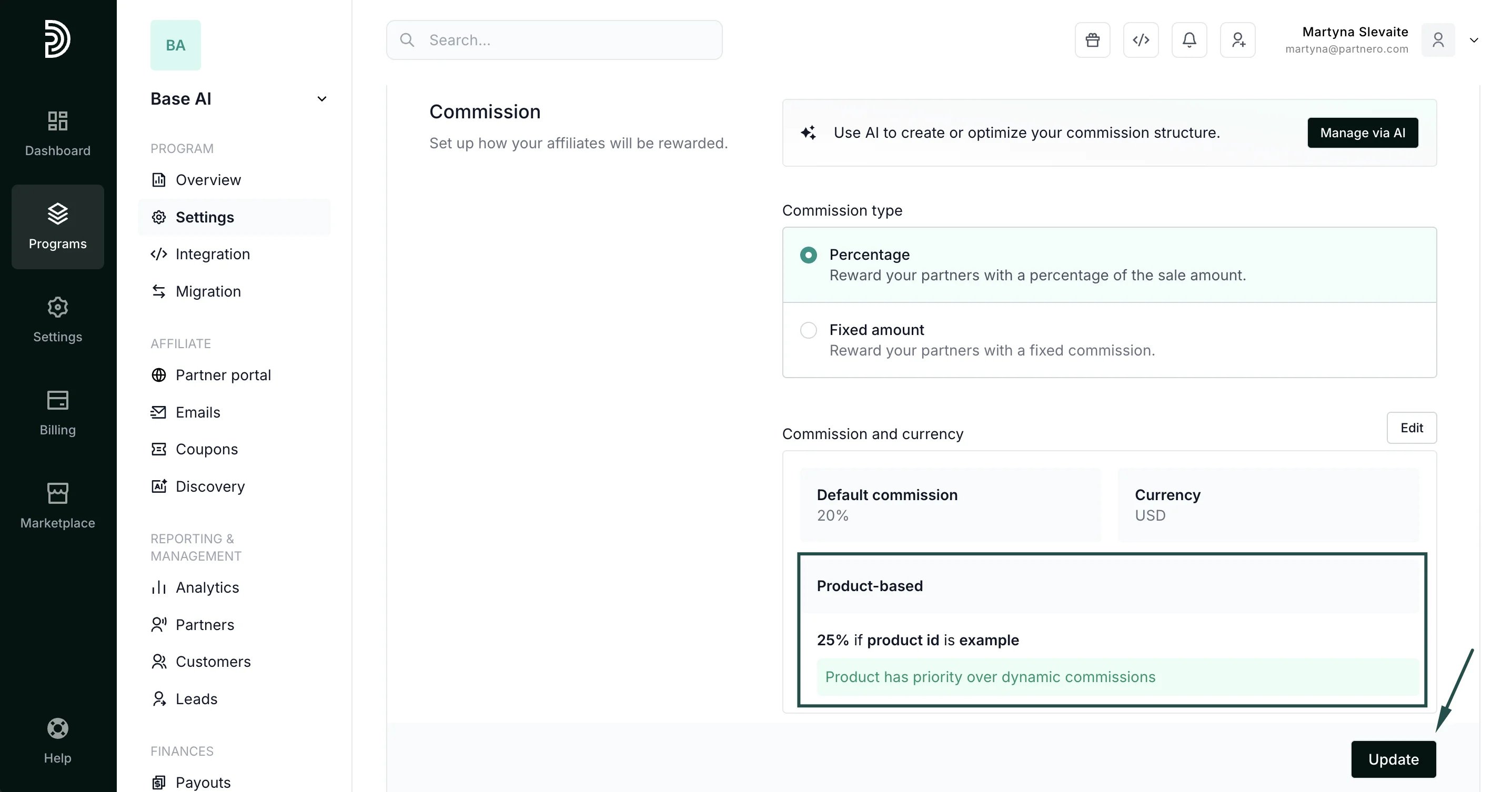
How to set up product-based commissions
- Open the affiliate program you’d like to work with or create a new program.
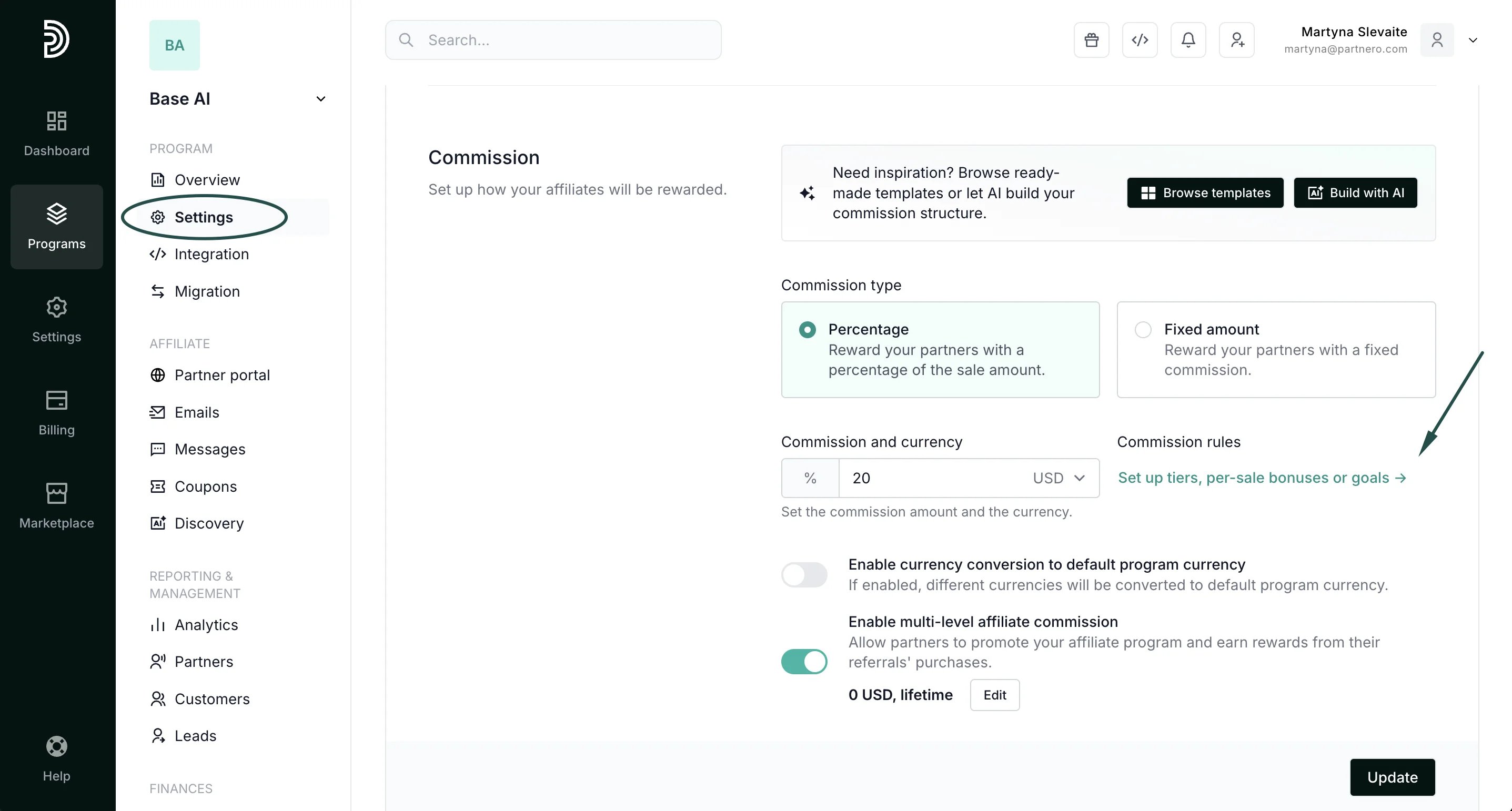
- Go to the Commission section under Settings and click Set up tiers, per-sale bonuses, or goals:
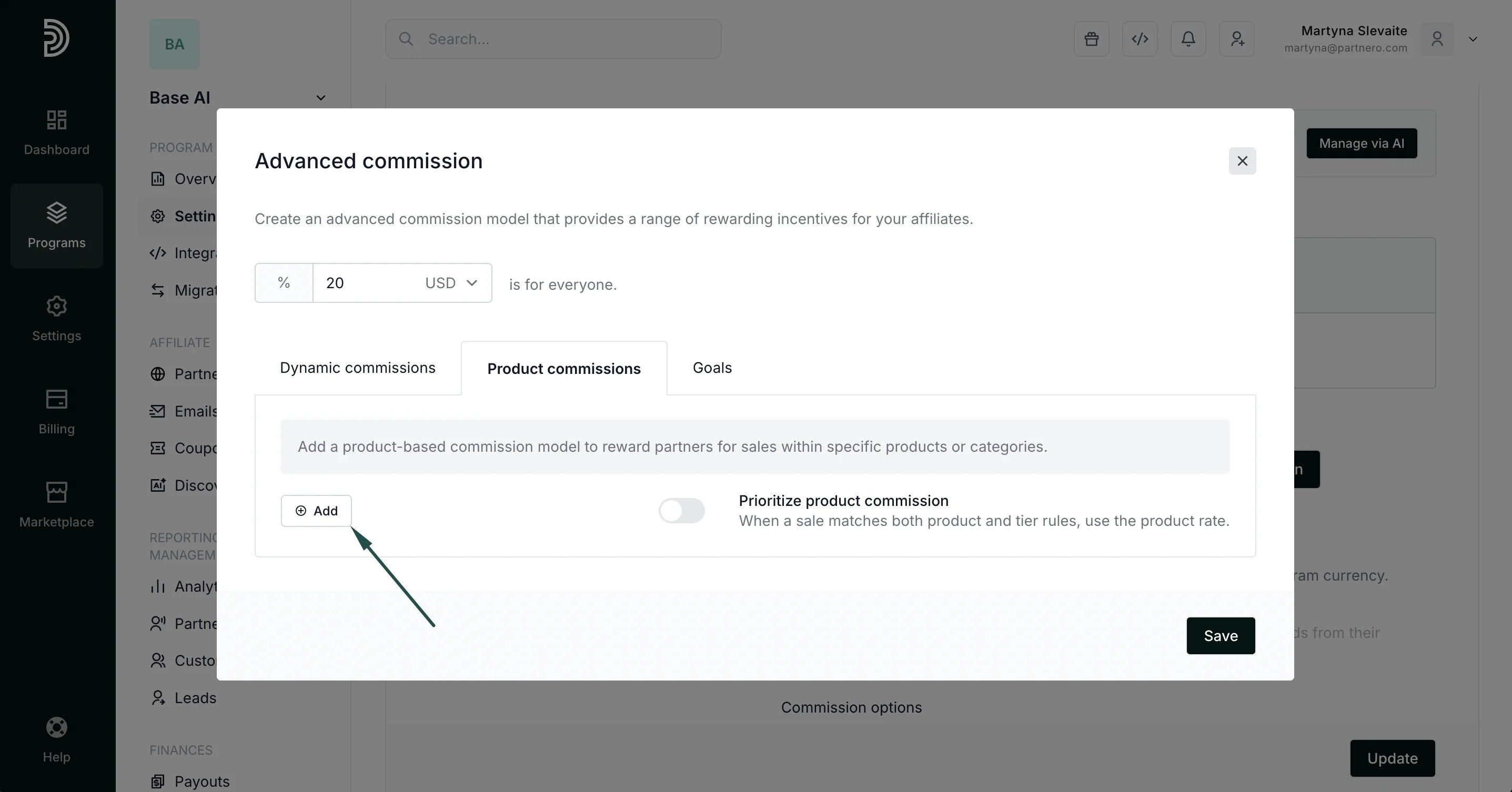
- Click on the Product commissions tab and click **+**Add:
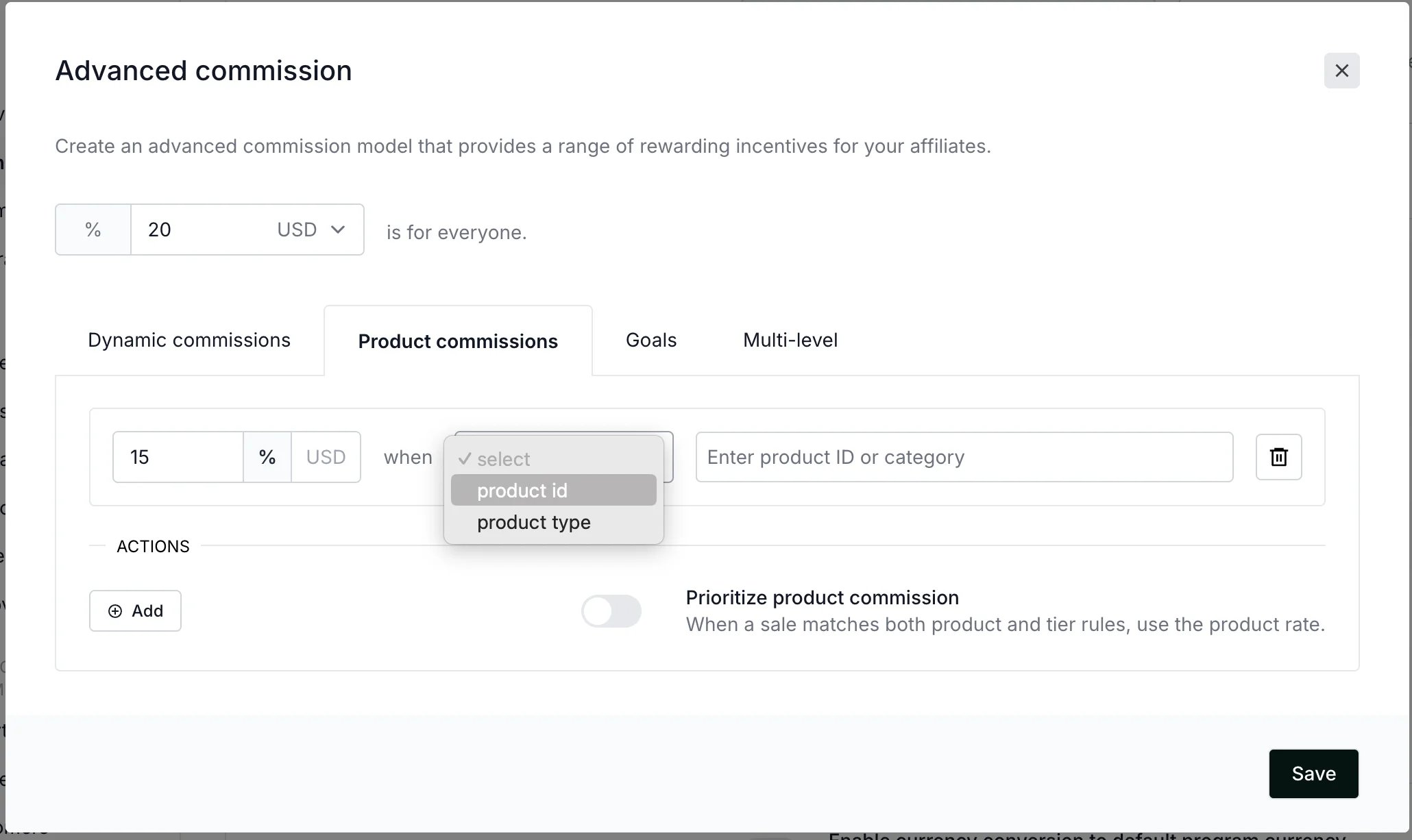
- Add the amount and select between percentage (%) or currency (USD) for the reward, for example 15% or 15USD:
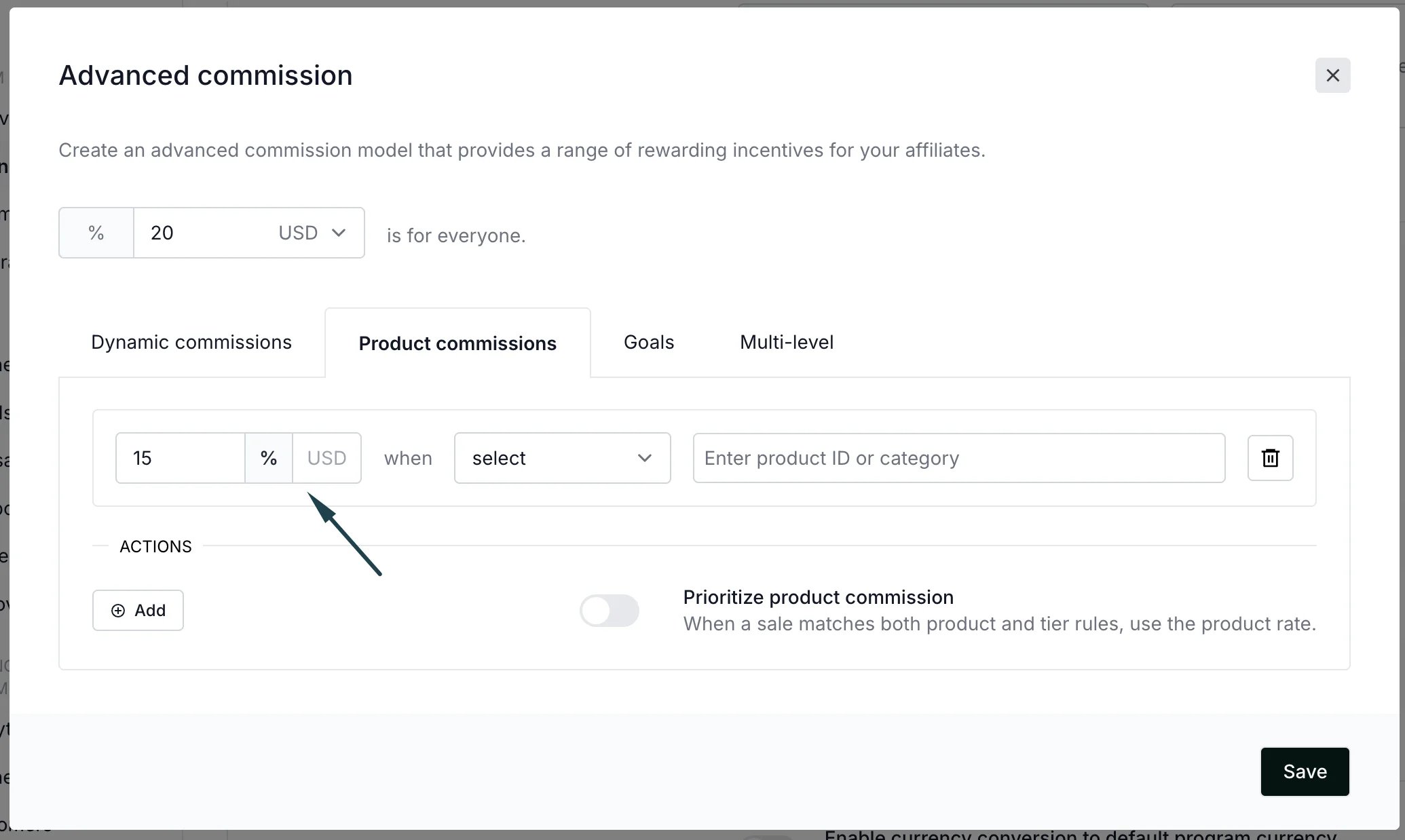
- Commissions can be set for a specific product ID or product type:
-
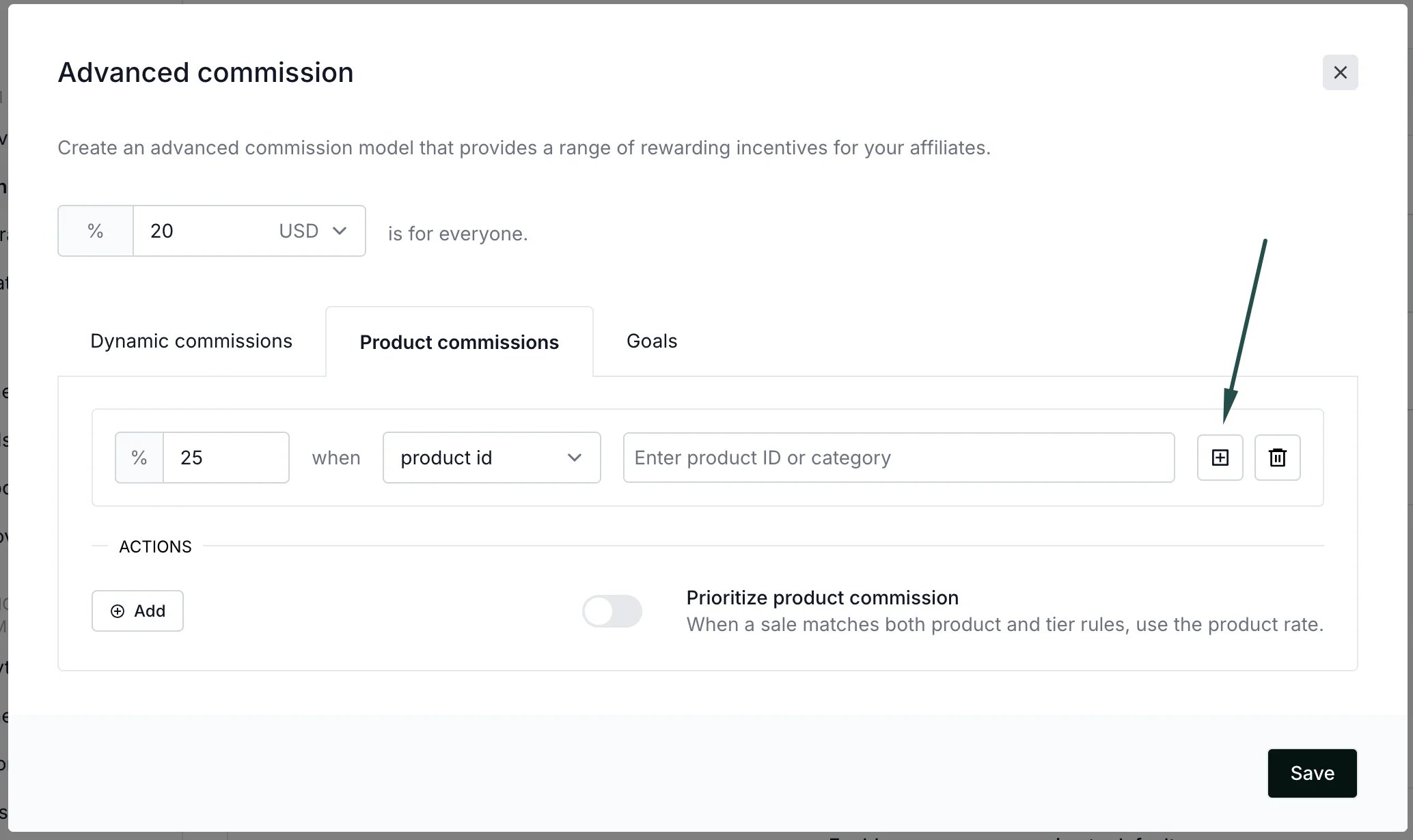
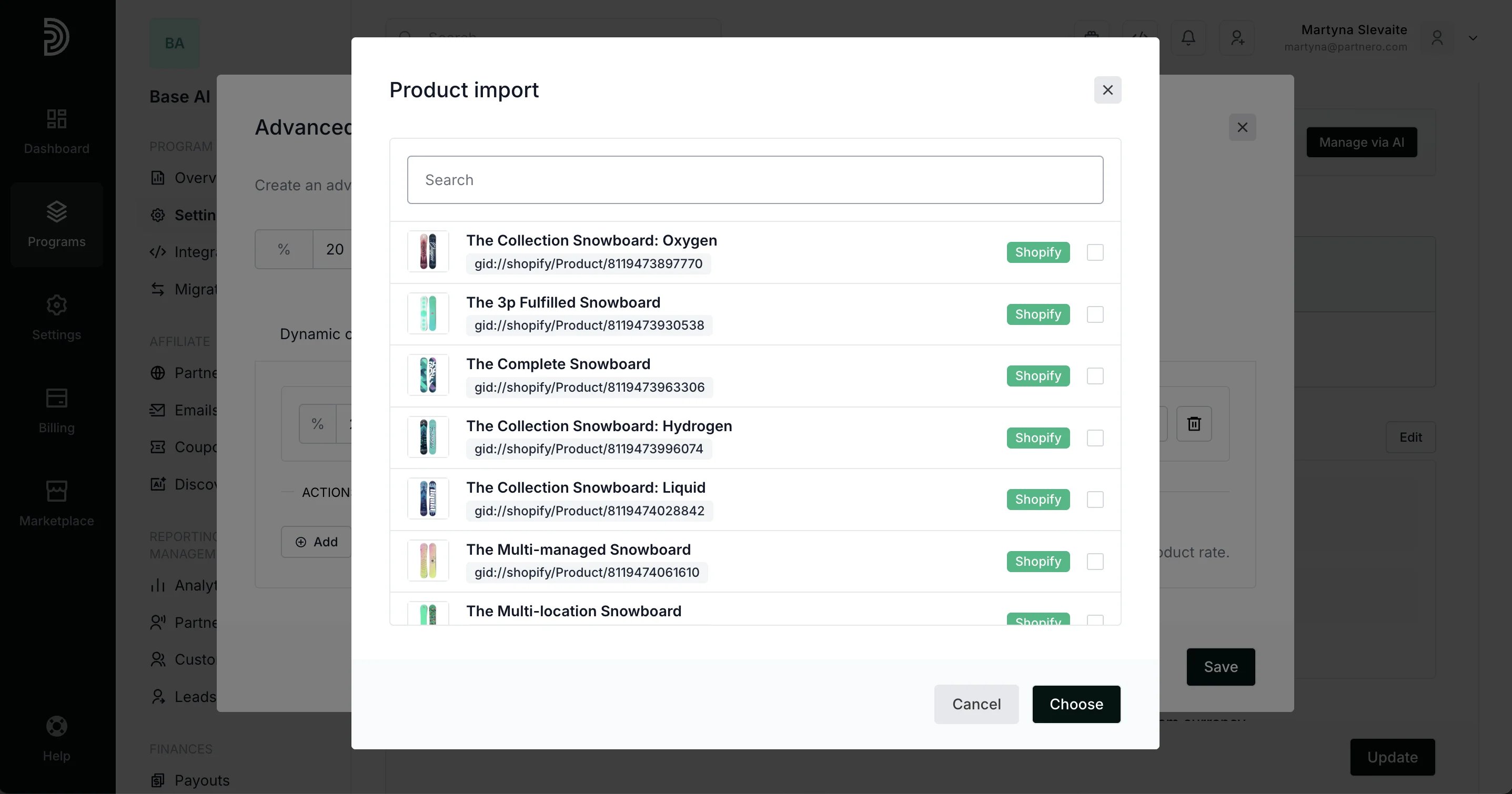
- Selected the required products and set the commission rates. You can add multiple rows with different commission rates for different products or product groups.
If you’d like the product-based commission to have priority over the dynamic commission settings, toggle the setting at the bottom. Click Save.
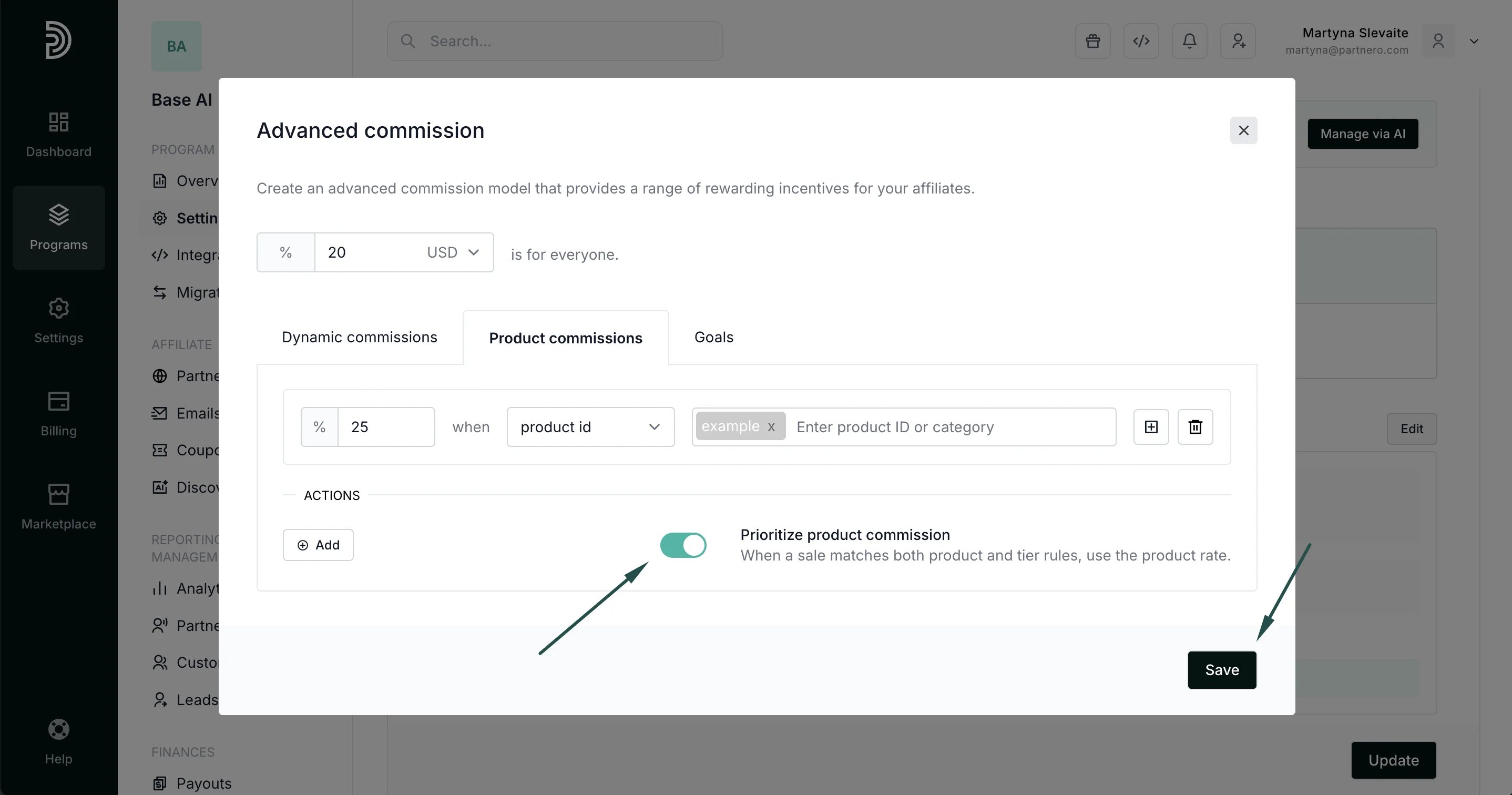
- Click Update to save your changes: