

Set up the automation
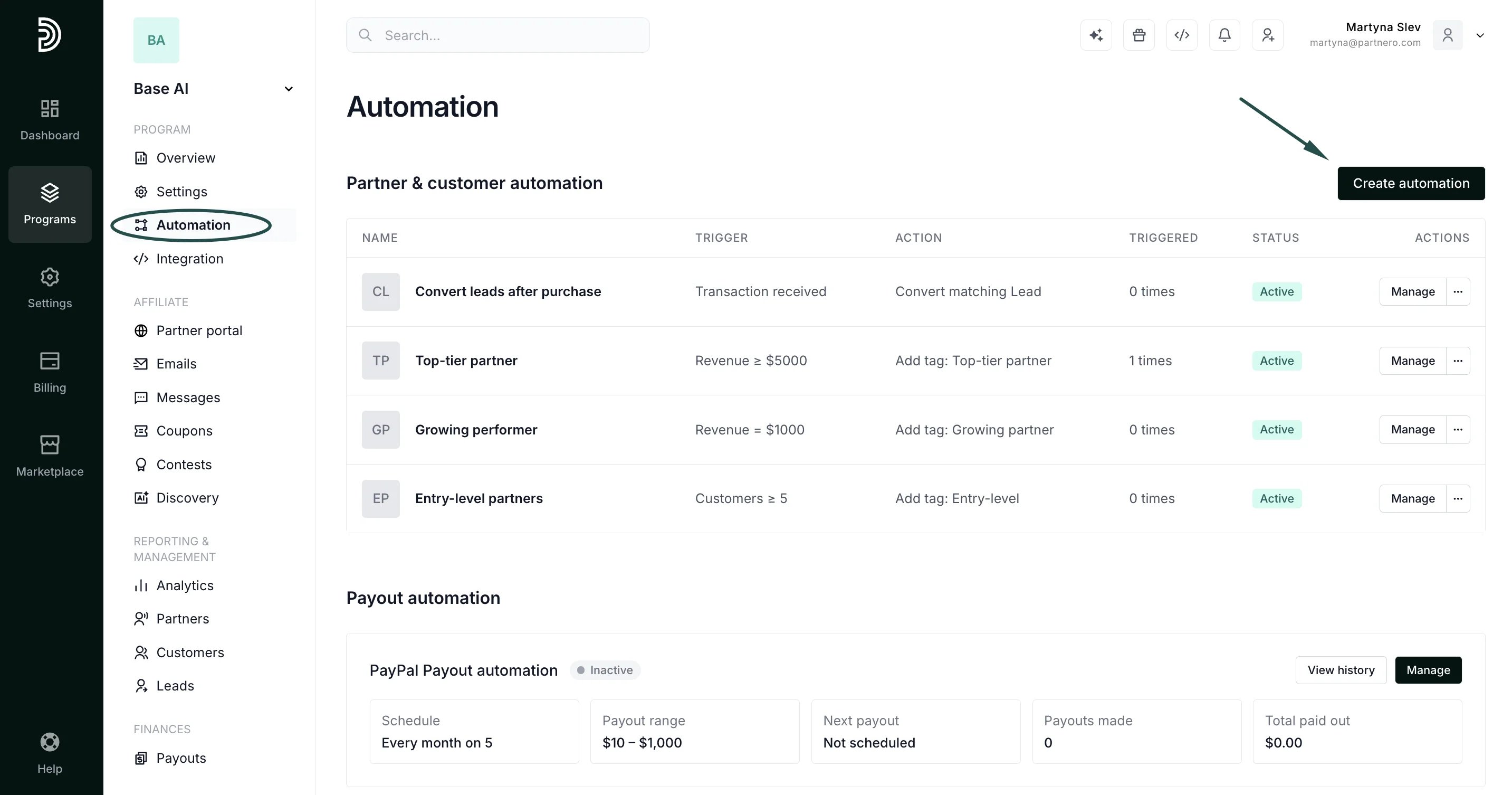
To set up the automation:- Go to Automations in your program dashboard and click Create automation:
- For the trigger, select Tag is assigned to partner.
- Choose the tag that should start the automation.
- For the action, select Send email.
- Pick the email template to send, or click Create new email to build one (read more about email templates):
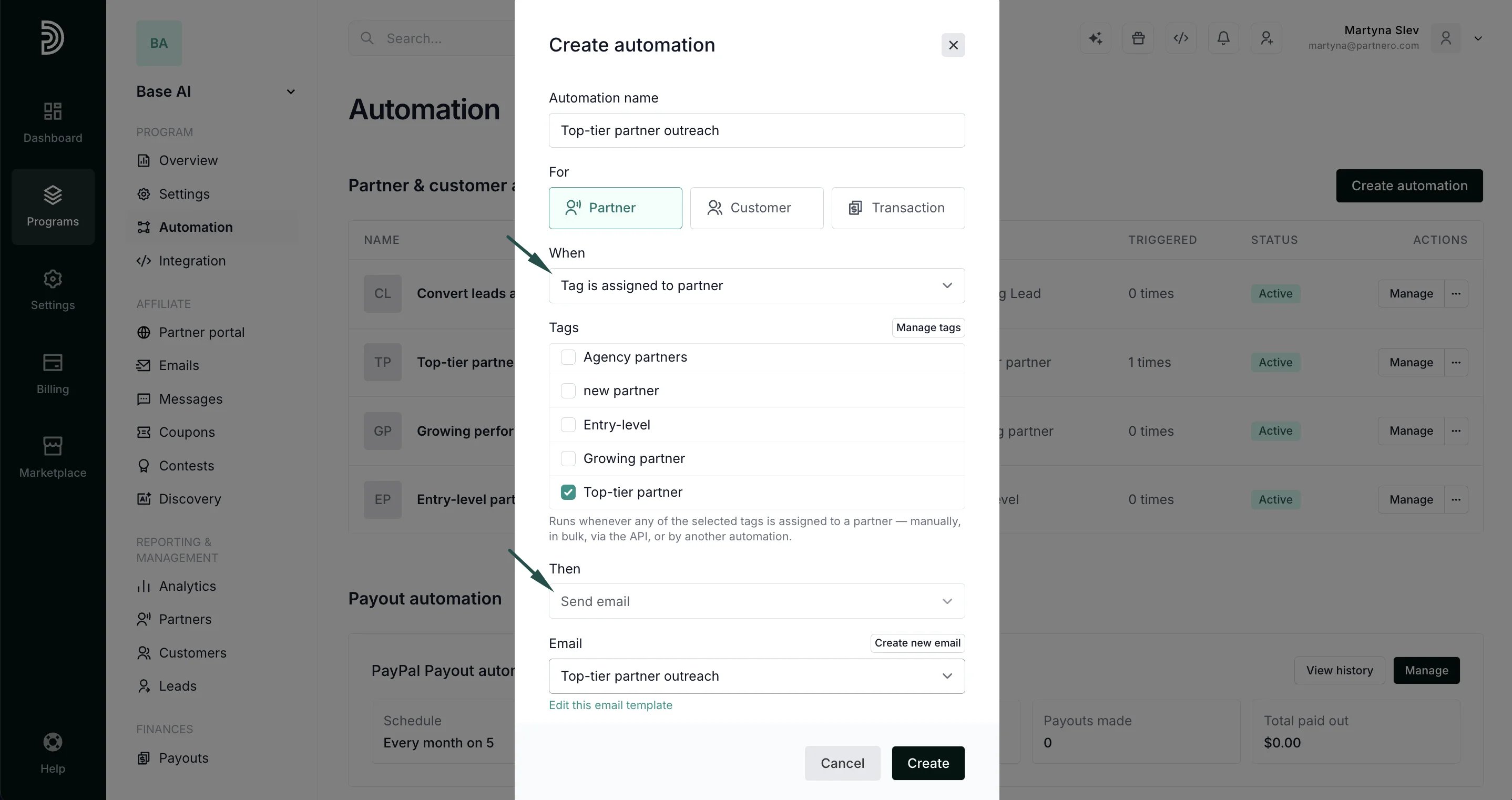
- Click Create to save the automation.
Use cases & examples
- Notify a partner as soon as they are marked VIP or moved into a higher tier
- Send a re-engagement email when a partner is tagged
at-riskordormant - Follow up automatically when a partner is tagged
needs-onboarding - Send a reward or perks email when a partner is tagged
goldorchampion