

- New partner notification Get notified when new partners join your program.
- **New customer notification **Get notified when you get a new customer referred by your partner.
- **New transaction notification **Get notified when a referred customer does a new transaction.
- **Approval request notification **Get notified when a partner submits an approval request.
- **Payout request notification **Get notified when a partner submits a payout request.
- New lead notification Get notified when a partner submits a new lead through the partner portal.
- Weekly program activity notification Receive weekly emails with main program updates and metrics.
How to enable program email notifications
Each program has individual email notification settings. To enable:- Open the program you’d like to work with.
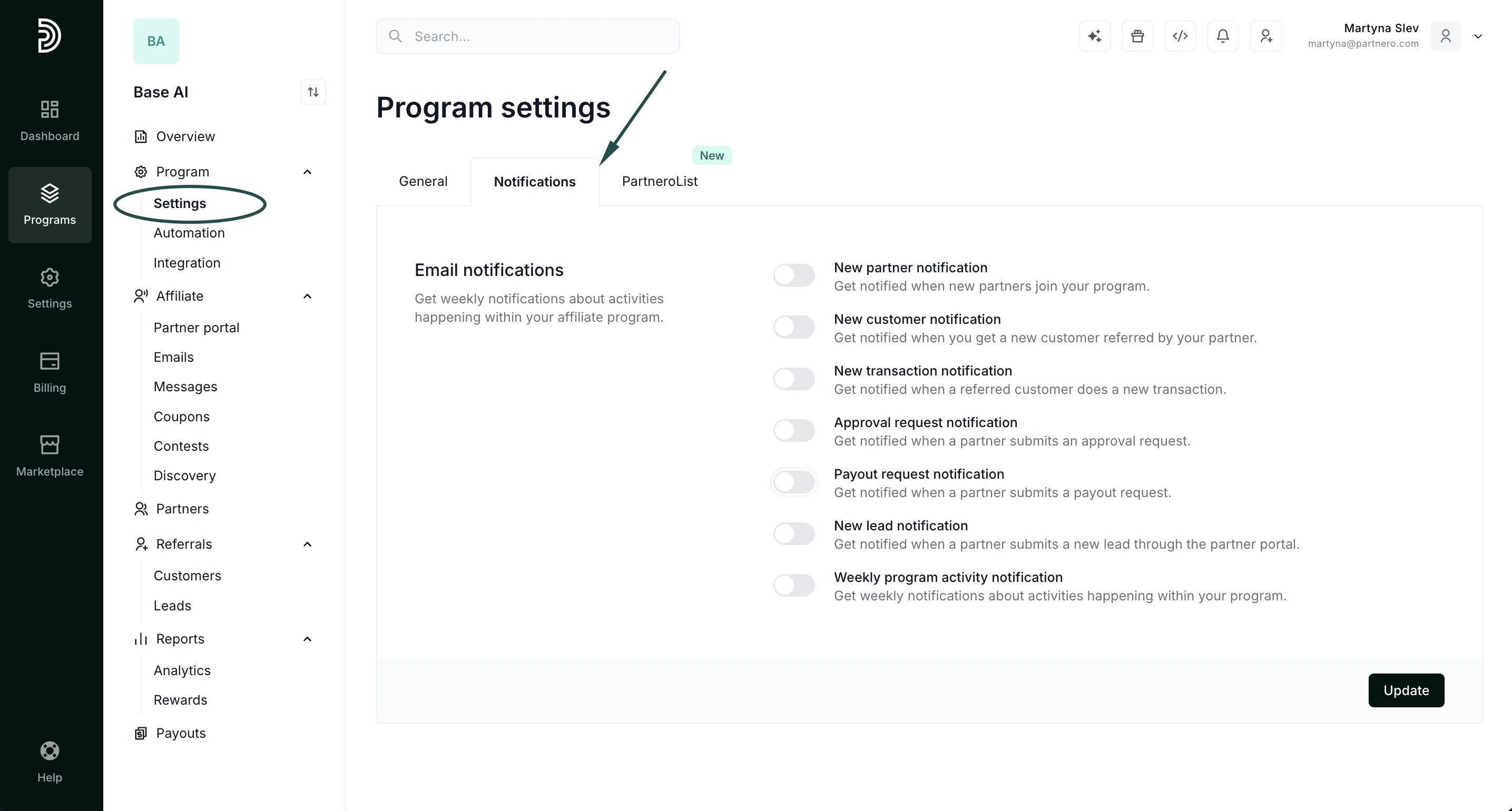
- Go to Settings → Notifications tab:
- Toggle which notifications you want to receive and enter the preferred email address.
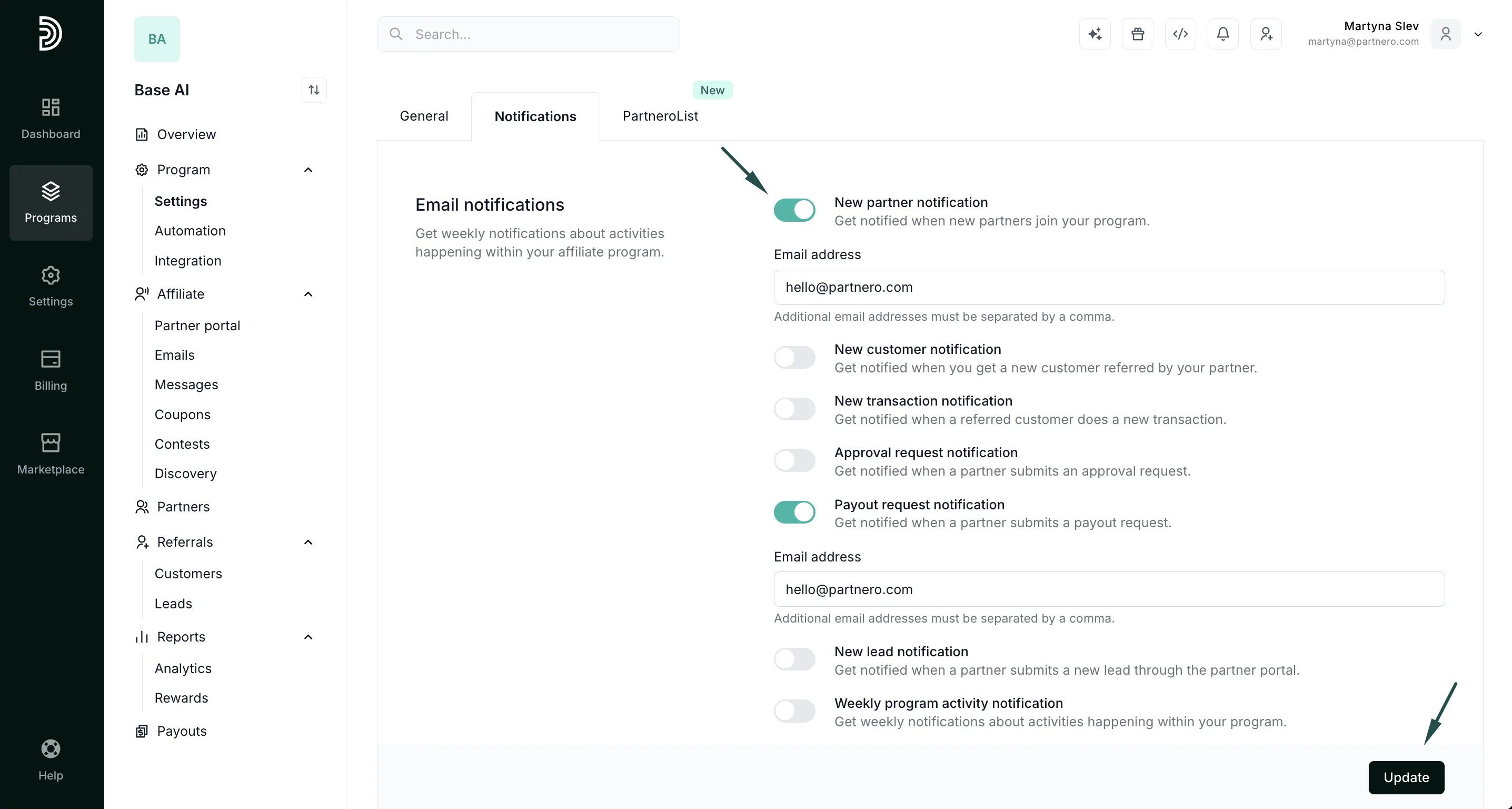
- Click Update.