

- Navigate to Partners and find the partner using their name or email address:
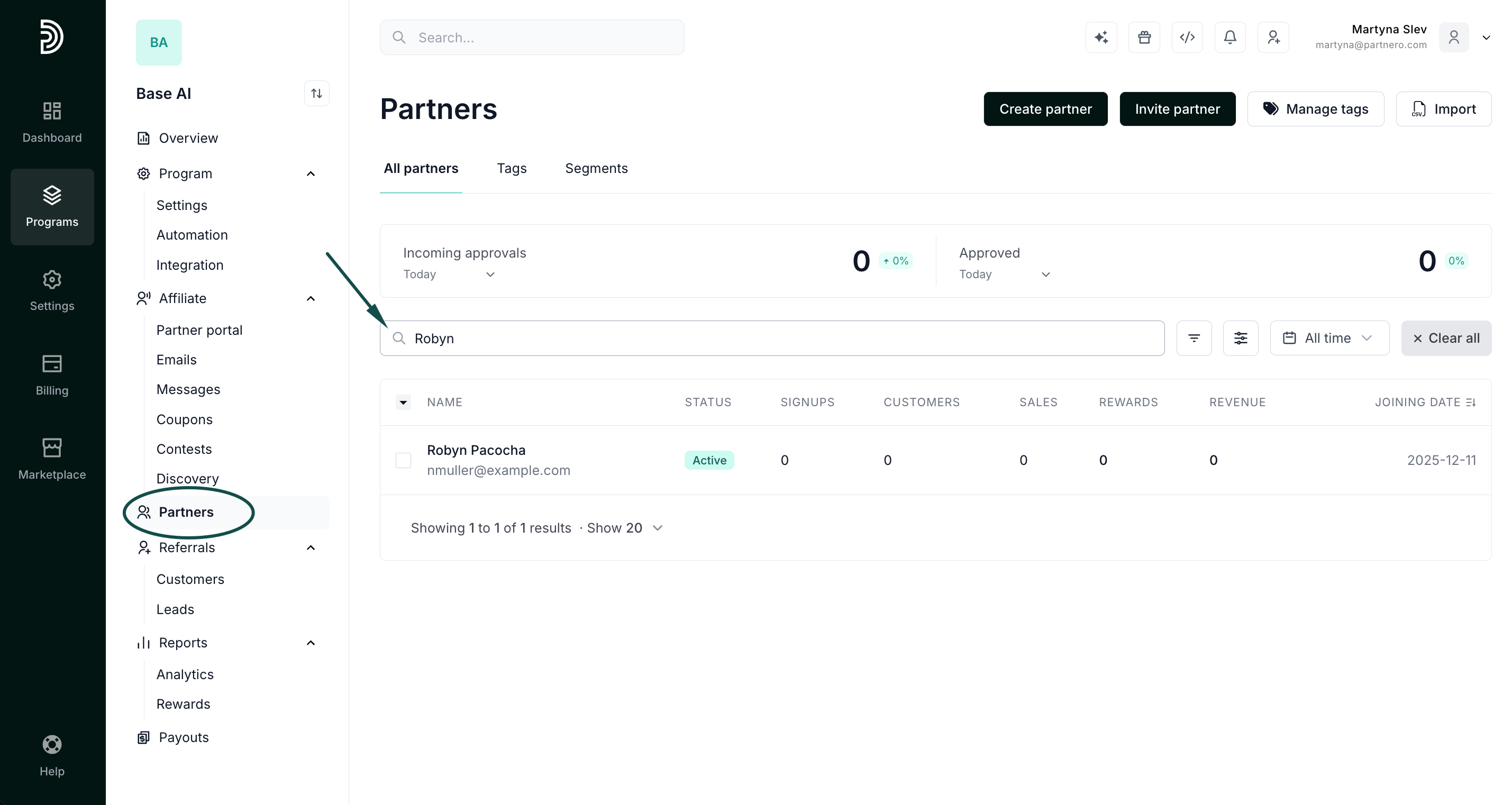
- Click on the partner to open up their profile.
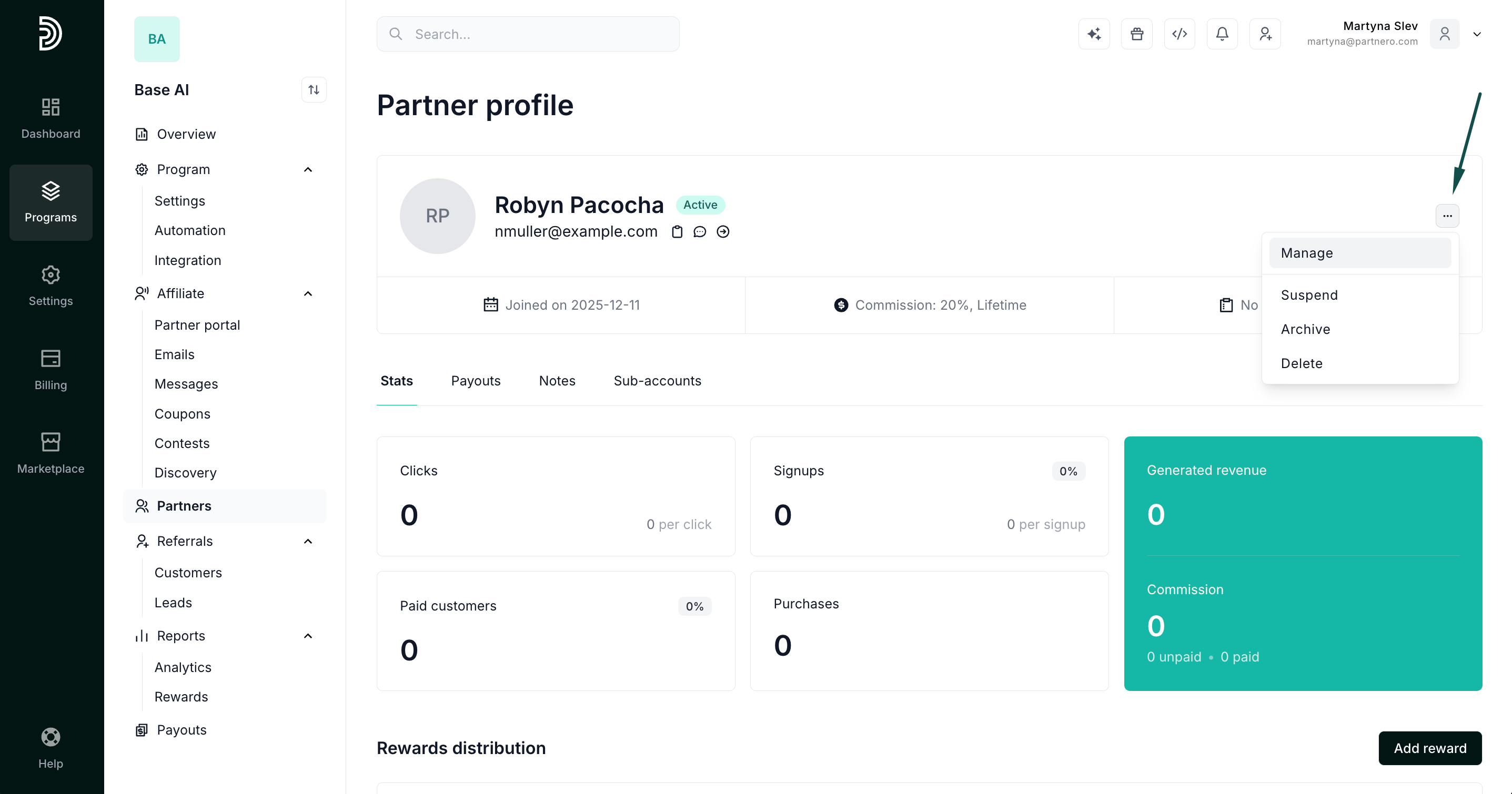
- Click on the three dots in the upper right corner and select Manage:
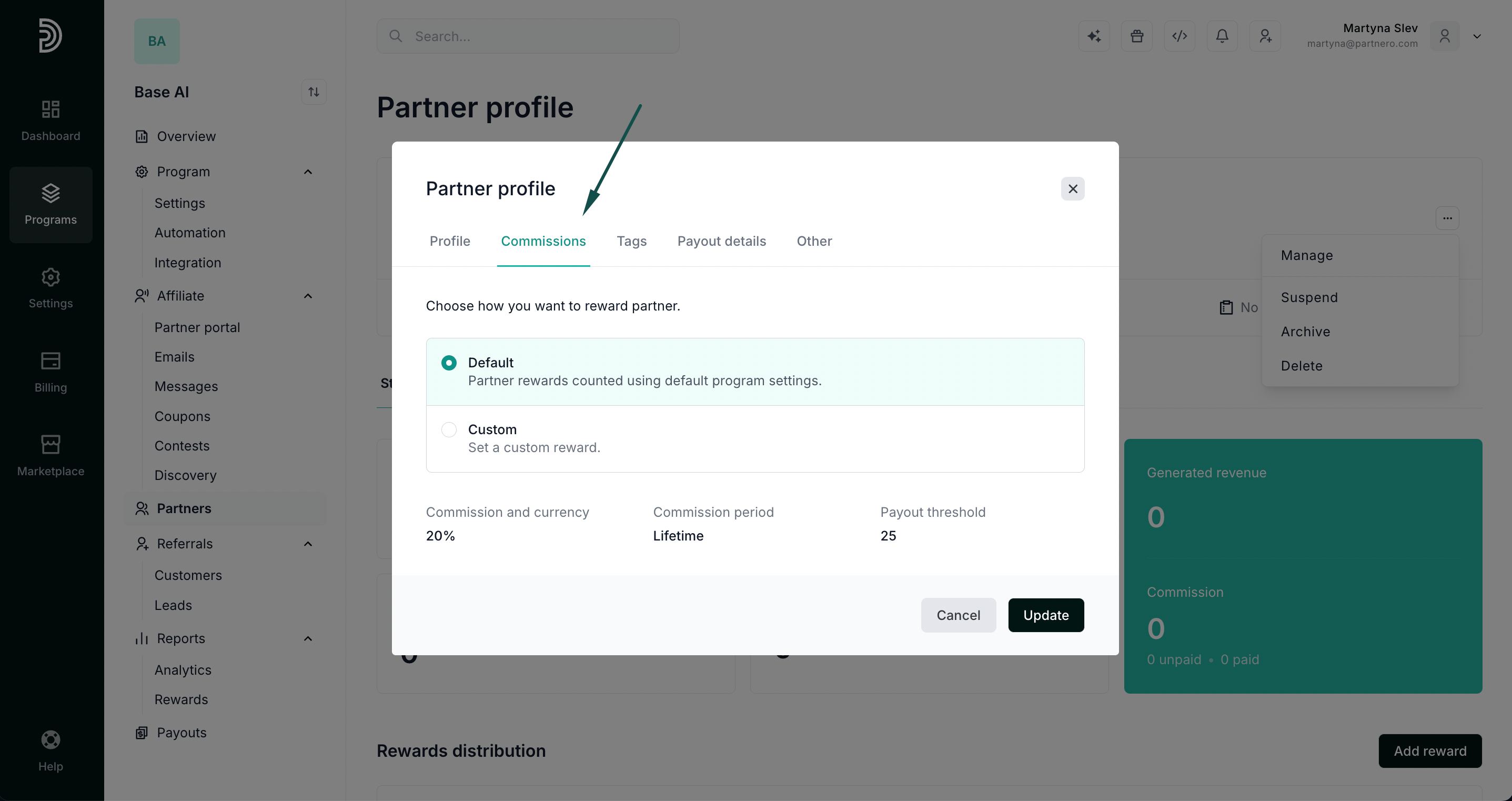
- In the modal, select the Commissions tab:\
- Select the Custom option to edit the following:\
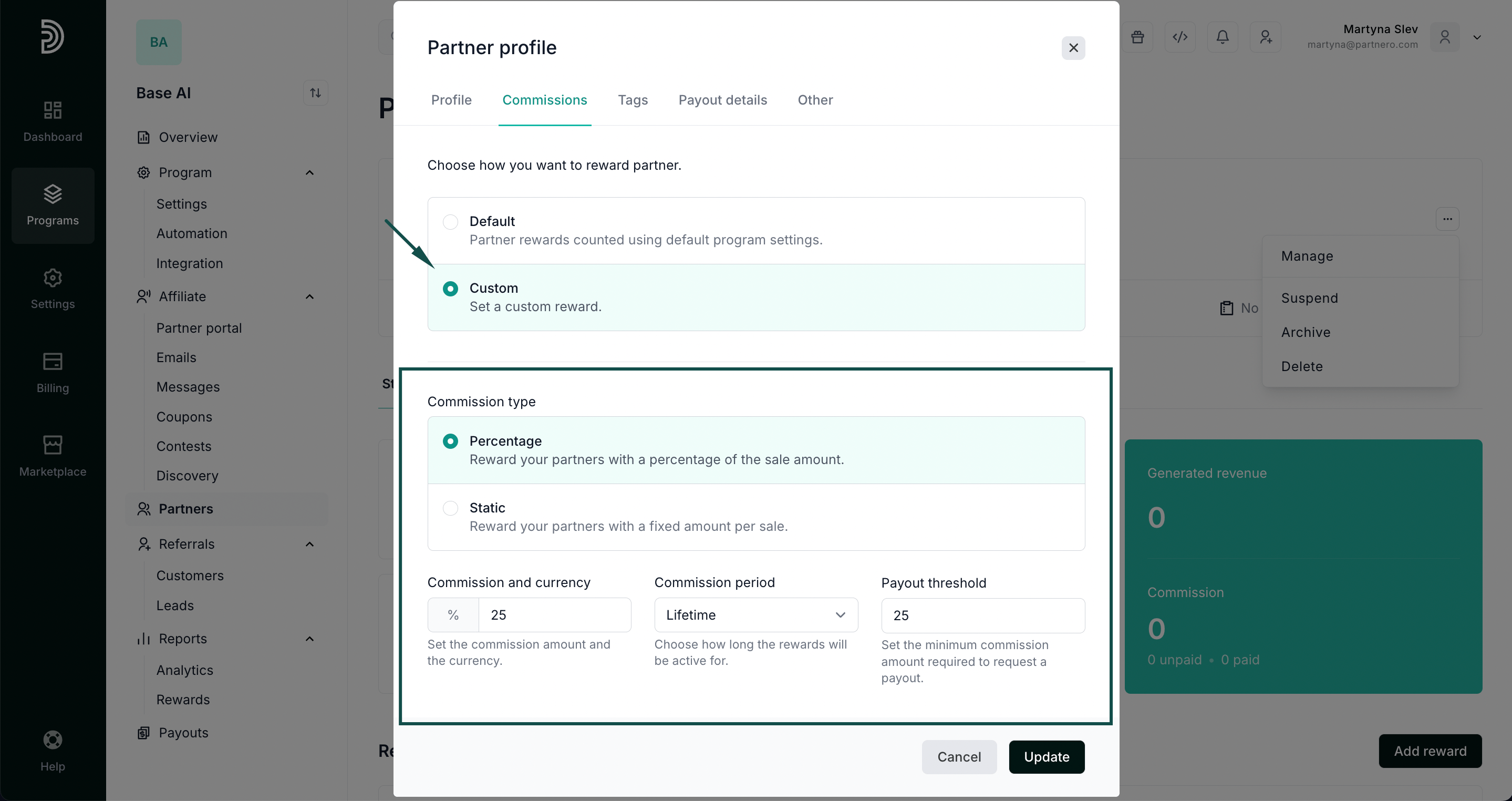
- Commission type (Percentage or Static, a fixed amount per sale)
- Commission amount
- Commission period
- Payout threshold
- Click Update.
A custom commission replaces the program’s dynamic and product commission rules for that partner. Discount-based
adjustments, currency conversion and the maximum commission still apply. See
How commission rules work together.