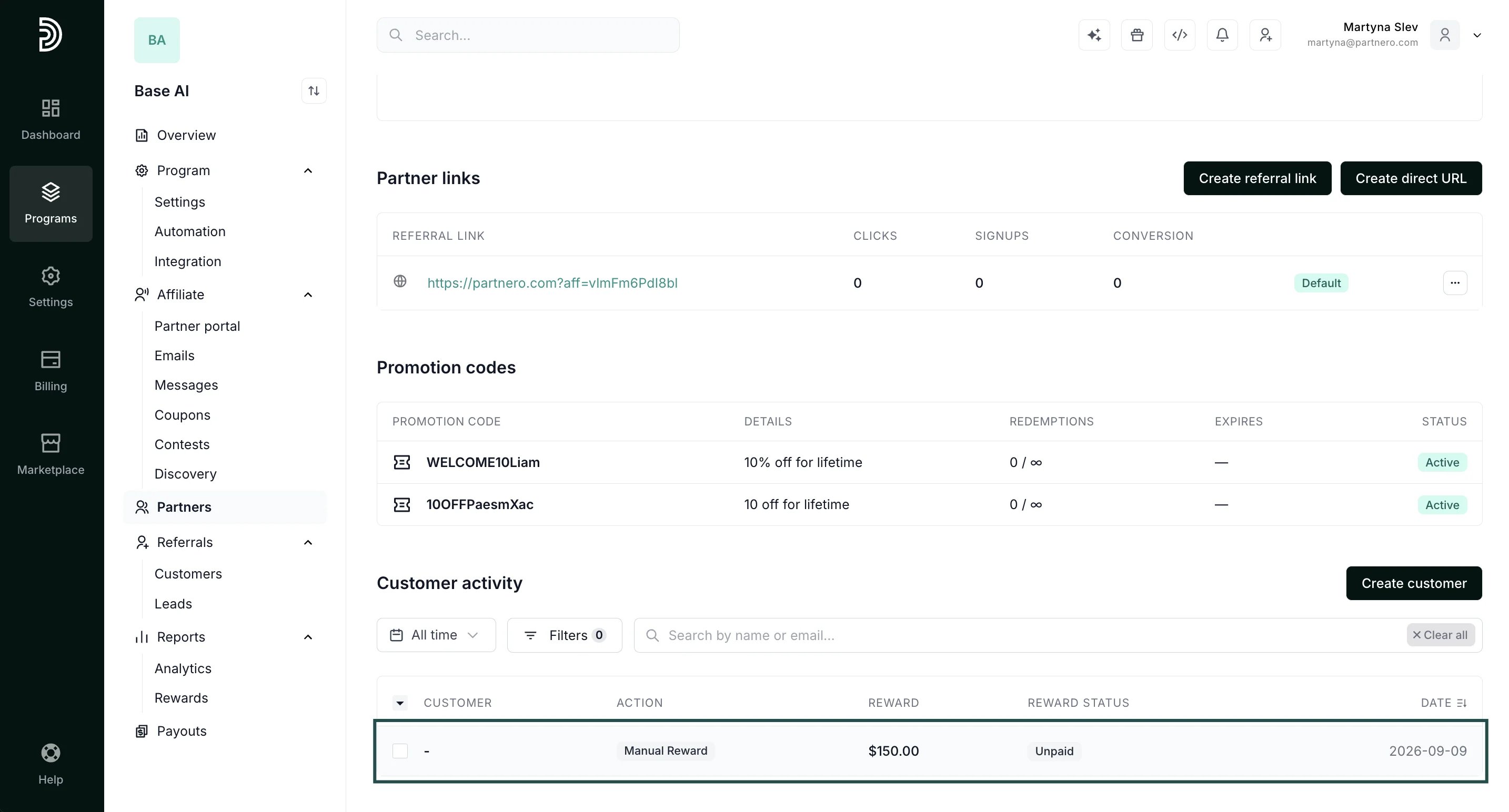
Add a reward
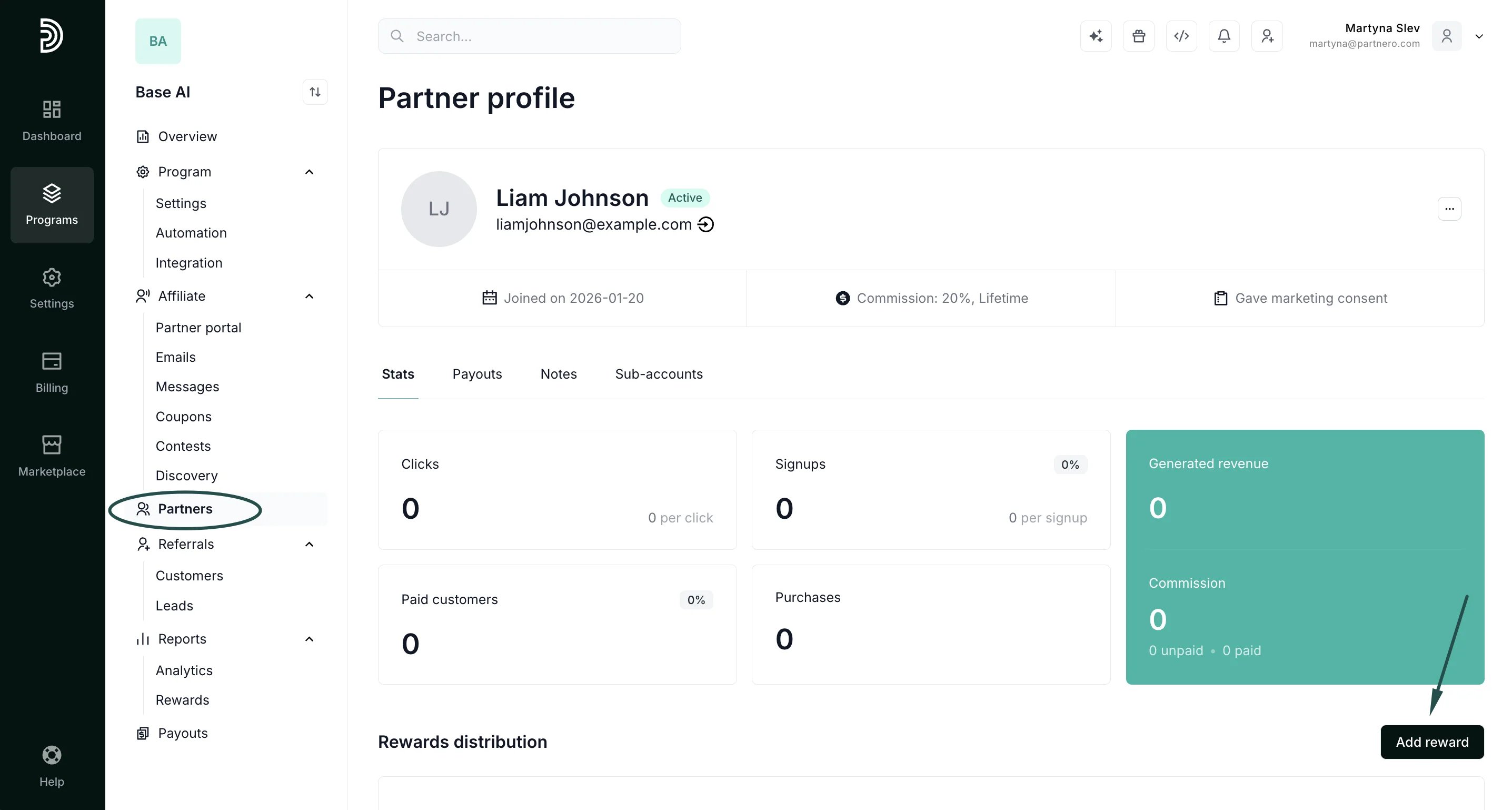
To add a manual reward:- Open the profile of the partner you want to reward.
-
Scroll to the Rewards distribution section and click Add rewar****d.
-
Fill in the form.
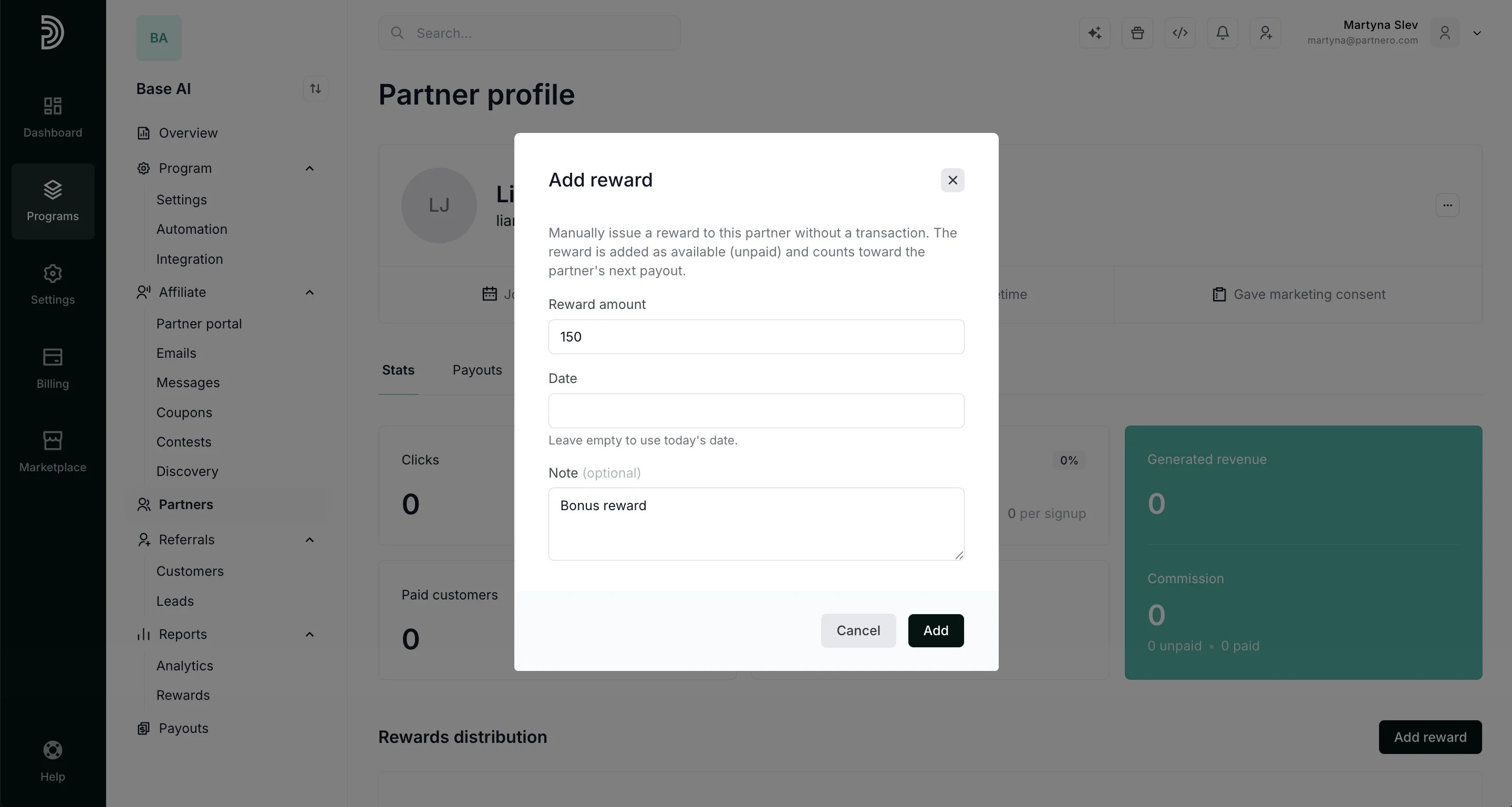
- Amount (required): the reward value, issued in the partner’s commission currency
- Note (optional): a short explanation of why the reward was given, shown in the reward’s details
- Date (optional): the date to record the reward on, defaults to today if left empty
- Click Add.