For merchants: enabling the setting
To enable partial payout requests:- Go to your program’s Settings and scroll down to Payout settings.
- Toggle “Let partners choose which commissions to request.”
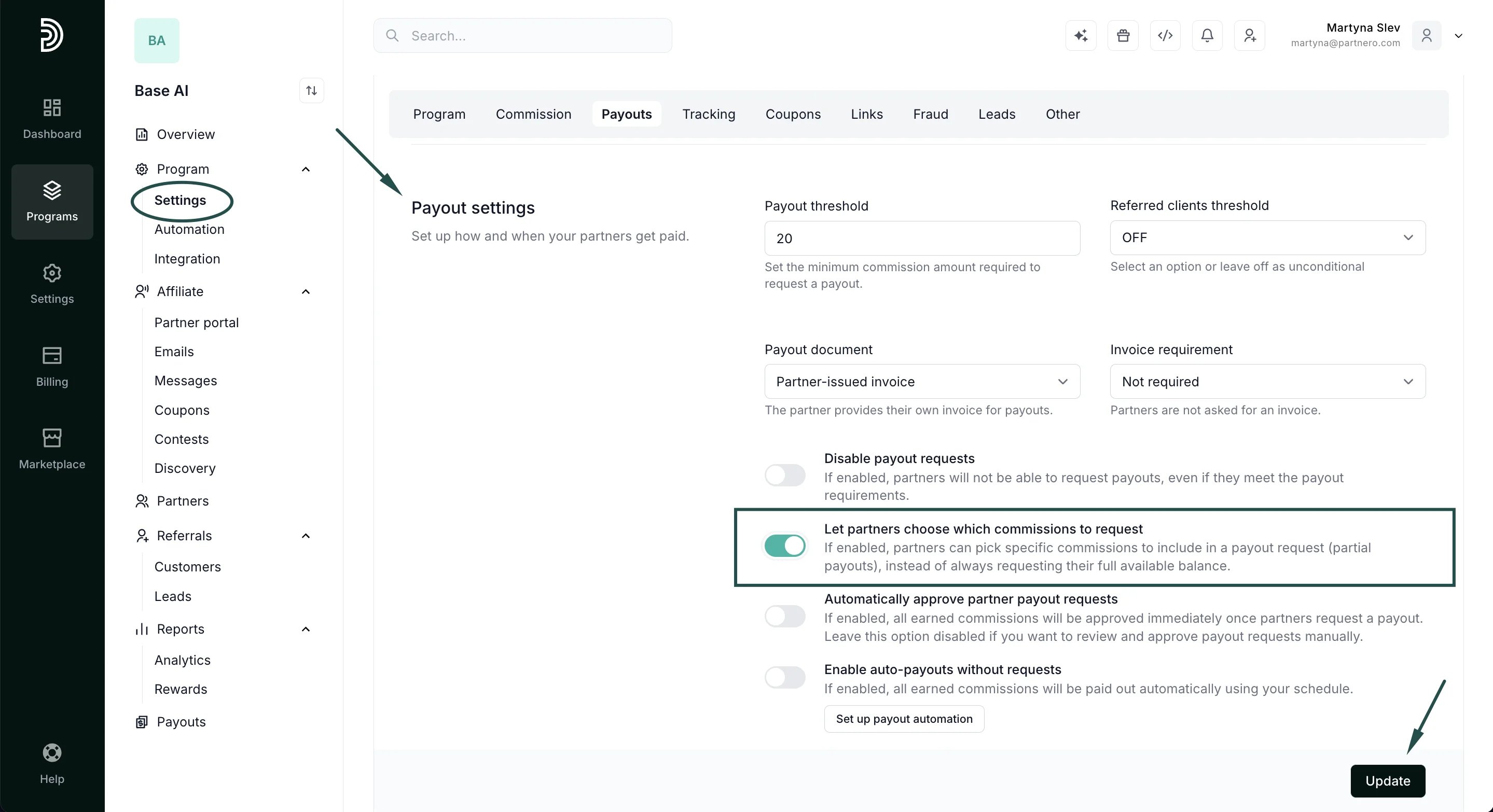
- Click Update.
For partners: requesting a partial payout
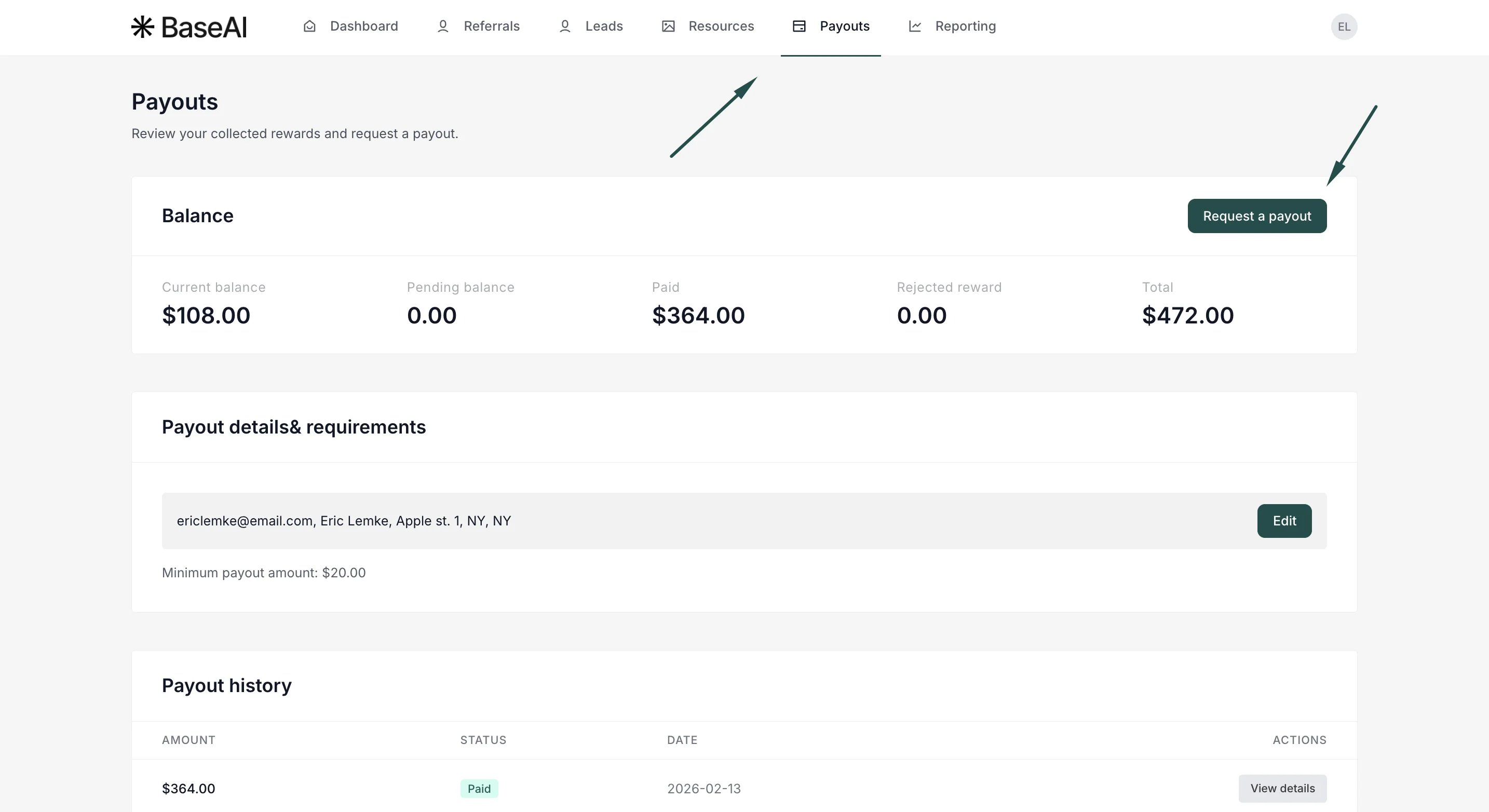
- In your partner portal, open Payouts and click Request a payout.
- You’ll see a list of your available commissions, each with its amount, plus a Select all option and a running total at the bottom. Tick the commissions you want to be paid for now. The total updates as you select.
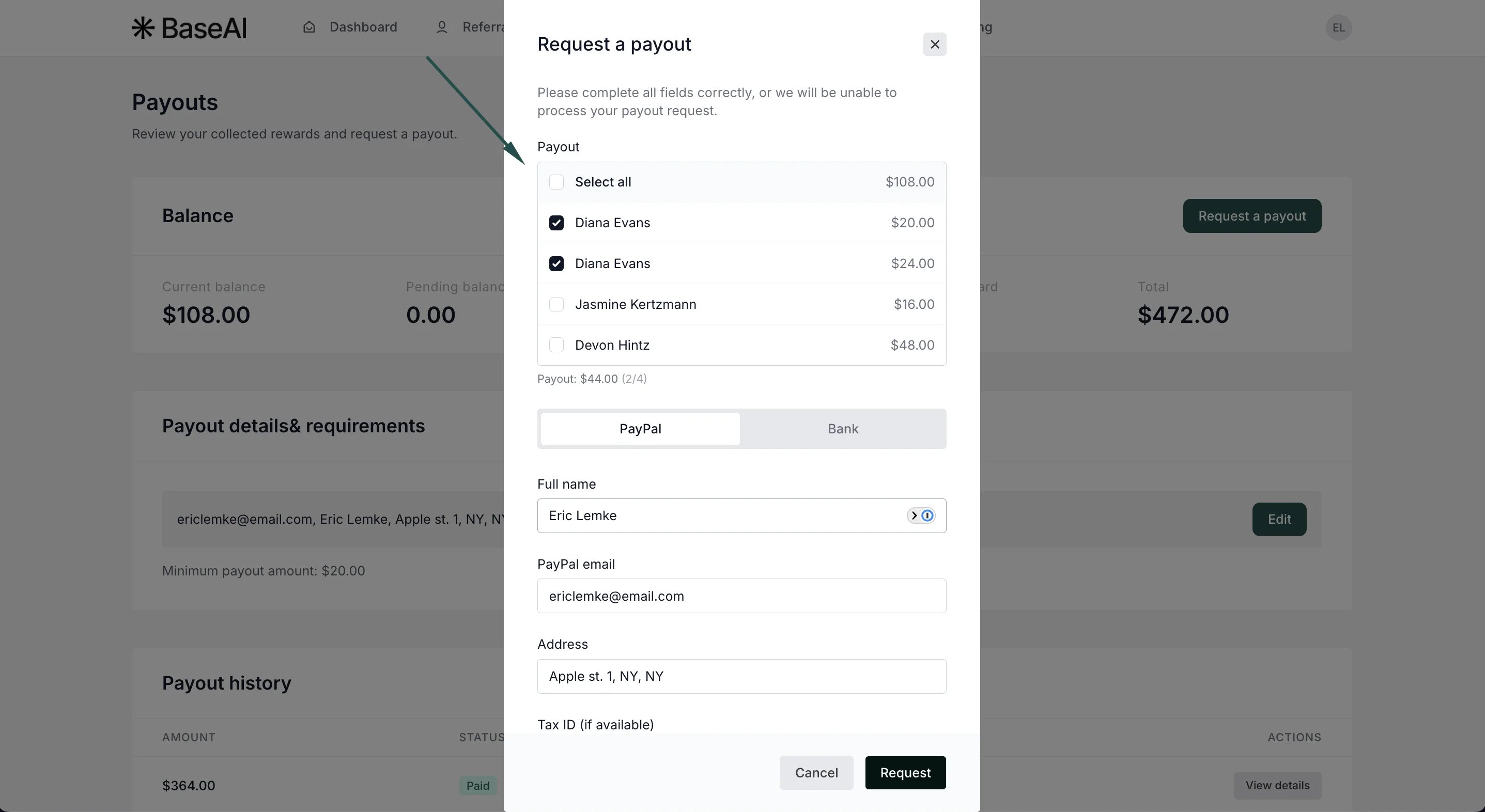
- Choose your payout method, complete any required details, and submit.
Tracking what’s been requested
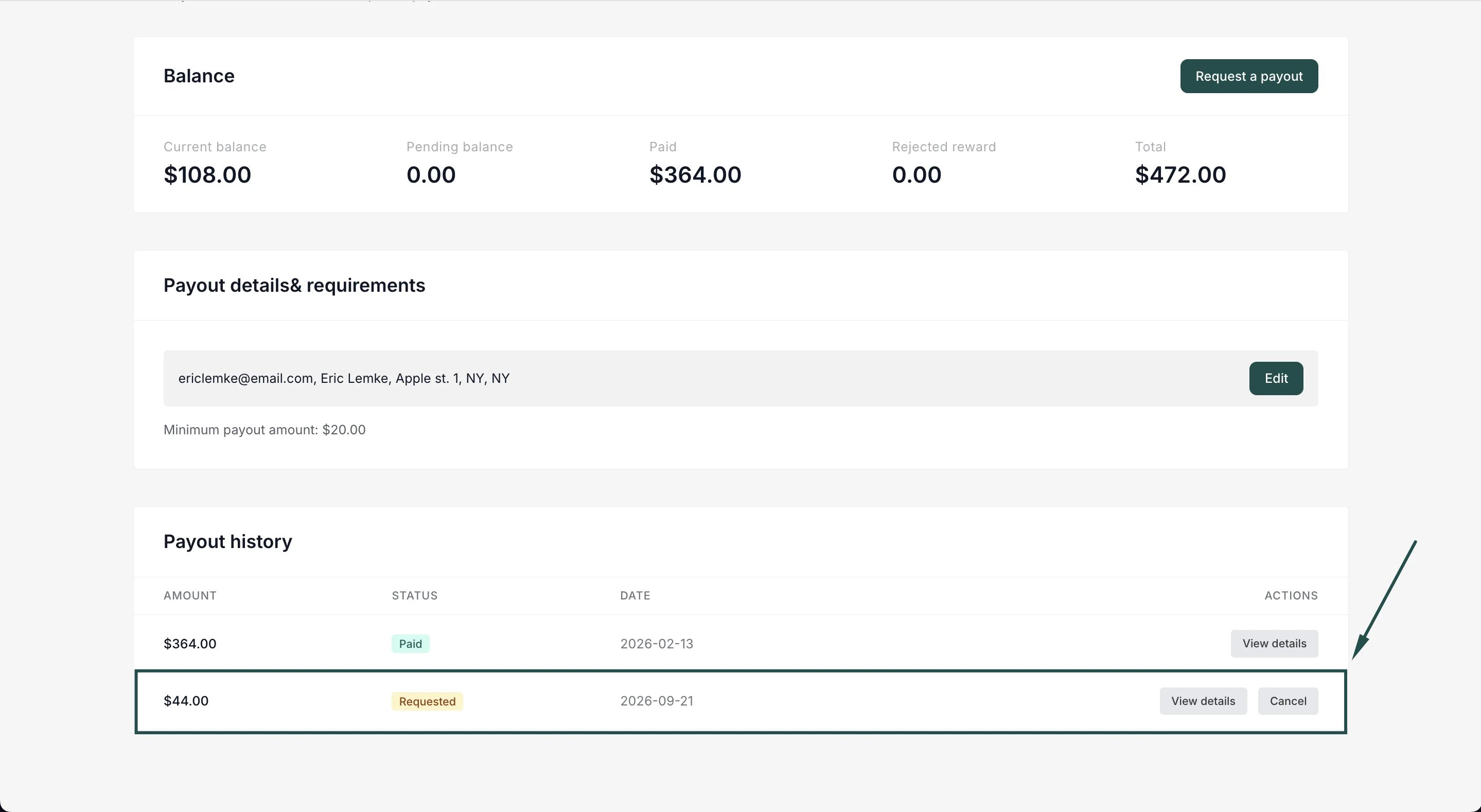
The Requested (awaiting payout) card on the Payouts page shows the total you’ve requested that hasn’t been paid yet. In Payout history, click View details on any payout to see exactly which referrals/commissions are included, with their reward amounts and dates: