

Note: You need to have PayPal Mass Payments enabled on your PayPal account to use this feature. Please find a how-to guide here.
Download the Mass Pay file
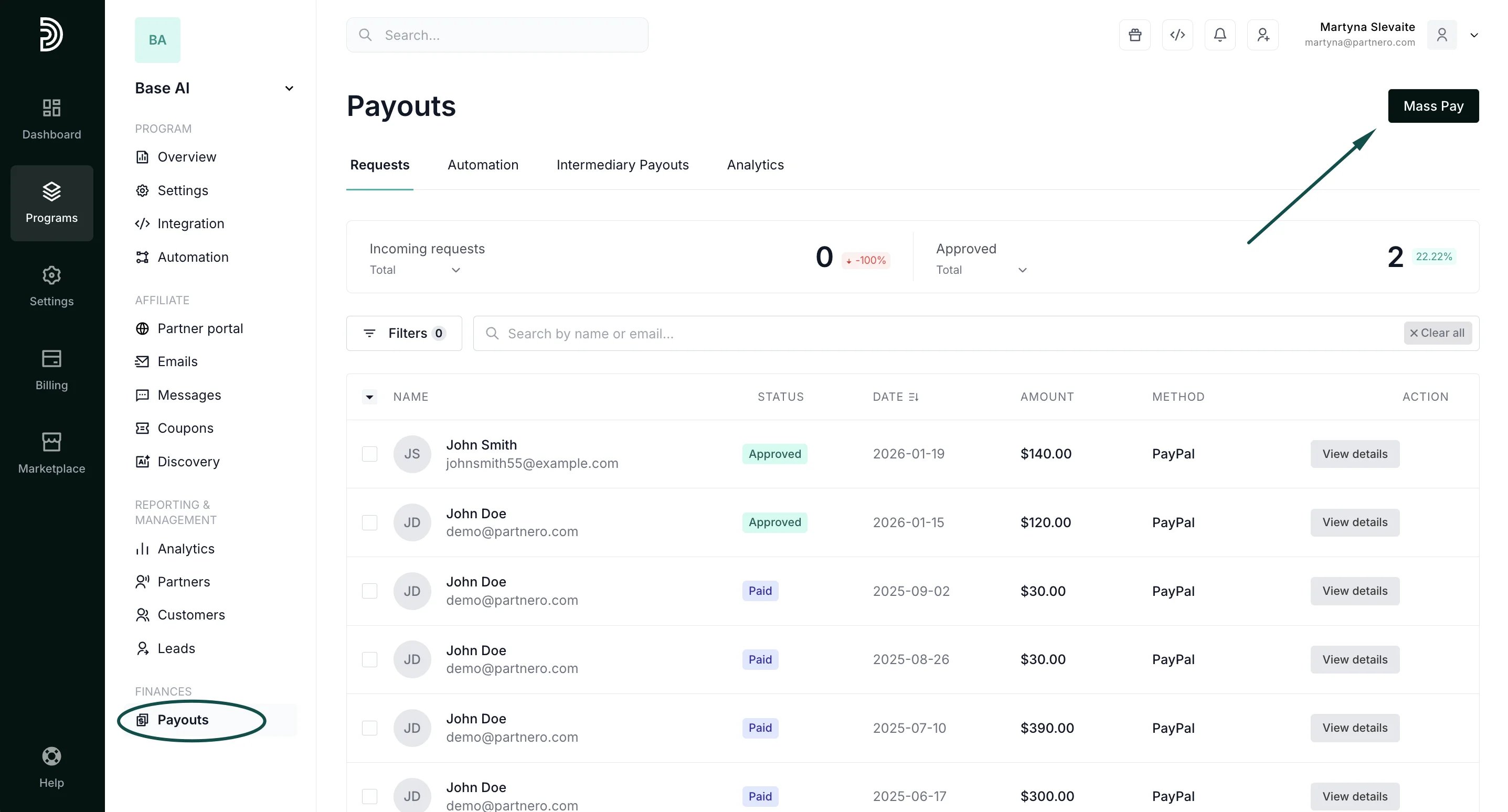
- Go to Payouts under Finances.
- Approve the payout requests you’d like to process. This step will not be necessary if your program is set to automatically approve all payout requests.
- Click Mass Pay in the upper right corner:
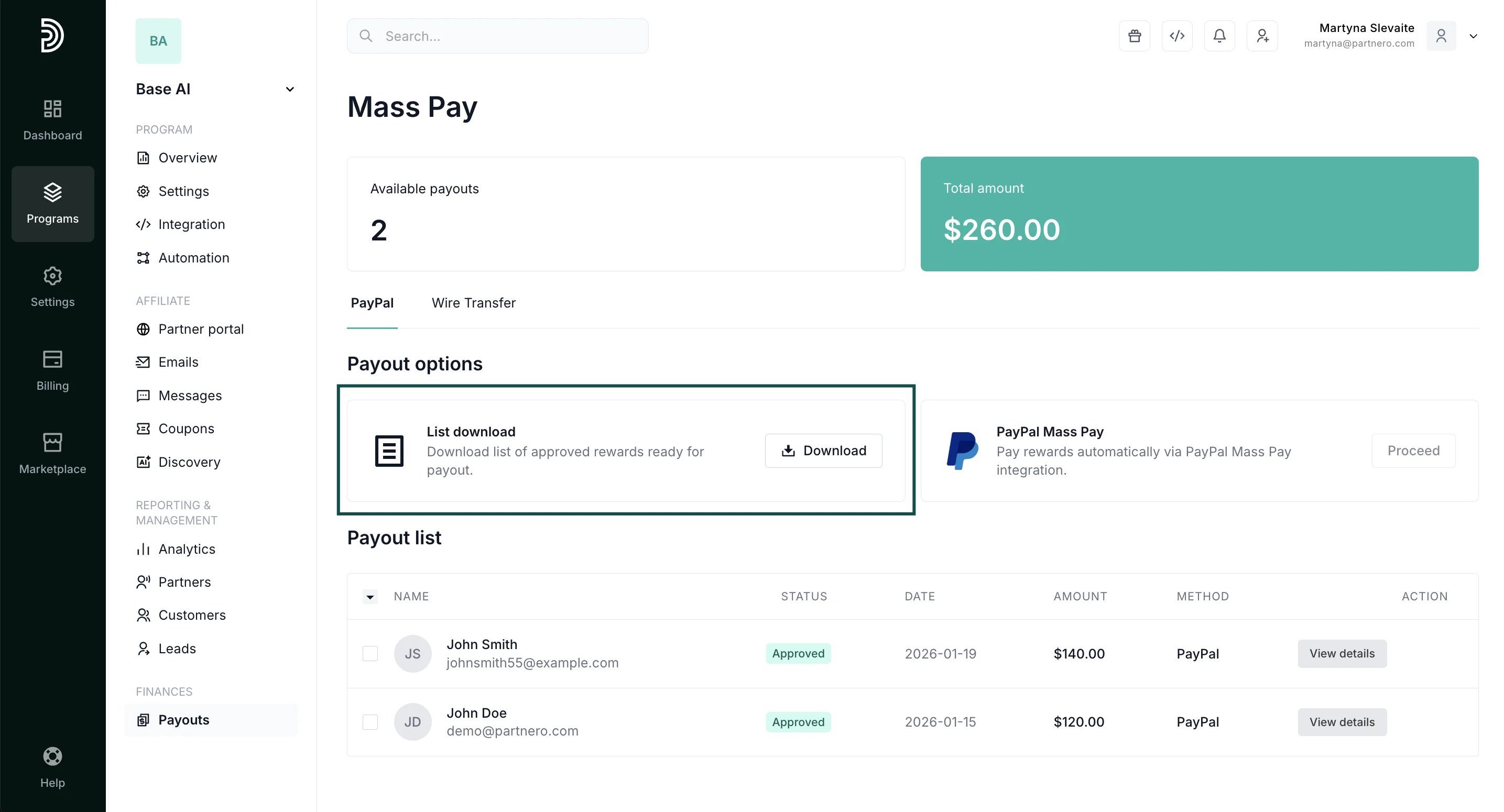
- You will be presented with the full list of approved payouts and the List download payout options. Click Download:
- Go to Payouts under Finances.
- Click Mass Pay.
- Click Upload in the Complete Payout box:
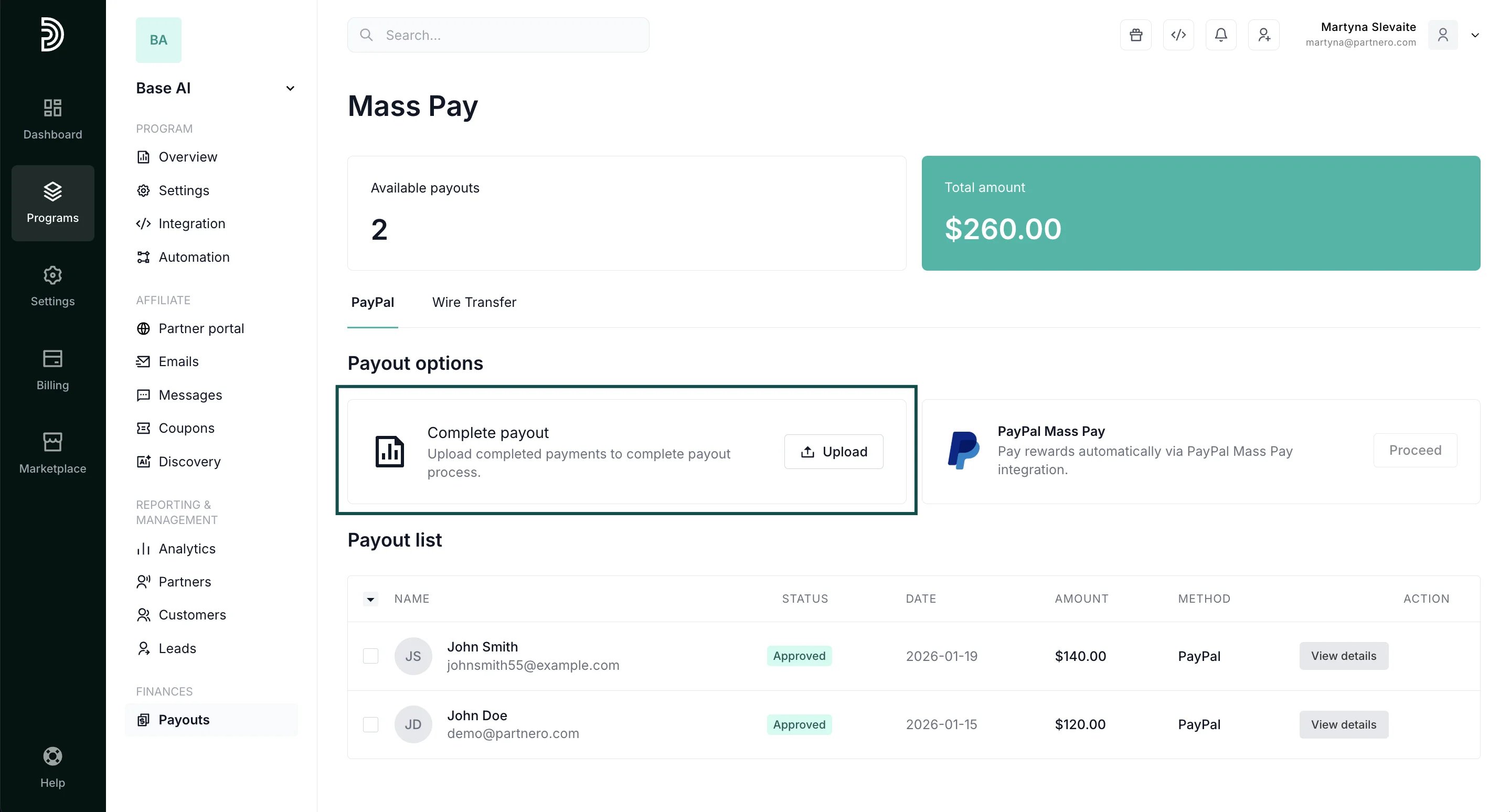
- Select and upload the same file that you downloaded previously. Make edits before uploading, if necessary (e.g., if a payout did not go through on PayPal).
✅ Tip: Partnero also offers a PayPal Mass Pay integration, which enables you to process PayPal payments directly from your Partnero account. Read more.