What is auto-apply for promotion codes?
Auto-apply allows promotion codes to be automatically included in your customers’ referral links. When a friend clicks a referral link, the promotion code is passed to your website and is automatically pre-filled in the coupon input field at checkout, creating a seamless discount experience for new customers.Requirements
To use auto-apply promotion codes, you need:- An active integration (Stripe, Paddle Billing, Shopify, or WooCommerce) or a custom API setup
- At least one coupon with promotion codes assigned to customers
- The Partnero tracking script installed on your website.
How to enable auto-apply promotion codes
Follow the two-step process to enable auto-apply promotion codes for your program.Step 1: Enable “Include promotion codes in referral links”
- Go to Settings in your program dashboard and scroll down to the Coupon tracking section.
- Toggle Include promotion codes in referral links:
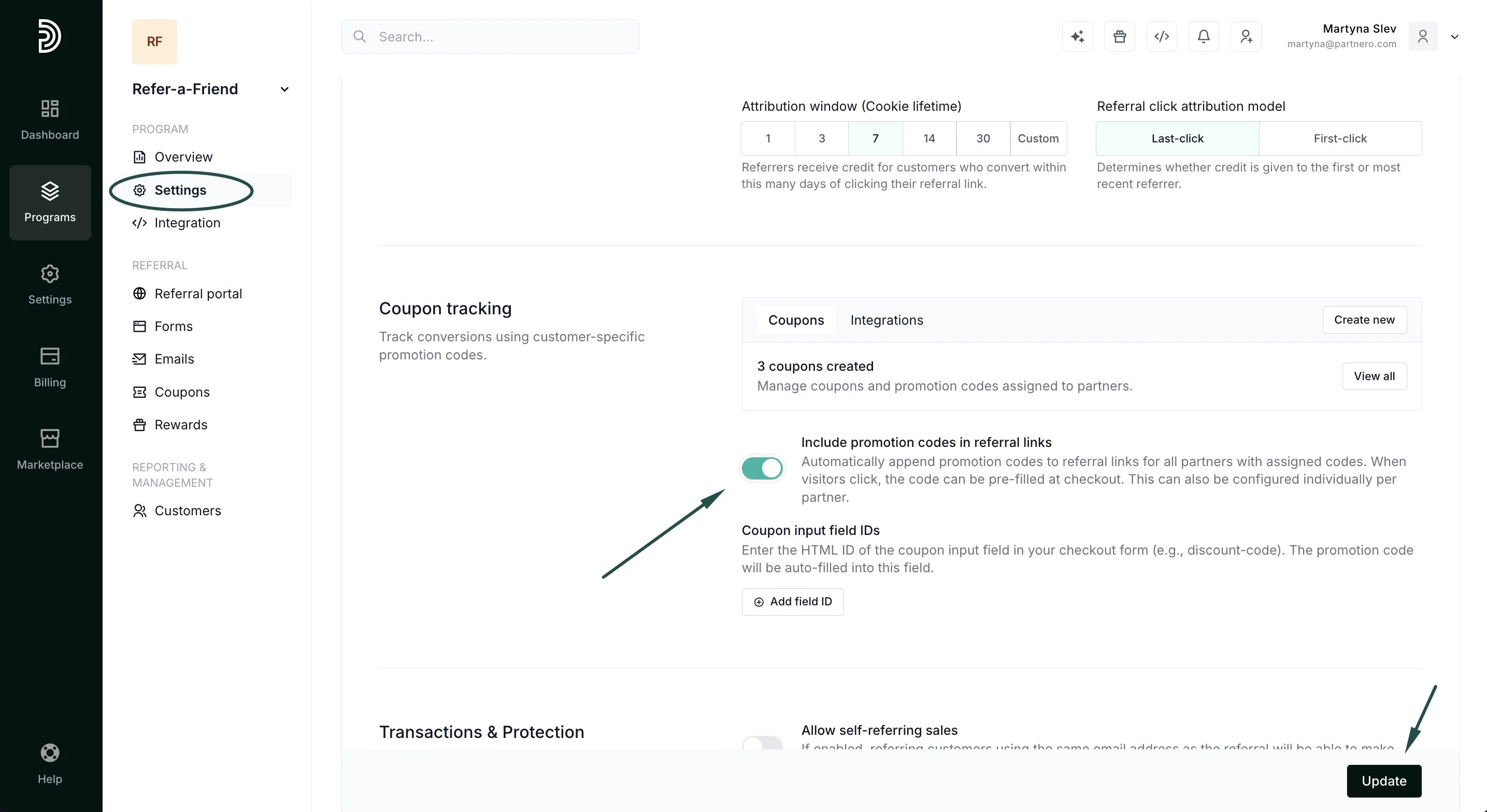
- Click Update.
- Original link: https://yoursite.com/?via=john
- With promotion code: https://yoursite.com/?via=john&coupon=JOHN20
Step 2: Configure coupon input field IDs
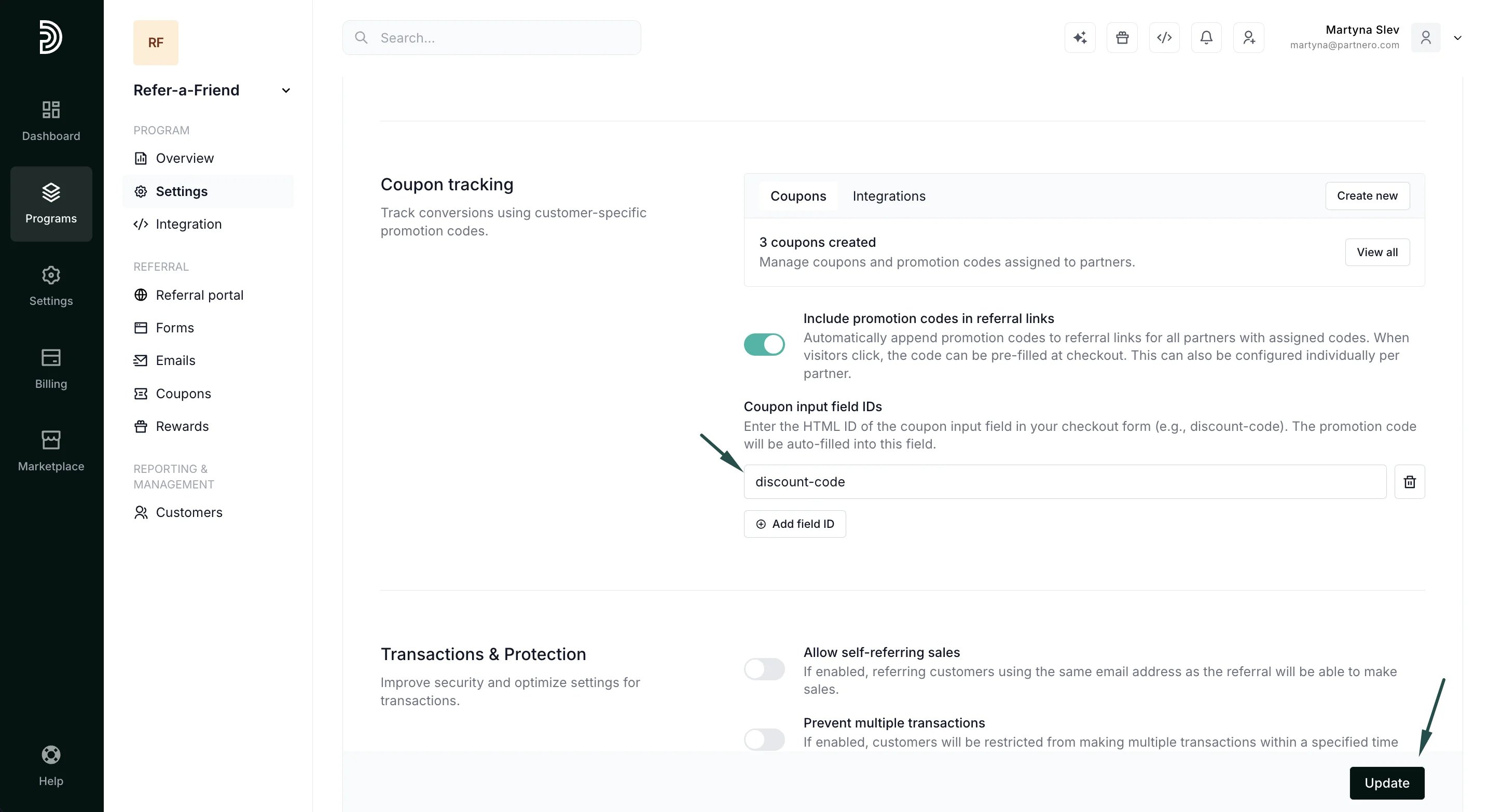
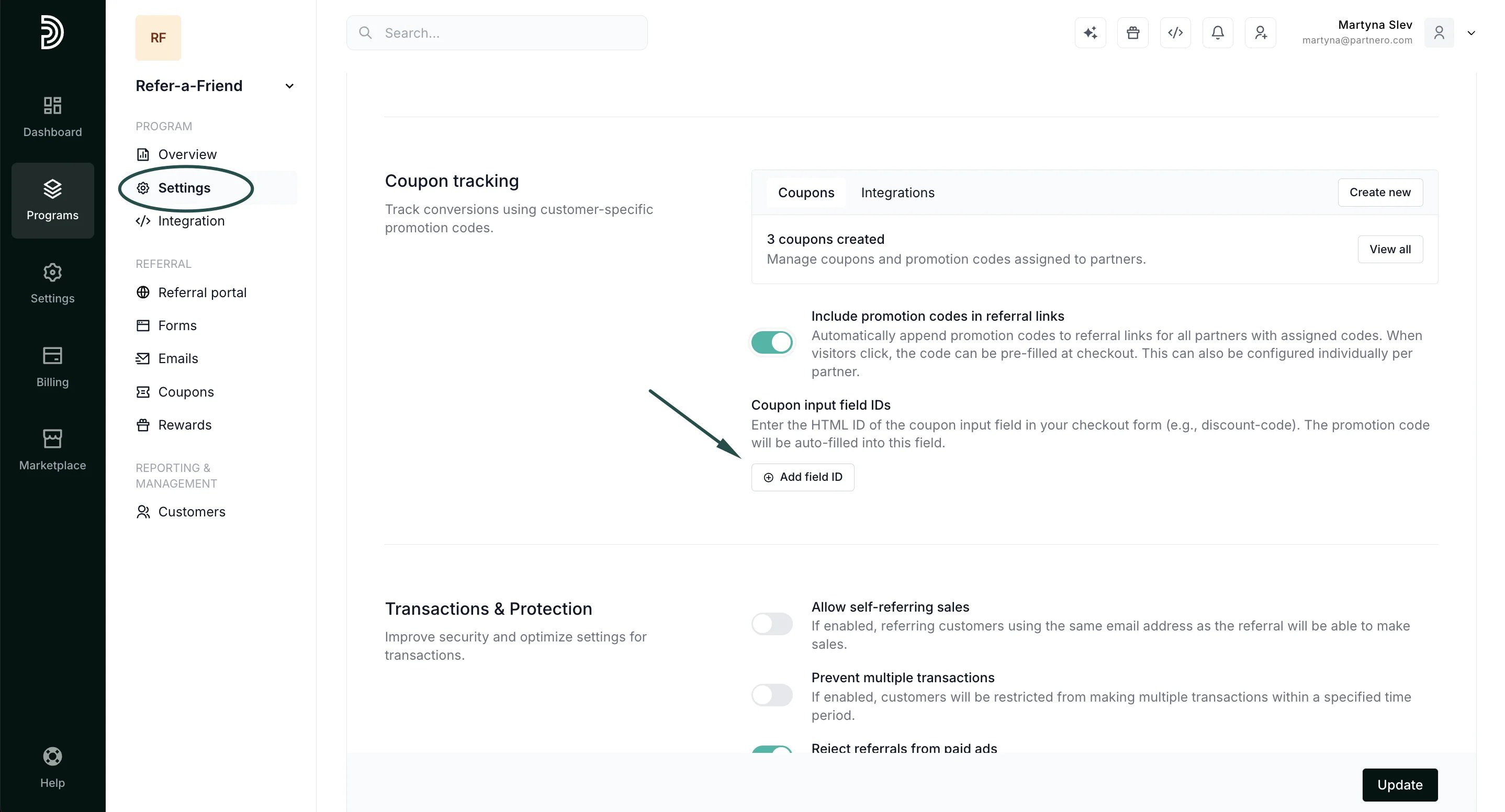
Coupon input field IDs tell Partnero where to auto-fill the promotion code on your checkout page.- Under Program → Coupon tracking section, find the Coupon input field IDs.
- Click Add field ID:
- Enter the HTML ID of your coupon input field (e.g., discount-code).
- Click Update.