How it works
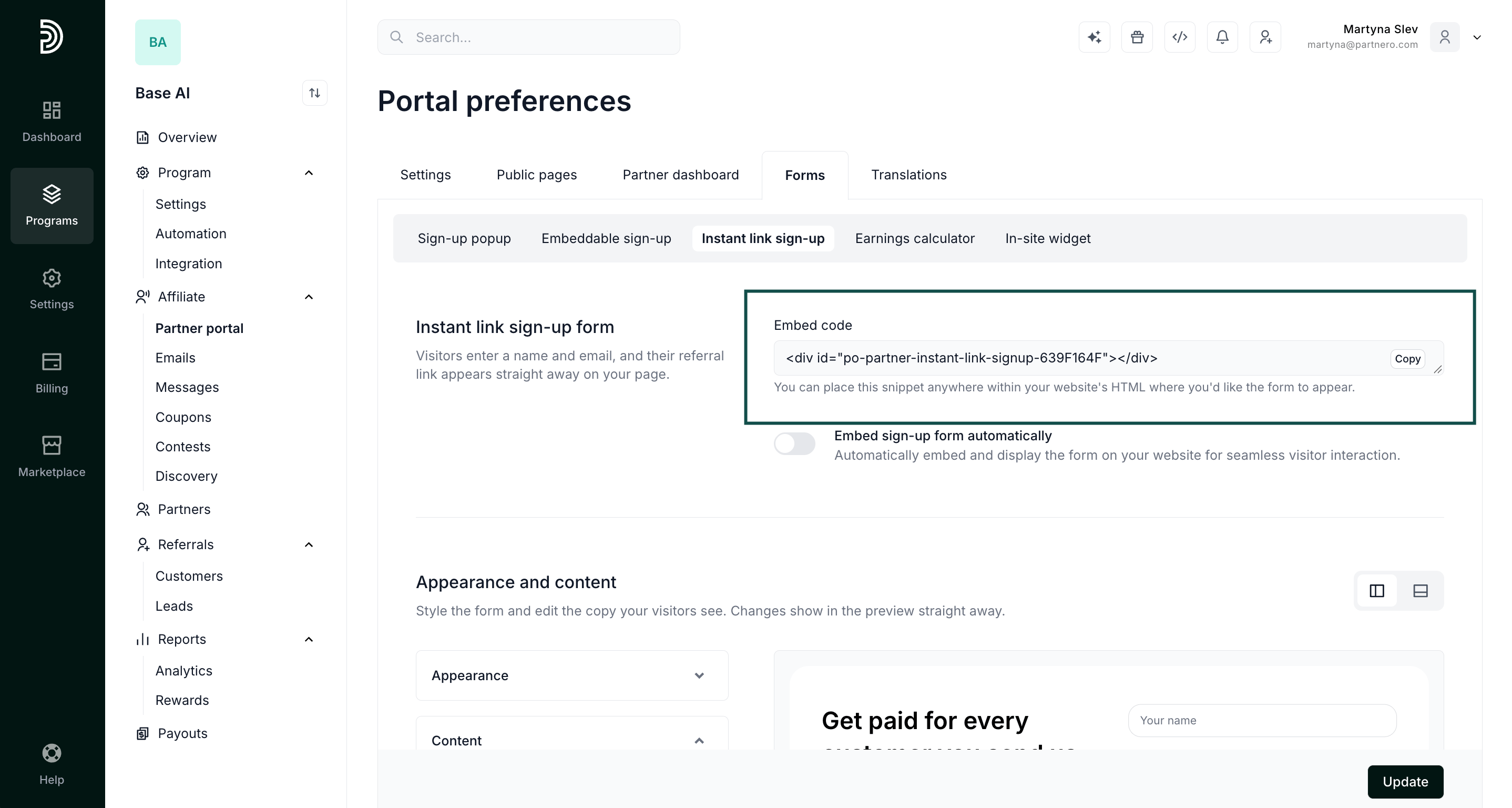
It’s a two-step process for a visitor:- Visitors fill in their name and email on the form.\
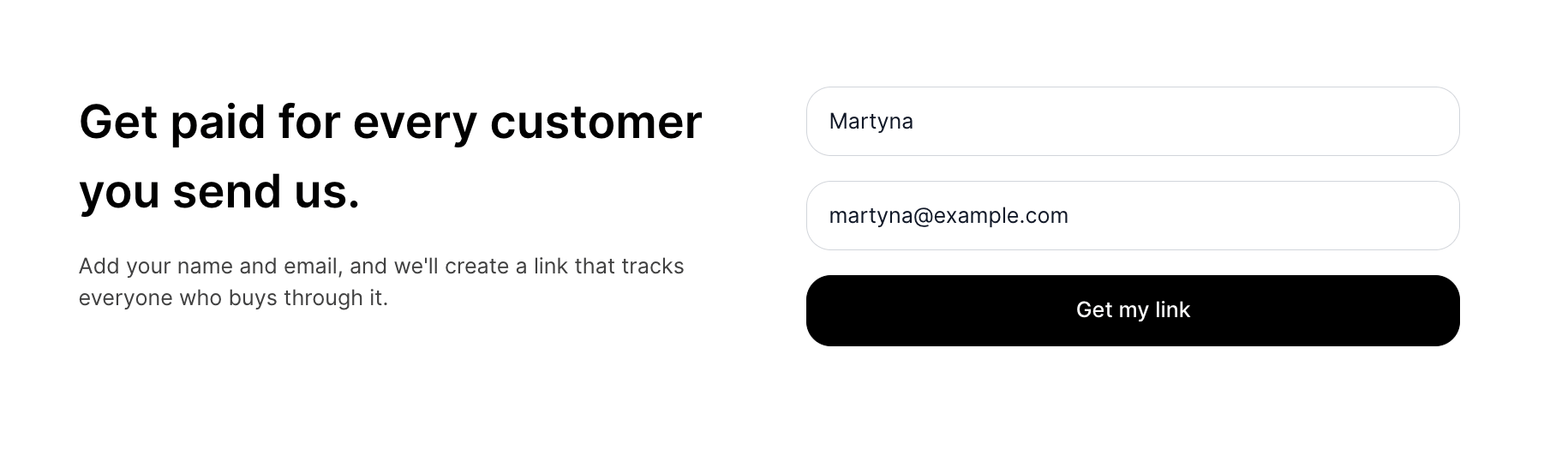
- The moment they submit it, their referral link is generated and shown right there on the page, so they can start sharing immediately.
How to customize the form
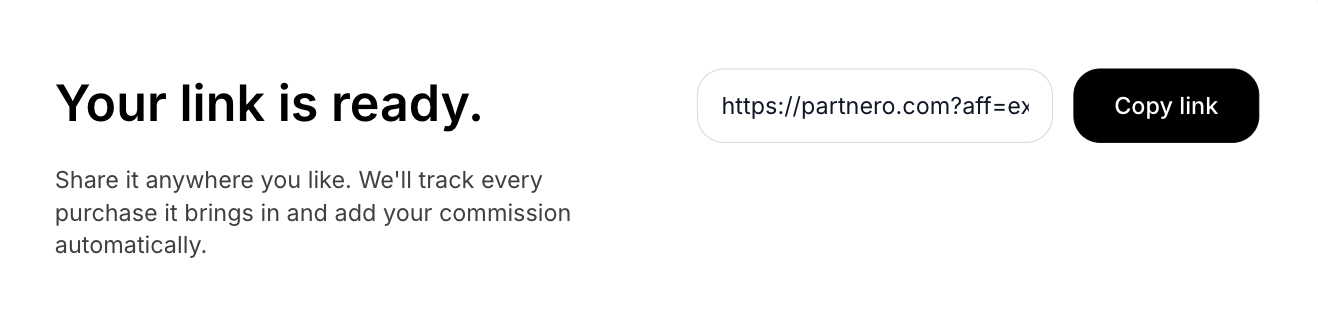
Customize how the form looks and what it says, with a live preview that updates as you make changes.- Go to Partner portal > Forms tab > Instant link sign-up.
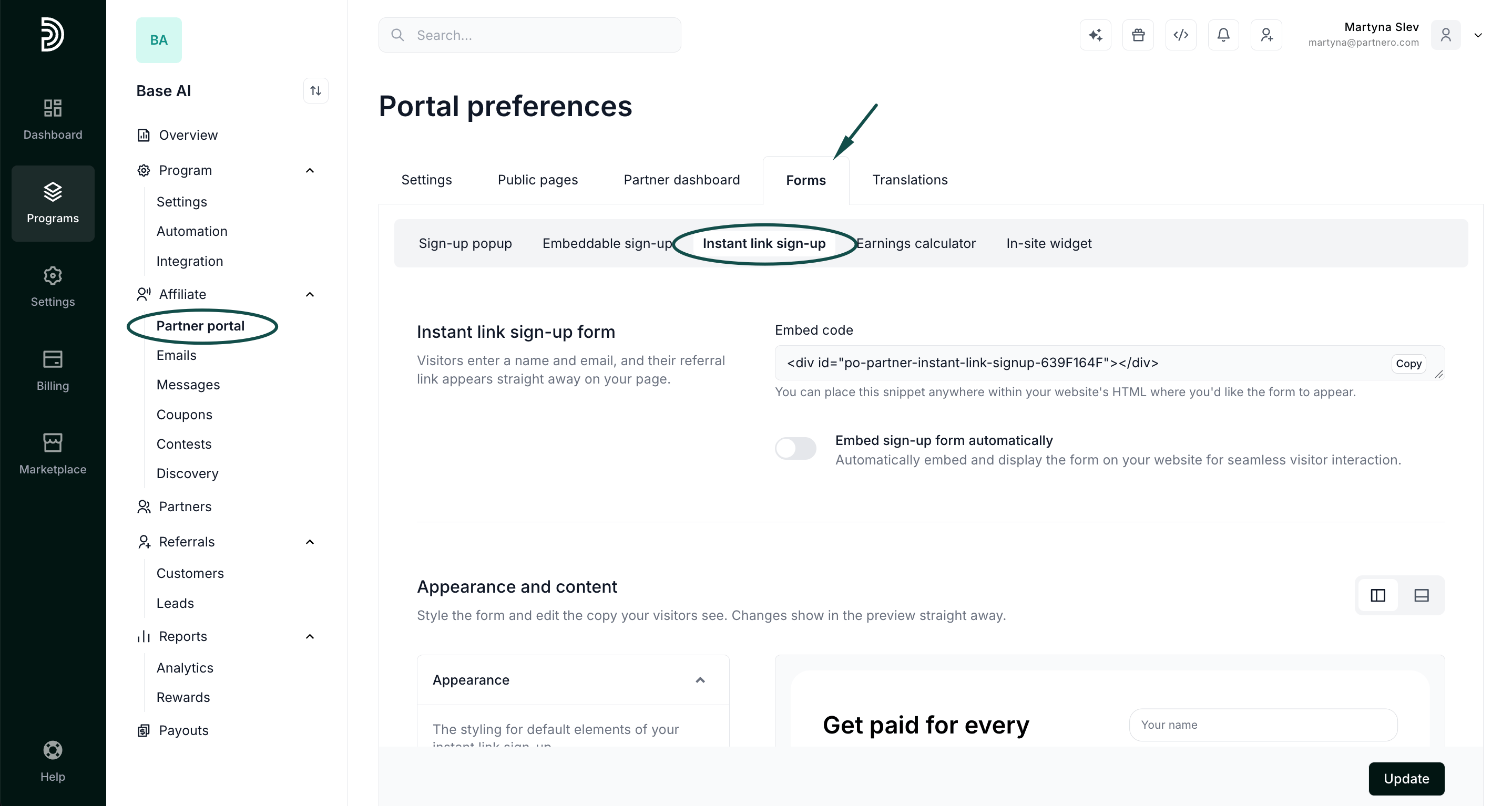
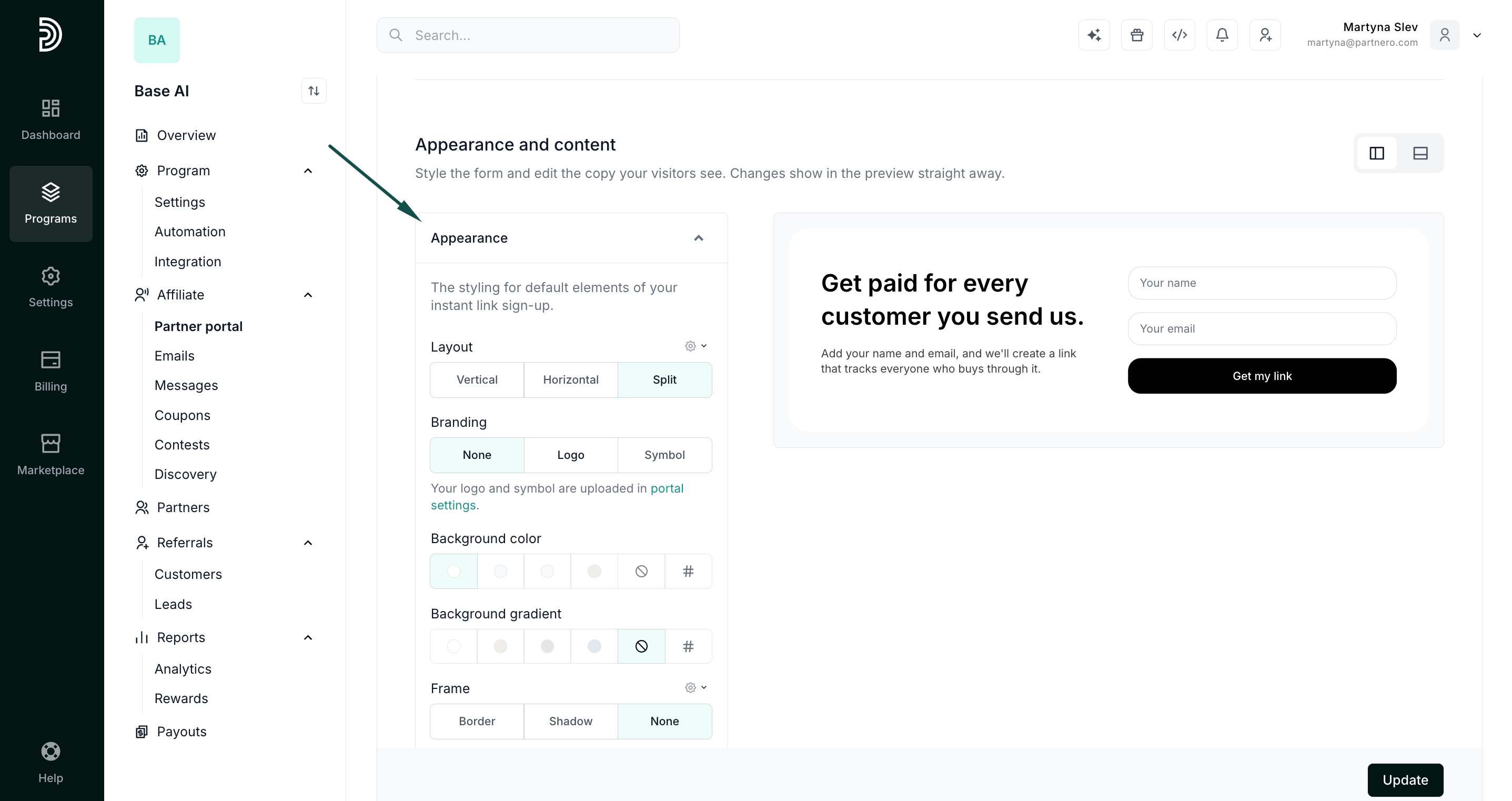
- Scroll to the Appearance and content section. You’ll see the form preview on the right.
- Expand Appearance to customize branding, layout, and colors:
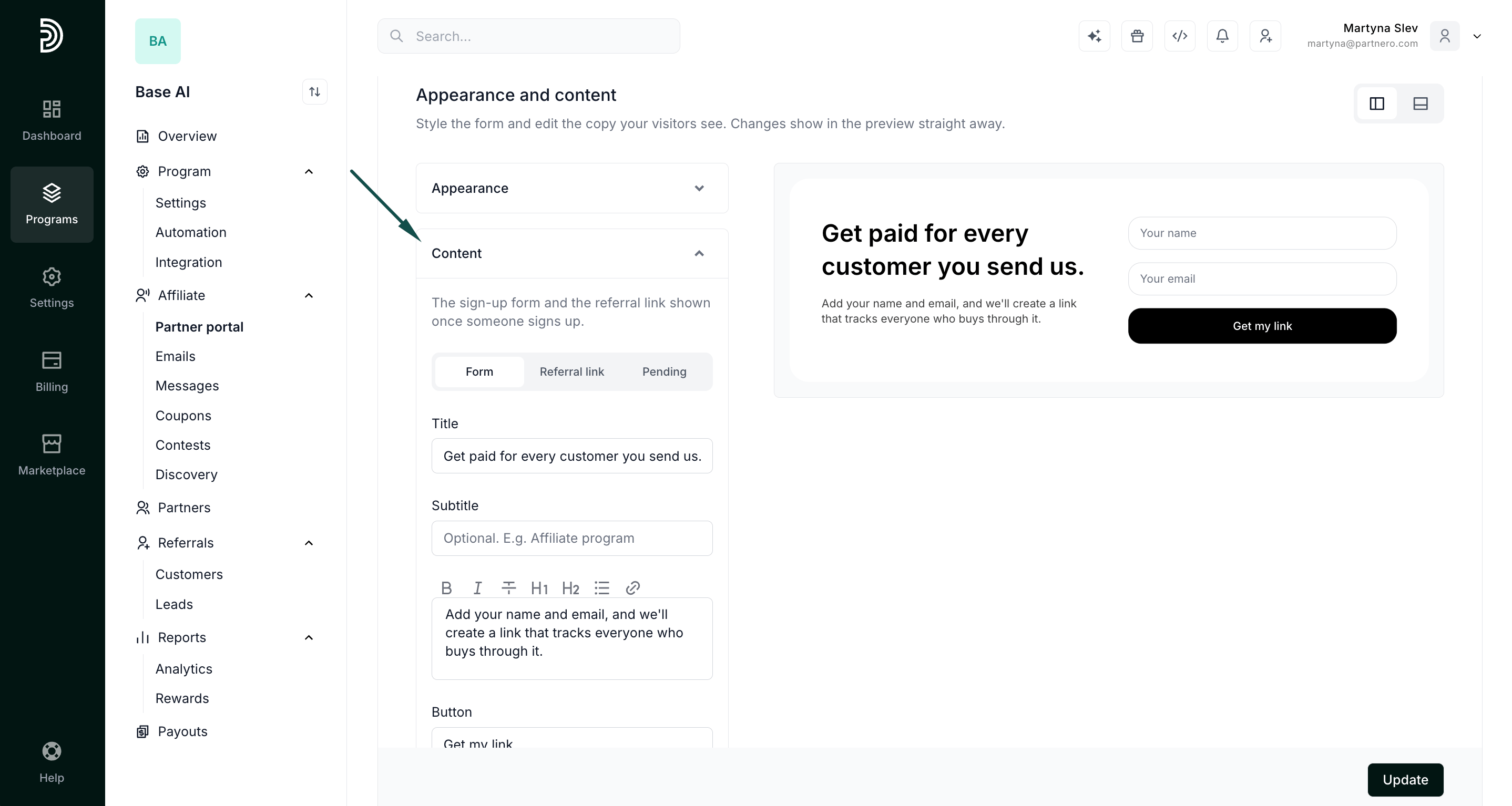
- Expand Content to edit form copy:
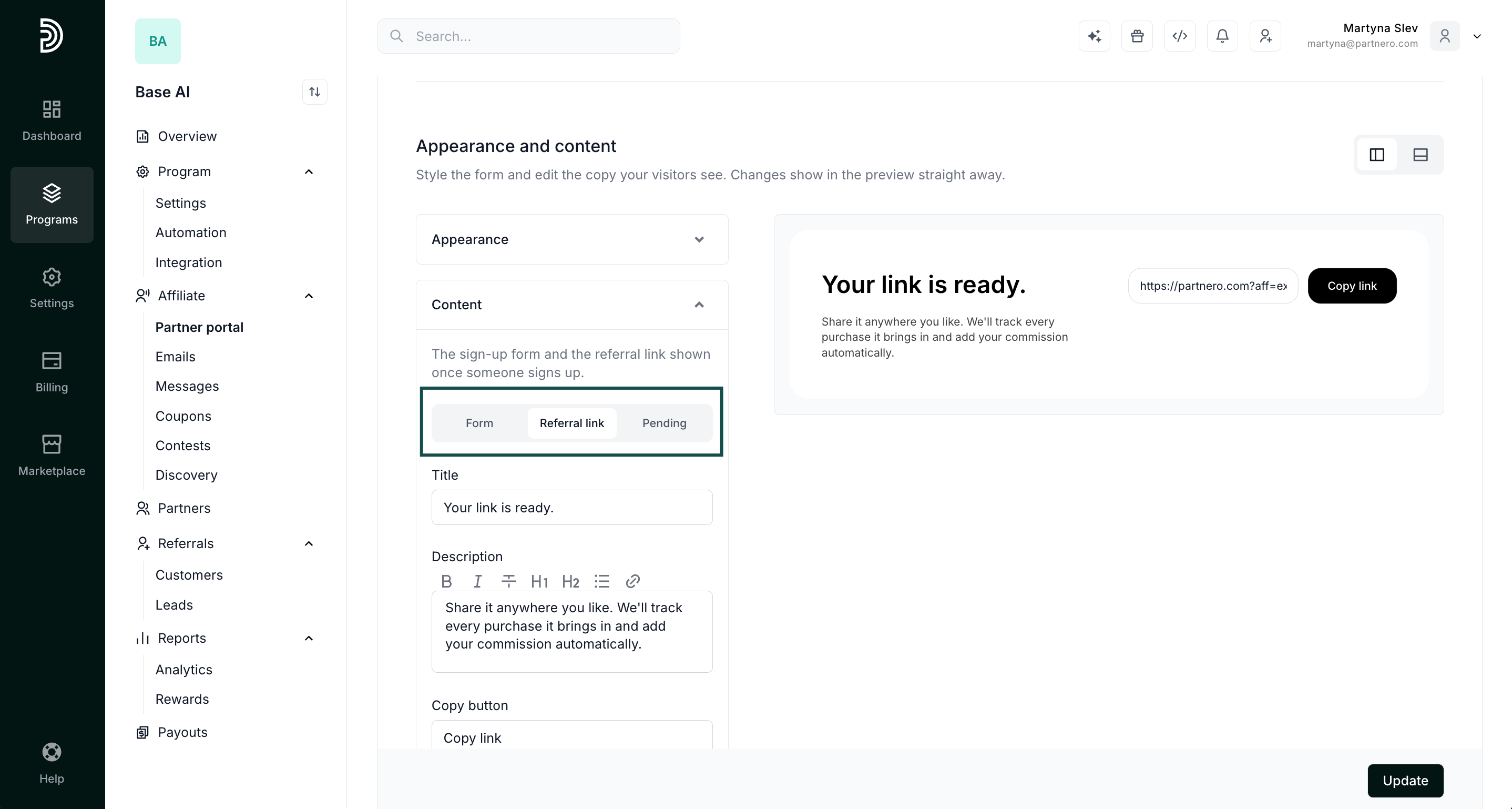
- Switch between Form, Referral link, and Pending tabs to customize each step.
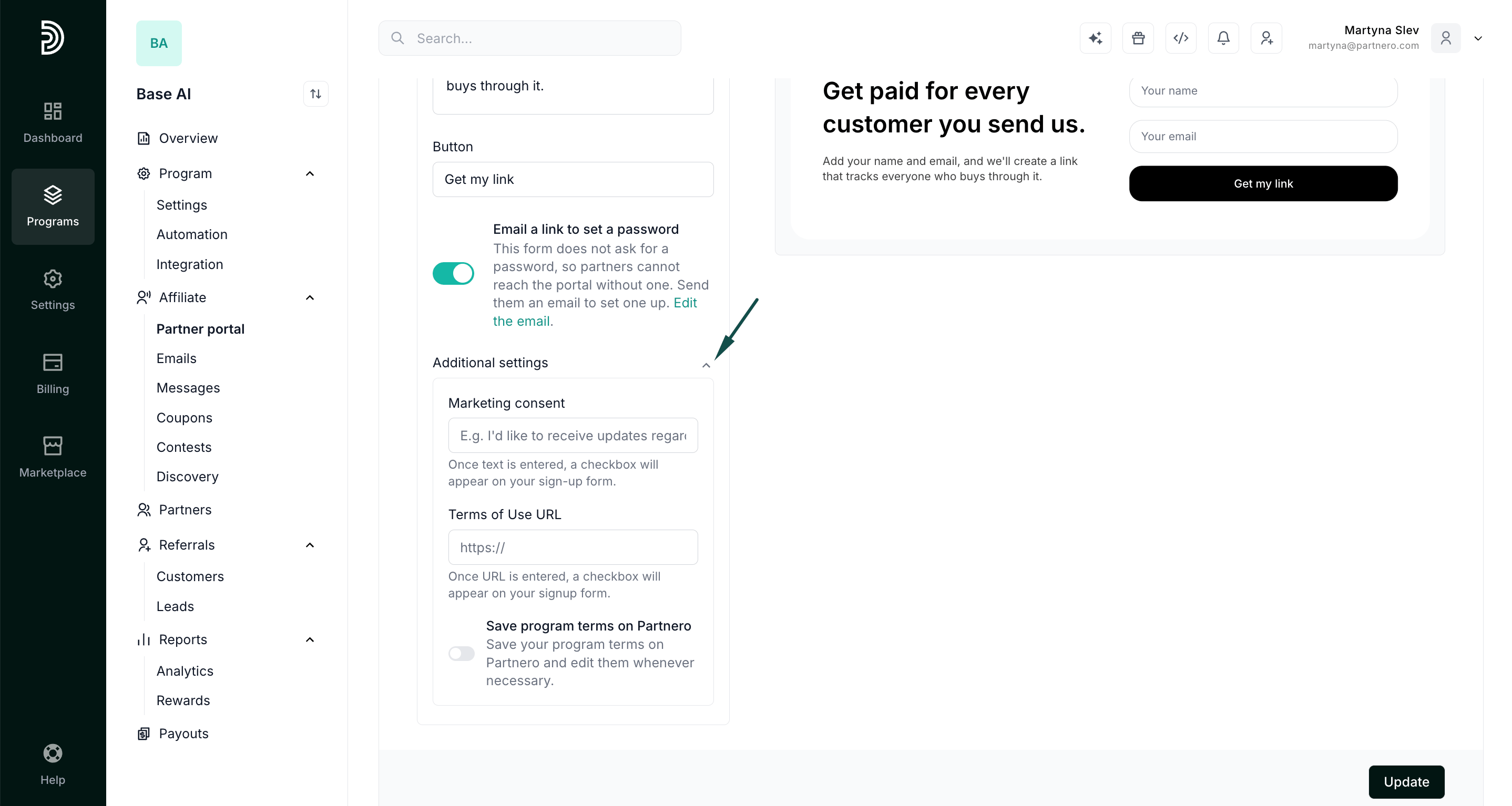
- Expand Additional settings to add marketing consent and/or program terms of service:
- Switch between Form, Referral link, and Pending tabs to customize each step.
- Click Update to save your work.
Getting your form on the page
To add the form to your page:- Go to Partner portal > Forms tab > Instant link sign-up.
- Copy the embed code and add it to your site. Once it’s live, any visitor who fills in the form gets their referral link right there on the page.