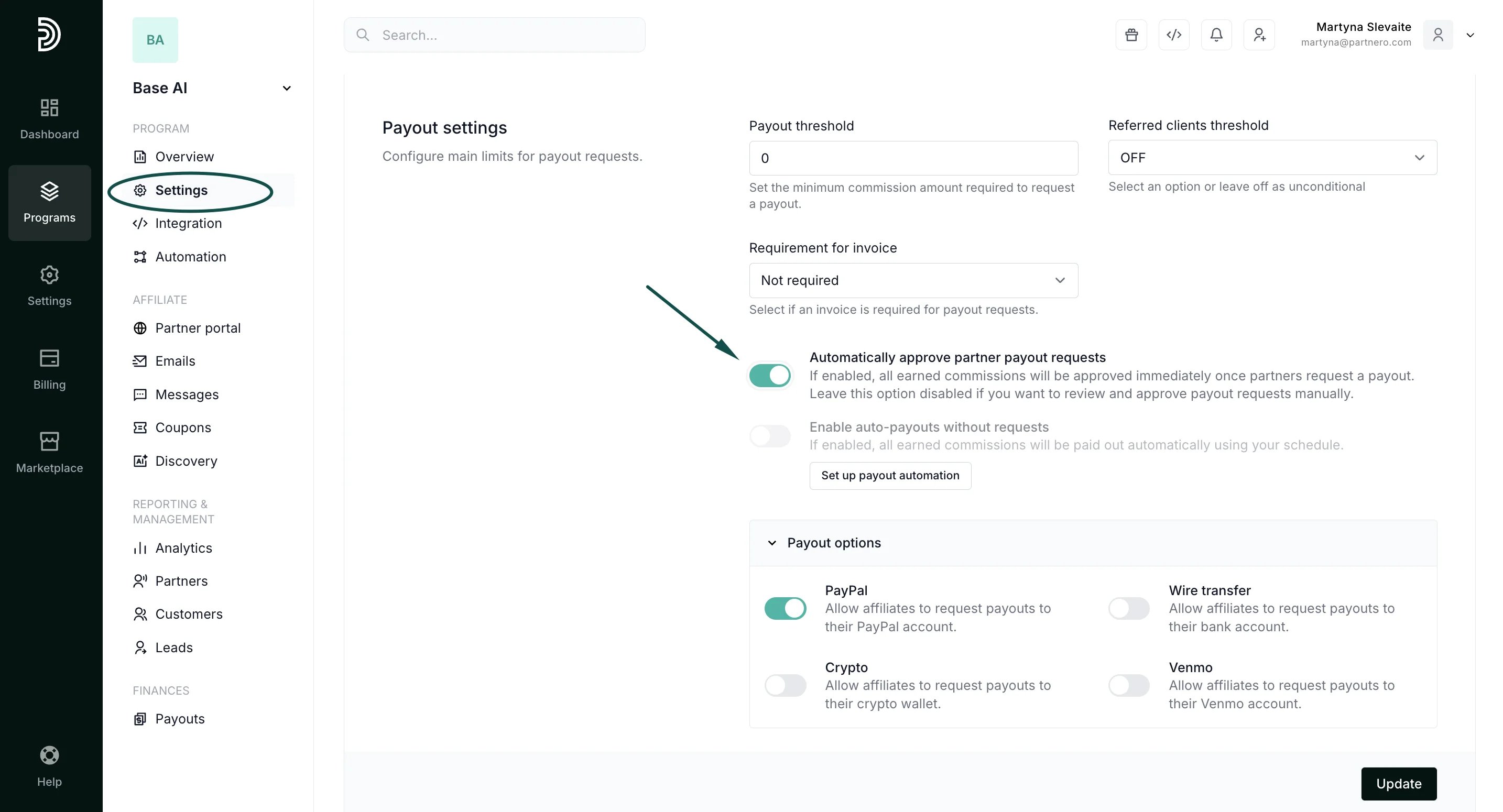
- Go to Payouts under Finances.
-
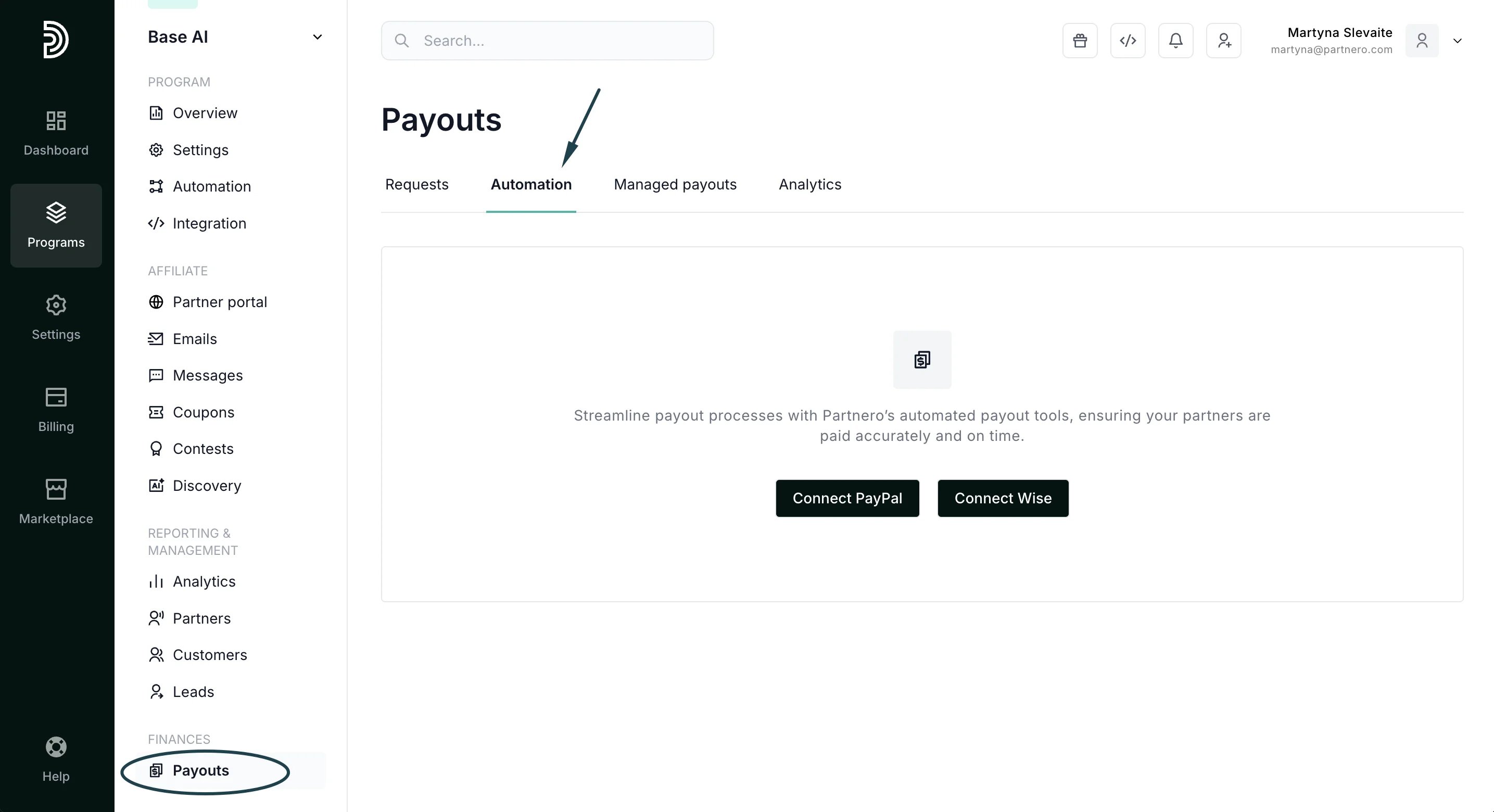
Select the Automation tab. If you haven’t yet, you’ll be prompted to connect either PayPal Mass Pay or Wise integrations:
-
When the payment processor is connected, you’ll see the option Manage:
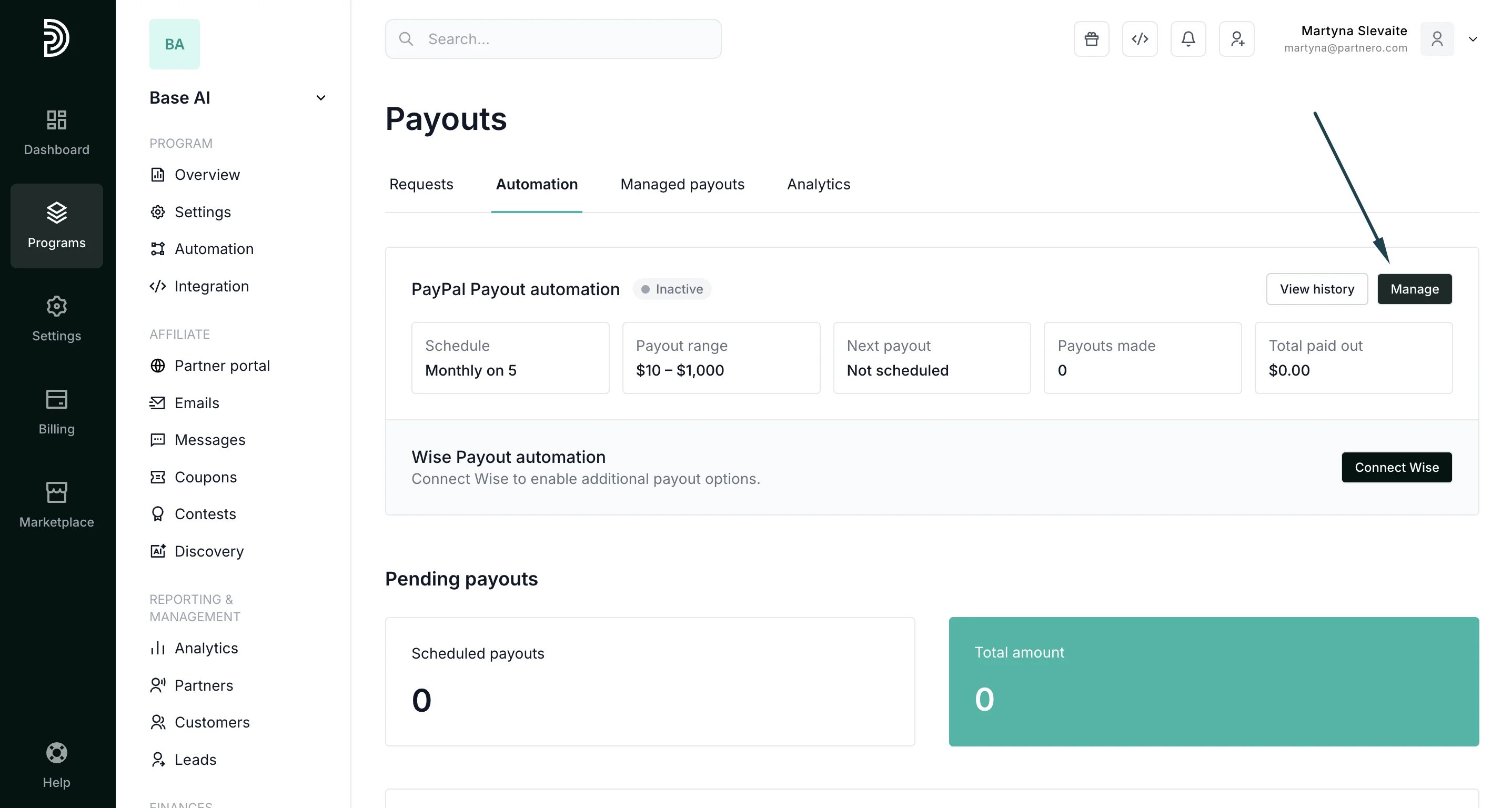
- Click to set a schedule and configure:
-
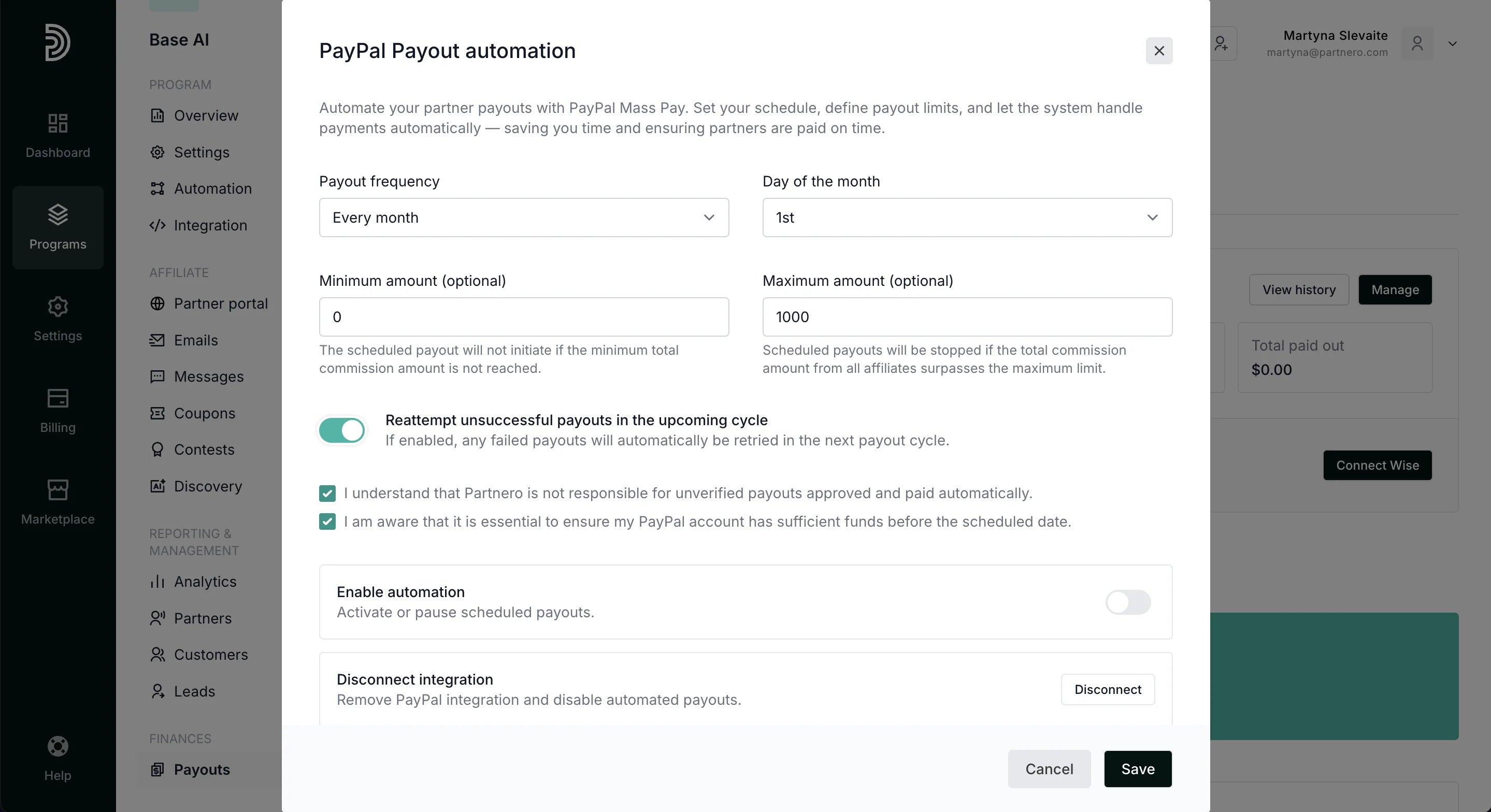
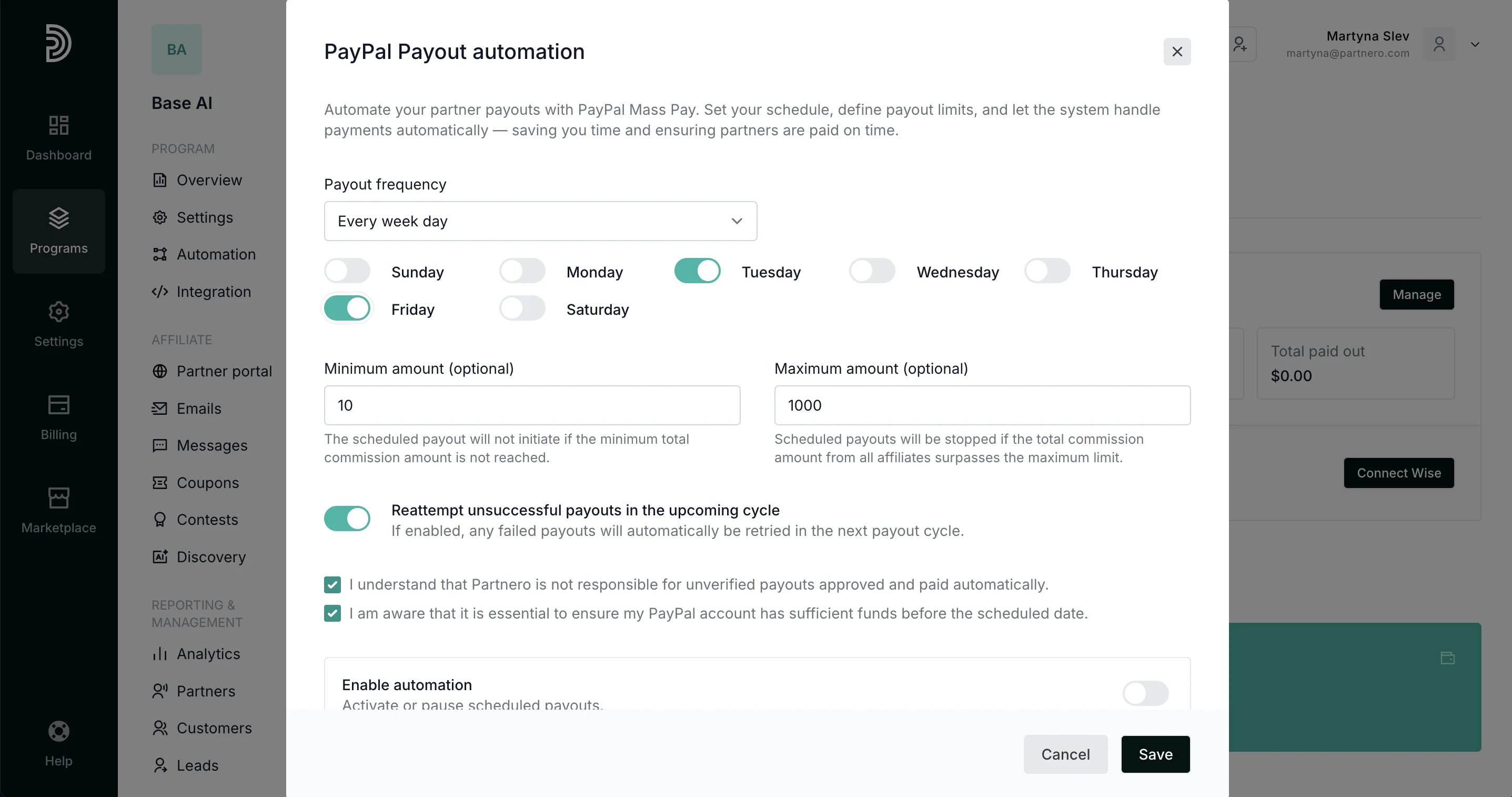
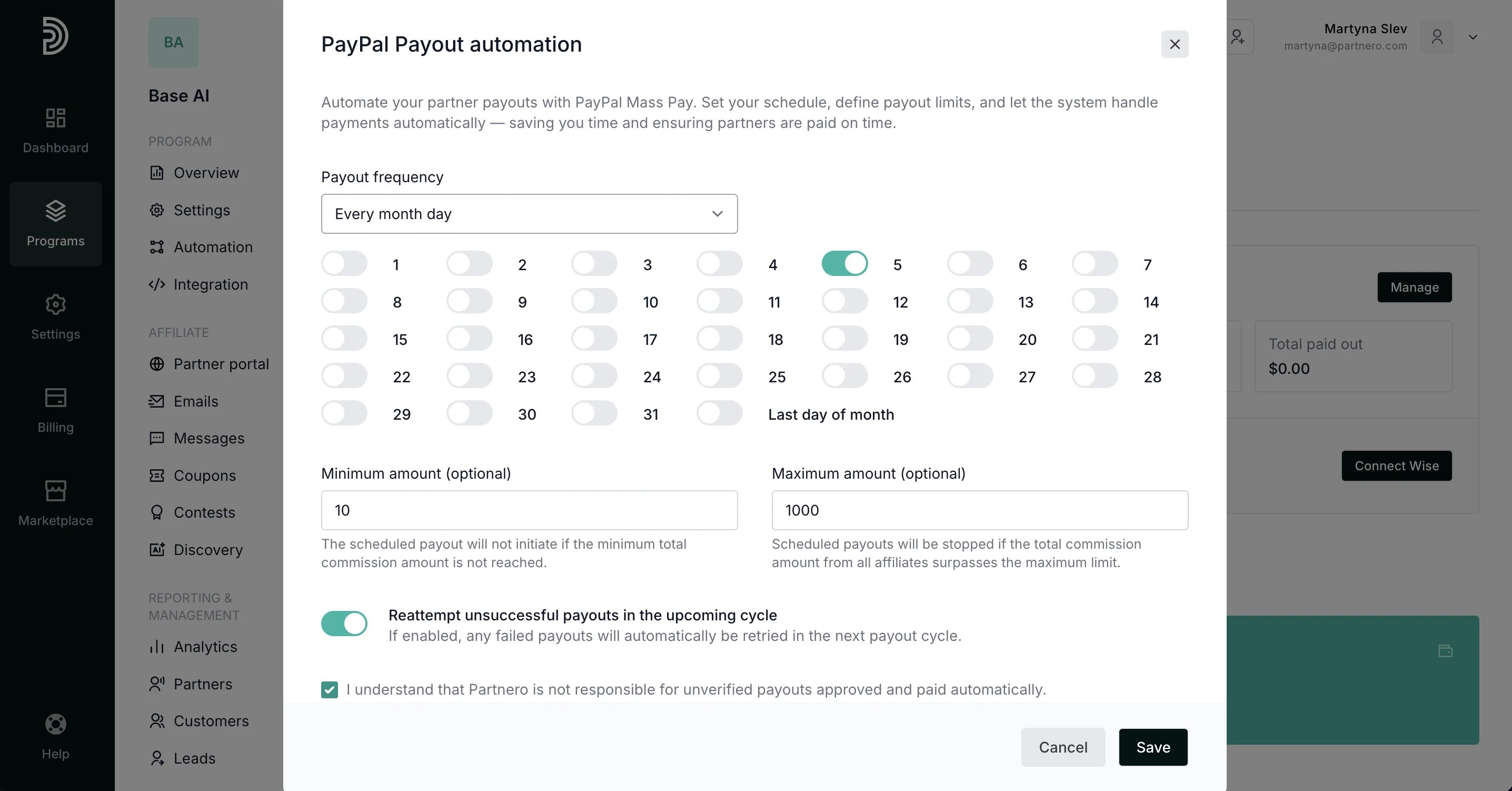
- Enter the minimum and maximum amounts you’re comfortable paying automatically. Scheduled payouts will be stopped if the total commission exceeds the set maximum. Additionally, select if you’d like us to re-attempt unsuccessful payouts in the upcoming cycle.
-
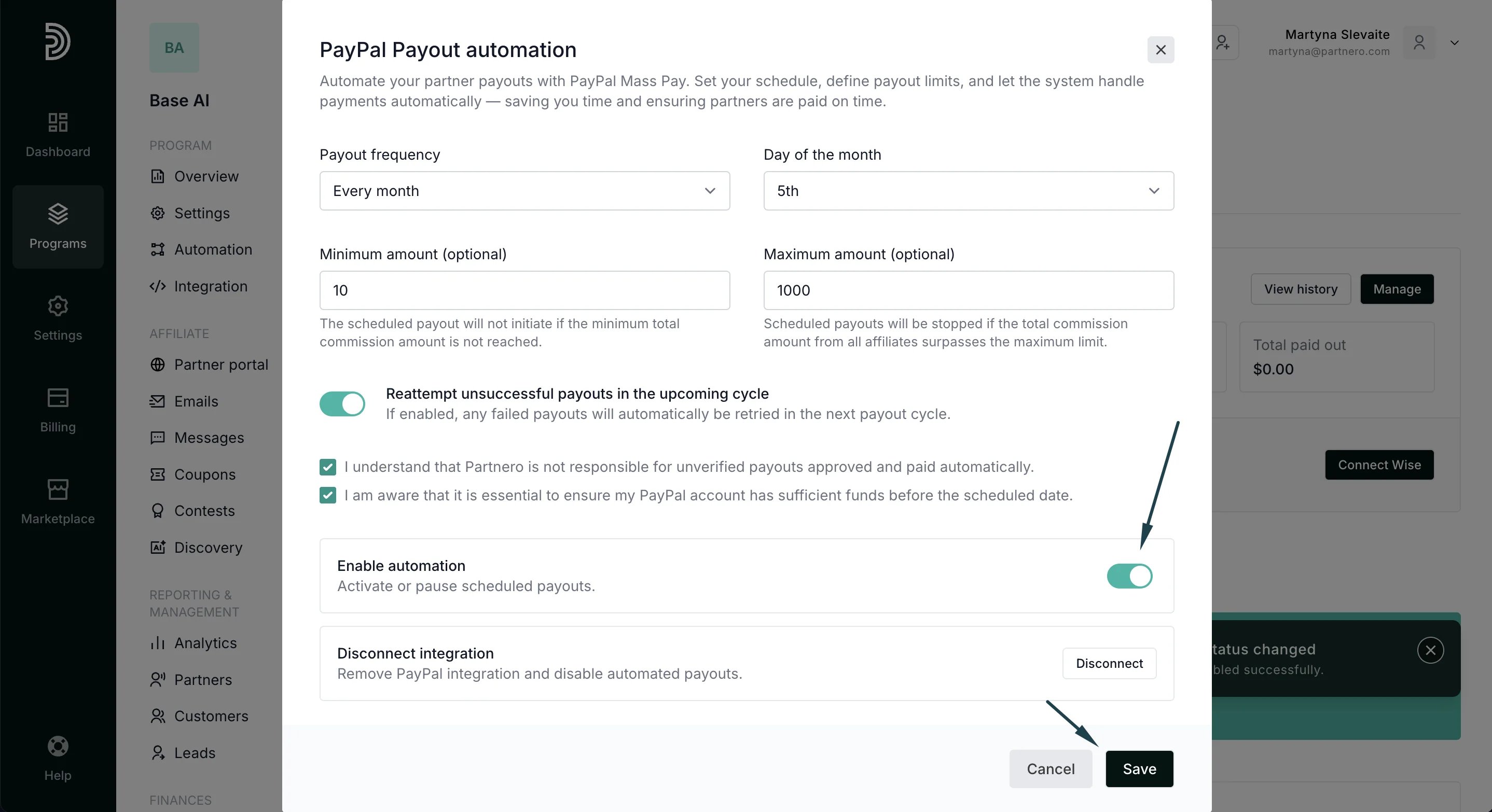
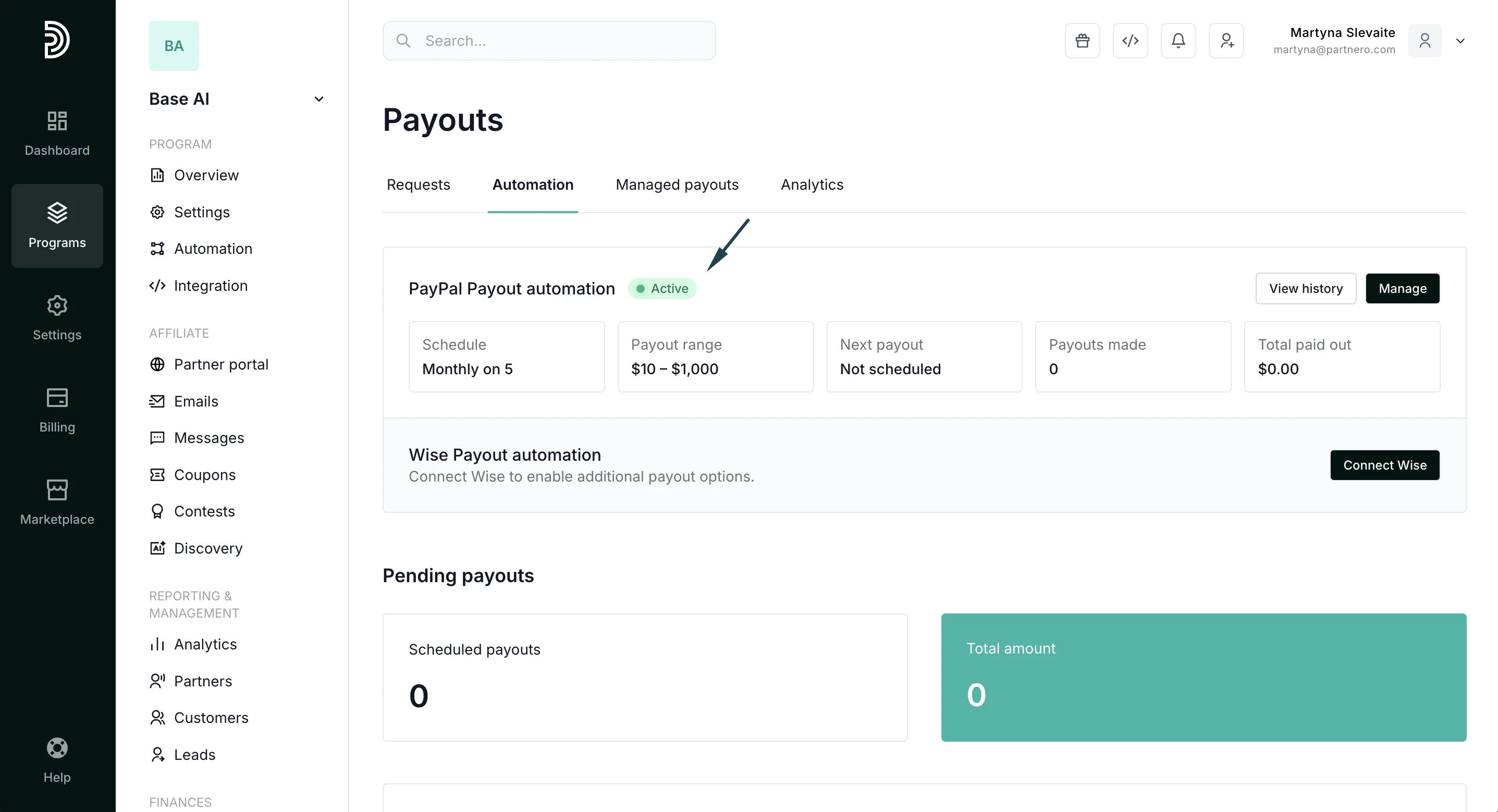
Toggle to Enable automation and click Save:
Automation and payout request approval
If your program is set to automatically approve payout requests (under Settings → Payout settings), all requested payouts will be processed according to the configured schedule.