Affiliate commissions are rewards your affiliate partners will receive for bringing in new customers. Commission settings define how and when you reward your partners and what the reward is. We recommend doing market research to determine whether your competitors offer an affiliate program and, if so, what rewards are available. This will help you decide what to offer your partners.

Set the main program commission

To set up commissions for your program:
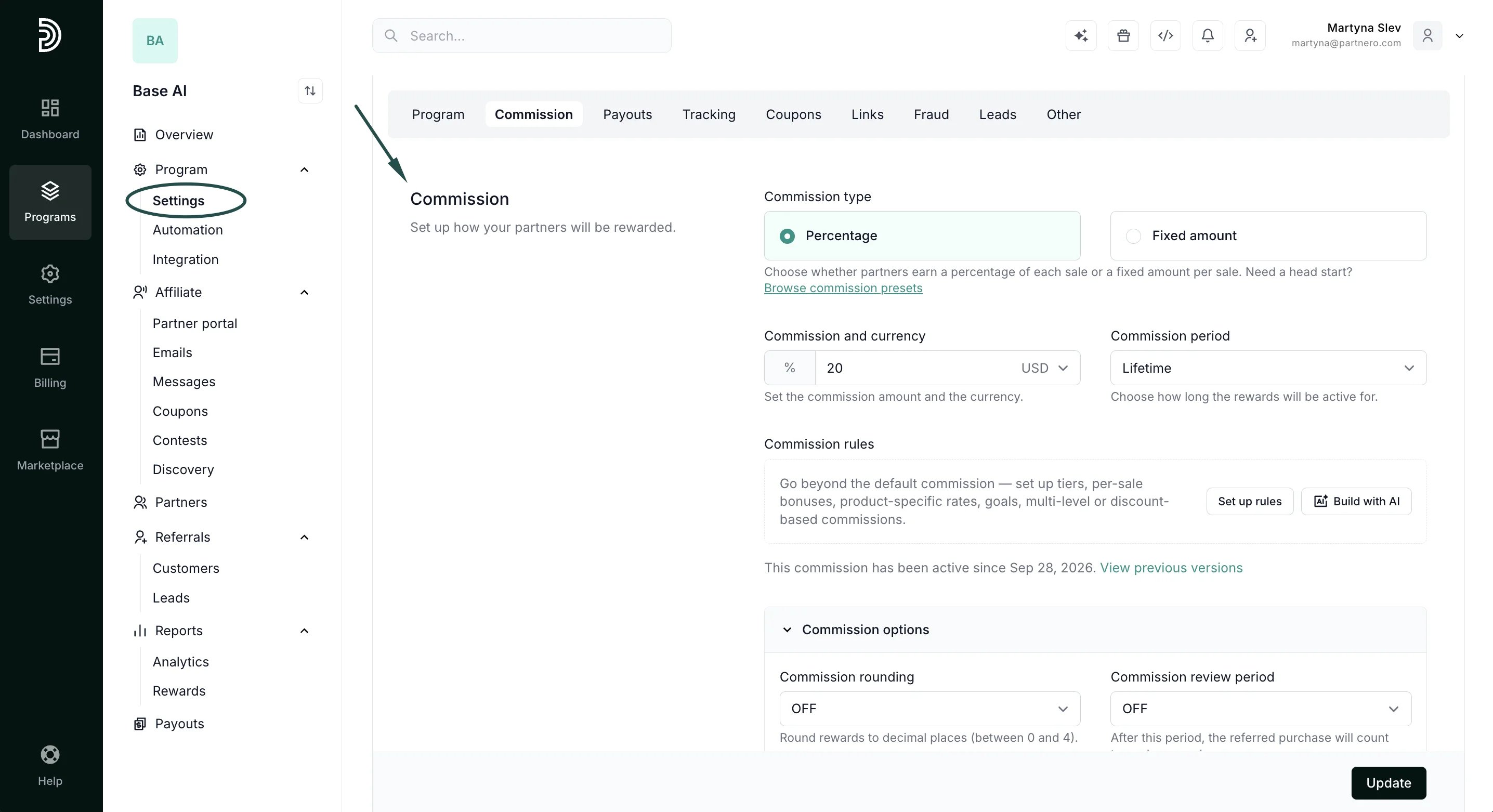
  1. Open your affiliate program and navigate to Settings under Program.
  2. Scroll down to the Commission section:
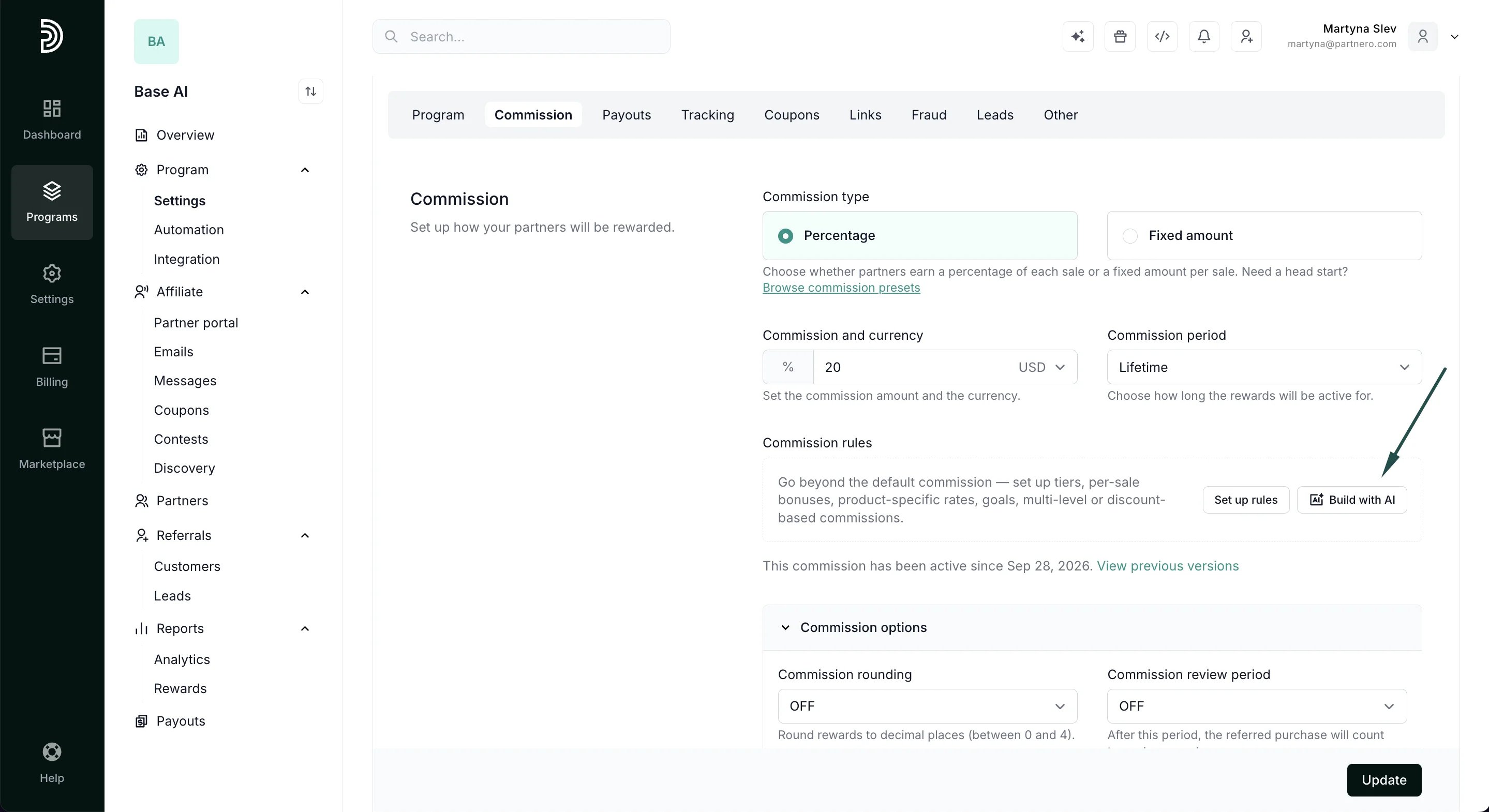
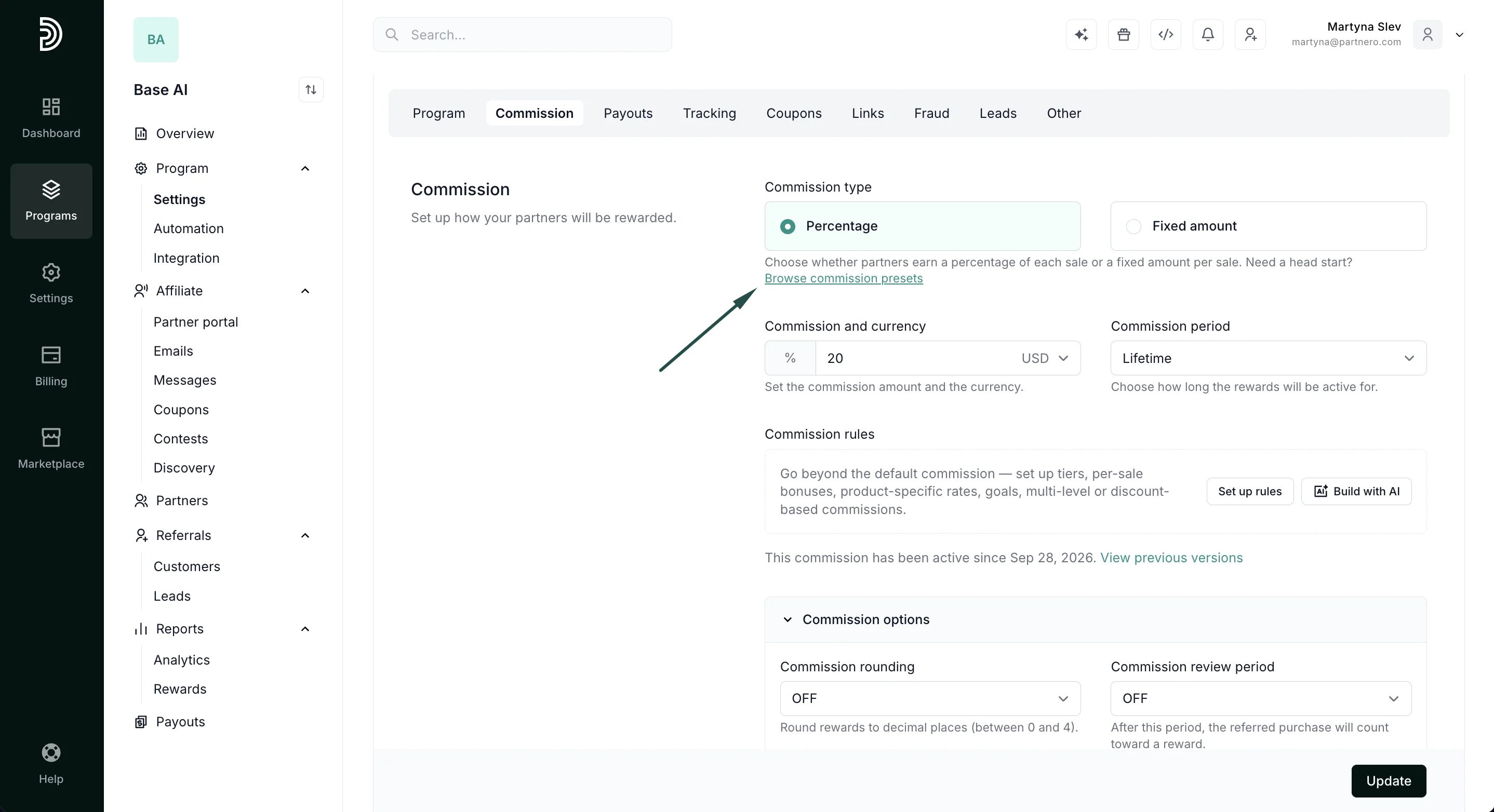
Assisted setup: AI & commission presets

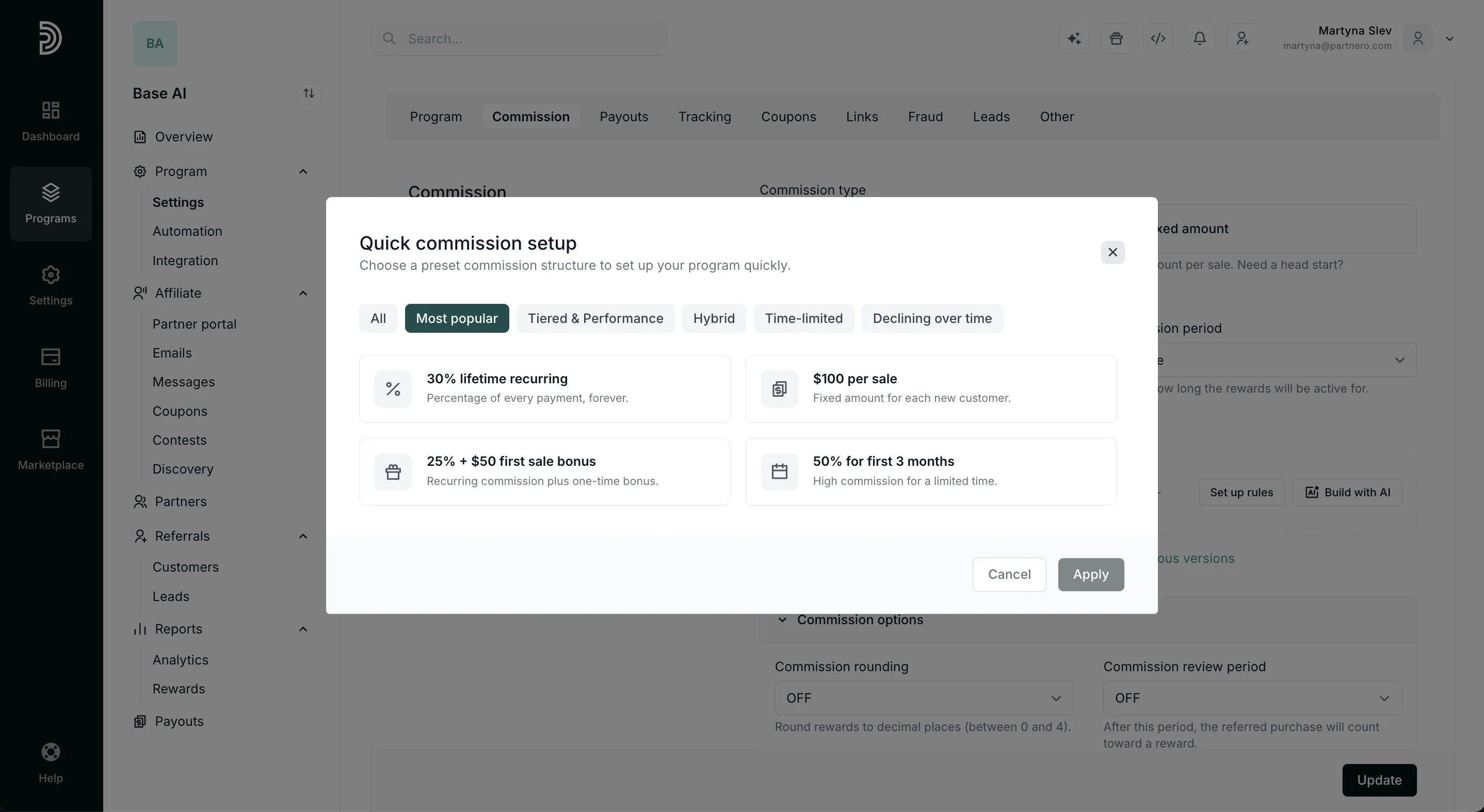
Partnero offers the option to optimize your commission using AI (Read more about using the AI assistant to set up your program commissions here): Or you can browse our commission presets for a quick setup: If you find a template that fits your requirements, select and click Apply. The setup will be configured for you.
Manual setup

First, you’ll see the option to set the commission type: Commission type can be set to Percentage or Static:
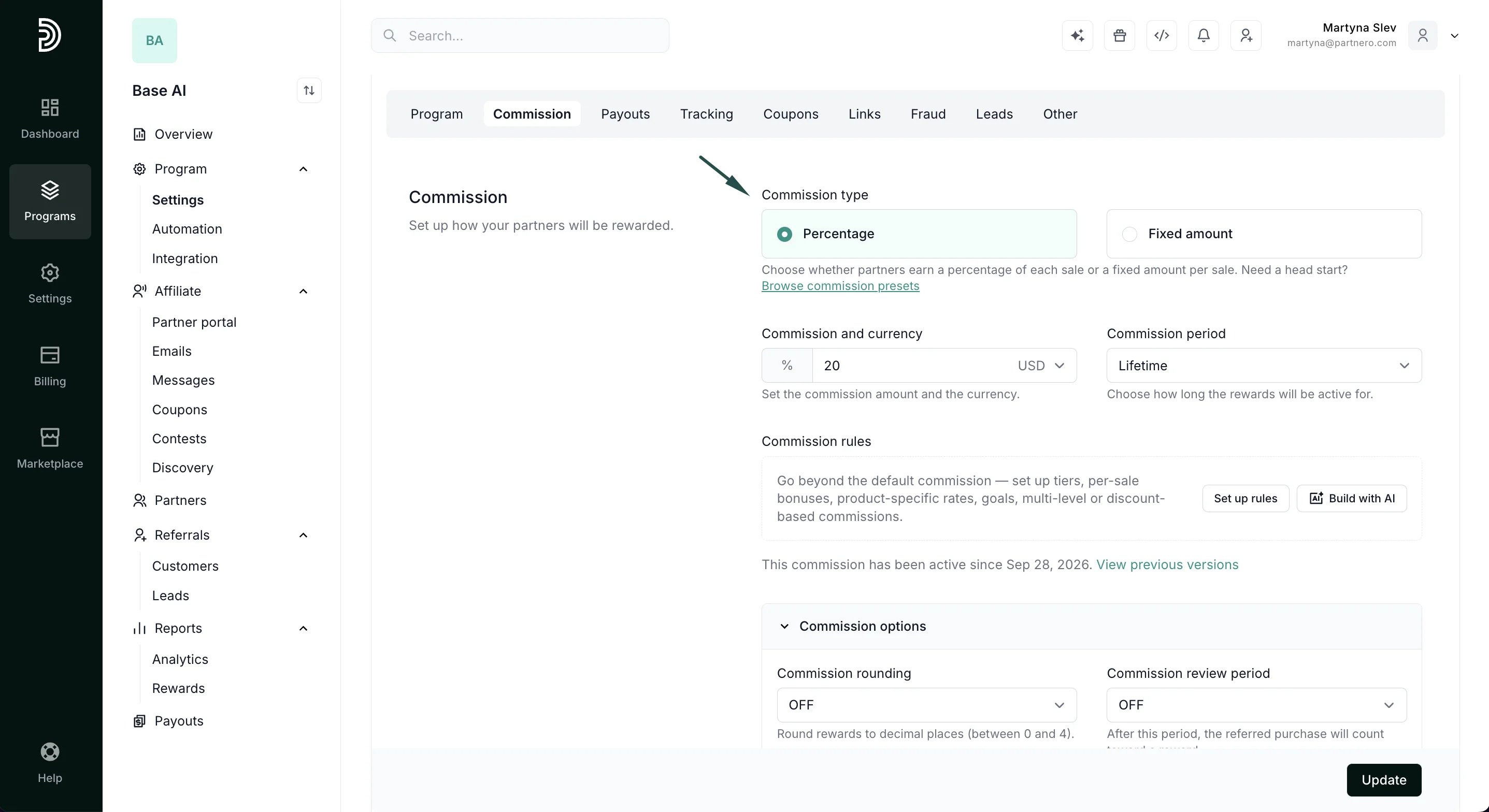
  • Percentage type will generate a reward based on the sale amount, e.g., 30% of $50.
  • Static type will generate a fixed reward regardless of the sale amount, e.g., $20.
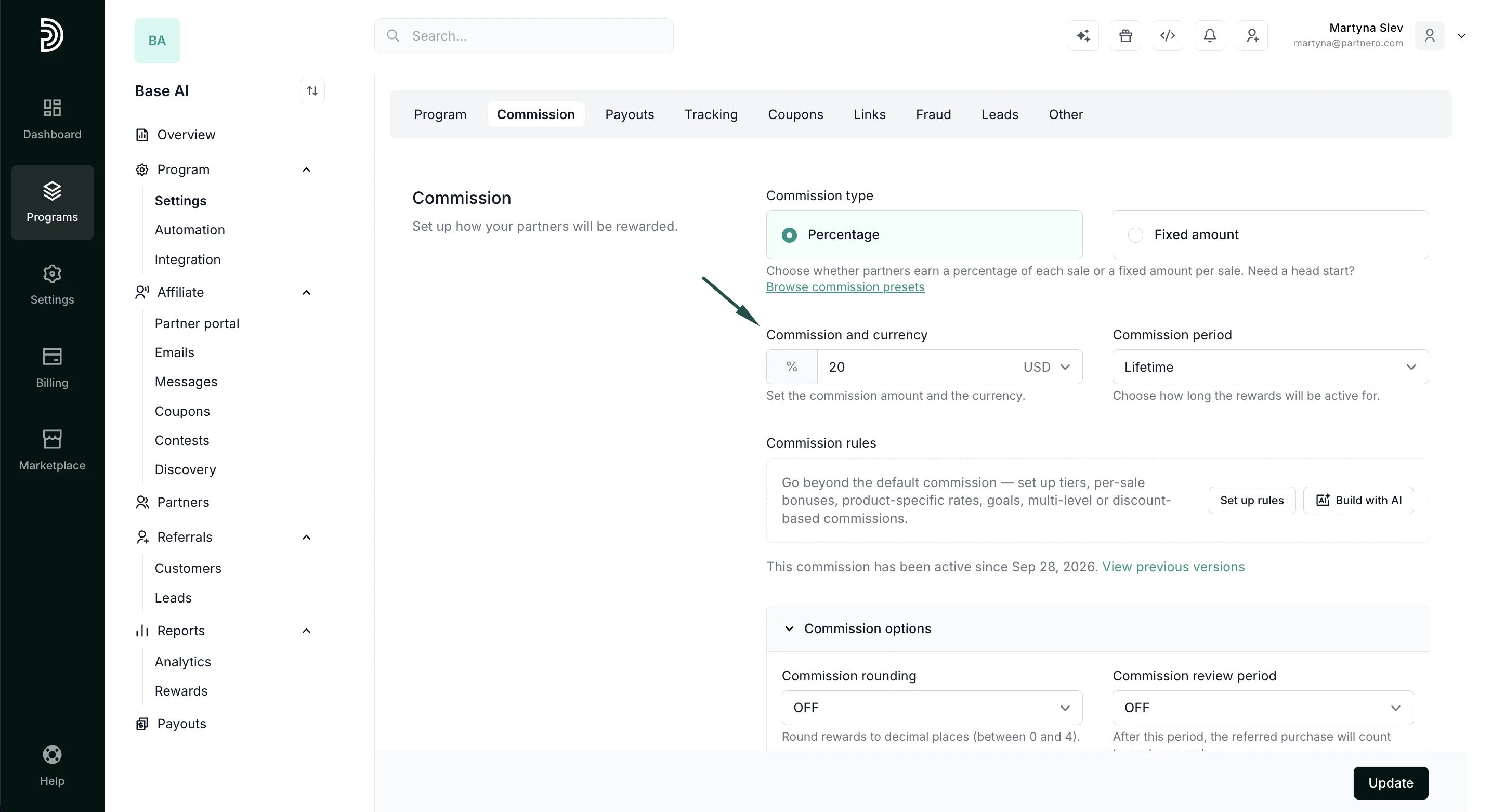
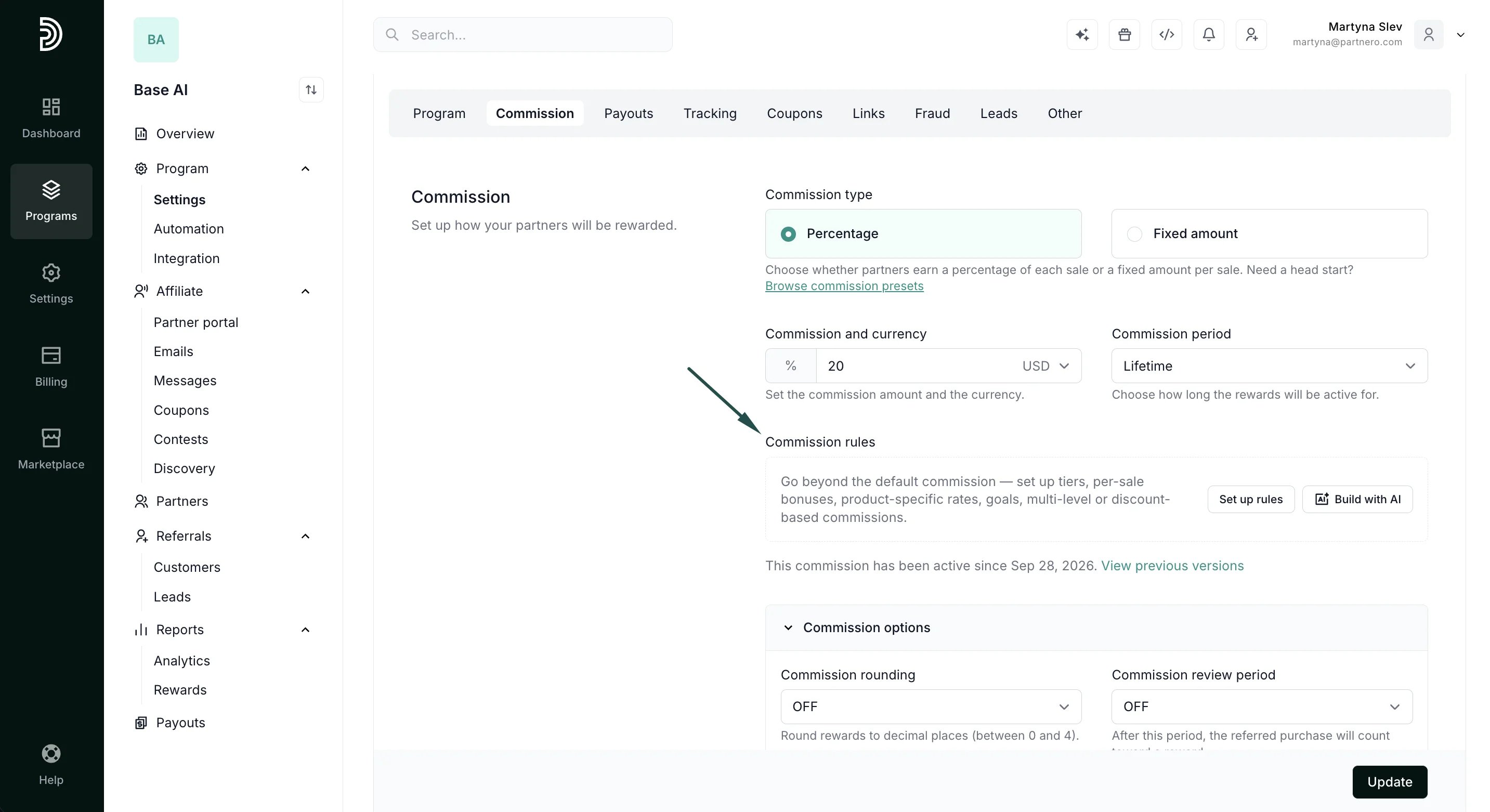
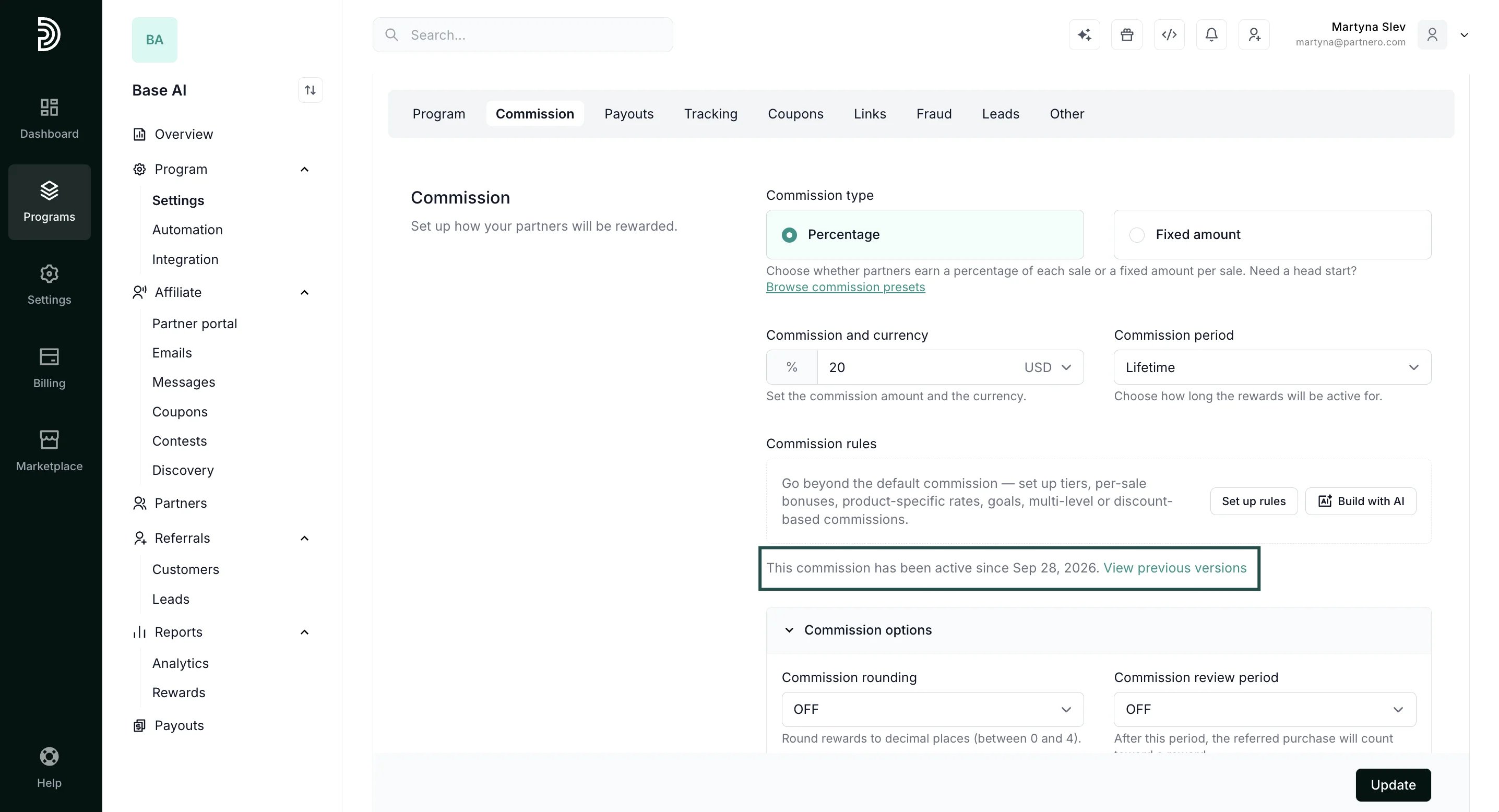
**Commission and currency **Here, you can enter the desired commission amount. If you’ve chosen the Percentage type, enter the percentage number. If you’ve chosen the Static type, enter the fixed amount: **Commission rules **Commission rules (previously Advanced commissions) allow you to set up tiers, product-based, goal-based, or multi-level rewards. Read more about commission rules here. Lastly, in this section, you can view all previous commission versions and changes made to the program.

Customize commission options

Next, you can further customize the commission options: **Commission rounding **Allows you to avoid paying partners in decimals and automatically rounds up all reward amounts. **Commission review period **A review period can be enabled if you want to add a delay before the earned commission reaches your partner. E.g., if your service has a 14-day money-back guarantee, you may want to set a 14-day commission review period in case the purchase gets canceled or refunded. Commission claim period Set a time limit for how long earned commissions can be claimed. For example, a commission must be claimed within 2 years of it being earned. Maximum commission Set a maximum commission amount that can be earned from a single transaction. For example, your program offers a 30% commission, but a reward from a single transaction cannot be more than $500. Commission attribution model Determine how the commissions are attributed to partners:
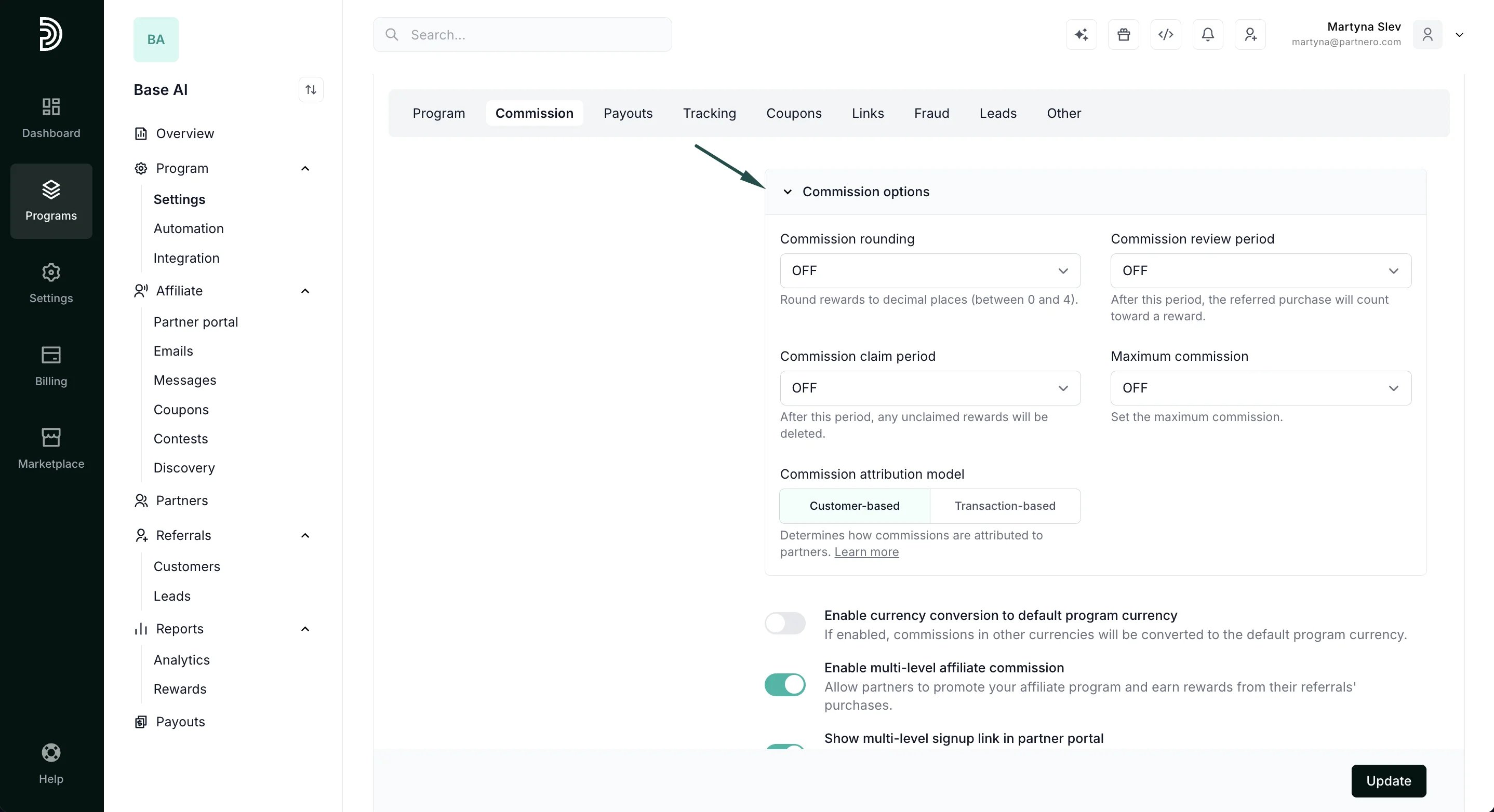
  • Customer-based: a customer is permanently linked to one partner; all their transactions generate commissions for that partner.
  • Transaction-based: each transaction carries a partner key in payment metadata; the same customer can generate commissions for different partners.
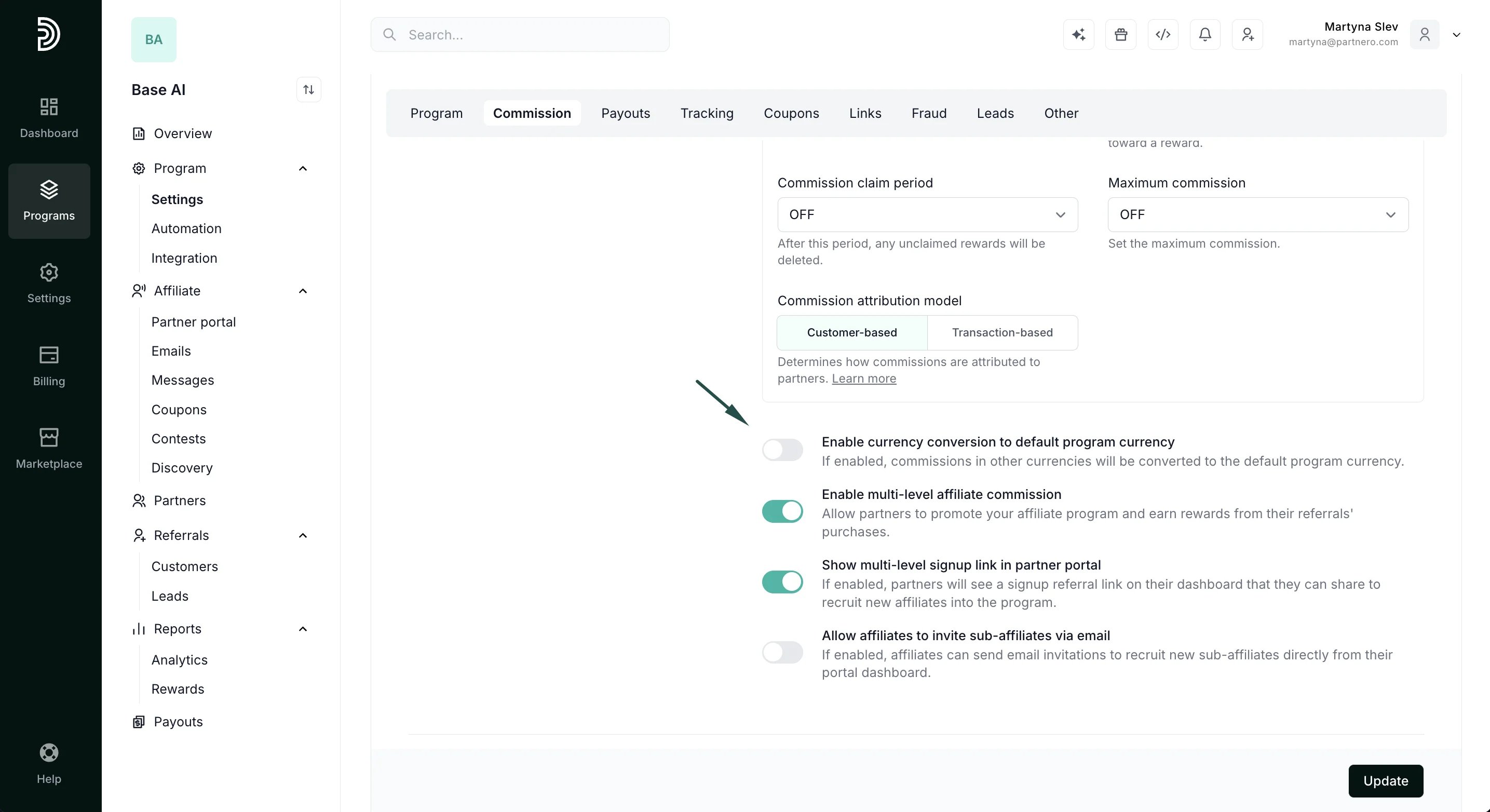
Lastly, you have a few additional settings: Enable currency conversion to default program currency This is helpful if you’re selling products or services in multiple currencies. If enabled, different currencies will be converted to the default program currency. Enable multi-level affiliate commission Allows affiliates to be rewarded for not only the sales they directly generate but also for the sales made by affiliates they’ve referred to the program. Read more. Show multi-level signup link in partner portal If enabled, partners will see a signup referral link on their dashboard that they can share to recruit new affiliates into the program. Allow affiliates to invite sub-affiliates via email If enabled, affiliates can send email invitations to recruit new sub-affiliates directly from their portal dashboard. Read more. Don’t forget to click Update after you make any changes!