Appearance settings
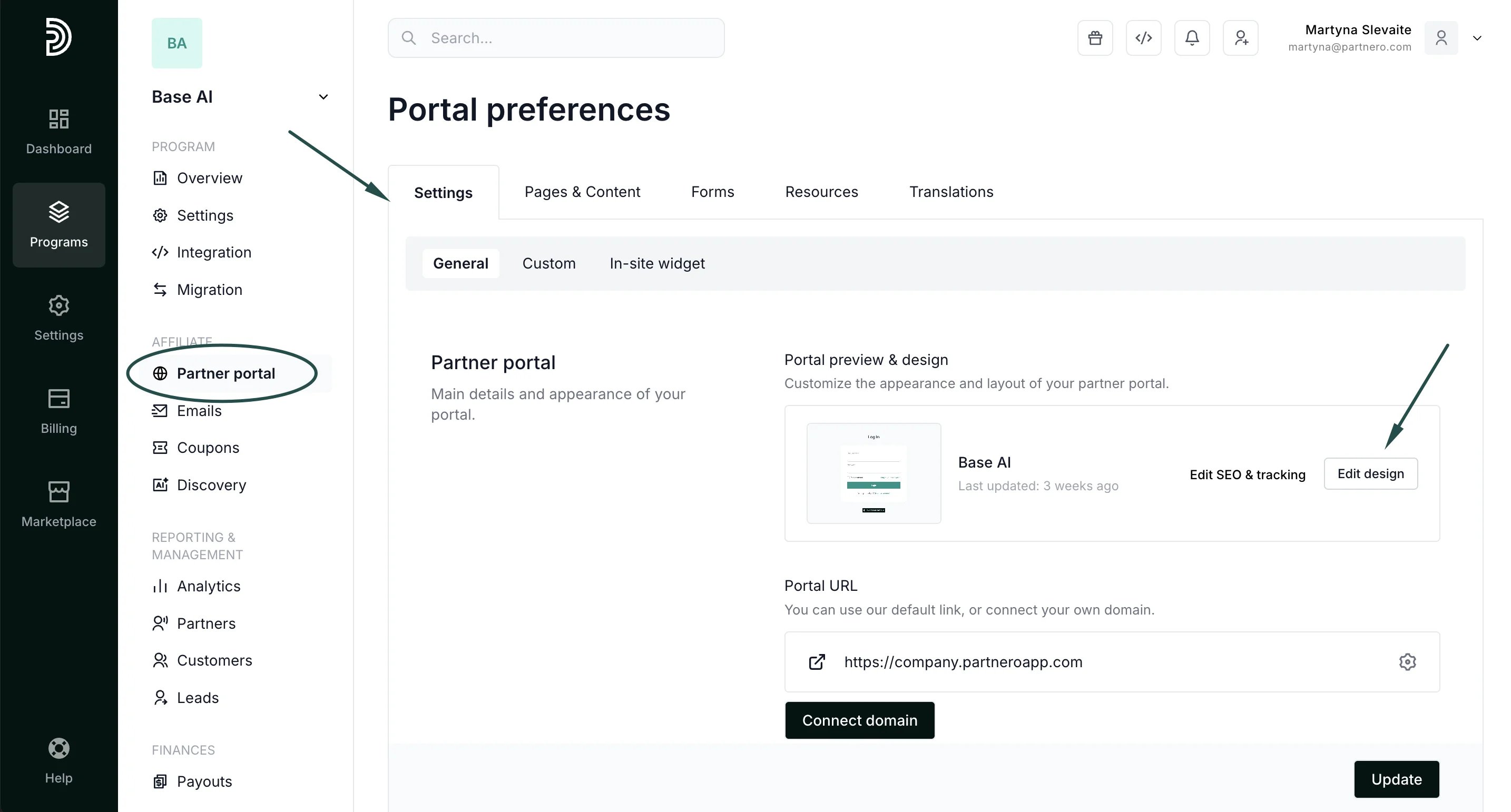
To customize the appearance settings for signup and login pages:- On the left sidebar, click on Partner Portal under Affiliate.
- In the Settings tab → General section, click Edit design:
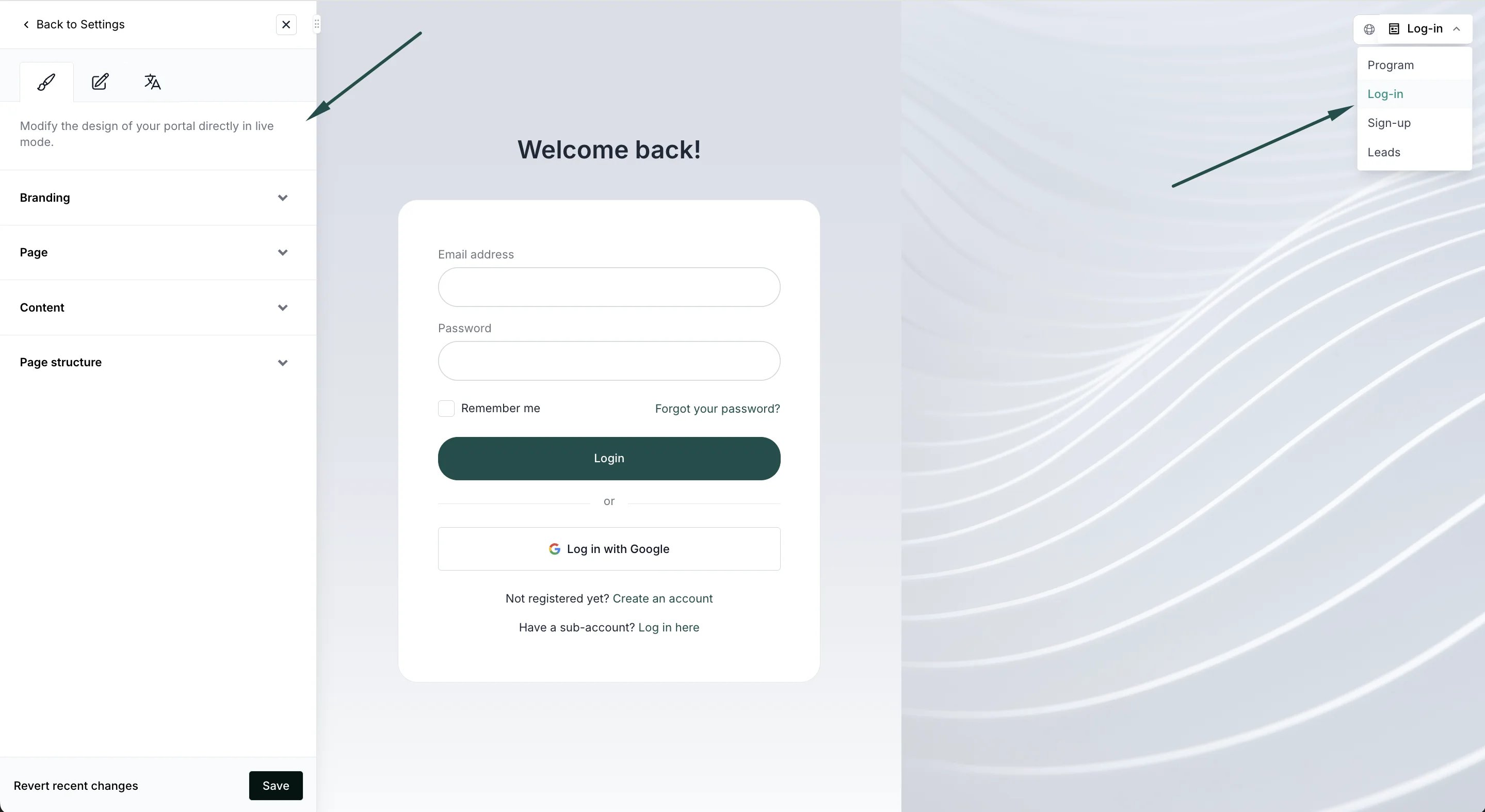
- This will open the Live Designer. You’ll see the live preview on your partner portal with the editor on the left side. Switch between the signup and login pages in the upper right corner:
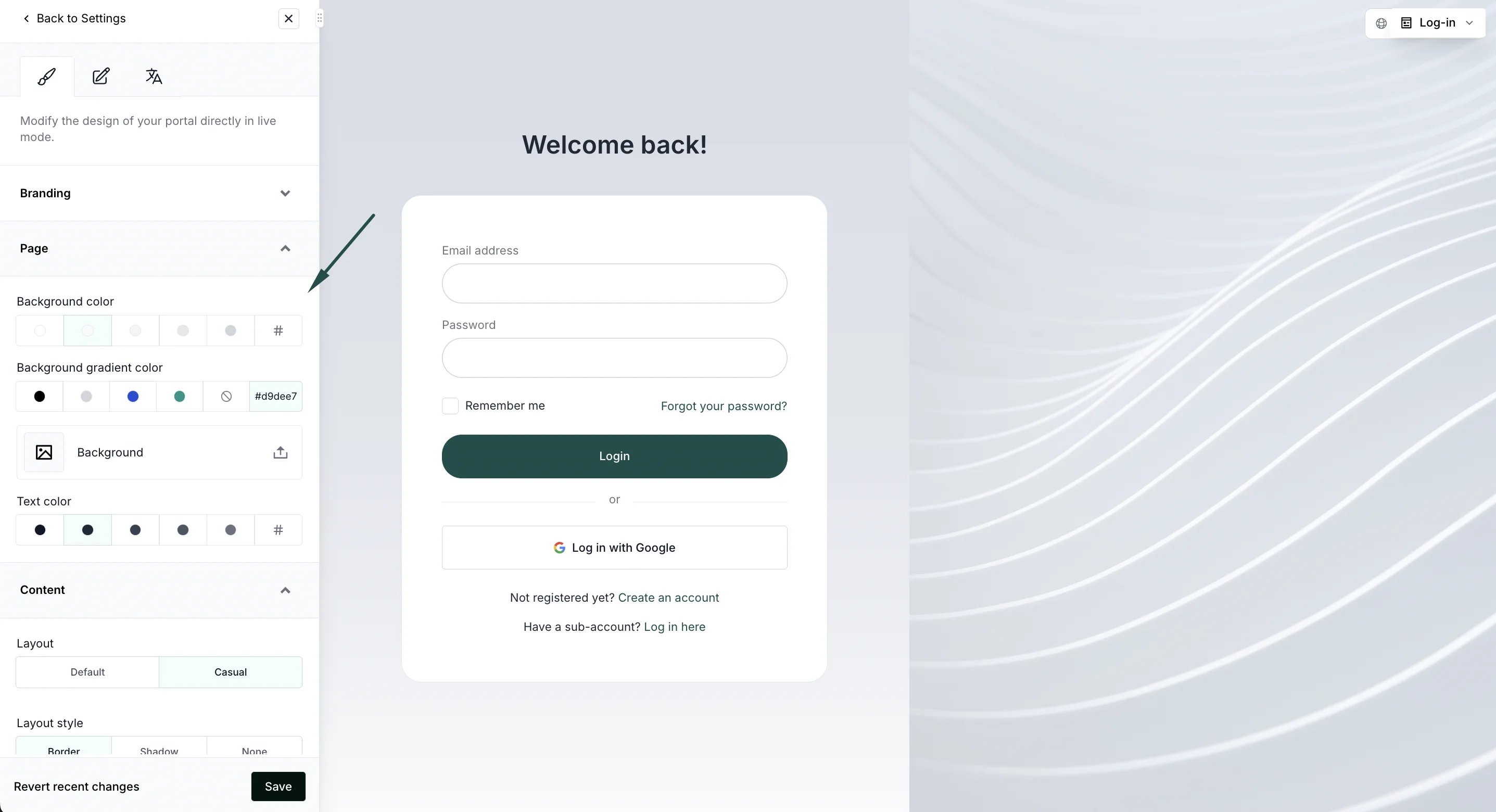
- Use the editor on the right to change branding, content, and page structure:
- For the signup page, switch to the form tab to edit registration form fields and other settings:
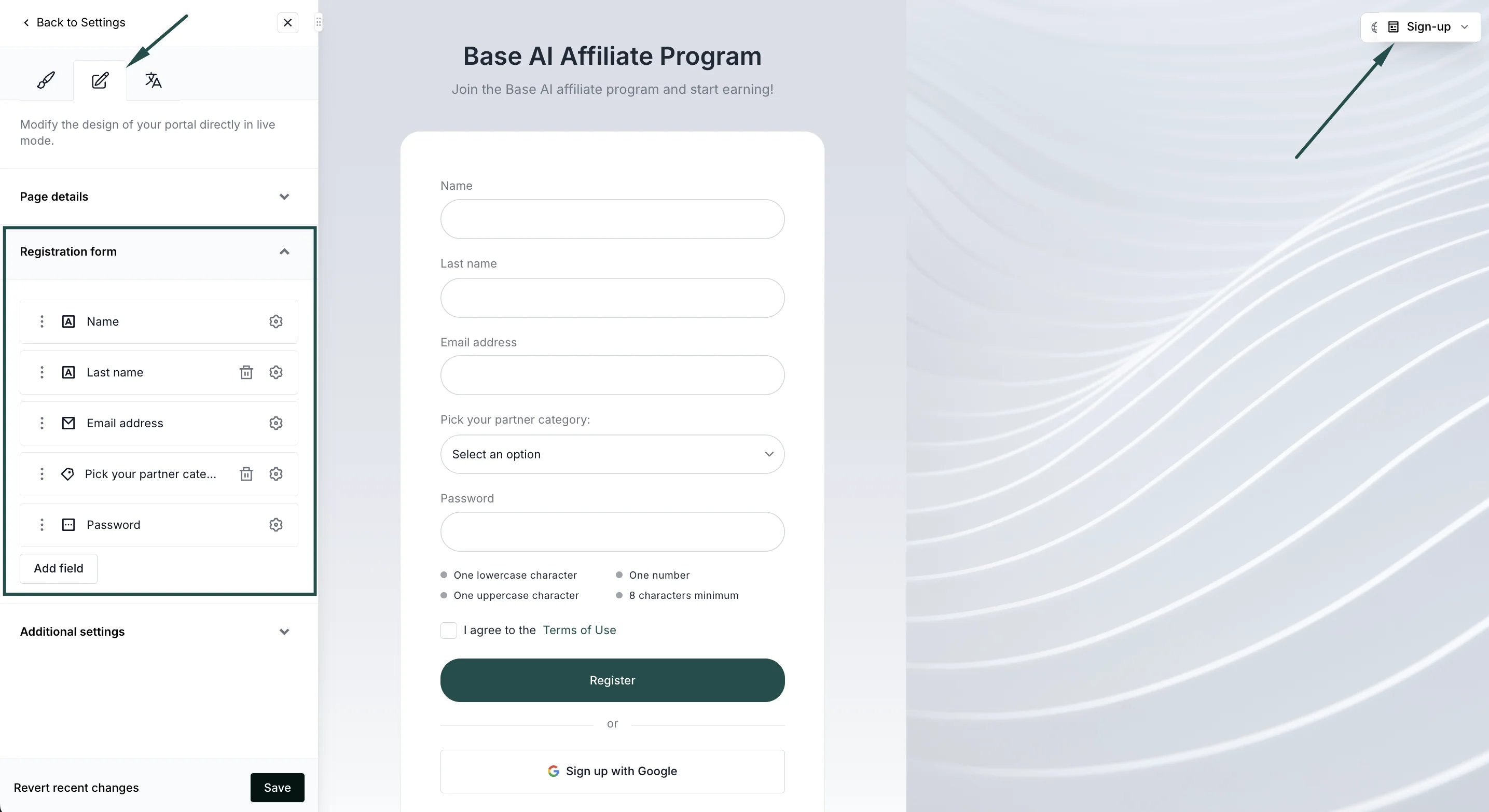
- Click Save to publish your changes.
Signup page settings
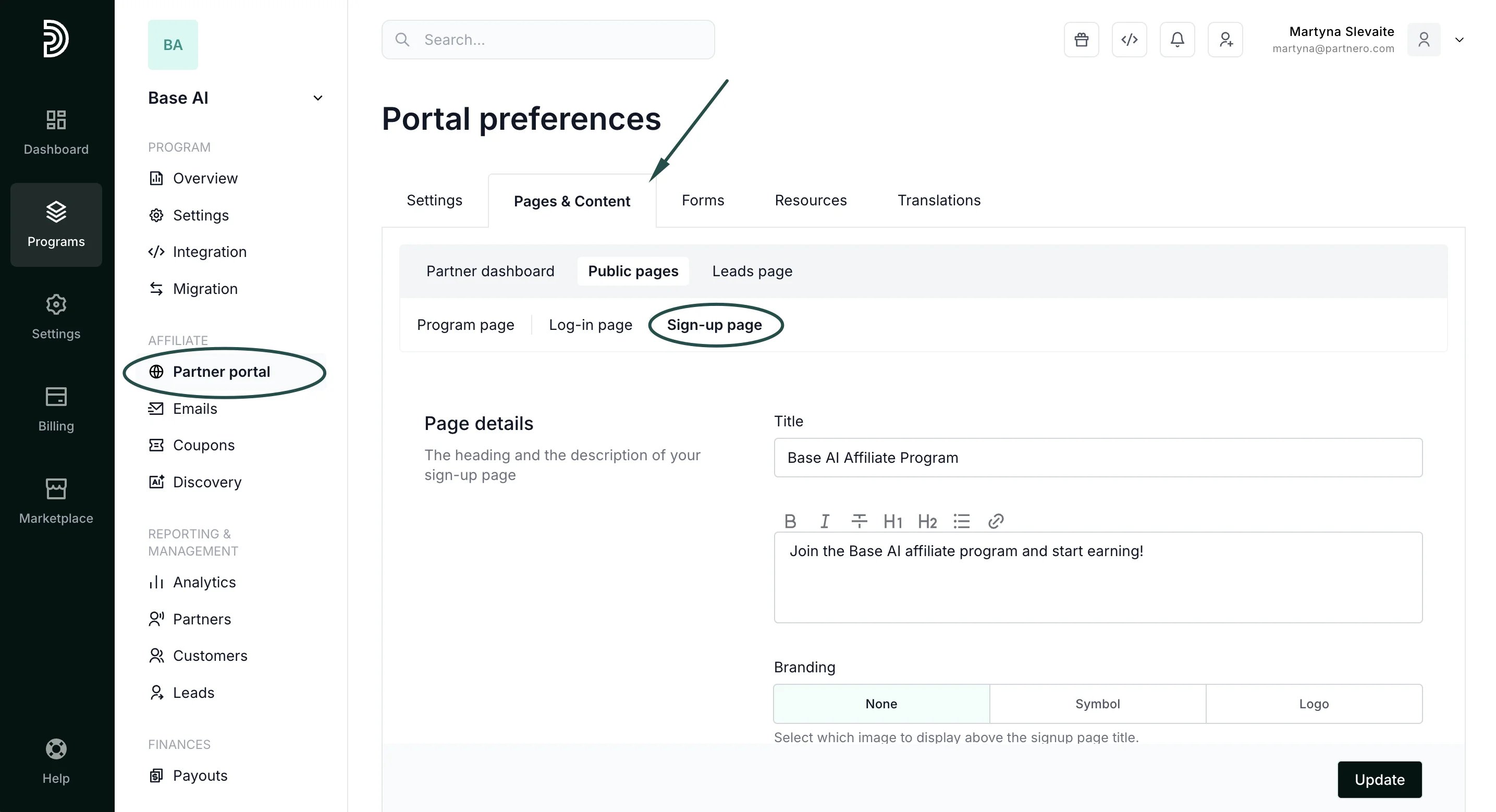
Alternatively, you can edit the signup page settings and content in the Pages & Content tab.- On the left sidebar, click on Partner Portal under Affiliate.
- Navigate to the Pages & Content tab, Public pages, and then Sign-up page:
Page details
Add a title and description to welcome your new partners. Choose your branding option and enable partner approval forms.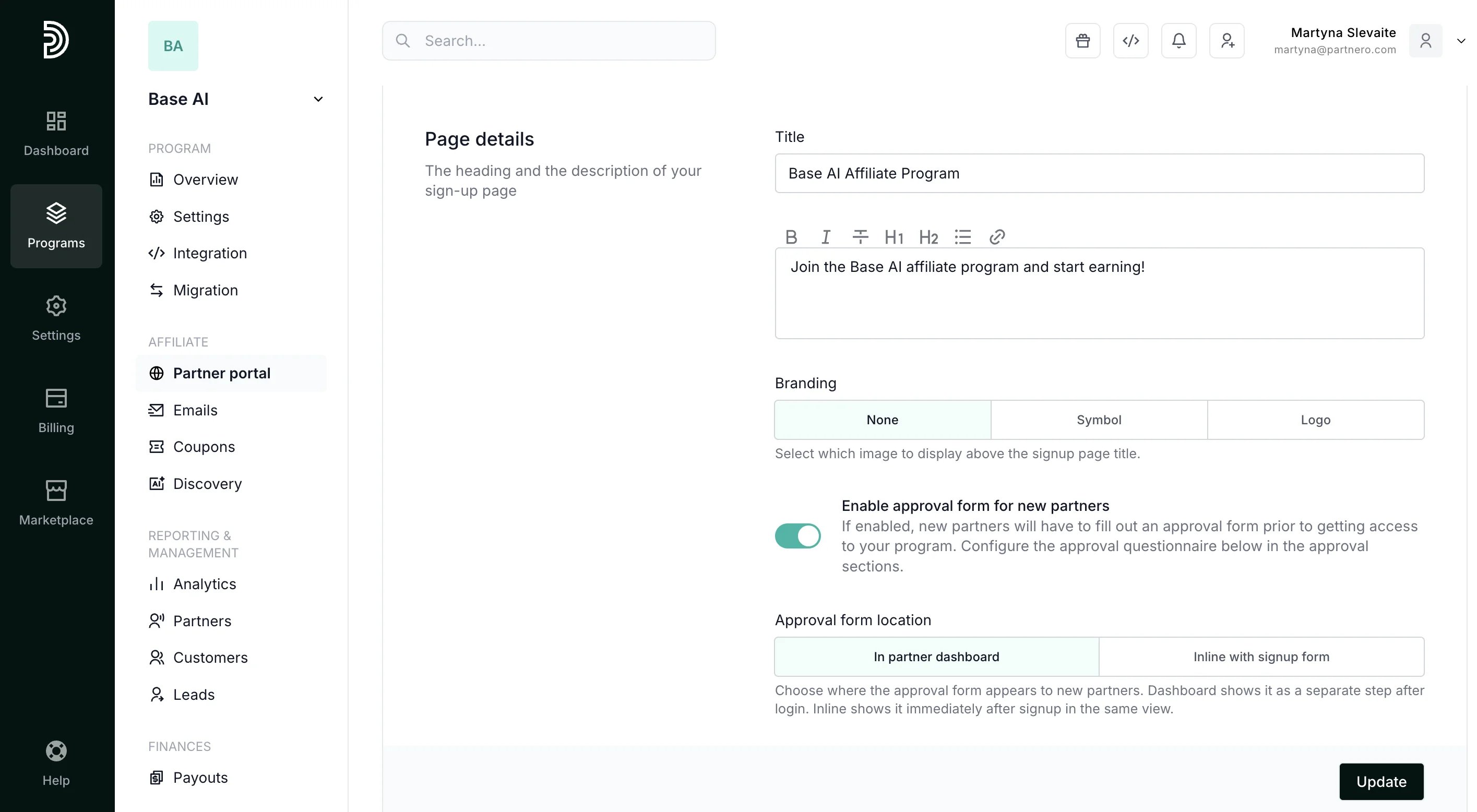
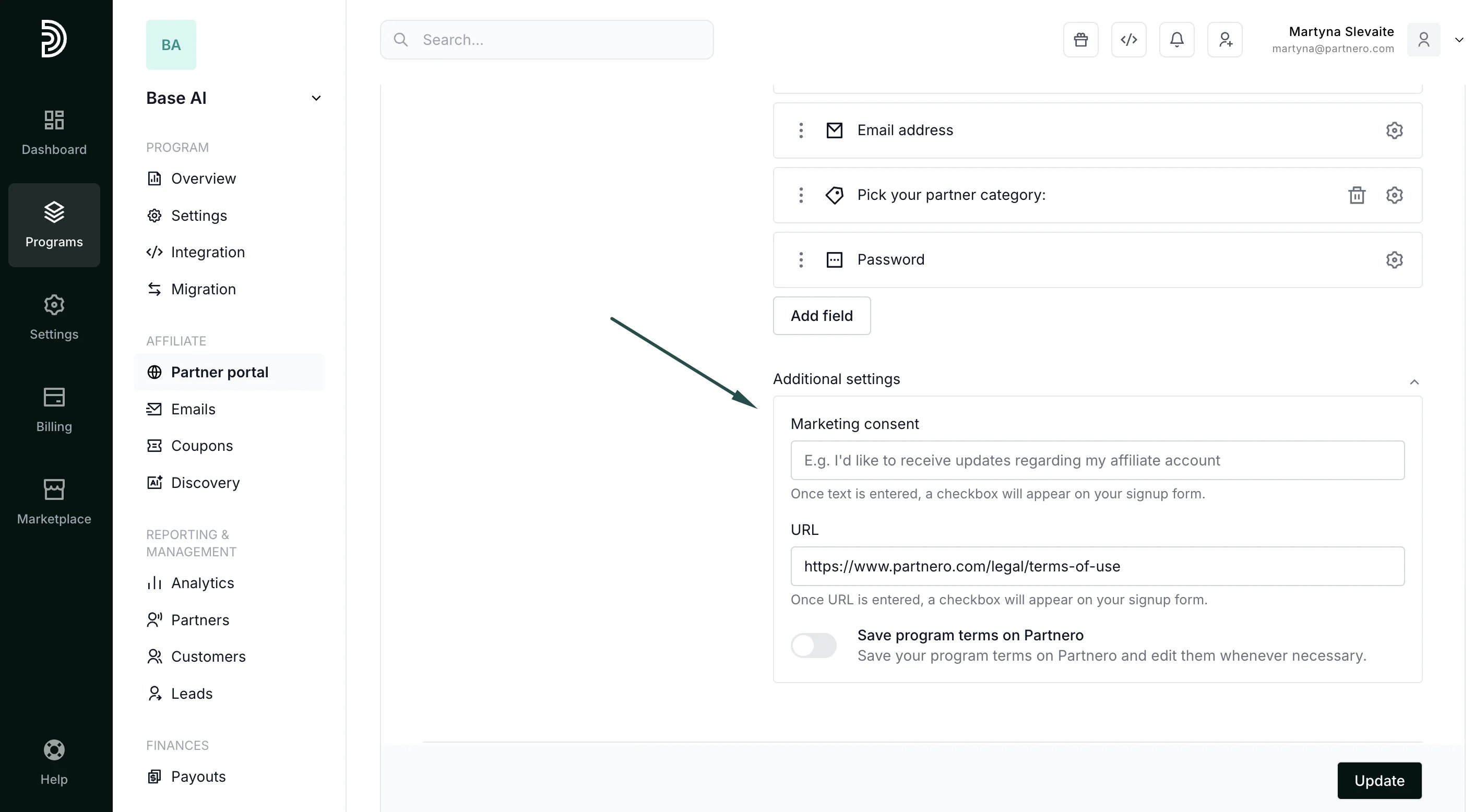
Registration form
Customize your registration form fields, add terms of use, and collect marketing permissions: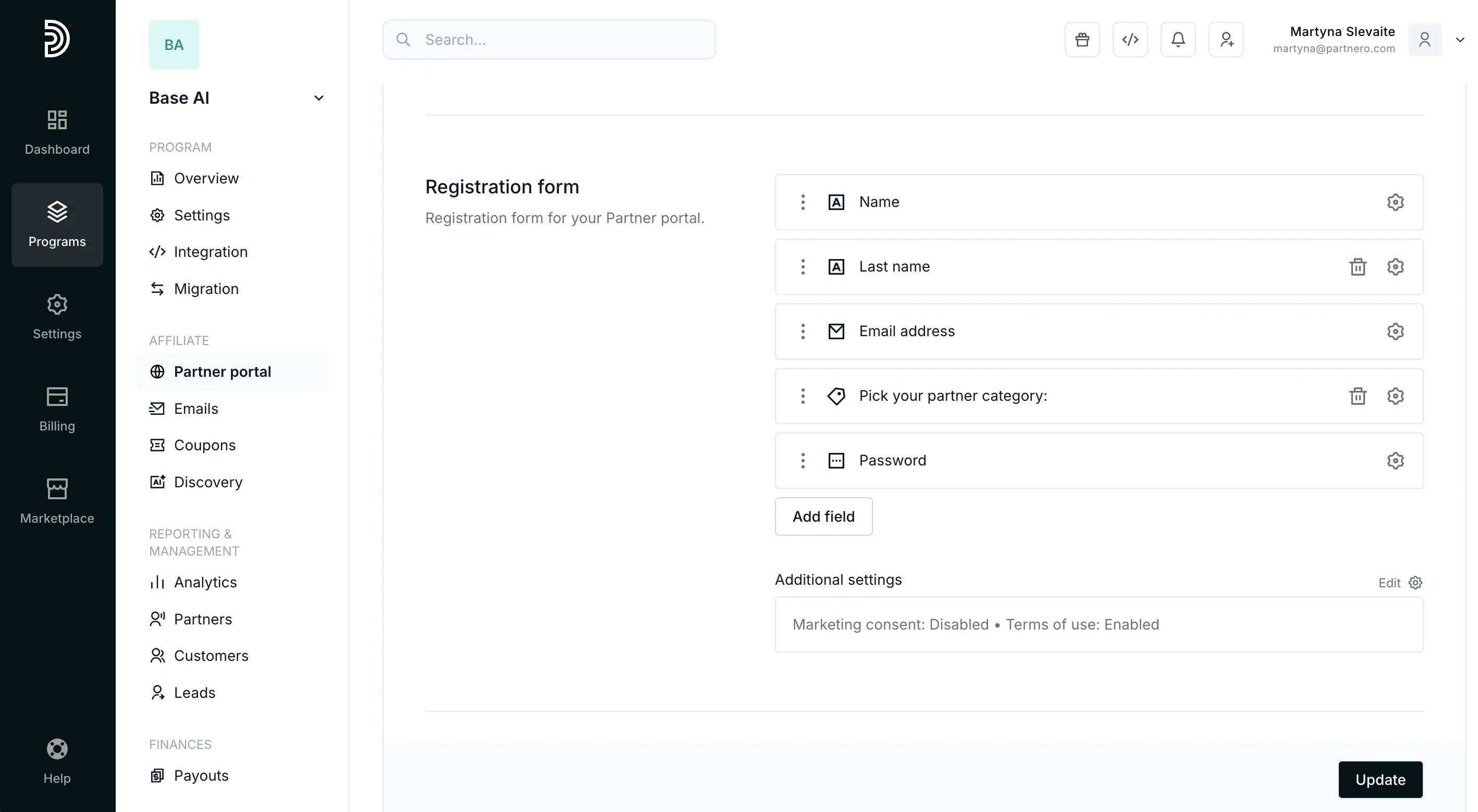
Approval content and form
Lastly, you’ll be able to customize the content and form for the approval process. Read more.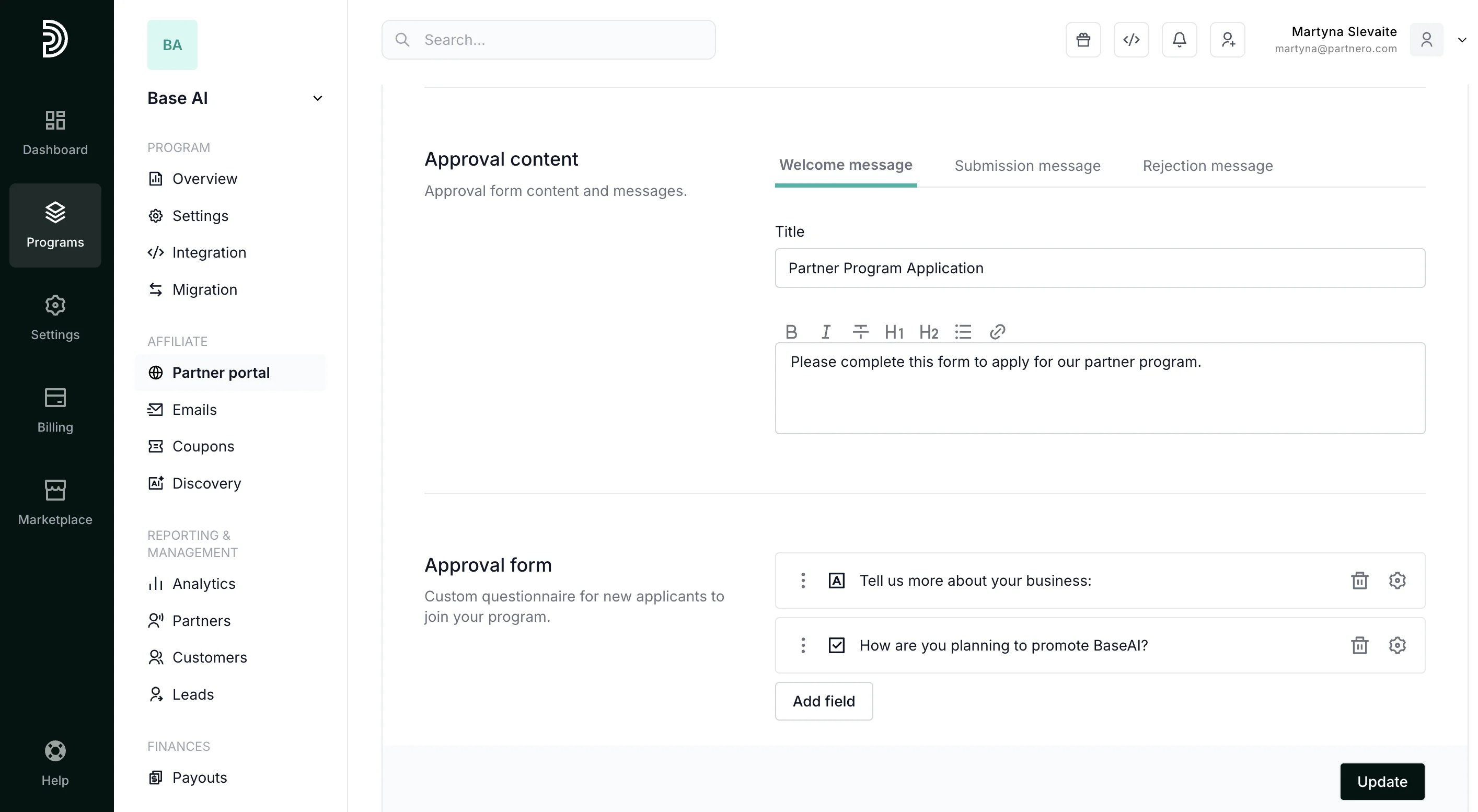
Login page settings
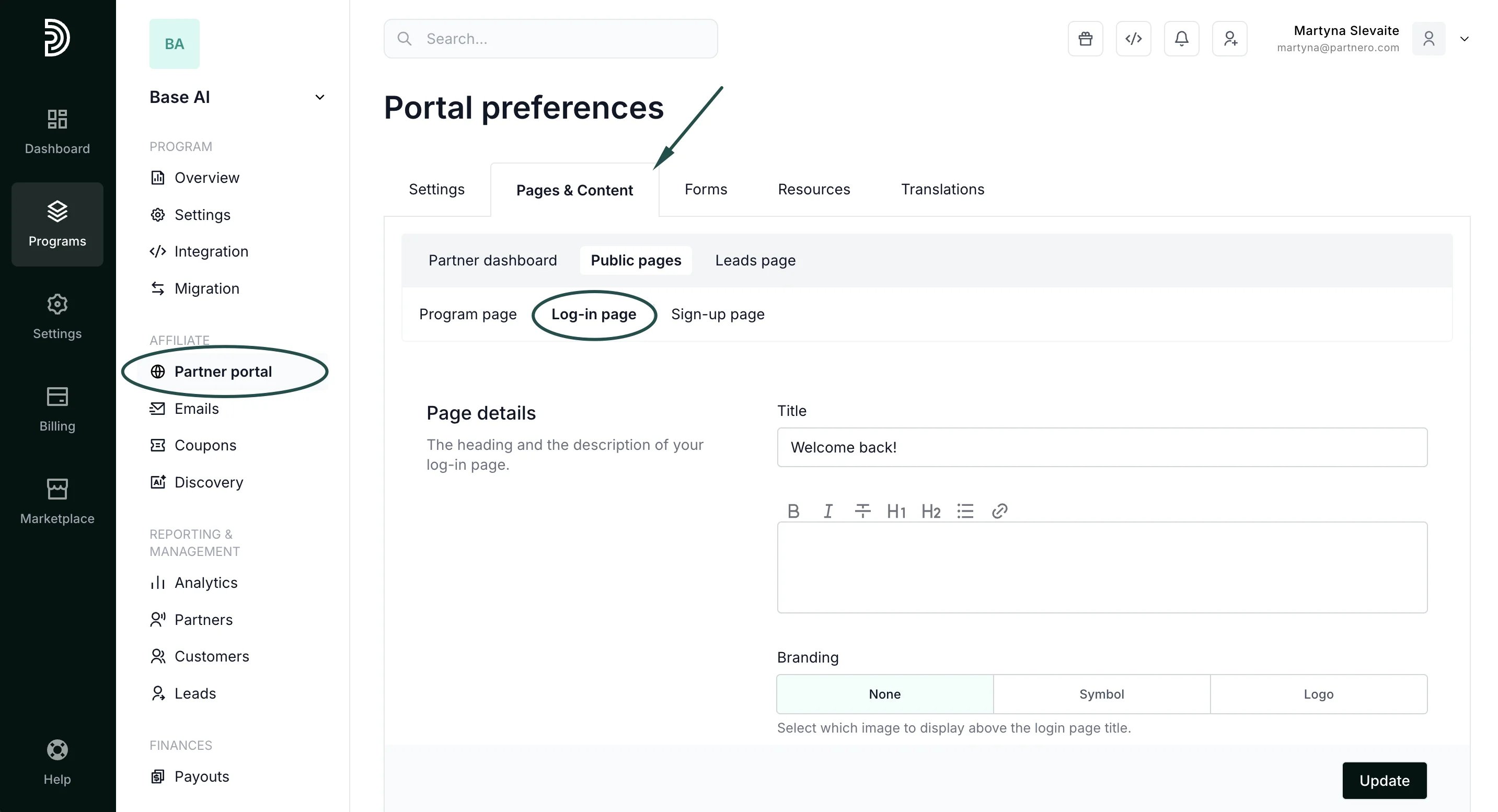
To customize the login page:- On the left sidebar, click on Partner Portal under Affiliate.
- Navigate to Pages & C****ontent tab, Public pages, and then Log-in page: