

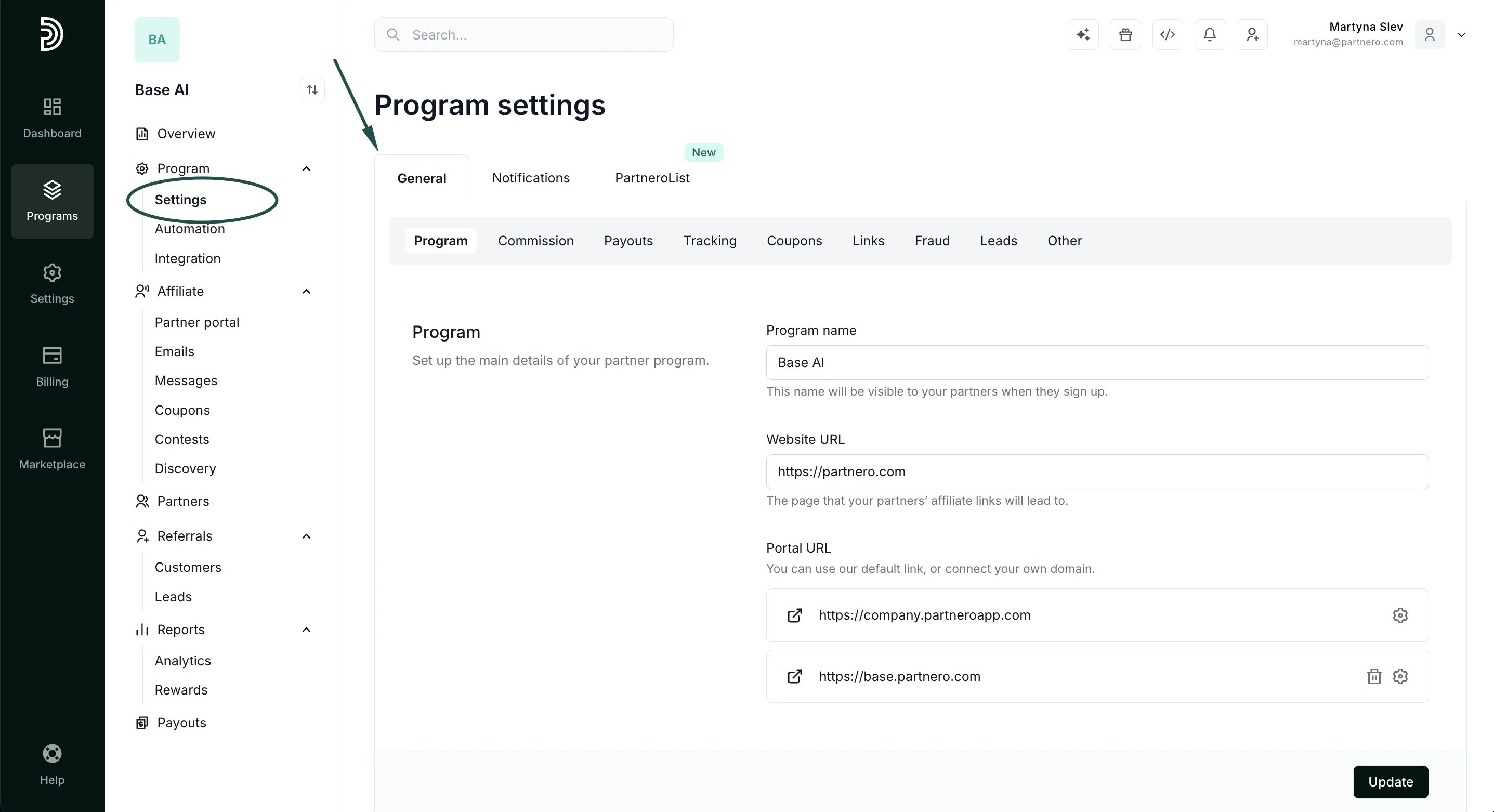
- In your program, navigate to Settings → General tab:
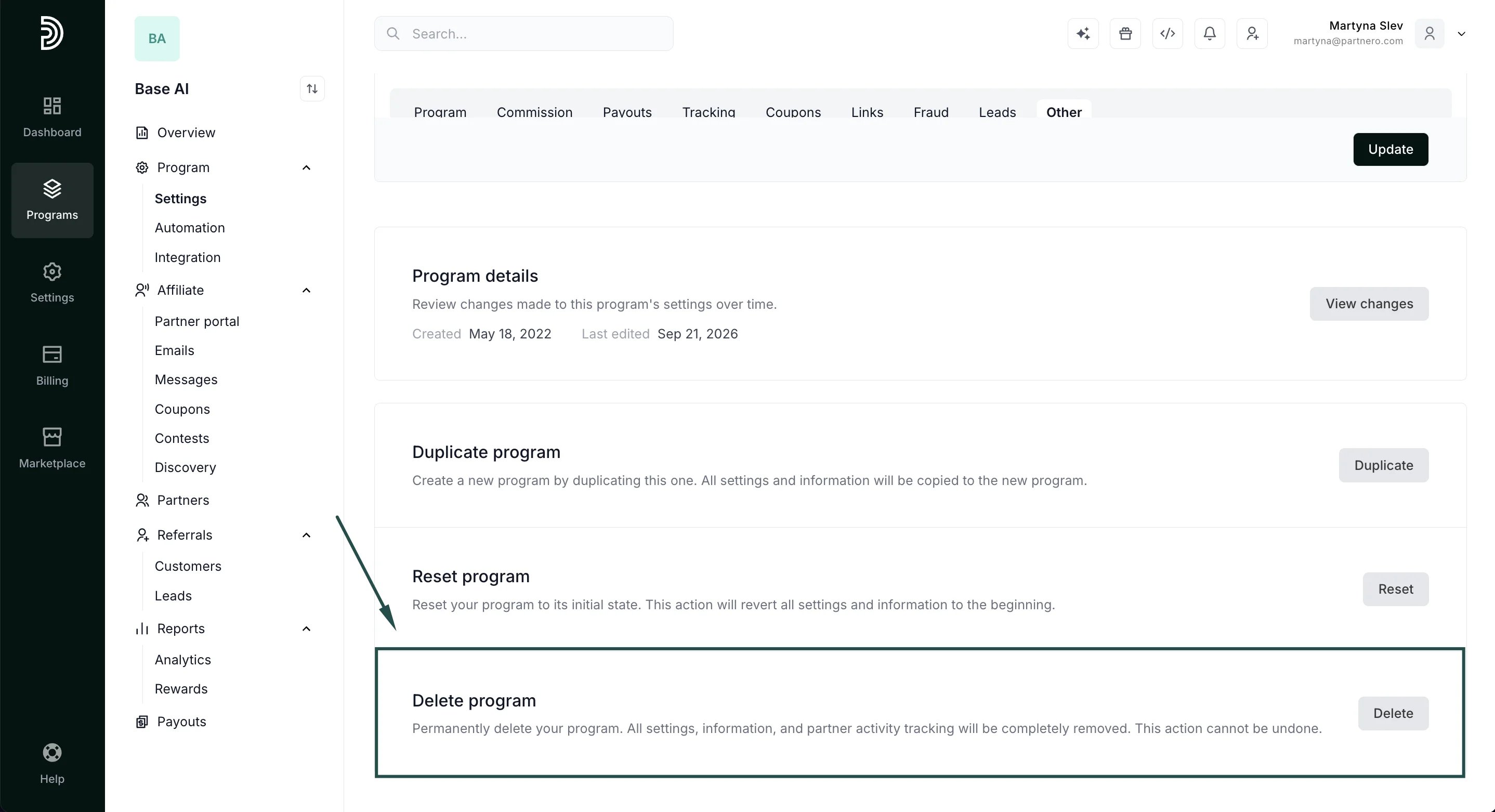
- Scroll down to Delete program and click Delete:
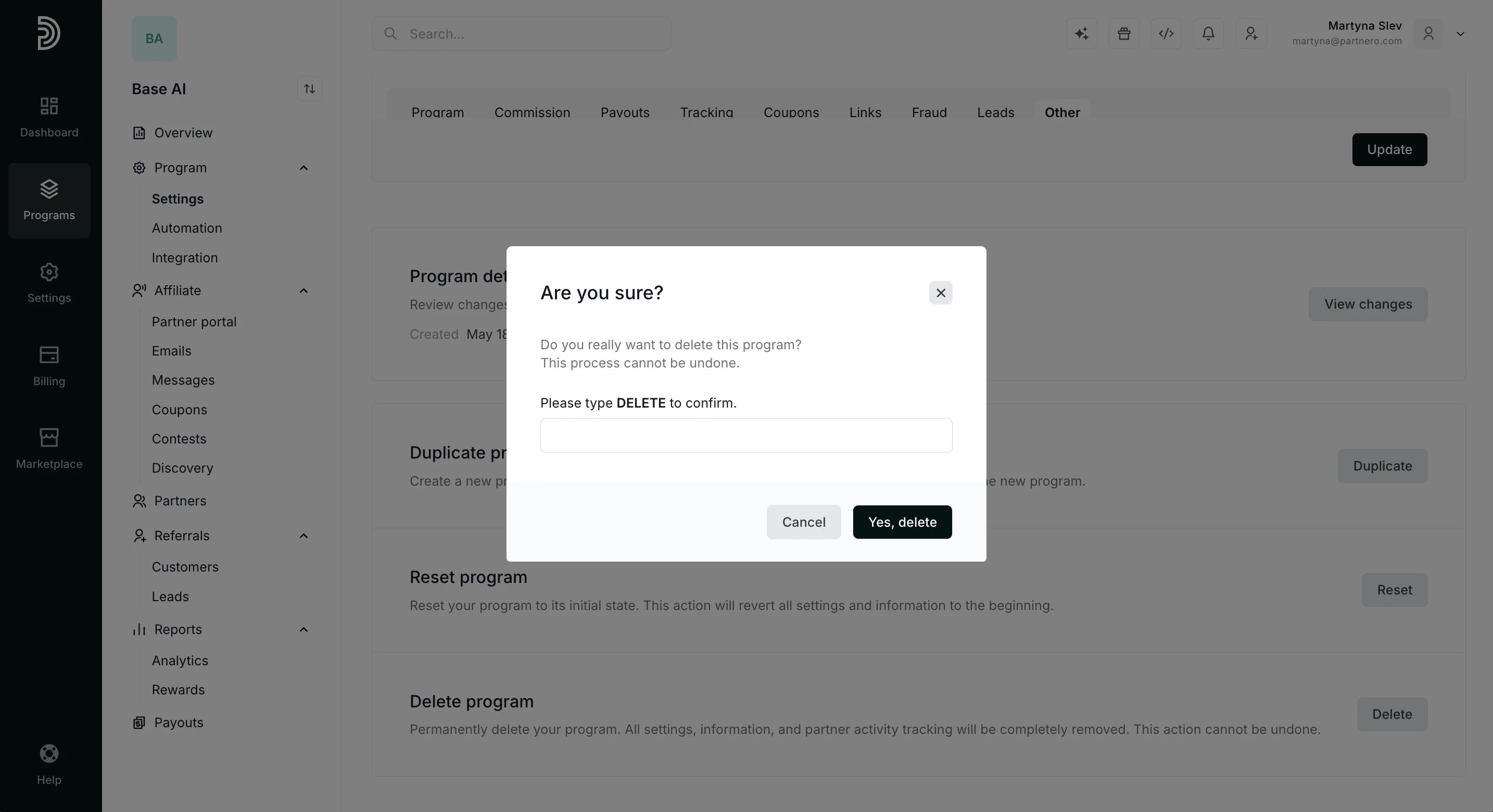
- A confirmation window will appear; type DELETE. This additional step ensures a program isn’t deleted by accident, since it cannot be undone. Click Yes, Delete.
Program setup & settings
How to delete a program
To delete a program:
Was this page helpful?