

How it works
When multi-currency handling is enabled for your program, Partnero API will check for amount_units information with every transaction API call.- If the amount_units does not match the default program currency, we will use a trusted 3rd-party service to convert the transaction value to the default program currency at the time of purchase.
- If the amount_units is not provided, the default program currency will be used.
- If the multi-currency handling is not enabled, amount_units will be ignored.
To enable multi-currency handling:
- In your affiliate program, go to Settings under Program.
- Scroll down to Commission and toggle to Enable the multi-currency conversion for the program:
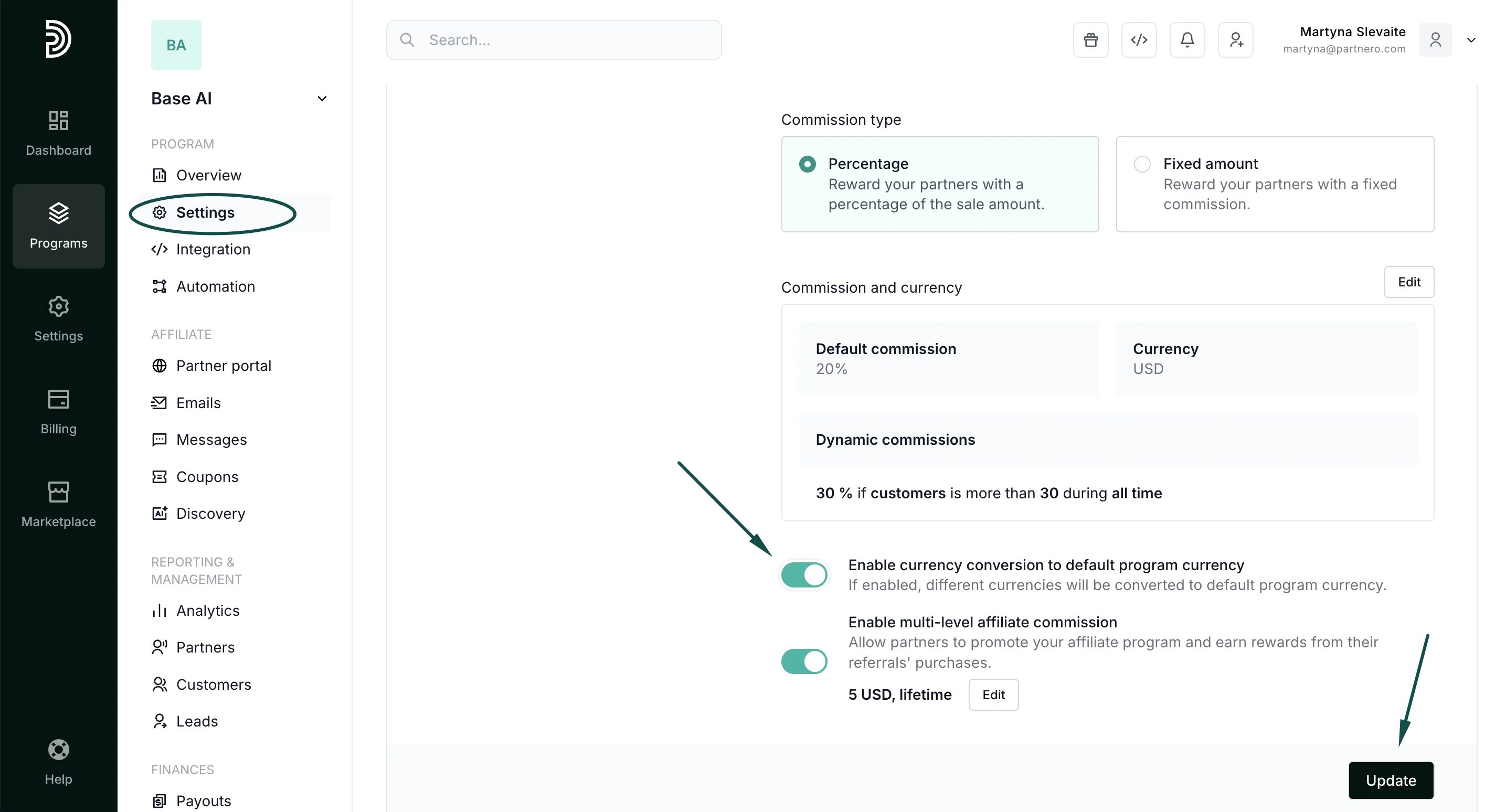
- Click Update.