Where to find pending approval requests
New approval requests can be accessed through the Program > Overview section by clicking on Manage approvals in the Approval requests box: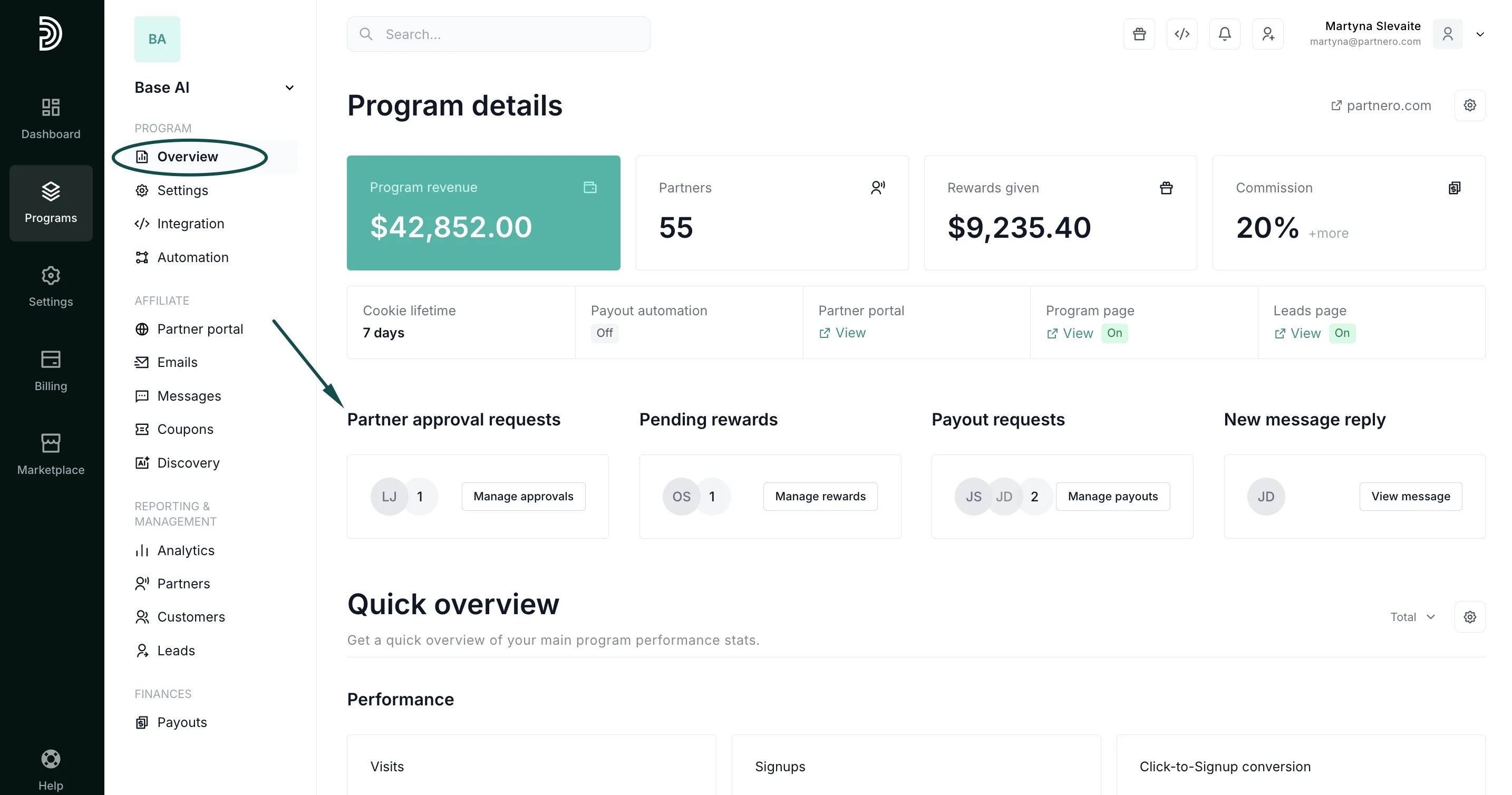
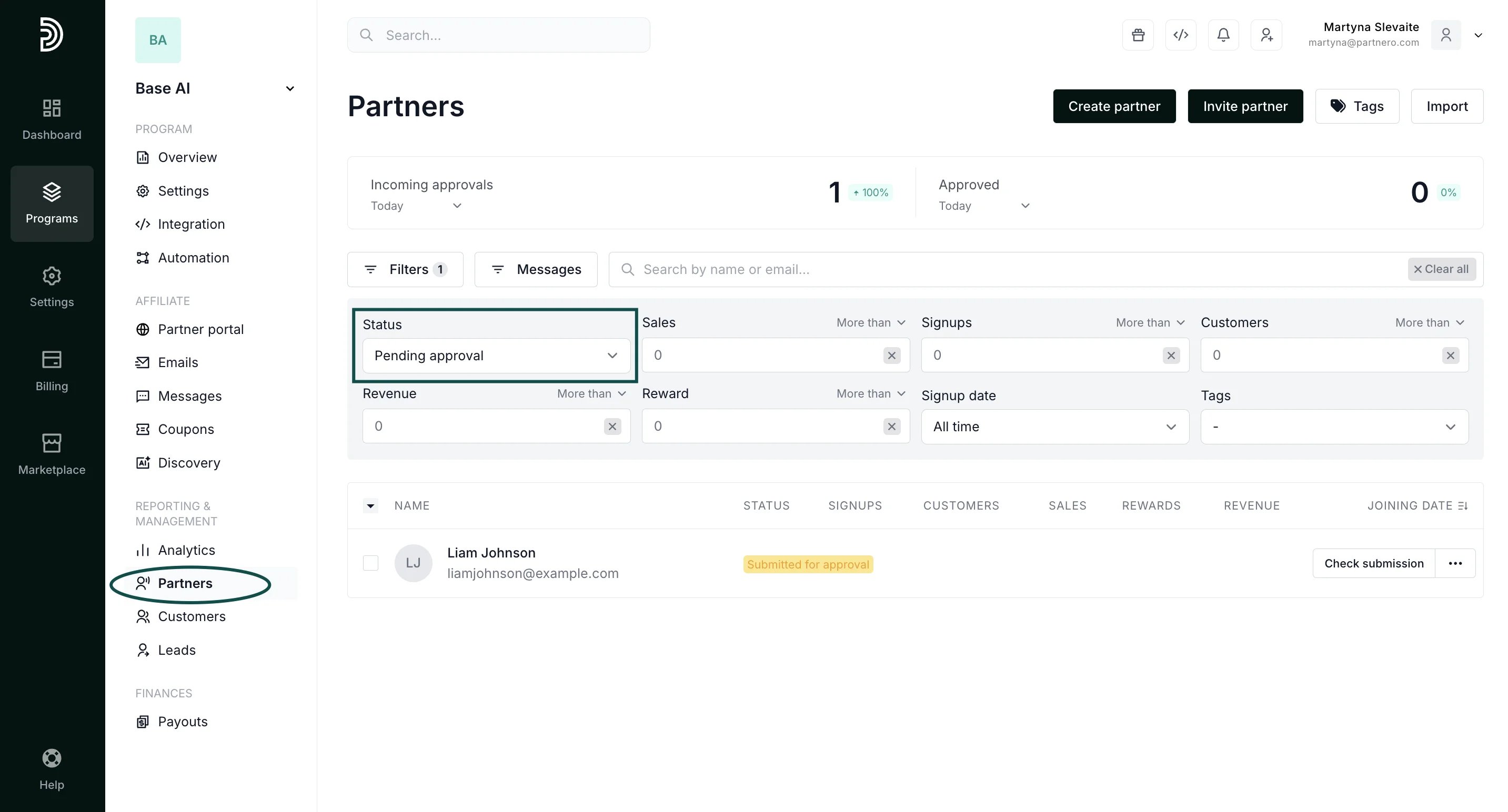
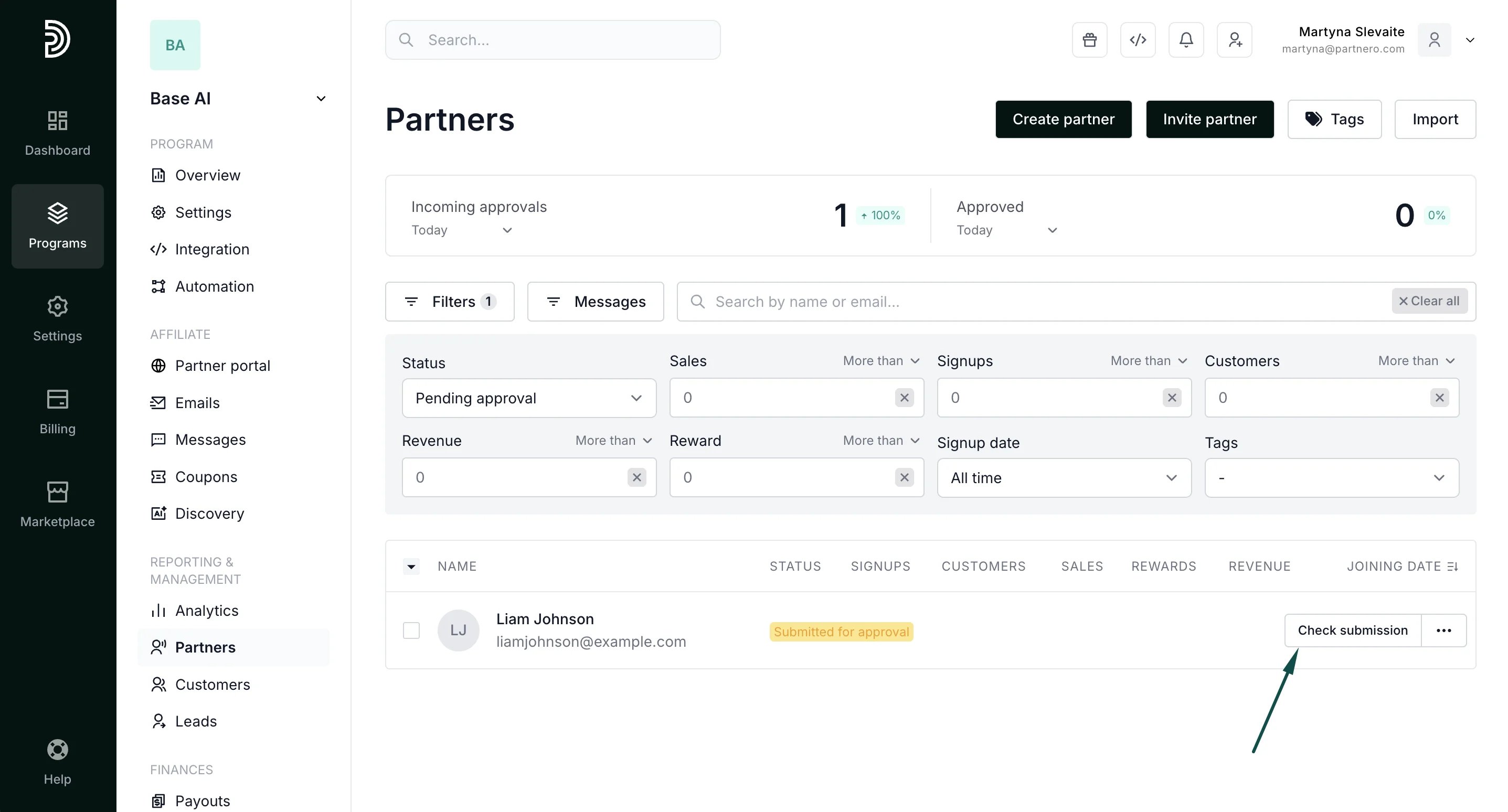
- Go to Partners under Reporting and Management.
- Expand the Filters section.
- Select Pending approval under Status.
How to review a request
- Open the pending approval requests list.
- Click Check submission next to the partner’s name:
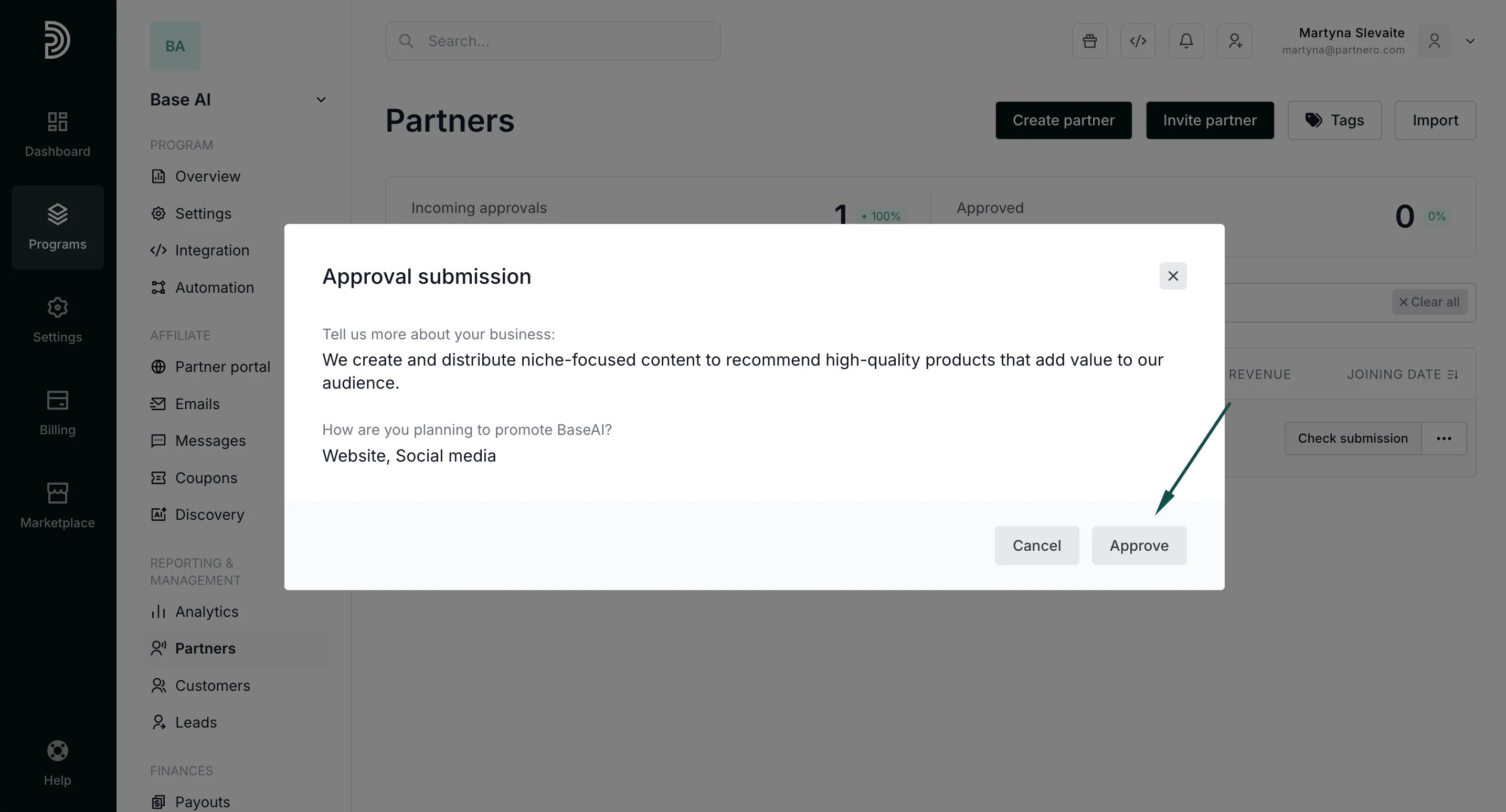
- Review the answers to your questions and click Approve or Reject:
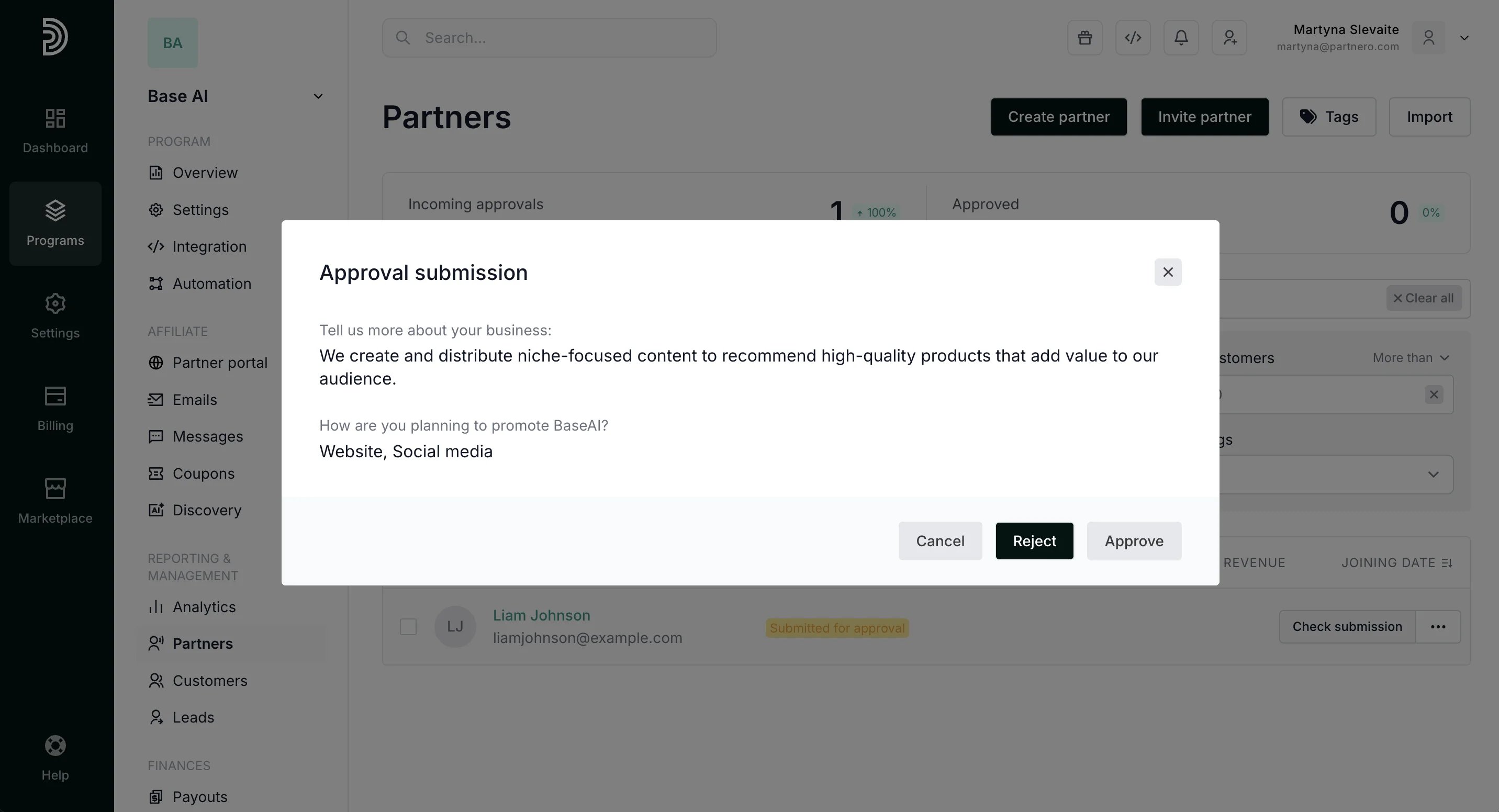
Approval email notifications Email notifications are sent when partners are approved or rejected. The emails can be configured under Program > Emails. Read more about email management here. When you reject a partner, you will be asked to provide a rejection reason. This reason will be shown in the partner portal and in the rejection email notification. When you approve a partner, they will automatically receive the approval email.
How to approve a partner who has been rejected previously
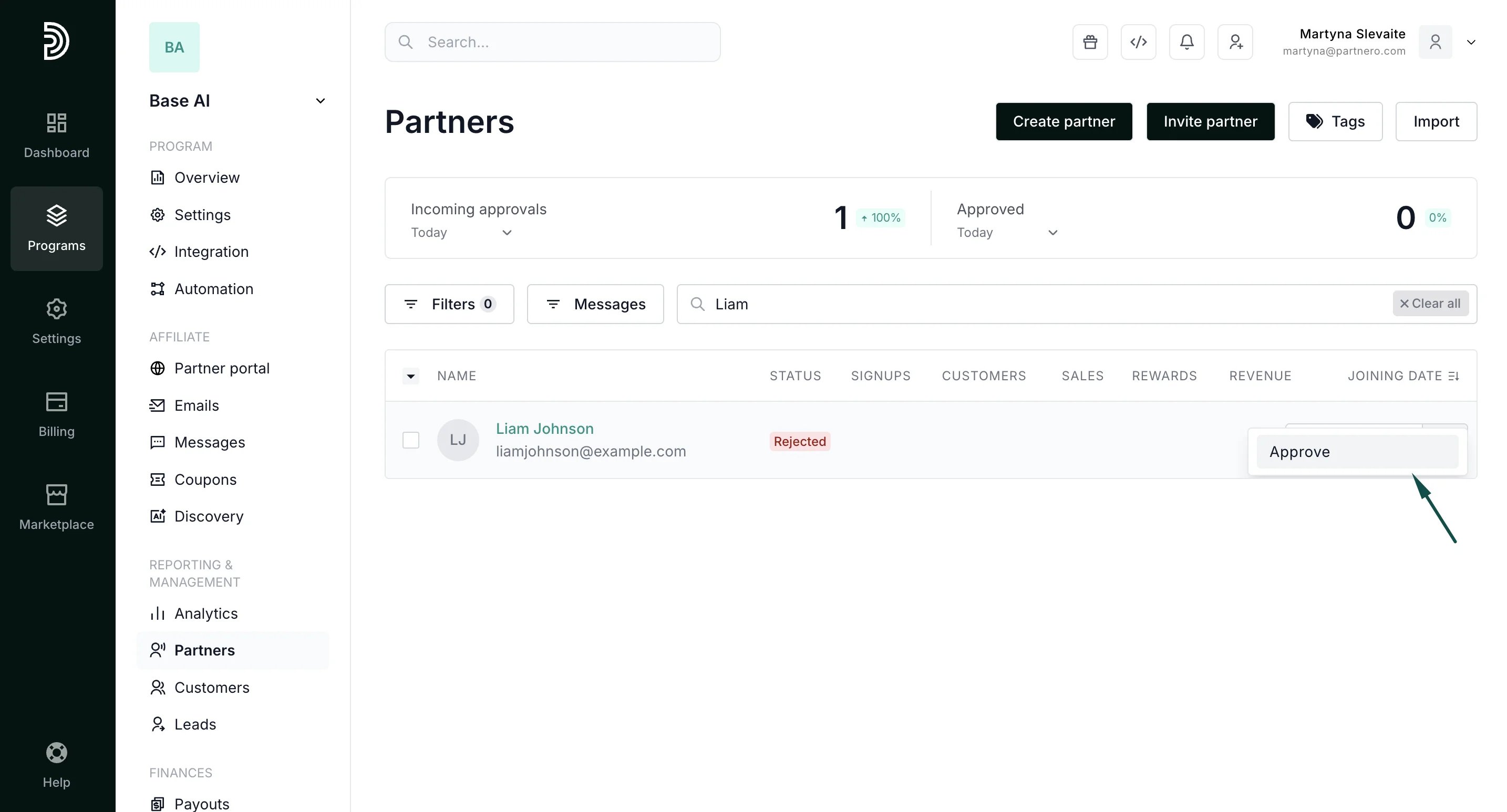
It may happen that a rejected partner will reach out to provide further details, and you’ll decide to approve their application. In order to do that:- Go to Partners under Reporting and Management.
- Search for the partner by using their name or email address.
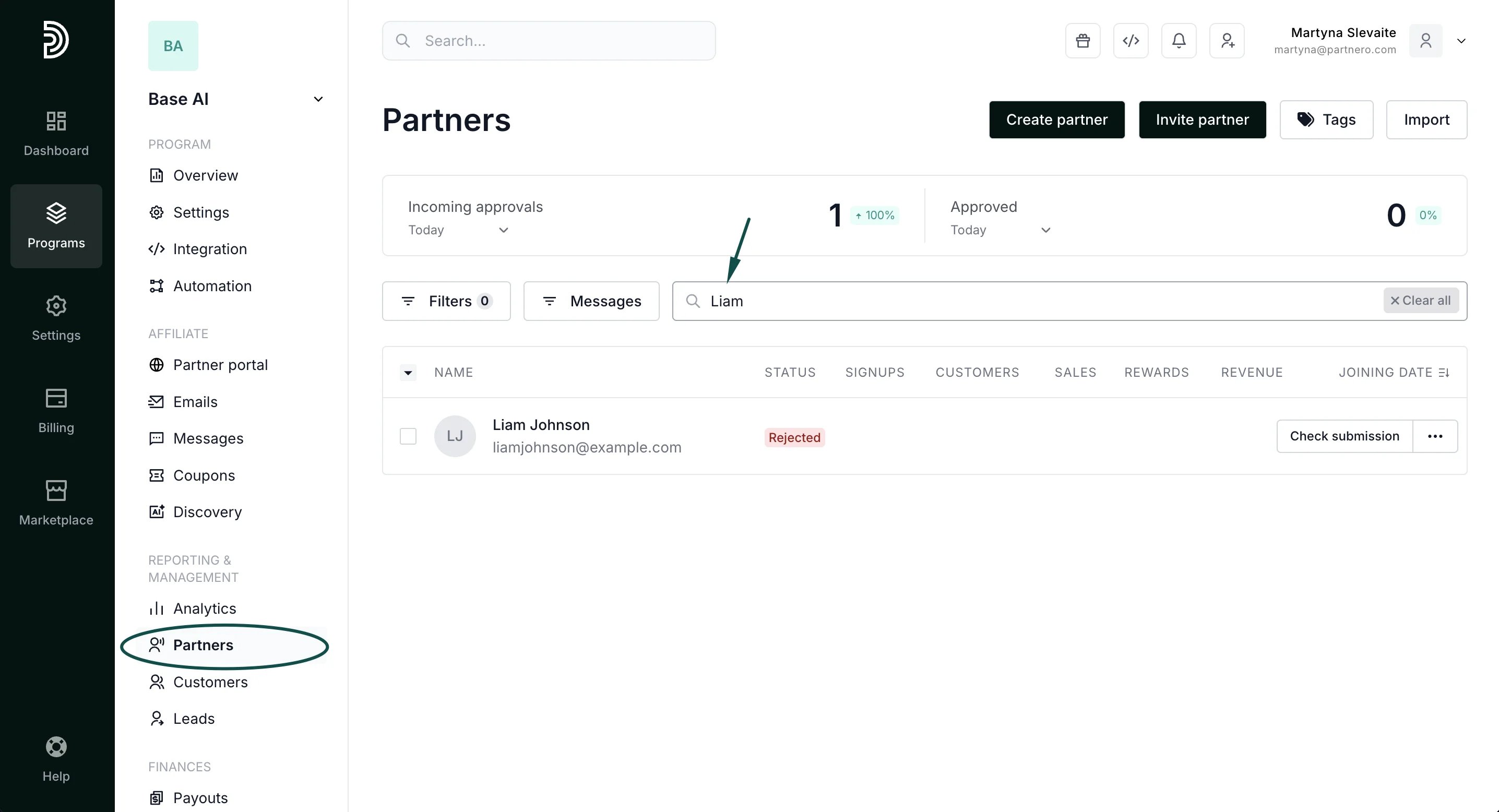
- Click Check submission next to the partner’s name and click Approve: