

How to enable double opt-in emails
- Open your newsletter referral program.
- Go to Settings and scroll down to the Reward section. Toggle Enable double opt-in:
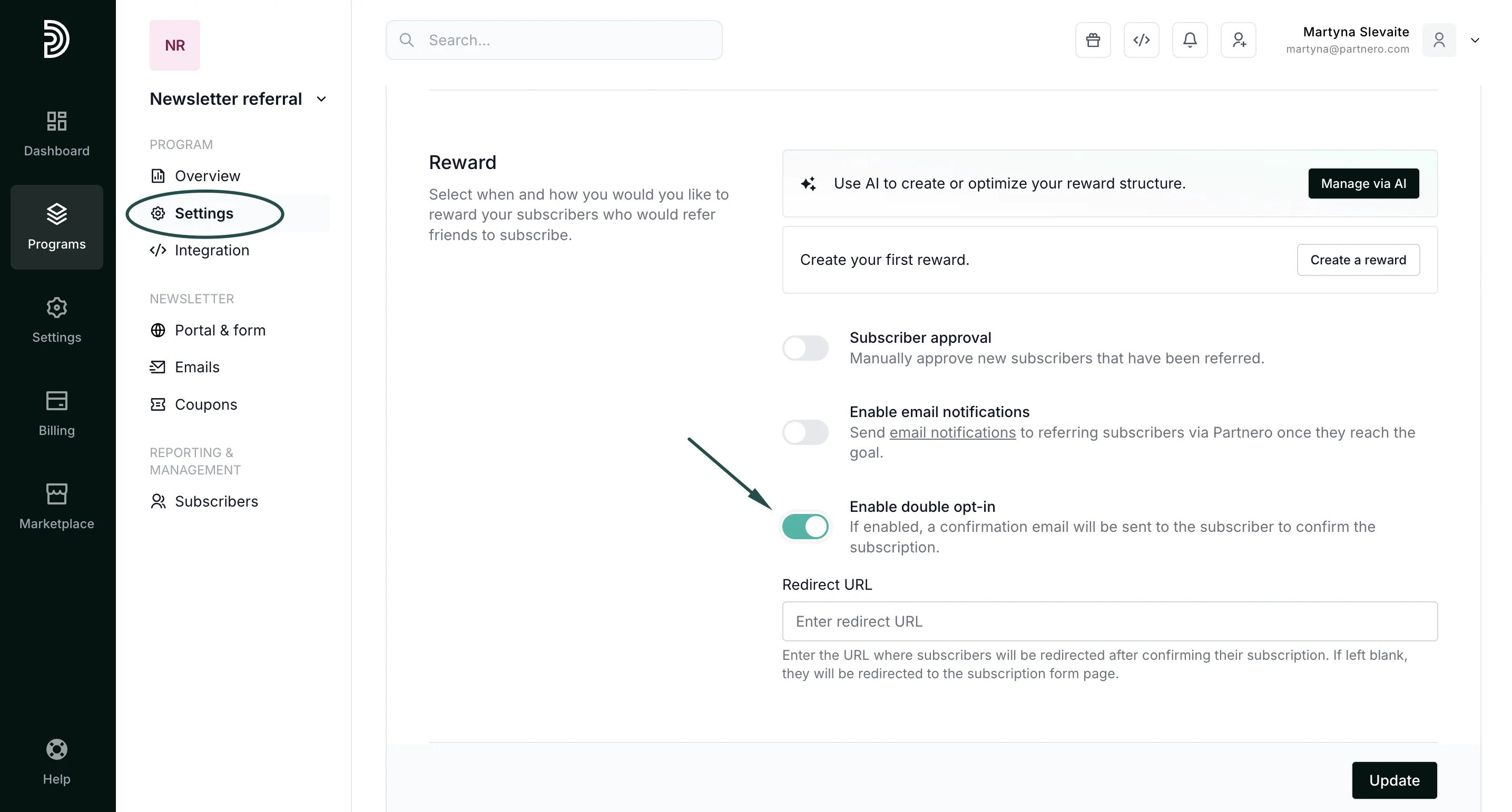
- Click Update.
Design the double opt-in email
To design the email:- Click on Emails under Features.
- Switch to the Emails tab and click the cog icon next to the Double opt-in email:
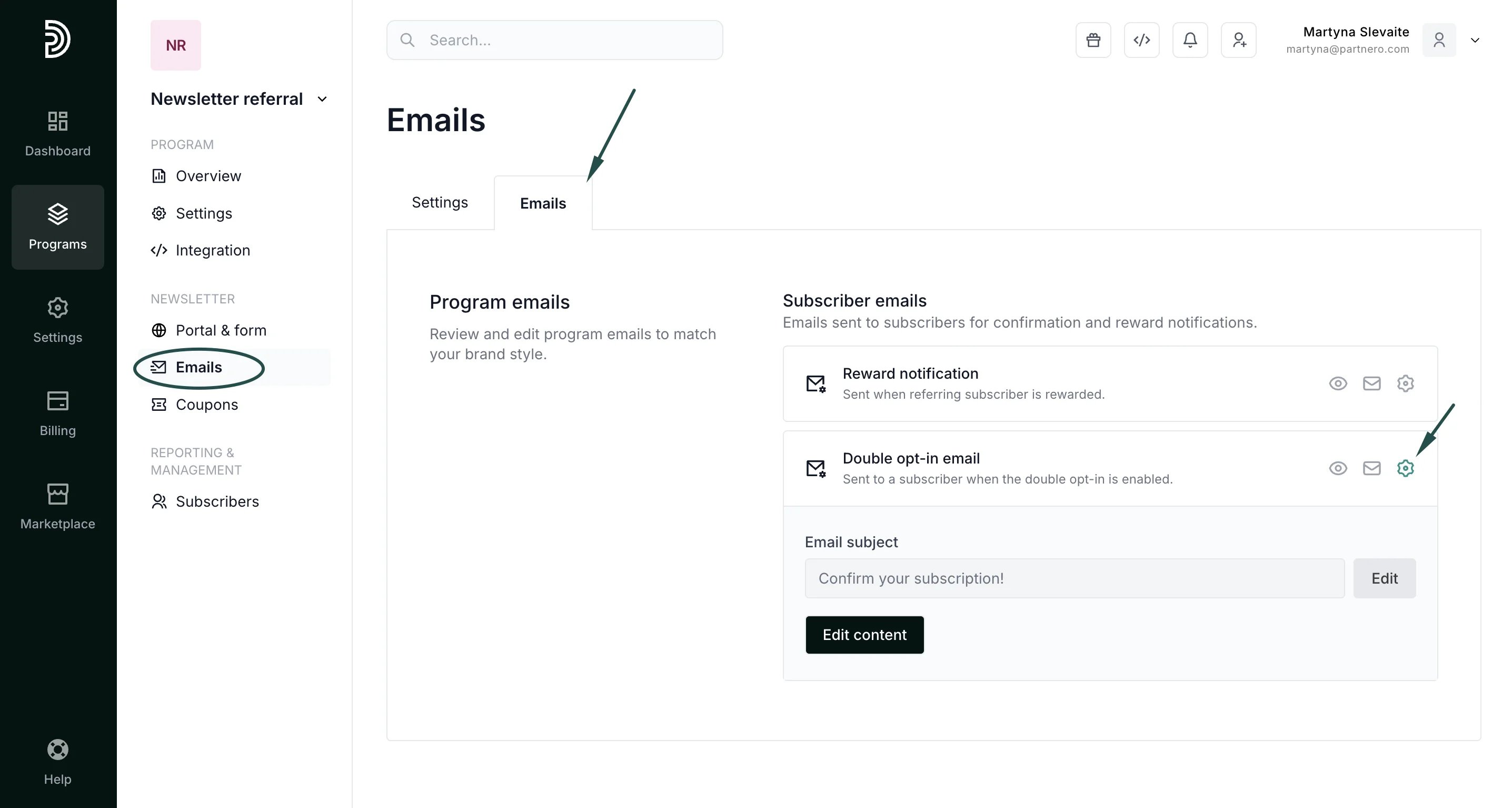
- Click Edit content to view and edit the email:
**
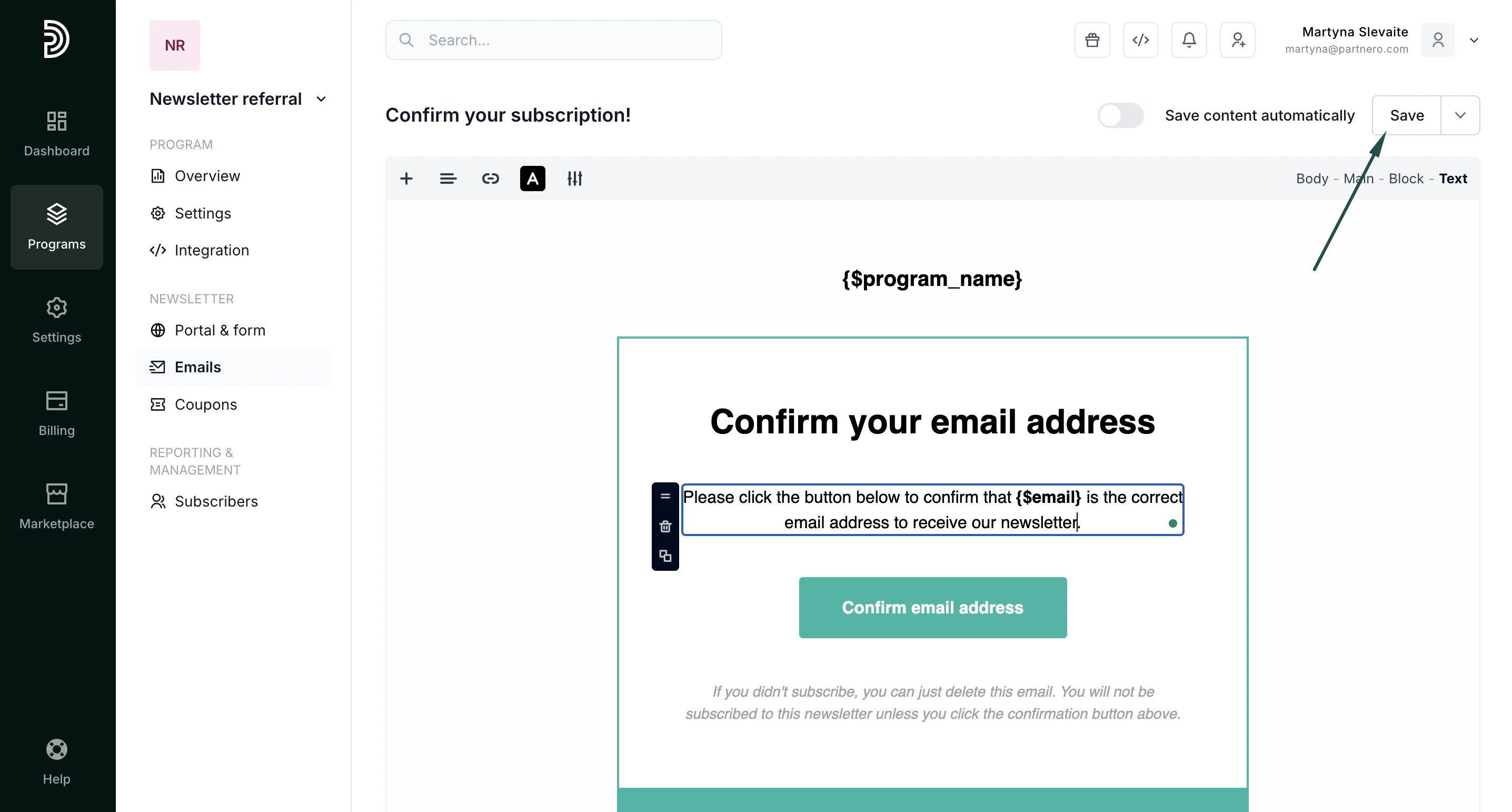
- Make any changes you wish and click Save.