What gets migrated?
During the migration, Partnero will import all available data from your Rewardful account, including:- Partner details (name, email, and other available profile information)
- Customer information
- Clicks, signups, and transactions
- Revenue and reward data
The exact data imported may vary depending on what’s accessible in your Rewardful account
How to start the migration
To start the migration process:- Create a new affiliate program on Partnero, if you haven’t yet.
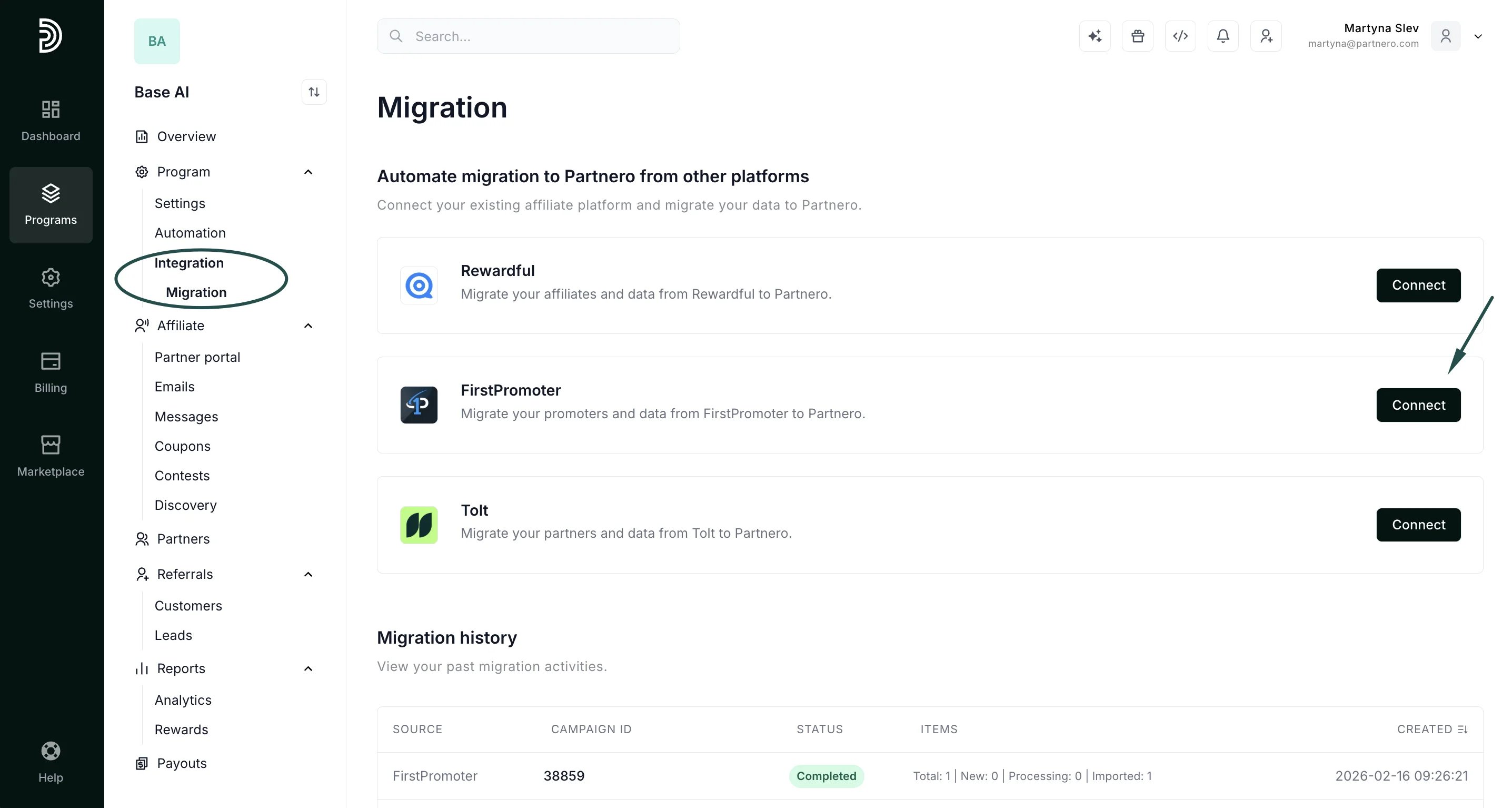
- Open the program, click Integration to expand the menu, then select Migration.
- Click Connect next to FirstPromoter:
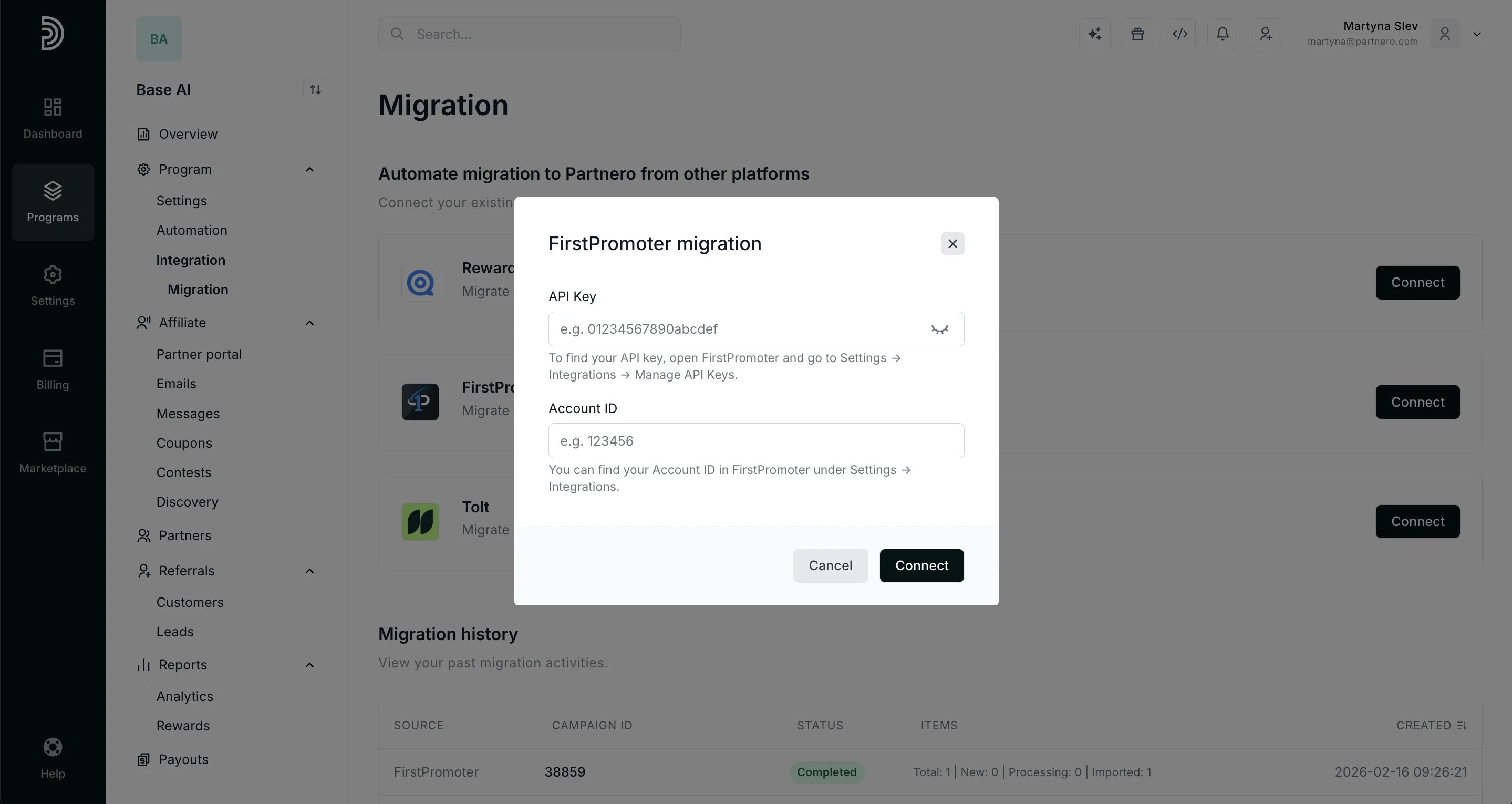
- When prompted, enter your FirstPromoter API Key and Account ID.
- To find your API key, open FirstPromoter and go to Settings → Integrations → Manage API Keys.
- You can find your Account ID in FirstPromoter under Settings → Integrations.
- Click Connect:
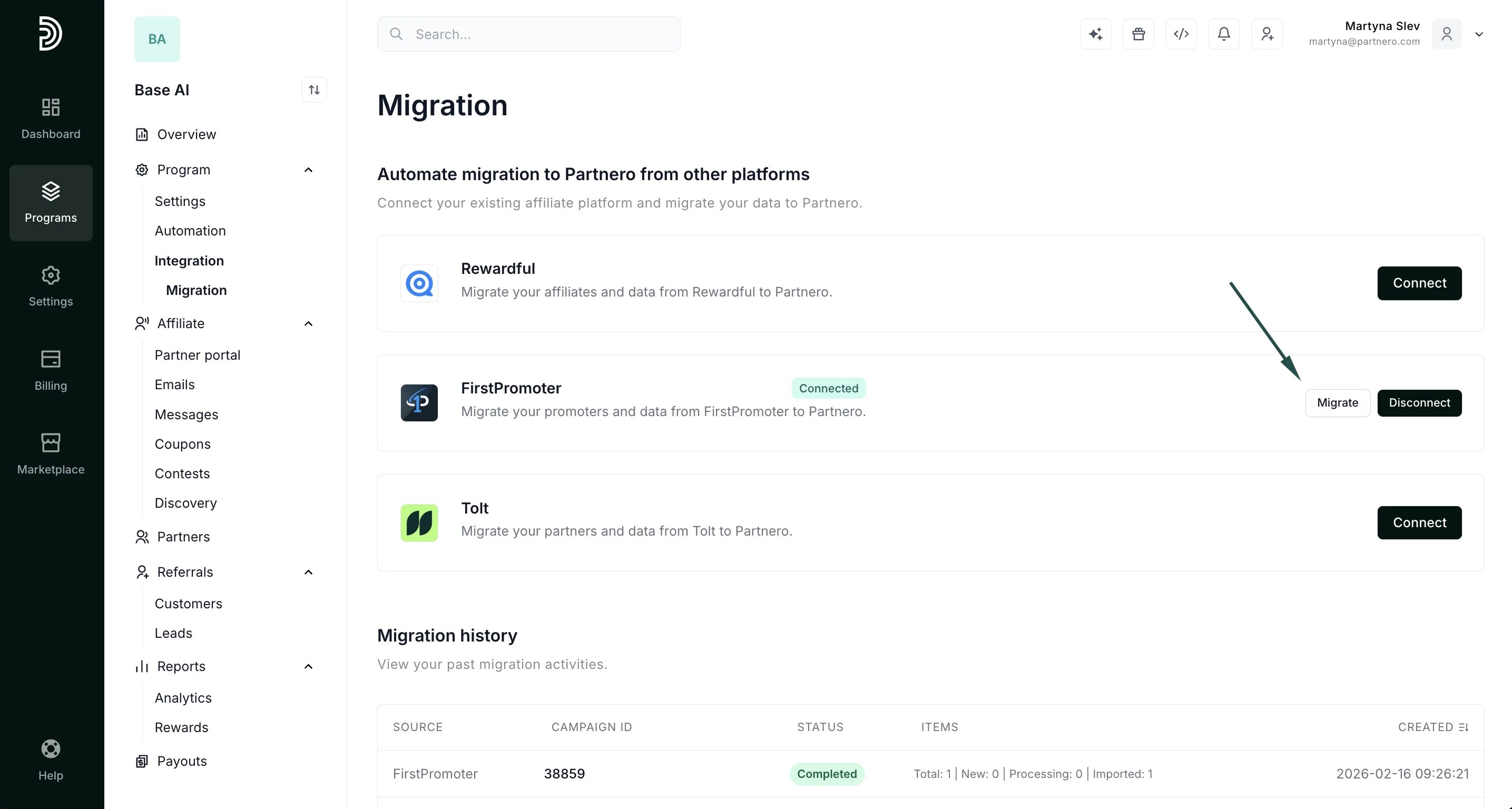
- When connected, click Migrate:
- Select your campaign (program) and click Process:
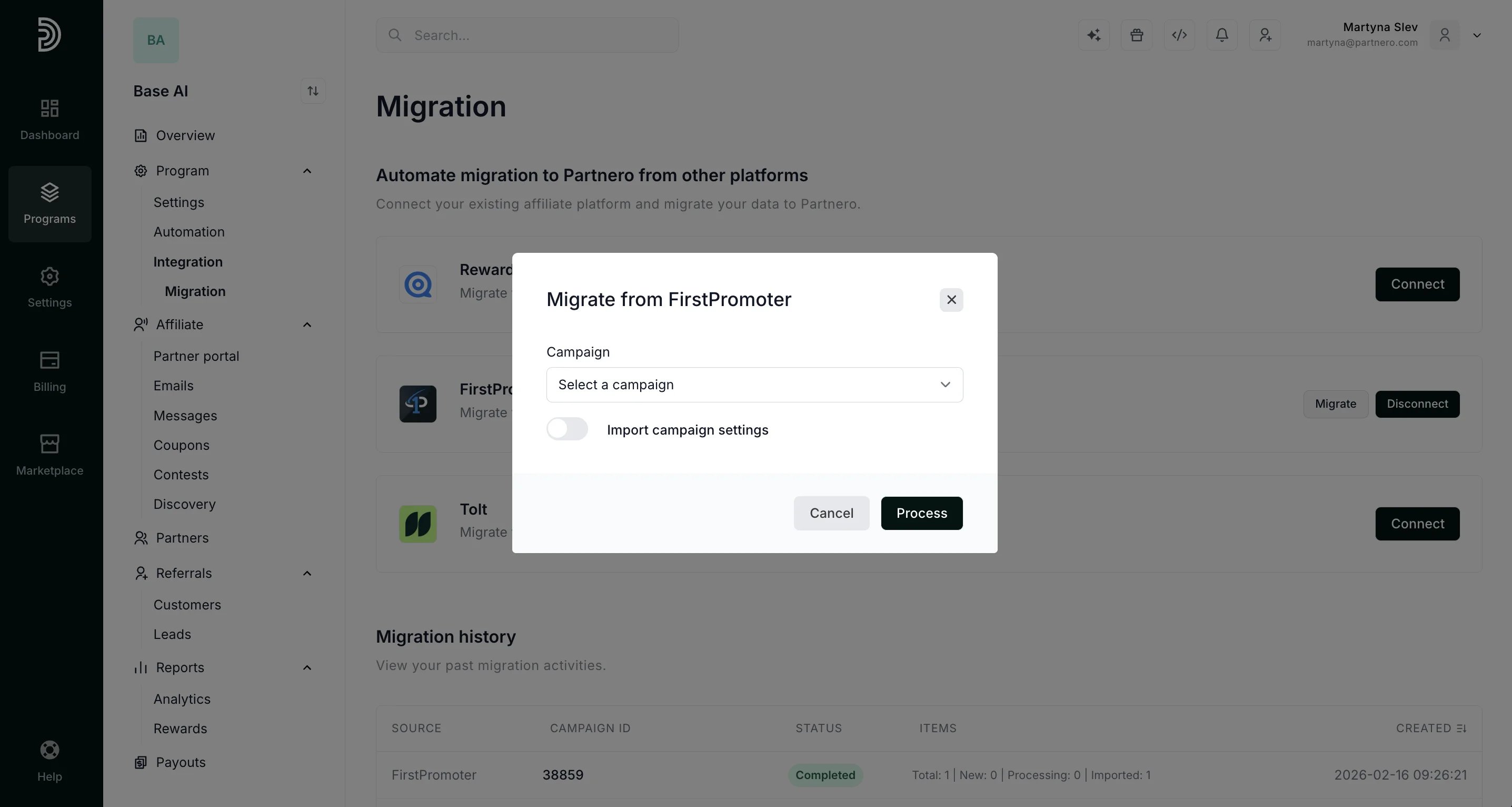
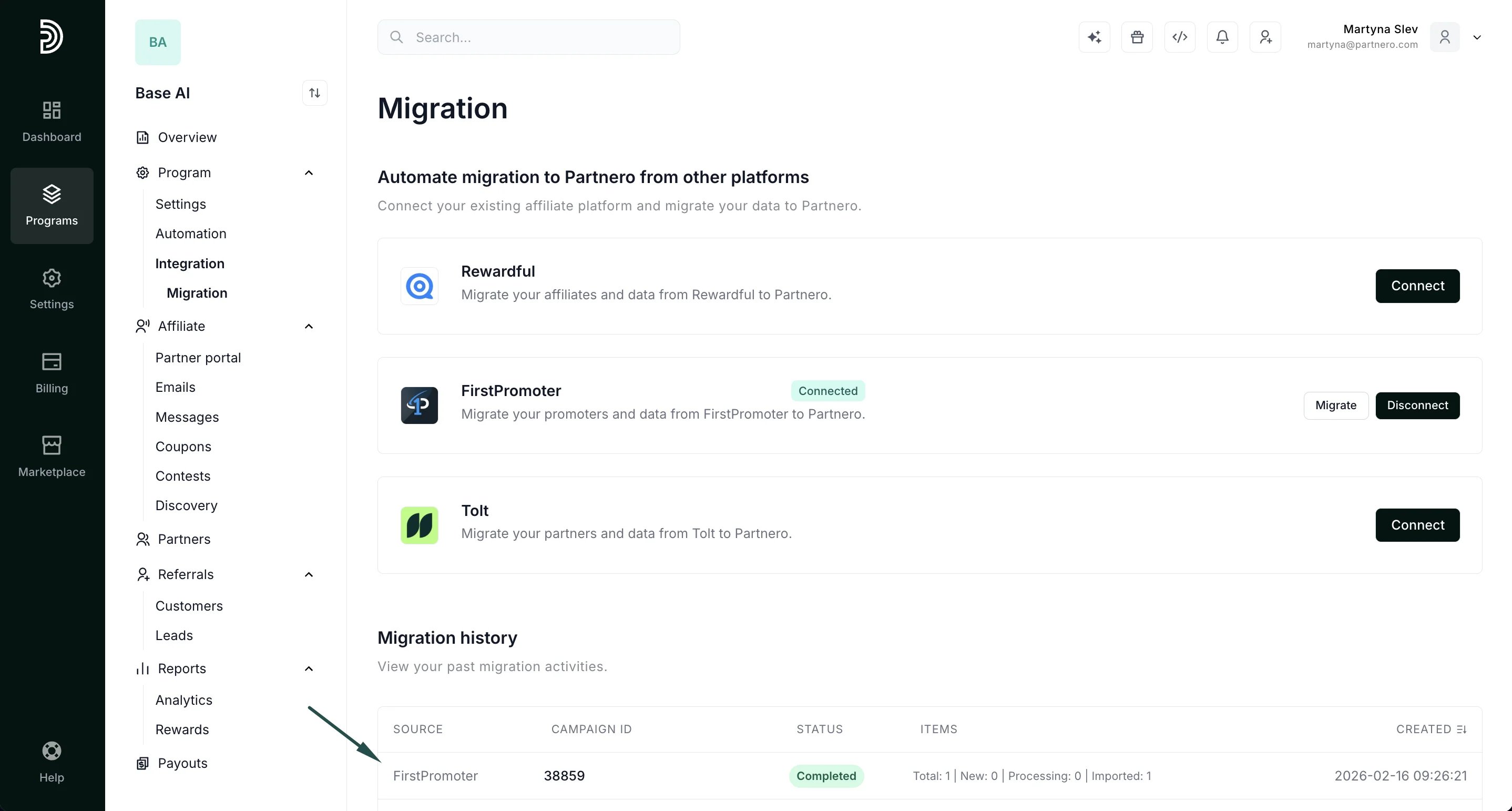
- Once the process is finished, the status will change to Completed in the Migration history section.