

How to add tags to a signup form
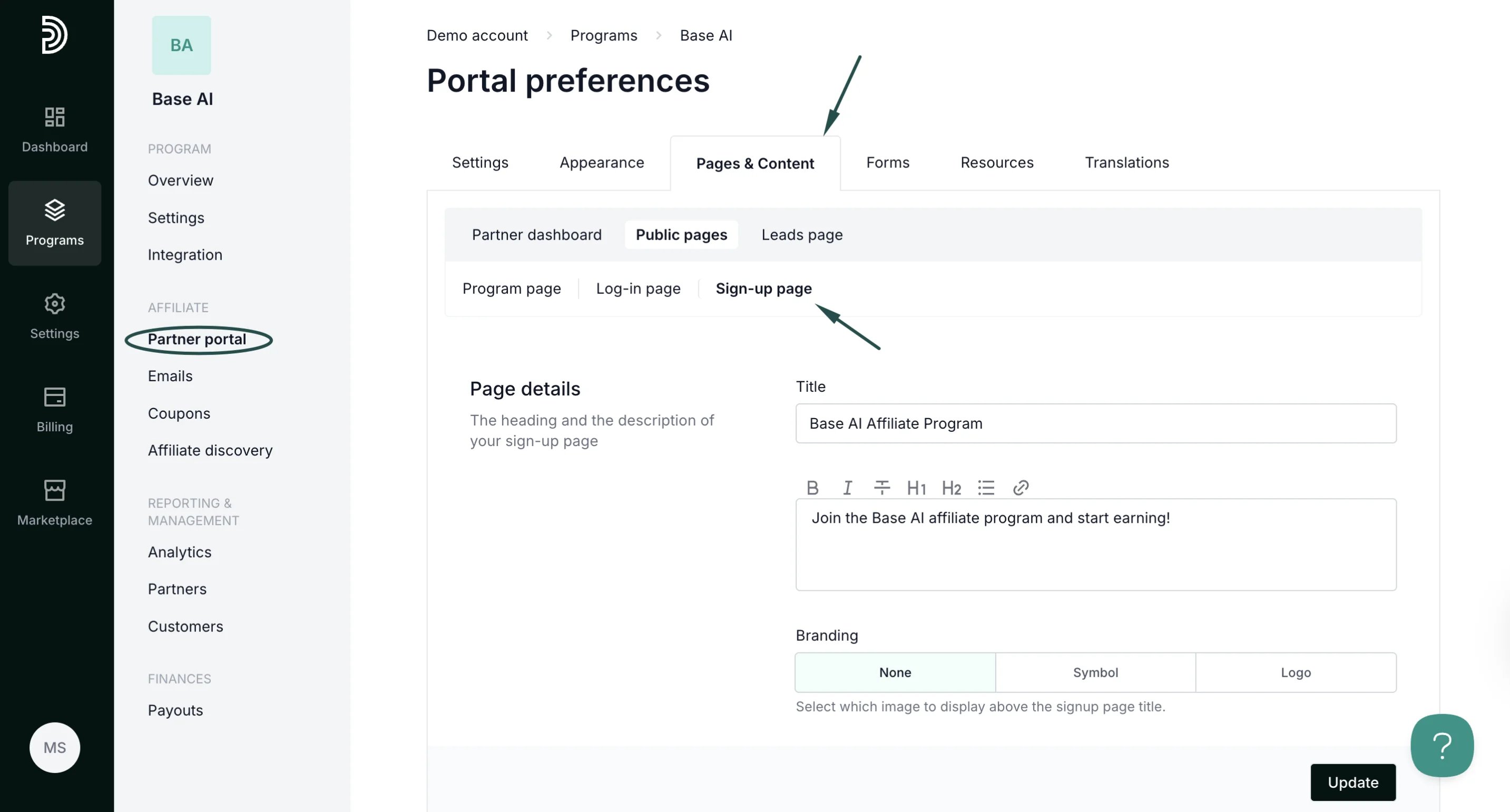
To add tags:- On the left sidebar, click on Partner Portal under Affiliate.
-
Navigate to the Pages & Content tab, Public pages, and then Sign-up page:
-
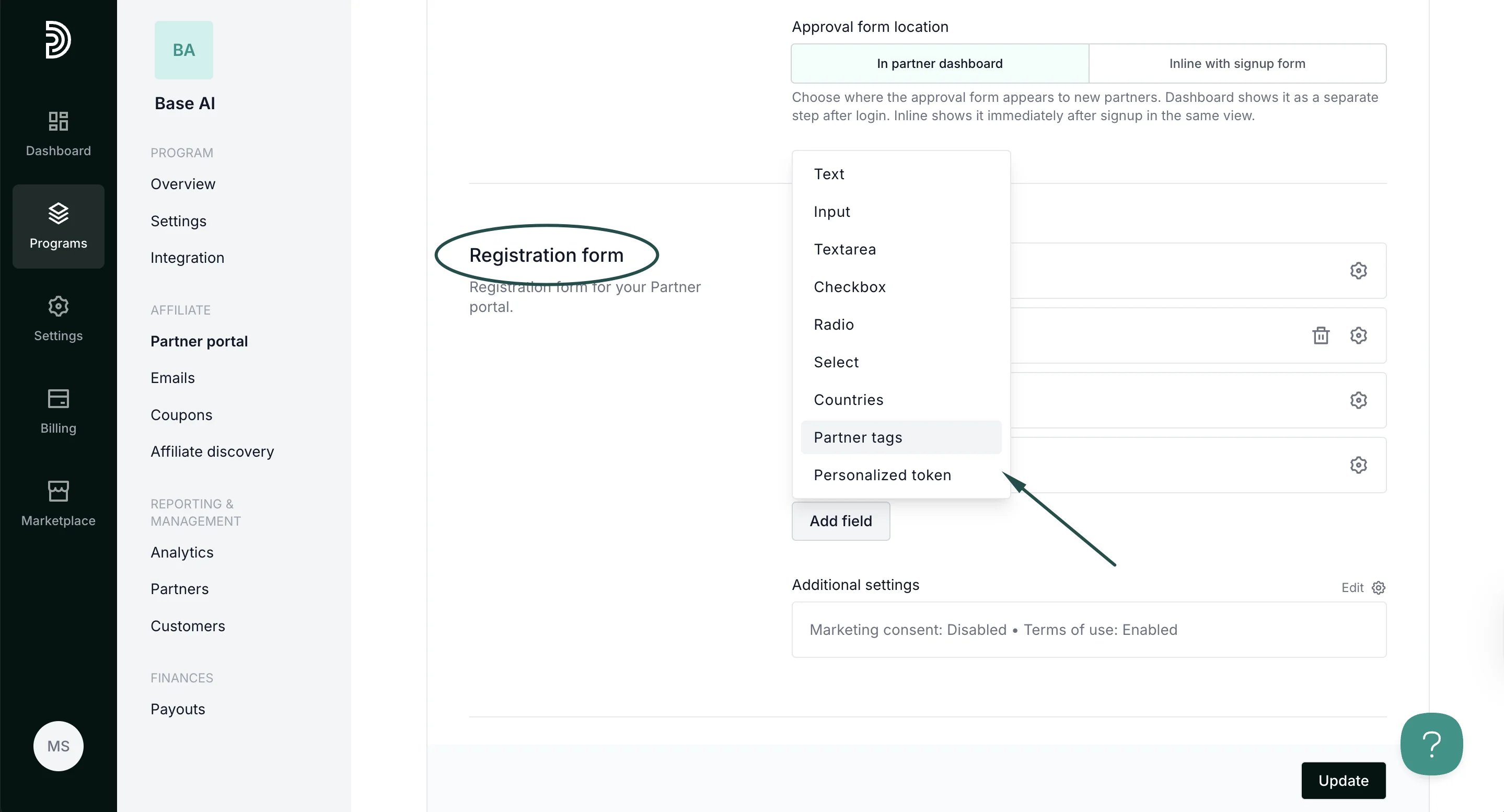
Scroll down to the Registration form and click Add field. Select Partner tags:
-
Add a label (name) and select which of the tags should be available.
Additionally, select the Input type:
- Checkbox - allows selecting multiple tags
- Radio - allows selecting one tag
- Dropdown - allows selecting one tag
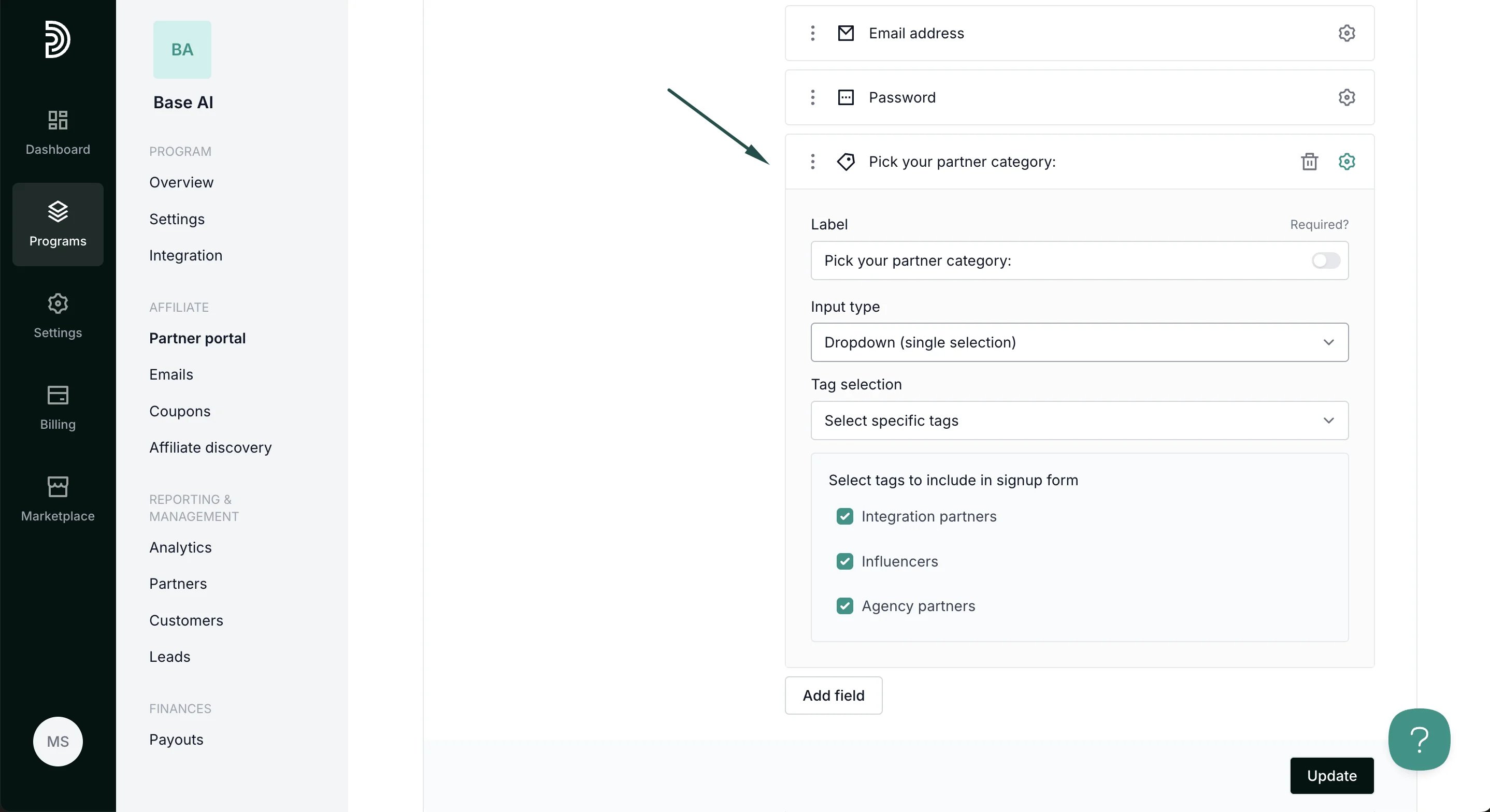
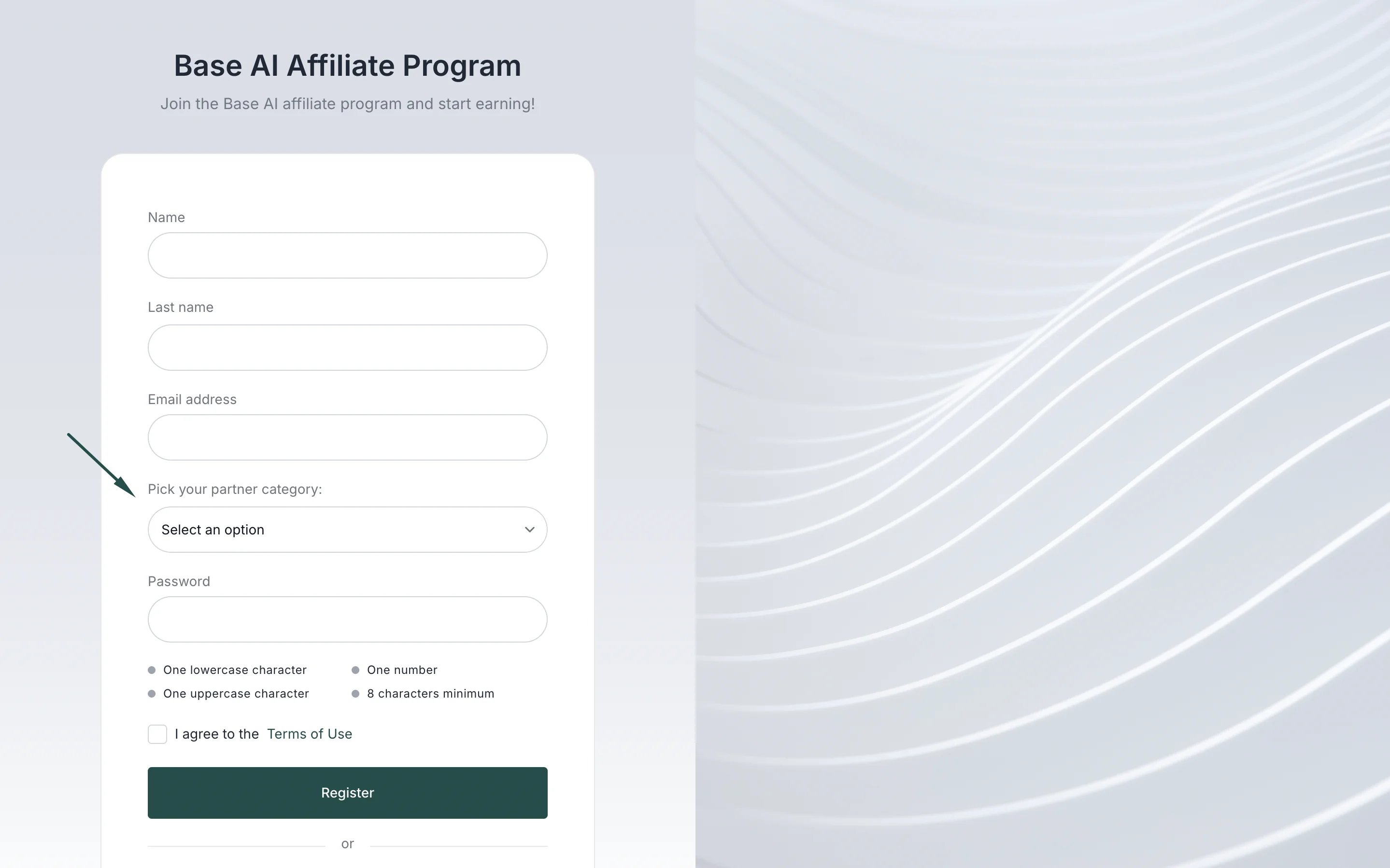
- Click Update to apply changes.
Best practices
- Keep it concise: Limit the number of tags to avoid overwhelming partners.
- Use meaningful tags: Choose labels that are clear and relevant for reporting or segmentation.
- Review periodically: Update tags as your partner program evolves to keep the system organized.