

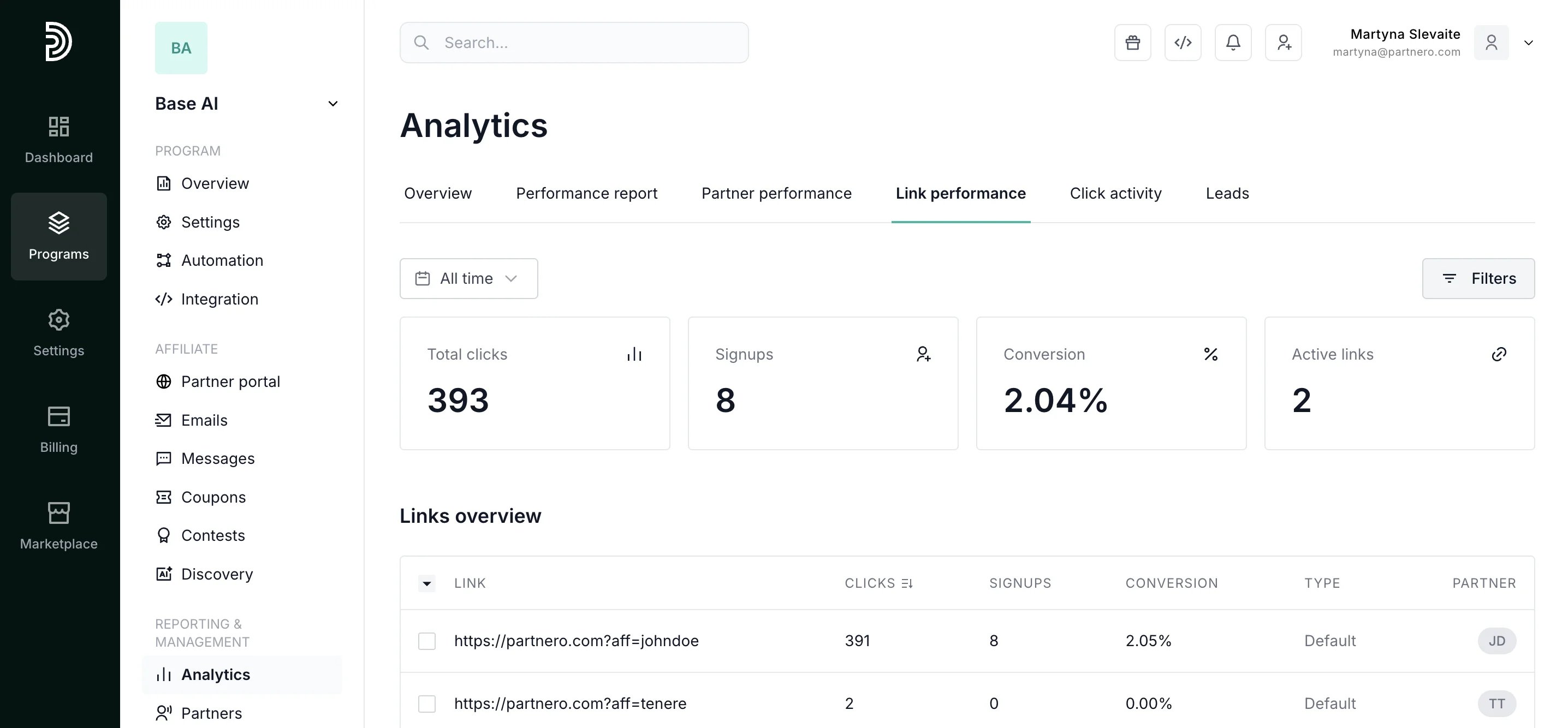
Summary metrics
Review the link performance summary metrics:- Total clicks: Aggregate traffic across all affiliate referral links for the selected period.
- Signups: How many of those clicks converted into registered users or leads.
- Conversion rate: Overall click-to-signup percentage across all links. Benchmark against industry averages to evaluate partner and landing page quality.
- Active links: How many unique referral URLs are generating traffic. A low ratio of active links to total partners may indicate partner engagement issues.
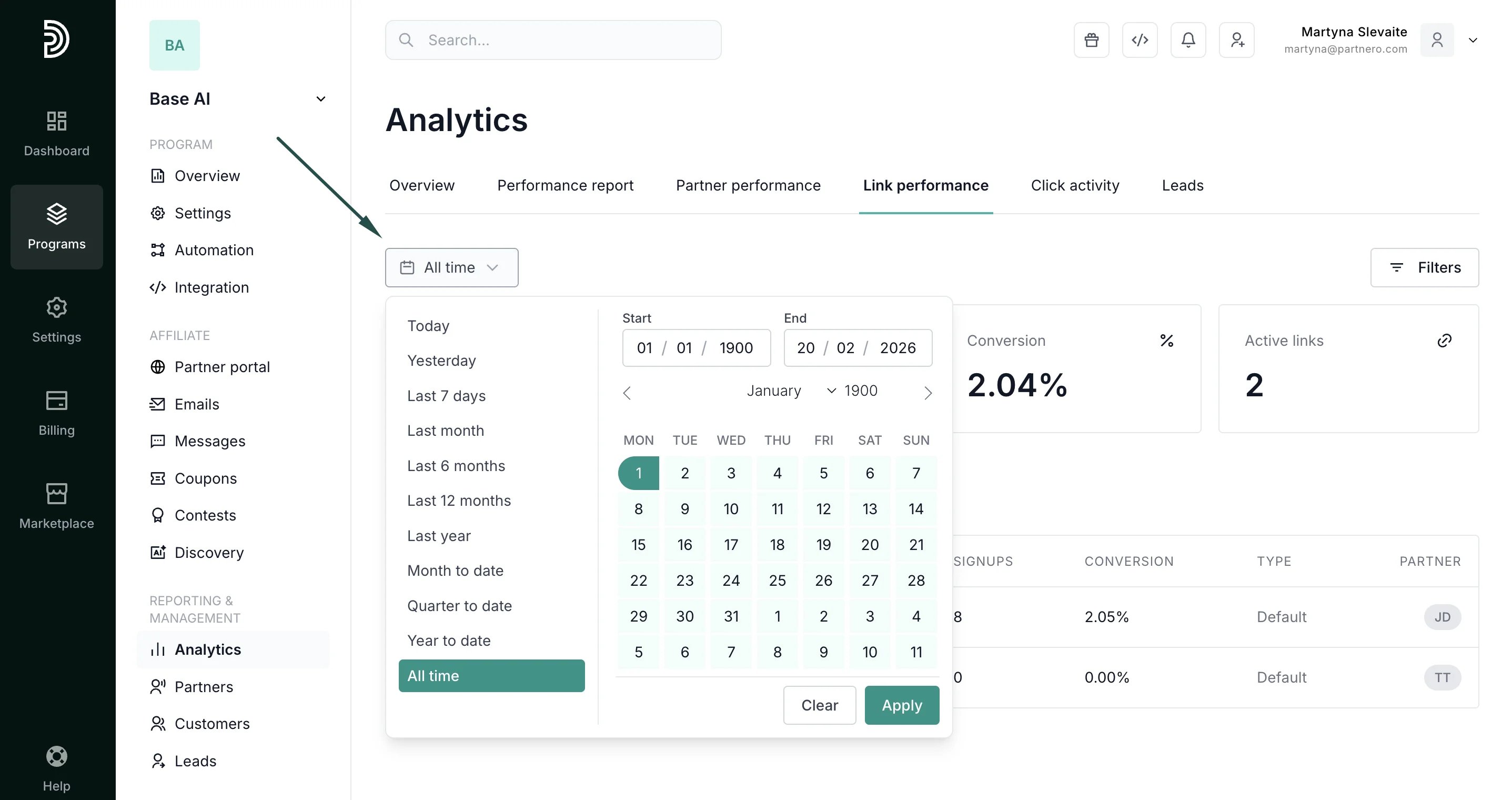
- Define your time period: View all time metrics, select pre-defined periods, or enter a custom time period:
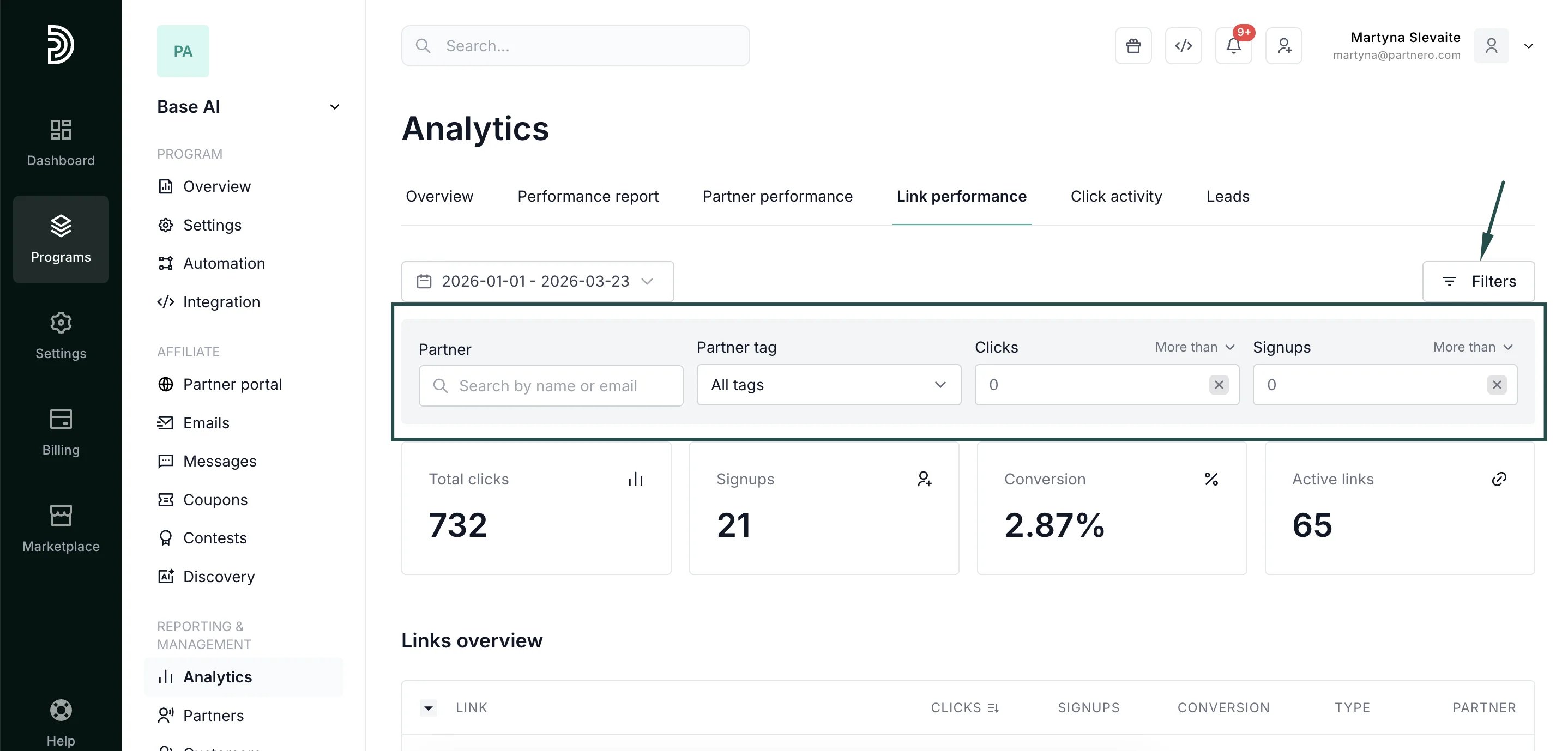
- Filter by partner: Drill into one affiliate’s links to evaluate their promotional approach.
- Filter by partner tags: See the performance of a specific group of partners.
- Filter by click or signup threshold: Quickly surface underperforming links (high clicks, zero signups) that may indicate landing page problems, or top performers to replicate.
- Columns: Link URL, Clicks, Signups, Conversion rate, Link type (default, custom domain, direct tracking), Partner.
- Sortable by clicks, signups, or conversion. Exportable for offline analysis.
Continue reading about analytics
Explore other analytics reports to better understand your performance and optimize your partner program:- Analytics Overview – High-level dashboard summary of your program’s performance
- Performance Report – Detailed breakdown of conversions, revenue, and partner results
- Partner Performance – Compare and evaluate individual partner results
- Click Activity – Review detailed click-level data and traffic insights
- Lead Analytics – Monitor lead acquisition trends and quality