

Option 1: Enable commission display in portal settings
Enabling this option shows the main program-level commission in the partner dashboard: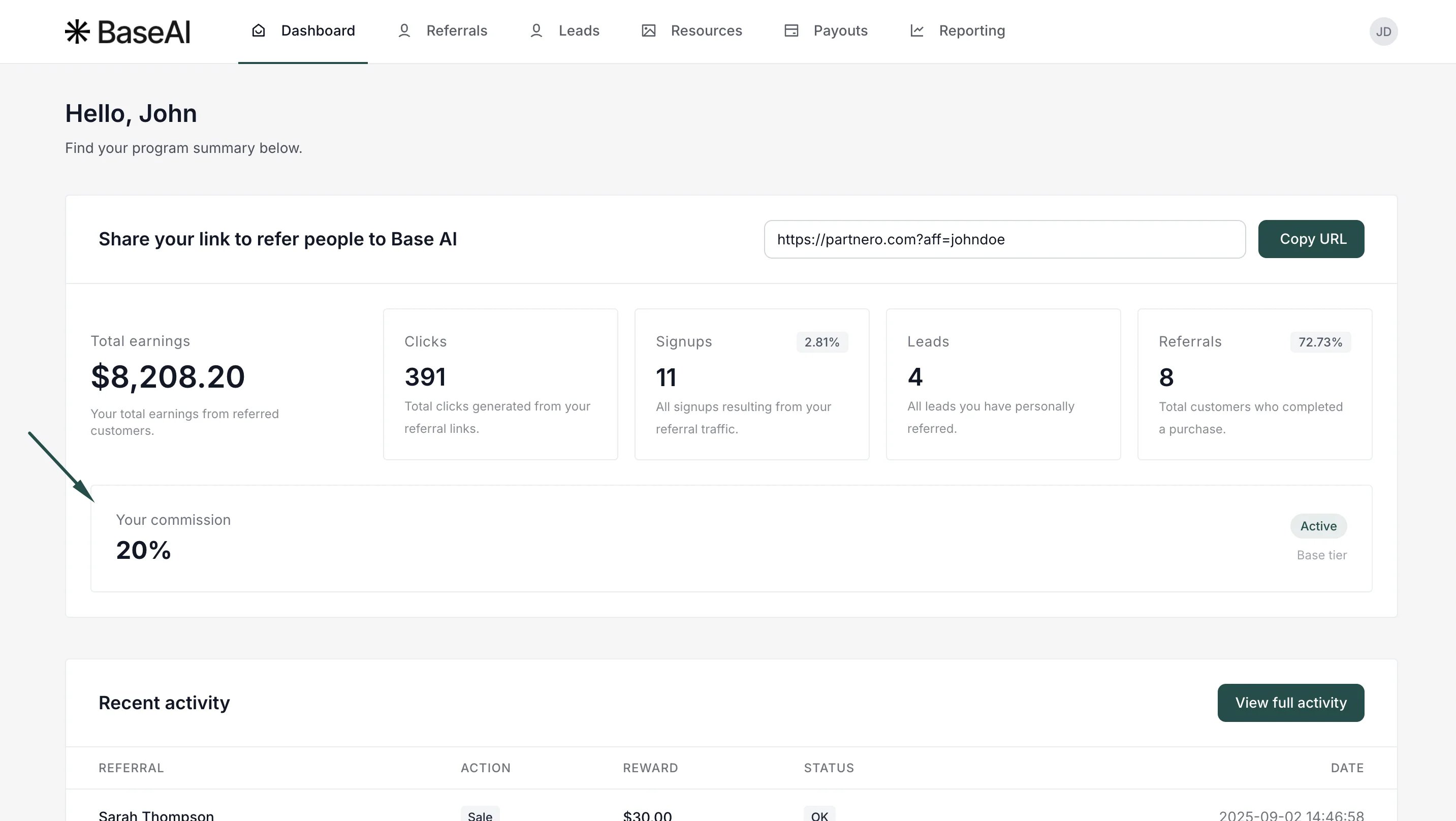
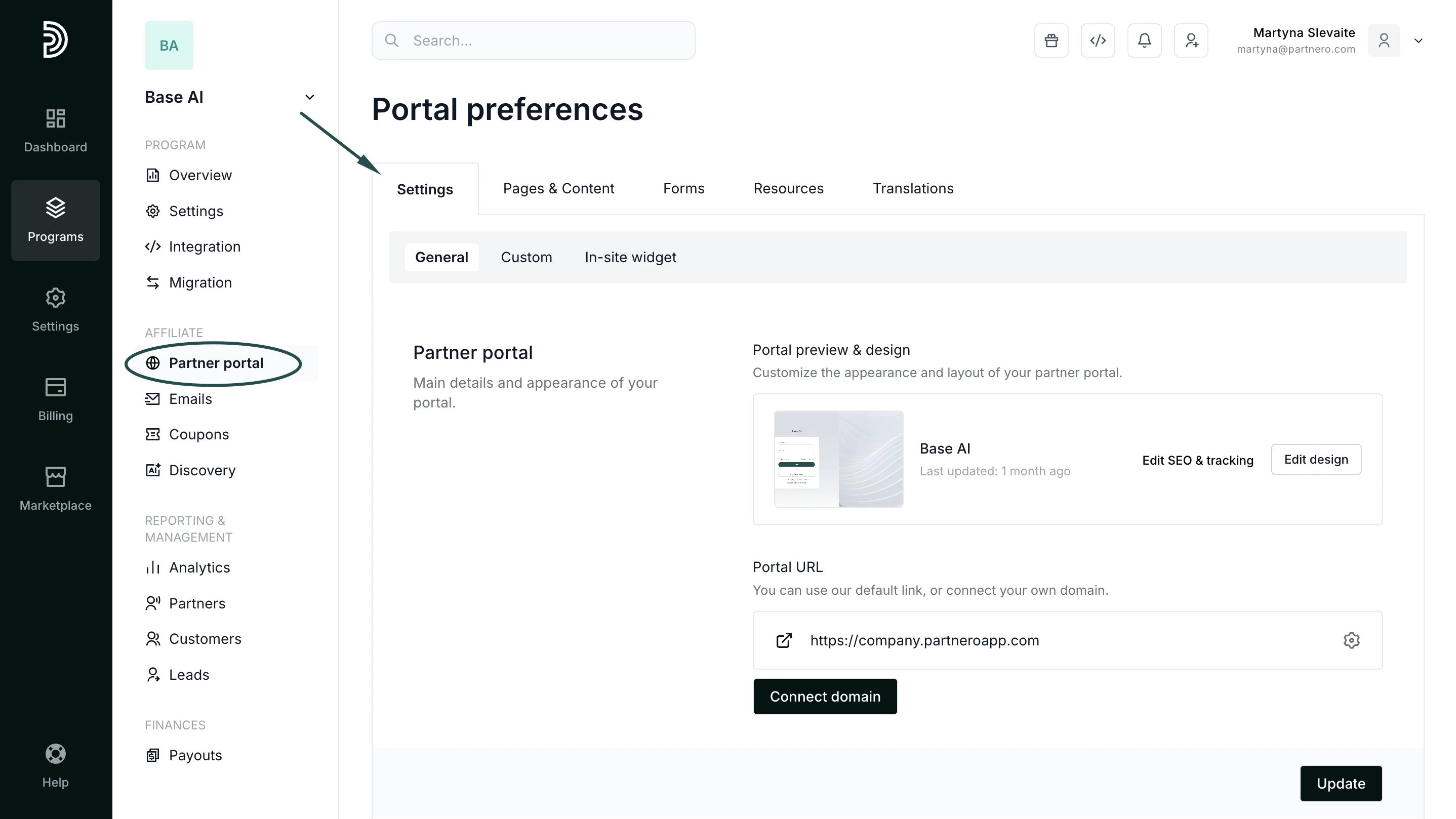
- Go to Partner Portal → Settings tab:
- Scroll down to the Partner permissions section, and toggle Show current commission on dashboard:
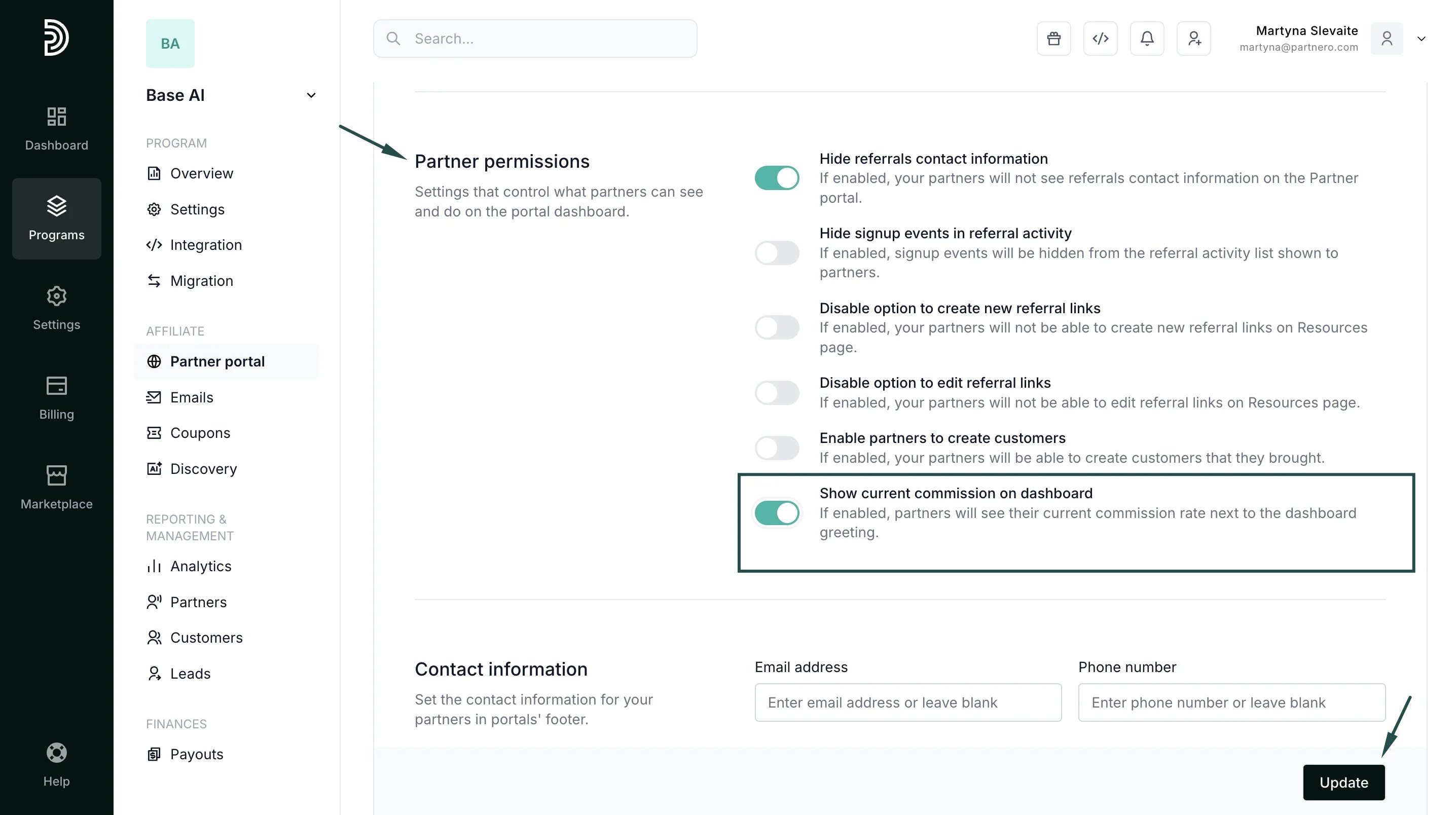
- Click Update to save changes.
Option 2: Add a Commission Structure block to the dashboard
For more detailed information, you can add a Commission Structure block directly to the partner dashboard.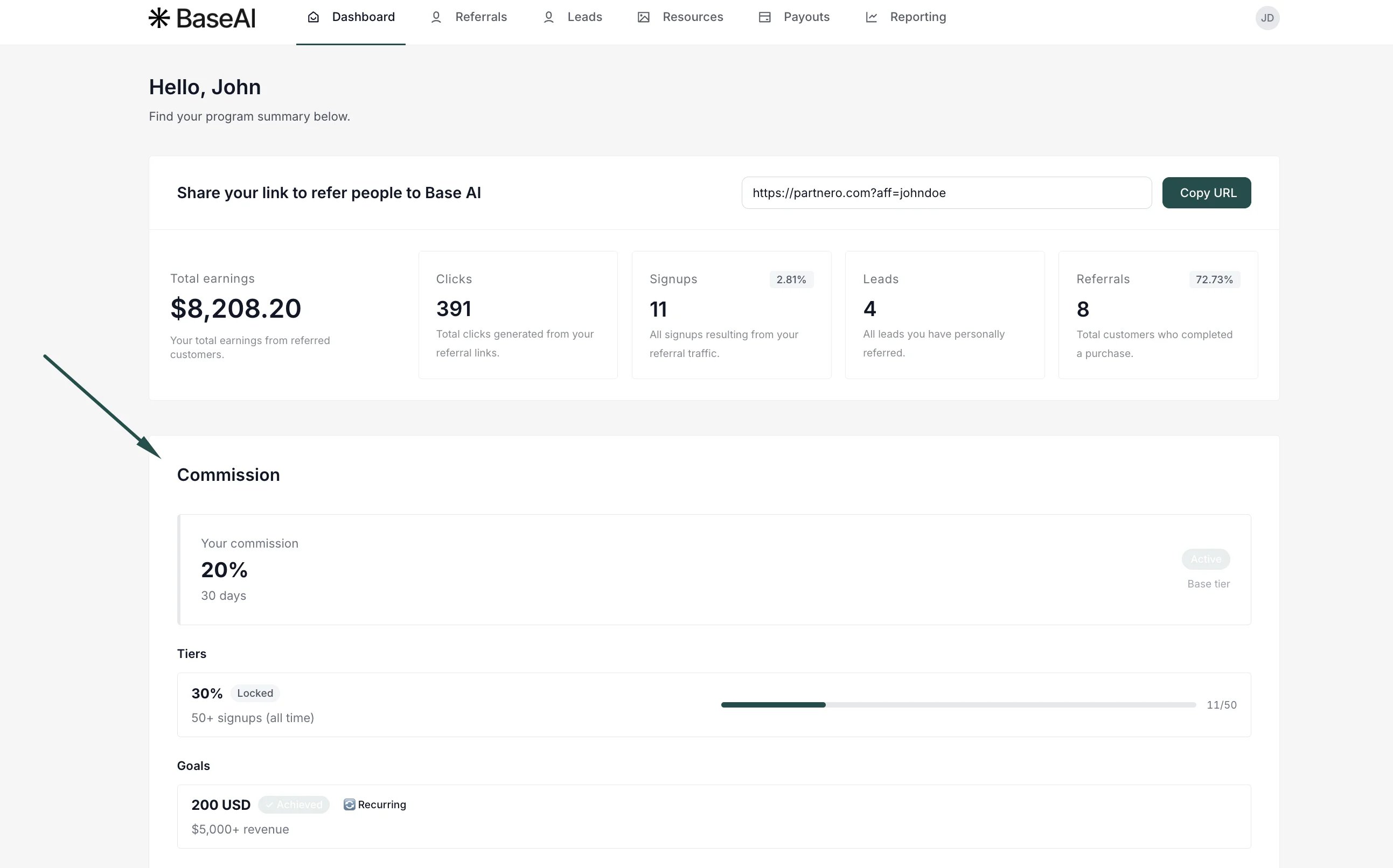
- The main commission
- Commission tiers
- Goals and thresholds
- Progress toward the next tier or goal
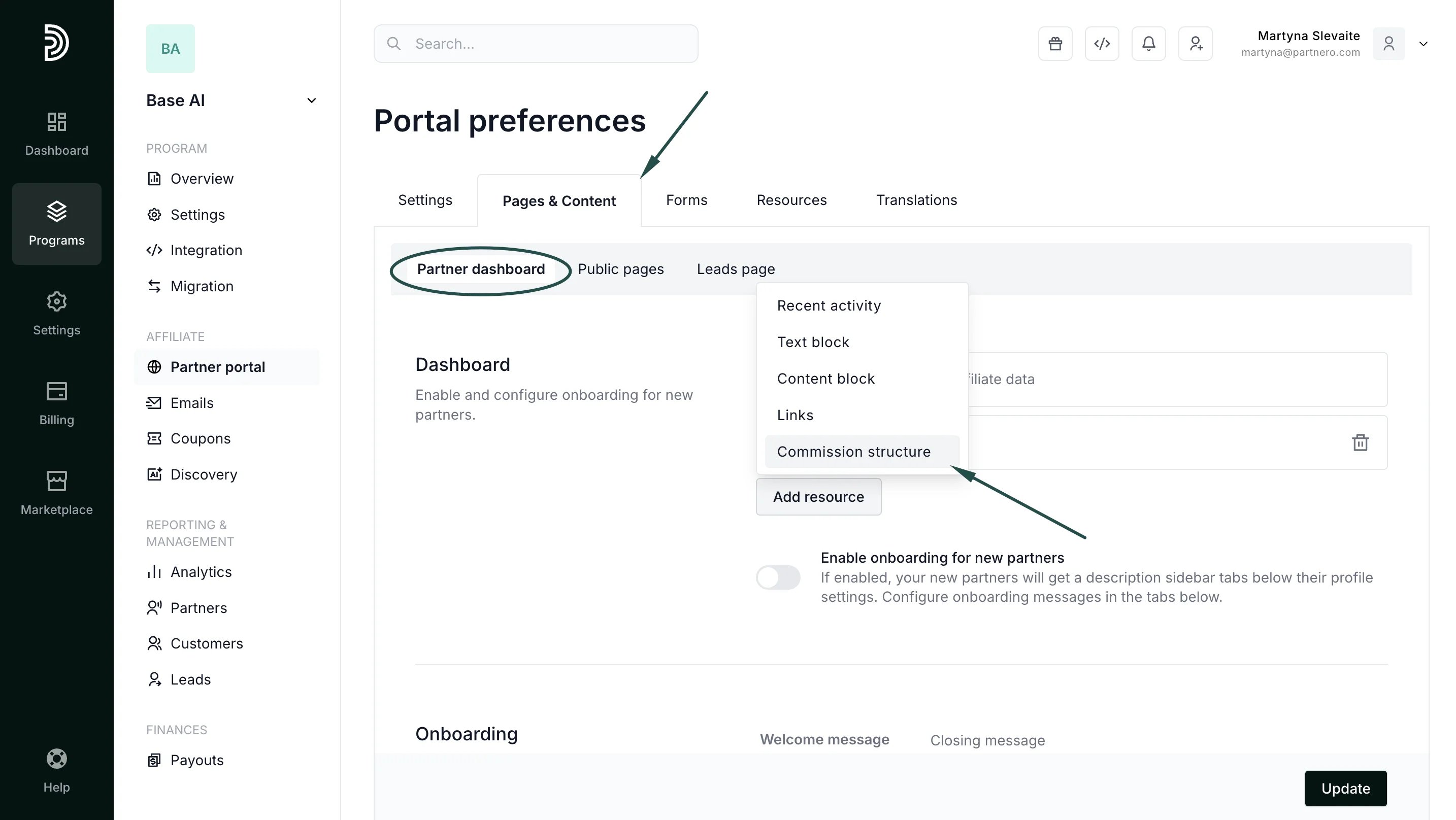
- Go to Partner portal → Pages & Content tab. Navigate to the Partner dashboard page and click to Add resource. Select Commission structure:
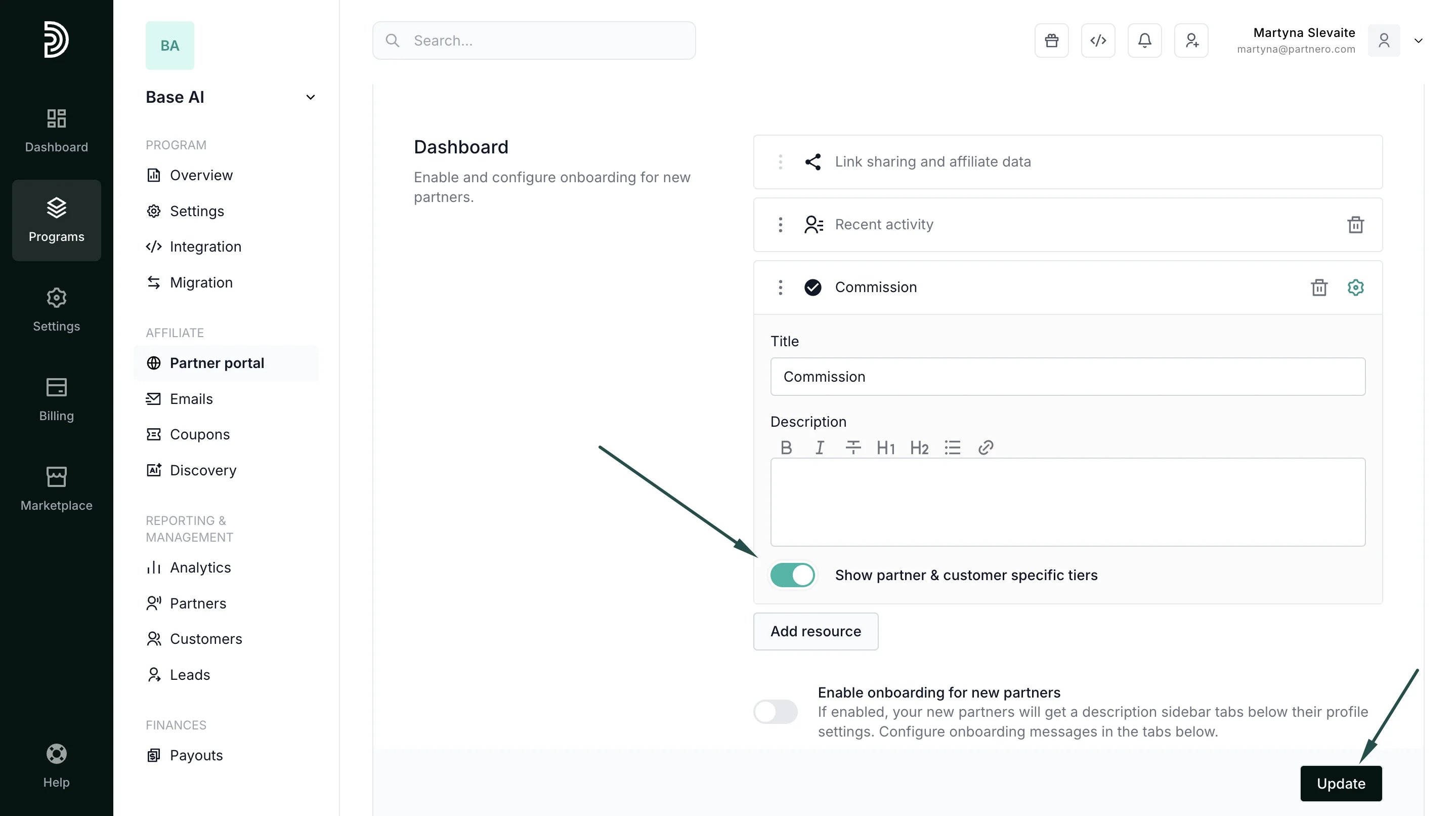
- Toggle to Show partner & customer-specific tiers. If you’d like, edit the title and add a description (optional; the example shown has no description):
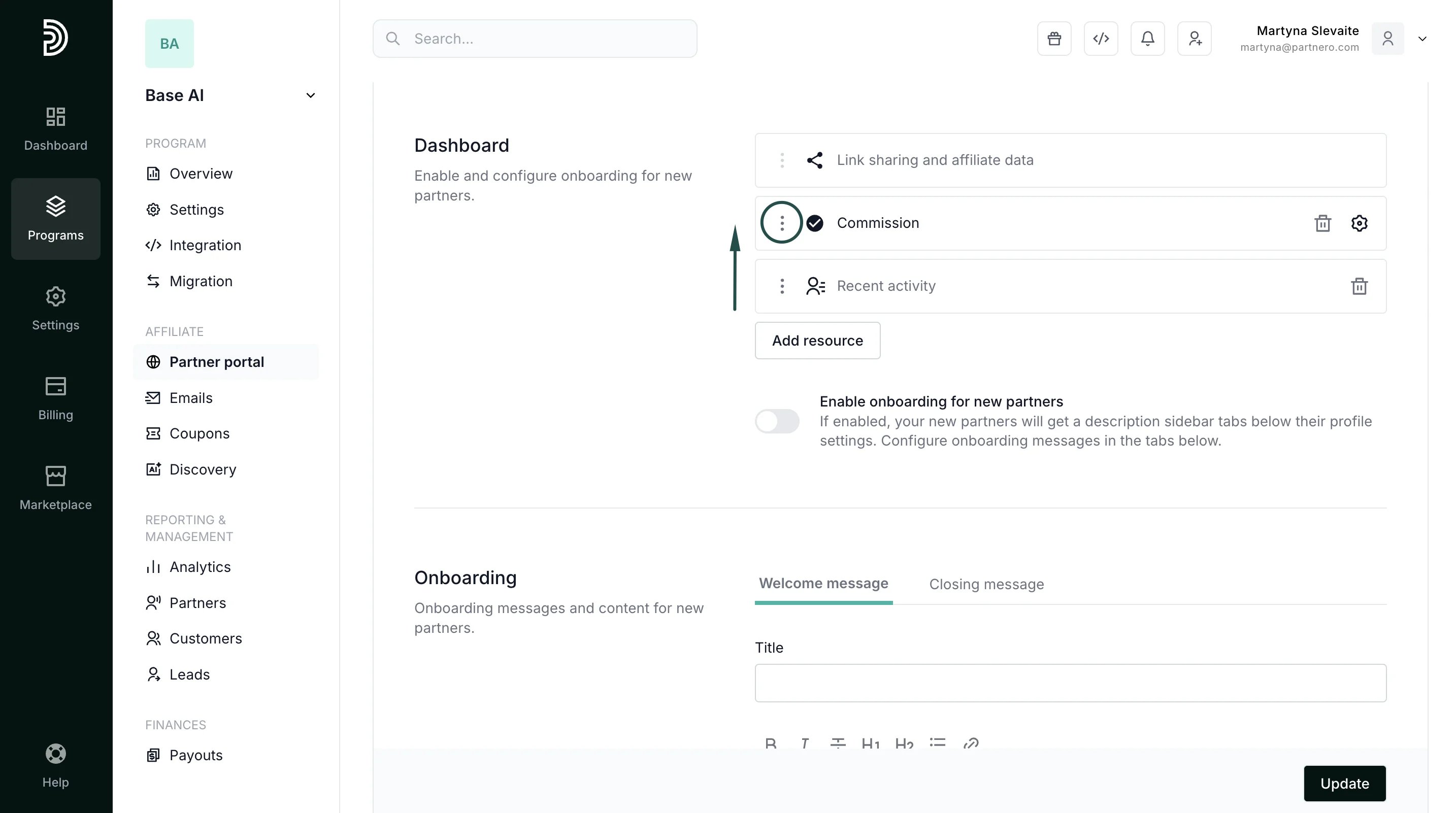
- Click the gear icon to collapse the modal, then use the three-dot menu on the new row to drag it into the second position in the layout:
- Click Update to save the changes.